interior lights TOYOTA TUNDRA 2016 2.G Owners Manual
[x] Cancel search | Manufacturer: TOYOTA, Model Year: 2016, Model line: TUNDRA, Model: TOYOTA TUNDRA 2016 2.GPages: 588, PDF Size: 13.44 MB
Page 1 of 588
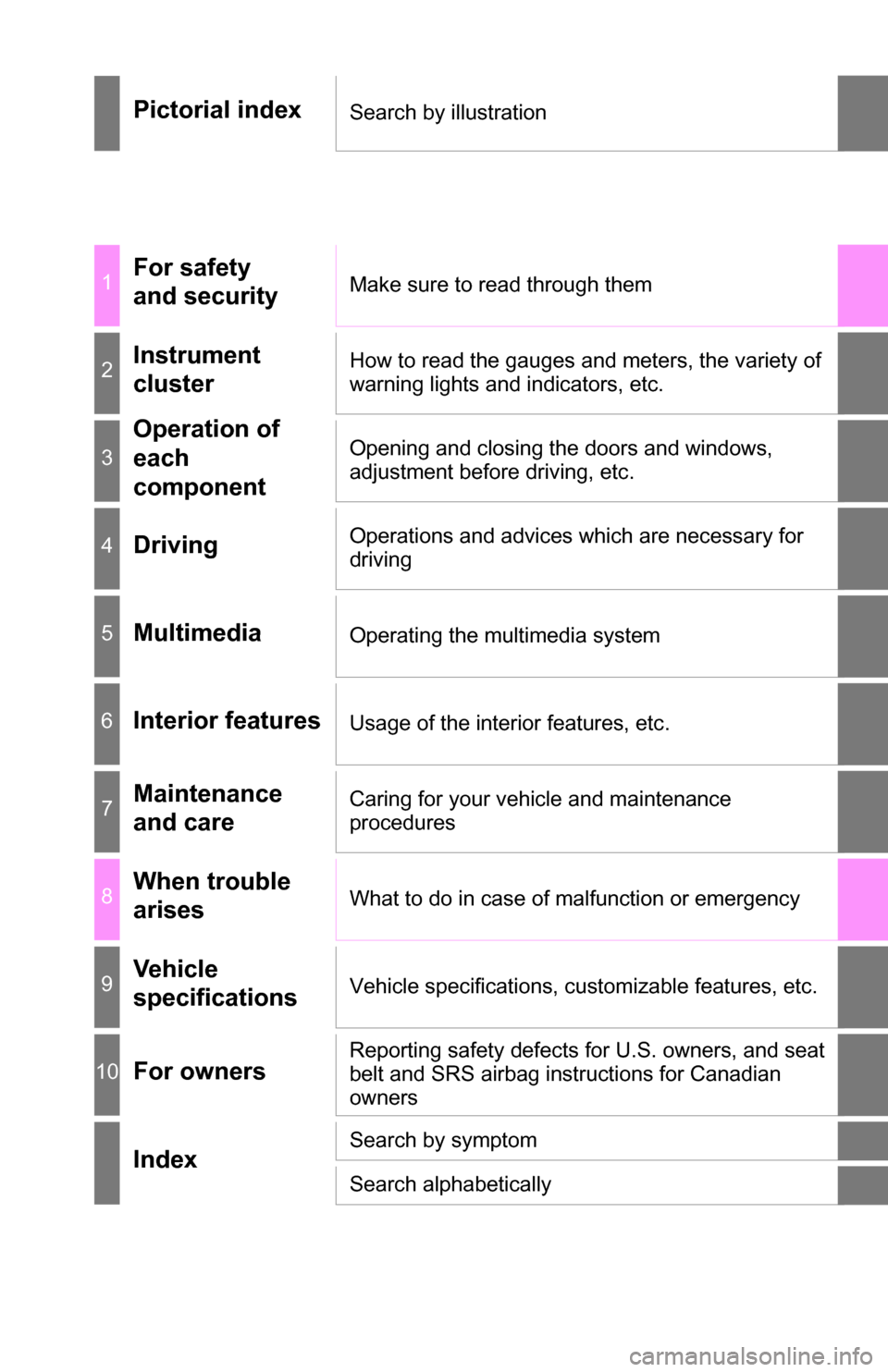
Pictorial indexSearch by illustration
1For safety
and securityMake sure to read through them
2Instrument
clusterHow to read the gauges and meters, the variety of
warning lights and indicators, etc.
3
Operation of
each
componentOpening and closing the doors and windows,
adjustment before driving, etc.
4DrivingOperations and advices which are necessary for
driving
5MultimediaOperating the multimedia system
6Interior featuresUsage of the interior features, etc.
7Maintenance
and careCaring for your vehicle and maintenance
procedures
8When trouble
arisesWhat to do in case of malfunction or emergency
9Vehicle
specificationsVehicle specifications, customizable features, etc.
10For ownersReporting safety defects for U.S. owners, and seat
belt and SRS airbag instructions for Canadian
owners
IndexSearch by symptom
Search alphabetically
Page 4 of 588
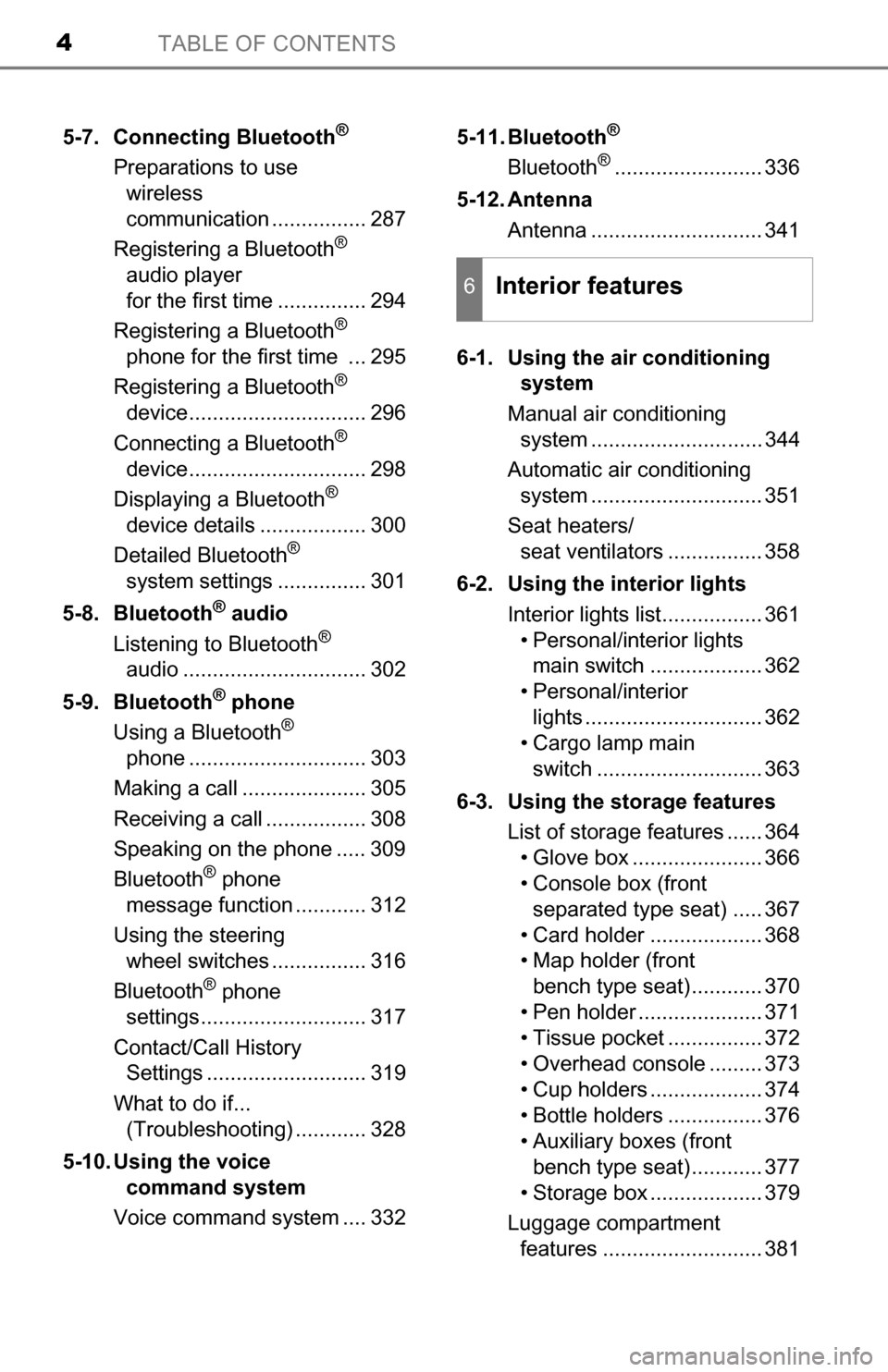
TABLE OF CONTENTS4
5-7. Connecting Bluetooth®
Preparations to use wireless
communication ................ 287
Registering a Bluetooth
®
audio player
for the first time ............... 294
Registering a Bluetooth
®
phone for the first time ... 295
Registering a Bluetooth
®
device.............................. 296
Connecting a Bluetooth
®
device.............................. 298
Displaying a Bluetooth
®
device details .................. 300
Detailed Bluetooth
®
system settings ............... 301
5-8. Bluetooth
® audio
Listening to Bluetooth®
audio ............................... 302
5-9. Bluetooth
® phone
Using a Bluetooth®
phone .............................. 303
Making a call ..................... 305
Receiving a call ................. 308
Speaking on the phone ..... 309
Bluetooth
® phone
message function ............ 312
Using the steering wheel switches ................ 316
Bluetooth
® phone
settings............................ 317
Contact/Call History Settings ........................... 319
What to do if... (Troubleshooting) ............ 328
5-10. Using the voice command system
Voice command system .... 332 5-11. Bluetooth
®
Bluetooth®......................... 336
5-12. Antenna Antenna ............................. 341
6-1. Using the air conditioning system
Manual air conditioning system ............................. 344
Automatic air conditioning system ............................. 351
Seat heaters/ seat ventilators ................ 358
6-2. Using the interior lights Interior lights list................. 361• Personal/interior lightsmain switch ................... 362
• Personal/interior lights .............................. 362
• Cargo lamp main
switch ............................ 363
6-3. Using the storage features List of storage features ...... 364• Glove box ...................... 366
• Console box (front separated type seat) ..... 367
• Card holder ................... 368
• Map holder (front bench type seat)............ 370
• Pen holder ..................... 371
• Tissue pocket ................ 372
• Overhead console ......... 373
• Cup holders ................... 374
• Bottle holders ................ 376
• Auxiliary boxes (front bench type seat)............ 377
• Storage box ................... 379
Luggage compartment features ........................... 381
6Interior features
Page 20 of 588

20Pictorial index
■Switches
The illustration represents the instrument panel for the front separated\
type
seat.Driving position memory switches
*1. . . . . . . . . . . . . . . . . . P. 116
Power window switches
*1 . . . . . . . . . . . . . . . . . . . . . . . . . . P. 134
Door lock switch
*1. . . . . . . . . . . . . . . . . . . . . . . . . . . . . . . . . P. 103
Window lock switch
*1. . . . . . . . . . . . . . . . . . . . . . . . . . . . . . P. 134
Outside rear view mirror switches
*1 . . . . . . . . . . . . . . . . . . P. 130
Personal/interior lights main switch . . . . . . . . . . . . . . . . . . P. 362
Cargo lamp main switch . . . . . . . . . . . . . . . . . . . . . . . . . . . . P. 363
Manual headlight leveling dial . . . . . . . . . . . . . . . . . . . . . . . P. 192
BSM main switch
*1 . . . . . . . . . . . . . . . . . . . . . . . . . . . . . . . . P. 220
Power back window switch
*2. . . . . . . . . . . . . . . . . . . . . . . . P. 138
Intuitive parking assist switch
*1 . . . . . . . . . . . . . . . . . . . . . P. 205
VSC off switch . . . . . . . . . . . . . . . . . . . . . . . . P. 231, 234, 236, 237
TOW/HAUL switch
*1 . . . . . . . . . . . . . . . . . . . . . . . . . . . . . . . P. 187
Trailer brake controller
*1 . . . . . . . . . . . . . . . . . . . . . . . . . . . P. 240
1
2
3
4
5
6
7
8
9
10
11
12
13
14
Page 25 of 588
25Pictorial index
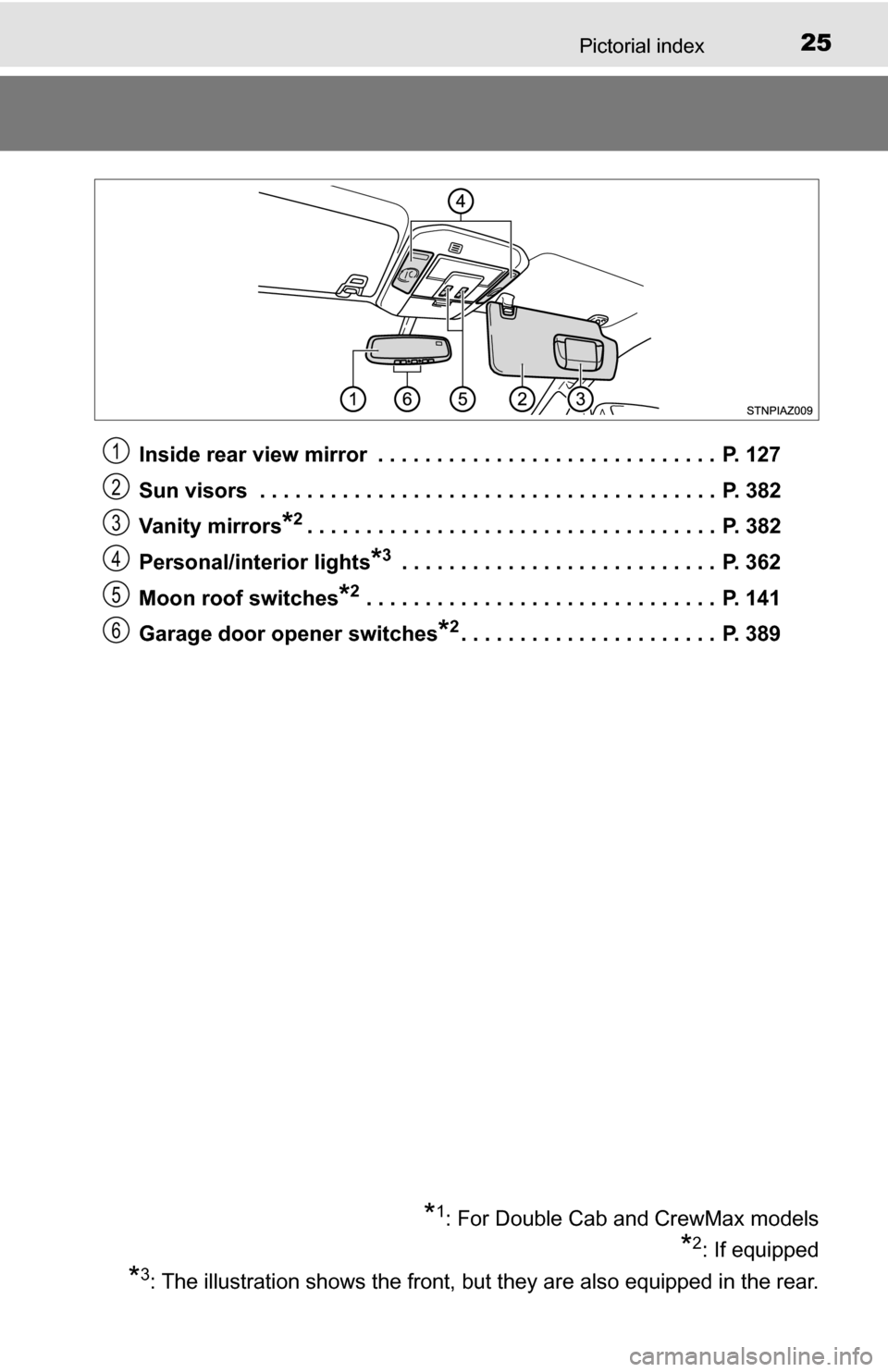
Inside rear view mirror . . . . . . . . . . . . . . . . . . . . . . . . . . . . . P. 127
Sun visors . . . . . . . . . . . . . . . . . . . . . . . . . . . . . . . . . . . . . . . P. 382
Va n i ty m i rr or s
*2. . . . . . . . . . . . . . . . . . . . . . . . . . . . . . . . . . . P. 382
Personal/interior lights
*3 . . . . . . . . . . . . . . . . . . . . . . . . . . . P. 362
Moon roof switches
*2 . . . . . . . . . . . . . . . . . . . . . . . . . . . . . . P. 141
Garage door opener switches
*2. . . . . . . . . . . . . . . . . . . . . . P. 389
*1: For Double Cab and CrewMax models
*2: If equipped
*3: The illustration shows the front, but they are also equipped in the rear.
1
2
3
4
5
6
Page 343 of 588
343
6Interior features
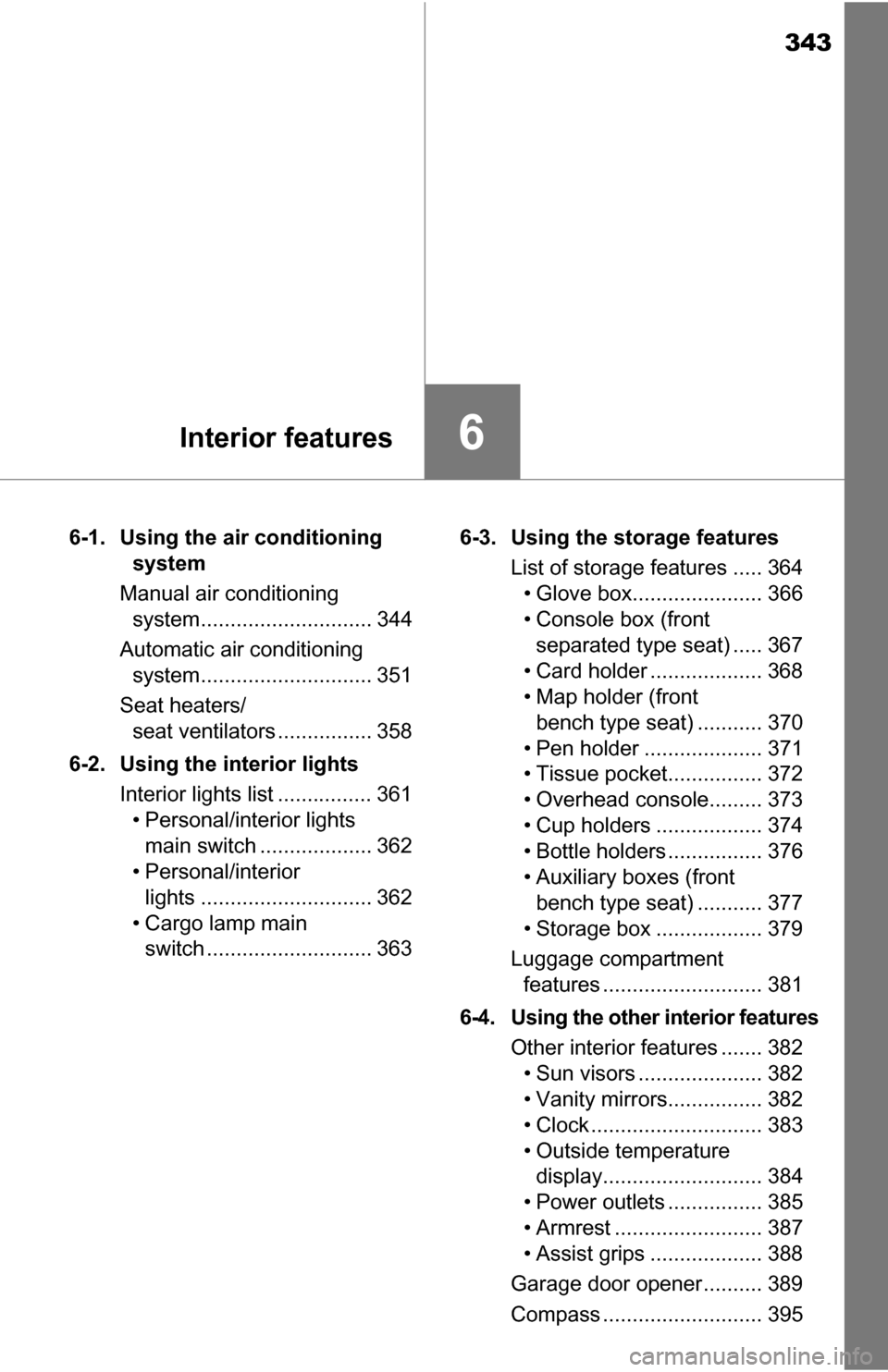
6-1. Using the air conditioning system
Manual air conditioning system............................. 344
Automatic air conditioning system............................. 351
Seat heaters/ seat ventilators ................ 358
6-2. Using the interior lights Interior lights list ................ 361• Personal/interior lightsmain switch ................... 362
• Personal/interior
lights ............................. 362
• Cargo lamp main switch ............................ 363 6-3. Using the storage features
List of storage features ..... 364• Glove box...................... 366
• Console box (front separated type seat) ..... 367
• Card holder ................... 368
• Map holder (front bench type seat) ........... 370
• Pen holder .................... 371
• Tissue pocket................ 372
• Overhead console......... 373
• Cup holders .................. 374
• Bottle holders ................ 376
• Auxiliary boxes (front bench type seat) ........... 377
• Storage box .................. 379
Luggage compartment features ........................... 381
6-4. Using the other interior features Other interior features ....... 382• Sun visors ..................... 382
• Vanity mirrors................ 382
• Clock ............................. 383
• Outside temperature display........................... 384
• Power outlets ................ 385
• Armrest ......................... 387
• Assist grips ................... 388
Garage door opener.......... 389
Compass ........................... 395
Page 359 of 588
3596-1. Using the air conditioning system
6
Interior features
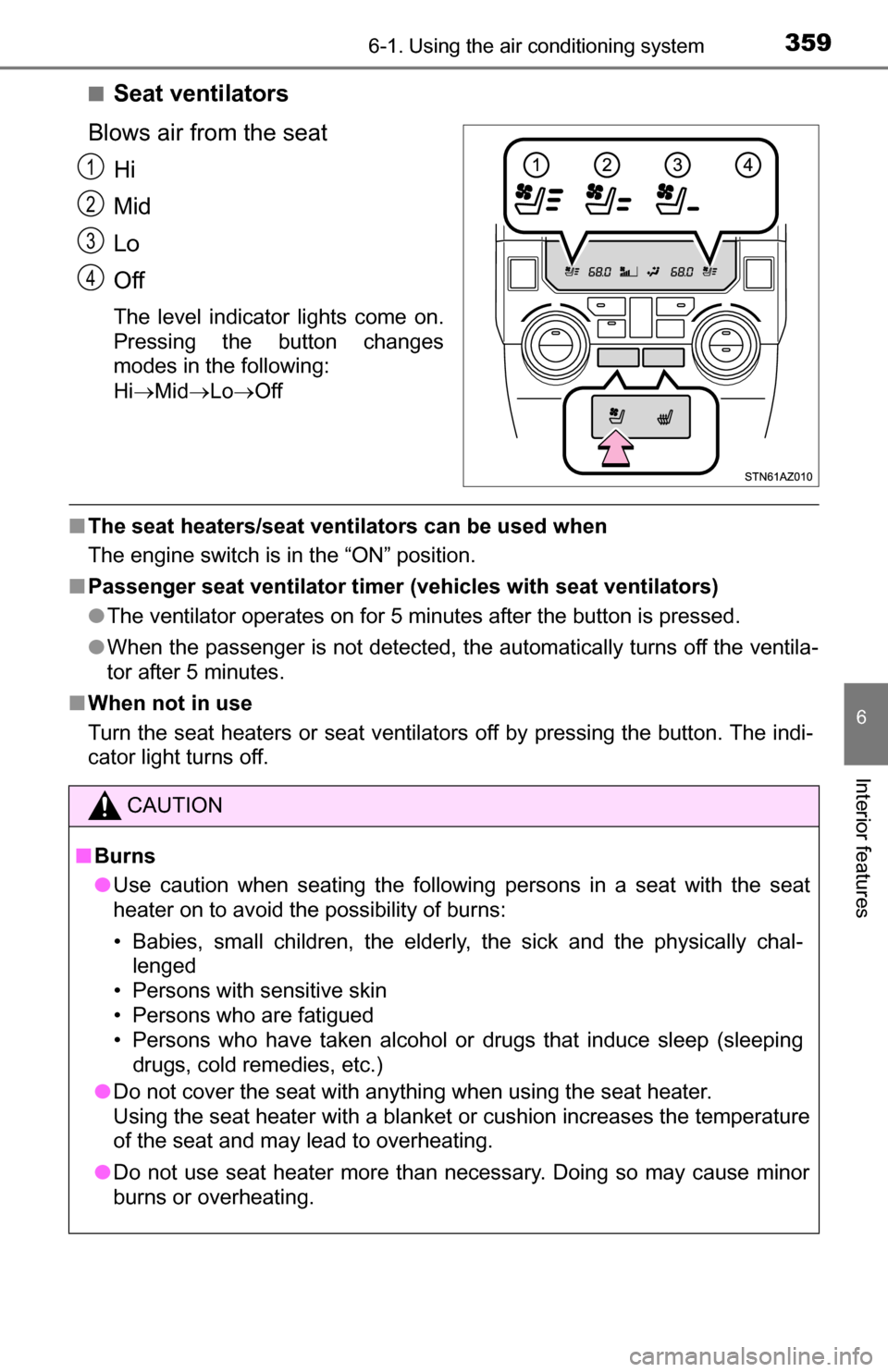
■Seat ventilators
Blows air from the seat Hi
Mid
Lo
Off
The level indicator lights come on.
Pressing the button changes
modes in the following:
HiMid LoOff
■The seat heaters/seat ventilators can be used when
The engine switch is in the “ON” position.
■ Passenger seat ventilator timer ( vehicles with seat ventilators)
● The ventilator operates on for 5 minutes after the button is pressed.
● When the passenger is not detected, the automatically turns off the ventila-
tor after 5 minutes.
■ When not in use
Turn the seat heaters or seat ventilators off by pressing the button. The indi-
cator light turns off.
1
2
3
4
CAUTION
■Burns
● Use caution when seating the following persons in a seat with the seat
heater on to avoid the possibility of burns:
• Babies, small children, the elderly, the sick and the physically chal-
lenged
• Persons with sensitive skin
• Persons who are fatigued
• Persons who have taken alcohol or drugs that induce sleep (sleeping drugs, cold remedies, etc.)
● Do not cover the seat with anything when using the seat heater.
Using the seat heater with a blanket or cushion increases the temperature
of the seat and may lead to overheating.
● Do not use seat heater more than necessary. Doing so may cause minor
burns or overheating.
Page 361 of 588
3616-2. Using the interior lights
6
Interior features
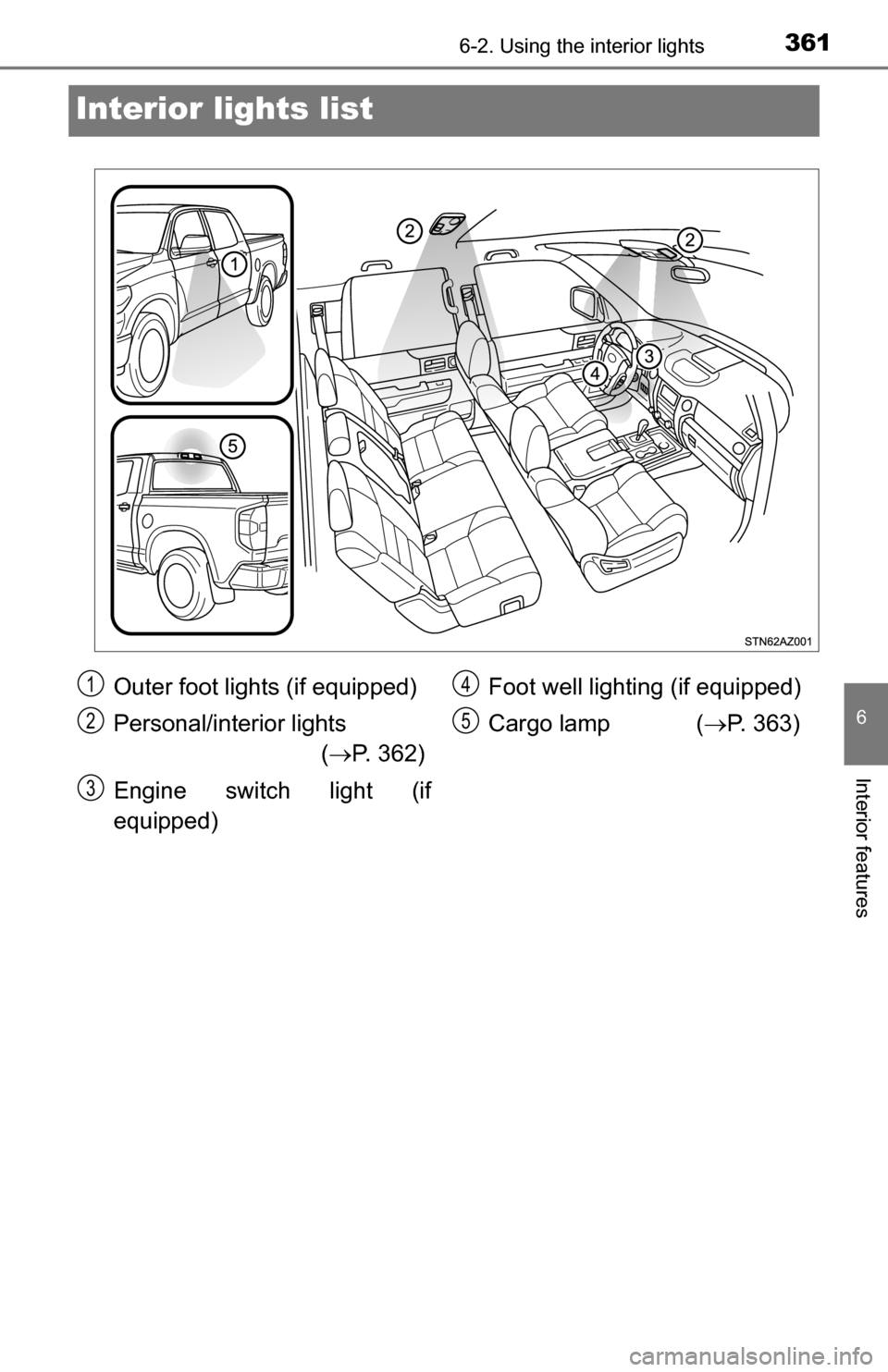
Interior lights list
Outer foot lights (if equipped)
Personal/interior lights
( P. 362)
Engine switch light (if
equipped) Foot well lighting (if equipped)
Cargo lamp (
P. 363)1
2
3
4
5
Page 362 of 588
3626-2. Using the interior lights
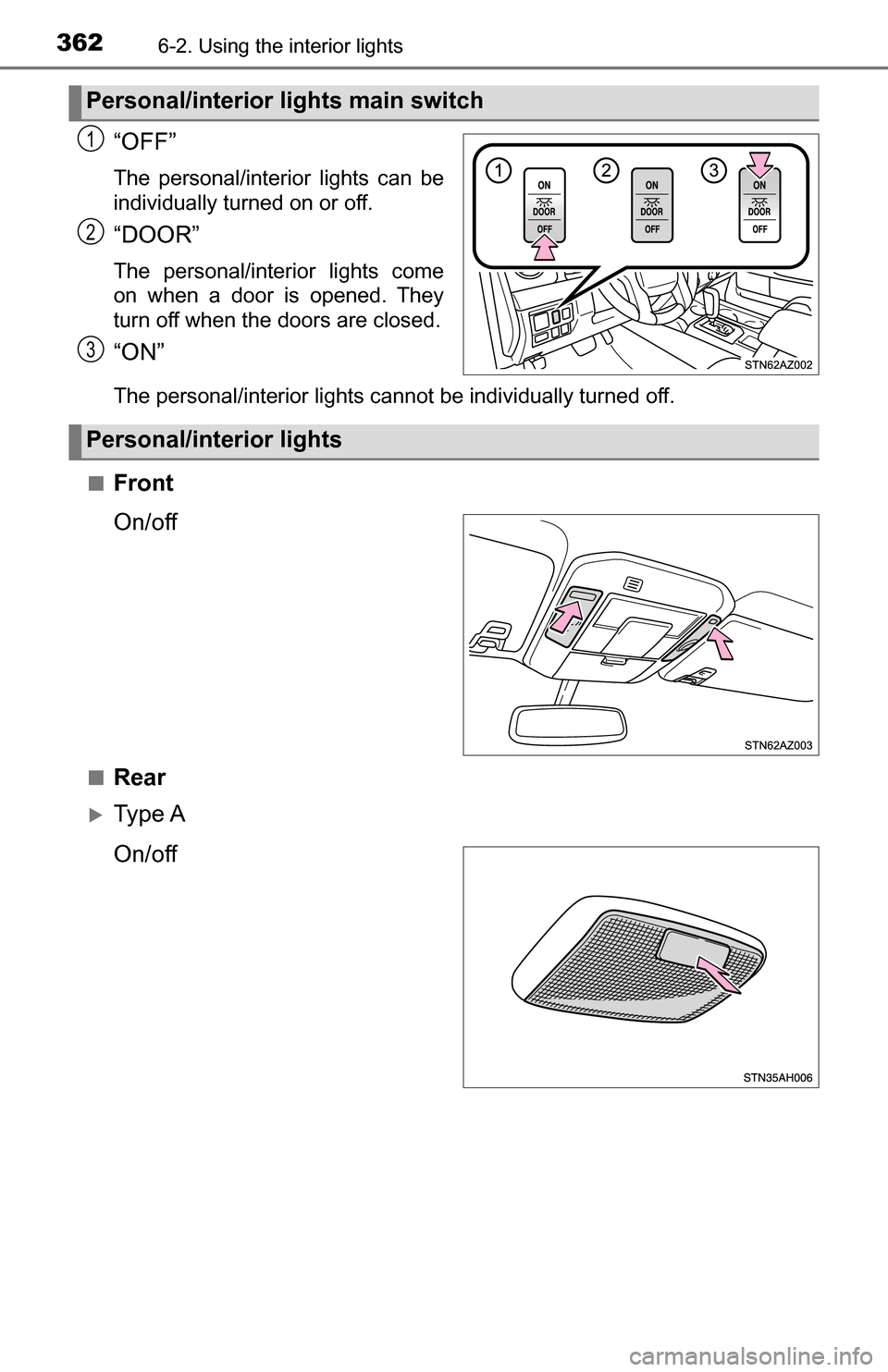
“OFF”
The personal/interior lights can be
individually turned on or off.
“DOOR”
The personal/interior lights come
on when a door is opened. They
turn off when the doors are closed.
“ON”
The personal/interior lights cannot be individually turned off.
■
Front
On/off
■Rear
Ty p e A
On/off
Personal/interior lights main switch
1
2
3
Personal/interior lights
Page 363 of 588
3636-2. Using the interior lights
6
Interior features
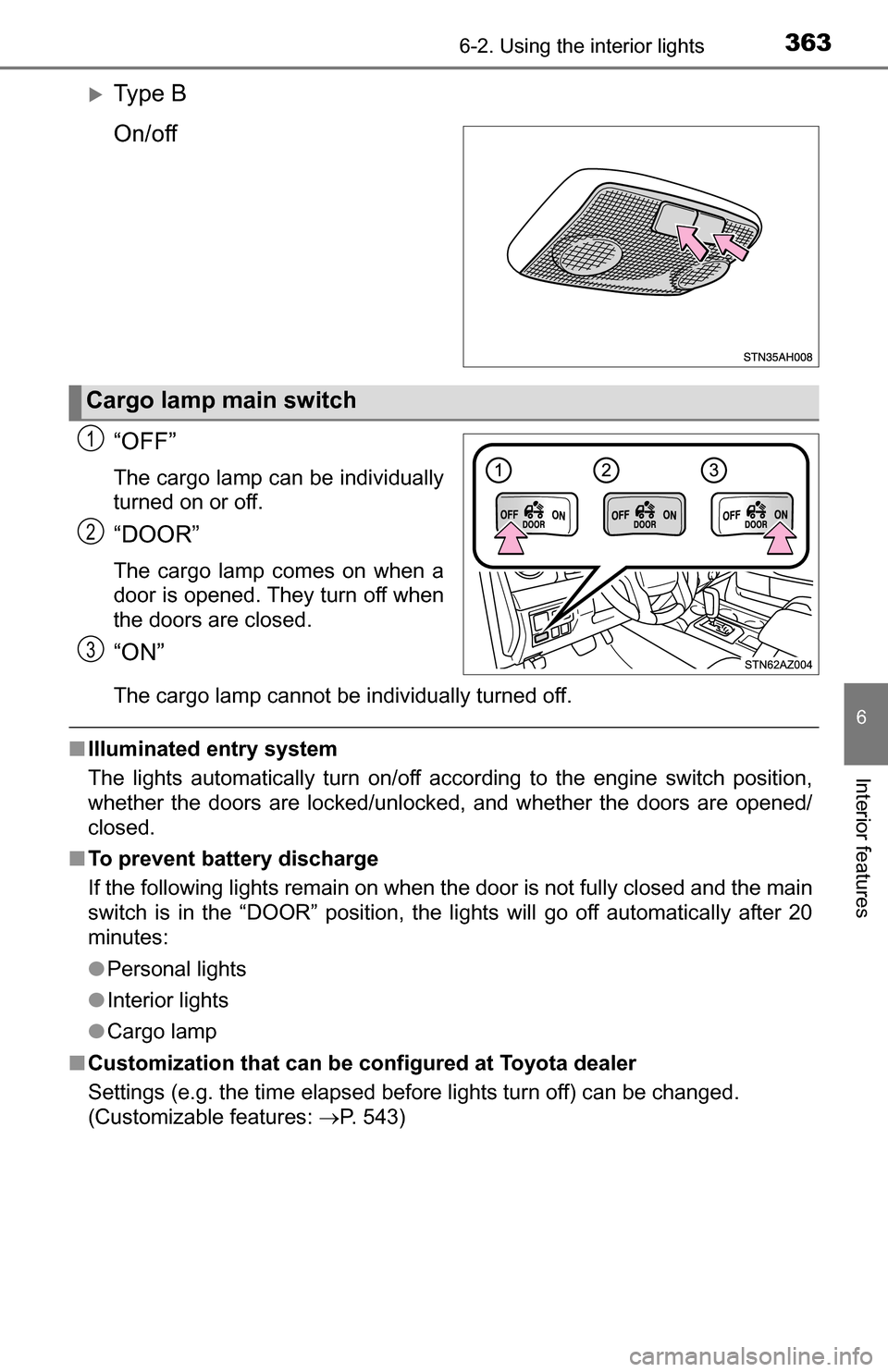
Ty p e B
On/off
“OFF”
The cargo lamp can be individually
turned on or off.
“DOOR”
The cargo lamp comes on when a
door is opened. They turn off when
the doors are closed.
“ON”
The cargo lamp cannot be individually turned off.
■Illuminated entry system
The lights automatically turn on/off according to the engine switch position,
whether the doors are locked/unlocked, and whether the doors are opened/
closed.
■ To prevent battery discharge
If the following lights remain on when the door is not fully closed and the main
switch is in the “DOOR” position, the lights will go off automatically after 20
minutes:
●Personal lights
● Interior lights
● Cargo lamp
■ Customization that can be co nfigured at Toyota dealer
Settings (e.g. the time elapsed before lights turn off) can be changed.
(Customizable features: P. 543)
Cargo lamp main switch
1
2
3
Page 382 of 588
3826-4. Using the other interior features
Other interior features
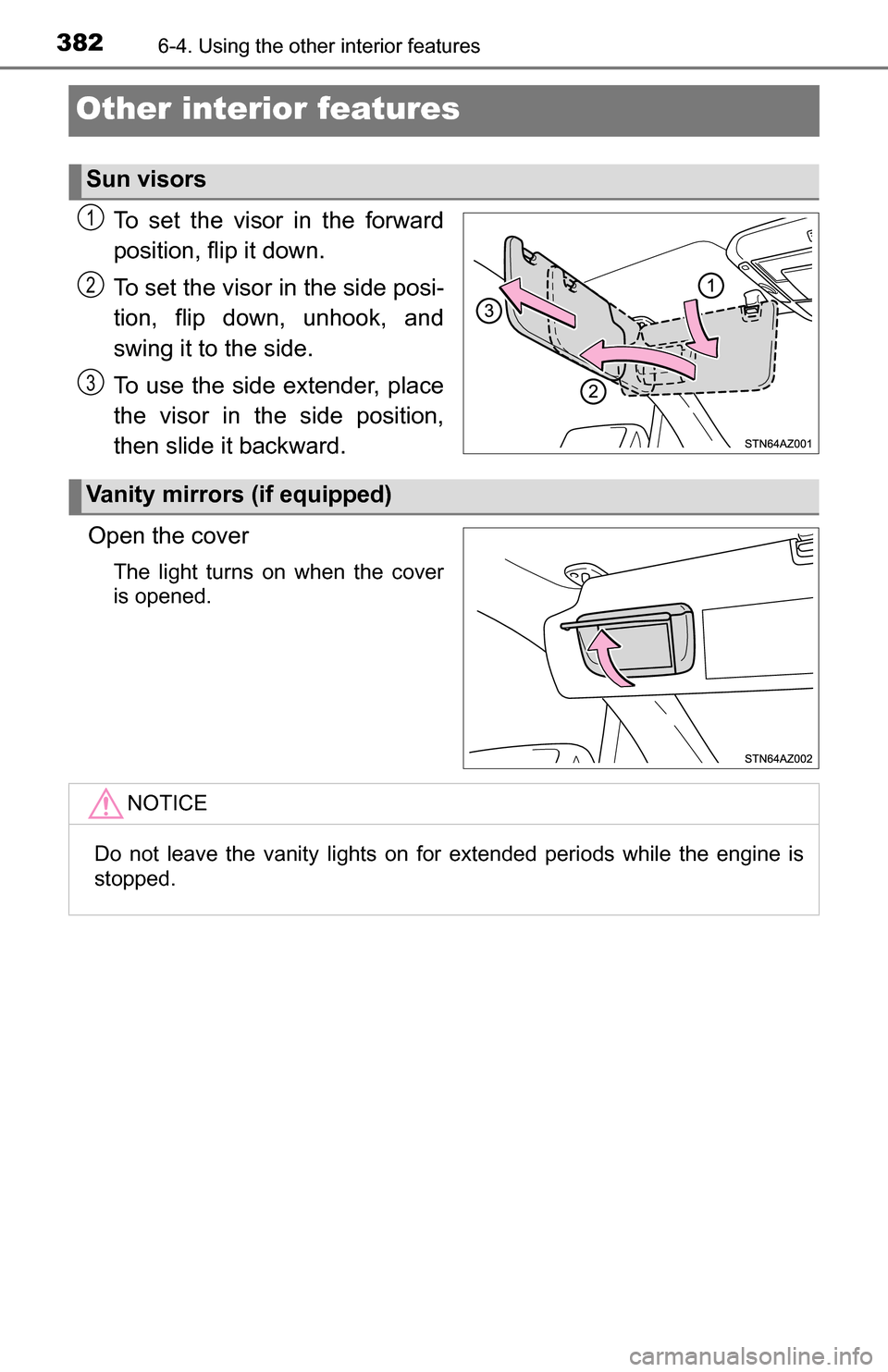
To set the visor in the forward
position, flip it down.
To set the visor in the side posi-
tion, flip down, unhook, and
swing it to the side.
To use the side extender, place
the visor in the side position,
then slide it backward.
Open the cover
The light turns on when the cover
is opened.
Sun visors
1
2
3
Vanity mirrors (if equipped)
NOTICE
Do not leave the vanity lights on for extended periods while the engine is
stopped.