service TOYOTA TUNDRA 2019 Owners Manual (in English)
[x] Cancel search | Manufacturer: TOYOTA, Model Year: 2019, Model line: TUNDRA, Model: TOYOTA TUNDRA 2019Pages: 56, PDF Size: 3.12 MB
Page 6 of 56
 4
OVERVIEWInstrument cluster
For details, refer to “Indicators and warning lights,” Section 2, \
2019 Owner’s
Manual.
Multi-Information Display Speedometer
Outside temperature display
Fuel gaug")
4
OVERVIEWInstrument cluster
For details, refer to “Indicators and warning lights,” Section 2, \
2019 Owner’s
Manual.
Multi-Information Display Speedometer
Outside temperature display
Fuel gaugeODO/TRIP display switch
Shift position and range display
Odometer and trip meter display
Instrument panel light control button Oil pressure gauge
Engine coolant temperature gauge Voltmeter
Tachometer
Air bag SRS warning1
AIR BAG ON and
AIR BAG OFF indicators1
Blind Spot Monitor outside
rearview mirror indicators4
Indicator symbols
Automatic High Beam (AHB)
indicator
Blind Spot Monitor (BSM)
indicator4
Arrow direction indicates fuel
tank door position
AUTO Limited Slip Differential
(LSD) indicator1
Anti-lock Brake System (ABS)
warning1
Service indicators and reminders
49087b_2019_Tundra_QRG_V2_ML_0714.indd 47/17/18 3:18 PM
Page 49 of 56
47
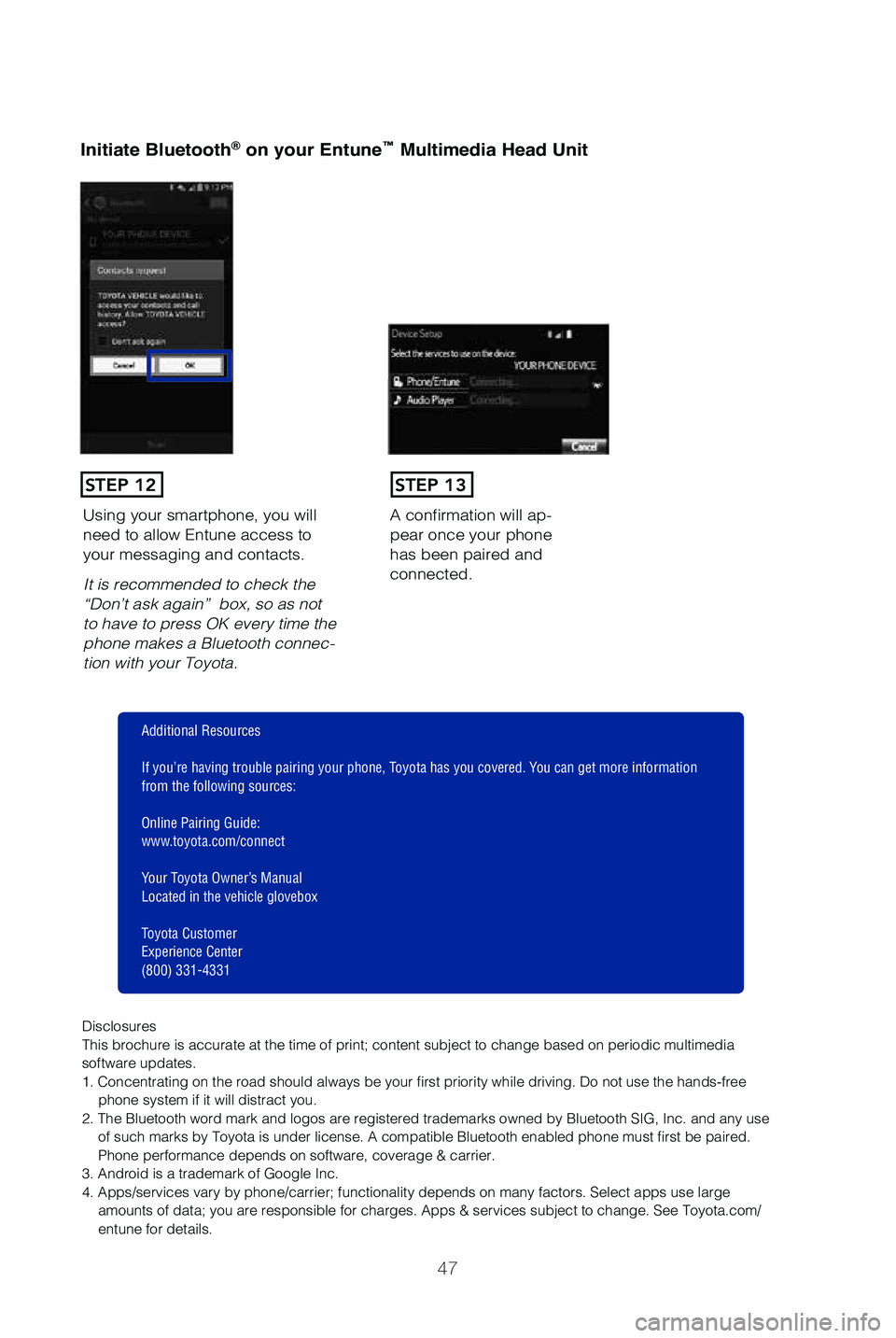
Initiate Bluetooth® on your Entune™ Multimedia Head Unit
A confirmation will ap-
pear once your phone
has been paired and
connected.Using your smartphone, you will
need to allow Entune access to
your messaging and contacts.
It is recommended to check the
“Don’t ask again” box, so as not
to have to press OK every time the
phone makes a Bluetooth connec-
tion with your Toyota.
STEP 12STEP 13
Additional Resources
If you’re having trouble pairing your phone, Toyota has you covered. You can get more information
from the following sources:
Online Pairing Guide:
www.toyota.com/connect
Your Toyota Owner’s Manual
Located in the vehicle glovebox
Toyota Customer
Experience Center
(800) 331-4331
Disclosures
This brochure is accurate at the time of print; content subject to chang\
e based on periodic multimedia
software updates.
1. Concentrating on the road should always be your first priority while driving. Do not use the hands-free phone system if it will distract you.
2. The Bluetooth word mark and logos are registered trademarks owned by \
Bluetooth SIG, Inc. and any use of such marks by Toyota is under license. A compatible Bluetooth enabled phone must first be paired.
Phone performance depends on software, coverage & carrier.
3. Android is a trademark of Google Inc.
4. Apps/services vary by phone/carrier; functionality depends on many fa\
ctors. Select apps use large amounts of data; you are responsible for charges. Apps & services subjec\
t to change. See Toyota.com/
entune for details.
49087b_2019_Tundra_QRG_V2_ML_0714.indd 477/17/18 3:19 PM
Page 52 of 56
50
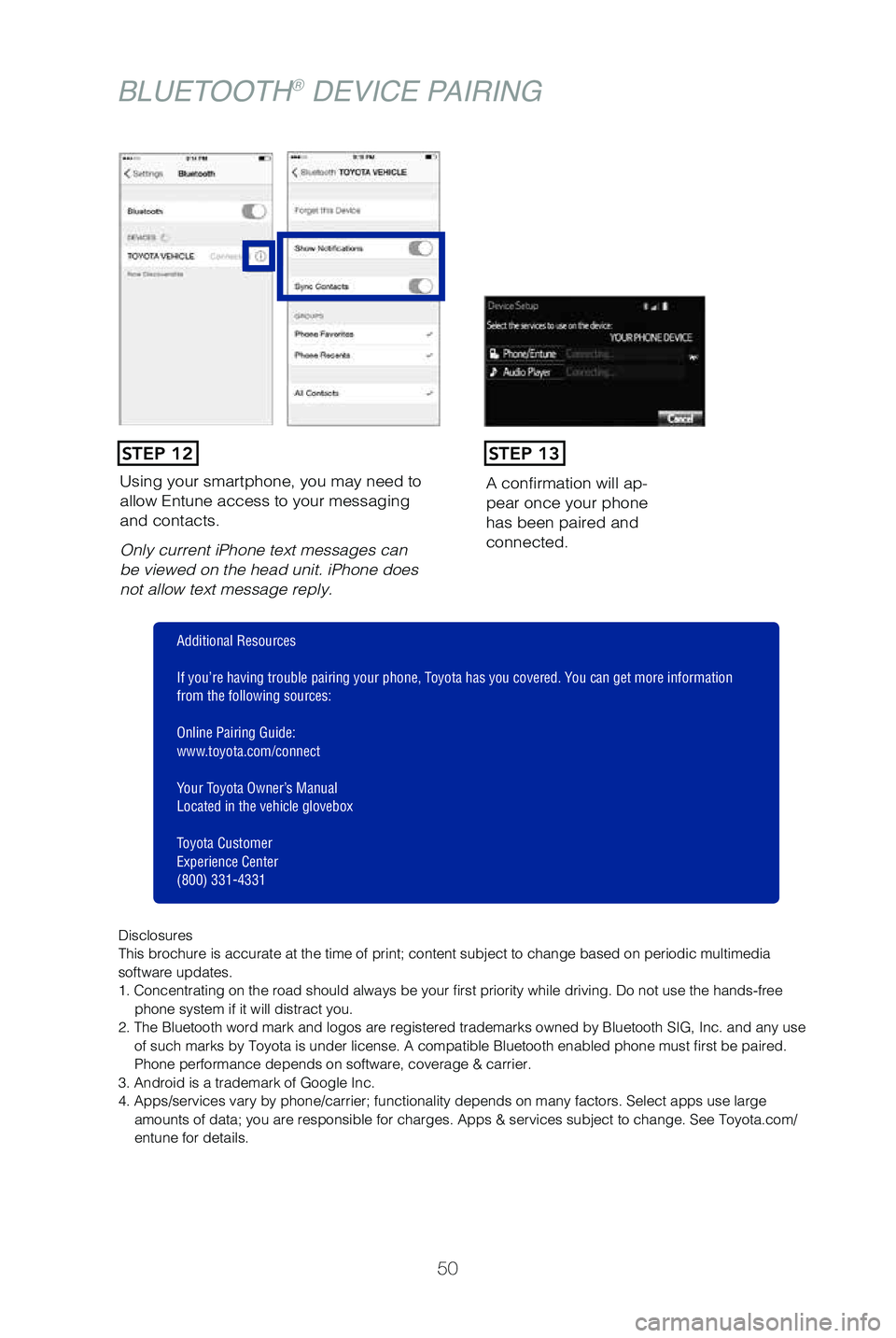
Using your smartphone, you may need to
allow Entune access to your messaging
and contacts.
Only current iPhone text messages can
be viewed on the head unit. iPhone does
not allow text message reply.A confirmation will ap
-
pear once your phone
has been paired and
connected.
STEP 12STEP 13
Disclosures
This brochure is accurate at the time of print; content subject to chang\
e based on periodic multimedia
software updates.
1. Concentrating on the road should always be your first priority while driving. Do not use the hands-free
phone system if it will distract you.
2. The Bluetooth word mark and logos are registered trademarks owned by \
Bluetooth SIG, Inc. and any use of such marks by Toyota is under license. A compatible Bluetooth enabled phone must first be paired.
Phone performance depends on software, coverage & carrier.
3. Android is a trademark of Google Inc.
4. Apps/services vary by phone/carrier; functionality depends on many fa\
ctors. Select apps use large amounts of data; you are responsible for charges. Apps & services subjec\
t to change. See Toyota.com/
entune for details.
Additional Resources
If you’re having trouble pairing your phone, Toyota has you covered. You can get more information
from the following sources:
Online Pairing Guide:
www.toyota.com/connect
Your Toyota Owner’s Manual
Located in the vehicle glovebox
Toyota Customer
Experience Center
(800) 331-4331
BLUETOOTH® DEVICE PAIRING
49087b_2019_Tundra_QRG_V2_ML_0714.indd 507/17/18 3:19 PM
Page 55 of 56
53
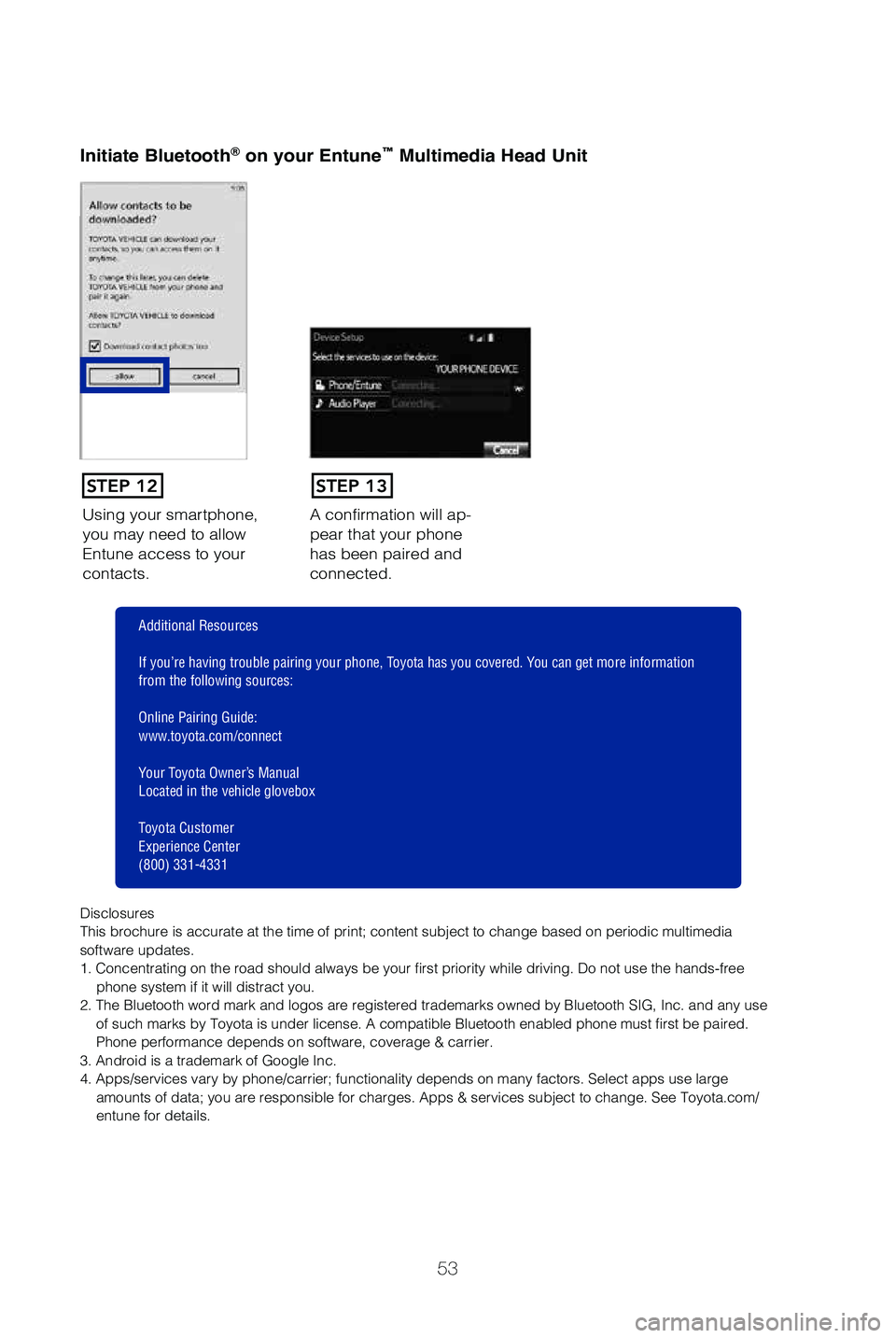
Using your smartphone,
you may need to allow
Entune access to your
contacts.A confirmation will ap-
pear that your phone
has been paired and
connected.
Initiate Bluetooth® on your Entun
e™ Multimedia Head Unit
STEP 12STEP 13
Disclosures
This brochure is accurate at the time of print; content subject to chang\
e based on periodic multimedia
software updates.
1. Concentrating on the road should always be your first priority while driving. Do not use the hands-free
phone system if it will distract you.
2. The Bluetooth word mark and logos are registered trademarks owned by \
Bluetooth SIG, Inc. and any use of such marks by Toyota is under license. A compatible Bluetooth enabled phone must first be paired.
Phone performance depends on software, coverage & carrier.
3. Android is a trademark of Google Inc.
4. Apps/services vary by phone/carrier; functionality depends on many fa\
ctors. Select apps use large amounts of data; you are responsible for charges. Apps & services subjec\
t to change. See Toyota.com/
entune for details.
Additional Resources
If you’re having trouble pairing your phone, Toyota has you covered. You can get more information
from the following sources:
Online Pairing Guide:
www.toyota.com/connect
Your Toyota Owner’s Manual
Located in the vehicle glovebox
Toyota Customer
Experience Center
(800) 331-4331
49087b_2019_Tundra_QRG_V2_ML_0714.indd 537/17/18 3:19 PM