engine TOYOTA TUNDRA 2023 Manual Online
[x] Cancel search | Manufacturer: TOYOTA, Model Year: 2023, Model line: TUNDRA, Model: TOYOTA TUNDRA 2023Pages: 616, PDF Size: 11.14 MB
Page 232 of 616

2324-3. Operating the lights and wipers
■The windshield wipers and washer can be operated when
Vehicles without a smart key system
The engine switch is in the “ON” position.
Vehicles with a smart key system
The engine switch is in IGNITION ON mode.
■ If no windshield washer fluid sprays
Check that the washer nozzles are not blocked if there is washe r fluid in the
windshield washer fluid reservoir.
WARNING
■ Caution regarding the use of washer fluid
When it is cold, do not use the washer fluid until the windshie ld becomes
warm. The fluid may freeze on the windshield and cause low visi bility. This
may lead to an accident, resulting in death or serious injury.
NOTICE
■ When the windshield is dry
Do not use the wipers, as they may damage the windshield.
■ When the washer fluid tank is empty
Do not operate the switch continually as the washer fluid pump may over-
heat.
■ When a nozzle becomes blocked
In this case, contact your Toyota dealer.
Do not try to clear it with a pin or other object. The nozzle will be damaged.
Page 233 of 616
2334-4. Refueling
4
Driving
Opening the fuel tank cap
●Vehicles without a smart key system:
Turn the engine switch to the “LOCK” position and ensure that a ll
the doors and wind ows are closed.
● Vehicles with a smart key system:
Turn the engine switch off and ens ure that all the doors and win-
dows are closed.
● Confirm the type of fuel.
■Fuel types
P. 554
■ Fuel tank opening for unleaded gasoline
To help prevent incorrect fueling, your vehicle has a fuel tank opening that
only accommodates the special nozzle on unleaded fuel pumps.
■ If the malfunction indicator lamp illuminates
The malfunction indicator lamp may illuminate erroneously if re fueling is per-
formed repeatedly when the fuel tank is nearly full.
Perform the following steps to open the fuel tank cap:
Before refueling the vehicle
Page 248 of 616

2484-5. Using the driving support systems
WARNING
■When to disable the pre-collision system
In the following situations, disable the system, as it may not operate prop-
erly, possibly leading to an accident resulting in death or serious injury:
● When the vehicle is being towed
● When your vehicle is towing another vehicle
● When transporting the vehicle via truck, boat, train or similar means of
transportation
● When the vehicle is raised on a lift with the engine running and the tires
are allowed to rotate freely
● When inspecting the vehicle using a drum tester such as a chass is dyna-
mometer or speedometer tester, or when using an on vehicle whee l bal-
ancer
● When a strong impact is applied to the front bumper or front gr ille, due to
an accident or other reasons
● If the vehicle cannot be driven in a stable manner, such as when the vehi-
cle has been in an accident or is malfunctioning
● When the vehicle is driven in a sporty manner or off-road
● When the tires are not properly inflated
● When the tires are very worn
● When tires of a size other than specified are installed
● When tire chains are installed
● When a compact spare tire or an emergency tire puncture repair kit is used
● If equipment (snow plow, etc.) that may obstruct the radar sens or or front
camera is temporarily installed to the vehicle
Page 249 of 616
2494-5. Using the driving support systems
4
Driving
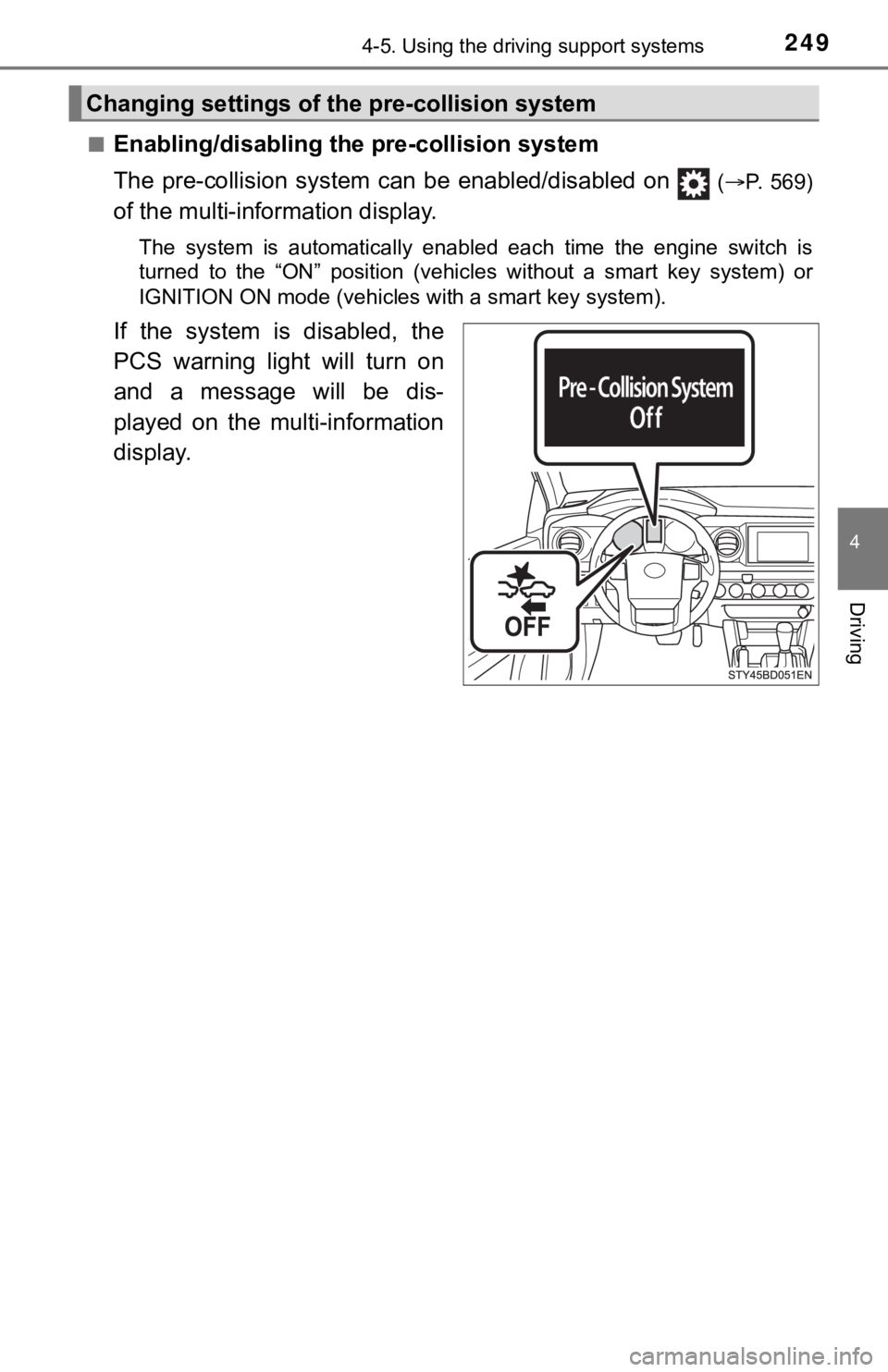
■Enabling/disabling the pre-collision system
The pre-collision system c an be enabled/disabled on
(P. 569)
of the multi-information display.
The system is automatically enabled each time the engine switch is
turned to the “ON” position (vehicles without a smart key syste m) or
IGNITION ON mode (vehicles with a smart key system).
If the system is disabled, the
PCS warning light will turn on
and a message will be dis-
played on the multi-information
display.
Changing settings of the pre-collision system
Page 250 of 616
2504-5. Using the driving support systems
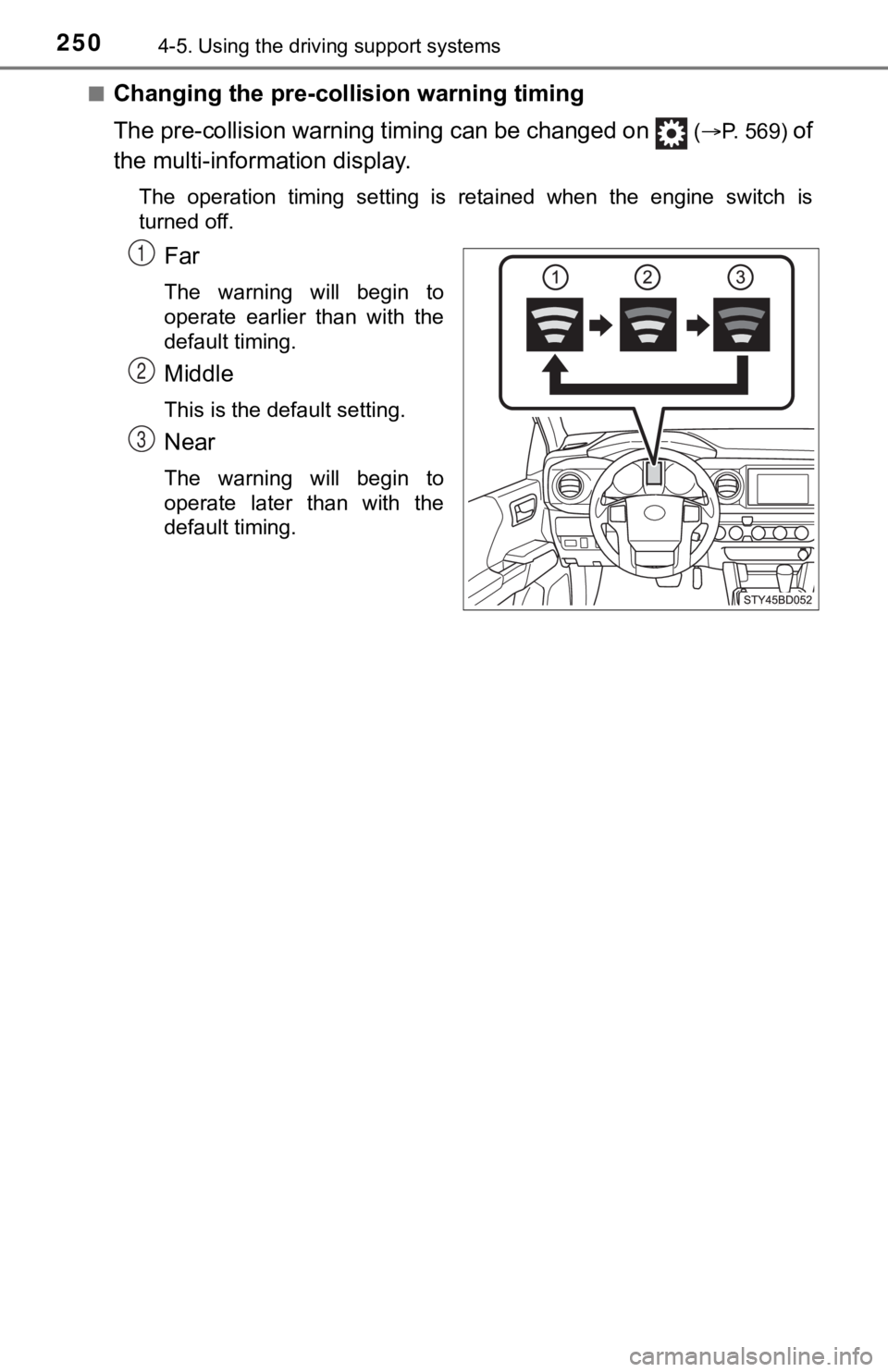
■Changing the pre-colli sion warning timing
The pre-collision warning timing can be changed on
(P. 569) of
the multi-inform ation display.
The operation timing setting is retained when the engine switch is
turned off.
Far
The warning will begin to
operate earlier than with the
default timing.
Middle
This is the default setting.
Near
The warning will begin to
operate later than with the
default timing.
1
2
3
Page 256 of 616
2564-5. Using the driving support systems
• When driving in inclement weather such as heavy rain, fog, snow or a
sandstorm
• When the vehicle is hit by water, snow, dust, etc., from a veh icle ahead
• When driving through steam or smoke
• When driving in a place where the surrounding brightness changes sud- denly, such as at the entrance or exit of a tunnel
• When a very bright light, such as the sun or the headlights of oncoming
traffic, shines directly into the front camera
• When the surrounding area is dim, such as at dawn or dusk, or while at
night or in a tunnel
• After the engine has started the vehicle has not been driven for a certain amount of time
• While making a left/right turn and for a few seconds after mak ing a left/
right turn
• While driving on a curve and for a few seconds after driving o n a curve
• If your vehicle is skidding
• If the wheels are misaligned
• If a wiper blade is blocking the front camera
• The vehicle is wobbling.
• The vehicle is being driven at extremely high speeds.
• When driving on a hill
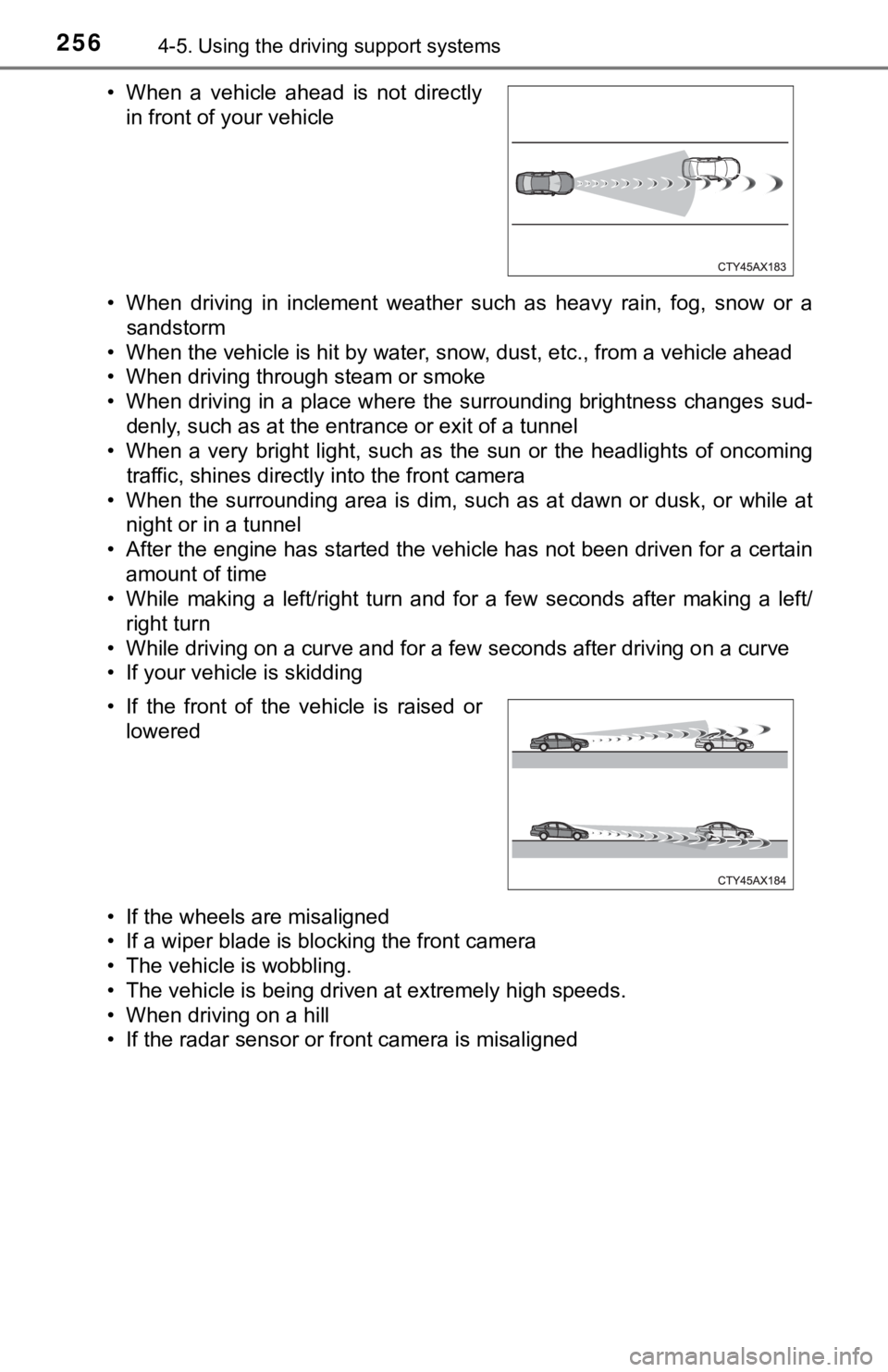
• If the radar sensor or front camera is misaligned • When a vehicle ahead is not directly in front of your vehicle
• If the front of the vehicle is raised or lowered
Page 261 of 616
2614-5. Using the driving support systems
4
Driving
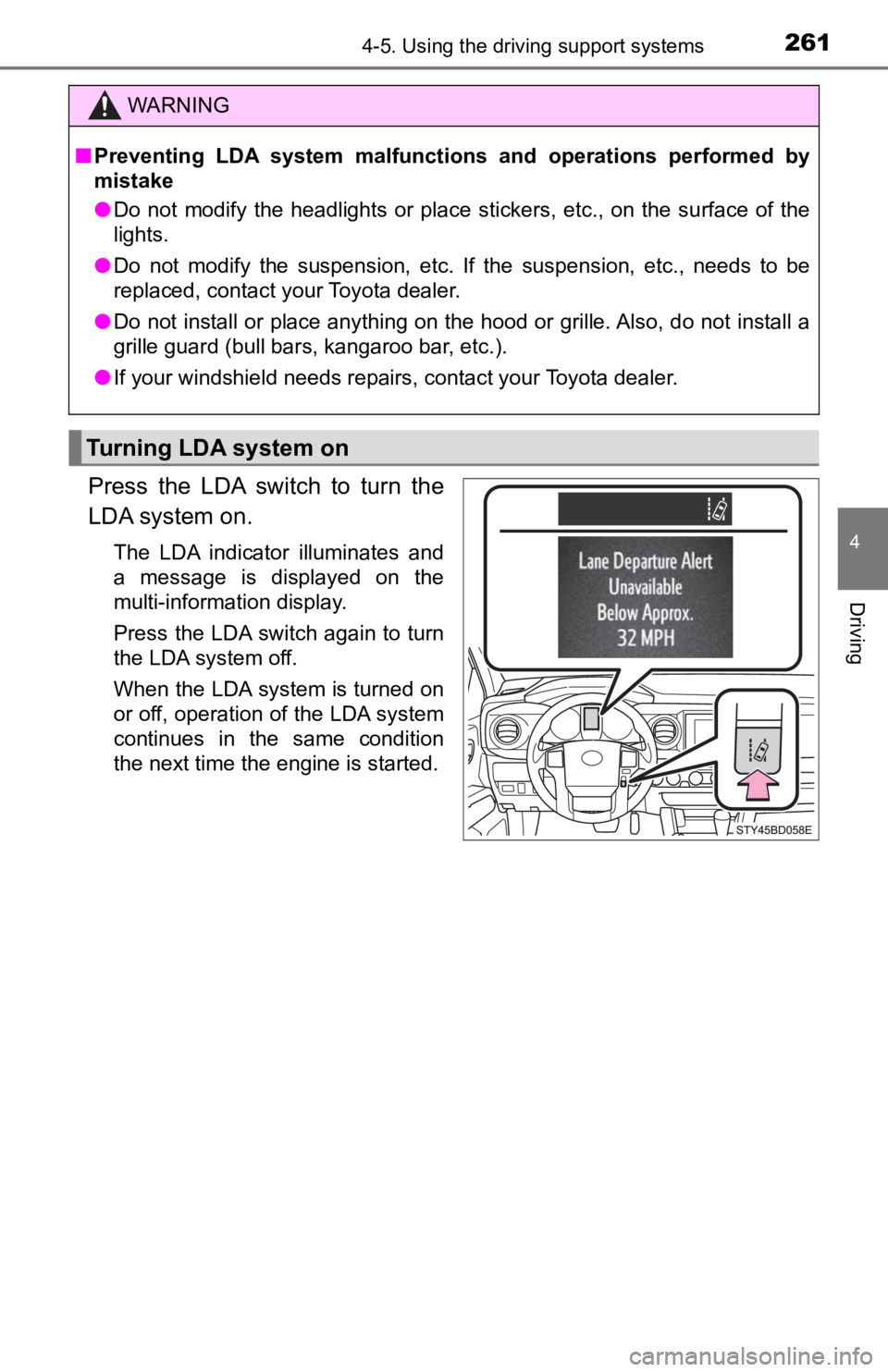
Press the LDA switch to turn the
LDA system on.
The LDA indicator illuminates and
a message is displayed on the
multi-information display.
Press the LDA switch again to turn
the LDA system off.
When the LDA system is turned on
or off, operation of the LDA system
continues in the same condition
the next time the engine is started.
WARNING
■Preventing LDA system malfunctions and operations performed by
mistake
● Do not modify the headlights or place stickers, etc., on the su rface of the
lights.
● Do not modify the suspension, etc. If the suspension, etc., needs to be
replaced, contact your Toyota dealer.
● Do not install or place anything on the hood or grille. Also, d o not install a
grille guard (bull bars, kangaroo bar, etc.).
● If your windshield needs repairs, contact your Toyota dealer.
Turning LDA system on
Page 273 of 616
2734-5. Using the driving support systems
4
Driving
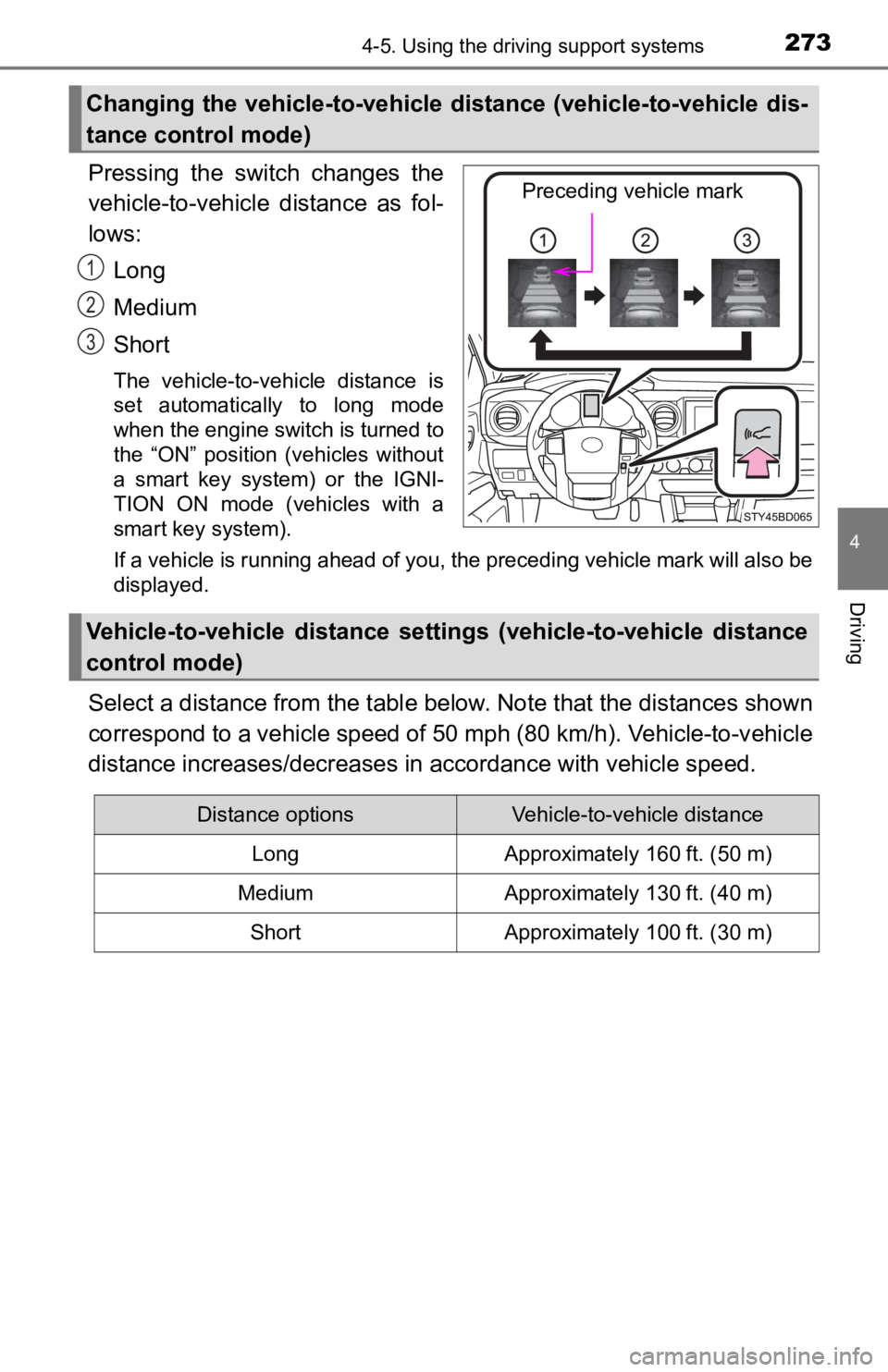
Pressing the switch changes the
vehicle-to-vehicle distance as fol-
lows:Long
Medium
Short
The vehicle-to-vehicle distance is
set automatically to long mode
when the engine switch is turned to
the “ON” position (vehicles without
a smart key system) or the IGNI-
TION ON mode (vehicles with a
smart key system).
If a vehicle is running ahead of you, the preceding vehicle mark will also be
displayed.
Select a distance from the tabl e below. Note that the distances shown
correspond to a vehicle speed of 50 mph (80 km/h). Vehicle-to-v ehicle
distance increases/decreases in accordance with vehicle speed.
Changing the vehicle-to-vehicle d istance (vehicle-to-vehicle dis-
tance control mode)
Preceding vehicle mark
1
2
3
Vehicle-to-vehicle distance settings (vehicle-to-vehicle distan ce
control mode)
Distance optionsVehicle-to-vehicle distance
LongApproximately 160 ft. (50 m)
MediumApproximately 130 ft. (40 m)
ShortApproximately 100 ft. (30 m)
Page 287 of 616

2874-5. Using the driving support systems
4
Driving
■The system can be operated when
●The engine switch is in ON mode.
● Intuitive parking assist function is on.
● The vehicle speed is less than about 6 mph (10 km/h).
● A shift position other than P is selected.
■ Sensor detection information
●The sensor’s detection areas are limited to the areas around th e vehicle’
front and rear bumpers.
● The following situations may occur during use.
• Depending on the shape of the object and other factors, the de tection dis-
tance may shorten, or detection may be impossible.
• Detection may be impossible if static objects draw too close to the sen- sor.
• There will be a short delay between static object detection and display (warning buzzer sounds). Even at low speeds, there is a possibi lity that
the object will come within 11.9 in. (30 cm) before the display is shown
and the warning buzzer sounds.
• It might be difficult to hear the buzzer due to the volume of the audio sys- tem or air flow noise of the air conditioning system.
• It may be difficult to hear the sound of this system due to the buzzers of other systems.
■ Objects which the system may not be properly detected
The shape of the object may prevent the sensor from detecting i t. Pay partic-
ular attention to the following objects:
● Wires, fences, ropes, etc.
● Cotton, snow and other materials that absorb sound waves
● Sharply-angled objects
● Low objects
● Tall objects with upper sections projecting outwards in the dir ection of your
vehicle
■ Situations in which the syst em may not operate properly
Certain vehicle conditions and the surrounding environment may affect the
ability of a sensor to correctly detect objects. Particular instances where this
may occur are listed below.
● There is dirt, snow, water drops or ice on a sensor. (Cleaning the sensors
will resolve this problem.)
● A sensor is frozen. (Thawing the area will resolve this problem .)
In especially cold weather, if a sensor is frozen the sensor di splay may be
displayed abnormally, or objects, such as a wall, may not be detected.
Page 288 of 616
2884-5. Using the driving support systems
●On an extremely bumpy road, on an incline, on gravel, or on gra ss.
● When vehicle horns, vehicle detectors, motorcycle engines, air brakes of
large vehicles, the clearance sonar of other vehicles or other devices which
produce ultrasonic waves are near the vehicle
● A sensor is coated with a sheet of spray or heavy rain.
● If objects draw too close to the sensor.
● When a pedestrian is wearing clothing that does not reflect ult rasonic waves
(ex. skirts with gathers or frills).
● When objects that are not perpendicular to the ground, not perpendicular to
the vehicle traveling direction, uneven, or waving are in the d etection range.
● Strong wind is blowing
● When driving in inclement weather such as fog, snow or a sandst orm
● When an object that cannot be detected is between the vehicle a nd a
detected object
● If an object such as a vehicle, motorcycle, bicycle or pedestrian cuts in front
of the vehicle or runs out from the side of the vehicle
● If the orientation of a sensor has been changed due to a collis ion or other
impact
● When equipment that may obstruct a sensor is installed, such as a towing
eyelet, bumper protector (an additional trim strip, etc.), bicy cle carrier, or
snow plow
● If the front of the vehicle is raised or lowered due to the car ried load
● If the vehicle cannot be driven in a stable manner, such as whe n the vehicle
has been in an accident or is malfunctioning
● When a tire chains, compact spare tire or an emergency tire pun cture repair
kit is used
●
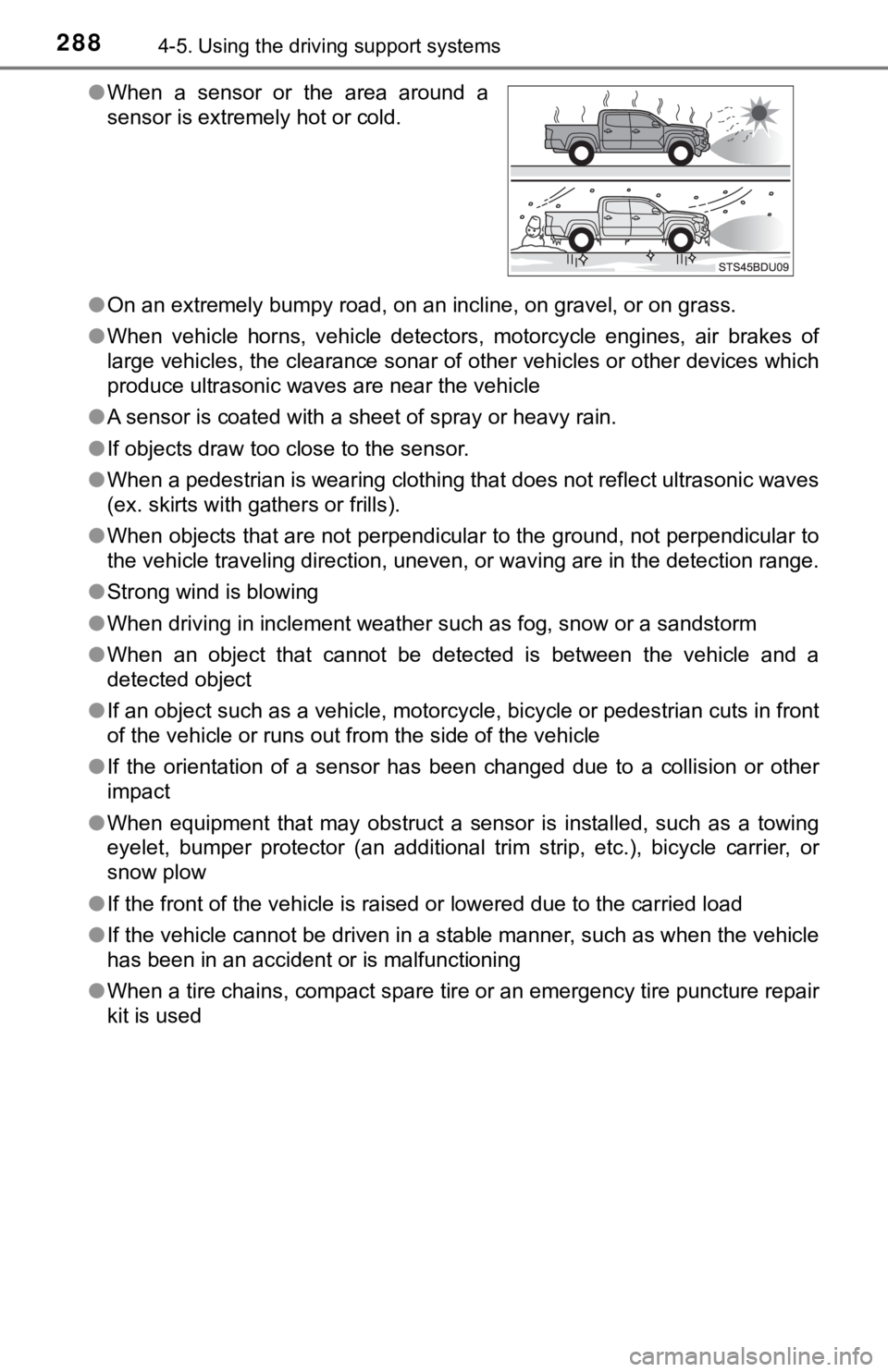
When a sensor or the area around a
sensor is extremely hot or cold.