Crawl TOYOTA TUNDRA 2023 Owners Manual
[x] Cancel search | Manufacturer: TOYOTA, Model Year: 2023, Model line: TUNDRA, Model: TOYOTA TUNDRA 2023Pages: 616, PDF Size: 11.14 MB
Page 3 of 616
3
1
8 7 5 4
3
2
9
6
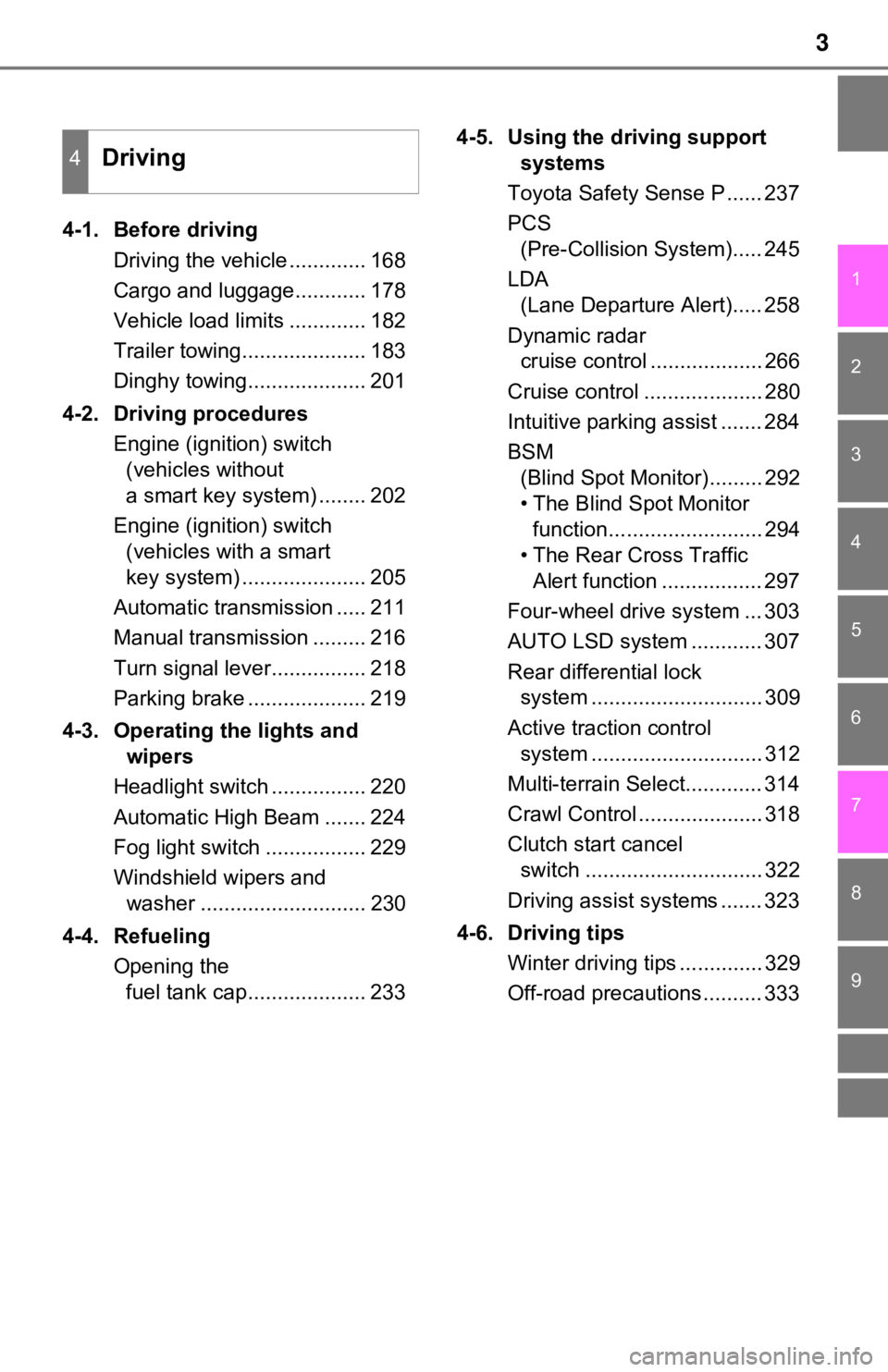
4-1. Before drivingDriving the vehicle ............. 168
Cargo and luggage............ 178
Vehicle load limits ............. 182
Trailer towing..................... 183
Dinghy towing.................... 201
4-2. Driving procedures Engine (ignition) switch (vehicles without
a smart key system) ........ 202
Engine (ignition) switch (vehicles with a smart
key system) ..................... 205
Automatic transmission ..... 211
Manual transmission ......... 216
Turn signal lever................ 218
Parking brake .................... 219
4-3. Operating the lights and wipers
Headlight switch ................ 220
Automatic High Beam ....... 224
Fog light switch ................. 229
Windshield wipers and washer ............................ 230
4-4. Refueling Opening the fuel tank cap.................... 233 4-5. Using the driving support
systems
Toyota Safety Sense P ...... 237
PCS (Pre-Collision System)..... 245
LDA (Lane Departure Alert)..... 258
Dynamic radar cruise control ................... 266
Cruise control .................... 280
Intuitive parking assist ....... 284
BSM (Blind Spot Monitor)......... 292
• The Blind Spot Monitor function.......................... 294
• The Rear Cross Traffic Alert function ................. 297
Four-wheel drive system ... 303
AUTO LSD system ............ 307
Rear differential lock system ............................. 309
Active traction control system ............................. 312
Multi-terrain Select............. 314
Crawl Control ..................... 318
Clutch start cancel switch .............................. 322
Driving assist systems ....... 323
4-6. Driving tips Winter driving tips .............. 329
Off-road precautions .......... 333
4Driving
Page 24 of 616
24Pictorial index
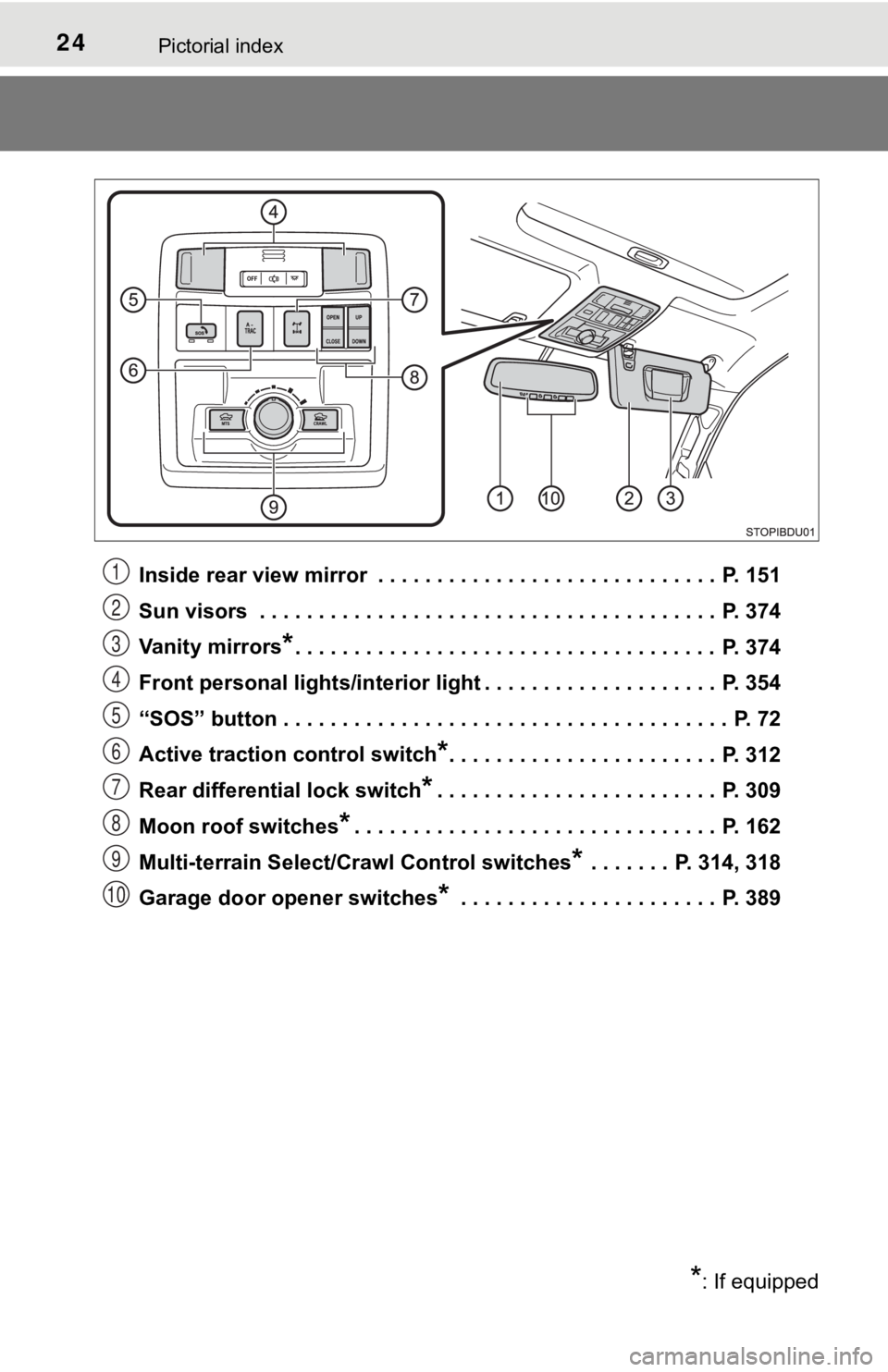
Inside rear view mirror . . . . . . . . . . . . . . . . . . . . . . . . . . . . . P. 151
Sun visors . . . . . . . . . . . . . . . . . . . . . . . . . . . . . . . . . . . . . . . P. 374
Vanity mirrors
*. . . . . . . . . . . . . . . . . . . . . . . . . . . . . . . . . . . . P. 374
Front personal lights/interior light . . . . . . . . . . . . . . . . . . . . P. 354
“SOS” button . . . . . . . . . . . . . . . . . . . . . . . . . . . . . . . . . . . . . . P. 72
Active traction control switch
*. . . . . . . . . . . . . . . . . . . . . . . P. 312
Rear differential lock switch
*. . . . . . . . . . . . . . . . . . . . . . . . P. 309
Moon roof switches
*. . . . . . . . . . . . . . . . . . . . . . . . . . . . . . . P. 162
Multi-terrain Select/Crawl Control switches
* . . . . . . . P. 314, 318
Garage door opener switches
* . . . . . . . . . . . . . . . . . . . . . . P. 389
*: If equipped
1
2
3
4
5
6
7
8
9
10
Page 96 of 616
962. Instrument cluster
*1: Vehicles with an automatic transmission.
*2: These lights turn on when the engine switch is turned to the “ON” position(vehicles without a smart key system) or IGNITION ON mode (vehi cles
with a smart key system) to indicate that a system check is being per-
formed. They will turn off after the engine is started, or after a few seconds.
There may be a malfunction in a system if the lights do not com e on, or if
the lights do not turn off. Have the vehicle inspected by your Toyota dealer
for details.
*3: The light flashes to indicate that the system is operating.
*4: This light illuminates on the multi-information display.
*5: When the outside temperature is approximately 37°F (3°C) or lo wer, the
indicator will flash for 10 times, then comes on.
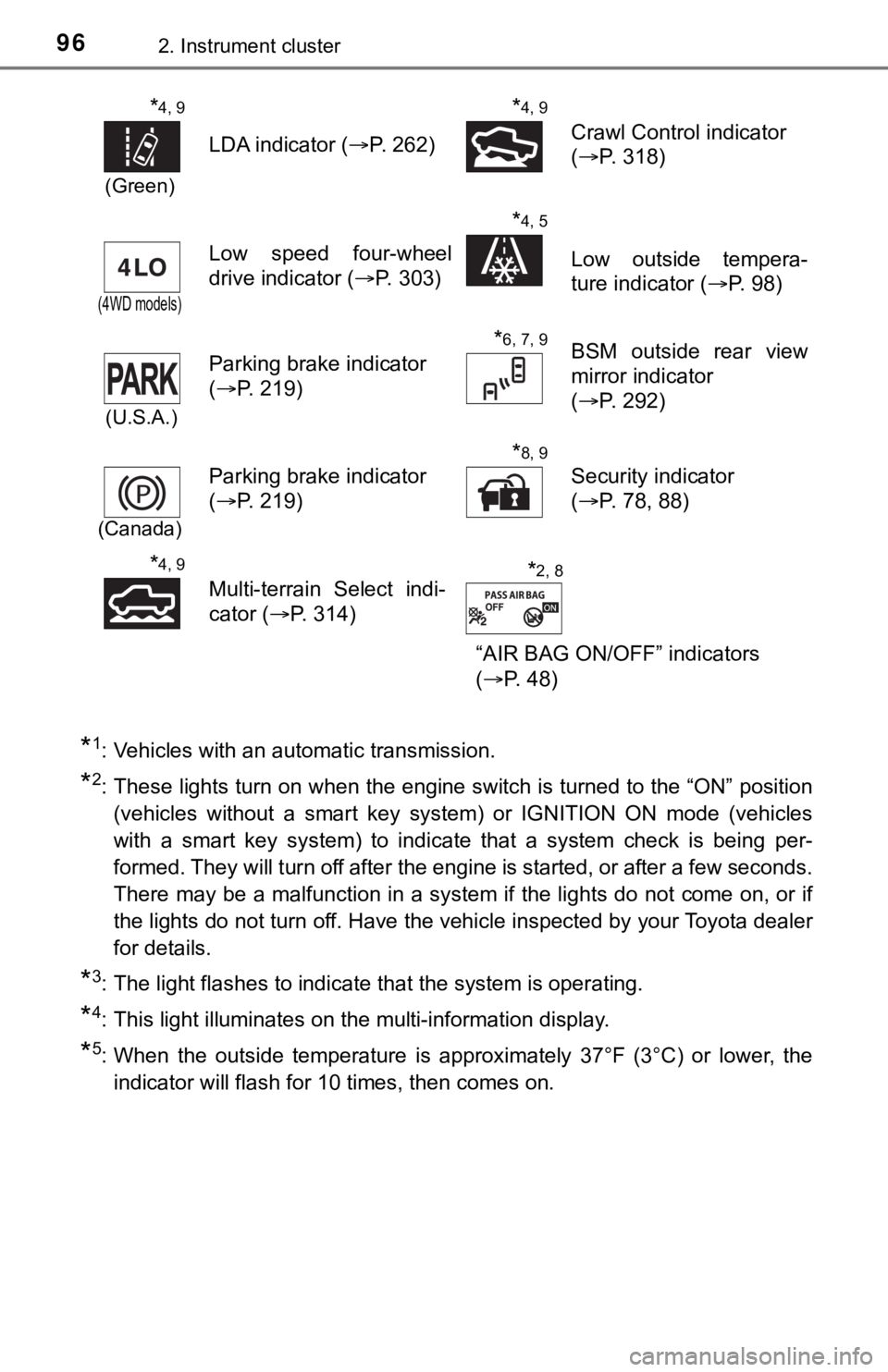
*4, 9
(Green)
LDA indicator ( P. 262)
*4, 9
Crawl Control indicator
(P. 318)
(4WD models)
Low speed four-wheel
drive indicator ( P. 303)
*4, 5
Low outside tempera-
ture indicator (P. 98)
(U.S.A.)
Parking brake indicator
(P. 219)
*6, 7, 9BSM outside rear view
mirror indicator
(P. 292)
(Canada)
Parking brake indicator
(P. 219)
*8, 9
Security indicator
(P. 78, 88)
*4, 9
Multi-terrain Select indi-
cator (P. 314)
“AIR BAG ON/OFF” indicators
(P. 48)*2, 8
Page 104 of 616
1042. Instrument cluster
●Trip average speed*1/Average speed*1, 2
Displays the engine was started and the average vehicle speed
since the function was reset, respectively
● Trip distance
*1/Distance*1, 2
Displays the engine was started and the distance since the func tion
was reset, respectively
● Digital speedometer
*1
●Display off*1
A blank screen is displayed
*1: Can be registered to Drive information 1 through 3.
*2: Resetting procedures:
• Select a function to be reset using the meter control switch a nd then
press and hold the center button to reset.
• If there is more than one function that can be reset, check bo xes will be
displayed next to the functions.
● Clinometer (if equipped)
Displays the longitudinal and lateral inclination of the vehicl e.
● LDA (Lane Departure Alert) (if equipped)
P. 2 5 8
● Dynamic radar cruise control (if equipped)
P. 2 6 6
● Intuitive parking a ssist (if equipped)
P. 2 8 4
● Multi-terrain select (if equipped)
P. 3 1 4
● Crawl control (if equipped)
P. 3 1 8
● Tire inflation pressure (if equipped)
P. 4 3 2
Vehicle information
Page 167 of 616

167
4Driving
4-4. RefuelingOpening the fuel tank cap.................... 233
4-5. Using the driving support systems
Toyota Safety Sense P ..... 237
PCS (Pre-Collision System) .... 245
LDA (Lane Departure Alert) .... 258
Dynamic radar cruise control ............................. 266
Cruise control .................... 280
Intuitive parking assist ....... 284
BSM (Blind Spot Monitor) ........ 292
• T he Blind Spot Monitor
function ......................... 294
• T he Rear Cross Traffic
Alert function ................. 297
Four-wheel drive system ... 303
AUTO LSD system ............ 307 Rear differential lock
system ............................ 309
Active traction control system ............................ 312
Multi-terrain Select ............ 314
Crawl Control .................... 318
Clutch start cancel switch .............................. 322
Driving assist systems ...... 323
4-6. Driving tips Winter driving tips ............. 329
Off-road precautions ......... 333
Page 316 of 616
3164-5. Using the driving support systems
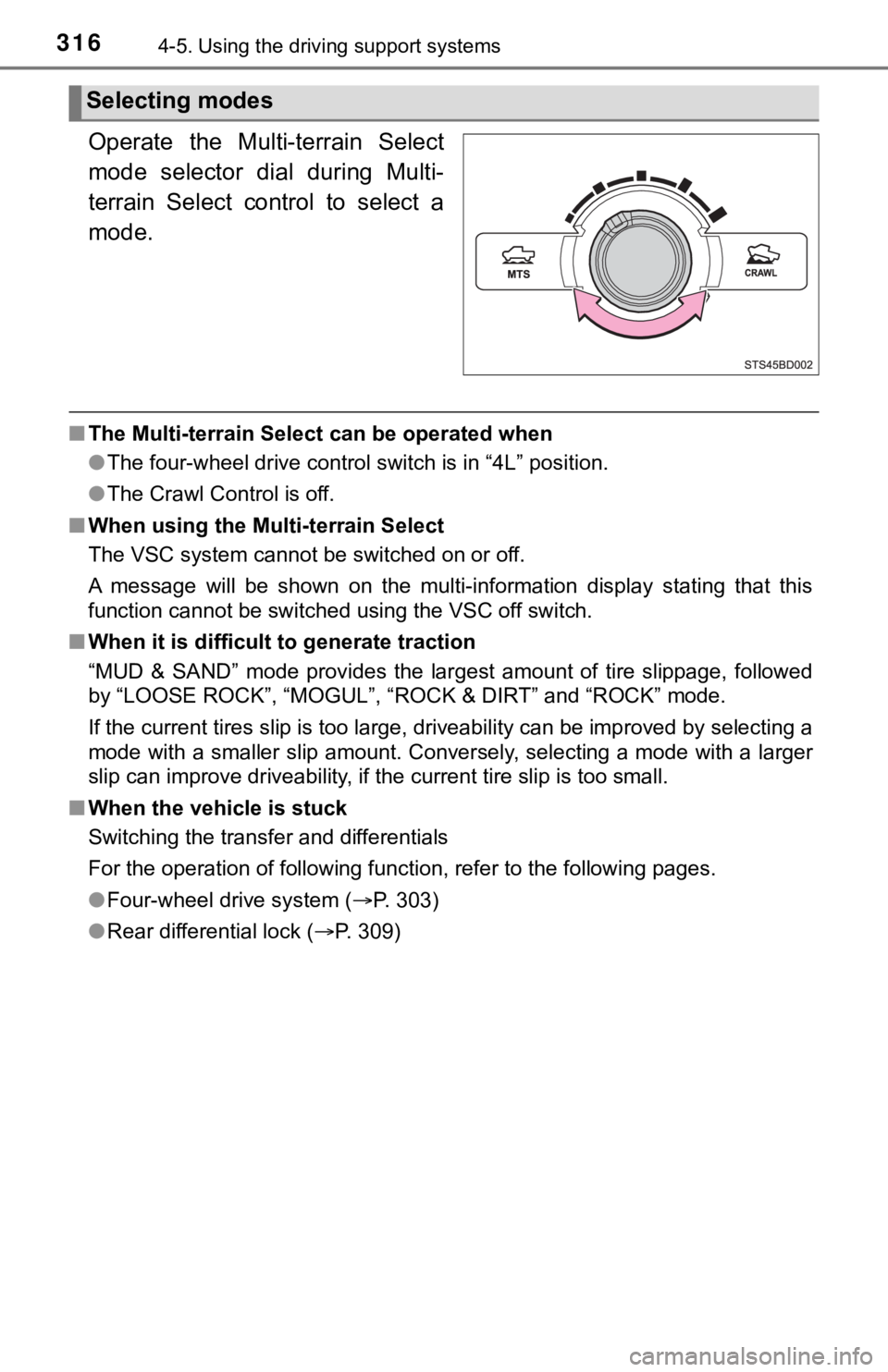
Operate the Multi-terrain Select
mode selector dial during Multi-
terrain Select control to select a
mode.
■The Multi-terrain Select can be operated when
●The four-wheel drive control switch is in “4L” position.
● The Crawl Control is off.
■ When using the Multi-terrain Select
The VSC system cannot be switched on or off.
A message will be shown on the multi-information display statin g that this
function cannot be switched using the VSC off switch.
■ When it is difficult to generate traction
“MUD & SAND” mode provides the largest amount of tire slippage, followed
by “LOOSE ROCK”, “MOGUL”, “ROCK & DIRT” and “ROCK” mode.
If the current tires slip is too large, driveability can be imp roved by selecting a
mode with a smaller slip amount. Conversely, selecting a mode with a larger
slip can improve driveability, if the current tire slip is too small.
■ When the vehicle is stuck
Switching the transfer and differentials
For the operation of following function, refer to the following pages.
● Four-wheel drive system ( P. 303)
● Rear differential lock ( P. 309)
Selecting modes
Page 318 of 616
3184-5. Using the driving support systems
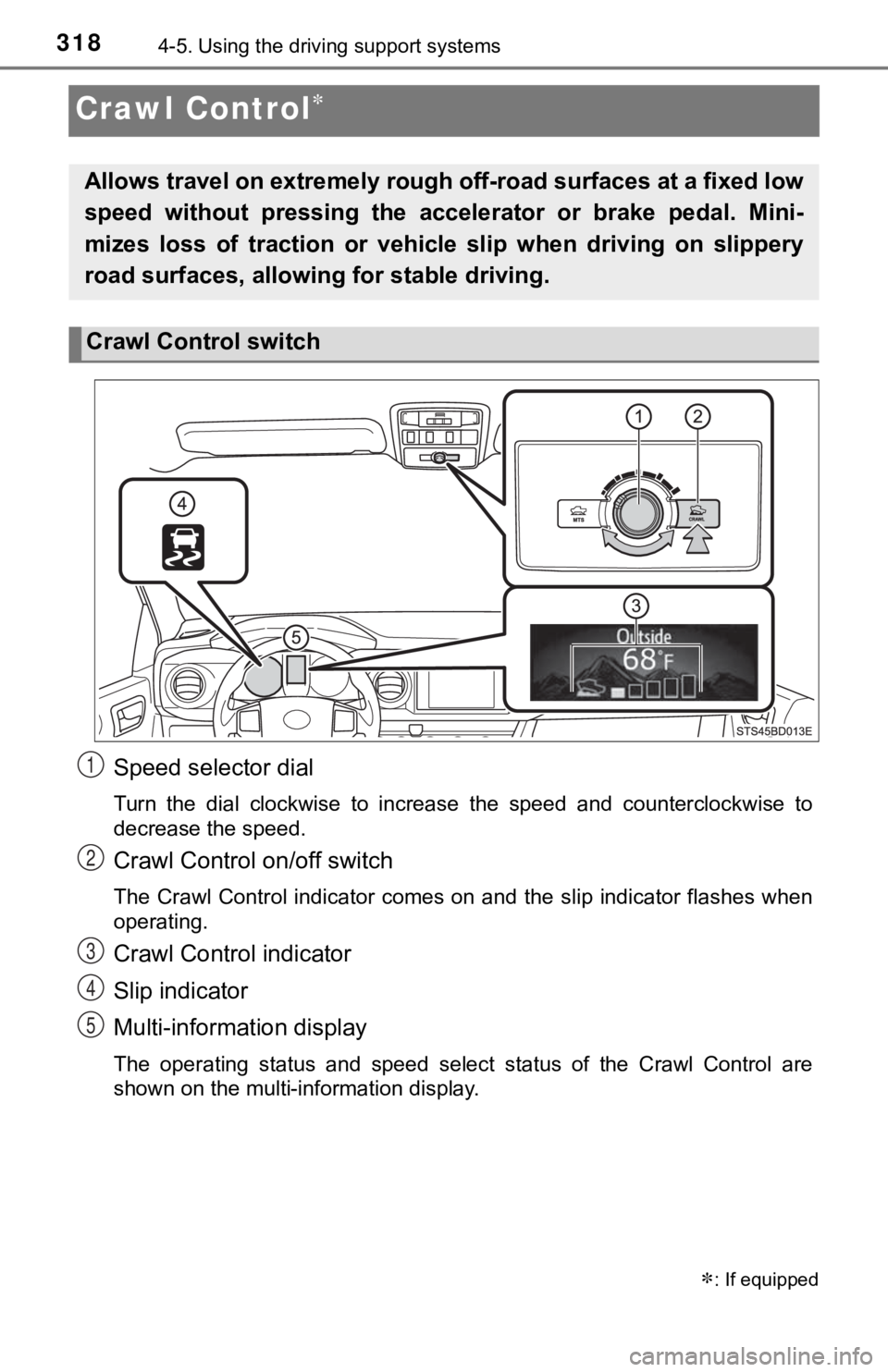
Crawl Control
Speed selector dial
Turn the dial clockwise to increase the speed and counterclockw ise to
decrease the speed.
Crawl Control on/off switch
The Crawl Control indicator comes on and the slip indicator flashes when
operating.
Crawl Control indicator
Slip indicator
Multi-information display
The operating status and speed select status of the Crawl Contr ol are
shown on the multi-information display.
: If equipped
Allows travel on extremely rough off-road surfaces at a fixed low
speed without pressing the accel erator or brake pedal. Mini-
mizes loss of traction or vehic le slip when driving on slippery
road surfaces, allowing for stable driving.
Crawl Control switch
1
2
3
4
5
Page 319 of 616
3194-5. Using the driving support systems
4
Driving
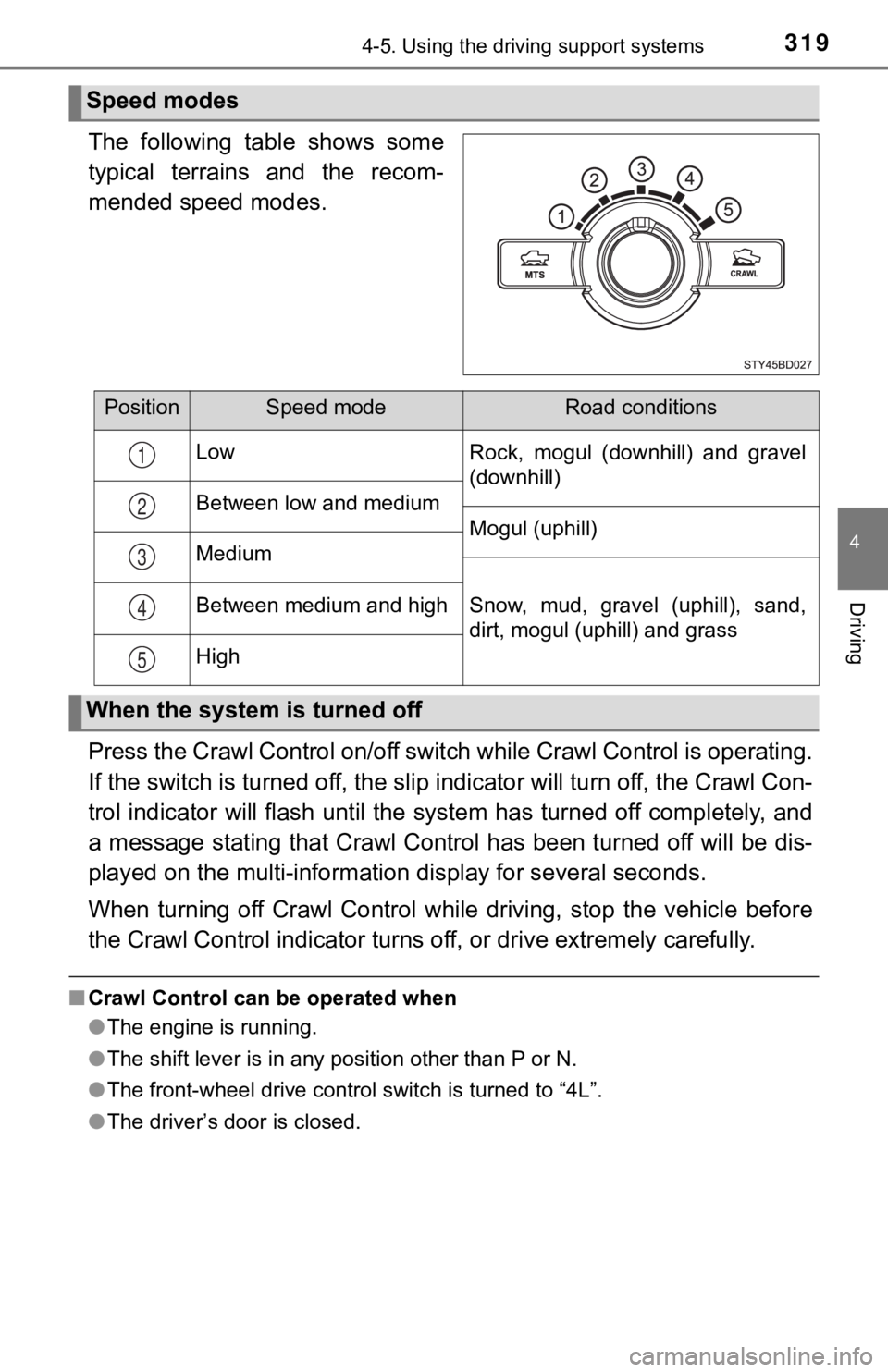
The following table shows some
typical terrains and the recom-
mended speed modes.
Press the Crawl Control on/off switch while Crawl Control is operating.
If the switch is turned off, the slip indicator will turn off, the Crawl Con-
trol indicator will flash until the system has turned off compl etely, and
a message stating that Crawl Control has been turned off will b e dis-
played on the multi-informati on display for several seconds.
When turning off Crawl Control while driving, stop the vehicle before
the Crawl Control indi cator turns off, or drive extremely caref ully.
■Crawl Control can be operated when
●The engine is running.
● The shift lever is in any position other than P or N.
● The front-wheel drive control switch is turned to “4L”.
● The driver’s door is closed.
Speed modes
PositionSpeed modeRoad conditions
Low Rock, mogul (downhill) and gravel
(downhill)
Between low and medium Mogul (uphill)
Medium
Snow, mud, gravel (uphill), sand,
dirt, mogul (uphill) and grass
Between medium and high
High
1
2
3
4
5
When the system is turned off
Page 320 of 616

3204-5. Using the driving support systems
■Automatic system cancelation
In the following situations, the buzzer will sound intermittently and Crawl Con-
trol will be canceled automatically. In this event, the Crawl C ontrol indicator
will flash and then goes off, and a message stating that Crawl Control has
been turned off will be displayed on the multi-information disp lay for several
seconds.
● When the shift lever is shifted to P or N
● When the front-wheel drive control switch is turned to “4H”
● When the driver’s door is opened
■ Function limitations
When the vehicle speed exceeds appr oximately 15 mph (25 km), engine con-
trol and brake control will stop temporarily. In this event, th e Crawl Control
indicator will flash.
■ When the Crawl Control system is operated continuously
● If Crawl Control is used continuously for a long time, the buzz er will sound, a
malfunction notification will be displayed on the multi-informa tion display,
the Crawl Control indicator goes off, and Crawl Control will be temporarily
inoperable as a result of the brake system overheating. In this event, stop
the vehicle immediately in a safe place, and allow the brake sy stem to cool
down sufficiently until the “TRAC OFF” indicator will goes off. (In the mean-
time, normal driving is possible.)
● If Crawl Control is used continuously for a long time, the buzz er will sound,
the system will be temporarily canceled, and a malfunction noti fication will
be displayed on the multi-information display as a result of th e automatic
transmission system overheating. Stop the vehicle in a safe pla ce until the
display goes off.
■ Sounds and vibrations caused by the Crawl Control system
● A sound may be heard from the engine compartment when the engin e is
started or just after the vehicle begins to move. This sound do es not indicate
that a malfunction has occurred in Crawl Control system.
● Either of the following conditions may occur when the Crawl Con trol system
is operating. None of these indicates that a malfunction has occurred.
• Vibrations may be felt through the vehicle body and steering.
• A motor sound may be heard after the vehicle comes to a stop.
■ When there is a malfunction in the system
Warning lights and/or warning messages will turn on. ( P. 489)
Page 321 of 616

3214-5. Using the driving support systems
4
Driving
WARNING
■When using Crawl Control
Do not rely solely on Crawl Control. This function does not ext end the vehi-
cle’s performance limitations. Always check the terrain thoroughly and drive
safely.
■ These conditions may cause the system may not operate correctly
When driving on the following surfaces, the system may not be able to
maintain a fixed low speed, which may result in an accident:
● Extremely steep inclines
● Extremely uneven surfaces
● Snow-covered roads, or other slippery surfaces