sensor TOYOTA TUNDRA HYBRID 2022 Workshop Manual
[x] Cancel search | Manufacturer: TOYOTA, Model Year: 2022, Model line: TUNDRA HYBRID, Model: TOYOTA TUNDRA HYBRID 2022Pages: 618, PDF Size: 19.91 MB
Page 294 of 618
2944-5. Using the driving support systems
Owners Manual_USA_M0C031_en
■The Parking Support Brake
function (static object) will
operate when
The function will op erate when the
PKSB OFF indicator is not illumi-
nated or flashing ( P.89, 504) and
all of the followin g conditions are
met:
●Hybrid system output restriction
control
• The Parking Support Brake is enabled.
• The vehicle speed is approxi- mately 9 mph (15 km/h) or less.
• There is a static object in the trav- eling direction of the vehicle and
approximately 6 to 13 ft. (2 to 4 m)
away.
• The Parking Support Brake deter- mines that a stronger-than-nor-
mal brake operation is necessary
to avoid a collision.
●Brake control
• Hybrid system output restriction control is operating.
• The Parking Support Brake deter- mines that an immediate brake
operation is necessary to avoid a
collision.
WARNING
●Do not subject the surrounding
area of the sensor to a strong
impact. If subjected to an
impact, have the vehicle
inspected by your Toyota
dealer. If the fr ont or rear
bumper needs to be
removed/installed or replaced,
contact your Toyota dealer.
●Do not modify, disassemble or
paint the sensors.
●Do not attach a license plate
cover.
●Keep your tires properly
inflated.
■Handling the suspension
Do not modify the suspension, as
changes to the height or inclina-
tion of the vehicle may prevent
the sensors from detecting
objects correctly or cause the sys-
tem to not operate or operate
unnecessarily.
■If the Parking Support Brake
function (static objects) oper-
ates unnecessarily, such as
at a railroad crossing
In the event that the Parking Sup-
port Brake function (static objects)
operates unnecessarily, such as
at a railroad cross ing, brake con-
trol will be cancele d after approxi-
mately 2 seconds, allowing you to
proceed forward and leave the
area, brake control can also be
canceled by depressing the brake
pedal. Depressing the accelera-
tor pedal after brake control is
canceled will allow you to proceed
forward and leave the area.
■Notes when washing the vehi-
cle
Do not apply intensive bursts of
water or steam to the sensor
area.
Doing so may result in the sensor
malfunctioning.
●When using a high pressure
washer to wash the vehicle, do
not spray the sensors directly,
as doing so may cause a sensor
to malfunction.
●When using steam to clean the
vehicle, do not direct steam too
close to the sensors as doing so
may cause a sensor to malfunc-
tion.
Page 295 of 618
2954-5. Using the driving support systems
Owners Manual_USA_M0C031_en
4
Driving
■The Parking Support Brake
function (static objects) will
stop operating when
The function will st op operating if
any of the following conditions are
met:
●Hybrid system output restriction
control
• The Parking Support Brake is dis- abled.
• The system determines that the collision has beco me avoidable
with normal brake operation.
• The static object is no longer approximately 6 to 13 ft. (2 to 4 m)
away from the vehicle or in the
traveling directi on of the vehicle.
●Brake control
• The Parking Support Brake is dis- abled.
• Approximately 2 seconds have
elapsed since the vehicle was
stopped by brake control.
• The brake pedal is depressed
after the vehicle is stopped by
brake control.
• The static object is no longer
approximately 6 to 13 ft. (2 to 4 m)
away from the vehicle or in the
traveling directi on of the vehicle.
■Detection range of the Parking
Support Brake function (static
objects)
The detection range of the Parking
Support Brake function (static
objects) differs from the detection
range of the intuitive parking assist.
( P.279) Therefore, even if the intu-
itive parking assist detects an object
and provides a warning, the Parking
Support Brake function (static
objects) may not start operating.
■Situations in which the system
may not operate properly
P. 2 7 7
■Situations in which the system
may operate even if there is no
possibility of a collision
P. 2 7 8
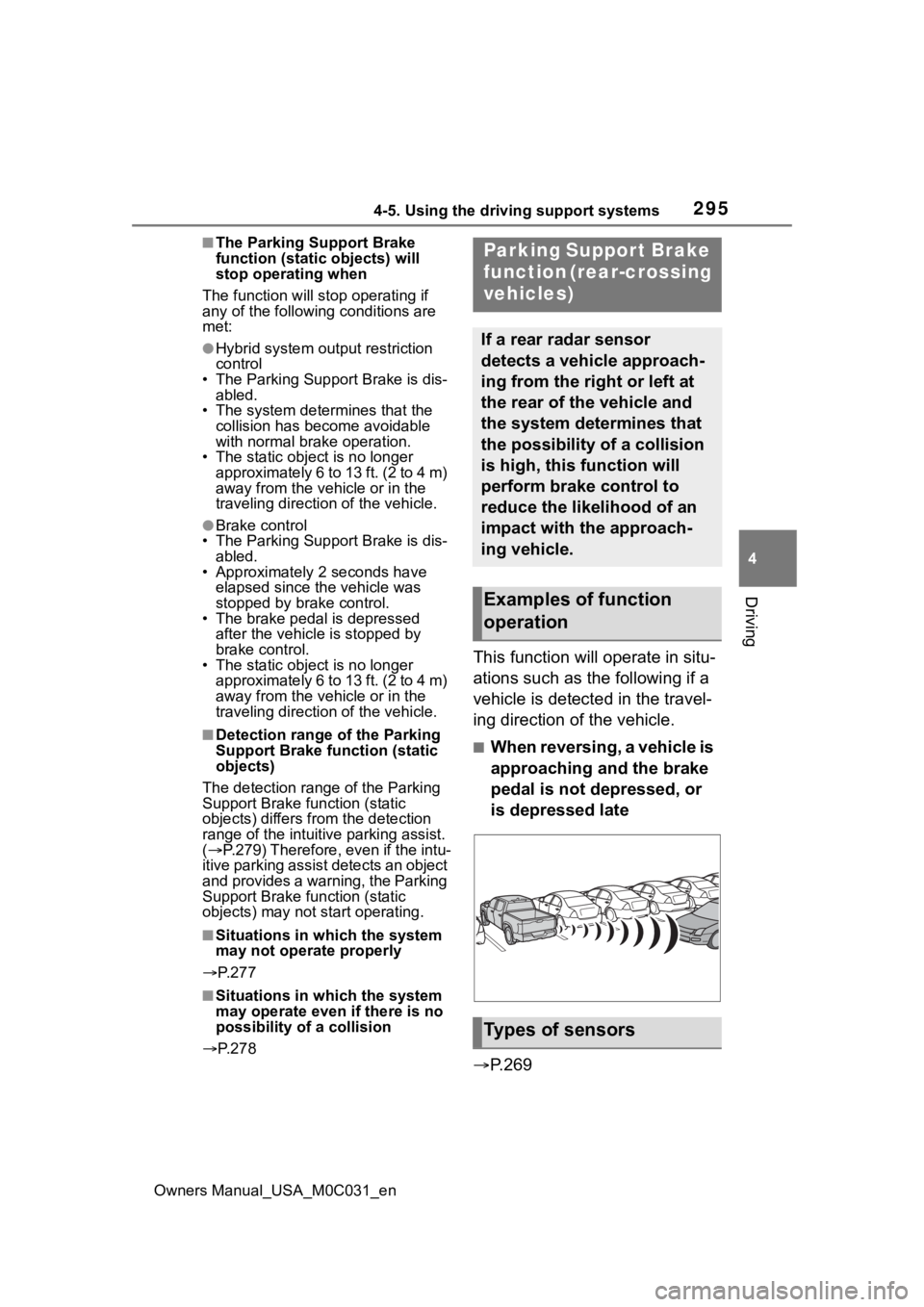
This function will operate in situ-
ations such as the following if a
vehicle is detected in the travel-
ing direction of the vehicle.
■When reversing, a vehicle is
approaching and the brake
pedal is not depressed, or
is depressed late
P.269
Parking Support Brake
function (rear-crossing
vehicles)
If a rear radar sensor
detects a vehicle approach-
ing from the right or left at
the rear of the vehicle and
the system determines that
the possibility of a collision
is high, this function will
perform brake control to
reduce the likelihood of an
impact with the approach-
ing vehicle.
Examples of function
operation
Types of sensors
Page 296 of 618
2964-5. Using the driving support systems
Owners Manual_USA_M0C031_en
■The Parking Support Brake
function (rear-crossing vehi-
cles) will operate when
The function will operate when the
PKSB OFF indicator is not illumi-
nated or flashing ( P.89, 504) and
all of the followin g conditions are
met:
●Hybrid system output restriction
control
• The Parking Support Brake is enabled.
• The vehicle speed is approxi- mately 9 mph (15 km/h) or less.
• Vehicles are approaching from the
right or left at th e rear of the vehi-
cle at a traveling speed of approx- imately 5 mph (8 km/h) or more.
• The shift position is in R.
• The Parking Support Brake deter- mines that a stronger than normal
brake operation is necessary to
avoid a collision with an approach-
ing vehicle.
●Brake control
• Hybrid system output restriction control is operating.
• The Parking Support Brake deter-
mines that an emergency brake
operation is necessary to avoid a
collision with an approaching vehi-
cle.
■The Parking Support Brake
function (rear-crossing vehi-
cles) will stop operating when
The function will stop operating if
any of the following conditions are
met:
●Hybrid system output restriction
control
• The Parking Support Brake is dis- abled.
• The collision becomes avoidable with normal brake operation.
• A vehicle is no longer approaching
from the right or left at the rear of
the vehicle.
●Brake control
• The Parking Support Brake is dis- abled.
• Approximately 2 seconds have elapsed since the vehicle was
stopped by brake control.
• The brake pedal is depressed after the vehicle is stopped by
brake control.
• A vehicle is no longer approaching from the right or left at the rear of
the vehicle.
■Detection area of the Parking
Support Brake function (rear-
crossing vehicles)
The detection area of the Parking
Support Brake function (rear-cross-
ing vehicles) differs from the detec-
tion area of the RCTA function
( P.283). Therefor e, even if the
RCTA function detects a vehicle and
WARNING
■To ensure the system can
operate properly
Observe the following precautions
regarding the rear radar sensors
( P.268). Failure to do so may
cause a sensor to not operate
properly, and may cause an acci-
dent.
●Do not modify, disassemble or
paint the sensors.
●Do not replace a rear radar sen-
sor with a part o ther than a gen-
uine part.
●Do not damage the rear radar
sensors, and always keep the
radar sensors and their sur-
rounding area on the bumper
clean.
●If the area around a rear radar
sensor is subjected to an
impact, the system may not
operate properly due to a sen-
sor malfunction. Have the vehi-
cle inspected by your Toyota
dealer.
●Observe the rear radar sensor
handling precautions. ( P.268)
Page 299 of 618
2994-5. Using the driving support systems
Owners Manual_USA_M0C031_en
4
Driving
Display mode switching but-
ton
Each time the button is selected,
the rear view mode and the wide
rear view mode are switched.
Guide line switching button
Select to switch the guide line
mode. ( P.299)
• Each time the button is selected, the display mode changes in the
following order:
Estimated course line display mode
Parking assist guide line display
mode Distance guide line display
mode Center guide line display
mode.
Rear Cross Traffic Alert*
When a sensor detects a vehicle
approaching from the rear, the
direction of the vehicle approaching
from the rear is displayed and the
buzzer sounds.
Intuitive parking assist*
When a sensor detects a stationary
object, the direction of and the
approximate distanc e to the a sta-
tionary object are displayed and the
buzzer sounds.
*: If equipped
●For details about the Rear Cross
Traffic Alert function ( P.281) and
intuitive parking assist. ( P.274)
The parking assist monitor is
canceled when the shift lever is
shifted into any position other
than R.
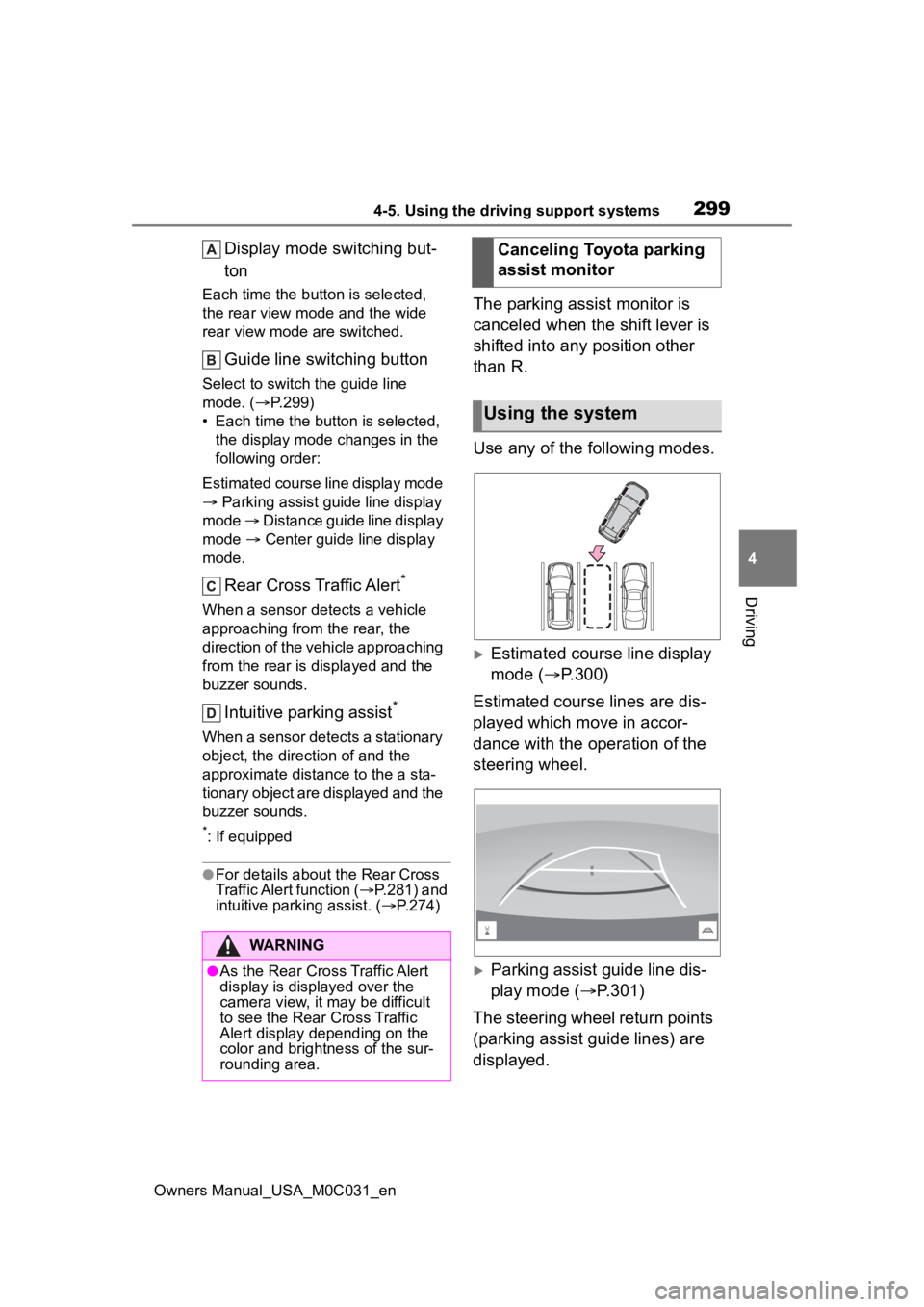
Use any of the following modes.
Estimated course line display
mode ( P.300)
Estimated course lines are dis-
played which move in accor-
dance with the operation of the
steering wheel.
Parking assist guide line dis-
play mode ( P.301)
The steering wheel return points
(parking assist guide lines) are
displayed.
WARNING
●As the Rear Cross Traffic Alert
display is displayed over the
camera view, it may be difficult
to see the Rear Cross Traffic
Alert display depending on the
color and brightness of the sur-
rounding area.
Canceling Toyota parking
assist monitor
Using the system
Page 308 of 618
3084-5. Using the driving support systems
Owners Manual_USA_M0C031_en
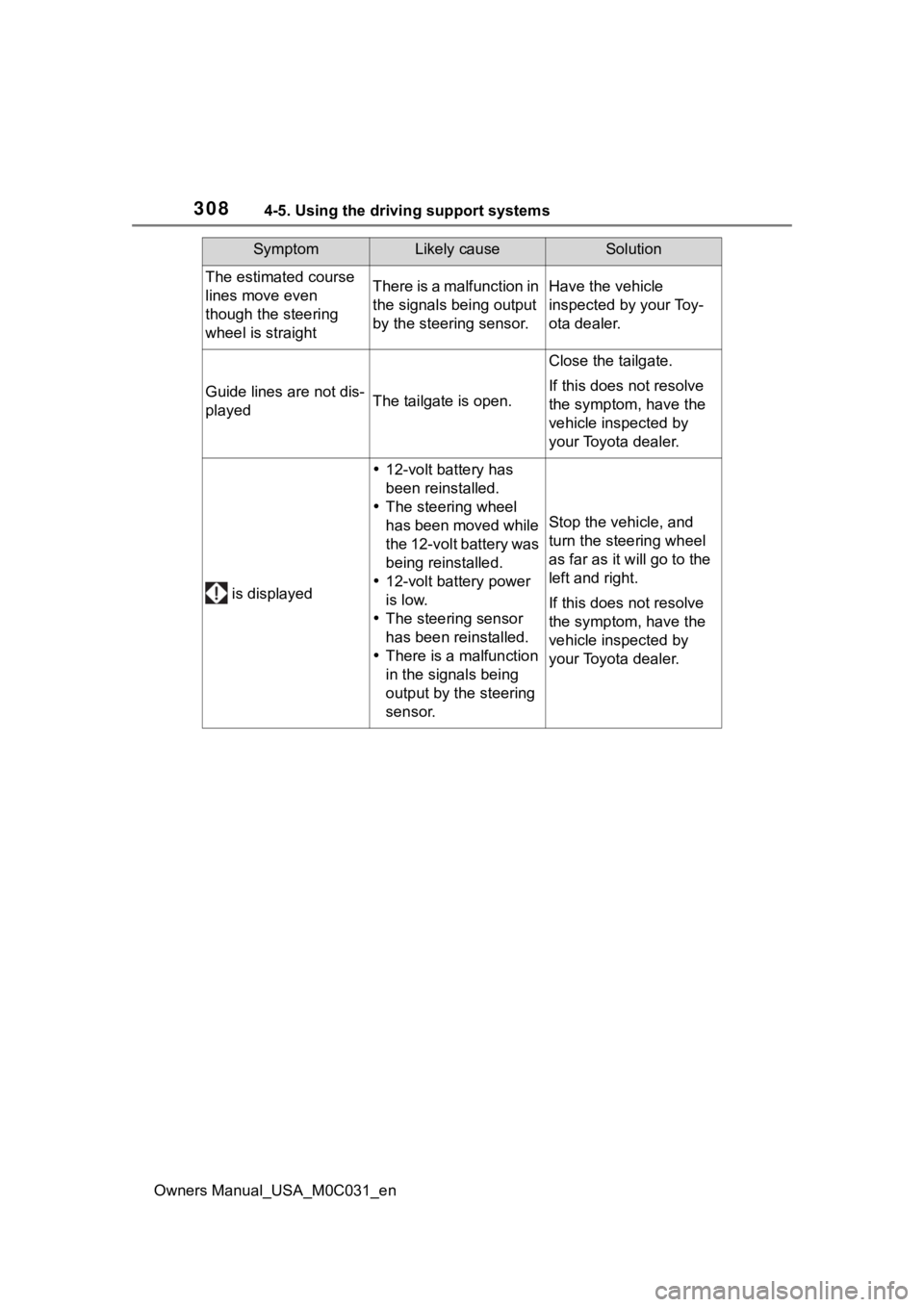
The estimated course
lines move even
though the steering
wheel is straightThere is a malfunction in
the signals being output
by the steering sensor.Have the vehicle
inspected by your Toy-
ota dealer.
Guide lines are not dis-
playedThe tailgate is open.
Close the tailgate.
If this does not resolve
the symptom, have the
vehicle inspected by
your Toyota dealer.
is displayed
12-volt battery has
been reinstalled.
The steering wheel
has been moved while
the 12-volt battery was
being reinstalled.
12-volt battery power
is low.
The steering sensor
has been reinstalled.
There is a malfunction
in the signals being
output by the steering
sensor.
Stop the vehicle, and
turn the steering wheel
as far as it will go to the
left and right.
If this does not resolve
the symptom, have the
vehicle inspected by
your Toyota dealer.
SymptomLikely causeSolution
Page 316 of 618
3164-5. Using the driving support systems
Owners Manual_USA_M0C031_enWhen a sensor detects an obstacle, the direction of and the app
roximate
distance to the obsta cle are displayed and the buzzer sounds.
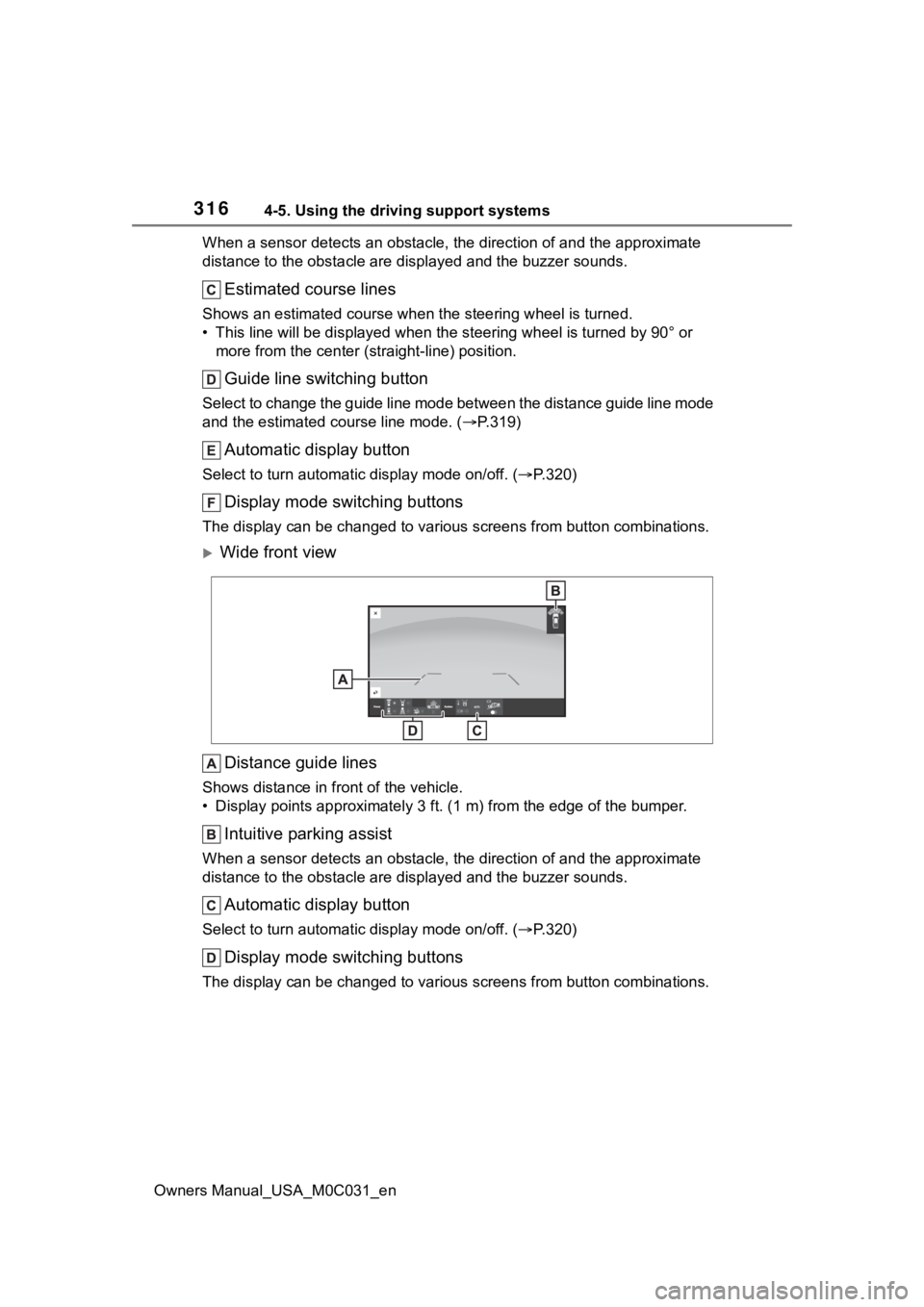
Estimated course lines
Shows an estimated course when the steering wheel is turned.
• This line will be displayed when the steering wh eel is turned by 90° or
more from the cen ter (straight-line) position.
Guide line switching button
Select to change the guide line mode between the distance guide line mode
and the estimated course line mode. ( P.319)
Automatic display button
Select to turn automatic display mode on/off. (P.320)
Display mode switching buttons
The display can be changed to var ious screens from button combinations.
Wide front view
Distance guide lines
Shows distance in front of the vehicle.
• Display points approximately 3 ft. (1 m) from the edge of the bumper.
Intuitive parking assist
When a sensor detects an obstacle, the direction of and the app roximate
distance to the obsta cle are displayed and the buzzer sounds.
Automatic display button
Select to turn automatic display mode on/off. (P.320)
Display mode switching buttons
The display can be changed to var ious screens from button combinations.
Page 317 of 618
3174-5. Using the driving support systems
Owners Manual_USA_M0C031_en
4
Driving
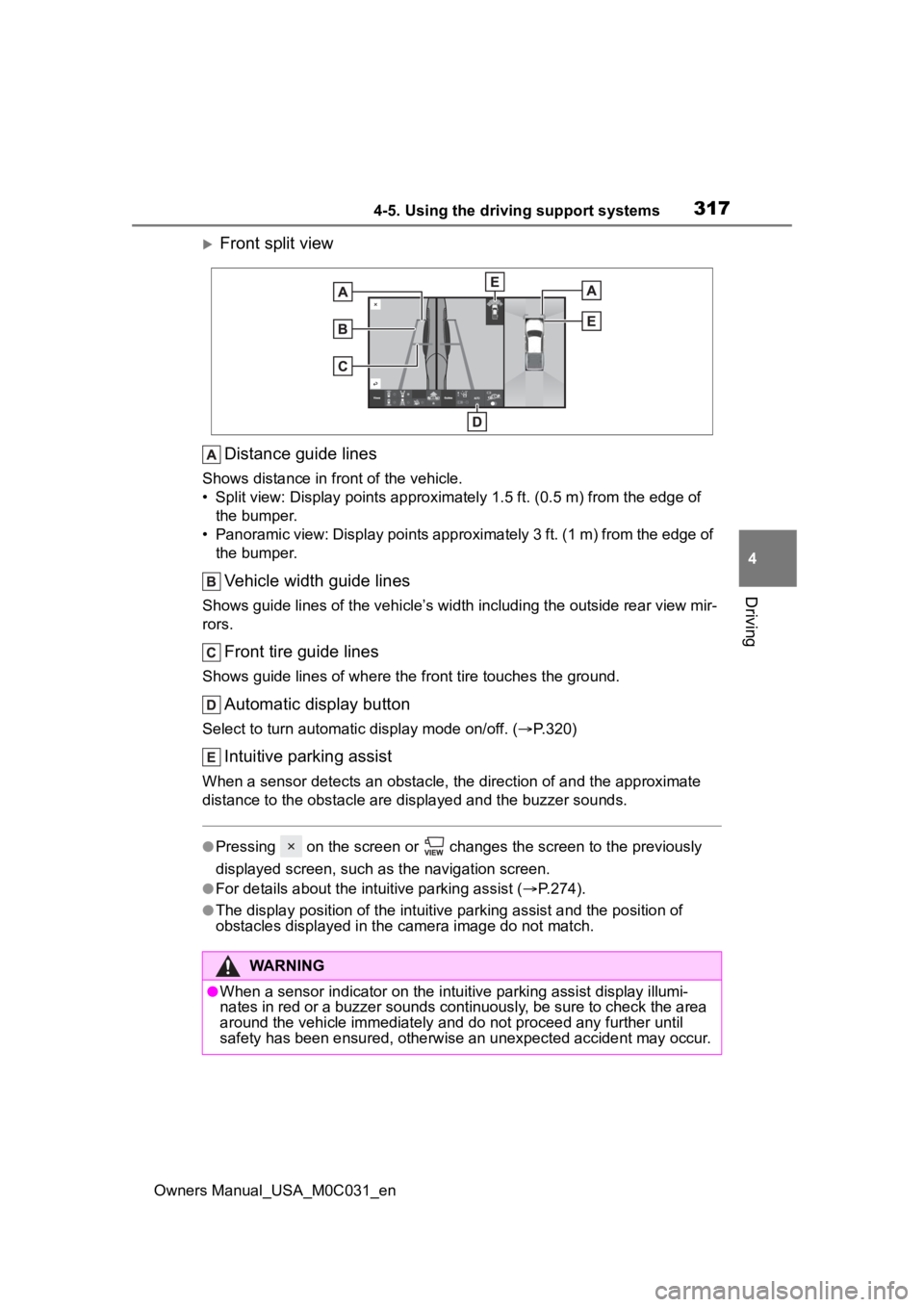
Front split view Distance guide lines
Shows distance in fr ont of the vehicle.
• Split view: Display points appro ximately 1.5 ft. (0.5 m) from the edge of
the bumper.
• Panoramic view: Display points approximately 3 ft. (1 m) from the edge of the bumper.
Vehicle width guide lines
Shows guide lines of the vehicle’ s width including the outside rear view mir-
rors.
Front tire guide lines
Shows guide lines of where the f ront tire touches the ground.
Automatic display button
Select to turn automatic display mode on/off. (P.320)
Intuitive parking assist
When a sensor detects an obstacle, the direction of and the app roximate
distance to the obsta cle are displayed and the buzzer sounds.
●Pressing on the screen or changes the screen to the previousl y
displayed screen, such as the navigation screen.
●For details about the intuitive parking assist ( P.274).
●The display position of the intuitive parking assist and the po sition of
obstacles displayed in the camera image do not match.
WARNING
●When a sensor indicator on the in tuitive parking assist display illumi-
nates in red or a buzzer sounds continuously, be sure to check the area
around the vehicle immediately a nd do not proceed any further until
safety has been ensured, otherwise an unexpected accident may o ccur.
Page 320 of 618
3204-5. Using the driving support systems
Owners Manual_USA_M0C031_en
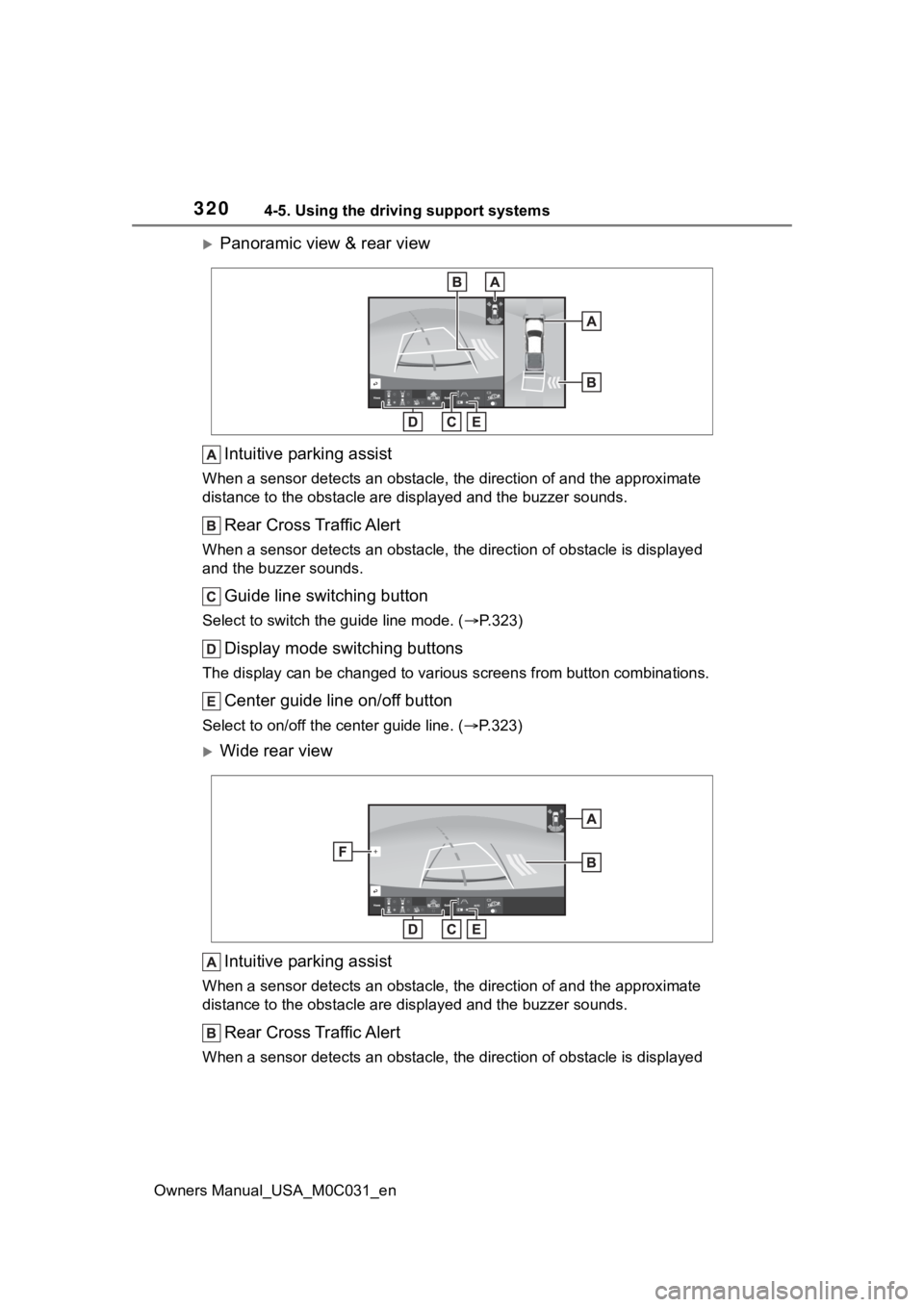
Panoramic view & rear viewIntuitive parking assist
When a sensor detects an obstacle, the direction of and the app roximate
distance to the obsta cle are displayed and the buzzer sounds.
Rear Cross Traffic Alert
When a sensor detects an obstacle, the direction of obstacle is displayed
and the buzzer sounds.
Guide line switching button
Select to switch the guide line mode. ( P.323)
Display mode switching buttons
The display can be changed to var ious screens from button combinations.
Center guide line on/off button
Select to on/off the center guide line. (P.323)
Wide rear view
Intuitive parking assist
When a sensor detects an obstacle, the direction of and the app roximate
distance to the obsta cle are displayed and the buzzer sounds.
Rear Cross Traffic Alert
When a sensor detects an obstacle, the direction of obstacle is displayed
Page 321 of 618
3214-5. Using the driving support systems
Owners Manual_USA_M0C031_en
4
Driving
and the buzzer sounds.
Guide line switching button
Select to switch the guide line mode. ( P.323)
Display mode switching buttons
The display can be changed to var ious screens from button combinations.
Center guide line on/off button
Select to on/off the center guide line. (P.323)
Zoom button
Each time press the button, the mode will change between the wi de rear
view mode, narrow rear view mode and hitch view mode. (P.326)
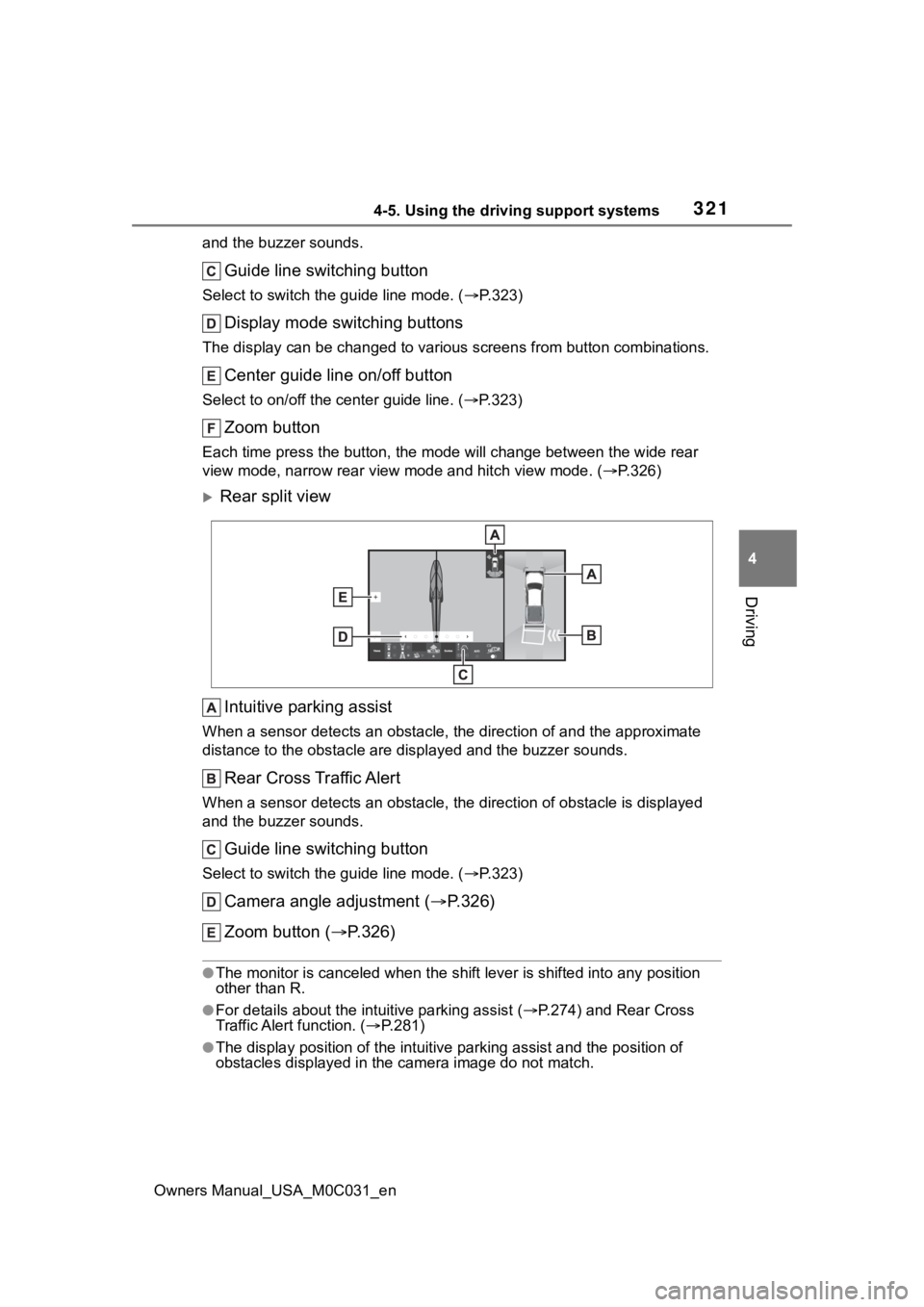
Rear split view
Intuitive parking assist
When a sensor detects an obstacle, the direction of and the app roximate
distance to the obsta cle are displayed and the buzzer sounds.
Rear Cross Traffic Alert
When a sensor detects an obstacle, the direction of obstacle is displayed
and the buzzer sounds.
Guide line switching button
Select to switch the guide line mode. ( P.323)
Camera angle adjustment ( P.326)
Zoom button ( P.326)
●The monitor is canceled when the shift lever is shifted into any position
other than R.
●For details about the int uitive parking assist (P.274) and Rear Cross
Traffic Alert function. ( P.281)
●The display position of the intuitive parking assist and the po sition of
obstacles displayed in the camera image do not match.
Page 322 of 618
3224-5. Using the driving support systems
Owners Manual_USA_M0C031_en
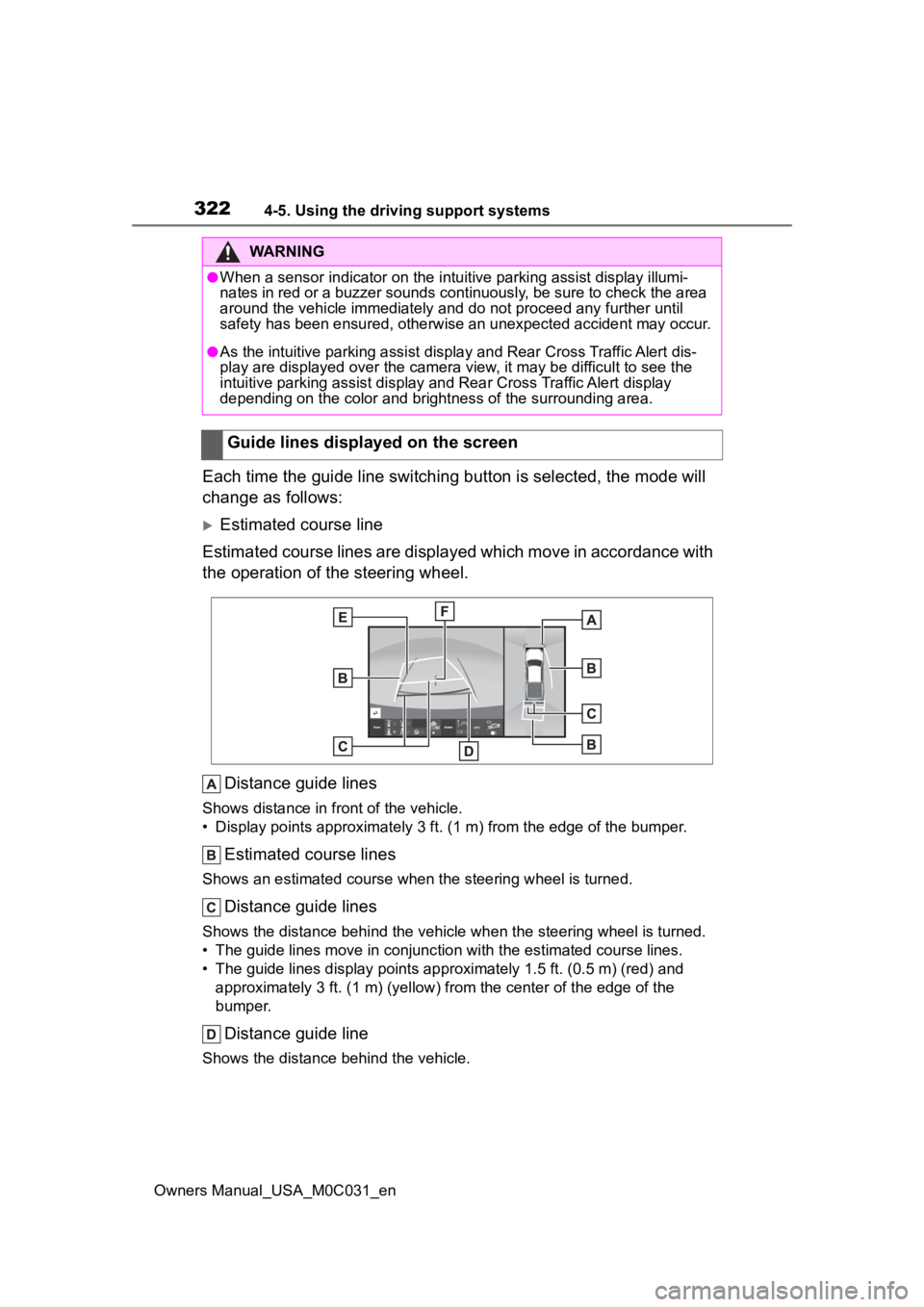
Each time the guide line switching button is selected, the mode will
change as follows:
Estimated course line
Estimated course lines are displ ayed which move in accordance w ith
the operation of the steering wheel.
Distance guide lines
Shows distance in fr ont of the vehicle.
• Display points approximately 3 ft. (1 m) from the edge of the bumper.
Estimated course lines
Shows an estimated course when the steering wheel is turned.
Distance guide lines
Shows the distance behind the vehicle when the steering wheel is turned.
• The guide lines move in conjunc tion with the estimated course lines.
• The guide lines display points approximately 1. 5 ft. (0.5 m) (red) and
approximately 3 ft. (1 m) (yello w) from the center of the edge of the
bumper.
Distance guide line
Shows the distance behind the vehicle.
WARNING
●When a sensor indicator on the in tuitive parking assist display illumi-
nates in red or a buzzer sounds continuously, be sure to check the area
around the vehicle immediately a nd do not proceed any further until
safety has been ensured, otherwise an unexpected accident may o ccur.
●As the intuitive parking assist display and Rear Cross Traffic Alert dis-
play are displayed over the camera view, it may be difficult to see the
intuitive parking assist display and Rear Cross Traffic Alert display
depending on the color and brigh tness of the surrounding area.
Guide lines displayed on the screen