lane TOYOTA TUNDRA HYBRID 2023 Owners Manual
[x] Cancel search | Manufacturer: TOYOTA, Model Year: 2023, Model line: TUNDRA HYBRID, Model: TOYOTA TUNDRA HYBRID 2023Pages: 618, PDF Size: 13.67 MB
Page 3 of 618
3TABLE OF CONTENTS
Owners Manual_USA_M0C052_en
1
2
3
4
5
6
7
8
9
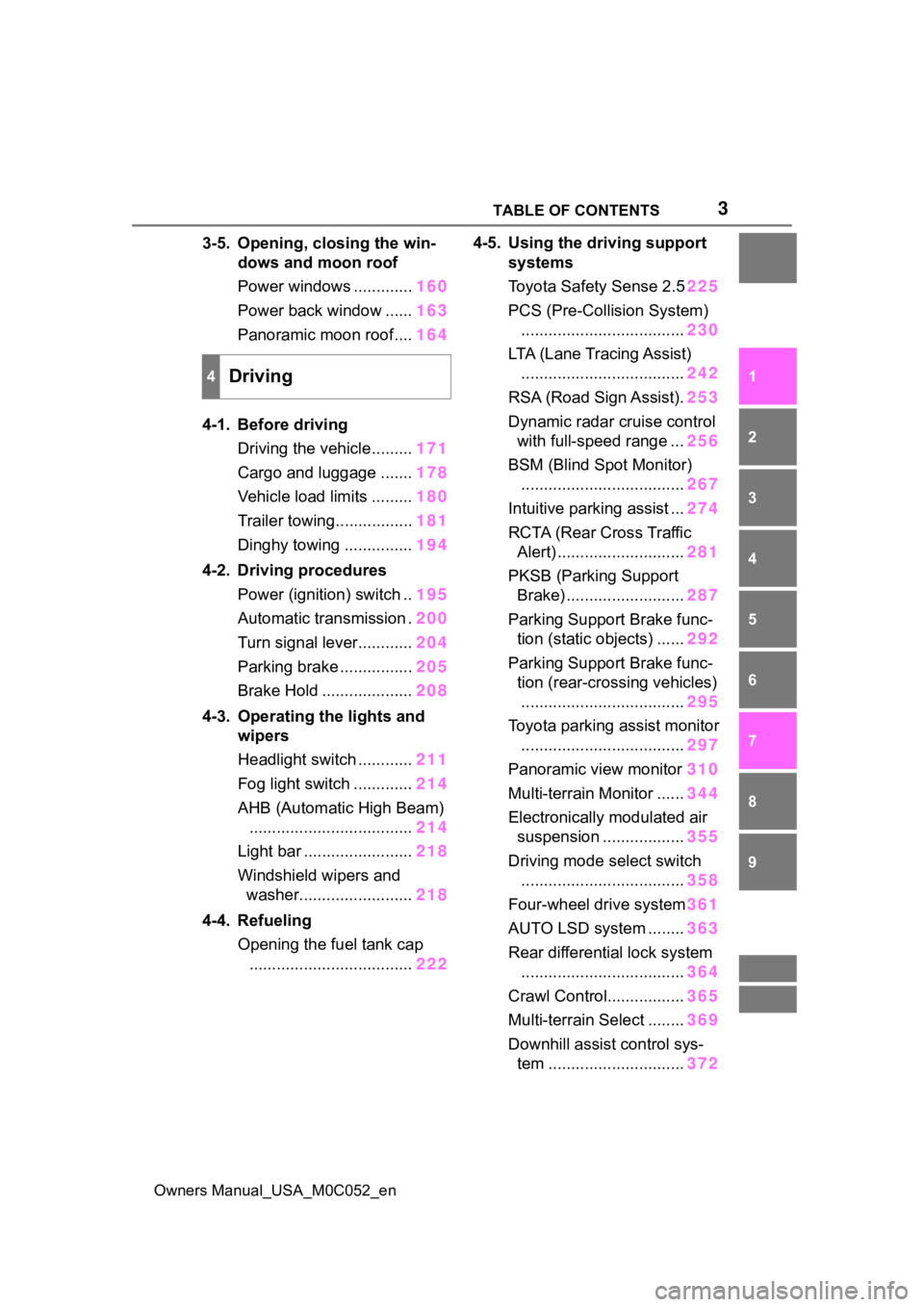
3-5. Opening, closing the win- dows and moon roof
Power windows ............. 160
Power back window ...... 163
Panoramic moon roof.... 164
4-1. Before driving Driving the vehicle......... 171
Cargo and luggage ....... 178
Vehicle load limits ......... 180
Trailer towing................. 181
Dinghy towing ............... 194
4-2. Driving procedures Power (ignition) switch .. 195
Automatic transmission . 200
Turn signal lever............ 204
Parking brake ................ 205
Brake Hold .................... 208
4-3. Operating the lights and wipers
Headlight switch ............ 211
Fog light switch ............. 214
AHB (Automatic High Beam) .................................... 214
Light bar ........................ 218
Windshield wipers and washer......................... 218
4-4. Refueling Opening the fuel tank cap.................................... 2224-5. Using the driving support
systems
Toyota Safet y Sense 2.5225
PCS (Pre-Collision System) .................................... 230
LTA (Lane Tracing Assist) .................................... 242
RSA (Road Sign Assist). 253
Dynamic radar cruise control with full-speed range ... 256
BSM (Blind Spot Monitor) .................................... 267
Intuitive parking assist ... 274
RCTA (Rear Cross Traffic Alert) ............................ 281
PKSB (Parking Support Brake) .......................... 287
Parking Support Brake func- tion (static objects) ...... 292
Parking Support Brake func- tion (rear-crossing vehicles)
.................................... 295
Toyota parking assist monitor .................................... 297
Panoramic view monitor 310
Multi-terrain Monitor ...... 344
Electronically modulated air suspension .................. 355
Driving mode s elect switch
.................................... 358
Four-wheel drive system 361
AUTO LSD system ........ 36
3
Re ar dif
ferential lock system
.................................... 364
Crawl Control................. 365
Multi-terrain Select ........ 369
Downhill assist control sys- tem .............................. 372
4Driving
Page 22 of 618
22Pictorial index
Owners Manual_USA_M0C052_en
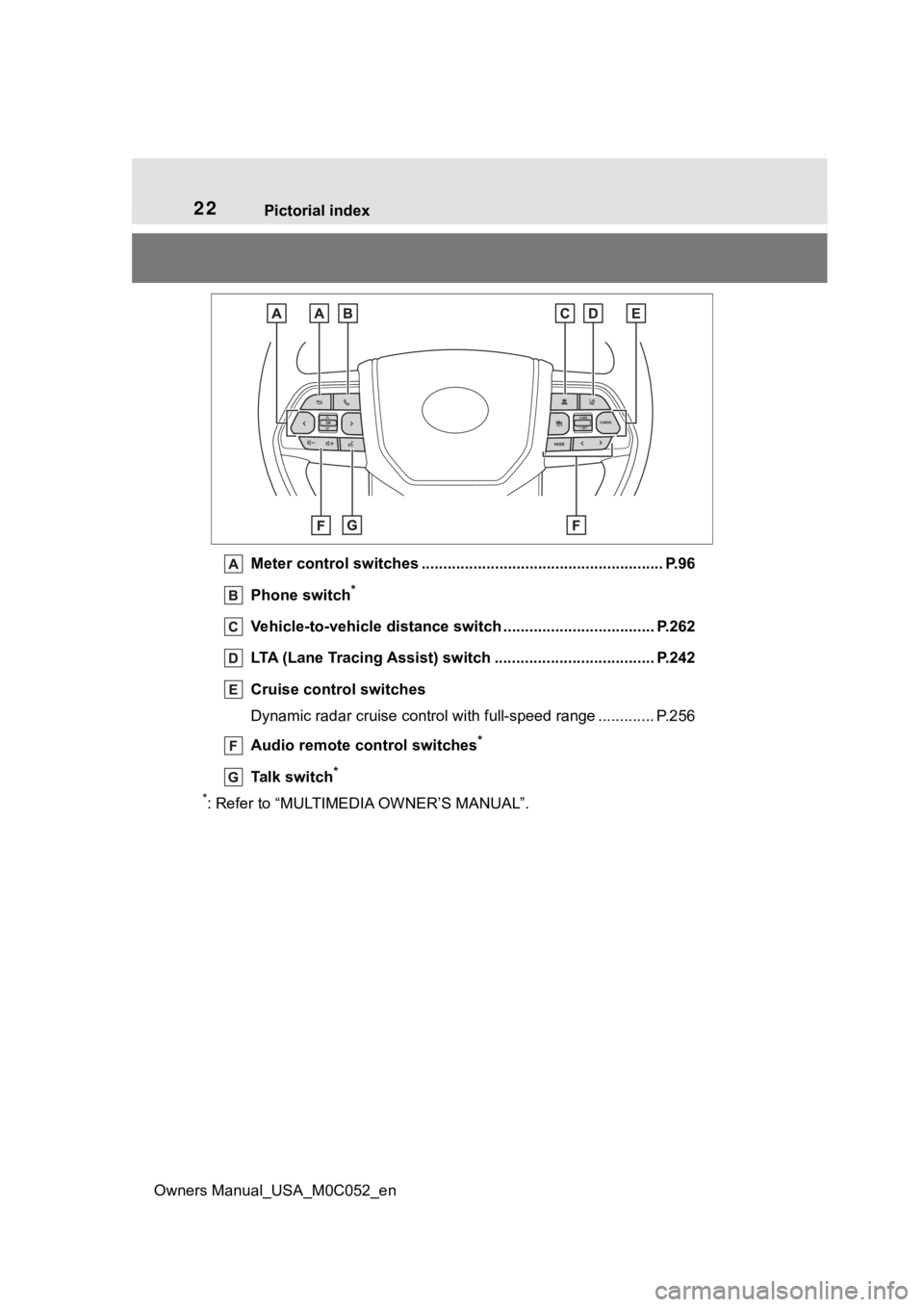
Meter control switches .. ...................................................... P.96
Phone switch
*
Vehicle-to-vehicle distance switch ................................... P.262
LTA (Lane Tracing Assist) switch ............................... ...... P.242
Cruise control switches
Dynamic radar cruise control with full-speed range ............. P. 2 5 6
Audio remote control switches
*
Talk switch*
*
: Refer to “MULTIMEDIA OWNER’S MANUAL”.
Page 95 of 618
952-1. Instrument cluster
Owners Manual_USA_M0C052_en
2
Vehicle status information and indicators
■Changing the display items
1 Press or to select .
2 Press or to select
“Customize Right Side”, and
then press and hold .
3 Select the item and then
press .
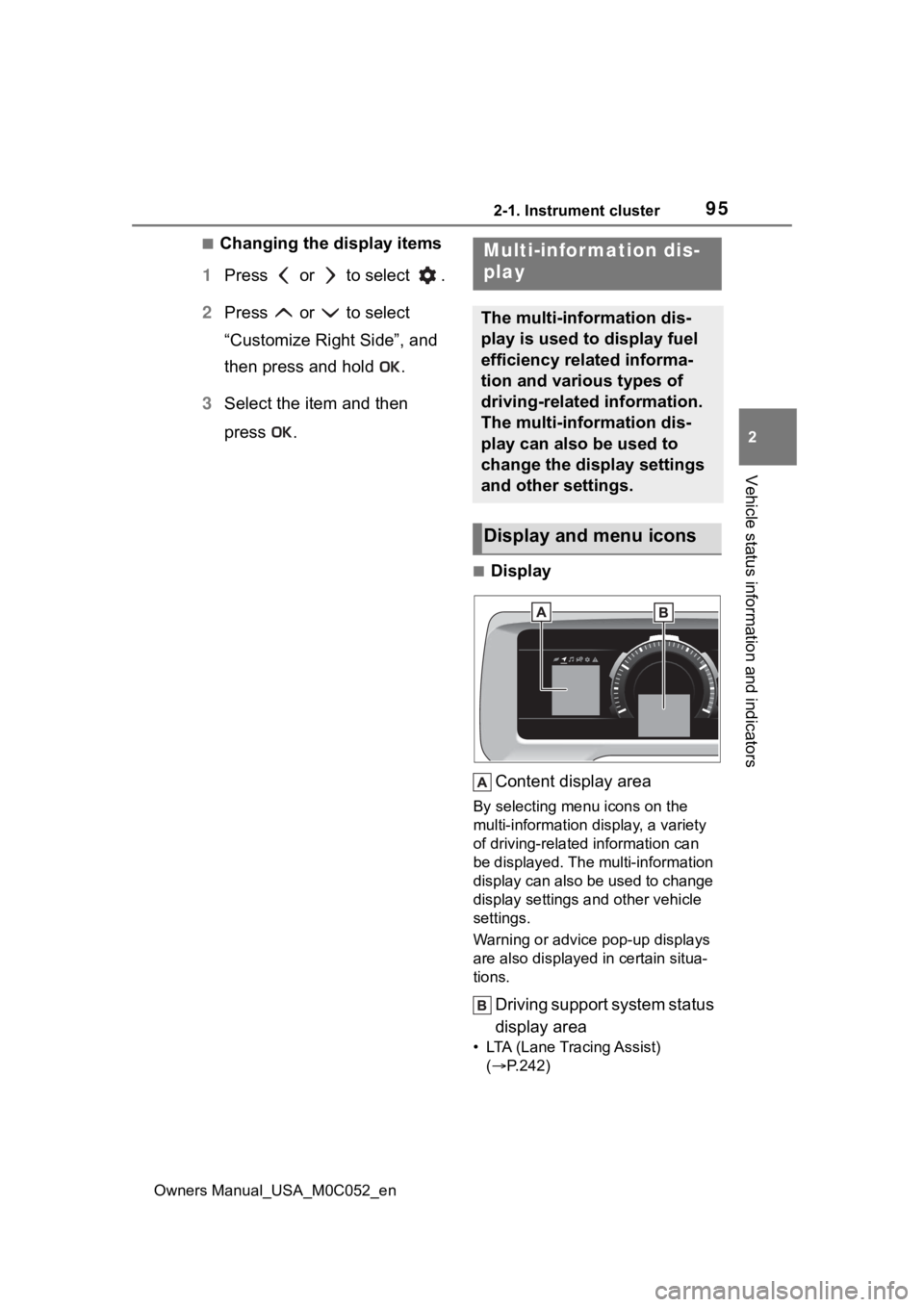
■Display
Content display area
By selecting menu icons on the
multi-information di splay, a variety
of driving-related information can
be displayed. The multi-information
display can also be used to change
display settings and other vehicle
settings.
Warning or advice pop-up displays
are also displayed in certain situa-
tions.
Driving support system status
display area
• LTA (Lane Tracing Assist) ( P.242)
Multi-infor mation dis-
play
The multi-information dis-
play is used to display fuel
efficiency related informa-
tion and various types of
driving-related information.
The multi-information dis-
play can also be used to
change the display settings
and other settings.
Display and menu icons
Page 104 of 618
1042-1. Instrument cluster
Owners Manual_USA_M0C052_en
■Enabling/disabling of the head-
up display
If the head-up display is disabled, it
will remain disabled when the power
switch is turned off then back to ON.
■Display brightness
The brightness of the head-up dis-
play can be adjusted on of the
multi-information display. Also, it is
automatically adjusted according to
the ambient brightness.
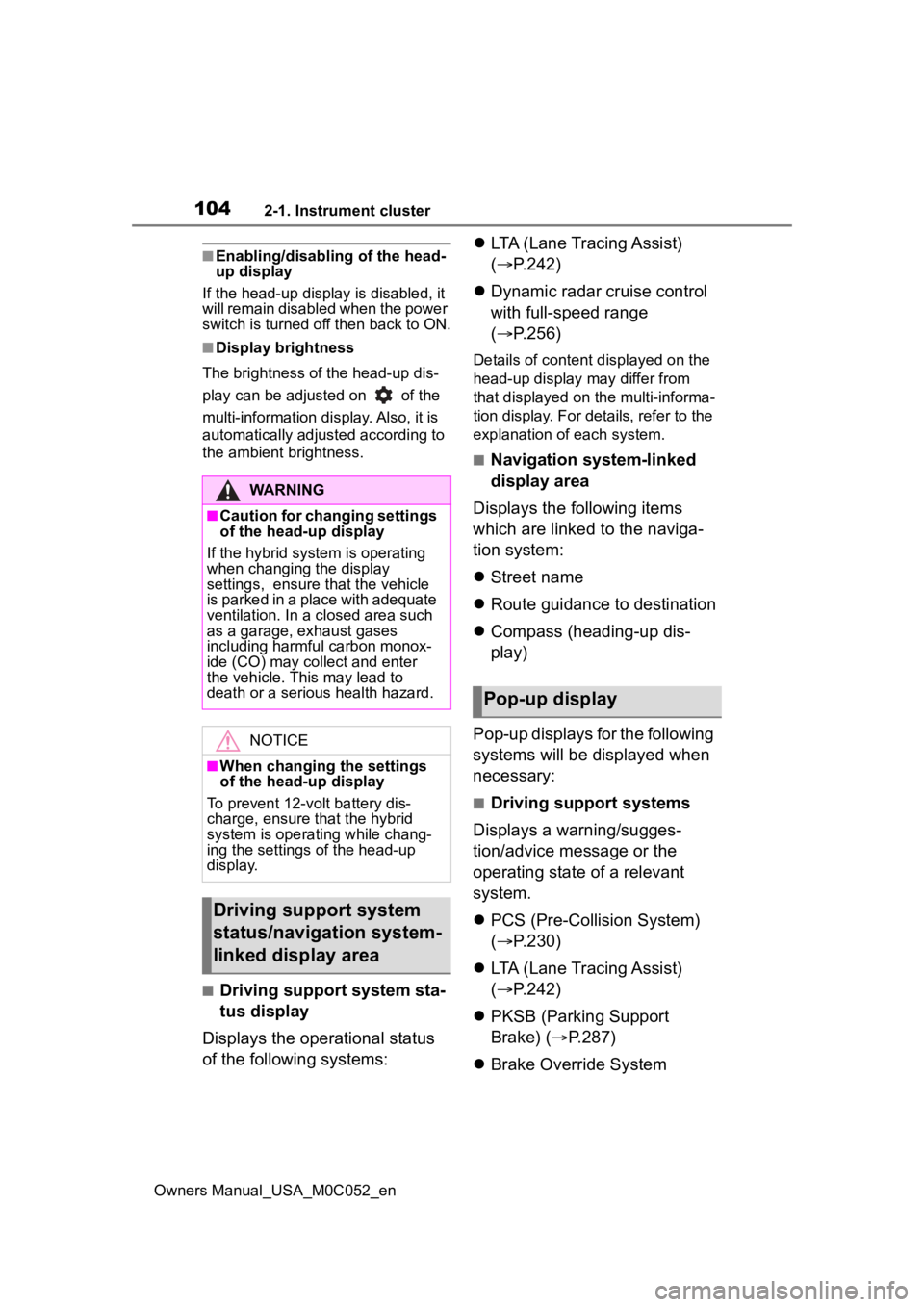
■Driving support system sta-
tus display
Displays the operational status
of the following systems:
LTA (Lane Tracing Assist)
( P.242)
Dynamic radar cruise control
with full-speed range
( P.256)
Details of content d isplayed on the
head-up display may differ from
that displayed on the multi-informa-
tion display. For details, refer to the
explanation of each system.
■Navigation system-linked
display area
Displays the following items
which are linked to the naviga-
tion system:
Street name
Route guidance to destination
Compass (heading-up dis-
play)
Pop-up displays for the following
systems will be displayed when
necessary:
■Driving support systems
Displays a warning/sugges-
tion/advice message or the
operating state of a relevant
system.
PCS (Pre-Colli sion System)
( P.230)
LTA (Lane Tracing Assist)
( P.242)
PKSB (Parking Support
Brake) ( P.287)
Brake Override System
WARNING
■Caution for changing settings
of the head-up display
If the hybrid system is operating
when changing the display
settings, ensure t hat the vehicle
is parked in a place with adequate
ventilation. In a closed area such
as a garage, exhaust gases
including harmful carbon monox-
ide (CO) may collect and enter
the vehicle. This may lead to
death or a seri ous health hazard.
NOTICE
■When changing the settings
of the head-up display
To prevent 12-volt battery dis-
charge, ensure that the hybrid
system is operating while chang-
ing the settings of the head-up
display.
Driving support system
status/navigation system-
linked display area
Pop-up display
Page 169 of 618
169
Owners Manual_USA_M0C052_en
4
4
Driving
Driving
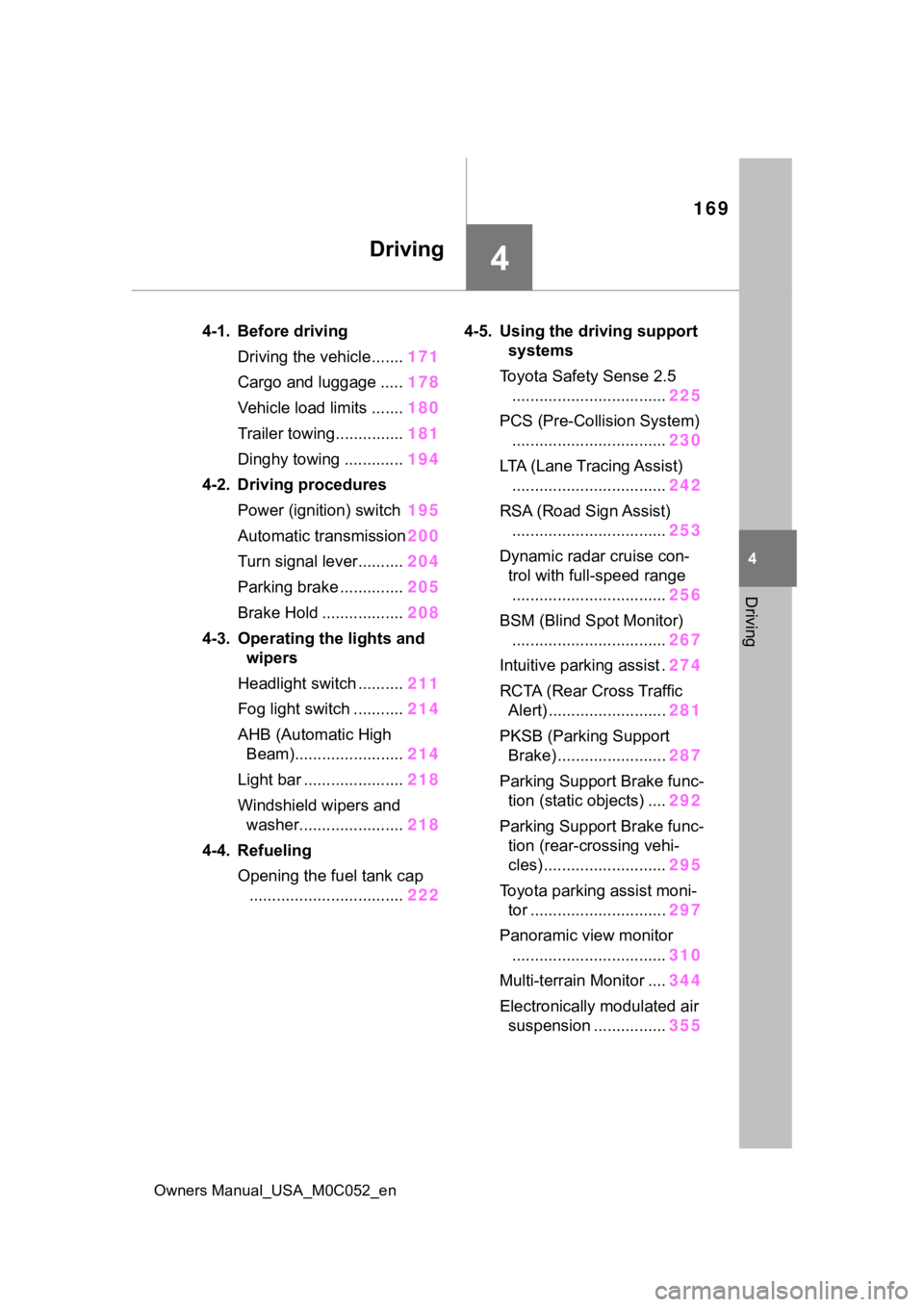
4-1. Before drivingDriving the vehicle....... 171
Cargo and luggage ..... 178
Vehicle load limits ....... 180
Trailer towing............... 181
Dinghy towing ............. 194
4-2. Driving procedures Power (ignition) switch 195
Automatic transmission 200
Turn signal lever.......... 204
Parking brake .............. 205
Brake Hold .................. 208
4-3. Operating the lights and wipers
Headlight switch .......... 211
Fog light switch ........... 214
AHB (Automatic High Beam)........................ 214
Light bar ...................... 218
Windshield wipers and washer....................... 218
4-4. Refueling Opening the fuel tank cap.................................. 2224-5. Using the dr
iving support
systems
Toyota Safety Sense 2.5 .................................. 225
PCS (Pre-Collision System) .................................. 230
LTA (Lane Tracing Assist) .................................. 242
RSA (Road Sign Assist) .................................. 253
Dynamic radar cruise con- trol with full-speed range
.................................. 256
BSM (Blind Spot Monitor) .................................. 267
Intuitive parking assist . 274
RCTA (Rear Cross Traffic Alert) .......................... 281
PKSB (Parking Support Brake) ........................ 287
Parking Support Brake func- tion (static objects) .... 292
Parking Support Brake func- tion (rear-crossing vehi-
cles) ........................... 295
Toyota parking assist moni- tor .............................. 297
Panoramic view monitor .................................. 310
Multi-terrain Monitor .... 344
Electronically modulated air suspension ................ 355
Page 183 of 618
1834-1. Before driving
Owners Manual_USA_M0C052_en
4
Driving
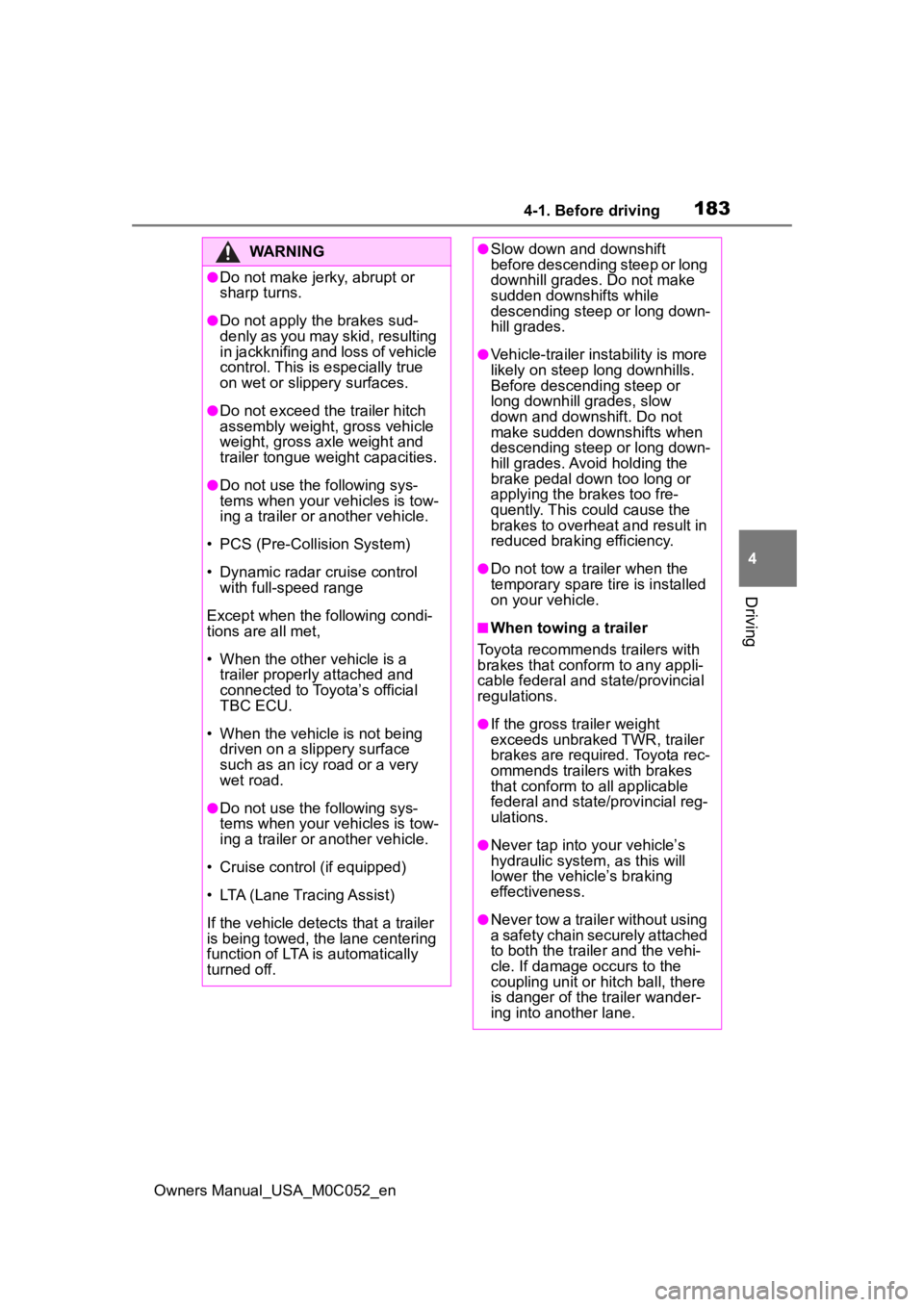
WARNING
●Do not make jerk y, abrupt or
sharp turns.
●Do not apply the brakes sud-
denly as you may skid, resulting
in jackknifing and loss of vehicle
control. This is especially true
on wet or slippery surfaces.
●Do not exceed th e trailer hitch
assembly weight, gross vehicle
weight, gross axle weight and
trailer tongue weight capacities.
●Do not use the following sys-
tems when your vehicles is tow-
ing a trailer or a nother vehicle.
• PCS (Pre-Collision System)
• Dynamic radar cruise control with full-speed range
Except when the following condi-
tions are all met,
• When the other vehicle is a trailer properly attached and
connected to Toyota’s official
TBC ECU.
• When the vehicle is not being driven on a slippery surface
such as an icy road or a very
wet road.
●Do not use the following sys-
tems when your vehicles is tow-
ing a trailer or a nother vehicle.
• Cruise control (if equipped)
• LTA (Lane Tracing Assist)
If the vehicle detects that a trailer
is being towed, the lane centering
function of LTA is automatically
turned off.
●Slow down and downshift
before descending steep or long
downhill grades. Do not make
sudden downshifts while
descending steep or long down-
hill grades.
●Vehicle-trailer instability is more
likely on steep long downhills.
Before descending steep or
long downhill grades, slow
down and downshift. Do not
make sudden downshifts when
descending steep or long down-
hill grades. Avoid holding the
brake pedal down too long or
applying the brakes too fre-
quently. This could cause the
brakes to overheat and result in
reduced braking efficiency.
●Do not tow a trailer when the
temporary spare tire is installed
on your vehicle.
■When towing a trailer
Toyota recommends trailers with
brakes that conform to any appli-
cable federal and s tate/provincial
regulations.
●If the gross tr ailer weight
exceeds unbraked TWR, trailer
brakes are required. Toyota rec-
ommends trailers with brakes
that conform to all applicable
federal and state/provincial reg-
ulations.
●Never tap into your vehicle’s
hydraulic system, as this will
lower the vehicle’s braking
effectiveness.
●Never tow a traile r without using
a safety chain securely attached
to both the trailer and the vehi-
cle. If damage occurs to the
coupling unit or hitch ball, there
is danger of the trailer wander-
ing into another lane.
Page 192 of 618

1924-1. Before driving
Owners Manual_USA_M0C052_en
sway) increases as speed
increases. Exceeding speed
limits may cause loss of con-
trol.
Before starting out, check the
trailer lights, tires and the
vehicle-trailer connections.
Recheck after driving a short
distance.
Practice turning, stopping and
reversing with the trailer
attached in an area away
from traffic until you become
accustomed to the feel of the
vehicle-trailer combination.
Reversing with a trailer
attached is difficult and
requires practice. Grip the
bottom of the steering wheel
and move your hand to the
left to move the trailer to the
left. Move your hand to the
right to move the trailer to the
right. (This is generally oppo-
site to reversing without a
trailer attached.) Avoid sharp
or prolonged turning. Have
someone guide you when
reversing to reduce the risk of
an accident.
As stopping distance is
increased when towing a
trailer, vehicle-to-vehicle dis-
tance should be increased.
For each 10 mph (16 km/h) of
speed, allow at least one
vehicle and trailer length.
Avoid sudden braking as you
may skid, resulting in the trailer jackknifing and a loss of
vehicle control. This is espe-
cially true on wet or slippery
surfaces.
Avoid jerky starts or sudden
acceleration.
Avoid jerky steering and
sharp turns, and slow down
before making a turn.
Note that when making a turn,
the trailer wheels will be
closer than the vehicle wheels
to the inside of the turn. Com-
pensate by making a wider
than normal turning radius.
Slow down before making a
turn, in crosswinds, on wet or
slippery surfaces, etc.
Increasing vehicle speed can
destabilize the trailer.
Take care when passing other
vehicles. Passing requires
considerable distance. After
passing a vehicle, do not for-
get the length of your trailer,
and be sure you have plenty
of room before changing
lanes.
Instability happens more fre-
quently when descending
steep or long downhill grades.
Before descending, slow
down and downshift. Do not
make sudden downshifts
while descending steep or
long downhill grades.
Avoid holding the brake pedal
down too long or applying the
Page 204 of 618
2044-2. Driving procedures
Owners Manual_USA_M0C052_enselected
■Differences with “TOW HAUL”
mode and “TOW+” mode
It is recommend ed to use each
mode according to the weight of the
trailer to be towed.
●“TOW HAUL” mode is used when
towing trailers that weigh less than
5000 lb. (2268 kg).
●“TOW+” mode is used when tow-
ing trailers that weigh more than
5000 lb. (2268 kg).
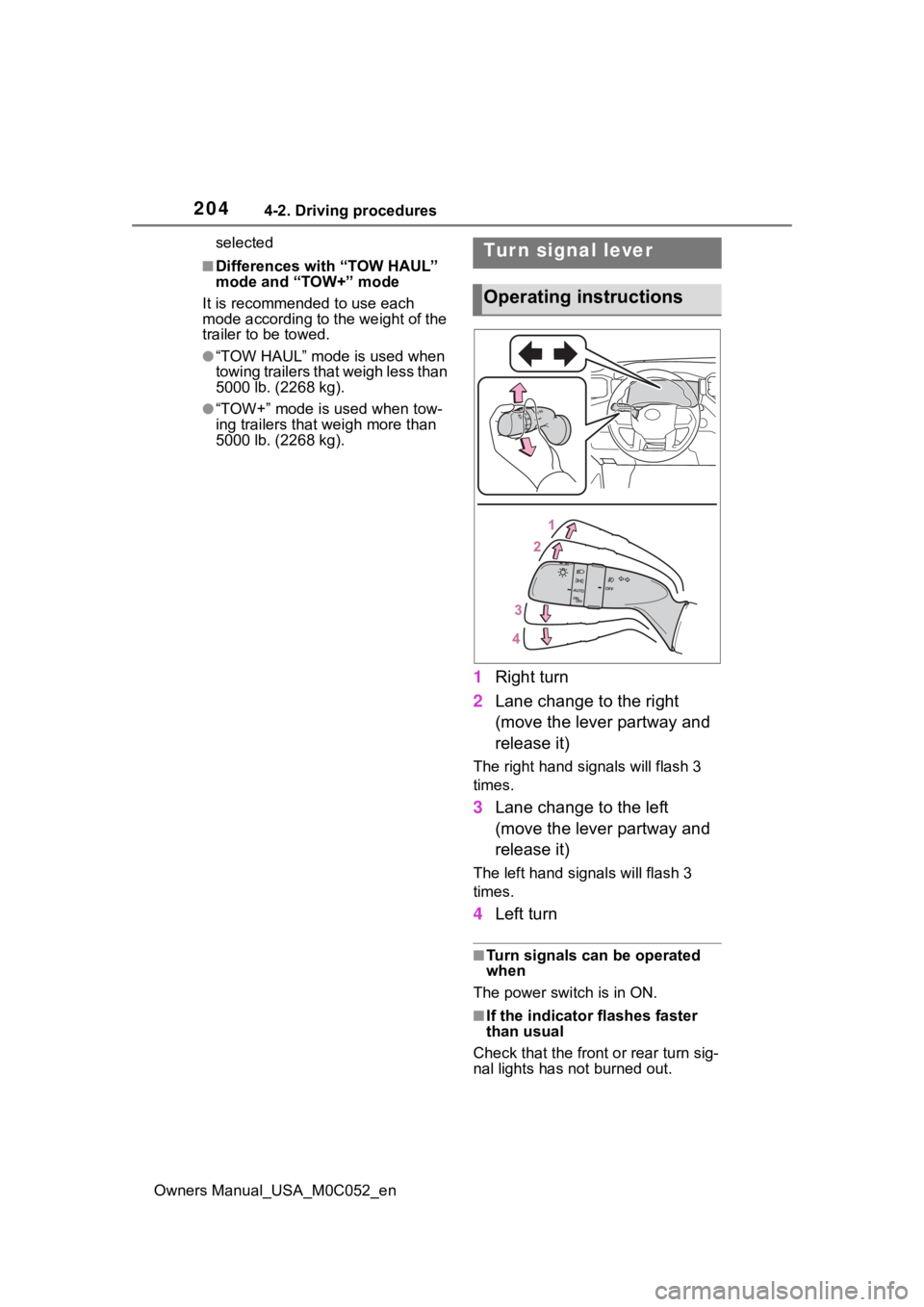
1 Right turn
2 Lane change to the right
(move the lever partway and
release it)
The right hand s ignals will flash 3
times.
3 Lane change to the left
(move the lever partway and
release it)
The left hand signals will flash 3
times.
4Left turn
■Turn signals can be operated
when
The power switch is in ON.
■If the indicator flashes faster
than usual
Check that the front or rear turn sig-
nal lights has not burned out.
Tur n signal lever
Operating instructions
Page 205 of 618
2054-2. Driving procedures
Owners Manual_USA_M0C052_en
4
Driving
■If the turn signals stop flashing
before a lane change has been
performed
Operate the lever again.
■Customization
Some functions can be customized.
( P.561)
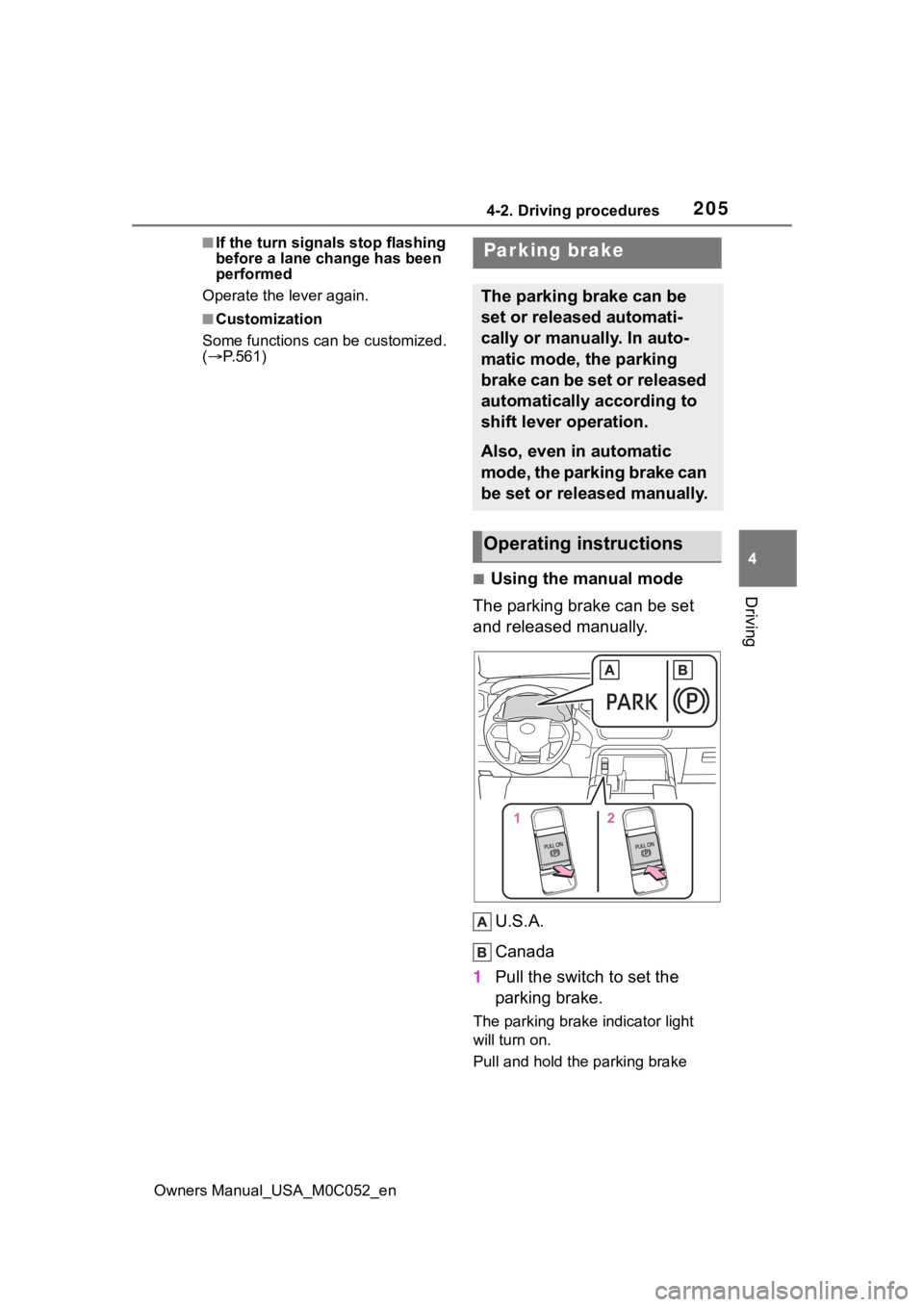
■Using the manual mode
The parking brake can be set
and released manually.
U.S.A.
Canada
1 Pull the switch to set the
parking brake.
The parking brake indicator light
will turn on.
Pull and hold the parking brake
Parking brake
The parking brake can be
set or released automati-
cally or manually. In auto-
matic mode, the parking
brake can be set or released
automatically according to
shift lever operation.
Also, even in automatic
mode, the parking brake can
be set or released manually.
Operating instructions
Page 215 of 618
2154-3. Operating the lights and wipers
Owners Manual_USA_M0C052_en
4
Driving
2 Turn the headlight switch to
the or position.
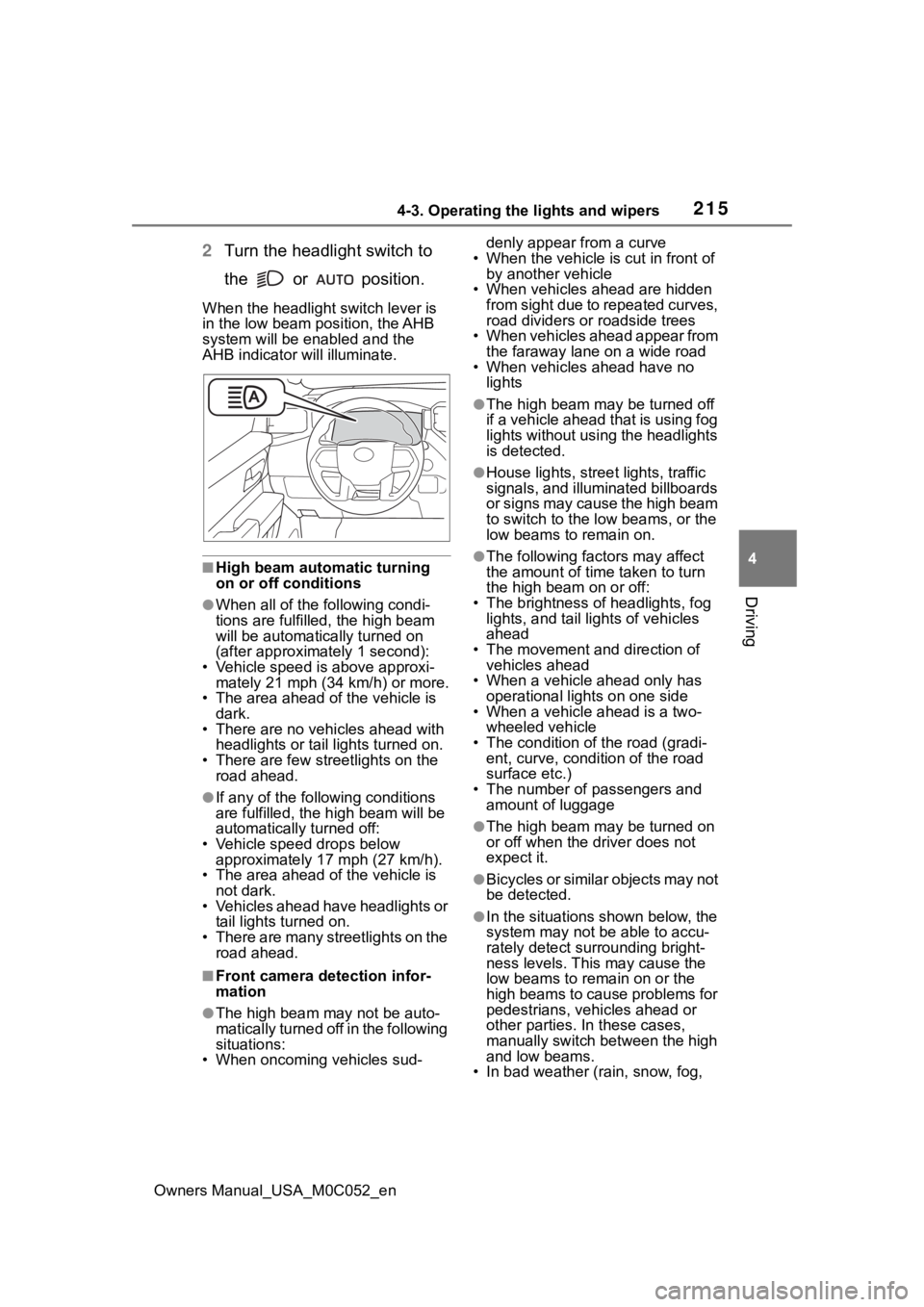
When the headlight switch lever is
in the low beam position, the AHB
system will be enabled and the
AHB indicator will illuminate.
■High beam automatic turning
on or off conditions
●When all of the following condi-
tions are fulfille d, the high beam
will be automatica lly turned on
(after approximately 1 second):
• Vehicle speed is above approxi- mately 21 mph (34 km/h) or more.
• The area ahead of the vehicle is
dark.
• There are no vehicles ahead with headlights or tail lights turned on.
• There are few streetlights on the road ahead.
●If any of the following conditions
are fulfilled, the h igh beam will be
automatically turned off:
• Vehicle speed drops below approximately 17 mph (27 km/h).
• The area ahead of the vehicle is
not dark.
• Vehicles ahead have headlights or tail lights turned on.
• There are many streetlights on the road ahead.
■Front camera detection infor-
mation
●The high beam may not be auto-
matically turned off in the following
situations:
• When oncoming vehicles sud- denly appear from a curve
• When the vehicle is cut in front of by another vehicle
• When vehicles ahead are hidden from sight due to repeated curves,
road dividers or roadside trees
• When vehicles ahead appear from the faraway lane on a wide road
• When vehicles ahead have no
lights
●The high beam ma y be turned off
if a vehicle ahead that is using fog
lights without using the headlights
is detected.
●House lights, street lights, traffic
signals, and illuminated billboards
or signs may cause the high beam
to switch to the low beams, or the
low beams to remain on.
●The following fact ors may affect
the amount of time taken to turn
the high beam on or off:
• The brightness of headlights, fog lights, and tail lig hts of vehicles
ahead
• The movement and direction of vehicles ahead
• When a vehicle ahead only has
operational lights on one side
• When a vehicle ahead is a two-
wheeled vehicle
• The condition of the road (gradi- ent, curve, condition of the road
surface etc.)
• The number of passengers and amount of luggage
●The high beam ma y be turned on
or off when the driver does not
expect it.
●Bicycles or similar objects may not
be detected.
●In the situations shown below, the
system may not be able to accu-
rately detect surrounding bright-
ness levels. This may cause the
low beams to remain on or the
high beams to cause problems for
pedestrians, vehicles ahead or
other parties. In these cases,
manually switch between the high
and low beams.
• In bad weather (r ain, snow, fog,