steering TOYOTA URBAN CRUISER 2012 Workshop Manual
[x] Cancel search | Manufacturer: TOYOTA, Model Year: 2012, Model line: URBAN CRUISER, Model: TOYOTA URBAN CRUISER 2012Pages: 532, PDF Size: 27.93 MB
Page 220 of 532
220 2-4. Using other driving systems
URBAN CRUISER_EE (OM52C21E)
Reactivation of the TRC/VSC systems after turning off the engine
Turning off the engine after turning off the TRC/VSC systems will automati-
cally reactivate them.
Reactivation of the TRC system linked to vehicle speed
When only the TRC system is turned off, the TRC system will turn on when
vehicle speed increases. However, when both TRC and VSC systems are
turned off, the systems will not turn on even when vehicle speed increases.
Reduced effectiveness of the EPS system
The effectiveness of the EPS is reduced to prevent the system from over-
heating when there is frequent steering input over an extended period of
time. The steering wheel may feel heavy as a result. Should this occur,
refrain from excessive steering input or stop the vehicle and turn the engine
off. The system should return to normal after about 10 minutes.
Page 226 of 532
226 2-5. Driving information
URBAN CRUISER_EE (OM52C21E)
CAUTION
Load and distribution
Do not overload your vehicle.
Do not apply loads unevenly.
Improper loading may cause deterioration of steering or braking control
which may cause death or serious injury.
Page 237 of 532
237 2-5. Driving information
2
When driving
URBAN CRUISER_EE (OM52C21E)
Guidance
Your vehicle will handle differently when towing a trailer. In order to
avoid accident, death or serious injury, keep the following in mind
when towing:
Checking connections between trailer and lights
Stop the vehicle and check the operation of the connection
between the trailer and lights after driving for a brief period as well
as before setting off.
Practicing driving with a coupled trailer
Get the feel for turning, stopping and reversing with the trailer
coupled by practicing in an area with no or light traffic.
When reversing with a coupled trailer, hold the section of the
steering wheel nearest to you and rotate clockwise to turn the
trailer left or counterclockwise to turn right. Always rotate gradu-
ally to prevent steering error. Have someone guide you when
reversing to lessen the risk of accident.
NOTICE
When the rear bumper strengthening material is aluminum
Ensure the steel bracket part does not come directly in contact with that
area.
When steel and aluminum come into contact, there is a reaction similar to
corrosion, which will weaken the section concerned which may result in
damage. Apply a rust inhibitor to parts that will come in contact when attach-
ing a steel bracket.
Page 238 of 532
238 2-5. Driving information
URBAN CRUISER_EE (OM52C21E)Increasing vehicle-to-vehicle distance
At a speed of 10 km/h (6 mph), the distance to the vehicle running
ahead of you should be equivalent to or greater than the combined
length of your vehicle and trailer. Avoid sudden braking that may
cause skidding. Otherwise, the vehicle may spin out of control.
This is especially true when driving on wet or slippery road sur-
faces.
Sudden acceleration/steering input/cornering
Executing sharp turns when towing may result in the trailer collid-
ing with your vehicle. Decelerate well in advance when approach-
ing turns and take them slowly and carefully to avoid sudden
braking.
Important points regarding turning
The wheels of the trailer will travel closer to the inside of the curve
than the wheels of the vehicle. To make allowance for this, take the
turns wider than you would normally.
Important points regarding stability
Vehicle movement resulting from uneven road surfaces and strong
crosswinds will affect handling. The vehicle may also be rocked by
passing buses or large trucks. Frequently check behind when mov-
ing alongside such vehicles. As soon as such vehicle movement
occurs, immediately start to decelerate smoothly by slowly apply-
ing the brakes. Always steer the vehicle straight ahead while brak-
ing.
Passing other vehicles
Consider the total combined length of your vehicle and trailer, and
ensure that the vehicle-to-vehicle distance is sufficient before exe-
cuting lane changes.
Page 243 of 532

3Interior features
243
URBAN CRUISER_EE (OM52C21E)
3-2. Using the audio system
Audio system types .......... 264
Using the radio ................. 266
Using the CD player ......... 270
Playing back MP3 and
WMA discs...................... 277
Optimal use of the audio
system ............................ 285
Using the AUX port ........... 288
Using the steering
switches .......................... 289
3-3. Using the hands-free system
(for cellular phone)
Hands-free system
(for cellular phone).......... 291
Using the hands-free
system ............................ 298
Making a phone call.......... 302
Setting a cellular
phone ............................. 306
Security and system
setup ............................... 310
Using the phone book....... 3143-4. Using the interior lights
Interior lights list ................ 320
• Interior light ..................... 320
• Personal lights ................ 321
3-5. Using the storage features
List of storage features ..... 322
• Glove boxes.................... 323
• Cup holders .................... 324
• Bottle holders.................. 326
• Auxiliary box ................... 327
3-6. Other interior features
Sun visors ......................... 328
Vanity mirror ..................... 329
Clock ................................. 330
Portable ashtray................ 331
Cigarette lighter ................ 332
Seat heaters ..................... 333
Floor mat........................... 335
Luggage compartment
features........................... 337
Page 264 of 532
264
URBAN CRUISER_EE (OM52C21E)
3-2. Using the audio system
Audio system types
: If equipped
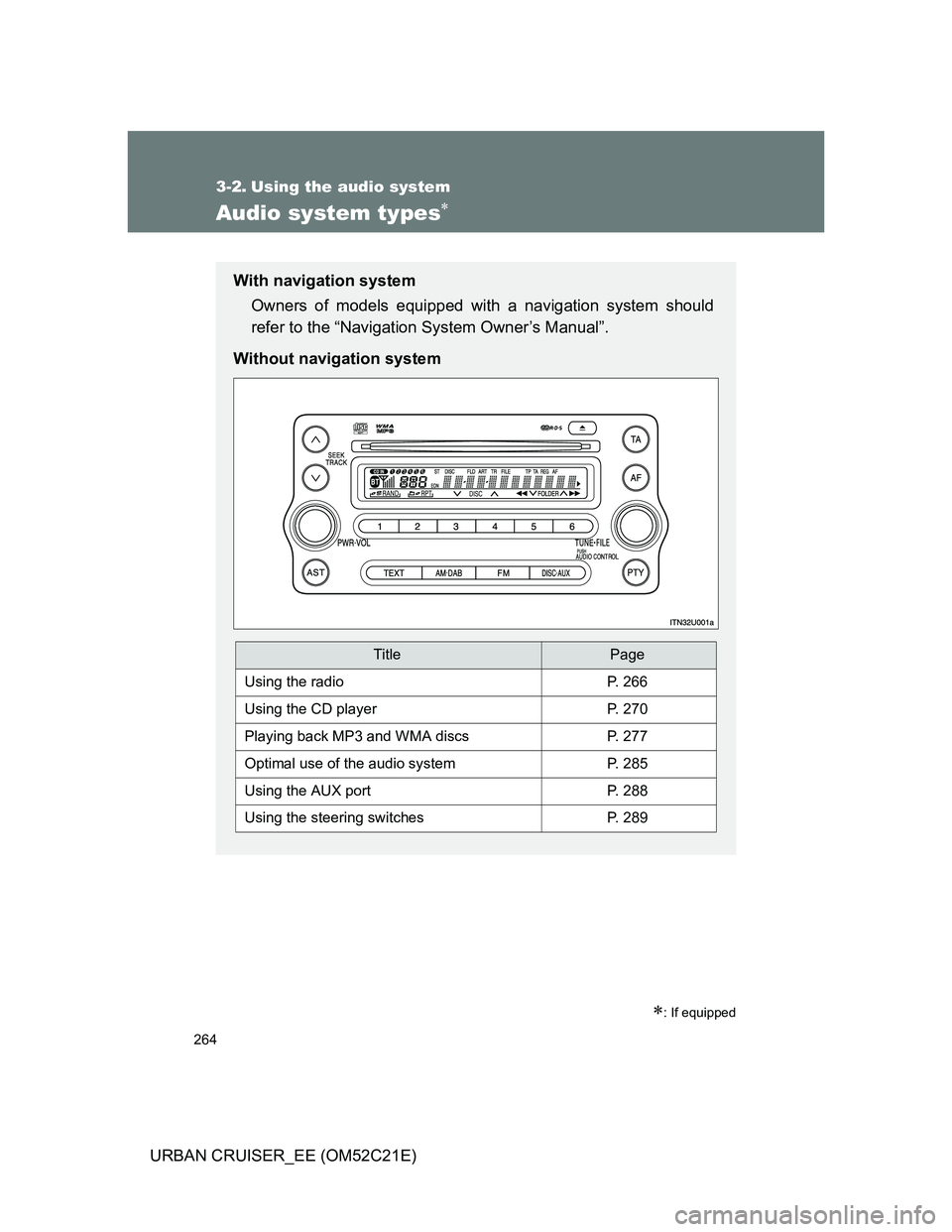
With navigation system
Owners of models equipped with a navigation system should
refer to the “Navigation System Owner’s Manual”.
Without navigation system
TitlePage
Using the radioP. 266
Using the CD playerP. 270
Playing back MP3 and WMA discsP. 277
Optimal use of the audio systemP. 285
Using the AUX portP. 288
Using the steering switchesP. 289
Page 289 of 532
289
3-2. Using the audio system
3
Interior features
URBAN CRUISER_EE (OM52C21E)
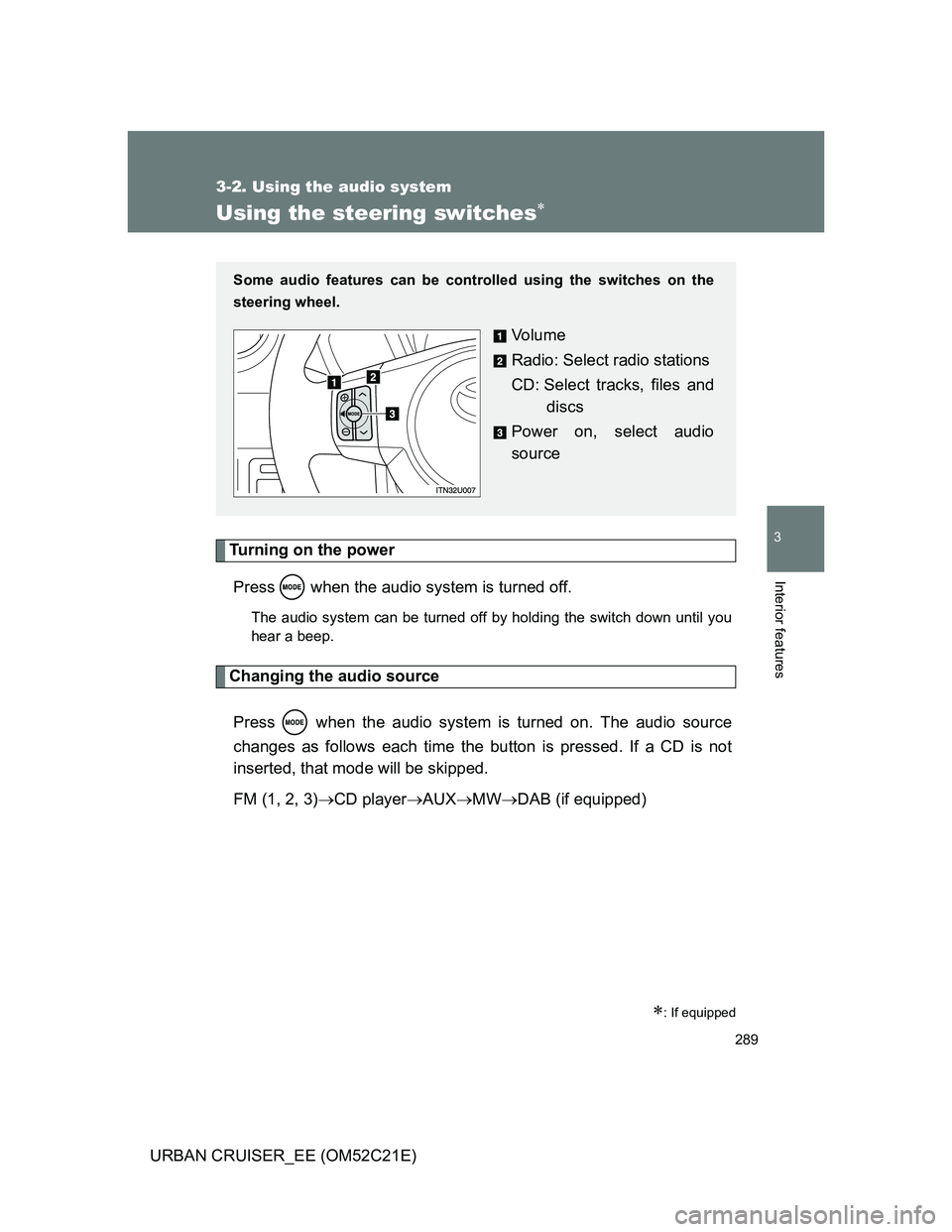
Using the steering switches
Turning on the power
Press when the audio system is turned off.
The audio system can be turned off by holding the switch down until you
hear a beep.
Changing the audio source
Press when the audio system is turned on. The audio source
changes as follows each time the button is pressed. If a CD is not
inserted, that mode will be skipped.
FM (1, 2, 3)CD playerAUXMWDAB (if equipped)
: If equipped
Some audio features can be controlled using the switches on the
steering wheel.
Vo l u m e
Radio: Select radio stations
CD: Select tracks, files and
discs
Power on, select audio
source
Page 290 of 532
290 3-2. Using the audio system
URBAN CRUISER_EE (OM52C21E)
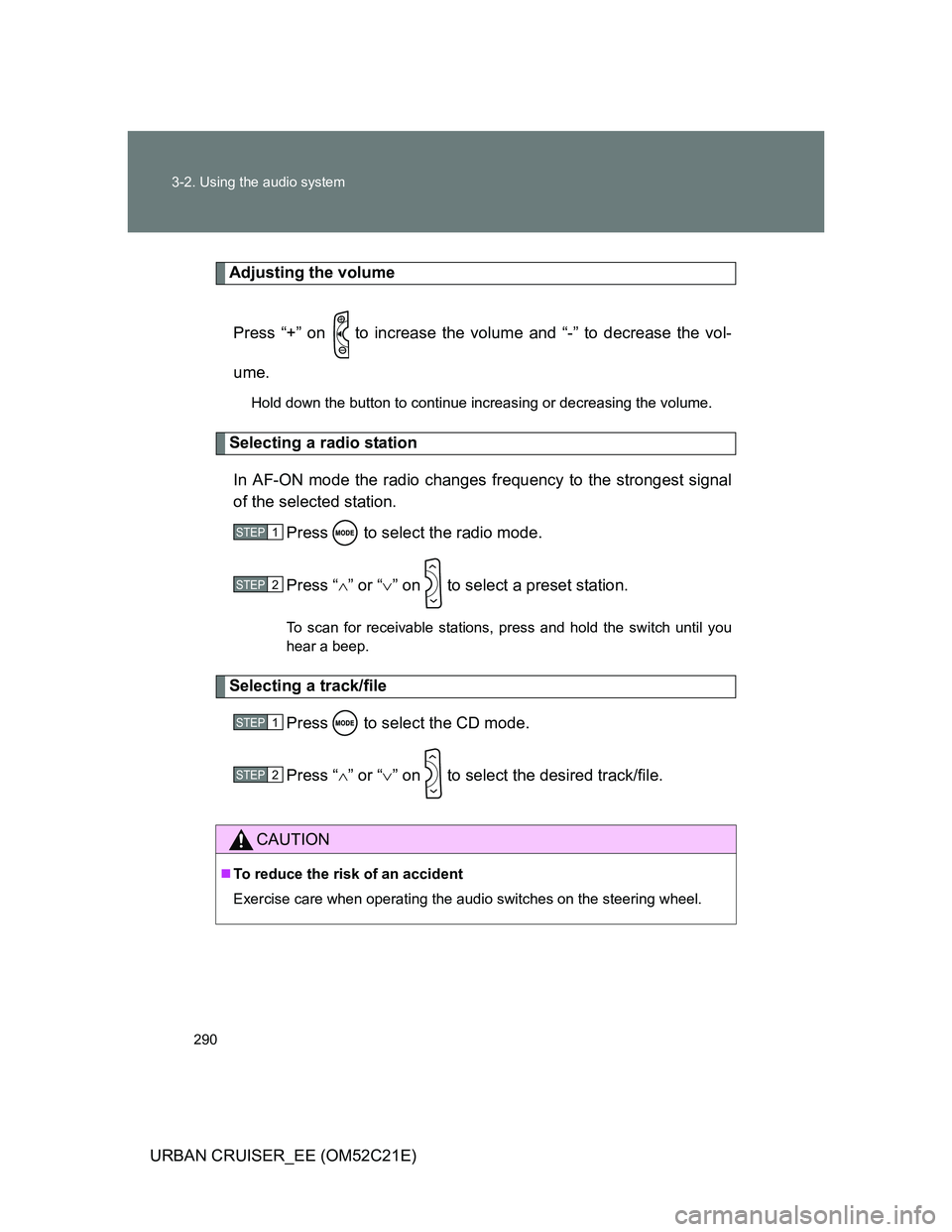
Adjusting the volume
Press “+” on to increase the volume and “-” to decrease the vol-
ume.
Hold down the button to continue increasing or decreasing the volume.
Selecting a radio station
In AF-ON mode the radio changes frequency to the strongest signal
of the selected station.
Press to select the radio mode.
Press “” or “” on to select a preset station.
To scan for receivable stations, press and hold the switch until you
hear a beep.
Selecting a track/file
Press to select the CD mode.
Press “” or “” on to select the desired track/file.
CAUTION
To reduce the risk of an accident
Exercise care when operating the audio switches on the steering wheel.
STEP1
STEP2
STEP1
STEP2
Page 299 of 532
299 3-3. Using the hands-free system (for cellular phone)
3
Interior features
URBAN CRUISER_EE (OM52C21E)
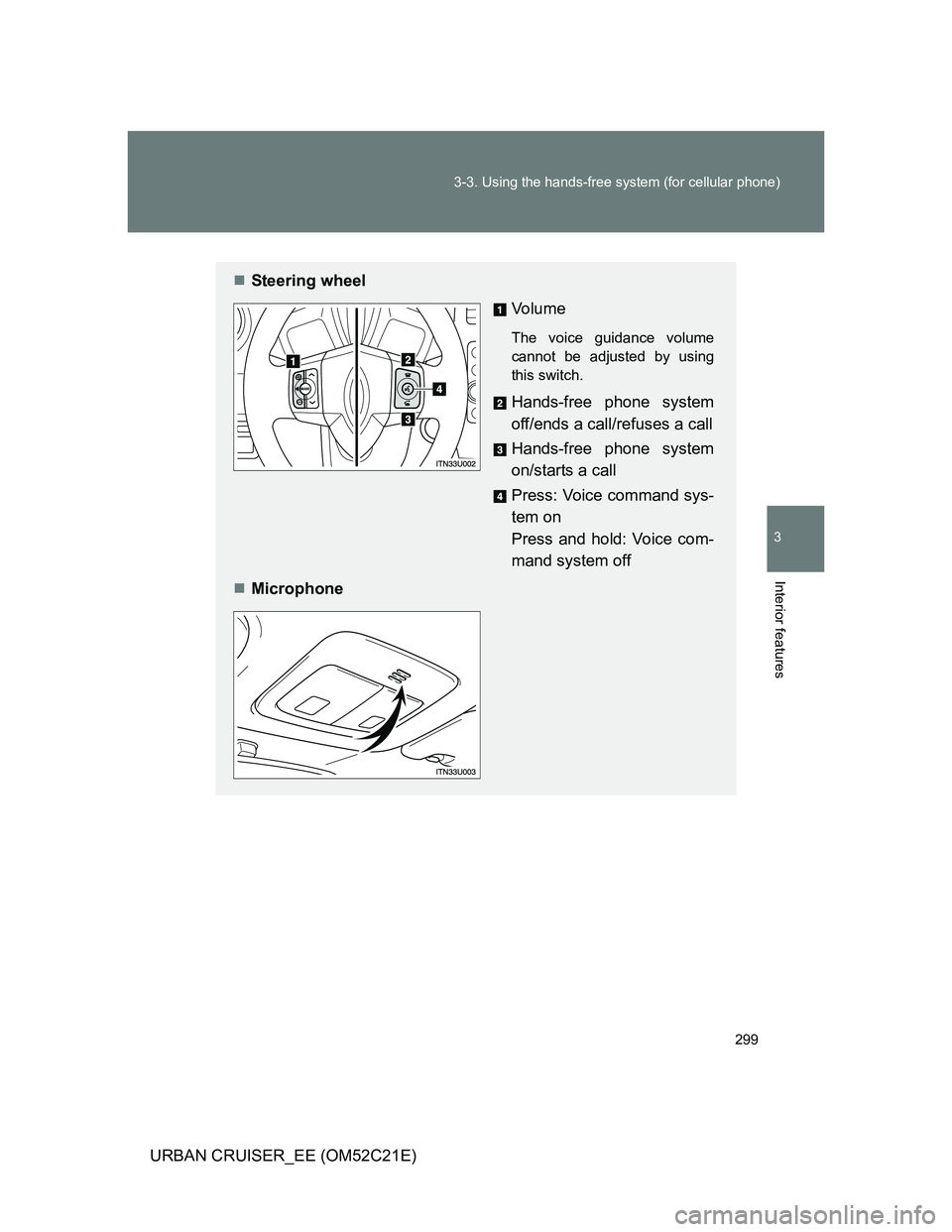
Steering wheel
Vo l u m e
The voice guidance volume
cannot be adjusted by using
this switch.
Hands-free phone system
off/ends a call/refuses a call
Hands-free phone system
on/starts a call
Press: Voice command sys-
tem on
Press and hold: Voice com-
mand system off
Microphone
Page 396 of 532
396 4-3. Do-it-yourself maintenance
URBAN CRUISER_EE (OM52C21E)
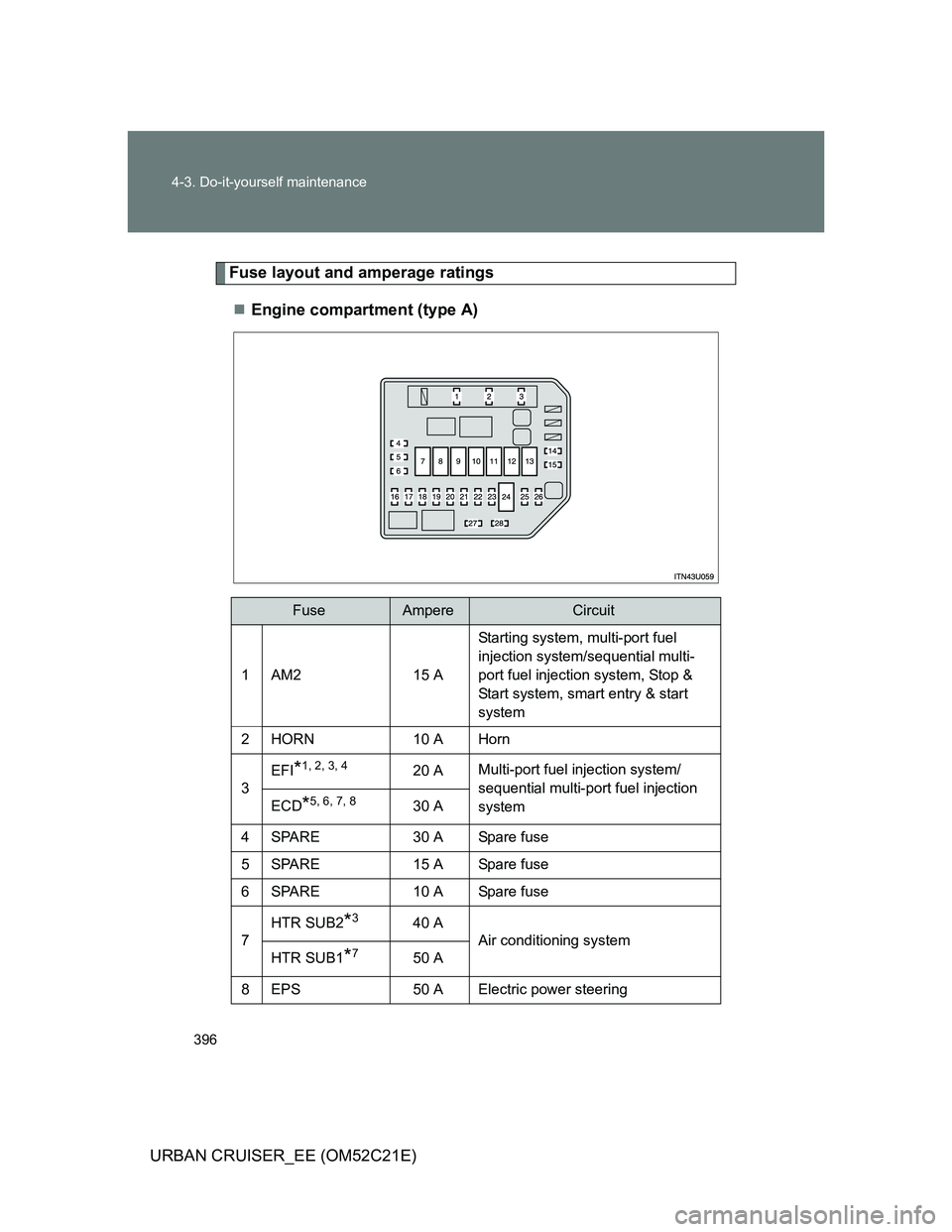
Fuse layout and amperage ratings
Engine compartment (type A)
FuseAmpereCircuit
1AM215 AStarting system, multi-port fuel
injection system/sequential multi-
port fuel injection system, Stop &
Start system, smart entry & start
system
2HORN10 A Horn
3
EFI*1, 2, 3, 420 AMulti-port fuel injection system/
sequential multi-port fuel injection
system
ECD*5, 6, 7, 830 A
4 SPARE 30 A Spare fuse
5 SPARE 15 A Spare fuse
6 SPARE 10 A Spare fuse
7HTR SUB2
*340 A
Air conditioning system
HTR SUB1
*750 A
8 EPS 50 A Electric power steering