remote control TOYOTA URBAN CRUISER 2014 User Guide
[x] Cancel search | Manufacturer: TOYOTA, Model Year: 2014, Model line: URBAN CRUISER, Model: TOYOTA URBAN CRUISER 2014Pages: 544, PDF Size: 16.77 MB
Page 58 of 544
58
1-2. Opening, closing and locking the doors
URBAN CRUISER_OM_OM52F47E_(EE)
■ Operation signals
The emergency flashers flash to indicate that the doors have been locked/
unlocked. (Locked: Once; Unlocked: Twice)
■ Door lock buzzer (vehicles with smart entry & start system)
If a door is not fully closed, a buzzer sounds continuously for 10 seconds if
an attempt to lock the door is made. Fully close the door to stop the buzzer,
and lock the vehicle once more.
■ Alarm (if equipped)
Using the wireless remote control to lo ck the doors will set the alarm system.
■ Key battery depletion
Vehicles without smart entry & start system
If the wireless remote control function does not operate, the battery may be
depleted. Replace the battery when necessary. ( →P. 398)
Vehicles with smart entry & start system
→ P. 4 2
■ Security feature
If a door is not opened within approximately 30 seconds after the vehicle is
unlocked, the security feature automatically locks the vehicle again.
■ If the wireless remote control does not operate properly
●Locking and unlocking the doors: Use the key. ( →P. 484)
● Starting the engine: →P. 485
■ When the electronic key battery is fully depleted (vehicles with smart
entry & start system)
→ P. 398
Page 59 of 544
59
1-2. Opening, closing and locking the doors
1
Before driving
URBAN CRUISER_OM_OM52F47E_(EE)
■
Conditions affecting operation
Vehicles without smart entry & start system
The wireless remote control function may not operate normally in the follow-
ing situations.
●Near a TV tower, radio station, electr ic power plant, airport or other facil-
ity that generates strong radio waves
● When carrying a portable radio, cellular phone or other wireless commu-
nication device
● When the wireless key has come into contact with, or is covered by a
metallic object
● When a wireless key (that emits radio waves) is being used nearby
● When the wireless key has been left near an electrical appliance such as
a personal computer
● When the wireless key battery is depleted
● If window tint with a metallic content or metallic objects are attached to
the rear window
Vehicles with smart entry & start system
→ P. 4 0
■ Customization
Settings (e.g. door lock buzzer) can be changed.
(Customizable features →P. 526)
Page 66 of 544
66
1-2. Opening, closing and locking the doors
URBAN CRUISER_OM_OM52F47E_(EE)
Side doors
The vehicle can be locked and unlocked using the smart entry &
start system, wireless remote control or door lock switch.
■Smart entry & start system (if equipped)
→P. 3 7
■ Wireless remote control
→P. 5 7
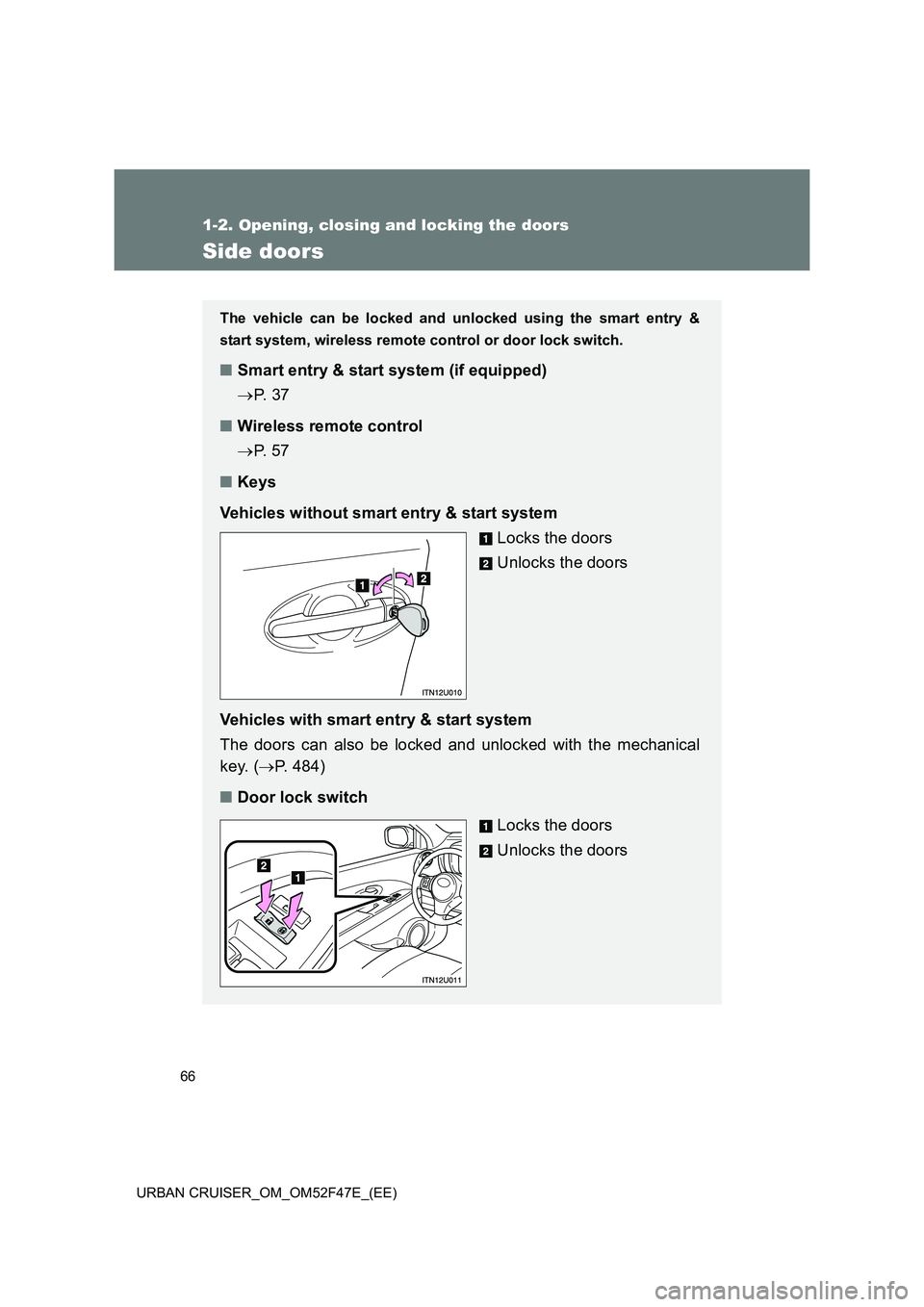
■ Keys
Vehicles without smart entry & start system Locks the doors
Unlocks the doors
Vehicles with smart entry & start system
The doors can also be locked and unlocked with the mechanical
key. ( →P. 484)
■ Door lock switch
Locks the doors
Unlocks the doors
Page 70 of 544
70
1-2. Opening, closing and locking the doors
URBAN CRUISER_OM_OM52F47E_(EE)
Back door
The back door can be locked/unlocked and opened by the following
procedures.
■Locking and unlocking the back door
Smart entry & start system (if equipped)
→ P. 3 7
Wireless remote control
→ P. 5 7
Door lock switch
→ P. 6 6
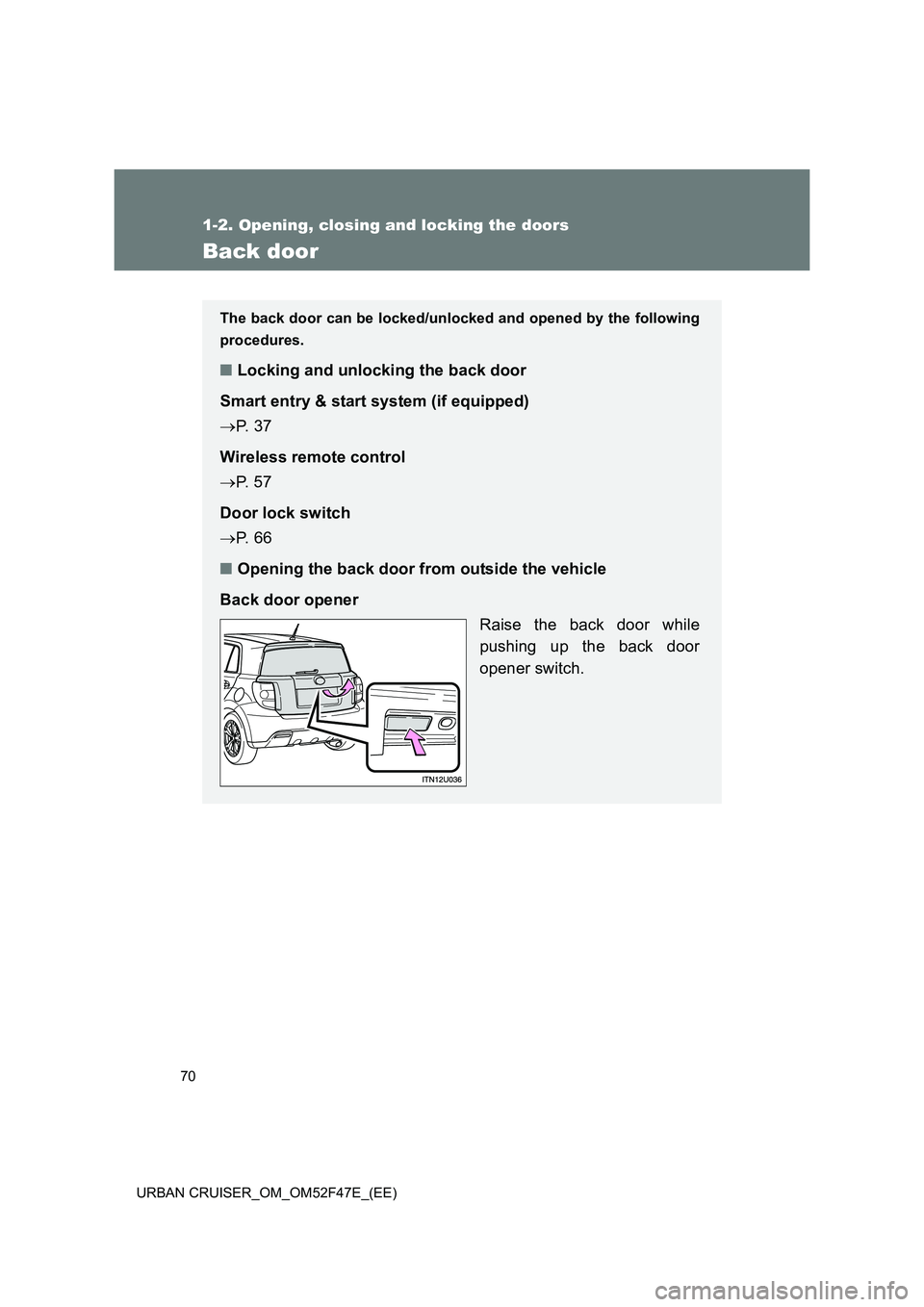
■ Opening the back door from outside the vehicle
Back door opener Raise the back door while
pushing up the back door
opener switch.
Page 118 of 544
118
1-6. Theft deterrent system
URBAN CRUISER_OM_OM52F47E_(EE)
Double locking system∗
Setting the systemVehicles without smart entry & start system
Turn the engine switch to the “LOCK” position, have all passengers
exit the vehicle and ensure that all the doors are closed.
Press the button twice within 5 seconds.
Vehicles with smart entry & start system
Turn the “ENGINE START STOP” switch OFF, have all the passen-
gers exit the vehicle and ensure that all the doors are closed.
Using the smart entry & start system:
Press the lock button on the outside door handle twice within 5 sec-
onds.
Using the wireless remote control:
Press the
button twice within 5 seconds.
∗: If equipped
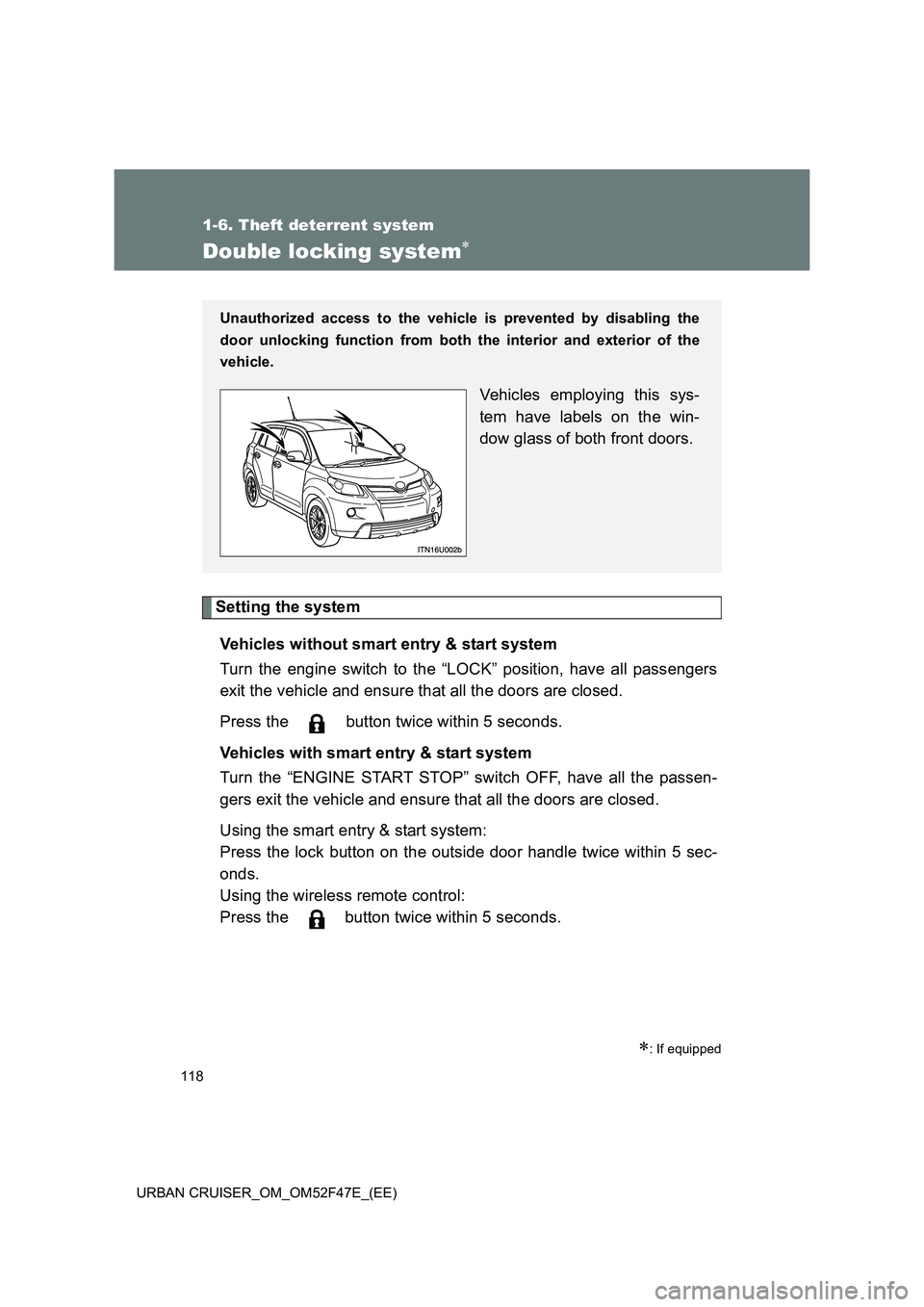
Unauthorized access to the vehicle is prevented by disabling the
door unlocking function from both the interior and exterior of the
vehicle.
Vehicles employing this sys-
tem have labels on the win-
dow glass of both front doors.
Page 119 of 544
119
1-6. Theft deterrent system
1
Before driving
URBAN CRUISER_OM_OM52F47E_(EE)
Canceling the system
Using the smart entry & start system (if equipped):
Hold the outside door handle on the driver side.
Using the wireless remote control:
Press the
button.
CAUTION
■ Double locking system precaution
Never activate the double locking system when there are people in the vehi-
cle, because all the doors cannot be opened from inside the vehicle.
Page 120 of 544
120
1-6. Theft deterrent system
URBAN CRUISER_OM_OM52F47E_(EE)
Alarm∗
∗: If equipped
The system sounds the alarm and flashes lights when forcible entry
is detected.
■Triggering of the alarm
The alarm is triggered in the following situations when the alarm
is set.
● A locked door is unlocked or opened in any way other than by
using the smart entry & start system or the wireless remote
control. (The doors will lock again automatically.)
● The hood is opened.
● The battery is reconnected.
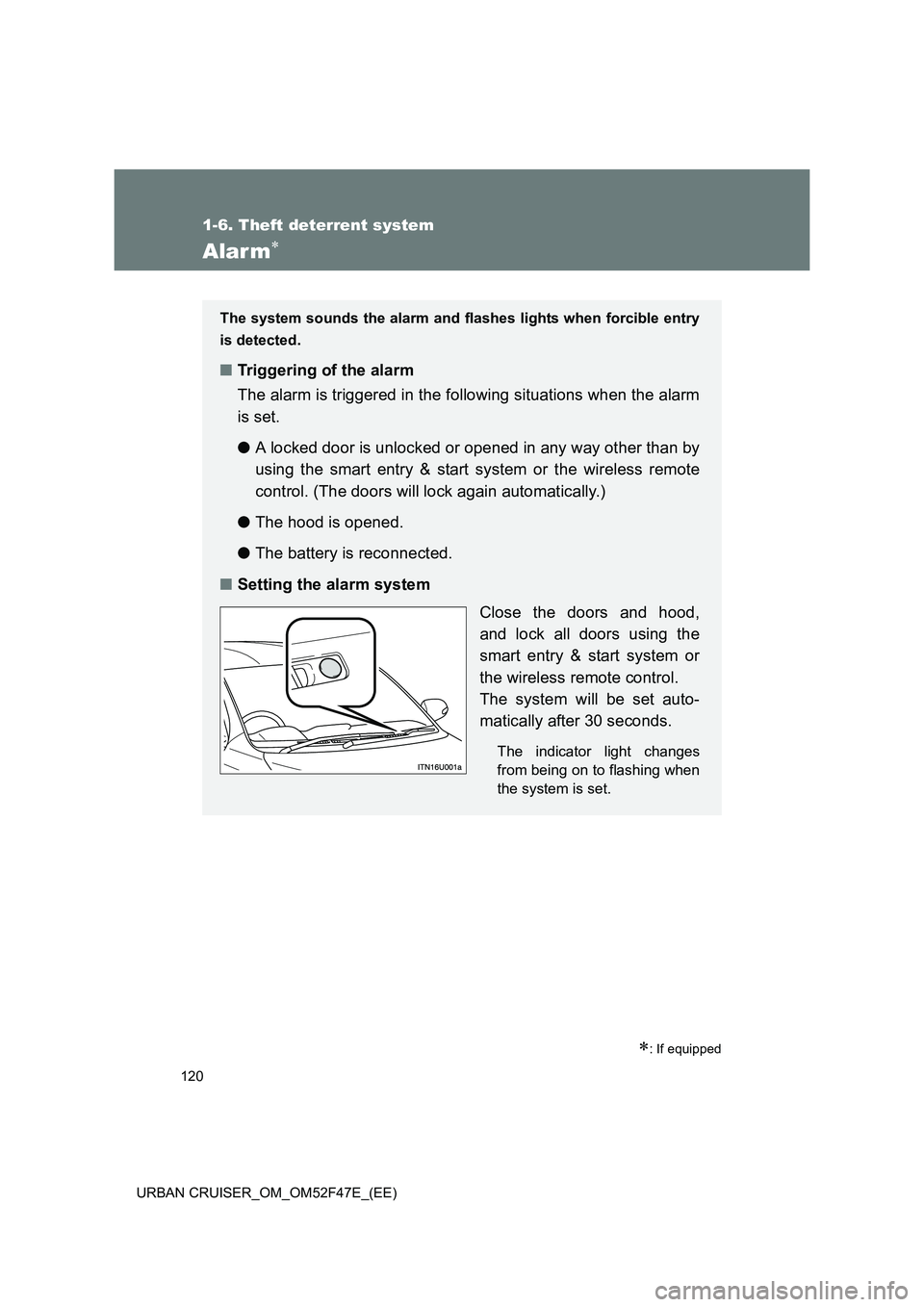
■ Setting the alarm system
Close the doors and hood,
and lock all doors using the
smart entry & start system or
the wireless remote control.
The system will be set auto-
matically after 30 seconds.
The indicator light changes
from being on to flashing when
the system is set.
Page 121 of 544
121
1-6. Theft deterrent system
1
Before driving
URBAN CRUISER_OM_OM52F47E_(EE)
■
System maintenance
The vehicle has a maintenance-free type alarm system.
■ Items to check before locking the vehicle
To prevent unexpected triggering of the alarm and vehicle theft, make sure
of the following.
●Nobody is in the vehicle.
● The windows are closed before the alarm is set.
● No valuables or other personal items are left in the vehicle.
■ Deactivating or stopping the alarm
Do one of the following to deactivate or stop the alarm.
● Unlock the doors using the smart entry & start system or the
wireless remote control.
● Start the engine. (The alarm will be deactivated or stopped
after a few seconds.)
Page 400 of 544
400
4-3. Do-it-yourself maintenance
URBAN CRUISER_OM_OM52F47E_(EE)
■ Use the following types of lithium battery
Vehicles without smart entry & start system: CR2016
Vehicles with smart entry & start system: CR1632
●Batteries can be purchased at any authorized Toyota dealer or repairer,
or another duly qualified and equipped professional, jewelers, or camera
stores.
● Replace only with the same or equivalent type recommended by any
authorized Toyota dealer or repairer, or another duly qualified and
equipped professional.
● Dispose of used batteries according to the local laws.
■ If the key battery is discharged
The following symptoms may occur.
●The smart entry & start system and wireless remote control will not func-
tion properly.
● The operational range is reduced.
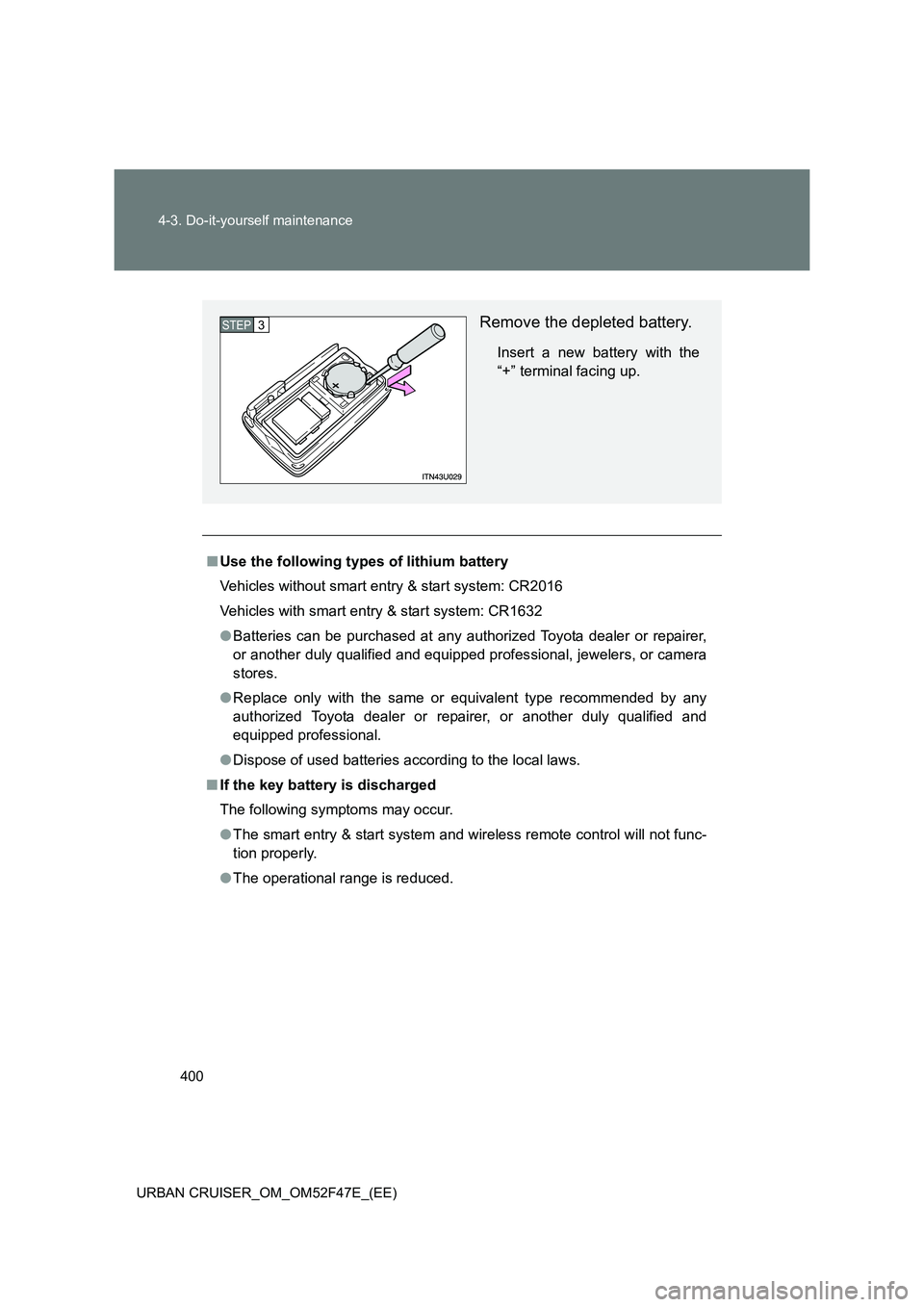
Remove the depleted battery.
Insert a new battery with the
“+” terminal facing up.
STEP3
Page 401 of 544
401
4-3. Do-it-yourself maintenance
4
Maintenance and care
URBAN CRUISER_OM_OM52F47E_(EE)
CAUTION
■
Removed battery and other parts
These parts are small and if swallowed by a child they can cause choking.
Keep away from children. Failure to do so could result in death or serious
injury.
■ Certification
RISK OF EXPLOSION IF BATTERY IS REPLACED BY AN INCORRECT
TYPE. DISPOSE OF USED BATTERIES ACCORDING TO THE INSTRUC-
TIONS.
NOTICE
■For normal operation after replacing the battery
Observe the following precautions to prevent accidents.
●Always work with dry hands.
Moisture may cause the battery to rust.
● Do not touch or move any other components inside the remote control.
● Do not bend the battery terminals.