audio TOYOTA VENZA 2010 Owners Manual (in English)
[x] Cancel search | Manufacturer: TOYOTA, Model Year: 2010, Model line: VENZA, Model: TOYOTA VENZA 2010Pages: 664, PDF Size: 11.44 MB
Page 1 of 664
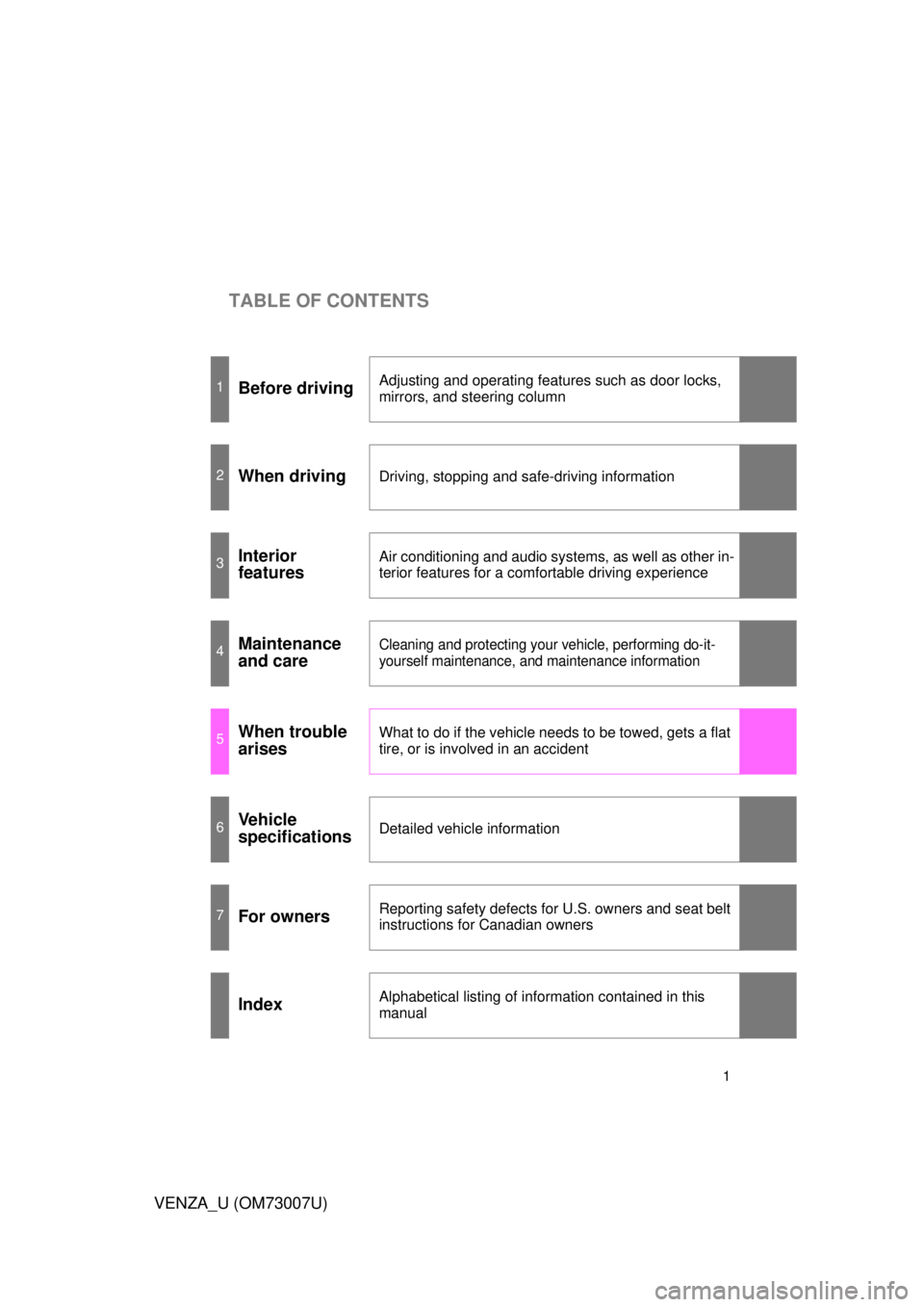
TABLE OF CONTENTS
1
VENZA_U (OM73007U)
1Before drivingAdjusting and operating features such as door locks,
mirrors, and steering column
2When drivingDriving, stopping and safe-driving information
3Interior
featuresAir conditioning and audio systems, as well as other in-
terior features for a comfortable driving experience
4Maintenance
and careCleaning and protecting your vehicle, performing do-it-
yourself maintenance, and maintenance information
5When trouble
arisesWhat to do if the vehicle needs to be towed, gets a flat
tire, or is involved in an accident
6Vehicle
specificationsDetailed vehicle information
7For ownersReporting safety defects for U.S. owners and seat belt
instructions for Canadian owners
IndexAlphabetical listing of information contained in this
manual
Page 3 of 664
1
2
3
4
5
6
7
3
VENZA_U (OM73007U)
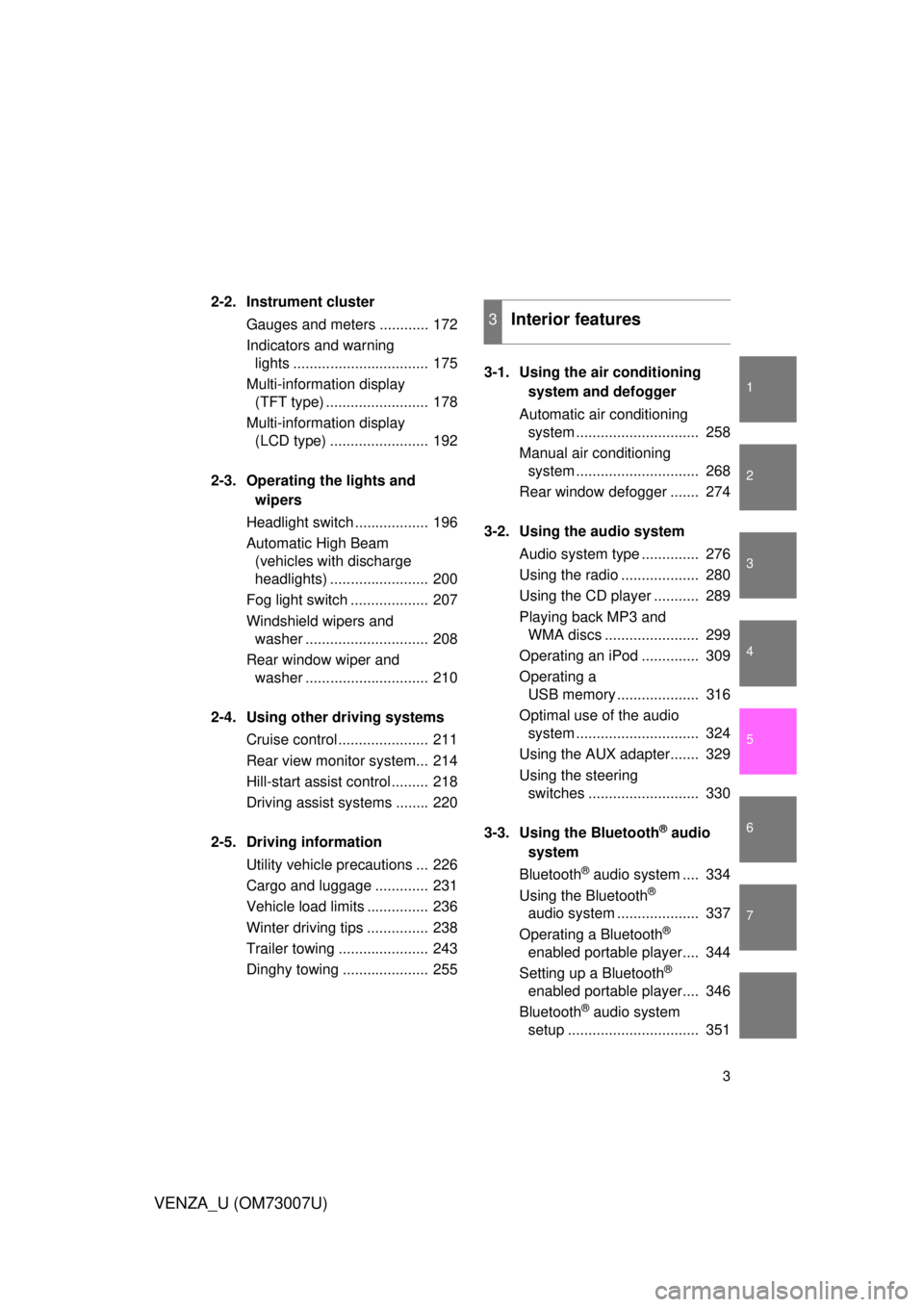
2-2. Instrument clusterGauges and meters ............ 172
Indicators and warning lights ................................. 175
Multi-information display (TFT type) ......................... 178
Multi-information display (LCD type) ........................ 192
2-3. Operating the lights and wipers
Headlight switch .................. 196
Automatic High Beam (vehicles with discharge
headlights) ........................ 200
Fog light switch ................... 207
Windshield wipers and washer .............................. 208
Rear window wiper and washer .............................. 210
2-4. Using other driving systems Cruise control ...................... 211
Rear view monitor system... 214
Hill-start assist control ......... 218
Driving assist systems ........ 220
2-5. Driving information Utility vehicle precautions ... 226
Cargo and luggage ............. 231
Vehicle load limits ............... 236
Winter driving tips ............... 238
Trailer towing ...................... 243
Dinghy towing ..................... 255 3-1. Using the air conditioning
system and defogger
Automatic air conditioning system .............................. 258
Manual air conditioning system .............................. 268
Rear window defogger ....... 274
3-2. Using the audio system Audio system type .............. 276
Using the radio ................... 280
Using the CD player ........... 289
Playing back MP3 and WMA discs ....................... 299
Operating an iPod .............. 309
Operating a USB memory .................... 316
Optimal use of the audio system .............................. 324
Using the AUX adapter....... 329
Using the steering switches ........................... 330
3-3. Using the Bluetooth
® audio
system
Bluetooth
® audio system .... 334
Using the Bluetooth
®
audio system .................... 337
Operating a Bluetooth
®
enabled portable player.... 344
Setting up a Bluetooth
®
enabled portable player.... 346
Bluetooth
® audio system
setup ................................ 351
3Interior features
Page 4 of 664

TABLE OF CONTENTSIndex
4
VENZA_U (OM73007U)
3-4. Using the rear seat entertainment system
Rear seat entertainment system features................ 352
Using the DVD player (DVD video)...................... 361
Using the DVD player (video CD) ........................ 370
Using the DVD player (audio CD/CD text) ........... 373
Using the DVD player (MP3 discs) ...................... 374
Using the video mode ........ 376
Changing the initial settings ............................. 378
3-5. Using the hands-free system (for cellular phone)
Hands-free system (for cellular phone) ........... 387
Using the hands-free system .............................. 390
Making a phone call ........... 399
Setting a cellular phone...... 405
Security and system setup ................................ 412
Using the phone book ........ 417 3-6. Using the interior lights
Interior lights list.................. 426
• Personal/interior light main switch ....................... 427
• Personal/interior lights and luggage compartment
light ................................... 428
3-7. Using the storage features List of storage features ....... 430
• Glove box ......................... 431
• Console boxes .................. 432
• Overhead console ............ 434
• Cup holders ...................... 435
• Bottle holders ................... 437
• Auxiliary boxes ................. 438
3-8. Other interior features Sun visors ........................... 441
Vanity mirror ....................... 442
Power outlets ...................... 443
Seat heaters ....................... 446
Armrest ............................... 448
Floor mats........................... 449
Luggage compartment features ............................ 450
Garage door opener ........... 452
Compass ............................ 459
Page 15 of 664
15
VENZA_U (OM73007U)
: If equipped
*: Refer to “Navigation System Owner’s Manual”.
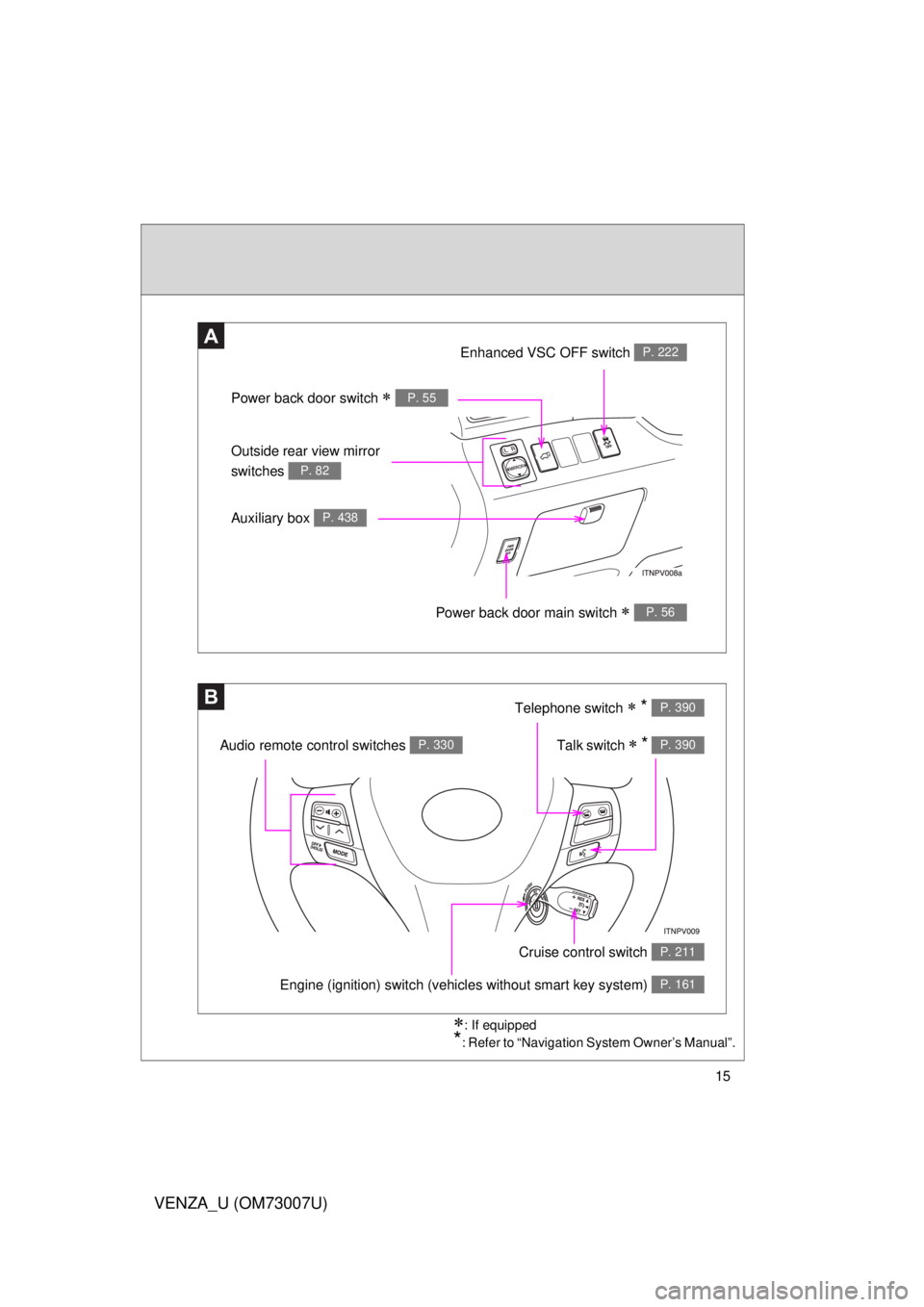
A
B
Power back door switch P. 55
Enhanced VSC OFF switch P. 222
Outside rear view mirror
switches
P. 82
Auxiliary box P. 438
Power back door main switch P. 56
Telephone switch * P. 390
Talk switch * P. 390Audio remote control switches P. 330
Engine (ignition) switch (vehicles without smart key system) P. 161
Cruise control switch P. 211
Page 16 of 664
16
VENZA_U (OM73007U)
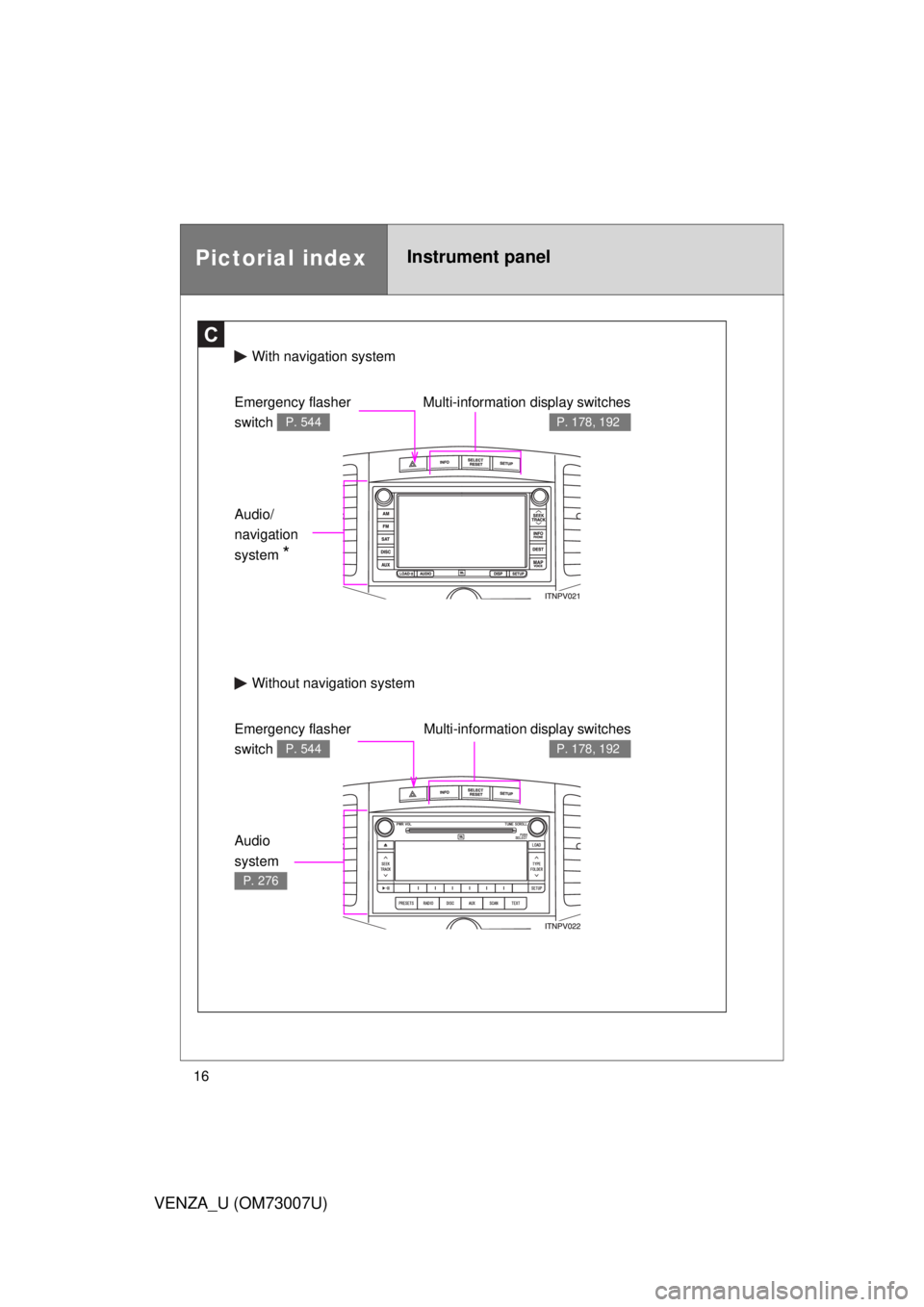
Pictorial indexInstrument panel
C
With navigation system
Without navi gation system
Multi-information display switches
P. 178, 192
Emergency flasher
switch
P. 544
Audio/
navigation
system
*
Audio
system
P. 276
Emergency flasher
switch
P. 544
Multi-information display switches
P. 178, 192
Page 158 of 664
158 2-1. Driving procedures
VENZA_U (OM73007U)
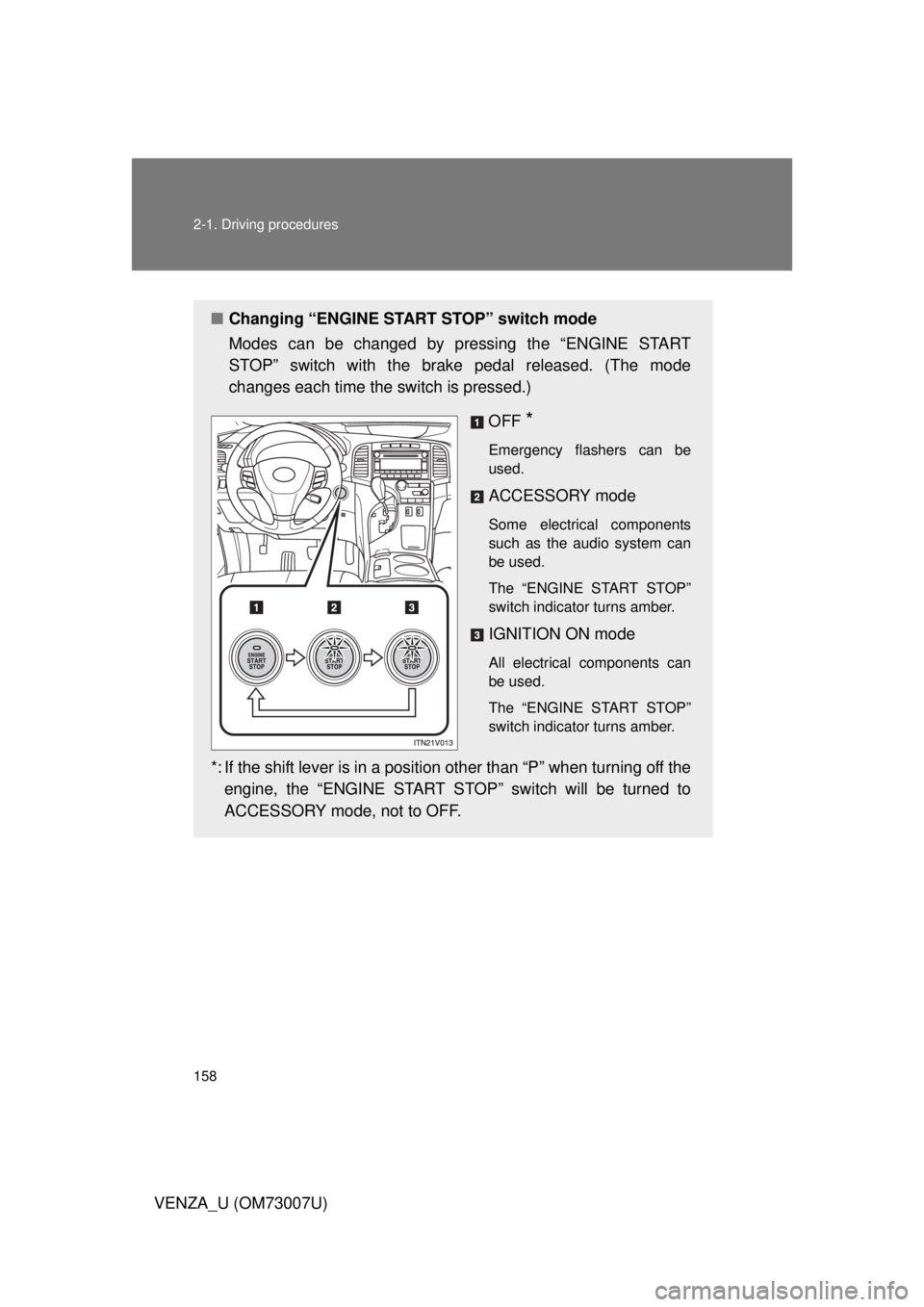
■Changing “ENGINE START STOP” switch mode
Modes can be changed by pressing the “ENGINE START
STOP” switch with the brake pedal released. (The mode
changes each time the switch is pressed.)
OFF
*
Emergency flashers can be
used.
ACCESSORY mode
Some electrical components
such as the audio system can
be used.
The “ENGINE START STOP”
switch indicator turns amber.
IGNITION ON mode
All electrical components can
be used.
The “ENGINE START STOP”
switch indicator turns amber.
*: If the shift lever is in a position other than “P” when turning off theengine, the “ENGINE START STOP” switch will be turned to
ACCESSORY mode, not to OFF.
Page 161 of 664
161
2-1. Driving procedures
2
When driving
VENZA_U (OM73007U)
Engine (ignition) switch (vehicles without smar t key system)
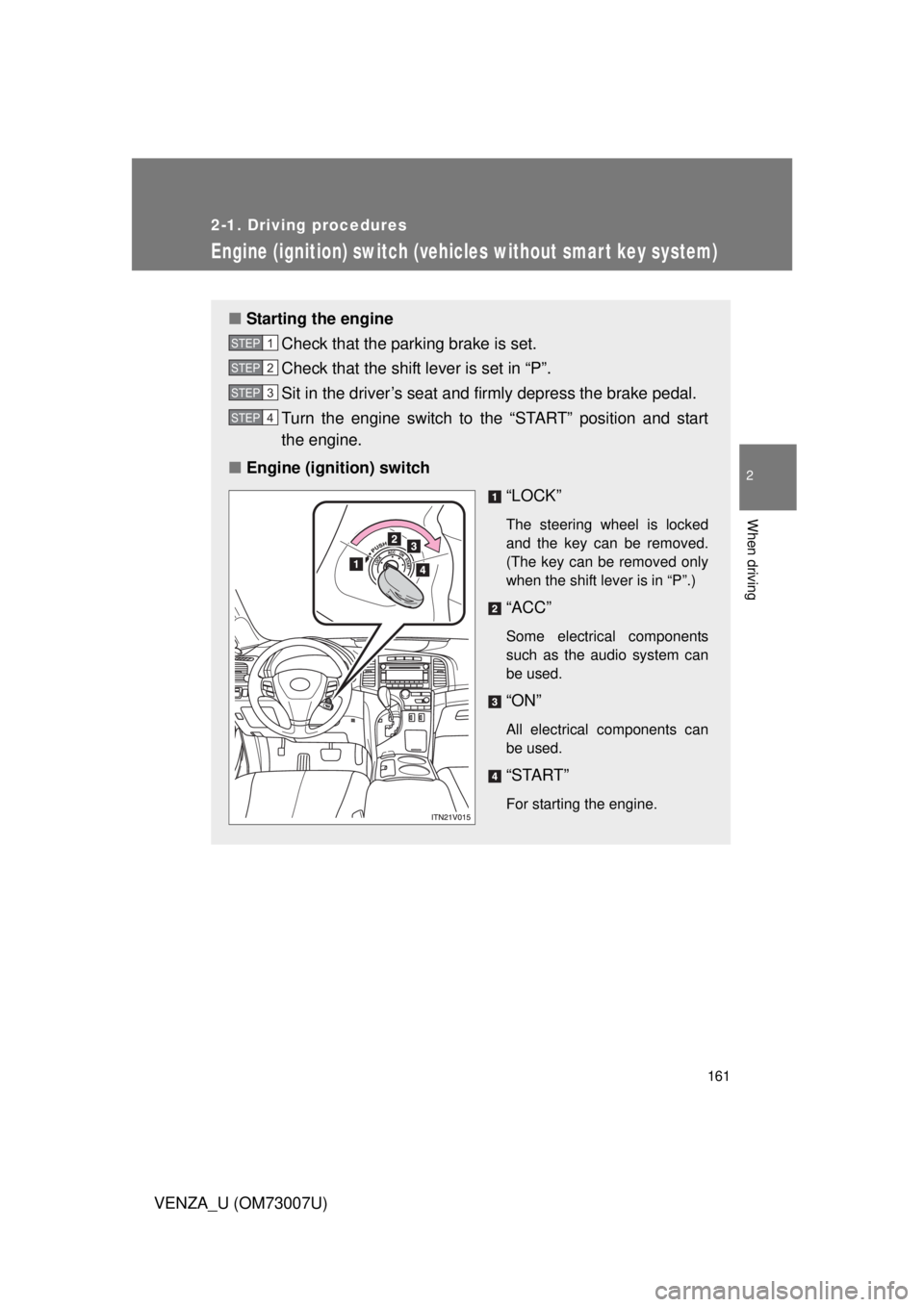
■Starting the engine
Check that the parking brake is set.
Check that the shift lever is set in “P”.
Sit in the driver’s seat and firmly depress the brake pedal.
Turn the engine switch to the “START” position and start
the engine.
■ Engine (ignition) switch
“LOCK”
The steering wheel is locked
and the key can be removed.
(The key can be removed only
when the shift lever is in “P”.)
“ACC”
Some electrical components
such as the audio system can
be used.
“ON”
All electrical components can
be used.
“START”
For starting the engine.
STEP1
STEP2
STEP3
STEP4
Page 256 of 664
256
VENZA_U (OM73007U)
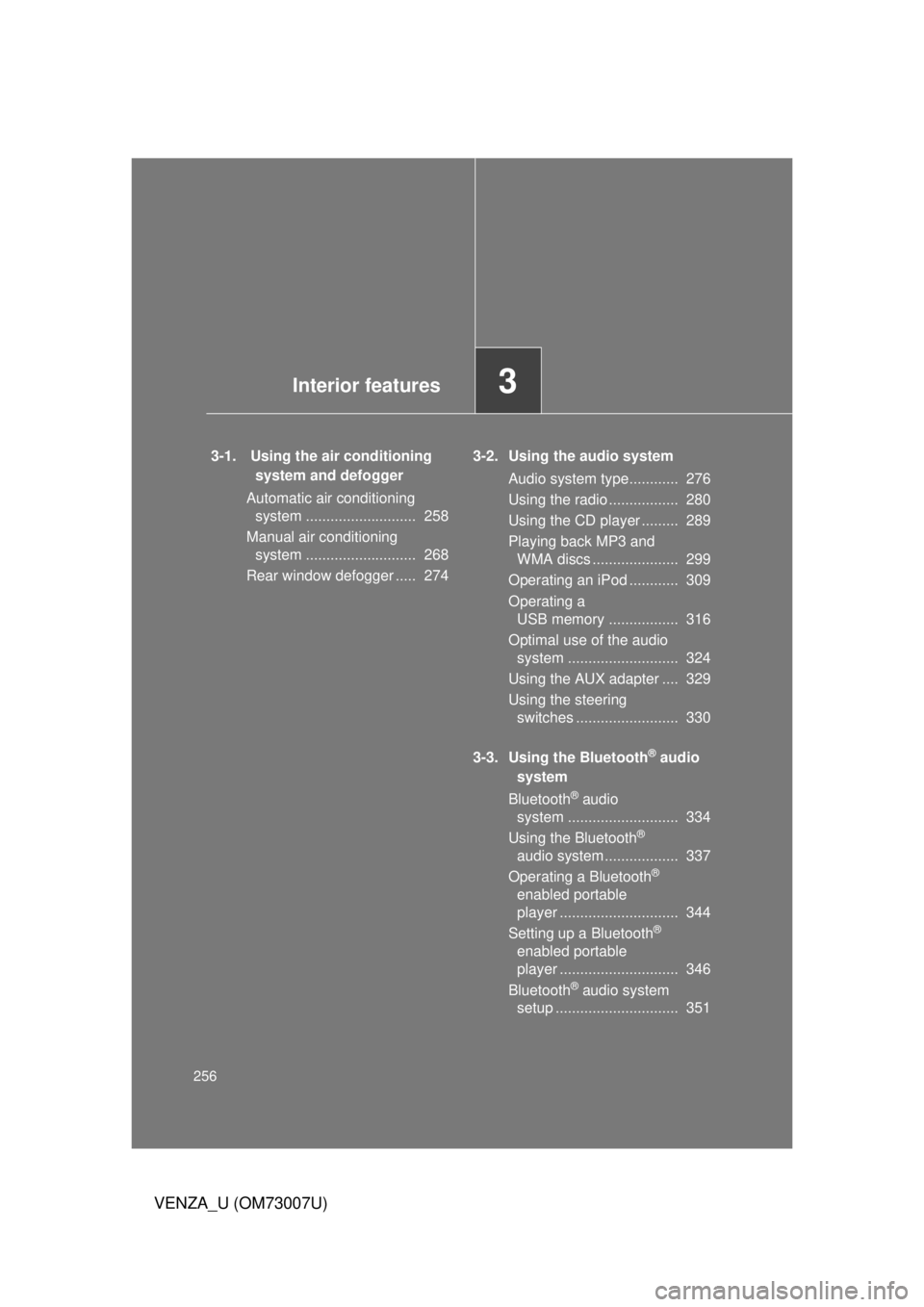
3-1. Using the air conditioning system and defogger
Automatic air conditioning system ........................... 258
Manual air conditioning system ........................... 268
Rear window defogger ..... 274 3-2. Using the audio system
Audio system type............ 276
Using the radio ................. 280
Using the CD player ......... 289
Playing back MP3 and WMA discs ..................... 299
Operating an iPod ............ 309
Operating a USB memory ................. 316
Optimal use of the audio system ........................... 324
Using the AUX adapter .... 329
Using the steering switches ......................... 330
3-3. Using the Bluetooth
® audio
system
Bluetooth
® audio
system ........................... 334
Using the Bluetooth
®
audio system .................. 337
Operating a Bluetooth
®
enabled portable
player ............................. 344
Setting up a Bluetooth
®
enabled portable
player ............................. 346
Bluetooth
® audio system
setup .............................. 351
Interior features3
Page 257 of 664
Interior features3
257
VENZA_U (OM73007U)
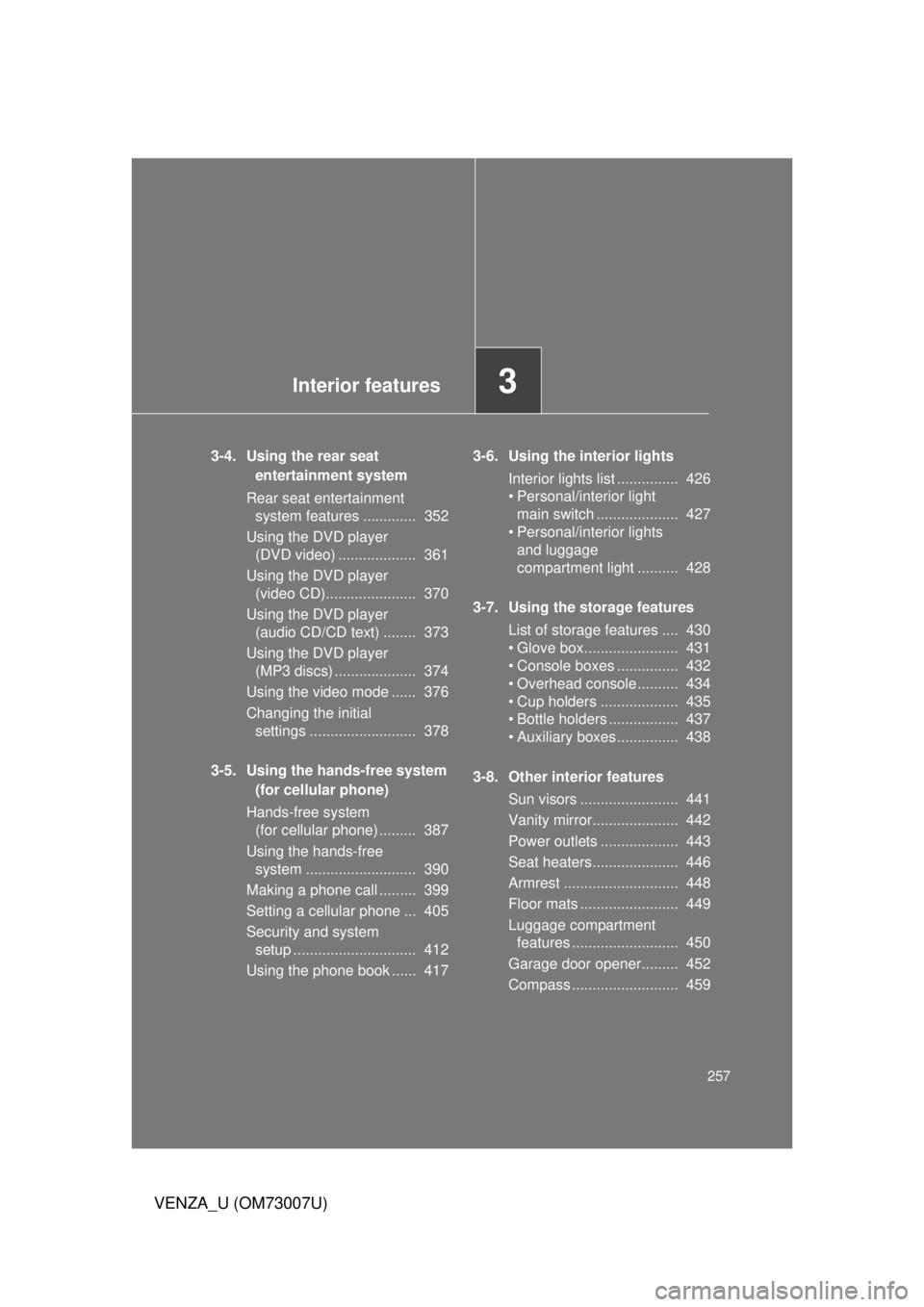
3-4. Using the rear seat entertainment system
Rear seat entertainment system features ............. 352
Using the DVD player (DVD video) ................... 361
Using the DVD player (video CD)...................... 370
Using the DVD player (audio CD/CD text) ........ 373
Using the DVD player (MP3 discs) .................... 374
Using the video mode ...... 376
Changing the initial settings .......................... 378
3-5. Using the hands-free system (for cellular phone)
Hands-free system (for cellular phone) ......... 387
Using the hands-free system ........................... 390
Making a phone call ......... 399
Setting a cellular phone ... 405
Security and system setup .............................. 412
Using the phone book ...... 417 3-6. Using the interior lights
Interior lights list ............... 426
• Personal/interior light main switch .................... 427
• Personal/interior lights and luggage
compartment light .......... 428
3-7. Using the storage features List of storage features .... 430
• Glove box....................... 431
• Console boxes ............... 432
• Overhead console .......... 434
• Cup holders ................... 435
• Bottle holders ................. 437
• Auxiliary boxes ............... 438
3-8. Other interior features Sun visors ........................ 441
Vanity mirror..................... 442
Power outlets ................... 443
Seat heaters..................... 446
Armrest ............................ 448
Floor mats ........................ 449
Luggage compartment features .......................... 450
Garage door opener......... 452
Compass .......................... 459
Page 276 of 664
276
VENZA_U (OM73007U)
3-2. Using the audio system
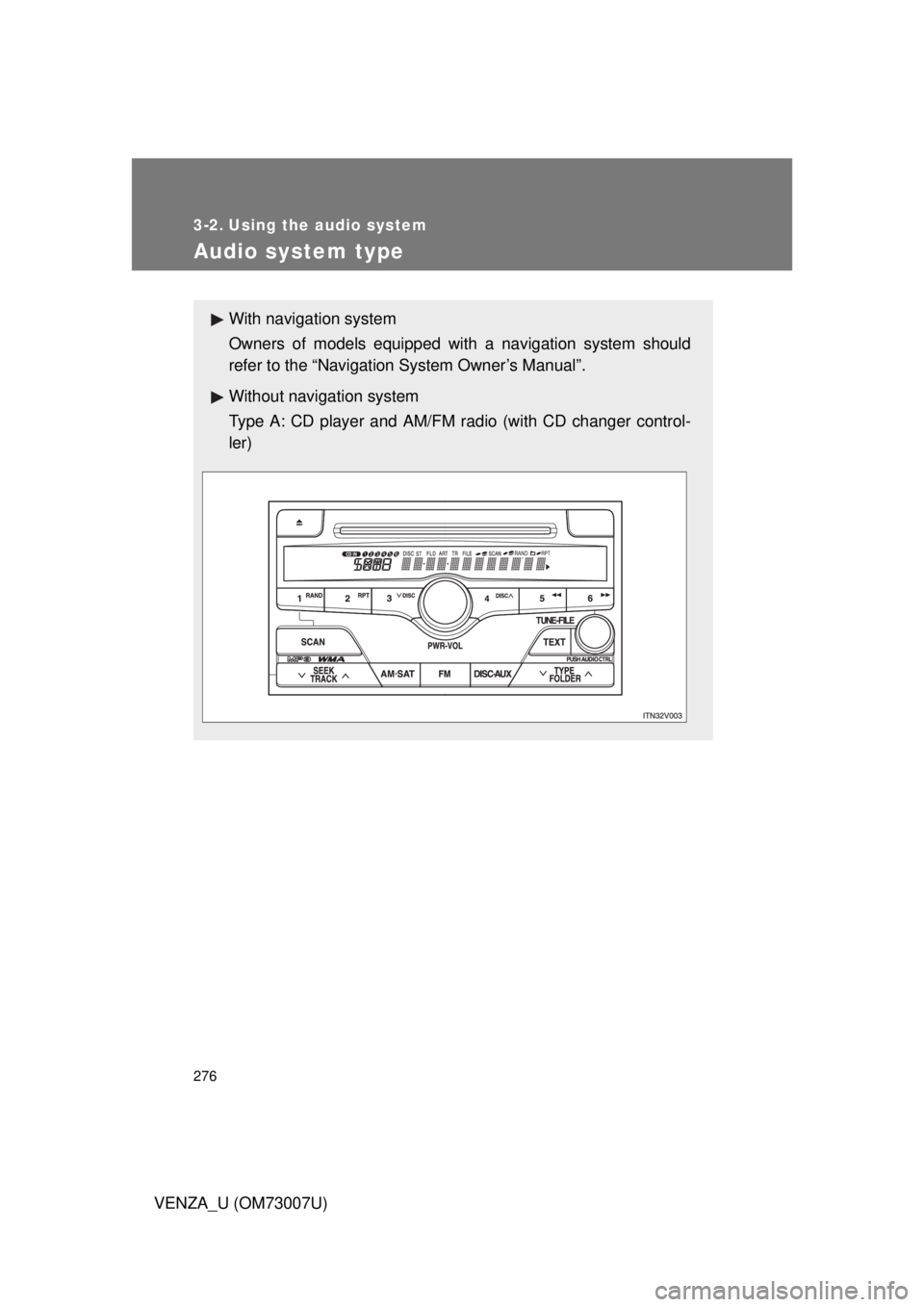
Audio system type
With navigation system
Owners of models equipped with a navigation system should
refer to the “Navigation System Owner’s Manual”.
Without navig ation system
Type A: CD player and AM/FM radio (with CD changer control-
ler)