pairing phone TOYOTA VENZA 2013 Accessories, Audio & Navigation (in English)
[x] Cancel search | Manufacturer: TOYOTA, Model Year: 2013, Model line: VENZA, Model: TOYOTA VENZA 2013Pages: 363, PDF Size: 5.62 MB
Page 137 of 363
137
1. PHONE OPERATION
4
PHONE
VENZA (US) NAVI 73011U
12.02.17 09:43
3. REGISTER A Bluetooth® PHONE
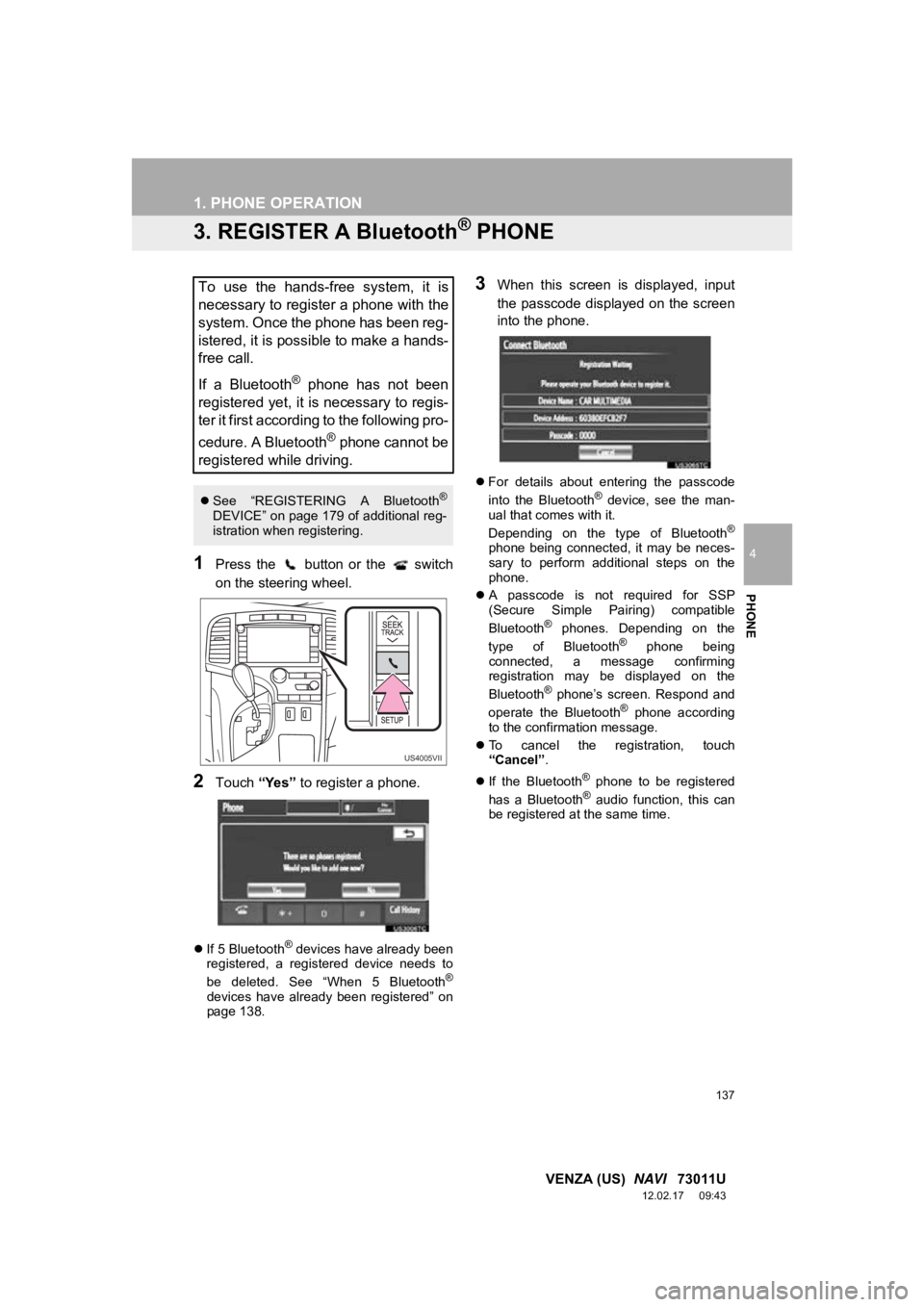
1Press the button or the switch
on the steering wheel.
2Touch “Yes” to register a phone.
If 5 Bluetooth® devices have already been
registered, a registered device needs to
be deleted. See “When 5 Bluetooth
®
devices have already been registered” on
page 138.
3When this screen is displayed, input
the passcode displayed on the screen
into the phone.
For details about entering the passcode
into the Bluetooth® device, see the man-
ual that comes with it.
Depending on the type of Bluetooth
®
phone being connected, it may be neces-
sary to perform additional steps on the
phone.
A passcode is not required for SSP
(Secure Simple Pairing) compatible
Bluetooth
® phones. Depending on the
type of Bluetooth® phone being
connected, a message confirming
registration may be displayed on the
Bluetooth
® phone’s screen. Respond and
operate the Bluetooth® phone according
to the confirmation message.
To cancel the registration, touch
“Cancel” .
If the Bluetooth
® phone to be registered
has a Bluetooth® audio function, this can
be registered at the same time.
To use the hands-free system, it is
necessary to register a phone with the
system. Once the phone has been reg-
istered, it is possible to make a hands-
free call.
If a Bluetooth
® phone has not been
registered yet, it is necessary to regis-
ter it first according to the following pro-
cedure. A Bluetooth
® phone cannot be
registered while driving.
See “REGISTERING A Bluetooth®
DEVICE” on page 179 of additional reg-
istration when registering.
US4005VII
Page 179 of 363
179
2. SETUP
4
PHONE
VENZA (US) NAVI 73011U
12.02.17 09:43
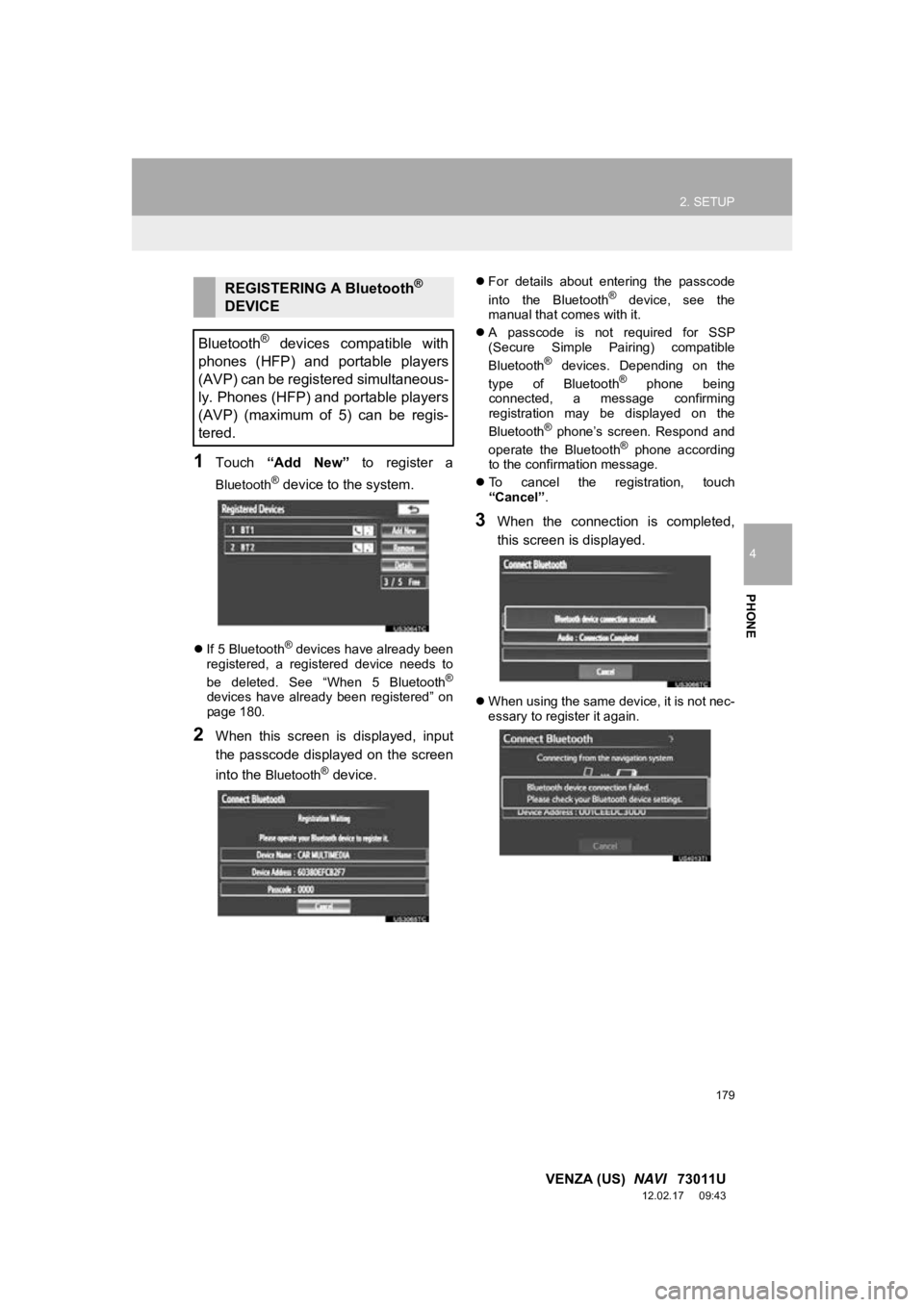
1Touch “Add New” to register a
Bluetooth® device to the system.
If 5 Bluetooth® devices have already been
registered, a registered device needs to
be deleted. See “When 5 Bluetooth
®
devices have already been registered” on
page 180.
2When this screen is displayed, input
the passcode displayed on the screen
into the
Bluetooth® device.
For details about entering the passcode
into the Bluetooth® device, see the
manual that comes with it.
A passcode is not required for SSP
(Secure Simple Pairing) compatible
Bluetooth
® devices. Depending on the
type of Bluetooth® phone being
connected, a message confirming
registration may be displayed on the
Bluetooth
® phone’s screen. Respond and
operate the Bluetooth® phone according
to the confirmation message.
To cancel the registration, touch
“Cancel” .
3When the connection is completed,
this screen is displayed.
When using the same device, it is not nec-
essary to register it again.
REGISTERING A Bluetooth®
DEVICE
Bluetooth
® devices compatible with
phones (HFP) and portable players
(AVP) can be registered simultaneous-
ly. Phones (HFP) and portable players
(AVP) (maximum of 5) can be regis-
tered.