power steering TOYOTA VENZA 2013 Owners Manual (in English)
[x] Cancel search | Manufacturer: TOYOTA, Model Year: 2013, Model line: VENZA, Model: TOYOTA VENZA 2013Pages: 556, PDF Size: 10.4 MB
Page 2 of 556

TABLE OF CONTENTSIndex
2
VENZA_OM_OM73010U_(U)
1-1. Key informationKeys ..................................... 28
1-2. Opening, closing and locking the doors
Smart key system................. 30
Wireless remote control ....... 45
Side doors ............................ 50
Back door ............................. 56
1-3. Adjustable components (seats, mirrors, steering
wheel)
Front seats ........................... 67
Rear seats ............................ 70
Driving position memory ....... 73
Head restraints ..................... 78
Seat belts ............................. 80
Steering wheel ..................... 87
Inside rear view mirror.......... 88
Outside rear view mirrors ..... 91 1-4. Opening and closing
the windows and moon roof
Power windows..................... 95
Moon roof ............................. 99
Sunshade ........................... 102
1-5. Refueling Opening the fuel tank cap .................................... 103
1-6. Theft deterrent system Engine immobilizer system .............................. 107
Alarm .................................. 110
Theft prevention labels (U.S.A.) ............................. 114
1-7. Safety information Correct driving posture ....... 115
SRS airbags ....................... 117
Front passenger occupant classification system ......... 132
Child restraint systems ....... 138
Installing child restraints ..... 144
1Before driving
For information regarding the equipment listed below, refer to the “Navigation
System Owner’s Manual” or “Displ ay Audio System Owner’s Manual”.
• Navigation system
• Audio system • Rear view monitor system
Page 27 of 556
Before driving1
27
VENZA_OM_OM73010U_(U)
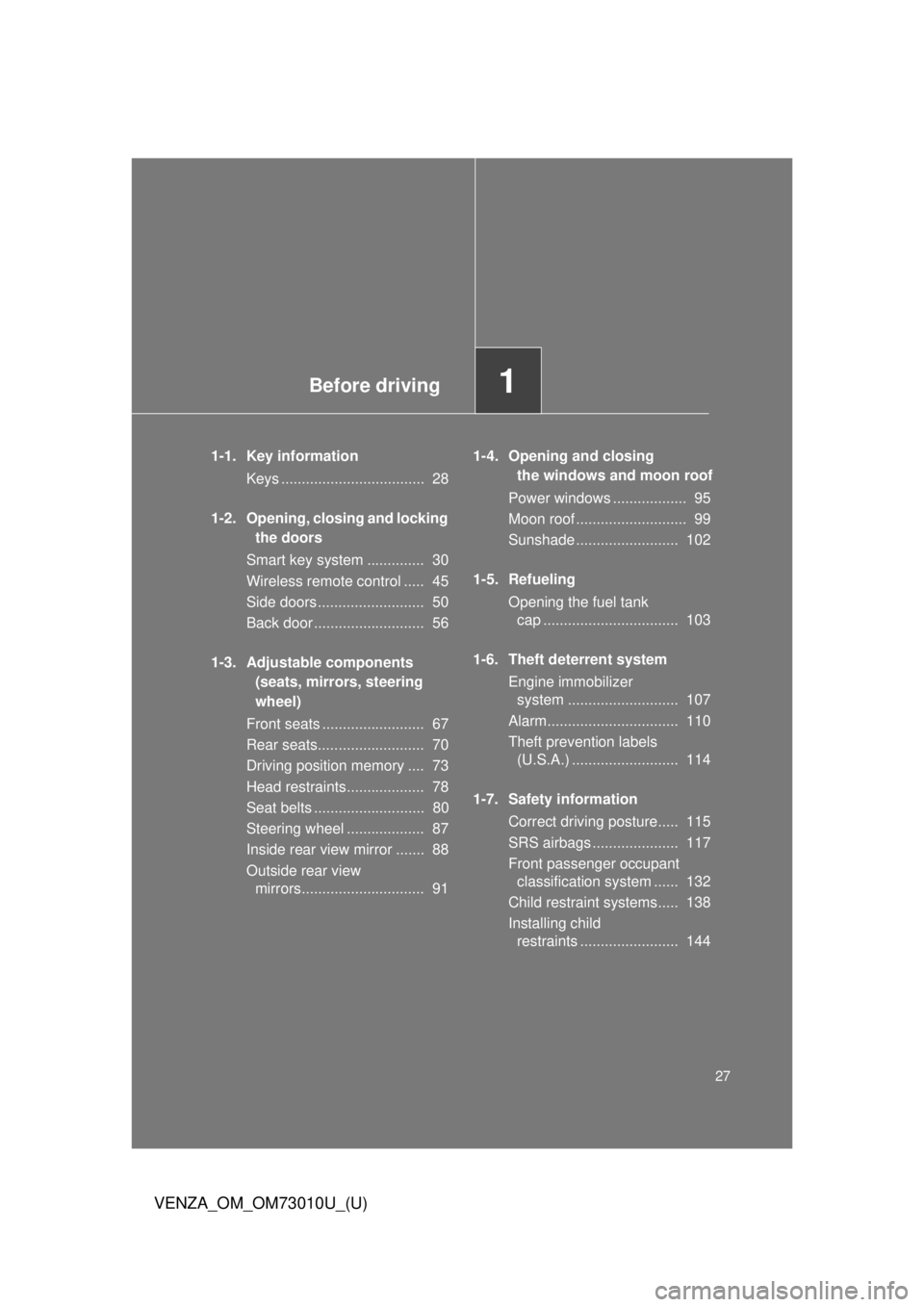
1-1. Key informationKeys ................................... 28
1-2. Opening, closing and locking the doors
Smart key system .............. 30
Wireless remote control ..... 45
Side doors .......................... 50
Back door ........................... 56
1-3. Adjustable components (seats, mirrors, steering
wheel)
Front seats ......................... 67
Rear seats.......................... 70
Driving position memory .... 73
Head restraints................... 78
Seat belts ........................... 80
Steering wheel ................... 87
Inside rear view mirror ....... 88
Outside rear view mirrors.............................. 91 1-4. Opening and closing
the windows and moon roof
Power windows .................. 95
Moon roof ........................... 99
Sunshade ......................... 102
1-5. Refueling Opening the fuel tank cap ................................. 103
1-6. Theft deterrent system Engine immobilizer system ........................... 107
Alarm................................ 110
Theft prevention labels (U.S.A.) .......................... 114
1-7. Safety information Correct driving posture..... 115
SRS airbags ..................... 117
Front passenger occupant classification system ...... 132
Child restraint systems..... 138
Installing child restraints ........................ 144
Page 67 of 556
67
1
Before driving
VENZA_OM_OM73010U_(U)
1-3. Adjustable components (seats, mirrors, steering wheel)
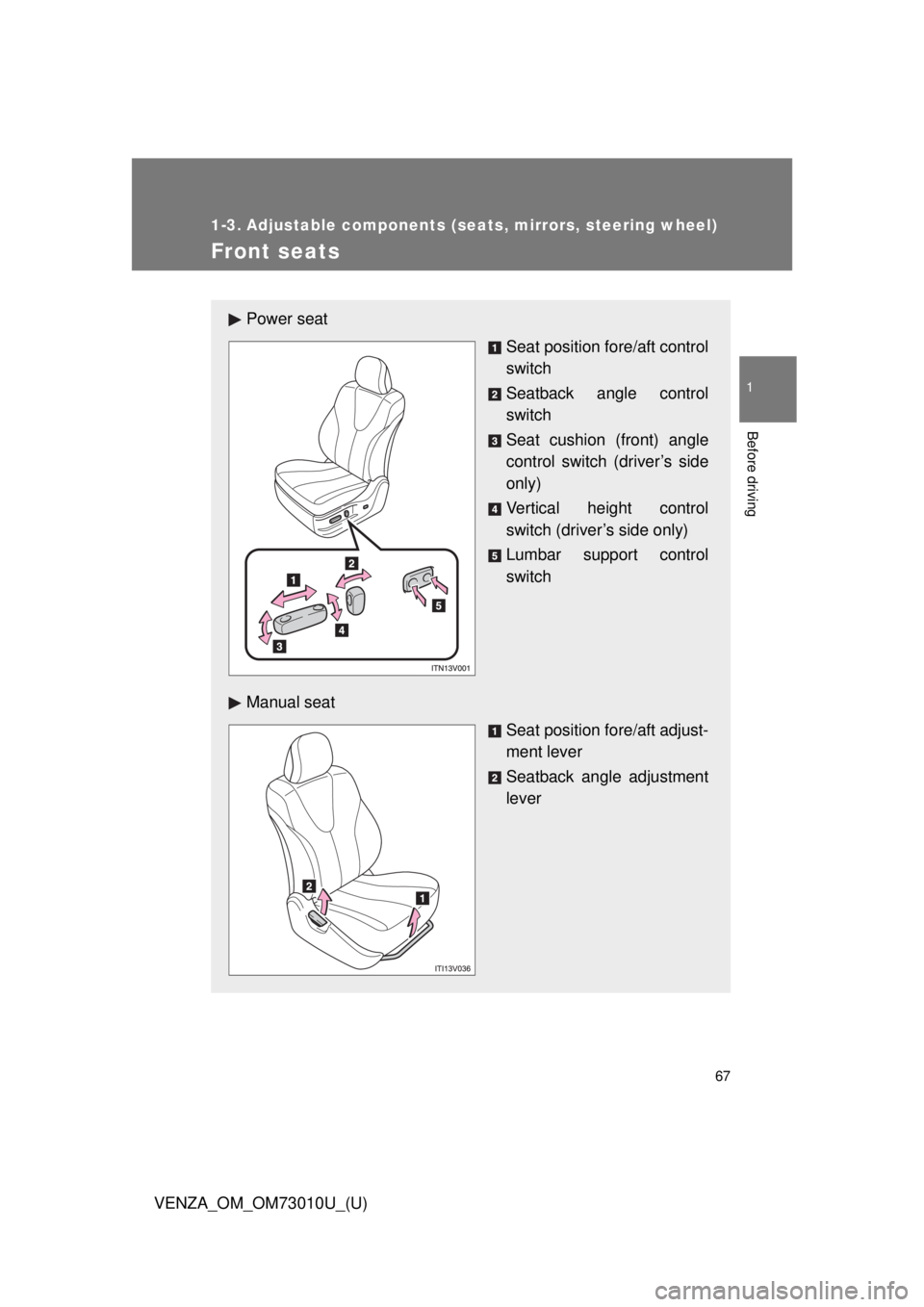
Front seats
Power seat
Seat position fore/aft control
switch
Seatback angle control
switch
Seat cushion (front) angle
control switch (driver’s side
only)
Vertical height control
switch (driver’s side only)
Lumbar support control
switch
Manual seat Seat position fore/aft adjust-
ment lever
Seatback angle adjustment
lever
Page 75 of 556
75
1-3. Adjustable components (s
eats, mirrors, steering wheel)
1
Before driving
VENZA_OM_OM73010U_(U)
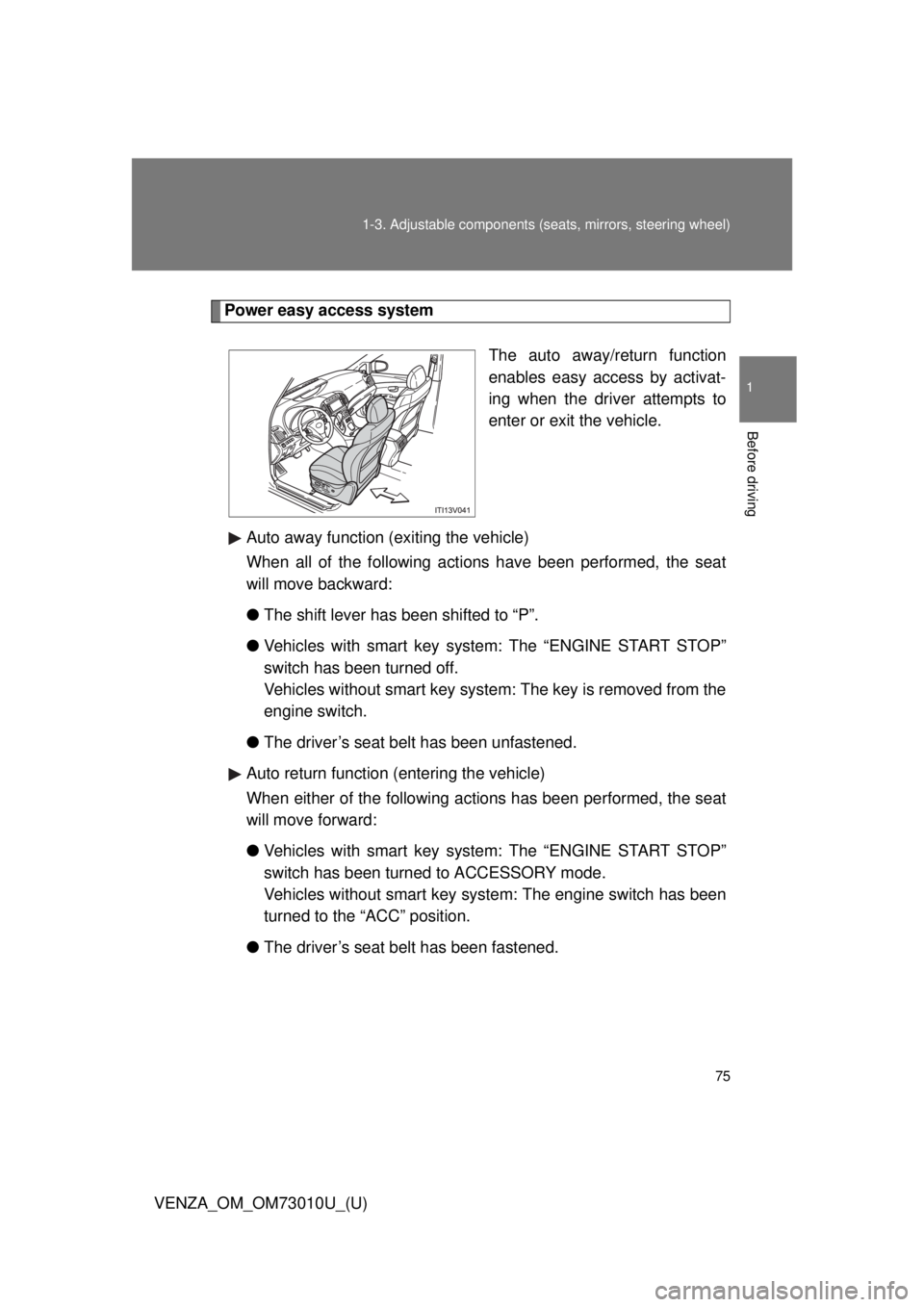
Power easy access system
The auto away/return function
enables easy access by activat-
ing when the driver attempts to
enter or exit the vehicle.
Auto away function (exiting the vehicle)
When all of the following acti ons have been performed, the seat
will move backward:
● The shift lever has been shifted to “P”.
● Vehicles with smart key system: The “ENGINE START STOP”
switch has been turned off.
Vehicles without smart key system: The key is removed from the
engine switch.
● The driver’s seat belt has been unfastened.
Auto return function (entering the vehicle)
When either of the following ac tions has been performed, the seat
will move forward:
● Vehicles with smart key system: The “ENGINE START STOP”
switch has been turned to ACCESSORY mode.
Vehicles without smart key system: The engine switch has been
turned to the “ACC” position.
● The driver’s seat belt has been fastened.
Page 164 of 556

164 2-1. Driving procedures
VENZA_OM_OM73010U_(U)
CAUTION
●Do not shift the shift lever to “P” while the vehicle is moving.
Doing so can damage the transmission and may result in a loss of vehicle\
control.
● Do not shift the shift lever to “R” while the vehicle is moving forward.
Doing so can damage the transmission and may result in a loss of vehicle\
control.
● Do not shift the shift lever to “D” while the vehicle is moving backward.
Doing so can damage the transmission and may result in a loss of vehicle\
control.
● Moving the shift lever to “N” while the vehicle is moving will disengage the
engine from the transmission. Engine br aking is not available when “N” is
selected.
● During normal driving, do not turn off the engine. Turning the engine off
while driving will not cause loss of steering or braking control, but the
power assist to these systems will be lost. This will make it more difficult to
steer and brake, so you should pull over and stop the vehicle as soon as it
is safe to do so.
However, in the event of an emergency, such as if it becomes impossible
to stop the vehicle in the normal way: P. 476.
● Use engine braking (downshift) to maintain a safe speed when driving
down a steep hill.
Using the brakes continuously may cause the brakes to overheat and lose
effectiveness. ( P. 179)
● When stopped on an inclined surface, use the brake pedal and parking
brake to prevent the vehicle from rolling backward or forward and causing
an accident.
Page 169 of 556
169
2-1. Driving procedures
2
When driving
VENZA_OM_OM73010U_(U)
NOTICE
■
While driving the vehicle
● Do not depress the accelerator and brake pedals at the same time during
driving, as this may restrain driving torque.
● Do not use the accelerator pedal or depress accelerator and brake pedals
together to hold the vehicle on a hill.
■ When parking the vehicle
Always put the shift lever in “P”. Failure to do so may cause the vehicle to
move or the vehicle may accelerate suddenly if the accelerator pedal is acci-
dentally depressed.
■ Avoiding damage to vehicle parts
● Do not turn the steering wheel fully in either direction and hold it there for
an extended period of time.
Doing so may damage the power steering motor.
● When driving over bumps in the road, drive as slowly as possible to avoid
damaging the wheels, underside of the vehicle, etc.
■ If you hear a squealing or scrapin g noise (brake pad wear limit indica-
tors)
Have your Toyota dealer check and replace the brake pads as soon as pos-
sible.
The rotor damage can result if the pads are not replaced when needed.
It is dangerous to drive the vehicle when the wear limits of the brake pads
and/or that of the brake discs are exceeded.
Page 173 of 556
173
2-1. Driving procedures
2
When driving
VENZA_OM_OM73010U_(U)
■
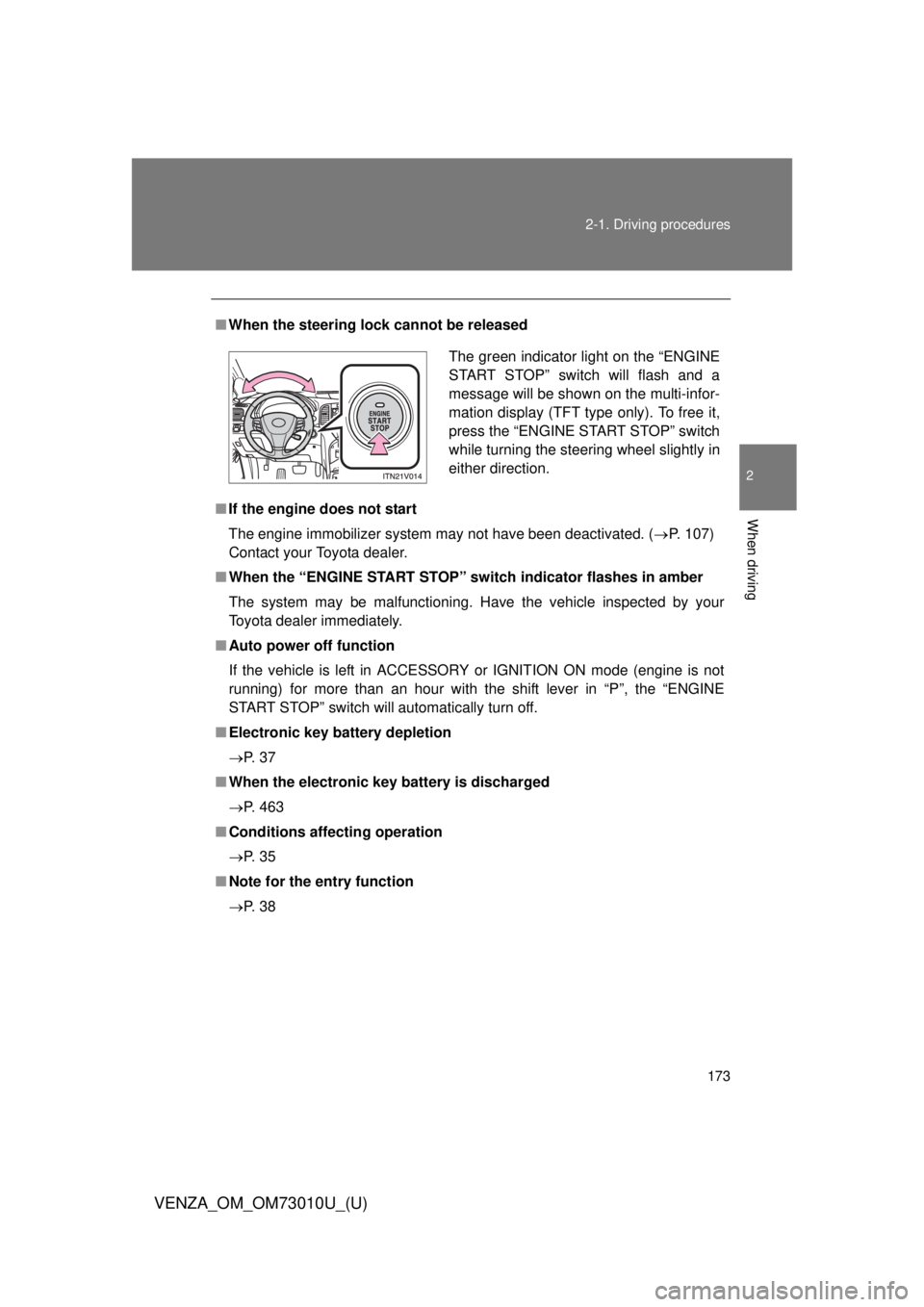
When the steering lock cannot be released
■ If the engine does not start
The engine immobilizer system may not have been deactivated. ( P. 107)
Contact your Toyota dealer.
■ When the “ENGINE START STOP” switch indicator flashes in amber
The system may be malfunctioning. Have the vehicle inspected by your
Toyota dealer immediately.
■ Auto power off function
If the vehicle is left in ACCESSORY or IGNITION ON mode (engine is not
running) for more than an hour with the shift lever in “P”, the “ENGINE
START STOP” switch will automatically turn off.
■ Electronic key battery depletion
P. 3 7
■ When the electronic key battery is discharged
P. 463
■ Conditions aff ecting operation
P. 3 5
■ Note for the entry function
P. 3 8
The green indicator light on the “ENGINE
START STOP” switch will flash and a
message will be shown on the multi-infor-
mation display (TFT type only). To free it,
press the “ENGINE START STOP” switch
while turning the steering wheel slightly in
either direction.
Page 174 of 556

174 2-1. Driving procedures
VENZA_OM_OM73010U_(U)
CAUTION
■When starting the engine
Always start the engine while sitting in the driver’s seat. Do not depress the
accelerator pedal while starting the engine under any circumstances.
Doing so may cause an accident resulting in death or serious injury.
■ Stopping the engine in an emergency
If you want to stop the engine in an emergency while driving the vehicle,
press and hold the “ENGINE START STOP” switch for more than 2 seconds,
or press it briefly 3 times or more in succession. ( P. 476)
However, do not touch the “ENGINE START STOP” switch while driving
except in an emergency. Turning the engine off while driving will not cause
loss of steering or braking control, but the power assist to these systems will
be lost. This will make it more difficult to steer and brake, so you should pull
over and stop the vehicle as soon as it is safe to do so.
NOTICE
■ To prevent battery discharge
Do not leave the “ENGINE START STOP” switch in ACCESSORY or IGNI-
TION ON mode for long periods without the engine running.
■ When starting the engine
● Do not race a cold engine.
● If the engine becomes difficult to start or stalls frequently, have your vehi-
cle checked by your Toyota dealer immediately.
Page 231 of 556
231
2-4. Using other driving systems
2
When driving
VENZA_OM_OM73010U_(U)
Driving assist systems
To help enhance driving safety and performance, the following sys-
tems operate automatically in res ponse to various driving situations.
Be aware, however, that these systems are supplementary and
should not be relied upon too h eavily when operating the vehicle.
■ABS (Anti-lock Brake System)
Helps to prevent wheel lock w hen the brakes are applied sud-
denly, or if the brakes are applied while driving on a slippery
road surface.
■ Brake assist
Generates an increased level of braking force after the brake
pedal is depressed, when the system detects a panic stop situa-
tion.
■ VSC (Vehicle Stability Control)
Helps the driver to control skidding when swerving suddenly or
turning on slippery road surfaces
■ TRAC (Traction Control)
Maintains drive power and prevent the front wheels (2WD mod-
els) or four wheels (AWD models) from spinning when starting
the vehicle or accelerating on slippery roads.
■ EPS (Electric Power Steering)
Employs an electric motor to re duce the amount of effort needed
to turn the steering wheel.
■ Enhanced VSC (Enhanced Vehicle Stability Control)
Provides cooperative control of the ABS, TRAC, VSC and EPS.
Helps to maintain directional stability when swerving on slippery
road surfaces by cont rolling steering performance.
■ Hill-start assist control
P. 237
Page 235 of 556
235
2-4. Using other
driving systems
2
When driving
VENZA_OM_OM73010U_(U)
■EPS operation sound
When the steering wheel is operated, a motor sound (whirring sound) may
be heard.
This does not indicate a malfunction.
■ Reduced effectiveness of EPS system
The effectiveness of EPS system is reduced to prevent the system from
overheating when there is frequent steering input over an extended period of
time. The steering wheel may feel heavy as a result. Should this occur,
refrain from excessive steering input or stop the vehicle and turn the engine
off. The EPS system should return to normal within 10 minutes.
CAUTION
■The ABS does not opera te effectively when
● The limits of tire gripping performance have been exceeded.
● The vehicle hydroplanes while driving at high speed on the wet or slick
road.
■ Stopping distance when the ABS is operating may exceed that of nor-
mal conditions
The ABS is not designed to shorten the vehicle’s stopping distance. Always
maintain a safe distance from the vehicle in front of you in the following situ-
ations.
● When driving on dirt, gravel or snow-covered roads
● When driving with tire chains
● When driving over bumps in the road
● When driving over roads with pothol es or roads with uneven roads
■ TRAC may not operate effectively when
Directional control and power may not be achievable while driving on slip-
pery road surfaces, even if the TRAC is operating.
Do not drive the vehicle in conditions where stability and power may be lost.