ESP TOYOTA VENZA 2016 Owner's Manual
[x] Cancel search | Manufacturer: TOYOTA, Model Year: 2016, Model line: VENZA, Model: TOYOTA VENZA 2016Pages: 688, PDF Size: 18.51 MB
Page 267 of 688
2672-5. Driving information
2
When driving
VENZA_OM_OM73030U_(U) CAUTION■ Off-road driving precautions
Always observe the following precautions to help minimize the risk of serious
personal injury or damage to your vehicle:
● Drive carefully when off the road. Do not take unnecessary risks by driving
in dangerous places.
● Do not grip the steering wheel spokes when driving off-road. A bad bump
could jerk the wheel and injure your hands. Keep both hands and espe-
cially your thumbs on the outside of the rim.
● Always check your brakes for effectiveness immediately after driving in
sand, mud, water or snow.
● After driving through tall grass, mud, rock, sand, rivers, etc., check that
there is no grass, bush, paper, rags, stone, sand, etc. adhering or trapped
on the underbody. Clear off any such matter from the underbody. If the
vehicle is used with these materials trapped or adhering to the underbody,
a breakdown or fire could occur.
● When driving off-road or in rugged terrain, do not drive at excessive
speeds, jump, make sharp turns, strike objects, etc. This may cause loss
of control or vehicle rollover causing death or serious injury. You are also
risking expensive damage to your vehicle’s suspension and chassis.
Page 294 of 688

2942-5. Driving information
VENZA_OM_OM73030U_(U) ● As stopping distance is increased when towing a trailer, vehicle-to-
vehicle distance should be increased. For each 10 mph (16 km/h) of
speed, allow at least one vehicle and trailer length.
● Avoid sudden braking as you may skid, resulting in the trailer jack-
knifing and a loss of vehicle control. This is especially true on wet
or slippery surfaces.
● Avoid jerky starts or sudden acceleration.
● Avoid jerky steering and sharp turns, and slow down before mak-
ing a turn.
● Note that when making a turn, th e trailer wheels will be closer than
the vehicle wheels to the inside of the turn. Compensate by making
a wider than normal turning radius.
● Slow down before making a turn, in crosswinds, on wet or slippery
surfaces, etc.
Increasing vehicle speed c an destabilize the trailer.
● Take care when passing other v ehicles. Passing requires consider-
able distance. After passing a vehi cle, do not forget the length of
your trailer, and be sure you hav e plenty of room before changing
lanes.
● To maintain engine braking efficiency and charging system perfor-
mance when using engine braking, do not put the transmission in
D.
Transmission shift range position must be in 4 in the S mode.
● Instability happens more frequently when desce nding steep or long
downhill grades. Before descending, slow do wn and downshift. Do
not make sudden downshifts while descending steep or long down-
hill grades.
Page 299 of 688
2992-5. Driving information
2
When driving
VENZA_OM_OM73030U_(U) CAUTION■ Trailer towing precautions
To tow a trailer safely, use extreme care and drive the vehicle in accordance
with the trailer’s characteristics and operating conditions. Failure to do so
could cause an accident resulting in death or serious injury. Vehicle stability
and braking performance are affected by trailer stability, brake setting and
performance, and the hitch. Your vehicle will handle differently when towing
a trailer.
■ To avoid accident or injury
● Do not exceed the TWR, unbraked TWR, GCWR, GVWR or GAWR.
● Vehicles with a towing package: If the gross trailer weight is over 2000 lb.
(907 kg), a sway control device with sufficient capacity is required.
● Adjust the tongue weight within the appropriate range. Place heavier loads
as close to the trailer axle as possible.
● Do not exceed 65 mph (104 km/h), the posted towing speed limit or the
speed limit for your trailer as set forth in your trailer owner’s manual,
whichever is lowest. Slow down sufficiently before making a turn, in cross-
winds, on wet or slippery surface, etc. to help avoid an accident. If you
experience a vehicle-trailer instabilit y from reducing a certain speed, slow
down and make sure you keep your vehicle speed under the speed of
which you experience the instability.
● Do not make jerky, abrupt or sharp turns.
● Do not apply the brakes suddenly as you may skid, resulting in jackknifing
and loss of vehicle control. This is especially true on wet or slippery sur-
faces.
● Do not exceed the trailer hitch assembly weight, gross vehicle weight,
gross axle weight and trailer tongue weight capacities.
Page 330 of 688
3303-2. Using the audio system (Entune Audio)
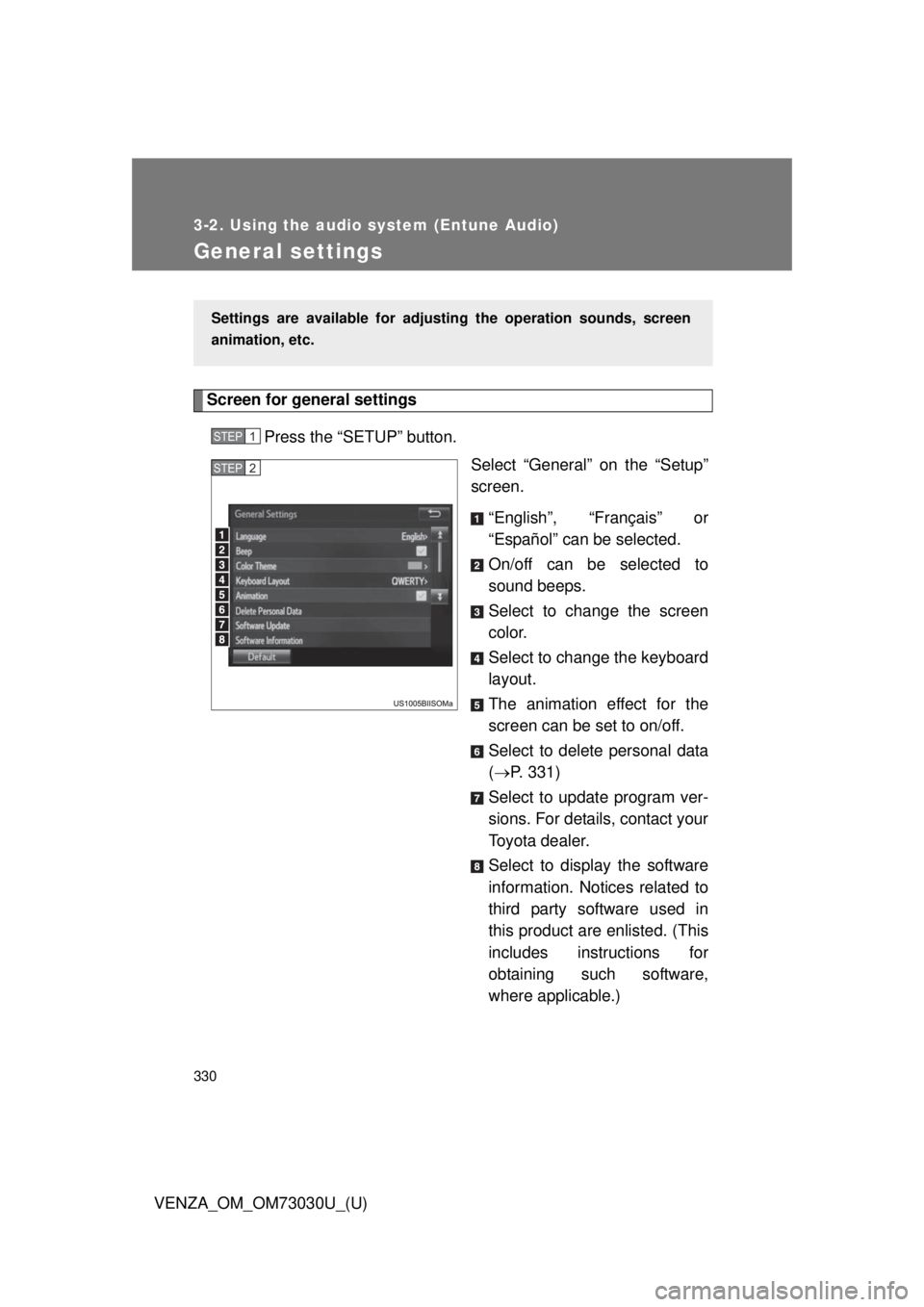
VENZA_OM_OM73030U_(U)General settings Screen for general settings
Press the “SETUP” button.
Select “General” on the “Setup”
screen.
“English”, “Français” or
“Español” can be selected.
On/off can be selected to
sound beeps.
Select to change the screen
color.
Select to change the keyboard
layout.
The animation effect for the
screen can be set to on/off.
Select to delete personal data
( P. 331)
Select to update program ver-
sions. For details, contact your
Toyota dealer.
Select to display the software
information. Notices related to
third party software used in
this product are enlisted. (This
includes instructions for
obtaining such software,
where applicable.)Settings are available for adjusting the operation sounds, screen
animation, etc. STEP 1
STEP 2
Page 351 of 688
3513-2. Using the audio system (Entune Audio)
VENZA_OM_OM73030U_(U) 3
Interior features Selecting a play mode
Select “Browse” on the screen.
Select the desired play mode by se lecting the “Playlists”, “Art-
ists”, “Albums”, “Songs”, “Podcas ts”, “Audio books”, “Genres”,
“Composers” or “Videos” tab. Then select a song to begin
using the selected play mode.
Shuffle play
Select to change on/off.
Repeat play
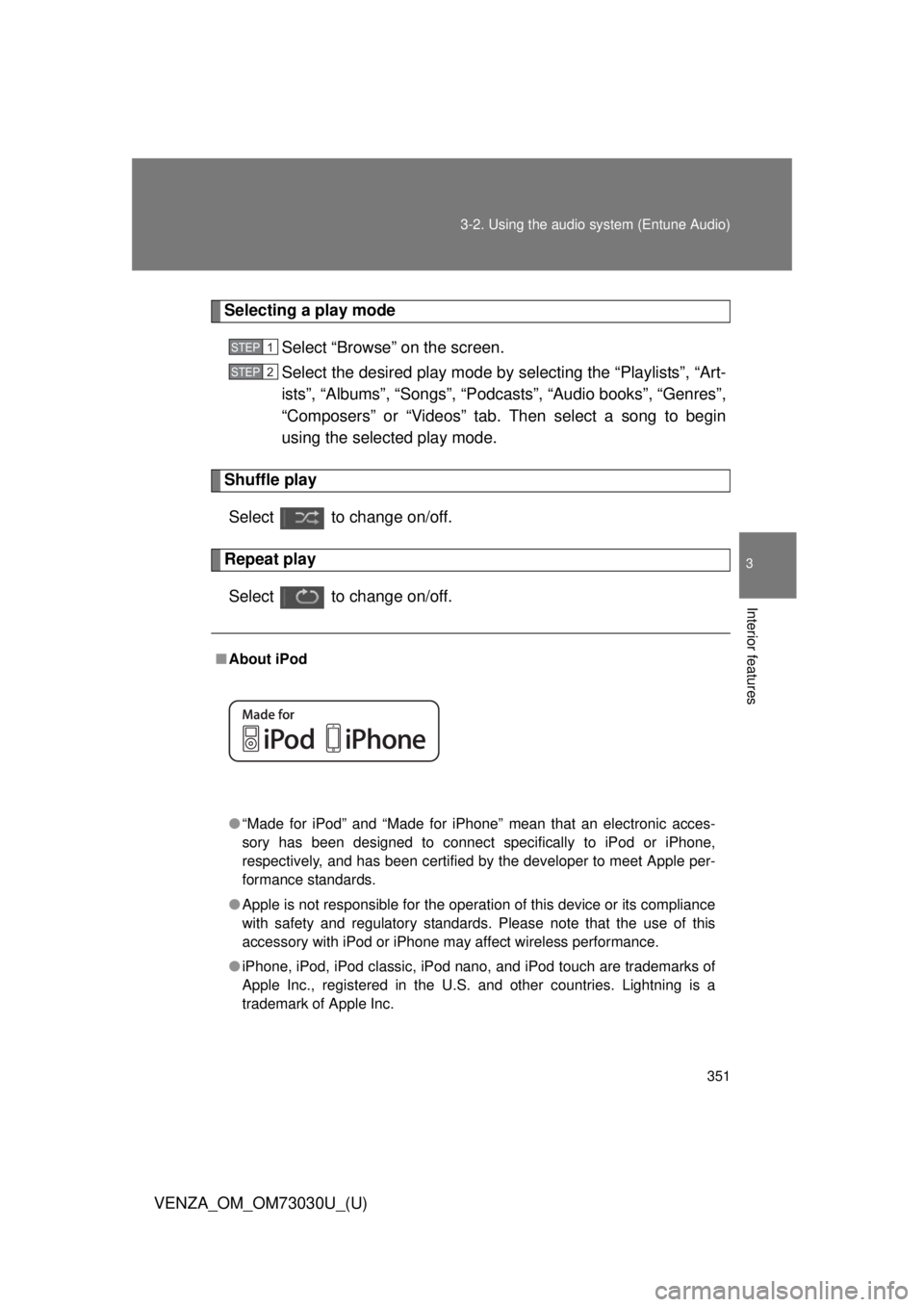
Select to change on/off. ■ About iPod
● “Made for iPod” and “Made for iPhone” mean that an electronic acces-
sory has been designed to connect specifically to iPod or iPhone,
respectively, and has been certified by the developer to meet Apple per-
formance standards.
● Apple is not responsible for the operation of this device or its compliance
with safety and regulatory standards. Please note that the use of this
accessory with iPod or iPhone may affect wireless performance.
● iPhone, iPod, iPod classic, iPod nano, and iPod touch are trademarks of
Apple Inc., registered in the U.S. and other countries. Lightning is a
trademark of Apple Inc. STEP 1
STEP 2
Page 358 of 688
3583-2. Using the audio system (Entune Audio)
VENZA_OM_OM73030U_(U) ■ USB memory
● Compatible devices
USB memory device that can be used for MP3, WMA and AAC playback.
● Compatible device formats
The following device format can be used:
• USB communication format: USB2.0 FS (12 Mbps) and USB2.0 HS
(480 Mbps)
• File system format: FAT16/32 (Windows)
• Correspondence class: Mass storage class
MP3, WMA and AAC files written to a device with any format other than
those listed above may not play correctly, and their file names and
folder names may not be displayed correctly.
Items related to standards and limitations are as follows:
• Maximum directory hierarchy: 8 levels
• Maximum number of folders in a device: 3000 (including the root)
• Maximum number of files in a device: 9999
• Maximum number of files per folder: 255
● MP3, WMA and AAC files
MP3 (MPEG Audio LAYER 3) is a standard audio compression format.
Files can be compressed to approximately 1/10 of their original size using
MP3 compression.
WMA (Windows Media Audio) is a Microsoft audio compression format. This
format compresses audio data to a size smaller than that of the MP3 format.
This product is protected by certain intellectual property rights of Microsoft
Corporation and third parties. Use or distribution of such technology outside
of this product is prohibited without a license from Microsoft or an authorized
Microsoft subsidiary and third parties.
AAC is short for Advanced Audio Coding and refers to an audio compression
technology standard used with MPEG2 and MPEG4.
MP3, WMA and AAC file and media/formats compatibility are limited.
Page 368 of 688
3683-2. Using the audio system (Entune Audio)
VENZA_OM_OM73030U_(U)Registering a Bluetooth ®
deviceHow to register a Bluetooth ®
device
Display the “Bluetooth
* Setup” screen. ( P. 365)
* : Bluetooth is a registered trademark of Bluetooth SIG, Inc.
Select “Add”.
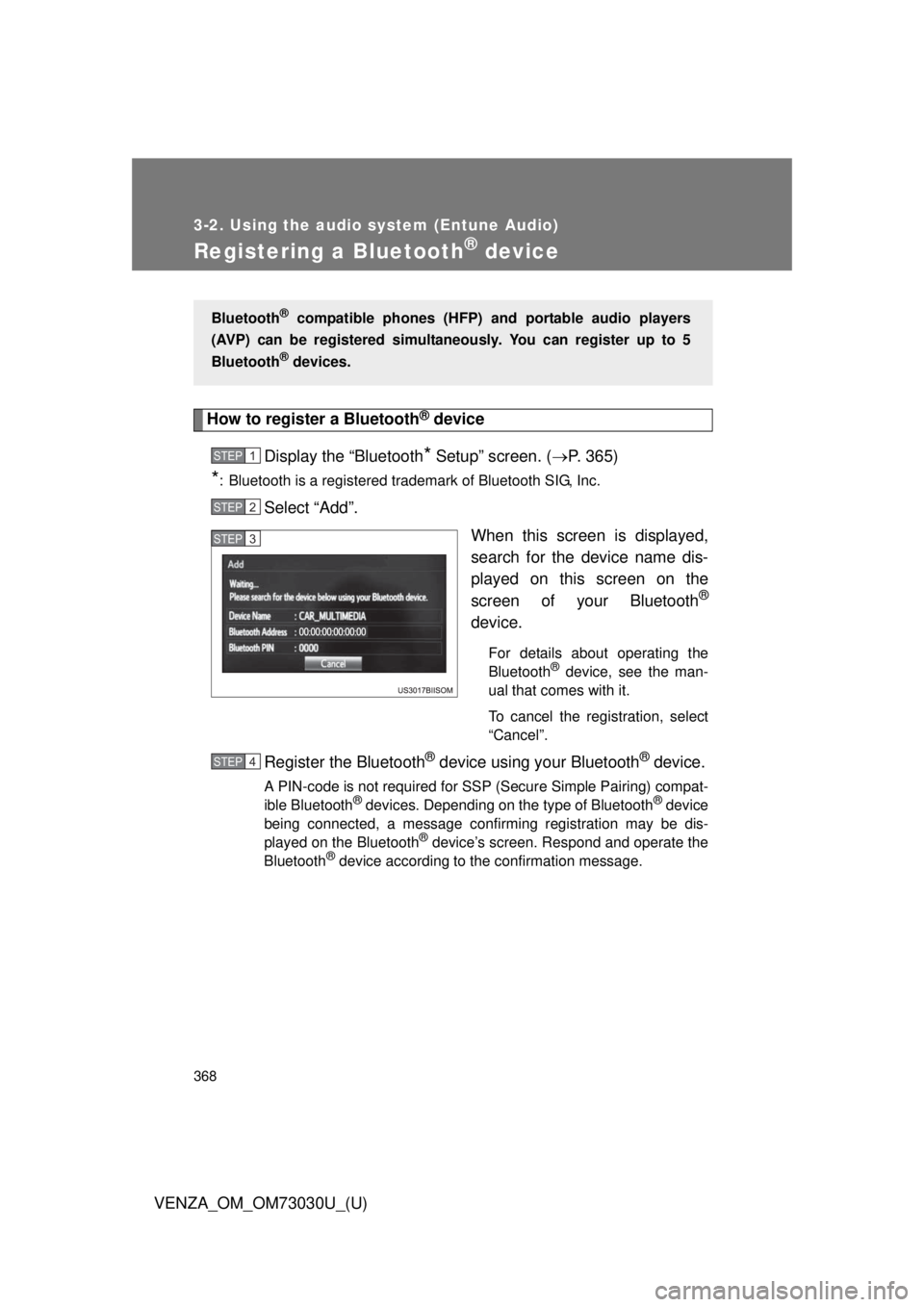
When this screen is displayed,
search for the device name dis-
played on this screen on the
screen of your Bluetooth ®
device. For details about operating the
Bluetooth ®
device, see the man-
ual that comes with it.
To cancel the registration, select
“Cancel”.
Register the Bluetooth ®
device using your Bluetooth ®
device.A PIN-code is not required for SSP (Secure Simple Pairing) compat-
ible Bluetooth ®
devices. Depending on the type of Bluetooth ®
device
being connected, a message confirming registration may be dis-
played on the Bluetooth ®
device’s screen. Respond and operate the
Bluetooth ®
device according to the confirmation message.Bluetooth ®
compatible phones (HFP) and portable audio players
(AVP) can be registered simultane ously. You can register up to 5
Bluetooth ®
devices.STEP 1
STEP 2
STEP 3
STEP 4
Page 394 of 688
3943-2. Using the audio system (Entune Audio)
VENZA_OM_OM73030U_(U) Replying to a message
Display the “Messa ge Inbox” screen. ( P. 391)
Select the desired message from the list.
Select “Quick Message”.
Select the desired message.
Select “Send”. If an error message is displayed, follow the guidance on the screen
to try again.
■ Editing quick reply message
Select “Quick Message”.
Select corresponding to the desired message to edit.
Select “OK” when editing is completed.■ Check the messages
● Depending on the type of Bluetooth ®
phone being connected, it may be
necessary to perform additional steps on the phone.
● Messages are displayed in the appropriate connected Bluetooth ®
phone’s registered mail address folder.
Select the tab of the desired folder to be displayed.
● Only received messages on the connected Bluetooth ®
phone can be dis-
played.
● The text of the message is not displayed while driving.
● When “Automatic Message Readout” is set to on, messages will be auto-
matically read out. ( P. 408)
● Turn the “PWR VOL” knob, or use the volume switch on the steering
wheel to adjust the message read out volume.
● The message read out function is available even while driving. STEP 1
STEP 2
STEP 3
STEP 4
STEP 5
STEP 1
STEP 2
STEP 3
Page 395 of 688
3953-2. Using the audio system (Entune Audio)
VENZA_OM_OM73030U_(U) 3
Interior features Calling the message sender
Calls can be made to an e-mail /SMS/MMS message sender’s phone
number.
Display the “Messa ge Inbox” screen. ( P. 391)
Select the desired message.
Select .
Check that the “Call” screen is displayed.
■ Calling from a number within a message
Calls can be made to a number identified in a message’s text area.
This operation cannot be performed while driving.
Display the “Messa ge Inbox” screen. ( P. 391)
Select the desired message.
Select the text area.
Select corresponding to the desired number.
Check that the “Call” screen is displayed.
■ Calling from the incoming message screen
P. 3 8 9 STEP 1
STEP 2
STEP 3
STEP 4
STEP 1
STEP 2
STEP 3
STEP 4
STEP 5
Page 404 of 688
4043-2. Using the audio system (Entune Audio)
VENZA_OM_OM73030U_(U) Editing the contact data
For PBAP compatible Bluetooth ®
phones, this function is available
when “Automatic Contact/History Transfer” is set to off. ( P. 399)
Select “Edit Contact”.
Select the desired contact.
Select corresponding to the desired name or number.
For editing the name
Follow the steps in “Registering a new contact to the contacts
list” from . ( P. 403)
For editing the number
Follow the steps in “Registering a new contact to the contacts
list” from . ( P. 403)
■ Editing the contacts in a different way (From the “Contact
Details” screen)
Display the phone screen. ( P. 379)
Select the “Contacts”, “Call History” tab or the “Favorites” tab
and select the desired contact.
Select “Edit Contact”. “E-mail Addresses”: Select to disp lay all registered e-mail addresses
for the contact.
Follow the steps in “Editing the contact data” from .
( P. 404) STEP 1
STEP 2
STEP 3
STEP 4
STEP2
STEP 4
STEP3
STEP 1
STEP 2
STEP 3
STEP 4 STEP4