stop start TOYOTA VENZA 2016 Service Manual
[x] Cancel search | Manufacturer: TOYOTA, Model Year: 2016, Model line: VENZA, Model: TOYOTA VENZA 2016Pages: 688, PDF Size: 18.51 MB
Page 204 of 688
2042-2. Instrument cluster
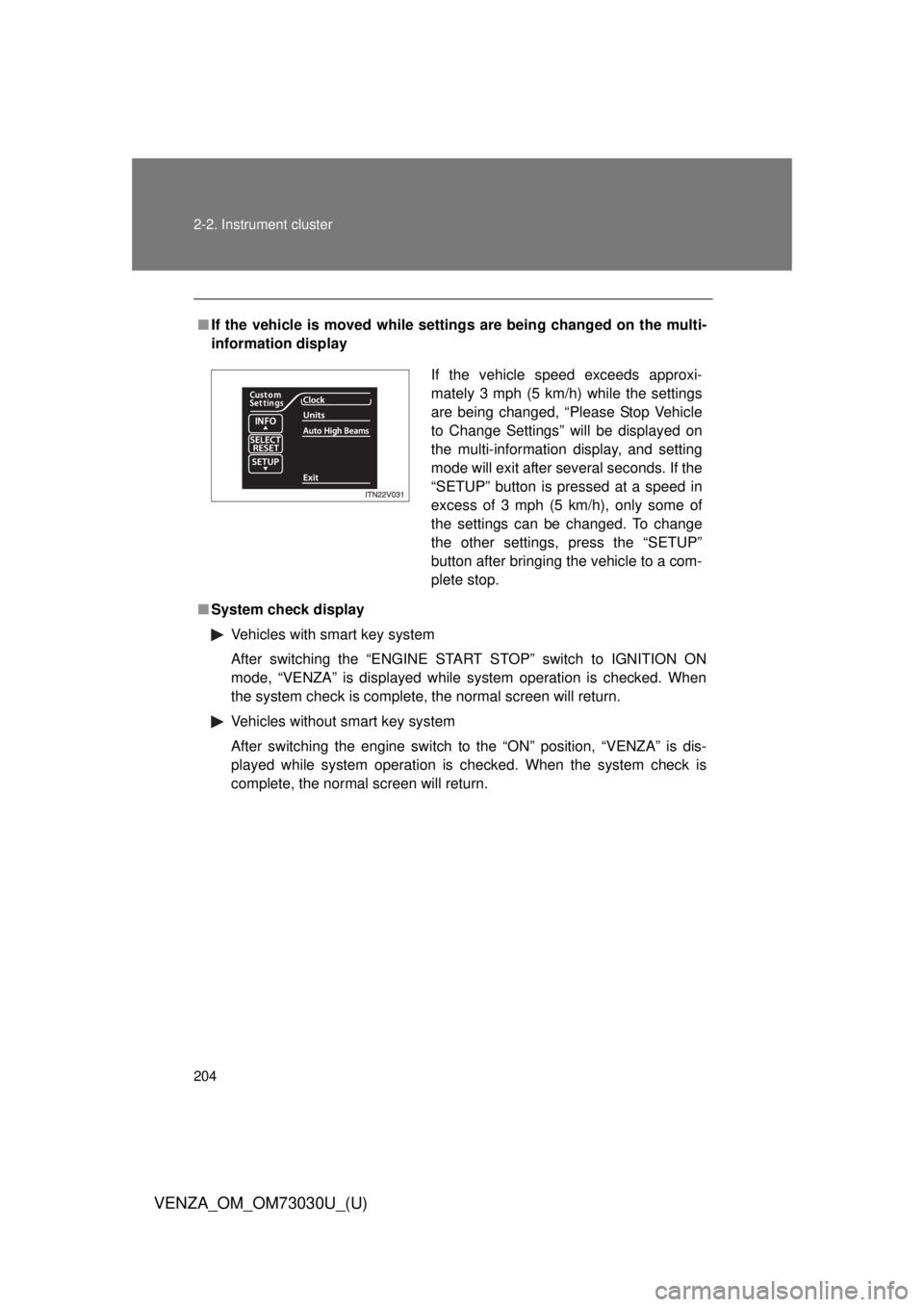
VENZA_OM_OM73030U_(U) ■ If the vehicle is moved while setti ngs are being changed on the multi-
information display
■ System check display
Vehicles with smart key system
After switching the “ENGINE START STOP” switch to IGNITION ON
mode, “VENZA” is displayed while system operation is checked. When
the system check is complete, the normal screen will return.
Vehicles without smart key system
After switching the engine switch to the “ON” position, “VENZA” is dis-
played while system operation is checked. When the system check is
complete, the normal screen will return. If the vehicle speed exceeds approxi-
mately 3 mph (5 km/h) while the settings
are being changed, “Please Stop Vehicle
to Change Settings” will be displayed on
the multi-information display, and setting
mode will exit after several seconds. If the
“SETUP” button is pressed at a speed in
excess of 3 mph (5 km/h), only some of
the settings can be changed. To change
the other settings, press the “SETUP”
button after bringing the vehicle to a com-
plete stop.
Page 208 of 688
2082-2. Instrument cluster
VENZA_OM_OM73030U_(U) ■ Driving range (RANGE)
Displays the estimated maximum di stance that can be driven with
the quantity of fuel remaining. ● This distance is computed based on your average fuel consumption. As
a result, the actual distance that can be driven may differ from that dis-
played.
● When only a small amount of fuel is added to the tank, the display may
not be updated.
When refueling, turn the “ENGINE START STOP” switch off. If the vehi-
cle is refueled without turning the “ENGINE START STOP” switch off,
the display may not be updated.
■ Average vehicle speed (AVERAGE SPEED)
Displays the average vehicle sp eed since the function was reset.The function can be reset by pressing and holding the “RESET-H” button
when the average vehicle speed is displayed.
Setting the clock
Press and hold the “INFO-CLOCK” button until part of the dis-
play begins to flash.
Press and hold the “RESET-H” button to adjust the hours and
the “US/M-M” button to adjust the minutes.
Press the “INFO-CLOCK” button to complete the setting.
Selecting the units
Press the “US/M-M” button. The unit changes each time the button is pressed. STEP 1
STEP 2
STEP 3
Page 212 of 688
212
VENZA_OM_OM73030U_(U) 2-3. Operating the lights and wipers
Headlight switch The headlights can be operated manually or automatically.
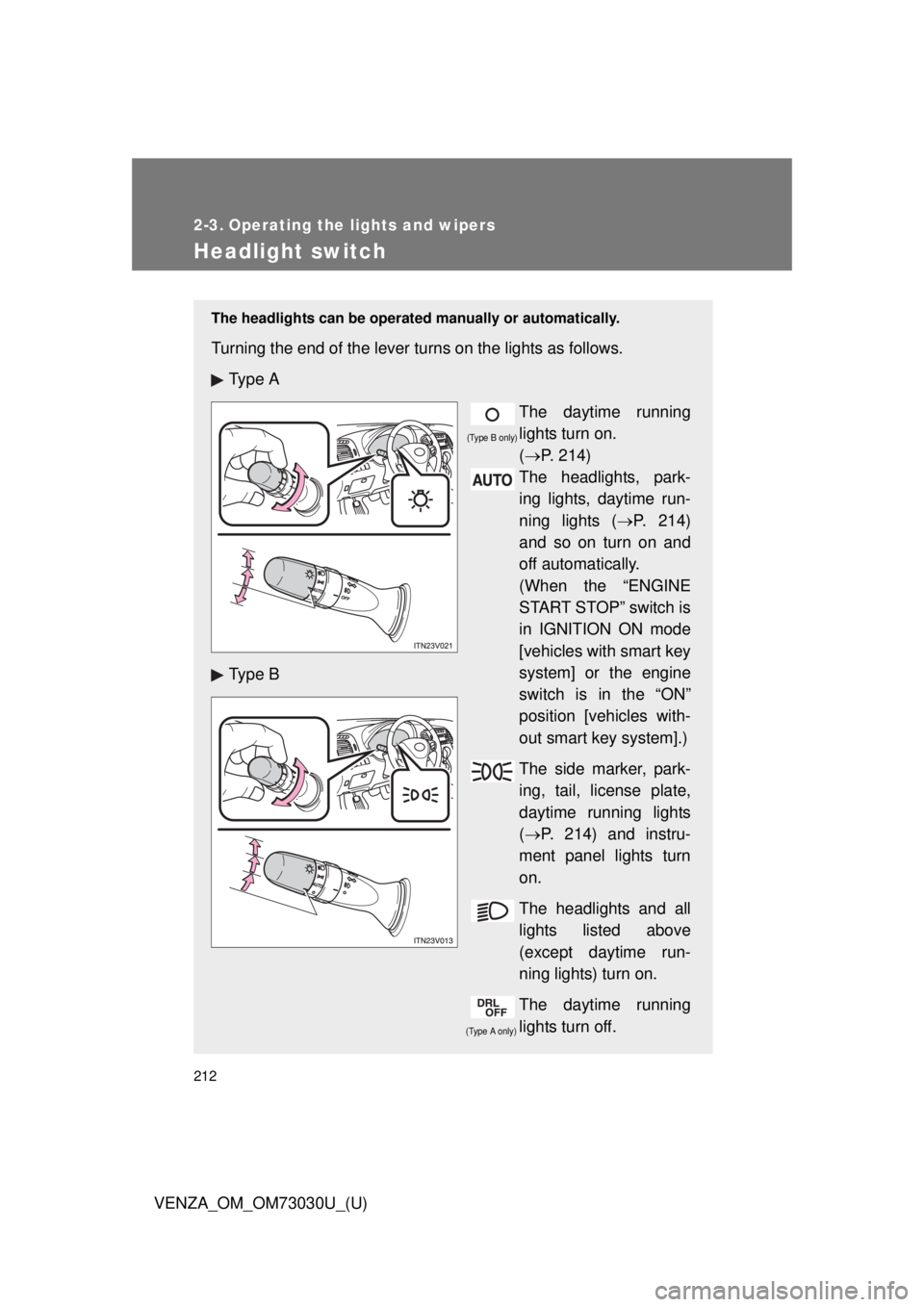
Turning the end of the lever turns on the lights as follows.
Ty p e A
The daytime running
lights turn on.
( P. 214)
The headlights, park-
ing lights, daytime run-
ning lights ( P. 214)
and so on turn on and
off automatically.
(When the “ENGINE
START STOP” switch is
in IGNITION ON mode
[vehicles with smart key
system] or the engine
switch is in the “ON”
position [vehicles with-
out smart key system].)
The side marker, park-
ing, tail, license plate,
daytime running lights
( P. 214) and instru-
ment panel lights turn
on.
The headlights and all
lights listed above
(except daytime run-
ning lights) turn on.
The daytime running
lights turn off.Ty p e B
(Type A only) (Type B only)
Page 214 of 688
2142-3. Operating the lights and wipers
VENZA_OM_OM73030U_(U) ■ Daytime running light system
● To make your vehicle more visible to others, the high beam headlights
turn on automatically at a reduced intensity (vehicles with halogen head-
lights) or the LED daytime running lights turn on automatically (vehicles
with discharge headlights) whenever the engine is started and the park-
ing brake is released. Daytime running lights are not designed for use at
night.
Type A: Daytime running lights can be turned off by operating the switch.
● Compared to turning on the headlights, the daytime running light system
offers greater durability and consumes less electricity, so it can help
improve fuel economy.
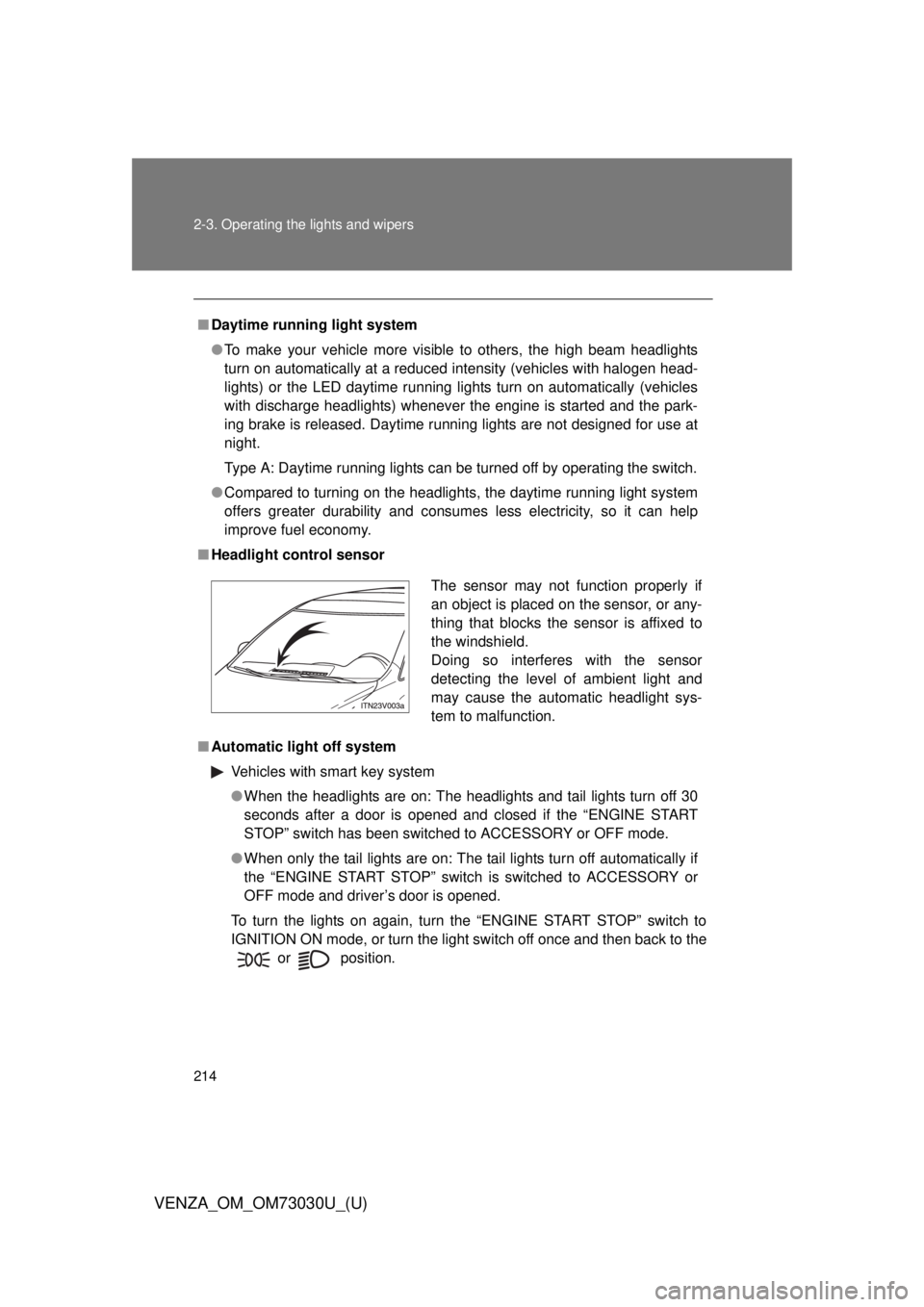
■ Headlight control sensor
■ Automatic light off system
Vehicles with smart key system
● When the headlights are on: The headlights and tail lights turn off 30
seconds after a door is opened and closed if the “ENGINE START
STOP” switch has been switched to ACCESSORY or OFF mode.
● When only the tail lights are on: The tail lights turn off automatically if
the “ENGINE START STOP” switch is switched to ACCESSORY or
OFF mode and driver’s door is opened.
To turn the lights on again, turn the “ENGINE START STOP” switch to
IGNITION ON mode, or turn the light switch off once and then back to the
or
position. The sensor may not function properly if
an object is placed on the sensor, or any-
thing that blocks the sensor is affixed to
the windshield.
Doing so interferes with the sensor
detecting the level of ambient light and
may cause the automatic headlight sys-
tem to malfunction.
Page 216 of 688
2162-3. Operating the lights and wipers
VENZA_OM_OM73030U_(U)Automatic High Beam
: If equippedThe Automatic High Beam uses an in-vehicle camera sensor to
assess the brightness of streetligh ts, the lights of oncoming and
preceding vehicles, etc., and automatically turns high beam on or off
as necessary.
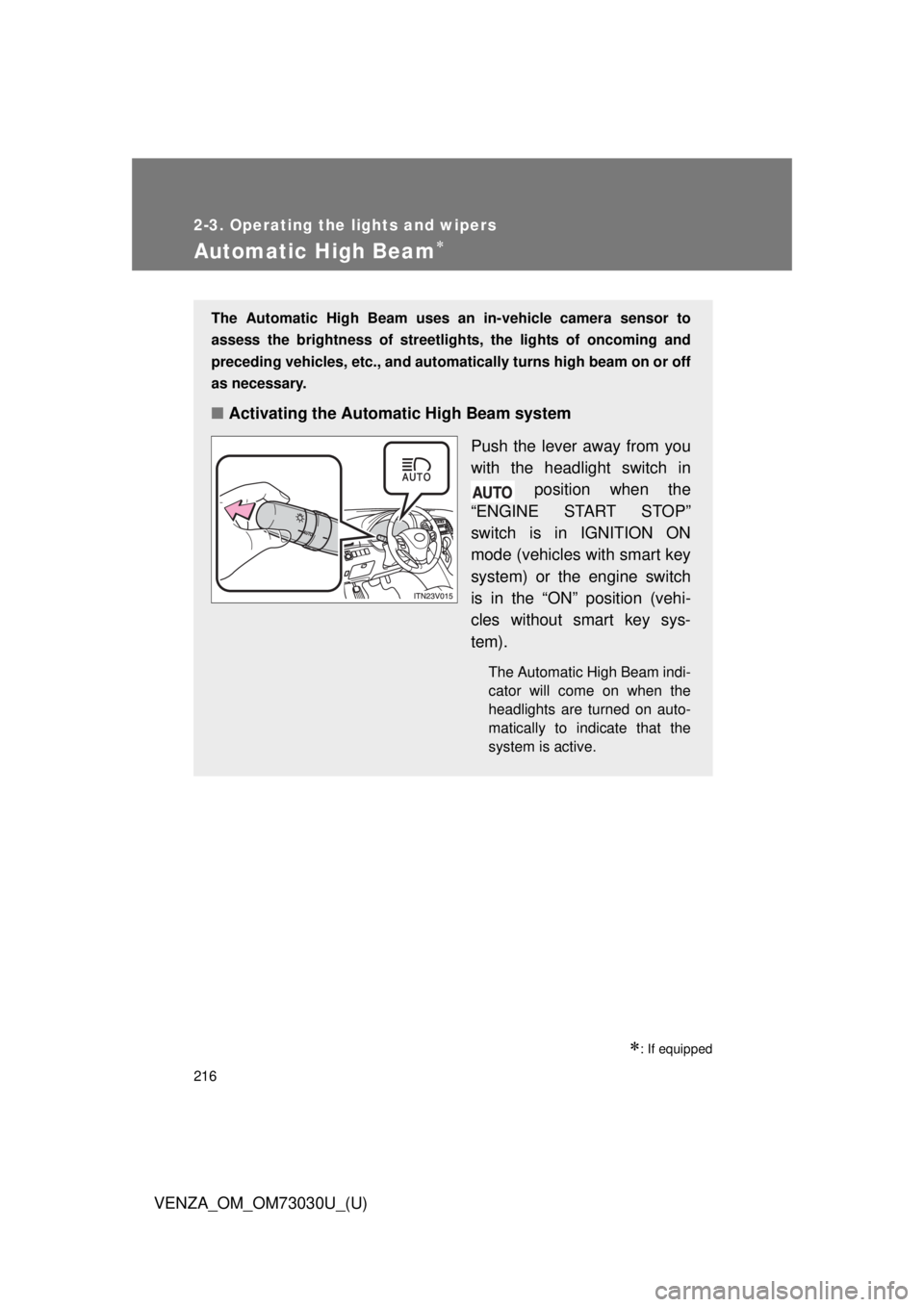
■ Activating the Automatic High Beam system
Push the lever away from you
with the headlight switch in
position when the
“ENGINE START STOP”
switch is in IGNITION ON
mode (vehicles with smart key
system) or the engine switch
is in the “ON” position (vehi-
cles without smart key sys-
tem). The Automatic High Beam indi-
cator will come on when the
headlights are turned on auto-
matically to indicate that the
system is active.
Page 221 of 688

2212-3. Operating the lights and wipers
2
When driving
VENZA_OM_OM73030U_(U) ■ If the Automatic High Beam indicator flashes...
It may indicate a malfunction in the system. Contact your Toyota dealer.
■ Customization
The Automatic High Beam can be turned off.
(Customizable features P. 645)
■ Temporary lowering sensor sensitivity
The sensitivity of the sensor can be temporarily lowered.
To lower the sensitivity, push and hold the “AUTO” button on the inside rear
view mirror for 15 to 20 seconds, and release. The indicator light on the
inside rear view mirror will flash to indicate that the sensitivity has been low-
ered.
Vehicles with smart key system:
When the “ENGINE START STOP” switch is turned off, the sensitivity will be
returned to its normal level.
Vehicles without smart key system:
When the engine switch is turned to the “LOCK” position, the sensitivity will
be returned to its normal level.
Page 228 of 688
2282-3. Operating the lights and wipers
VENZA_OM_OM73030U_(U) ■ The windshield wiper and washer can be operated when
Vehicles with smart key system
The “ENGINE START STOP” switch is in IGNITION ON mode.
Vehicles without smart key system
The engine switch is in the “ON” position.
■ If no windshield washer fluid sprays
Check that the washer nozzles are not blocked if there is washer fluid in the
windshield washer fluid reservoir.
CAUTION■ Caution regarding the use of washer fluid
When it is cold, do not use the washer fluid until the windshield becomes
warm. The fluid may freeze on the windshield and cause low visibility. This
may lead to an accident, resulting in death or serious injury.
NOTICE■ When the windshield is dry
Do not use the wipers, as they may damage the windshield.
■ When there is no washer fluid spray from the nozzle
Damage to the washer fluid pump may be caused if the lever is pulled
toward you and held continually.
■ When a nozzle becomes blocked
Do not try to clear it with a pin or other object. The nozzle will be damaged.
Page 230 of 688
2302-3. Operating the lights and wipers
VENZA_OM_OM73030U_(U) ■ The rear window wiper and w asher can be operated when
Vehicles with smart key system
The “ENGINE START STOP” switch is in IGNITION ON mode.
Vehicles without smart key system
The engine switch is in the “ON” position.
NOTICE■ When the rear window is dry
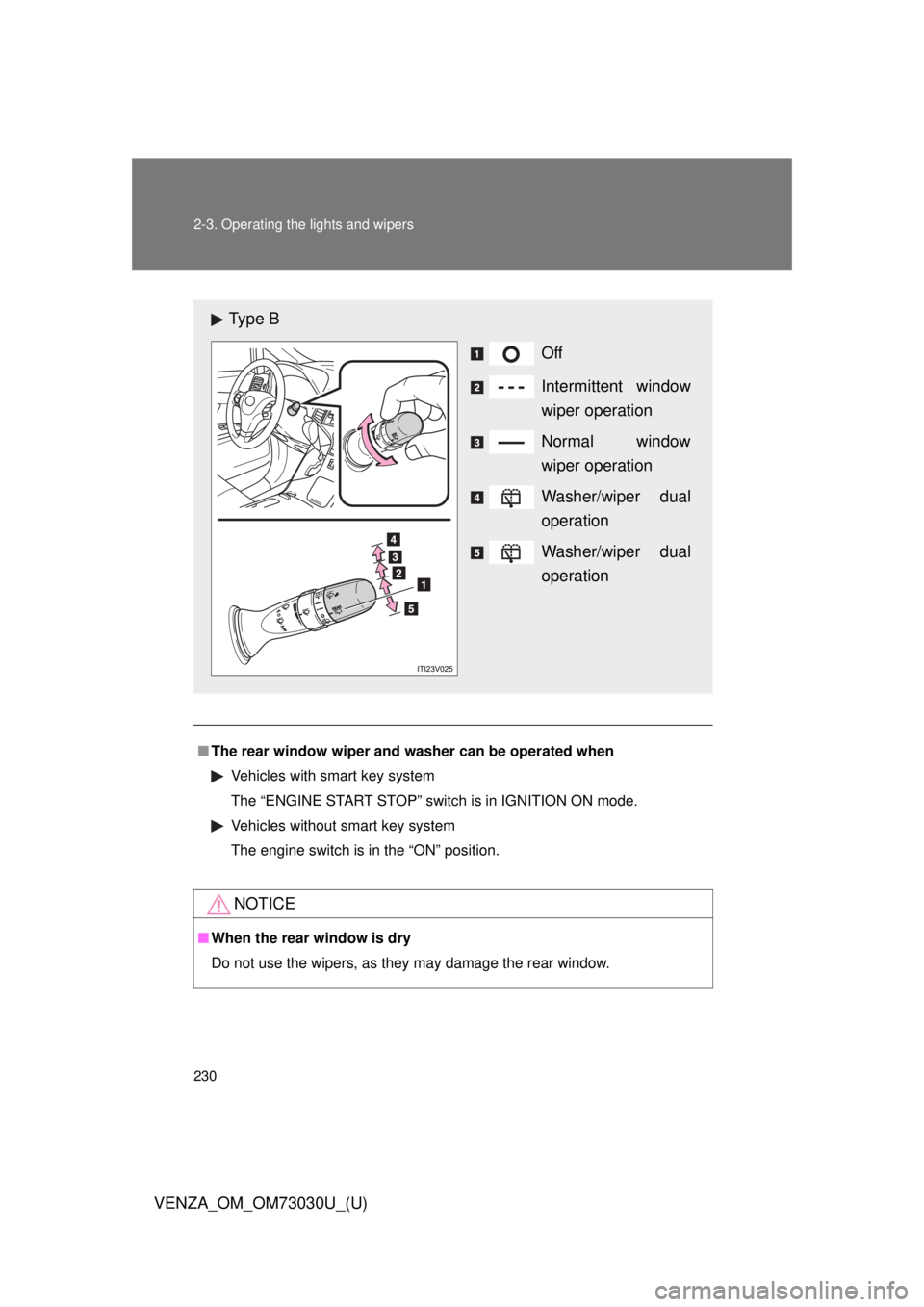
Do not use the wipers, as they may damage the rear window.Ty p e B
Off
Intermittent window
wiper operation
Normal window
wiper operation
Washer/wiper dual
operation
Washer/wiper dual
operation
Page 243 of 688
2432-4. Using other driving systems
2
When driving
VENZA_OM_OM73030U_(U) Rear view monitor system
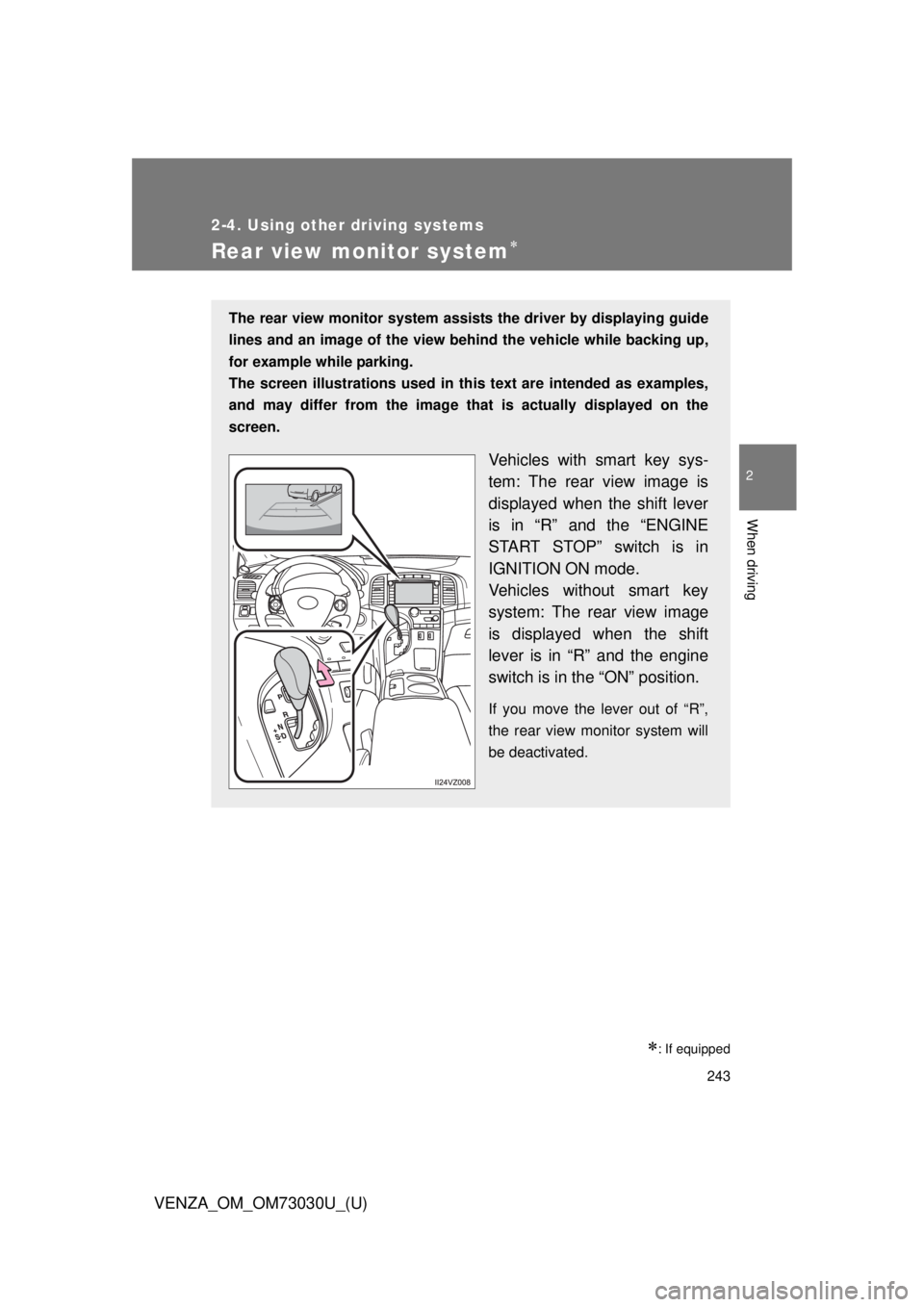
: If equippedThe rear view monitor system assists the driver by displaying guide
lines and an image of the view behind the vehicle while backing up,
for example while parking.
The screen illustrations used in this text are intended as examples,
and may differ from th e image that is actually displayed on the
screen.
Vehicles with smart key sys-
tem: The rear view image is
displayed when the shift lever
is in “R” and the “ENGINE
START STOP” switch is in
IGNITION ON mode.
Vehicles without smart key
system: The rear view image
is displayed when the shift
lever is in “R” and the engine
switch is in the “ON” position. If you move the lever out of “R”,
the rear view monitor system will
be deactivated.
Page 256 of 688
2562-4. Using other driving systems
VENZA_OM_OM73030U_(U)Driving assist systems To help enhance driving safety a nd performance, the following sys-
tems operate automatically in res ponse to various driving situations.
Be aware, however, that these systems are supplementary and
should not be relied upon too heavi ly when operating the vehicle.
■ ABS (Anti-lock Brake System)
Helps to prevent wheel lock w hen the brakes are applied sud-
denly, or if the brakes are applied while driving on a slippery
road surface.
■ Brake assist
Generates an increased level of braking force after the brake
pedal is depressed, when the system detects a panic stop situa-
tion.
■ VSC (Vehicle Stability Control)
Helps the driver to control skidding when swerving suddenly or
turning on slippery road surfaces
■ TRAC (Traction Control)
Maintains drive power and prevent the front wheels (2WD mod-
els) or four wheels (AWD models) from spinning when starting
the vehicle or accelerating on slippery roads.
■ EPS (Electric Power Steering)
Employs an electric motor to re duce the amount of effort needed
to turn the steering wheel.
■ Enhanced VSC (Enhanced Vehicle Stability Control)
Provides cooperative control of the ABS, TRAC, VSC and EPS.
Helps to maintain directional stability when swerving on slippery
road surfaces by cont rolling steering performance.
■ Hill-start assist control
P. 262