steering TOYOTA VENZA 2016 Repair Manual
[x] Cancel search | Manufacturer: TOYOTA, Model Year: 2016, Model line: VENZA, Model: TOYOTA VENZA 2016Pages: 688, PDF Size: 18.51 MB
Page 304 of 688
304
VENZA_OM_OM73030U_(U) 3-1. Using the air conditioning
system and defogger
Automatic air conditioning
system ........................... 306
Rear window defogger ..... 316
3-2. Using the audio system
(Entune Audio)
Audio system types .......... 318
Audio system ................... 320
Steering wheel audio
switches ......................... 323
USB Port/AUX Port .......... 325
Basic Audio
Operations ..................... 326
Setup menu...................... 329
General settings ............... 330
Audio settings .................. 332
Display settings ................ 333
Voice settings................... 335 Selecting the audio
source ............................ 336
List screen operation........ 337
Optimal use of the audio
system ........................... 339
Radio operation................ 340
CD player operation ......... 343
Listening to an iPod ......... 350
Listening to a
USB memory device ...... 356
Using the AUX port .......... 362
Preparations to use
wireless
communication ............... 363
Registering a Bluetooth ®
audio player for
the first time ................... 366
Registering a Bluetooth ®
phone for
the first time ................... 367
Registering a Bluetooth ®
device ............................ 368
Connecting a Bluetooth ®
device ............................ 370
Page 305 of 688
Interior features
3
305
VENZA_OM_OM73030U_(U) Displaying a Bluetooth ®
device details ................. 373
Detailed Bluetooth ®
system settings .............. 375
Listening to Bluetooth ®
Audio.............................. 377
Using a Bluetooth ®
Phone ............................ 379
Making a call .................... 382
Receiving a call ................ 386
Speaking on the phone .... 387
Bluetooth ®
phone
message function........... 391
Using the steering wheel
switches ......................... 396
Bluetooth ®
phone
settings .......................... 397
Contact/Call History
Settings .......................... 399
What to do if...
(Troubleshooting)........... 411
Bluetooth ®
........................ 419
Voice command
system ........................... 426 3-3. Using the interior lights
Interior lights list ............... 430
• Personal/interior light
main switch .................... 431
• Personal/interior lights
and luggage
compartment light .......... 432
3-4. Using the storage features
List of storage features .... 434
• Glove box....................... 435
• Console boxes ............... 436
• Overhead console .......... 438
• Cup holders ................... 439
• Bottle holders ................. 441
• Auxiliary boxes ............... 442
3-5. Other interior features
Sun visors ........................ 445
Vanity mirror..................... 446
Power outlets ................... 447
Seat heaters..................... 449
Armrest ............................ 451
Assist grips
(folding type) .................. 452
Floor mats ........................ 453
Luggage compartment
features .......................... 455
Garage door opener......... 457
Compass .......................... 464
Page 323 of 688
3233-2. Using the audio system (Entune Audio)
VENZA_OM_OM73030U_(U) 3
Interior features
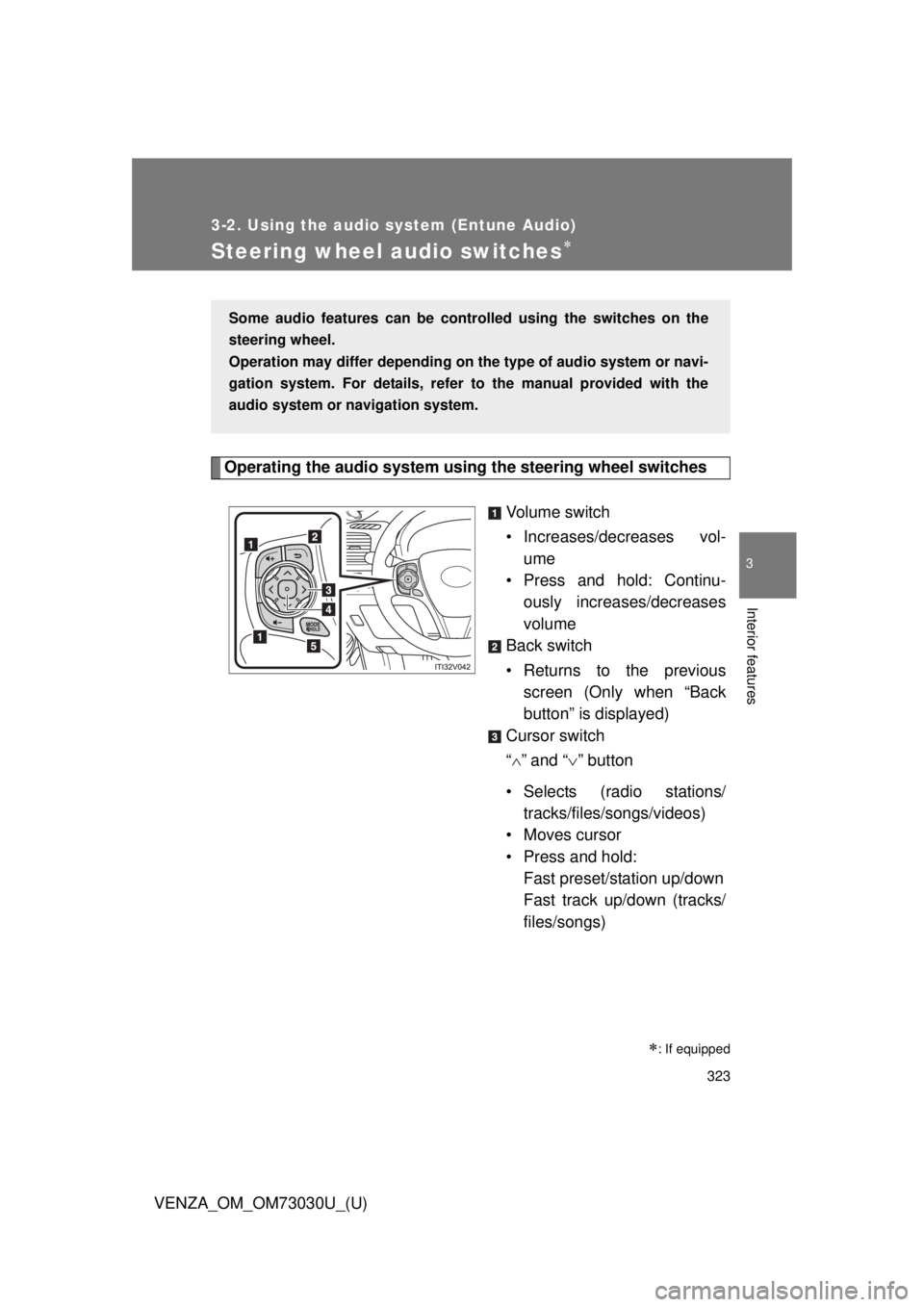
Steering wheel audio switches
Operating the audio system using the steering wheel switches
Volume switch
• Increases/dec reases vol-
ume
• Press and hold: Continu-
ously increases/decreases
volume
Back switch
• Returns to the previous
screen (Only when “Back
button” is displayed)
Cursor switch
“ ” and “ ” button
• Selects (radio stations/
tracks/files/songs/videos)
• Moves cursor
• Press and hold:
Fast preset/station up/down
Fast track up/down (tracks/
files/songs)
: If equippedSome audio features can be contro lled using the switches on the
steering wheel.
Operation may differ depending on th e type of audio system or navi-
gation system. For details, refer to the manual provided with the
audio system or navigation system.
Page 324 of 688
3243-2. Using the audio system (Entune Audio)
VENZA_OM_OM73030U_(U) “ ” and “ ” button
• Tab change
• Press and hold:
Seek up/down (radio sta-
tions)
Fast up/down (tracks/files/
videos)
Enter switch
• Displays the audio screen
(Except when audio screen
is displayed)
• Displays the preset/list
screen (When audio screen
is displayed)
• Selects items (When audio
list screen is displayed)
“MODE/HOLD” switch
• Changes audio source
• Press and hold this switch
to mute or pause the current
operation
To cancel the mute or
pause, press and hold.
CAUTION■ To reduce the risk of an accident
Exercise care when operating the audio switches on the steering wheel.
Page 336 of 688
3363-2. Using the audio system (Entune Audio)
VENZA_OM_OM73030U_(U)Selecting the audio source Changing audio source
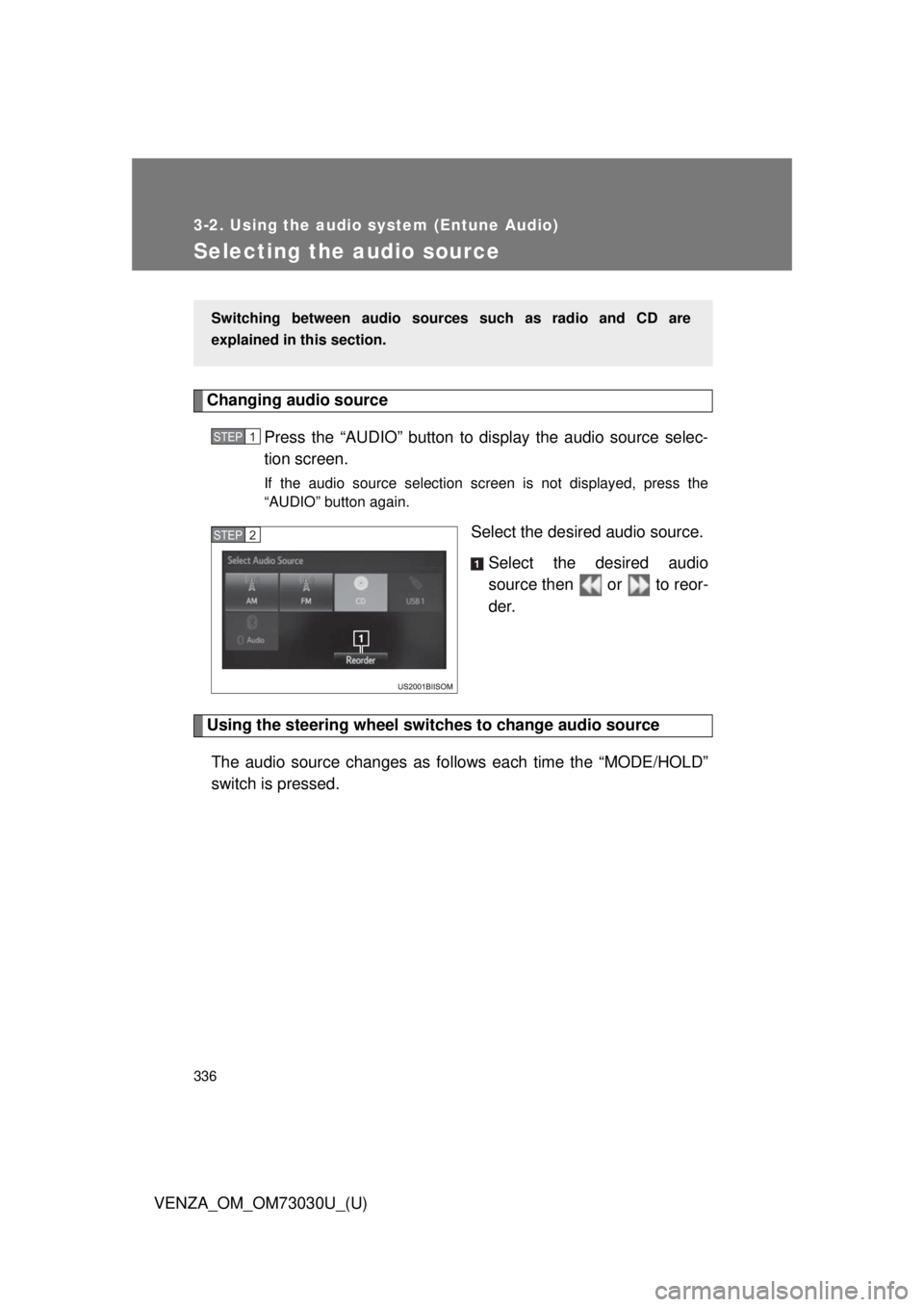
Press the “AUDIO” button to display the audio source selec-
tion screen. If the audio source selection screen is not displayed, press the
“AUDIO” button again.
Select the desired audio source.
Select the desired audio
source then or to reor-
der.
Using the steering wheel switch es to change audio source
The audio source changes as follows each time the “MODE/HOLD”
switch is pressed. Switching between audio sourc es such as radio and CD are
explained in this section. STEP 1
STEP 2
Page 379 of 688
3793-2. Using the audio system (Entune Audio)
VENZA_OM_OM73030U_(U) 3
Interior features
Using a Bluetooth ®
Phone
Phone screen
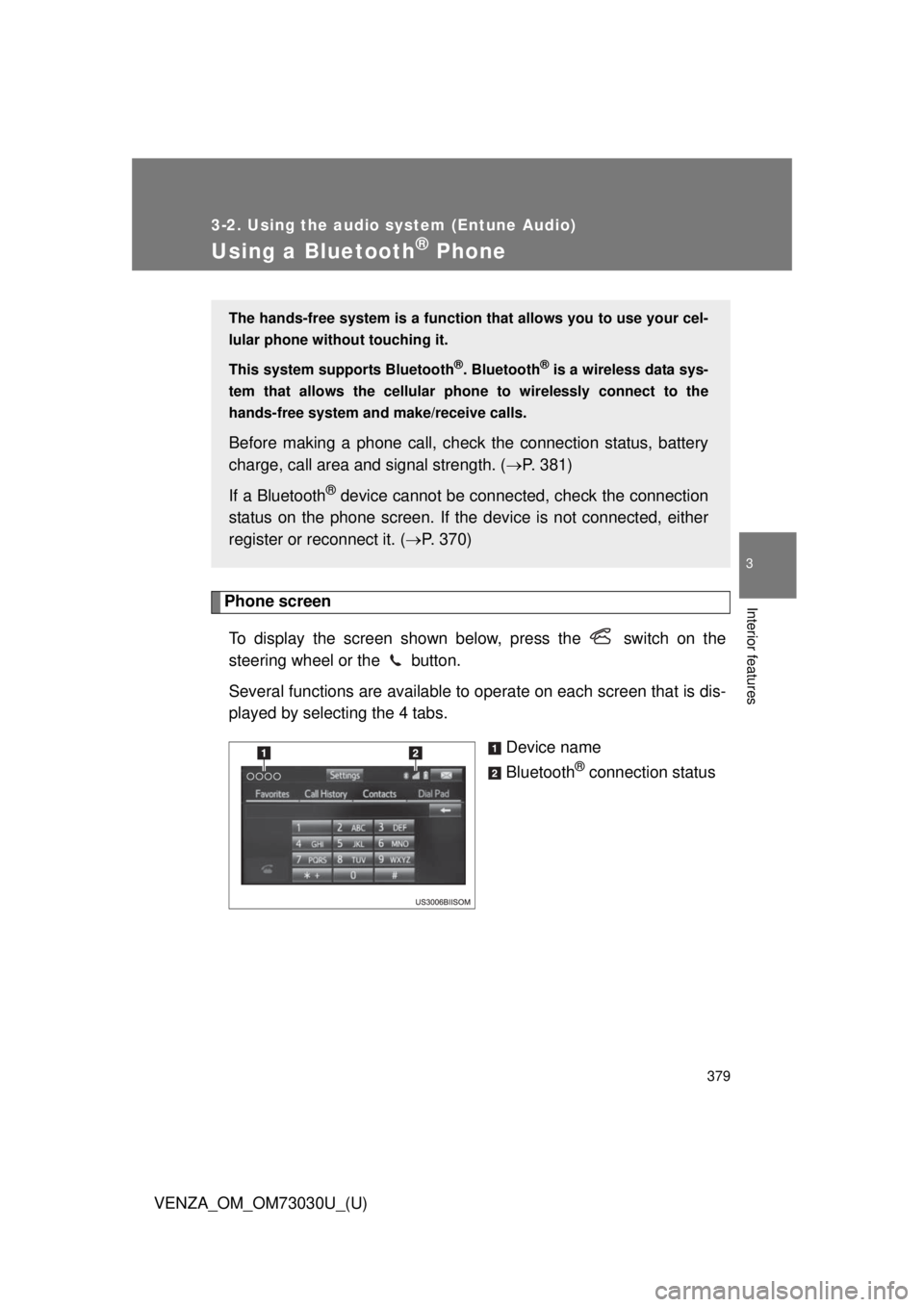
To display the screen shown below, press the switch on the
steering wheel or the button.
Several functions are available to operate on each screen that is dis-
played by selecting the 4 tabs.
Device name
Bluetooth ®
connection statusThe hands-free system is a function th at allows you to use your cel-
lular phone without touching it.
This system supports Bluetooth ®
. Bluetooth ®
is a wireless data sys-
tem that allows the cellular phone to wirelessly connect to the
hands-free system and make/receive calls.
Before making a phone call, check the connection status, battery
charge, call area and signal strength. ( P. 381)
If a Bluetooth ®
device cannot be connec ted, check the connection
status on the phone screen. If the de vice is not connected, either
register or reconnect it. ( P. 370)
Page 382 of 688
3823-2. Using the audio system (Entune Audio)
VENZA_OM_OM73030U_(U)Making a call Dialing
Display the phone screen. ( P. 379)
Select the “Dial Pad” tab and enter a phone number. To delete the input phone number, select .
For the first digit, you can enter “+” by selecting “ ” for a while.
Press the switch on the steering wheel or select .
Dialing from the contacts list
You can dial a number from the c ontact data imported from your cel-
lular phone. The system has one contact for each registered phone.
Up to 2500 contacts may be stored in each contact.
Display the phone screen. ( P. 379)
Select “Contacts” tab.
Choose the desired contact to call from the list.
Choose the number and then press the switch on the
steering wheel or select .
When the contact is empty
You can transfer the phone numbers in a Bluetooth ®
phone to the
system.
Operation methods differ between PBAP (Phone Book Access Pro-
file) compatible and PBA P incompatible Bluetooth ®
phones. If the
cellular phone does not support either PBAP or OPP (Object Push
Profile) service, you ca nnot transfer contacts.Once a Bluetooth ®
phone is registered, you can make a call using
the following procedure: STEP 1
STEP 2
STEP 3
STEP 1
STEP 2
STEP 3
STEP 4
Page 386 of 688
3863-2. Using the audio system (Entune Audio)
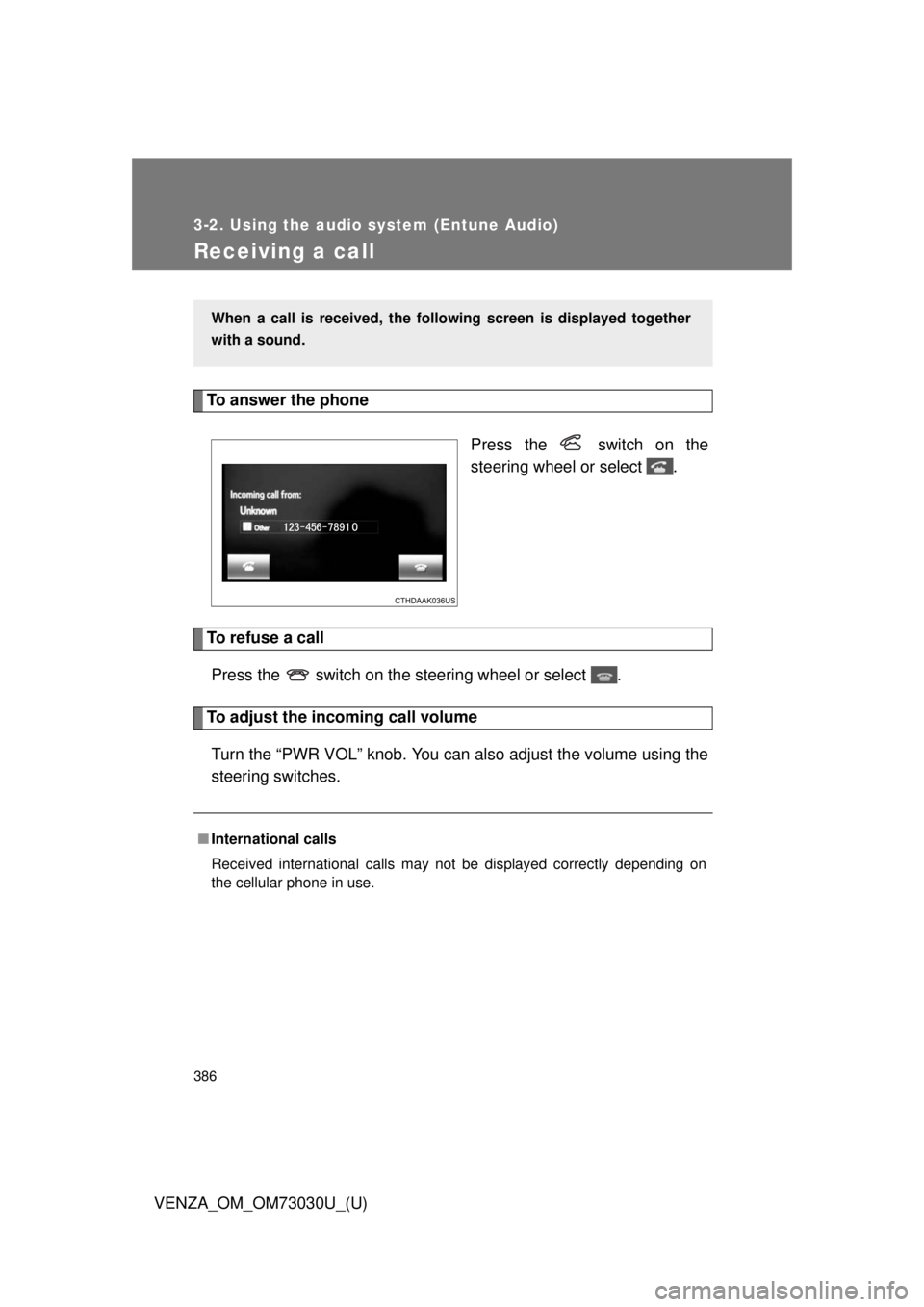
VENZA_OM_OM73030U_(U)Receiving a call To answer the phone
Press the switch on the
steering wheel or select .
To refuse a call
Press the switch on the steering wheel or select .
To adjust the incoming call volume
Turn the “PWR VOL” knob. You can also adjust the volume using the
steering switches. When a call is received, the follo wing screen is displayed together
with a sound.
■ International calls
Received international calls may not be displayed correctly depending on
the cellular phone in use.
Page 387 of 688
3873-2. Using the audio system (Entune Audio)
VENZA_OM_OM73030U_(U) 3
Interior features
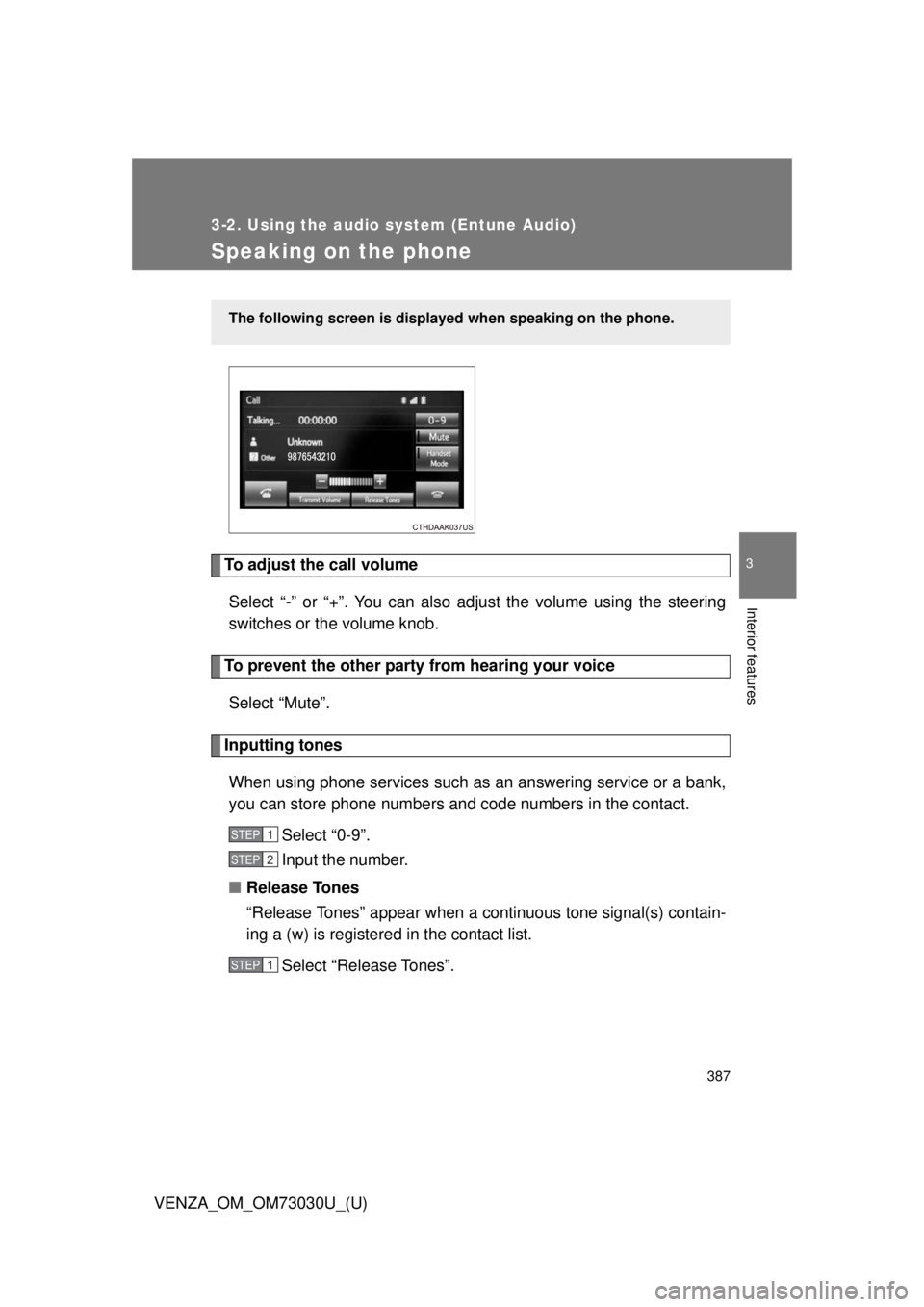
Speaking on the phone
To adjust the call volume
Select “-” or “+”. You can also adjust the volume using the steering
switches or the volume knob.
To prevent the other party from hearing your voice
Select “Mute”.
Inputting tones
When using phone services such as an answering service or a bank,
you can store phone numbers and code numbers in the contact.
Select “0-9”.
Input the number.
■ Release Tones
“Release Tones” appear when a cont inuous tone signal(s) contain-
ing a (w) is registered in the contact list.
Select “Release Tones”.The following screen is displayed when speaking on the phone.
STEP 1
STEP 2
STEP 1
Page 389 of 688
3893-2. Using the audio system (Entune Audio)
VENZA_OM_OM73030U_(U) 3
Interior features To transfer a call
Select “Handset Mode” to on from a hands-free call to a cellular
phone call.
Select “Handset Mode” to off from a cellular phone call to a hands-
free call.
Transmit volume setting
Select “Transmit Volume”.
Select the desired level for the transmit volume.
Select “OK”.
To hang up
Press the switch on the steering wheel or select .
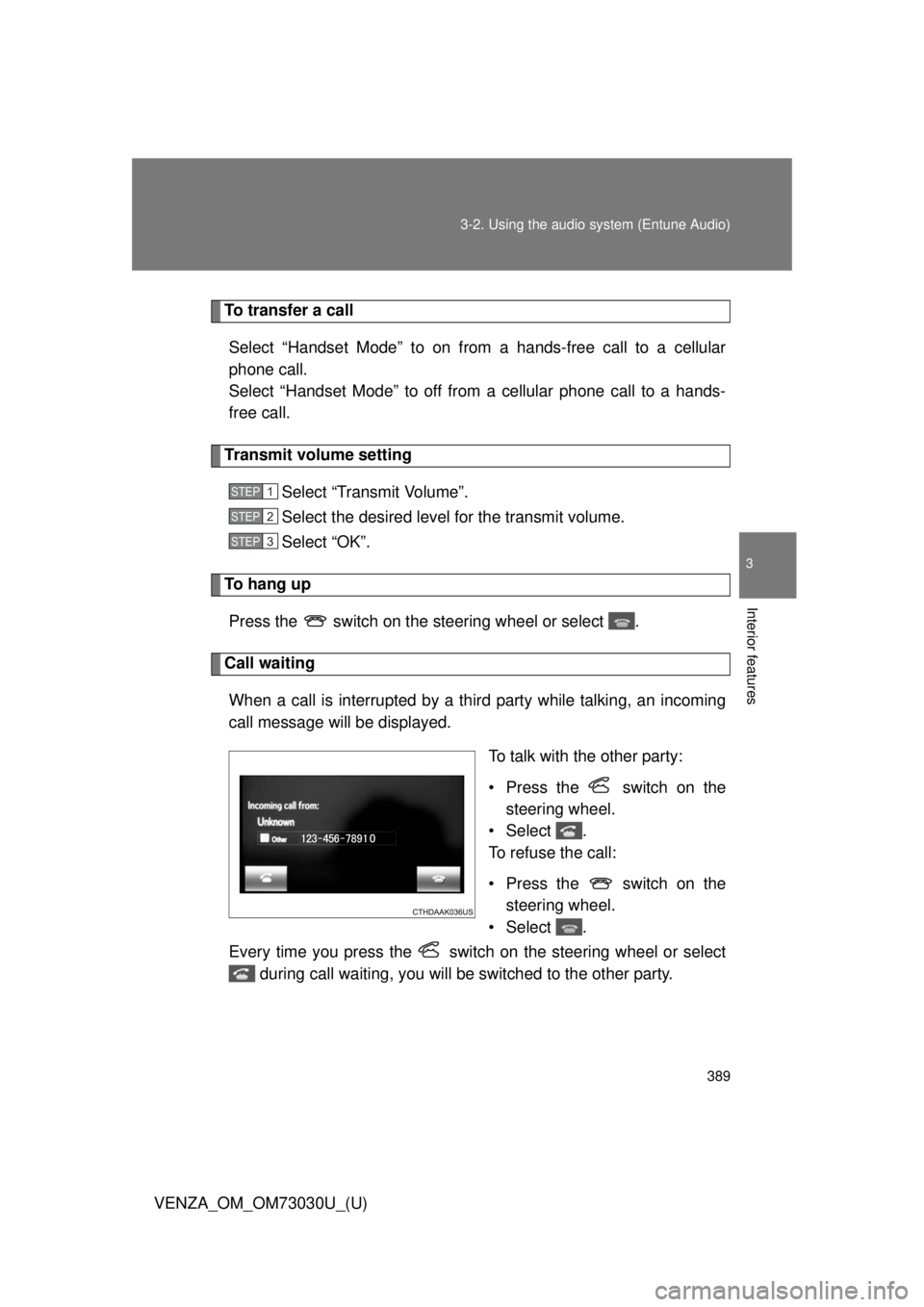
Call waiting
When a call is interrupted by a third party while talking, an incoming
call message will be displayed.
To talk with the other party:
• Press the switch on the
steering wheel.
•Select .
To refuse the call:
• Press the switch on the
steering wheel.
•Select .
Every time you press the switch on the steering wheel or select
during call waiting, you will be switched to the other party. STEP 1
STEP 2
STEP 3