Washer TOYOTA VENZA HYBRID 2021 Owners Manual (in English)
[x] Cancel search | Manufacturer: TOYOTA, Model Year: 2021, Model line: VENZA HYBRID, Model: TOYOTA VENZA HYBRID 2021Pages: 548, PDF Size: 18.43 MB
Page 3 of 548
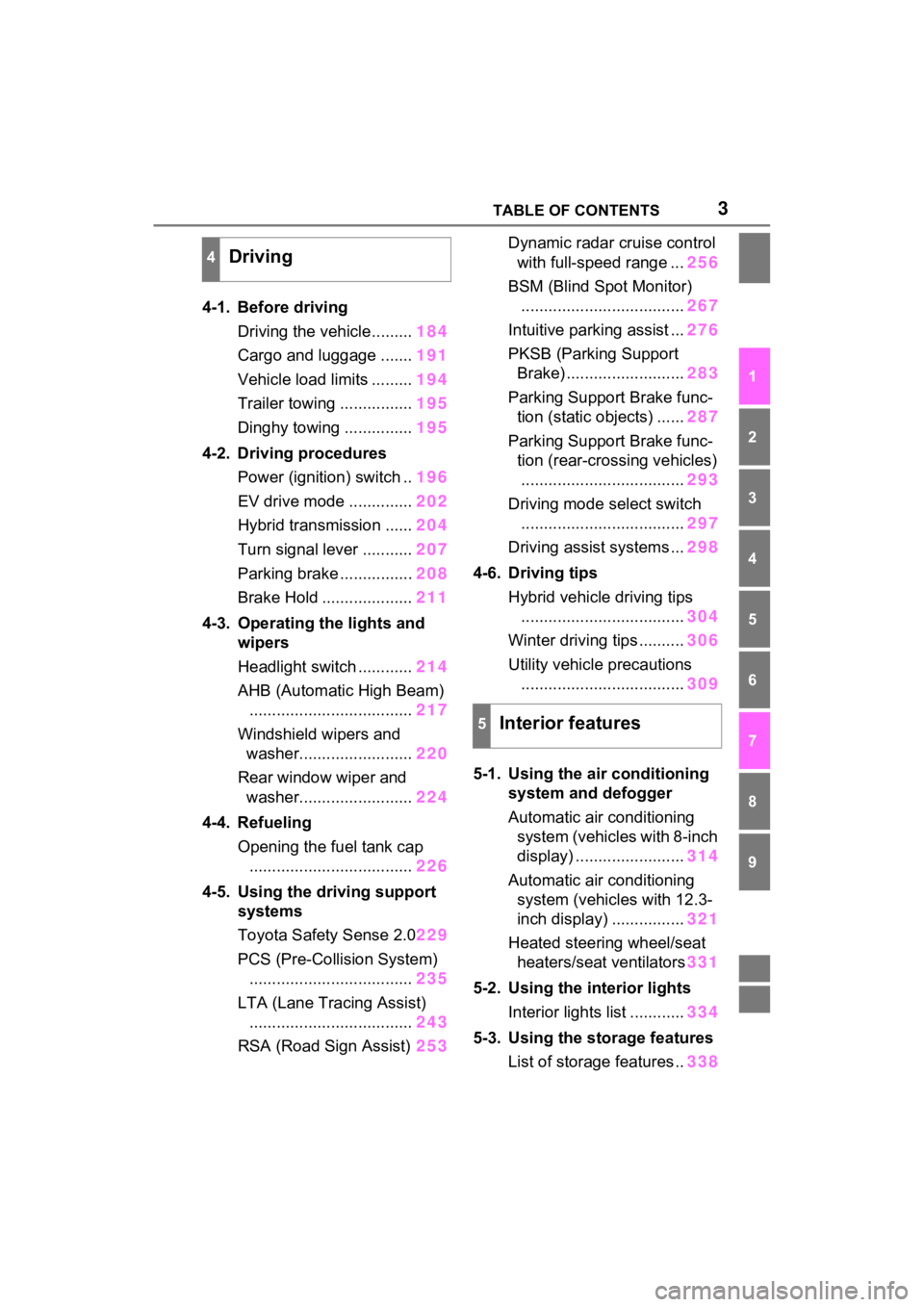
3TABLE OF CONTENTS
1
2
3
4
5
6
7
8
9
4-1. Before drivingDriving the vehicle......... 184
Cargo and luggage ....... 191
Vehicle load limits ......... 194
Trailer towing ................ 195
Dinghy towing ............... 195
4-2. Driving procedures Power (ignition) switch .. 196
EV drive mode .............. 202
Hybrid transmission ...... 204
Turn signal lever ........... 207
Parking brake ................ 208
Brake Hold .................... 211
4-3. Operating the lights and wipers
Headlight switch ............ 214
AHB (Automatic High Beam) .................................... 217
Windshield wipers and washer......................... 220
Rear window wiper and washer......................... 224
4-4. Refueling Opening the fuel tank cap.................................... 226
4-5. Using the driving support
systems
Toyota Safety Sense 2.0 229
PCS (Pre-Collision System) .................................... 235
LTA (Lane Tracing Assist) .................................... 243
RSA (Road Sign Assist) 253Dynamic radar cruise control
with full-speed range ... 256
BSM (Blind Spot Monitor) .................................... 267
Intuitive parking assist ... 276
PKSB (Parking Support Brake) .......................... 283
Parking Support Brake func- tion (static objects) ...... 287
Parking Support Brake func- tion (rear-crossing vehicles).................................... 293
Driving mode s elect switch
.................................... 297
Driving assist systems ... 298
4-6. Driving tips Hybrid vehicle driving tips.................................... 304
Winter driving tips .......... 306
Utility vehicle precautions .................................... 309
5-1. Using the ai r conditioning
system and defogger
Automatic air conditioning system (vehicles with 8-inch
display) ........................ 314
Automatic air conditioning system (vehicl es with 12.3-
inch display) ................ 321
Heated steering wheel/seat heater s/sea
t ventilators331
5-2. Using the interior lights Interior lights list ............ 334
5-3. Using the storage features List of storage features .. 338
4Driving
5Interior features
Page 18 of 548

18Pictorial index
Energy monitor.....................................................................P.120
When the warning messages are displayed ........................ P.453
Turn signal lever ................................................................P.207
Headlight switch ................................................................P.214
Headlights/parking lights/tail lights/
license plate lights/daytime running lights .................... ........P.214
Windshield wiper and washer switch ..............................P.220
Rear window wiper and washer switch ...........................P.224
Usage.......................................................... .................P.220, 224
Adding washer fluid ..............................................................P.393
Warning messages ..............................................................P.453
Emergency flasher switch ....................................... ..........P.434
Fuel filler door opener swi tch ...........................................P.227
Hood lock release lever ........................................ .............P.385
Tilt and telescopic steering control switch .....................P.164
Adjustment ..................................................... ......................P.164
Driving position memory
*1....................................................P.158
Air conditioning system ............................. ...............P.314, 321
Usage.......................................................... .................P.314, 321
Rear window defogger ........................................... ......P.316, 323
Audio Plus
*1, 2
Premium Audio*1, 2
*1
: If equipped
*2: Refer to “NAVIGATI ON AND MULTIMEDIA SYSTEM OWNER’S MAN-
UAL”.
E
F
G
H
I
J
K
L
Page 131 of 548
1293-1. Key information
3
Before driving
■If a message regarding the state
of the electronic key or power
switch mode, etc. is shown
To prevent trapping the electronic
key inside the vehicle, leaving the
vehicle carrying the electronic key
on your person without turning the
power switch to O FF or other pas-
sengers from unintentionally taking
the key out of the vehicle, etc., a
message that prompts the user to
confirm the state of the electronic
key or power switch mode may be
shown on the multi -information dis-
play. In those cases, follow the
instructions on the display immedi-
ately.
■If “Key Battery Low Replace
Key Battery” is displayed on
the multi-information display
The electronic key has a low bat-
tery. Replace the el ectronic key bat-
tery. ( P.425)
■Replacing the battery
P.425
■Confirmation of the registered
key number
The number of keys already regis-
tered to the vehicle can be con-
firmed. Ask your Toyota dealer for
details.
■If “A New Key has been Regis-
tered Contact Your Dealer for
Details” is displayed on the
multi-information display
This message will be displayed
each time the driver’s door is
opened when the doors are
unlocked from the outside for
approximately 10 days after a new
electronic key has been registered.
If this message is displayed but you
have not had a new electronic key
registered, ask your Toyota dealer
to check if an unknown electronic
key (other than those in your pos-
session) has been registered.
NOTICE
■To prevent key damage
●Do not drop the keys, subject
them to strong shocks or bend
them.
●Do not expose the keys to high
temperatures for long periods of
time.
●Do not get the keys wet or wash
them in an ultrasonic washer,
etc.
●Do not attach m etallic or mag-
netic materials to the keys or
place the keys close to such
materials.
●Do not disassemble the keys.
●Do not attach a sticker or any-
thing else to the surface of the
electronic key.
●Do not place the keys near
objects that produce magnetic
fields, such as TVs, audio sys-
tems and induction cookers.
●Do not place the keys near
medical electrical equipment
such as low-freq uency therapy
equipment or microwave ther-
apy equipment, and do not
receive medical attention with
the keys on your person.
■Carrying the electronic key
on your person
Carry the electronic key 3.9 in.
(10 cm) or more away from elec-
tric appliances that are turned on.
Radio waves emitte d from electric
appliances within 3.9 in. (10 cm)
of the electronic key may interfere
with the key, cau sing the key to
not function properly.
■In case of a smart key system
malfunction or other key-
related problems
P.467
Page 184 of 548
183
4
4
Driving
Driving
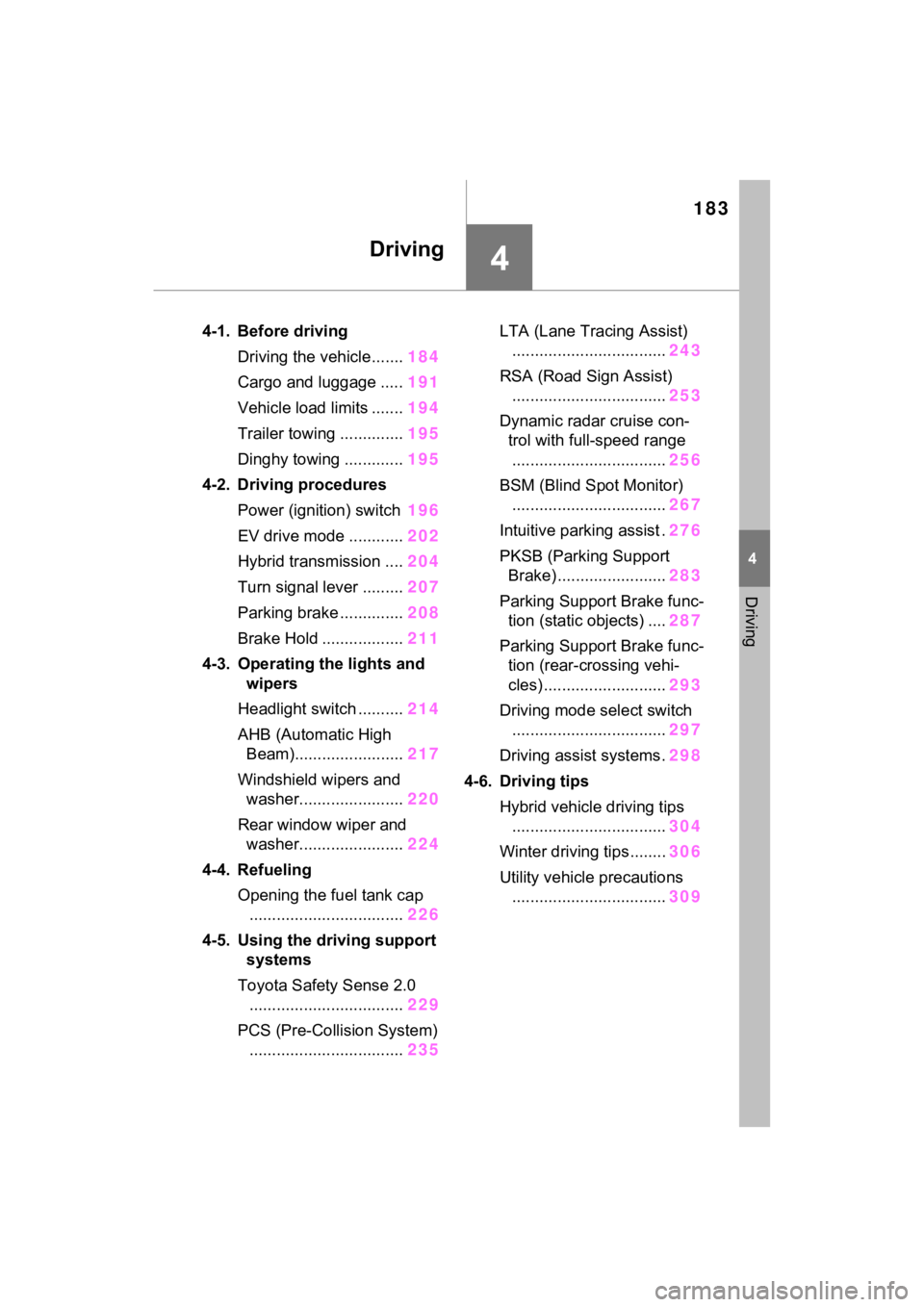
4-1. Before drivingDriving the vehicle....... 184
Cargo and luggage ..... 191
Vehicle load limits ....... 194
Trailer towing .............. 195
Dinghy towing ............. 195
4-2. Driving procedures Power (ignition) switch 196
EV drive mode ............ 202
Hybrid transmission .... 204
Turn signal lever ......... 207
Parking brake .............. 208
Brake Hold .................. 211
4-3. Operating the lights and wipers
Headlight switch .......... 214
AHB (Automatic High Beam)........................ 217
Windshield wipers and washer....................... 220
Rear window wiper and washer....................... 224
4-4. Refueling Opening the fuel tank cap.................................. 226
4-5. Using the driving support
systems
Toyota Safety Sense 2.0 .................................. 229
PCS (Pre-Collision System) .................................. 235LTA (Lane Tracing Assist)
.................................. 243
RSA (Road Sign Assist) .................................. 253
Dynamic radar cruise con- trol with full-speed range
.................................. 256
BSM (Blind Spot Monitor) .................................. 267
Intuitive parking assist . 276
PKSB (Parking Support Brake) ........................ 283
Parking Support Brake func- tion (static objects) .... 287
Parking Support Brake func- tion (rear-crossing vehi-
cles) ........................... 293
Driving mode select switch .................................. 297
Driving assist systems. 298
4-6. Driving tips Hybrid vehicle driving tips.................................. 304
Winter driving tips........ 306
Utility vehicle precautions .................................. 309
Page 221 of 548
2204-3. Operating the lights and wipers
■Temporarily switching to the
low beams
It is recommended to switch to the
low beams when the high beams
may cause problems or distress to
other drivers or pedestrians nearby.
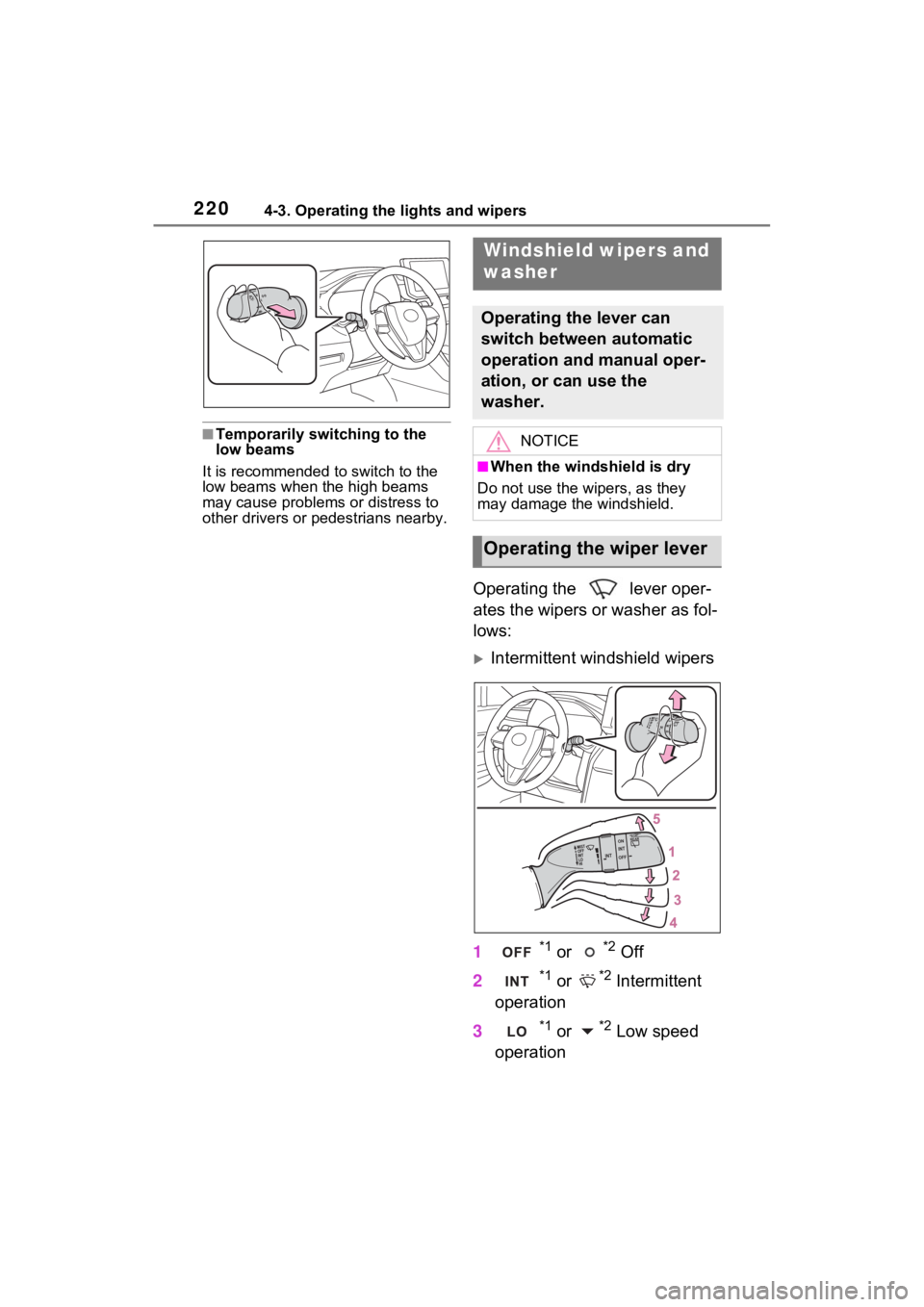
Operating the lever oper-
ates the wipers or washer as fol-
lows:
Intermittent windshield wipers
1
*1 or *2 Off
2
*1 or *2 Intermittent
operation
3
*1 or *2 Low speed
operation
Windshield wipers and
washer
Operating the lever can
switch between automatic
operation and manual oper-
ation, or can use the
washer.
NOTICE
■When the windshield is dry
Do not use the wipers, as they
may damage the windshield.
Operating the wiper lever
Page 222 of 548
2214-3. Operating the lights and wipers
4
Driving
4*1 or *2 High speed
operation
5
*1 or *2 Temporary
operation
*1: For the U.S.A.
*2: For Canada
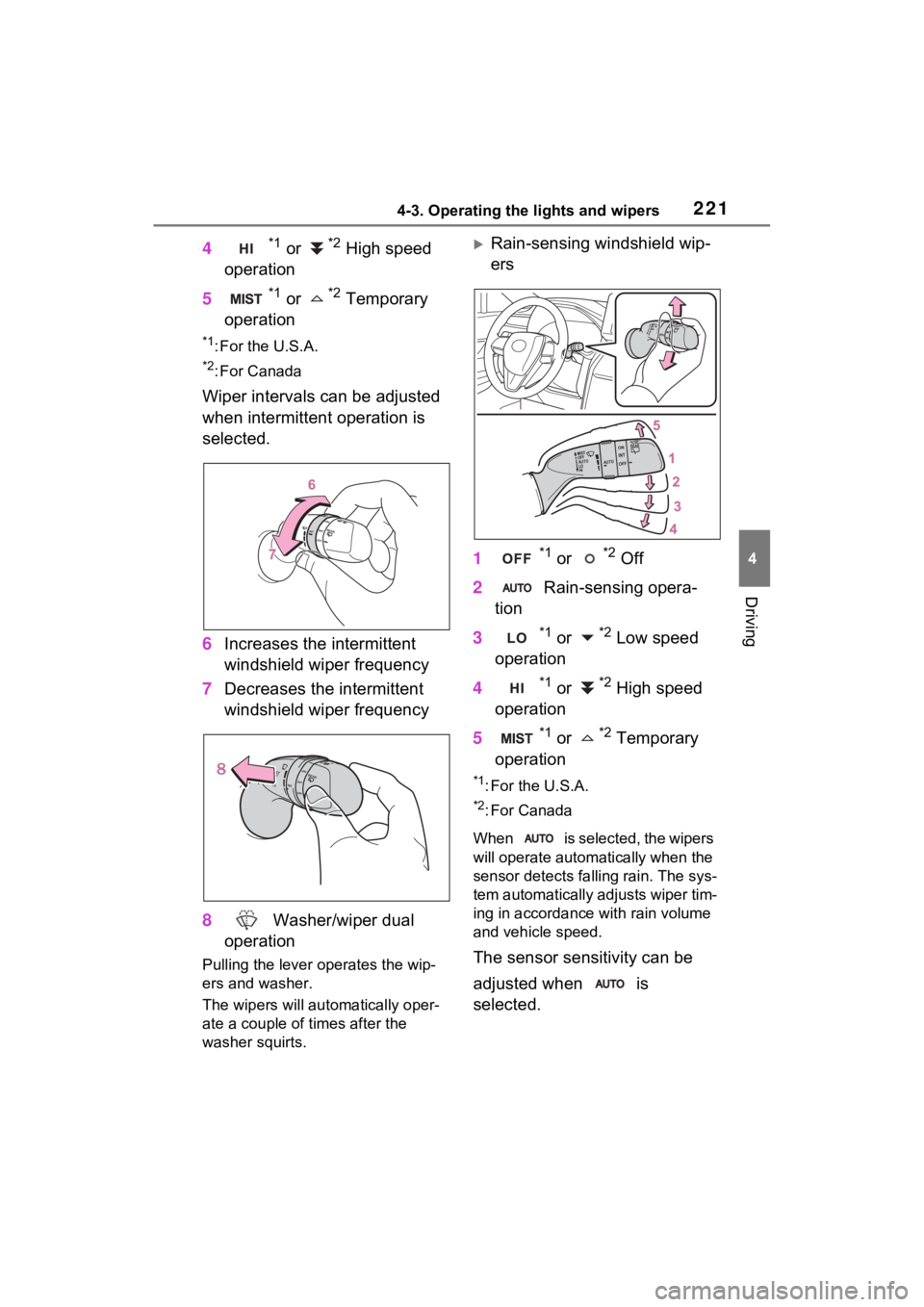
Wiper intervals can be adjusted
when intermittent operation is
selected.
6 Increases the intermittent
windshield wiper frequency
7 Decreases the intermittent
windshield wiper frequency
8 Washer/wiper dual
operation
Pulling the lever o perates the wip-
ers and washer.
The wipers will au tomatically oper-
ate a couple of times after the
washer squirts.
Rain-sensing windshield wip-
ers
1
*1 or *2 Off
2 Rain-sensing opera-
tion
3
*1 or *2 Low speed
operation
4
*1 or *2 High speed
operation
5
*1 or *2 Temporary
operation
*1: For the U.S.A.
*2: For Canada
When is selected, the wipers
will operate automa tically when the
sensor detects fa lling rain. The sys-
tem automatically adjusts wiper tim-
ing in accordance with rain volume
and vehicle speed.
The sensor sensitivity can be
adjusted when is
selected.
Page 223 of 548
2224-3. Operating the lights and wipers
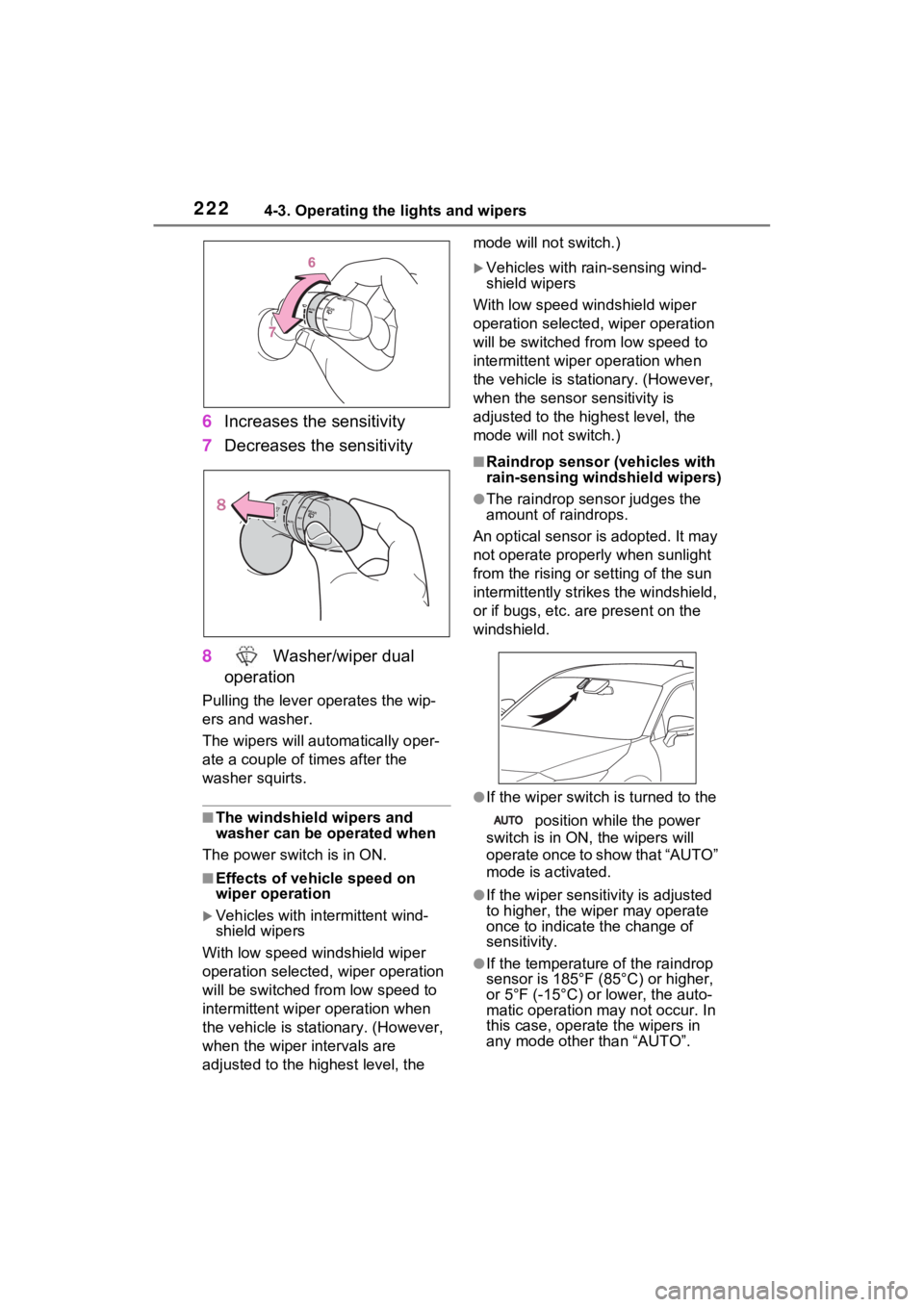
6Increases the sensitivity
7 Decreases the sensitivity
8 Washer/wiper dual
operation
Pulling the lever o perates the wip-
ers and washer.
The wipers will au tomatically oper-
ate a couple of times after the
washer squirts.
■The windshield wipers and
washer can be operated when
The power swit ch is in ON.
■Effects of vehicle speed on
wiper operation
Vehicles with in termittent wind-
shield wipers
With low speed windshield wiper
operation selected, wiper operation
will be switched from low speed to
intermittent wiper operation when
the vehicle is stationary. (However,
when the wiper intervals are
adjusted to the highest level, the mode will not switch.)
Vehicles with ra
in-sensing wind-
shield wipers
With low speed windshield wiper
operation selected, wiper operation
will be switched fro m low speed to
intermittent wiper operation when
the vehicle is stationary. (However,
when the sensor sensitivity is
adjusted to the highest level, the
mode will not switch.)
■Raindrop sensor (vehicles with
rain-sensing windshield wipers)
●The raindrop sensor judges the
amount of raindrops.
An optical sensor is adopted. It may
not operate properly when sunlight
from the rising or setting of the sun
intermittently strikes the windshield,
or if bugs, etc. a re present on the
windshield.
●If the wiper switch i s turned to the
position while the power
switch is in ON, the wipers will
operate once to show that “AUTO”
mode is activated.
●If the wiper sensitivity is adjusted
to higher, the wiper may operate
once to indicate the change of
sensitivity.
●If the temperature of the raindrop
sensor is 185°F (85°C) or higher,
or 5°F (-15°C) or lower, the auto-
matic operation ma y not occur. In
this case, operate the wipers in
any mode other than “AUTO”.
Page 224 of 548
2234-3. Operating the lights and wipers
4
Driving
■If no windshield washer fluid
sprays
Check that the wash er nozzles are
not blocked if there is washer fluid in
the windshield was her fluid reser-
voir.
WARNING
■Caution regarding the use of
windshield wipers in “AUTO”
mode (vehicles with rain-
sensing windshi eld wipers)
The windshield wipers may oper-
ate unexpectedly if the sensor is
touched or the windshield is sub-
ject to vibration in “AUTO” mode.
Take care that y our fingers or
anything else does not become
caught in the windshield wipers.
■Caution regarding the use of
washer fluid
When it is cold, do not use the
washer fluid until the windshield
becomes warm. The fluid may
freeze on the windshield and
cause low visibility. This may lead
to an accident, resulting in death
or serious injury.
NOTICE
■When the washer fluid tank is
empty
Do not operate the switch continu-
ally as the washer fluid pump may
overheat.
■When a nozzle becomes
blocked
In this case, conta ct your Toyota
dealer.
Do not try to clear it with a pin or
other obje ct. The nozzle will be
damaged.
■To prevent 12-volt battery dis-
charge
Do not leave the wipers on longer
than necessary when the hybrid
system is off.
Page 225 of 548
2244-3. Operating the lights and wipers
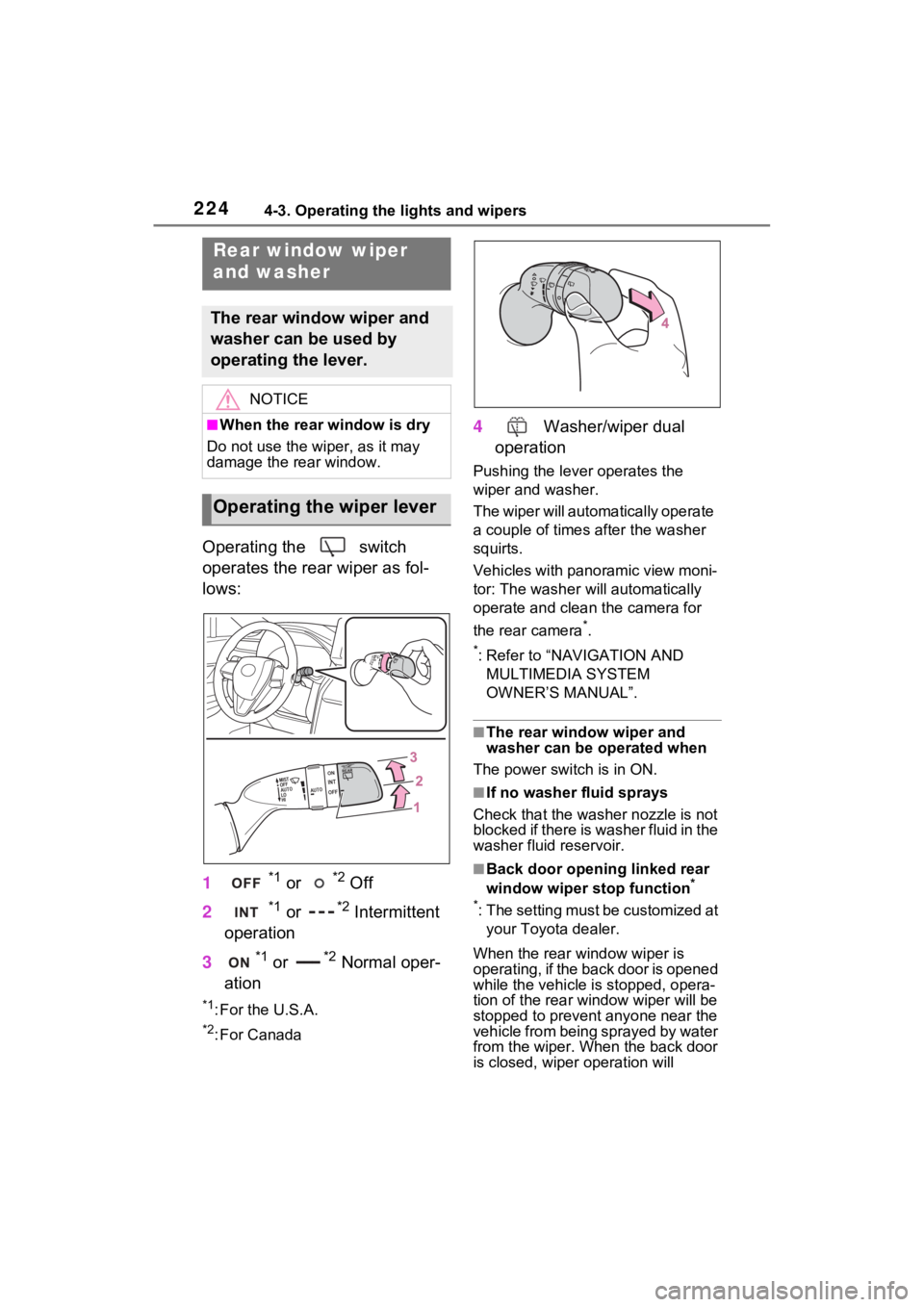
Operating the switch
operates the rear wiper as fol-
lows:
1
*1 or *2 Off
2
*1 or *2 Intermittent
operation
3
*1 or *2 Normal oper-
ation
*1: For the U.S.A.
*2: For Canada
4 Washer/wiper dual
operation
Pushing the lever operates the
wiper and washer.
The wiper will automatically operate
a couple of times after the washer
squirts.
Vehicles with panoramic view moni-
tor: The washer will automatically
operate and clean the camera for
the rear camera
*.
*: Refer to “NAVIGATION AND MULTIMEDIA SYSTEM
OWNER’S MANUAL”.
■The rear window wiper and
washer can be operated when
The power switch is in ON.
■If no washer fluid sprays
Check that the wash er nozzle is not
blocked if there is washer fluid in the
washer fluid reservoir.
■Back door opening linked rear
window wiper stop function*
*
: The setting must be customized at your Toyota dealer.
When the rear window wiper is
operating, if the back door is opened
while the vehicle is stopped, opera-
tion of the rear window wiper will be
stopped to prevent anyone near the
vehicle from being sprayed by water
from the wiper. When the back door
is closed, wiper operation will
Rear window wiper
and washer
The rear window wiper and
washer can be used by
operating the lever.
NOTICE
■When the rear window is dry
Do not use the wiper, as it may
damage the rear window.
Operating the wiper lever
Page 226 of 548

2254-3. Operating the lights and wipers
4
Driving
resume.
■Reverse-linked rear window
wiper function
When the shift lever is shifted to R
when the front wipers are operating,
the rear window wiper will operate
once.
■Customization
Setting of the reverse-linked func-
tion can be changed. (Customizable
features: P.509)
NOTICE
■When the washer fluid tank is
empty
Do not operate the switch continu-
ally as the washer fluid pump may
overheat.
■When a nozzle becomes
blocked
In this case, conta ct your Toyota
dealer.
Do not try to clear it with a pin or
other obje ct. The nozzle will be
damaged.
■To prevent 12-volt battery dis-
charge
Do not leave the wiper on longer
than necessary when the hybrid
system is off.