charging TOYOTA VENZA HYBRID 2021 Owners Manual (in English)
[x] Cancel search | Manufacturer: TOYOTA, Model Year: 2021, Model line: VENZA HYBRID, Model: TOYOTA VENZA HYBRID 2021Pages: 548, PDF Size: 18.43 MB
Page 70 of 548
691-4. Hybrid system
1
For safety and security
*: When the hybrid battery (traction battery) requires charging or the
engine is warming up, etc., the
gasoline engine will not automati-
cally stop. ( P.69)
■During normal driving
The gasoline engine is predomi-
nantly used. The electric motor
(traction motor) charges the
hybrid battery (traction battery)
as necessary.
■When accelerating sharply
When the accelerator pedal is
depressed heavily, the power of
the hybrid battery (traction bat-
tery) is added to that of the gas-
oline engine via the electric
motor (traction motor).
■When braking (regenera-
tive braking)
The wheels operate the electric
motor (traction motor) as a
power generator, and the hybrid
battery (traction battery) is
charged.
■Regenerative braking
In the following si tuations, kinetic
energy is converted to electric
energy and deceleration force can
be obtained in conjunction with the
recharging of the hybrid battery
(traction battery).
●The accelerator pedal is released
while driving with the shift lever in
D or S.
●The brake pedal is depressed
while driving with the shift lever in
D or S.
■EV indicator
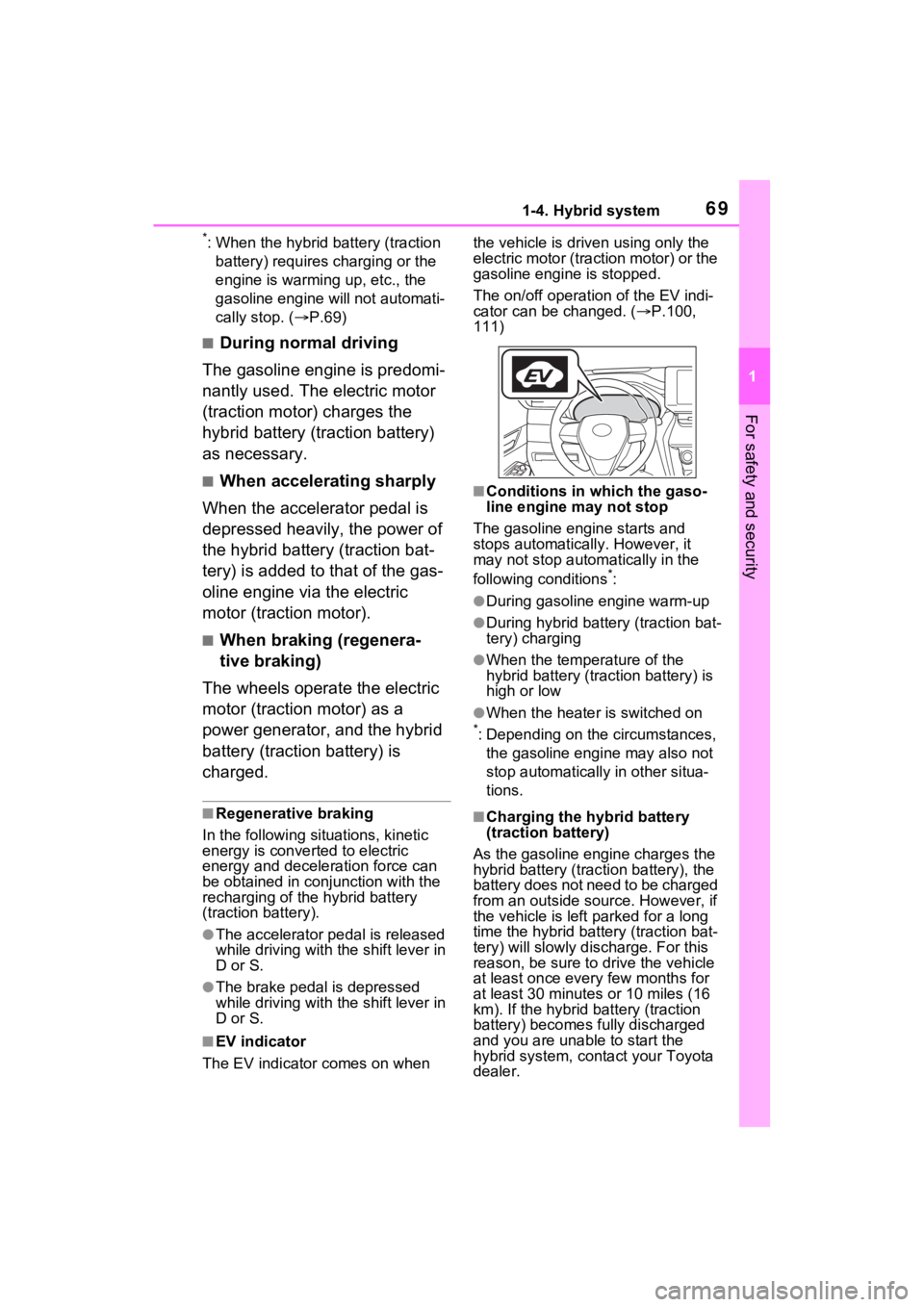
The EV indicator comes on when the vehicle is driven using only the
electric motor (traction motor) or the
gasoline engine is stopped.
The on/off operation of the EV indi-
cator can be changed. (
P.100,
111)
■Conditions in which the gaso-
line engine may not stop
The gasoline engine starts and
stops automatically. However, it
may not stop automatically in the
following conditions
*:
●During gasoline engine warm-up
●During hybrid battery (traction bat-
tery) charging
●When the temperature of the
hybrid battery (traction battery) is
high or low
●When the heater is switched on
*: Depending on the circumstances, the gasoline engine may also not
stop automatically in other situa-
tions.
■Charging the hybrid battery
(traction battery)
As the gasoline engine charges the
hybrid battery (trac tion battery), the
battery does not need to be charged
from an outside source. However, if
the vehicle is left parked for a long
time the hybrid battery (traction bat-
tery) will slowly dis charge. For this
reason, be sure to drive the vehicle
at least once every few months for
at least 30 minutes or 10 miles (16
km). If the hybrid battery (traction
battery) becomes fully discharged
and you are unabl e to start the
hybrid system, contact your Toyota
dealer.
Page 71 of 548
701-4. Hybrid system
■Charging the 12-volt battery
P.471
■After the 12-volt battery has dis-
charged or when the terminal
has been removed and installed
during exchange, etc.
The gasoline engine may not stop
even if the vehicle is being driven by
the hybrid battery (traction battery).
If this continues for a few days, con-
tact your To yota dealer.
■Sounds and vibrations specific
to a hybrid vehicle
There may be no engine sound or
vibration even though the vehicle is
able to move with the “READY” indi-
cator is illuminate d. For safety,
make sure to shift the shift lever to P
and apply the parking brake when
parked.
The following sounds or vibrations
may occur when the hybrid system
is operating and are not a malfunc-
tion:
●Motor sounds may be heard from
the engine compartment.
●Sounds may be heard from the
hybrid battery (traction battery)
under the rear seats when the
hybrid system starts or stops.
●Relay operating sounds such as a
snap or soft clank will be emitted
from the hybrid battery (traction
battery), under the rear seats,
when the hybrid system is started
or stopped.
●Sounds from the hybrid system
may be heard when the back door
is open.
●Sounds may be heard from the
transmission when the gasoline
engine starts or stops, when driv-
ing at low speeds, or during idling.
●Engine sounds may be heard
when accelerating sharply.
●Sounds may be heard due to
regenerative braking when the
brake pedal is dep ressed or as
the accelerator pedal is released.
●Vibration may be felt when the
gasoline engine starts or stops.
●Cooling fan sounds may be heard
from the air intake vent under the
rear seat.
■Maintenance, repair, recycling,
and disposal
Contact your Toyota dealer regard-
ing maintenance, repair, recycling
and disposal. Do n ot dispose of the
vehicle yourself.
When driving with the gasoline
engine stopped, a sound, which
changes in accordance with the
driving speed, will be played in
order to warn people nearby of
the vehicle’s approach. The
sound will stop when the vehicle
speed exceeds approximately
22 mph (35 km/h).
■Acoustic Vehicle Alerting Sys-
tem
In the following cases, the Acoustic
Vehicle Alerting System may be dif-
ficult for surrounding people to hear.
●In very noisy areas
●In the wind or the rain
Also, as the Acoust ic Vehicle Alert-
ing System is installed on the front
of the vehicle, it may be more diffi-
cult to hear from the rear of the vehi-
cle compared to the front.
■If “Acoustic Vehicle Alerting
System Malfunction Visit your
Dealer” is displayed on the
multi-information display
The system may be malfunctioning.
Have the vehicle inspected by your
Toyota dealer.
Acoustic Vehicle Alerting
System
Page 72 of 548
711-4. Hybrid system
1
For safety and security
*: This function can only be used in
the mainland U.S.A. It cannot be
used in other states and territo-
ries, including Alaska and Hawaii.
This system operates based on
the driving situation and traffic
information to enhance fuel
economy.
For details about Predictive effi-
cient drive, refer to “NAVIGA-
TION AND MULTIMEDIA
SYSTEM OWNER’S MANUAL”.
■Predictive deceleration sup-
port
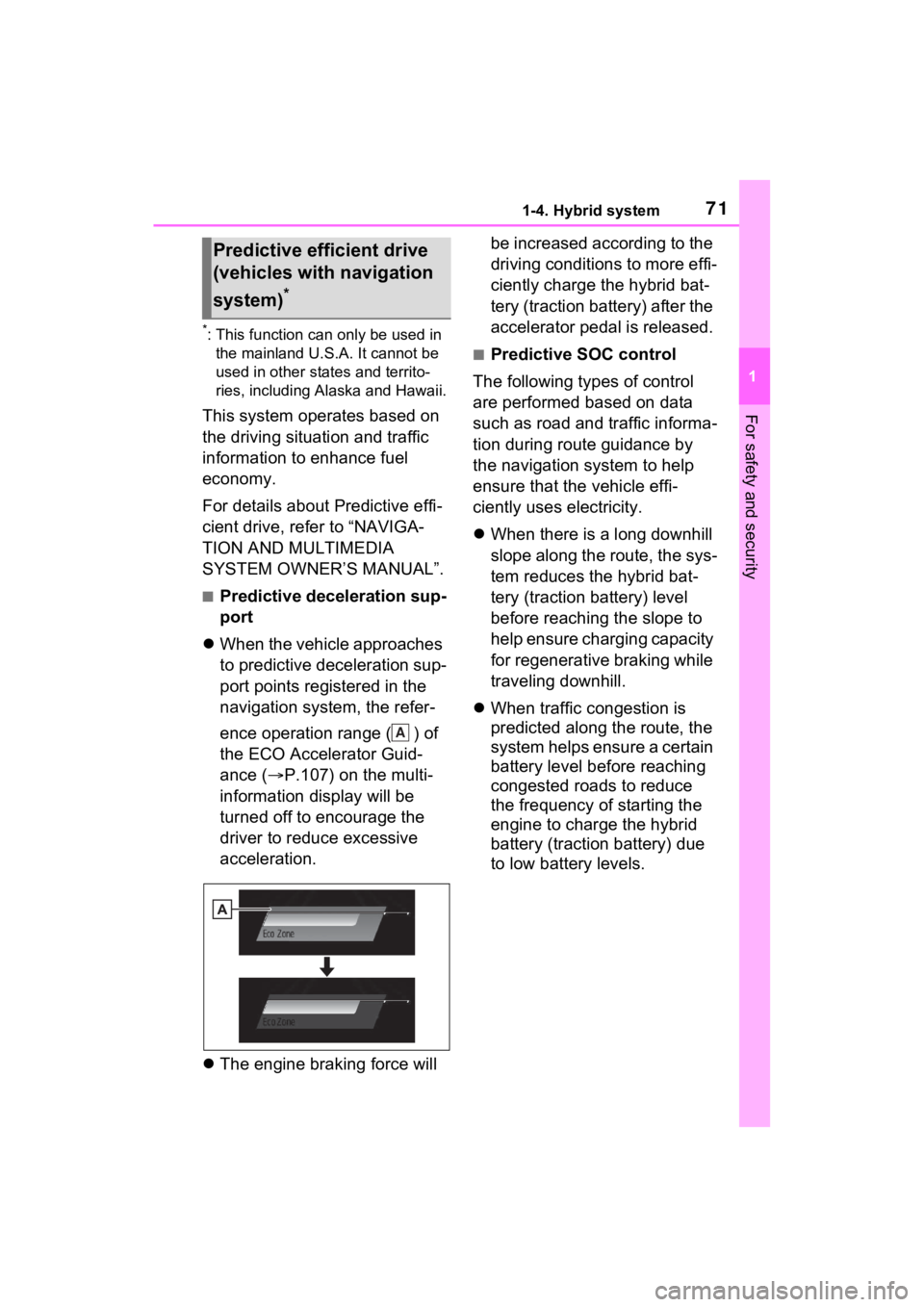
When the vehicle approaches
to predictive deceleration sup-
port points registered in the
navigation system, the refer-
ence operation range ( ) of
the ECO Accelerator Guid-
ance ( P.107) on the multi-
information display will be
turned off to encourage the
driver to reduce excessive
acceleration.
The engine braking force will be increased according to the
driving conditions to more effi-
ciently charge the hybrid bat-
tery (traction battery) after the
accelerator pedal is released.
■Predictive SOC control
The following types of control
are performed based on data
such as road and traffic informa-
tion during route guidance by
the navigation system to help
ensure that the vehicle effi-
ciently uses electricity.
When there is a long downhill
slope along the route, the sys-
tem reduces the hybrid bat-
tery (traction battery) level
before reaching the slope to
help ensure charging capacity
for regenerative braking while
traveling downhill.
When traffic congestion is
predicted along the route, the
system helps ensure a certain
battery level before reaching
congested roads to reduce
the frequency of starting the
engine to charge the hybrid
battery (traction battery) due
to low battery levels.
Predictive efficient drive
(vehicles with navigation
system)
*
A
Page 80 of 548
791-5. Theft deterrent system
1
For safety and security
If a door is unlocked using the
mechanical key while the alarm is
set, a warning will sound intermit-
tently for approximately 10 sec-
onds.If the alarm is not canceled or
stopped during this time, the warn-
ing pattern change s and the warn-
ing sounds for a certain period of
time.
●A person inside the vehicle opens
a door or hood, or unlocks the
vehicle using an inside lock but-
ton.
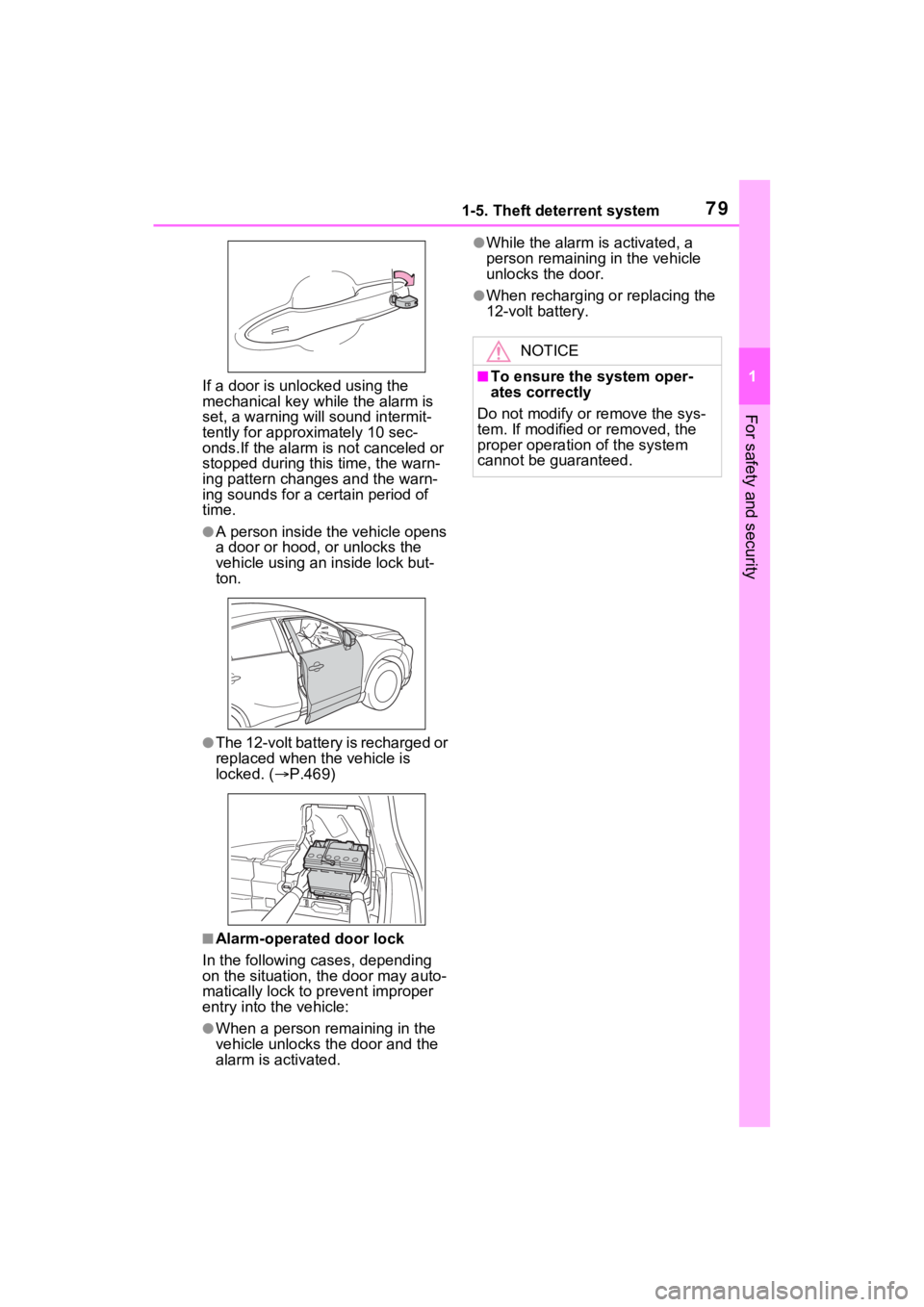
●The 12-volt battery is recharged or
replaced when the vehicle is
locked. ( P.469)
■Alarm-operated door lock
In the following cases, depending
on the situation, th e door may auto-
matically lock to p revent improper
entry into the vehicle:
●When a person remaining in the
vehicle unlocks the door and the
alarm is activated.
●While the alarm i s activated, a
person remaining in the vehicle
unlocks the door.
●When recharging or replacing the
12-volt battery.
NOTICE
■To ensure the system oper-
ates correctly
Do not modify or remove the sys-
tem. If modified or removed, the
proper operation of the system
cannot be guaranteed.
Page 84 of 548
832-1. Instrument cluster
2
Vehicle status information and indicators
The units used on the meters and some indicators may differ depending on
the target region.
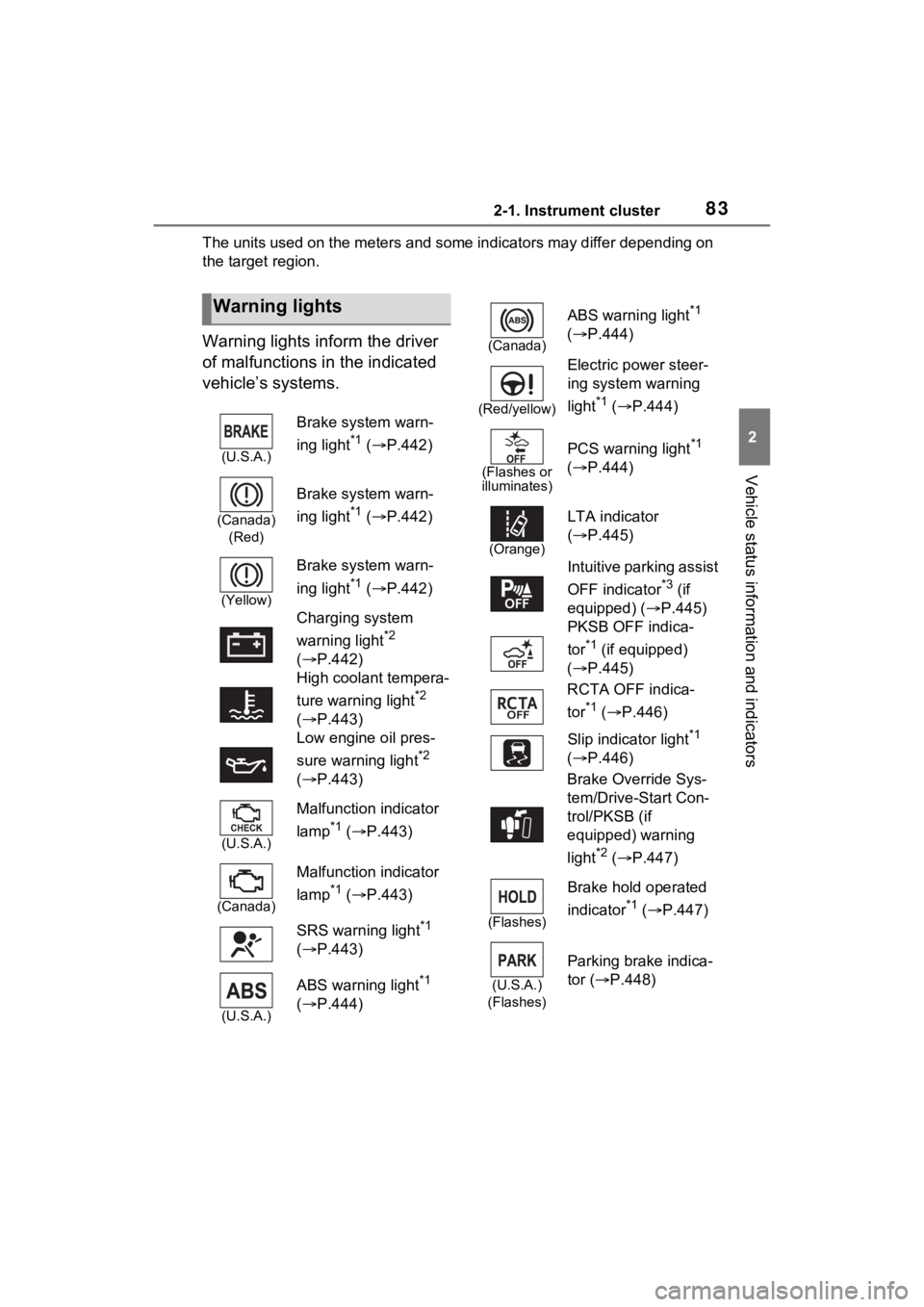
Warning lights inform the driver
of malfunctions in the indicated
vehicle’s systems.
Warning lights
(U.S.A.)
Brake system warn-
ing light
*1 ( P.442)
(Canada)
(Red)
Brake system warn-
ing light
*1 ( P.442)
(Yellow)
Brake system warn-
ing light
*1 ( P.442)
Charging system
warning light
*2
( P.442)
High coolant tempera-
ture warning light
*2
( P.443)
Low engine oil pres-
sure warning light
*2
( P.443)
(U.S.A.)
Malfunction indicator
lamp
*1 ( P.443)
(Canada)
Malfunction indicator
lamp
*1 ( P.443)
SRS warning light
*1
( P.443)
(U.S.A.)
ABS warning light*1
( P.444)
(Canada)
ABS warning light*1
( P.444)
(Red/yellow)
Electric power steer-
ing system warning
light
*1 ( P.444)
(Flashes or
illuminates)
PCS warning light*1
( P.444)
(Orange)
LTA indicator
( P.445)
Intuitive parking assist
OFF indicator
*3 (if
equipped) ( P.445)
PKSB OFF indica-
tor
*1 (if equipped)
( P.445)
RCTA OFF indica-
tor
*1 ( P.446)
Slip indicator light
*1
( P.446)
Brake Override Sys-
tem/Drive-Start Con-
trol/PKSB (if
equipped) warning
light
*2 ( P.447)
(Flashes)
Brake hold operated
indicator
*1 ( P.447)
(U.S.A.)
(Flashes)
Parking brake indica-
tor ( P.448)
Page 124 of 548
1232-1. Instrument cluster
2
Vehicle status information and indicators
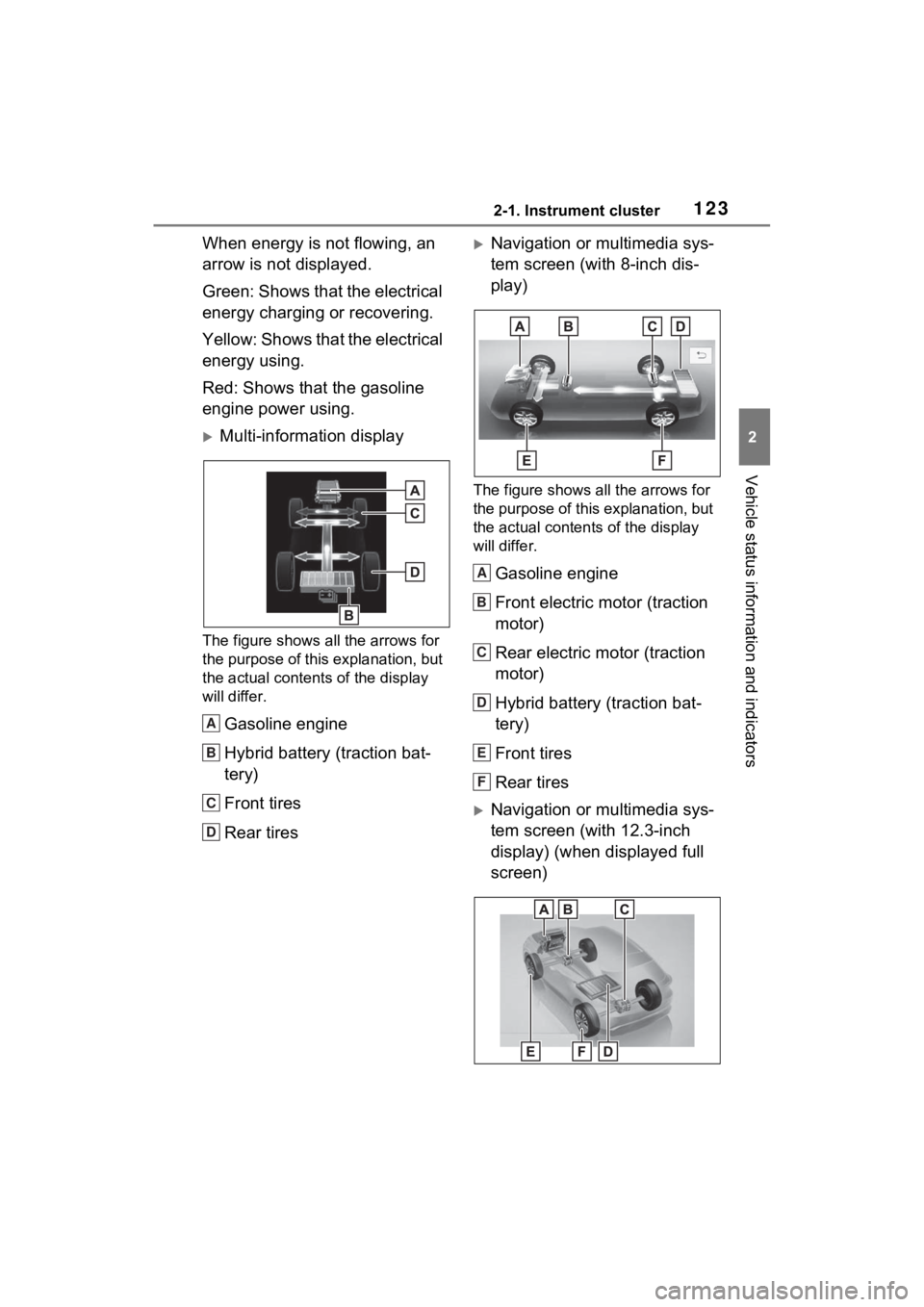
When energy is not flowing, an
arrow is not displayed.
Green: Shows that the electrical
energy charging or recovering.
Y e l l o w : S h o w s t h a t t h e e l e c t r i c a l
energy using.
Red: Shows that the gasoline
engine power using.
Multi-information display
The figure shows all the arrows for
the purpose of this explanation, but
the actual contents of the display
will differ.
Gasoline engine
Hybrid battery (traction bat-
tery)
Front tires
Rear tires
Navigation or multimedia sys-
tem screen (with 8-inch dis-
play)
The figure shows all the arrows for
the purpose of this explanation, but
the actual contents of the display
will differ.
Gasoline engine
Front electric motor (traction
motor)
Rear electric motor (traction
motor)
Hybrid battery (traction bat-
tery)
Front tires
Rear tires
Navigation or multimedia sys-
tem screen (with 12.3-inch
display) (when displayed full
screen)
A
B
C
D
A
B
C
D
E
F
Page 126 of 548
1252-1. Instrument cluster
2
Vehicle status information and indicators
■Remaining charge amount
warning of hybrid battery (trac-
tion battery)
●The buzzer sounds intermittently
when the hybrid battery (traction
battery) remains without charging
while the shift lever is in N, or the
remaining charge amount drops
below a certain level. If the
remaining charge amount drops
further, the buzzer sounds contin-
uously.
●When a warning message is
shown on the multi-information
display and the buzzer sounds,
follow the instructions displayed
on the screen to p erform trouble-
shooting.
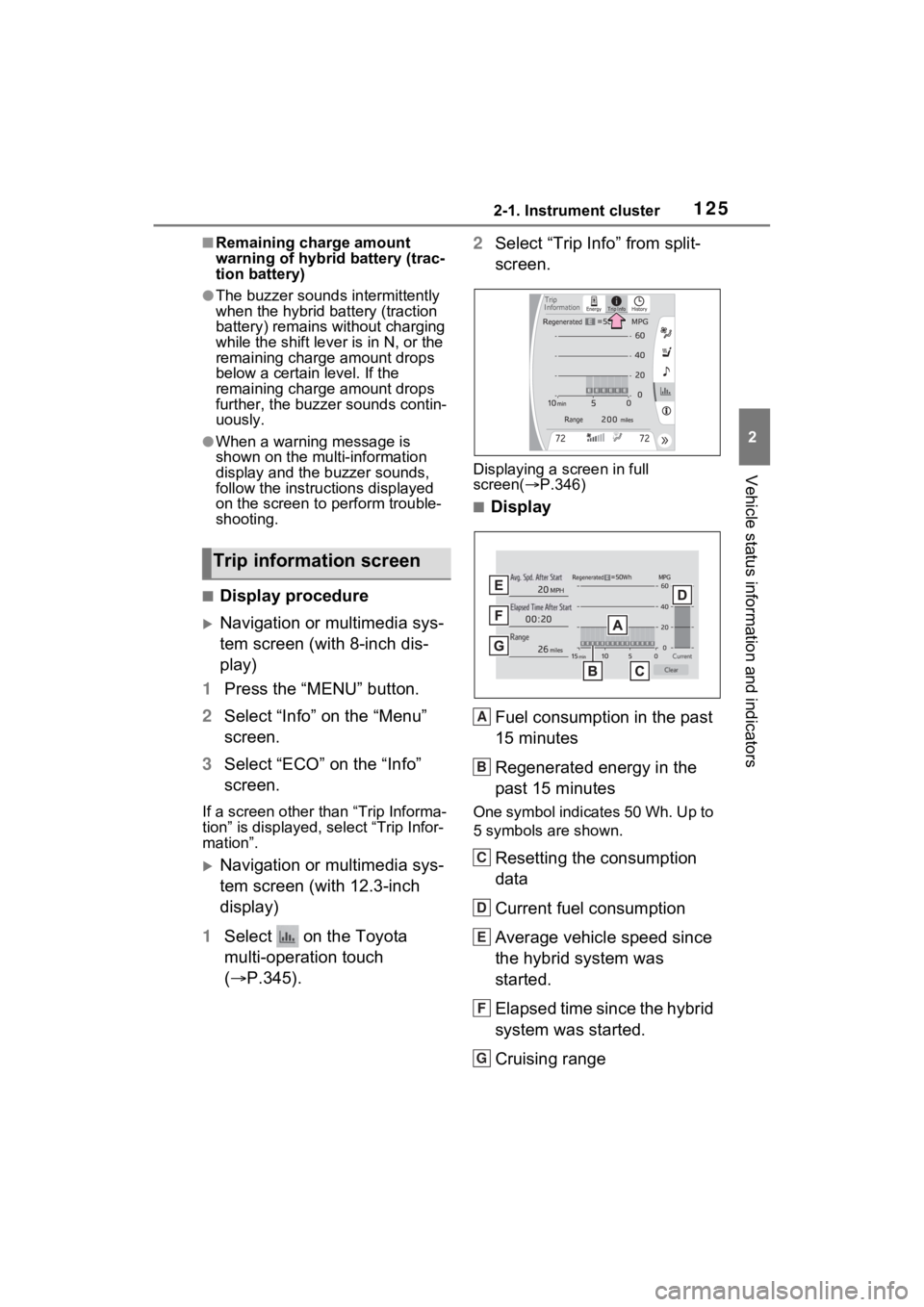
■Display procedure
Navigation or multimedia sys-
tem screen (with 8-inch dis-
play)
1 Press the “MENU” button.
2 Select “Info” on the “Menu”
screen.
3 Select “ECO” on the “Info”
screen.
If a screen other than “Trip Informa-
tion” is displayed, select “Trip Infor-
mation”.
Navigation or multimedia sys-
tem screen (with 12.3-inch
display)
1 Select on the Toyota
multi-operation touch
( P.345). 2
Select “Trip Info” from split-
screen.
Displaying a screen in full
screen( P.346)
■Display
Fuel consumption in the past
15 minutes
Regenerated energy in the
past 15 minutes
One symbol indicates 50 Wh. Up to
5 symbols are shown.
Resetting the consumption
data
Current fuel consumption
Average vehicle speed since
the hybrid system was
started.
Elapsed time since the hybrid
system was started.
Cruising range
Trip information screen
+
A
B
C
D
E
F
G
Page 216 of 548
2154-3. Operating the lights and wipers
4
Driving
●To make your vehicle more visible
to other drivers during daytime
driving, the daytime running lights
turn on automatically when all of
the following conditions are met.
(The daytime running lights are
not designed for use at night.)
• The hybrid system is operating
• The parking brake is released
• For the U.S.A.: The headlight
switch is in the or position
• For Canada: The headlight switch
is in the position
• The surroundings are bright
The daytime running lights remain
on after they illumi nate, even if the
parking brake is set again.
●For the U.S.A.: Daytime running
lights can be turned off by operat-
ing the switch.
●Compared to turning on the head-
lights, the daytime running light
system offers gre ater durability
and consumes less electricity, so
it can help improve fuel economy.
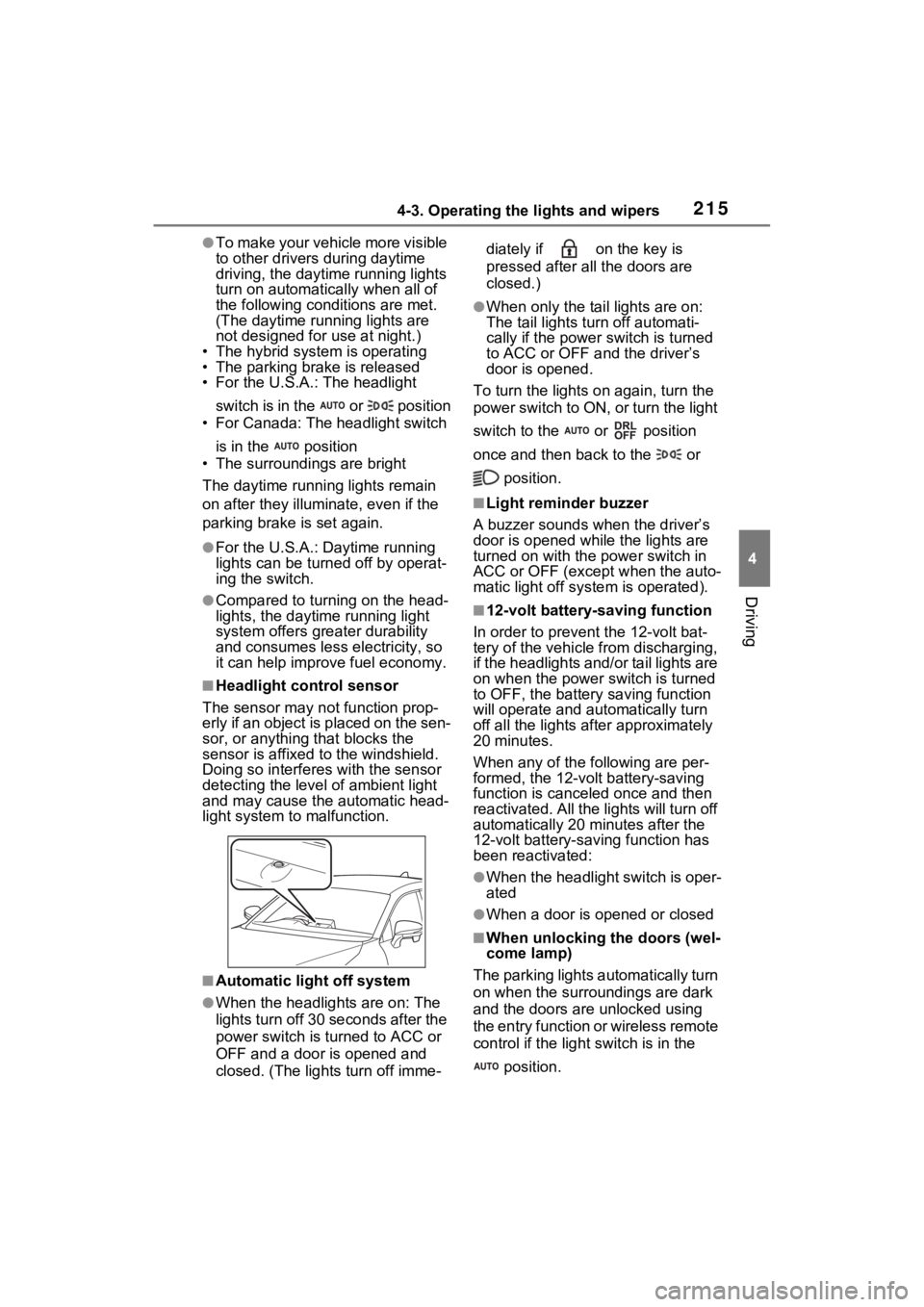
■Headlight control sensor
The sensor may not function prop-
erly if an object is placed on the sen-
sor, or anything that blocks the
sensor is affixed to the windshield.
Doing so interfere s with the sensor
detecting the level of ambient light
and may cause the automatic head-
light system to malfunction.
■Automatic light off system
●When the headlights are on: The
lights turn off 30 seconds after the
power switch is turned to ACC or
OFF and a door is opened and
closed. (The lights turn off imme- diately if on the key is
pressed after all the doors are
closed.)
●When only the tail lights are on:
The tail lights turn off automati-
cally if the power
switch is turned
to ACC or OFF and the driver’s
door is opened.
To turn the lights on again, turn the
power switch to ON, or turn the light
switch to the or position
once and then back to the or
position.
■Light reminder buzzer
A buzzer sounds when the driver’s
door is opened wh ile the lights are
turned on with the power switch in
ACC or OFF (except when the auto-
matic light off system is operated).
■12-volt battery-saving function
In order to prevent the 12-volt bat-
tery of the vehicle from discharging,
if the headlights and/or tail lights are
on when the power switch is turned
to OFF, the battery saving function
will operate and au tomatically turn
off all the lights af ter approximately
20 minutes.
When any of the following are per-
formed, the 12-volt battery-saving
function is canceled once and then
reactivated. All the lights will turn off
automatically 20 mi nutes after the
12-volt battery-saving function has
been reactivated:
●When the headlight switch is oper-
ated
●When a door is opened or closed
■When unlocking the doors (wel-
come lamp)
The parking lights automatically turn
on when the surroundings are dark
and the doors ar e unlocked using
the entry function or wireless remote
control if the light switch is in the
position.
Page 350 of 548
3505-4. Using the other interior features
the power switch is turned to OFF,
the lights will go off automatically
after 20 minutes.
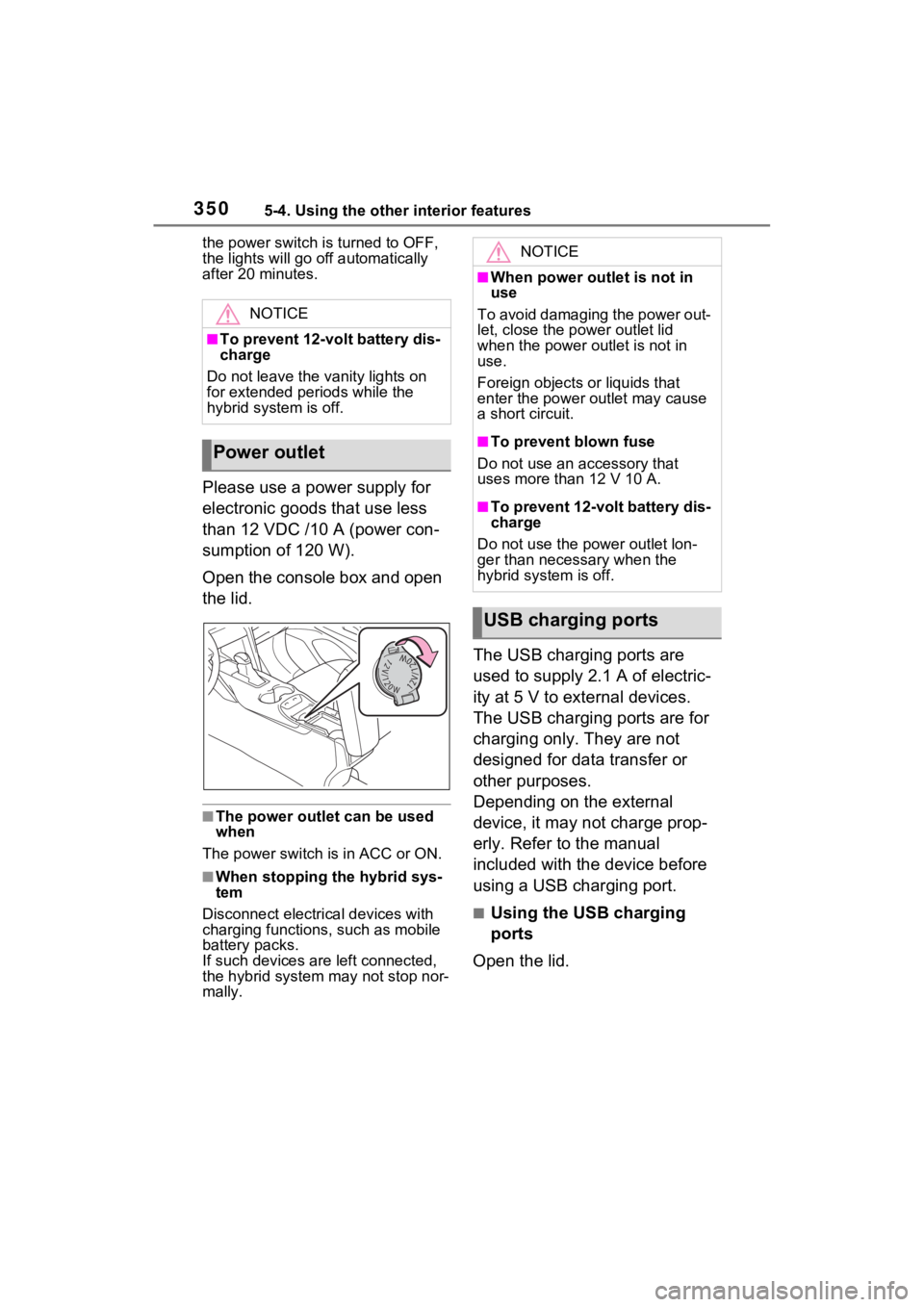
Please use a power supply for
electronic goods that use less
than 12 VDC /10 A (power con-
sumption of 120 W).
Open the console box and open
the lid.
■The power outlet can be used
when
The power switch i s in ACC or ON.
■When stopping the hybrid sys-
tem
Disconnect electrical devices with
charging functions, such as mobile
battery packs.
If such devices are left connected,
the hybrid system may not stop nor-
mally.
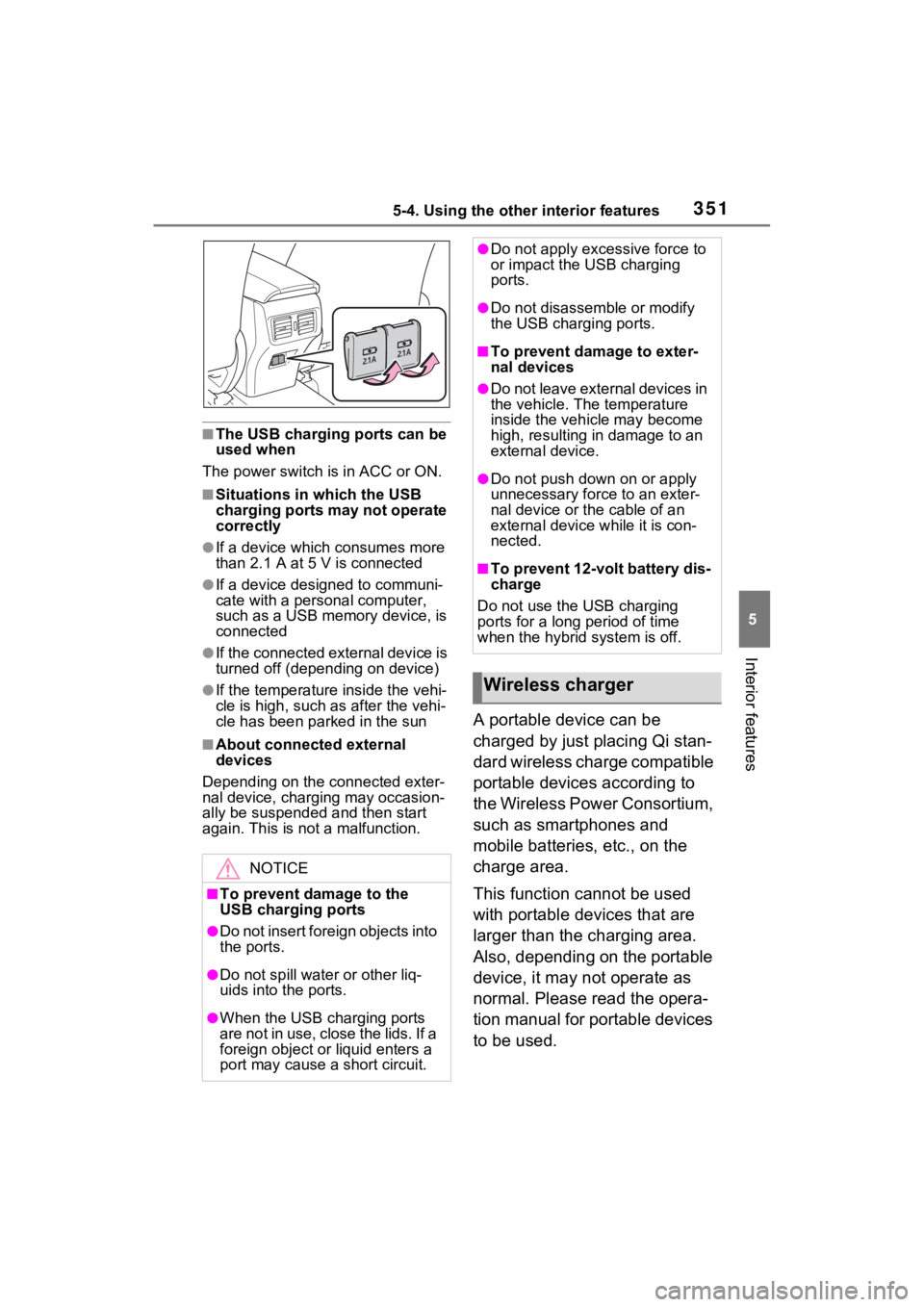
The USB charging ports are
used to supply 2.1 A of electric-
ity at 5 V to external devices.
The USB charging ports are for
charging only. They are not
designed for data transfer or
other purposes.
Depending on the external
device, it may not charge prop-
erly. Refer to the manual
included with the device before
using a USB charging port.
■Using the USB charging
ports
Open the lid.
NOTICE
■To prevent 12-volt battery dis-
charge
Do not leave the vanity lights on
for extended periods while the
hybrid system is off.
Power outlet
NOTICE
■When power outlet is not in
use
To avoid damaging the power out-
let, close the po wer outlet lid
when the power outlet is not in
use.
Foreign objects or liquids that
enter the power outlet may cause
a short circuit.
■To prevent blown fuse
Do not use an accessory that
uses more than 12 V 10 A.
■To prevent 12-volt battery dis-
charge
Do not use the p ower outlet lon-
ger than necessary when the
hybrid system is off.
USB charging ports
Page 351 of 548
3515-4. Using the other interior features
5
Interior features
■The USB charging ports can be
used when
The power switch i s in ACC or ON.
■Situations in which the USB
charging ports may not operate
correctly
●If a device which consumes more
than 2.1 A at 5 V is connected
●If a device designed to communi-
cate with a personal computer,
such as a USB memory device, is
connected
●If the connected external device is
turned off (depending on device)
●If the temperature inside the vehi-
cle is high, such as after the vehi-
cle has been park ed in the sun
■About connected external
devices
Depending on the connected exter-
nal device, charging may occasion-
ally be suspended and then start
again. This is not a malfunction.
A portable device can be
charged by just placing Qi stan-
dard wireless charge compatible
portable devices according to
the Wireless Power Consortium,
such as smartphones and
mobile batteries, etc., on the
charge area.
This function cannot be used
with portable devices that are
larger than the charging area.
Also, depending on the portable
device, it may not operate as
normal. Please read the opera-
tion manual for portable devices
to be used.
NOTICE
■To prevent damage to the
USB charging ports
●Do not insert foreign objects into
the ports.
●Do not spill water or other liq-
uids into the ports.
●When the USB charging ports
are not in use, close the lids. If a
foreign object or liquid enters a
port may cause a short circuit.
●Do not apply exc essive force to
or impact the USB charging
ports.
●Do not disassemble or modify
the USB charging ports.
■To prevent damage to exter-
nal devices
●Do not leave external devices in
the vehicle. The temperature
inside the vehicle may become
high, resulting in damage to an
external device.
●Do not push down on or apply
unnecessary force to an exter-
nal device or the cable of an
external device while it is con-
nected.
■To prevent 12-volt battery dis-
charge
Do not use the USB charging
ports for a long period of time
when the hybrid system is off.
Wireless charger