low oil pressure TOYOTA VENZA HYBRID 2021 Owners Manual (in English)
[x] Cancel search | Manufacturer: TOYOTA, Model Year: 2021, Model line: VENZA HYBRID, Model: TOYOTA VENZA HYBRID 2021Pages: 548, PDF Size: 18.43 MB
Page 103 of 548
1022-1. Instrument cluster
Select to change the RCTA buzzer
volume.
■ PKSB (Parking Sup-
port Brake System) (if
equipped) ( P.283)
Select to enable/disable the
Parking Support Brake function.
■ RSA (Road Sign
Assist) (if equipped)
( P.253)
Select to set up the following
items.
Road Sign Assist on/off
Select to enable/disable the RSA
(Road Sign Assist).
“Notification method”
Select to change e ach notification
method used to notify the driver
when the system recognizes
excess speed and no-entry sign.
“Notification Level”
Select to change e ach notification
level used to notify the driver when
the system recognizes a speed limit
sign.
■Vehicle Settings
PBD (Power Back Door)
( P.137)
Select to set up the following items.
• System settings
Select to enable/disable the power
back door system.
• “Hands Free” (if equipped)
Select to enable/disable the Hands
Free Power Back Door operation.
• “Opening Adjustment” Select the open position when
power back door is fully open.
•“Volume”
Select to set the volume of the
buzzer which sounds when the
power back door system operates.
“TPWS setting” (Tire Pres-
sure Warning System)
( P.400)
• “Setting Pressure”
Select to initialize the tire pressure
warning system.
• “Identify Wheel”
Select to register the ID codes of
the tire pressure se nsors to the tire
pressure warning system.
• “Setting Unit”
Select to change the units of mea-
sure displayed.
Rear Seat Reminder
( P.133)
Select to enable/disable the rear
seat reminder function.
“Scheduled Maintenance”
( P.378)
Select to reset the scheduled main-
tenance information (message indi-
cating maintenance is required and
distance until the next mainte-
nance) after all ma intenance is per-
formed.
Oil Maintenance
Select to reset the Oil maintenance.
( P.390)
■ Settings
“Language”
Select to change the language on
Page 115 of 548
1142-1. Instrument cluster
Select to reset the scheduled main-
tenance information (message indi-
cating maintenance is required and
distance until the next mainte-
nance) after all maintenance is per-
formed.
Oil Maintenance
Select to reset the Oil maintenance.
( P.390)
■ Settings
“Language”
Select to change the language on
the multi-inform ation display.
“Units”
Select to change t he units of mea-
sure displayed.
(EV indicator) ( P.69)
Select to enable/disable the EV
indicator.
Digital Speed ( P.109)
Select to enable/dis able the Digital
Speed.
Gadget Content
Select to change the Gadget set-
ting.
Fuel Economy Type
( P.106)
Select to change the drive informa-
tion type display between trip, total
and tank.
“Pop-Up Display”
Select to enable/d isable the follow-
ing pop-up displays, which may
appear in some situations.
• Intersection guidance display of the navigation system-linked sys-
tem (if equipped) • Incoming call display of the
hands-free phone system
• Audio operation
• Volume operation
• Voice control (if equipped)
• Brightness
“MID OFF”
A blank screen is displayed.
“Default Settings”
Select to reset the meter display
settings.
■Tire pressure
• It may take a few minutes to dis-
play the tire inflation pressure
after the power switch is turned to
ON. It may also take a few min-
utes to display the tire inflation
pressure after infl ation pressure
has been adjusted.
• “---” may be displayed if the tire position information cannot be
determined due to unfavorable
radio wave conditions.
• Tire inflation pressure changes with temperature. The displayed
values may also be different from
the values measured using a tire
pressure gauge.
■Suspension of the settings dis-
play
●In the following situations, opera-
tion of the settings display will be
temporarily suspended.
• When a warning message
appears on the multi-information
display
• When the vehicle begins to move
●Settings for functions not
equipped to the vehicle are not
displayed.
●When a function is turned off, the
related settings for that function
are not selectable.
Page 307 of 548
3064-6. Driving tips
Use fluids that are appropriate
to the prevailing outside tem-
peratures.
• Engine oil
• Engine coolant
• Power control unit coolant
• Washer fluid
Have a service technician
inspect the condition of the
12-volt battery.
Have the vehicle fitted with
four snow tires or purchase a
set of tire chains for the front
tires.
*
Ensure that all tires are the same
size and brand, and that chains
match the size of the tires.
*: Tire chains cannot be mounted on vehicles with 225/55R19 tires.
Winter driving tips
Carry out the necessary
preparations and inspec-
tions before driving the
vehicle in winter. Always
drive the vehicle in a man-
ner appropriate to the pre-
vailing weather conditions.
Preparation for winter
WARNING
■Driving with snow tires
Observe the following precautions
to reduce the risk of accidents.
Failure to do so m ay result in a
loss of vehicle control and cause
death or serious injury.
●Use tires of the specified size.
●Maintain the recommended
level of air pressure.
●Do not drive in excess of 75
mph (120 km/h), regardless of
the type of snow tires being
used.
●Use snow tires on all, not just
some wheels.
■Driving with tire chains
(except 225/55R19 tires)
Observe the following precautions
to reduce the risk of accidents.
Failure to do so may result in the
vehicle being unable to be driven
safely, and may cause death or
serious injury.
●Do not drive in excess of the
speed limit specifi ed for the tire
chains being used, or 30 mph
(50 km/h), whichever is lower.
●Avoid driving on bumpy road
surfaces or over potholes.
●Avoid sudden acceleration,
abrupt steering, sudden brak-
ing and shifting operations that
cause sudden engine braking.
●Slow down sufficiently before
entering a curve to ensure that
vehicle control is maintained.
●Do not use LTA (Lane Tracing
Assist) system.
NOTICE
■Repairing or replacing snow
tires
Request repairs or replacement of
snow tires from your Toyota
dealer or legitimate tire retailers.
This is because the removal and
attachment of snow tires affects
the operation of the tire pressure
warning valves and transmitters.
Page 370 of 548
3706-1. Maintenance and care
6-1.Maintenance and care
Working from top to bottom,
liberally apply water to the
vehicle body, wheel wells and
underside of the vehicle to
remove any dirt and dust.
Wash the vehicle body using
a sponge or soft cloth, such
as a chamois.
For hard-to-remove marks,
use car wash soap and rinse
thoroughly with water.
Wipe away any water.
Wax the vehicle when the
waterproof coating deterio-
rates.
If water does not bead on a clean
surface, apply wax when the vehi-
cle body is cool.
■Self-restoring coat (if equipped)
The vehicle body has a self-restor-
ing coating that is resistant to small
surface scratches caused in a car
wash etc.
●The coating lasts for 5 to 8 years
from when the vehicle is delivered
from the plant.
●The restoration time differs
depending on t he depth of the scratch and outside temperature.
The restoration time may become
shorter when the coating is
warmed by applying warm water.
●Deep scratches caused by keys,
coins, etc. cannot be restored.
●Do not use wax that contain abra-
sives.
■Automatic car washes
●Before washing the vehicle:
• Fold the mirrors
• Turn off the power back door
Start washing from the front of the
vehicle. Make sure to extend the
mirrors before driving.
●Brushes used in automatic car
washes may scratch the vehicle
surface, parts (wheel, etc.) and
harm your vehicle’s paint.
●Rear spoiler may not be washable
in some automatic car washes.
There may also be an increased
risk of damage to vehicle.
■High pressure car washes
As water may enter the cabin, do
not bring the nozzle tip near the
gaps around the doors or perimeter
of the windows, or spray these
areas continuously.
■Note for a smart key system
If the door handle becomes wet
while the electronic key is within the
effective range, t he door may lock
and unlock repeatedly. In that case,
follow the following correction pro-
cedures to wash the vehicle:
●Place the key in a position 6 ft. (2
m) or more separate from the
vehicle while the vehicle is being
washed. (Take care to ensure that
the key is not stolen.)
●Set the electronic key to battery-
saving mode to disable the smart
key system. ( P.149)
■Wheels and wheel ornaments
●Remove any dirt immediately by
using a neutral detergent.
Cleaning a nd protect-
ing the vehicle exte-
rior
Perform the following to
protect the vehicle and
maintain it in prime condi-
tion:
Cleaning instructions
Page 384 of 548
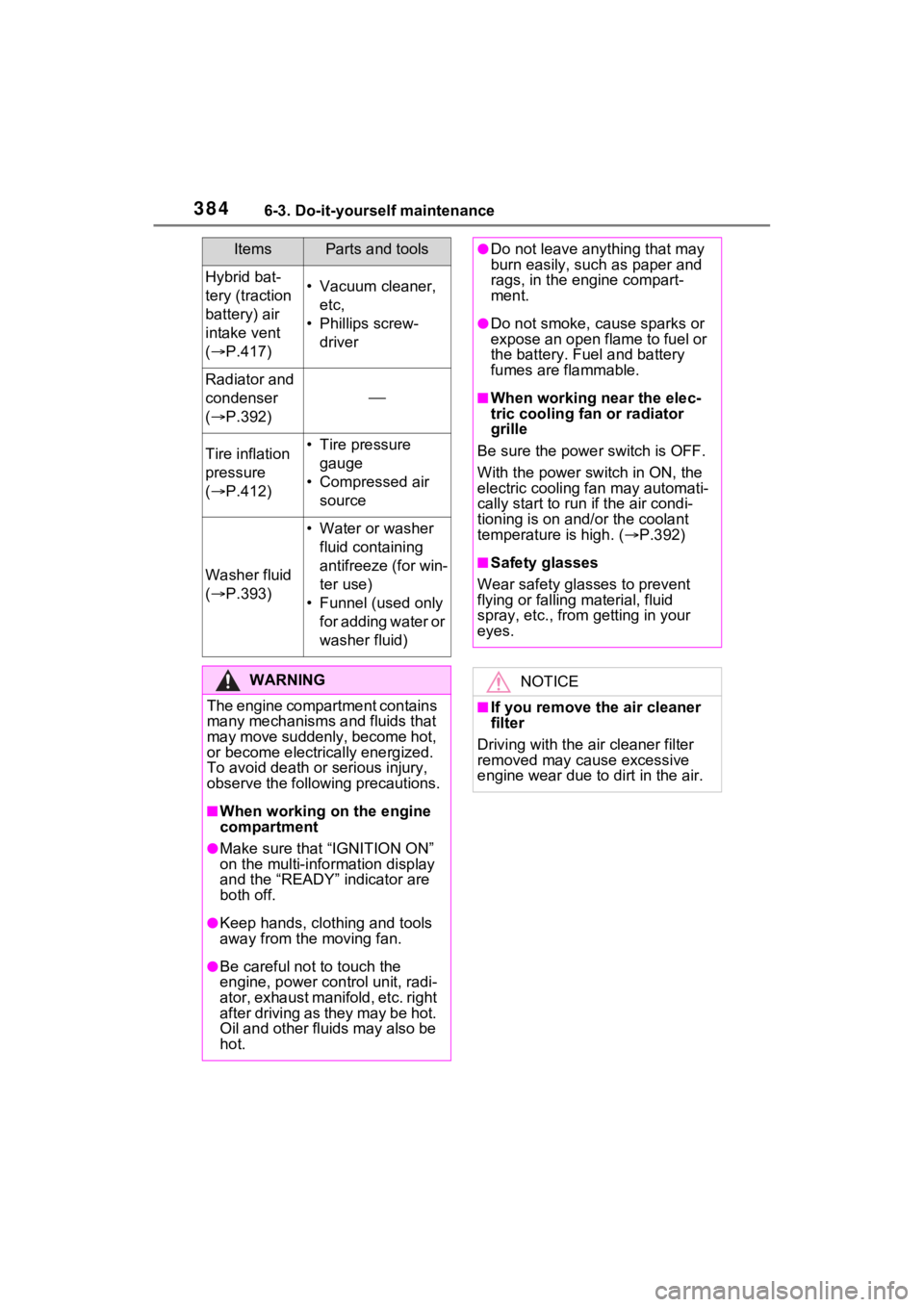
3846-3. Do-it-yourself maintenance
Hybrid bat-
tery (traction
battery) air
intake vent
( P.417)• Vacuum cleaner,
etc,
• Phillips screw- driver
Radiator and
condenser
( P.392)
Tire inflation
pressure
( P.412)• Tire pressure
gauge
• Compressed air source
Washer fluid
( P.393)
• Water or washer
fluid containing
antifreeze (for win-
ter use)
• Funnel (used only for adding water or
washer fluid)
WARNING
The engine compartment contains
many mechanisms and fluids that
may move suddenly, become hot,
or become electrically energized.
To avoid death or serious injury,
observe the following precautions.
■When working on the engine
compartment
●Make sure that “IGNITION ON”
on the multi-info rmation display
and the “READY” indicator are
both off.
●Keep hands, clothing and tools
away from the moving fan.
●Be careful not to touch the
engine, power control unit, radi-
ator, exhaust manifold, etc. right
after driving as they may be hot.
Oil and other fluids may also be
hot.
ItemsParts and tools●Do not leave anything that may
burn easily, such as paper and
rags, in the engine compart-
ment.
●Do not smoke, c ause sparks or
expose an open flame to fuel or
the battery. Fuel and battery
fumes are flammable.
■When working near the elec-
tric cooling fan or radiator
grille
Be sure the power switch is OFF.
With the power switch in ON, the
electric cooling fa n may automati-
cally start to run if the air condi-
tioning is on and/or the coolant
temperature is high. ( P.392)
■Safety glasses
Wear safety gla sses to prevent
flying or falling material, fluid
spray, etc., from getting in your
eyes.
NOTICE
■If you remove the air cleaner
filter
Driving with the ai r cleaner filter
removed may cause excessive
engine wear due to dirt in the air.
Page 414 of 548
4146-3. Do-it-yourself maintenance
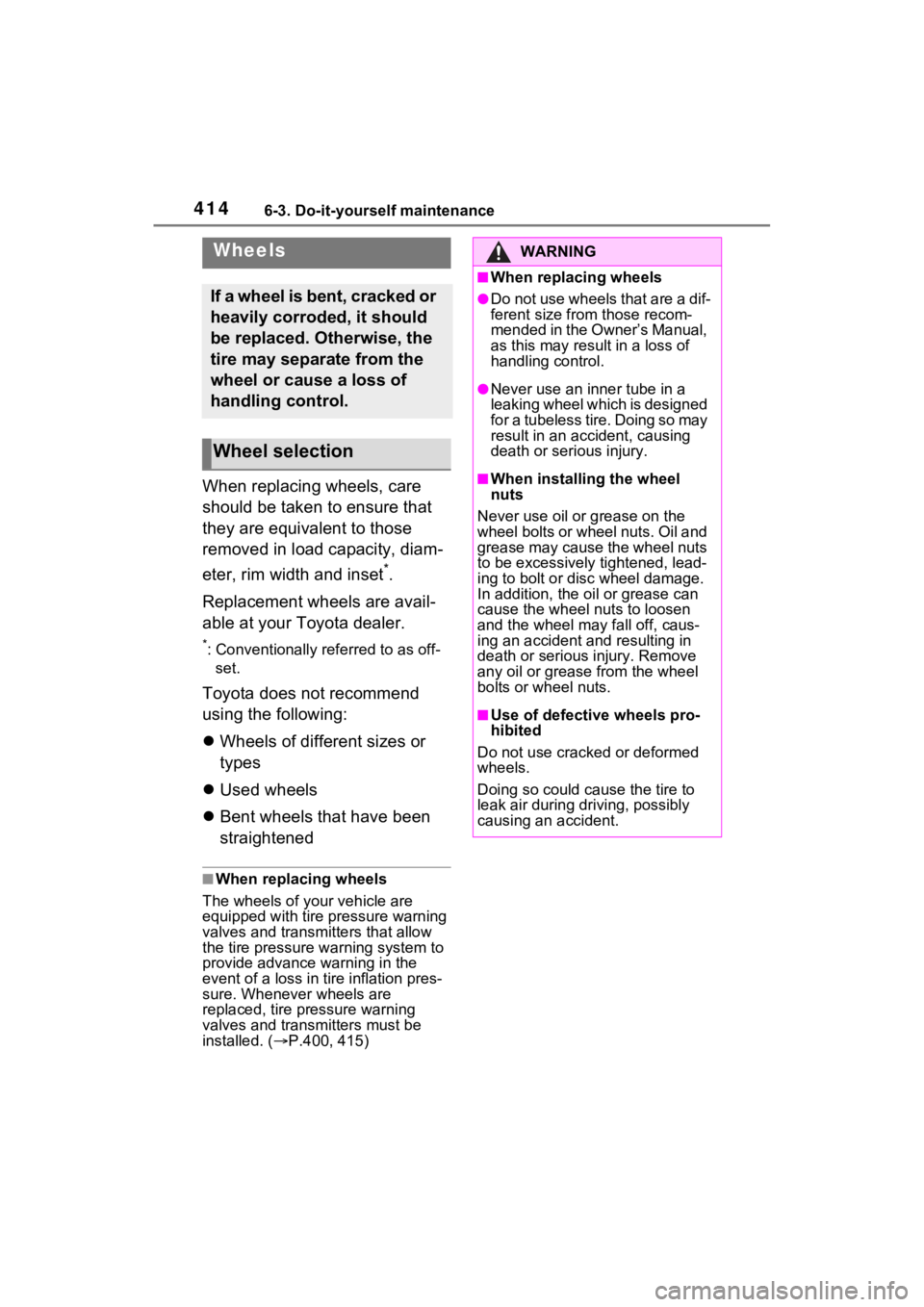
When replacing wheels, care
should be taken to ensure that
they are equivalent to those
removed in load capacity, diam-
eter, rim width and inset
*.
Replacement wheels are avail-
able at your Toyota dealer.
*: Conventionally referred to as off- set.
Toyota does not recommend
using the following:
Wheels of different sizes or
types
Used wheels
Bent wheels that have been
straightened
■When replacing wheels
The wheels of your vehicle are
equipped with tire pressure warning
valves and transmit ters that allow
the tire pressure warning system to
provide advance warning in the
event of a loss in tire inflation pres-
sure. Whenever wheels are
replaced, tire pressure warning
valves and transmitters must be
installed. ( P.400, 415)
Wheels
If a wheel is bent, cracked or
heavily corroded, it should
be replaced. Otherwise, the
tire may separate from the
wheel or cause a loss of
handling control.
Wheel selection
WARNING
■When replacing wheels
●Do not use wheels that are a dif-
ferent size from those recom-
mended in the Owner’s Manual,
as this may result in a loss of
handling control.
●Never use an inner tube in a
leaking wheel which is designed
for a tubeless tire. Doing so may
result in an accident, causing
death or serious injury.
■When installing the wheel
nuts
Never use oil or grease on the
wheel bolts or wheel nuts. Oil and
grease may cause the wheel nuts
to be excessively tightened, lead-
ing to bolt or disc wheel damage.
In addition, the oil or grease can
cause the wheel nuts to loosen
and the wheel may fall off, caus-
ing an accident and resulting in
death or serious injury. Remove
any oil or grease from the wheel
bolts or wheel nuts.
■Use of defective wheels pro-
hibited
Do not use cracke d or deformed
wheels.
Doing so could cause the tire to
leak air during driving, possibly
causing an accident.
Page 443 of 548
4437-2. Steps to take in an emergency
7
When trouble arises
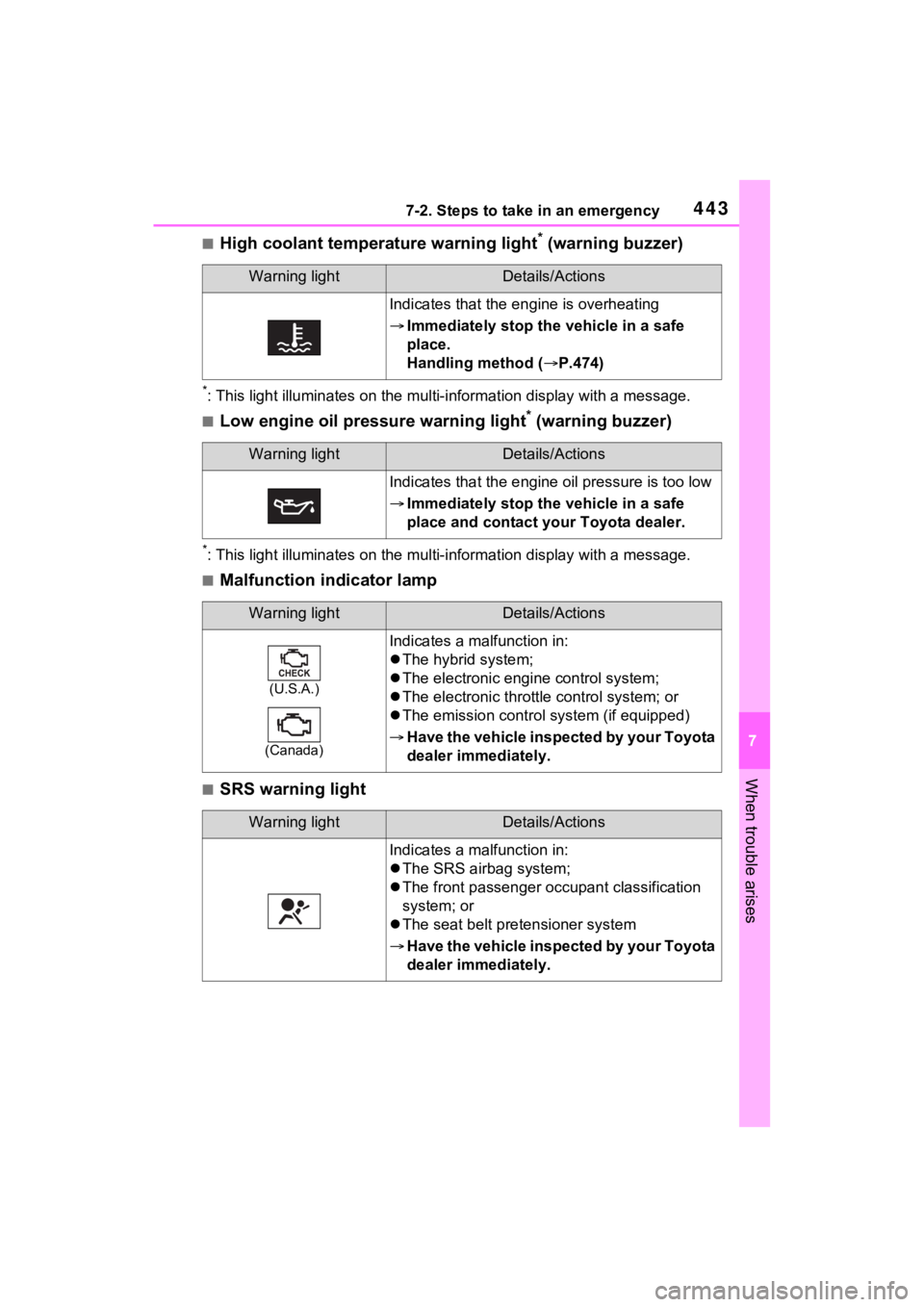
■High coolant temperature warning light* (warning buzzer)
*: This light illuminates on the mu lti-information display with a message.
■Low engine oil pressure warning light* (warning buzzer)
*: This light illuminates on the mu lti-information display with a message.
■Malfunction indicator lamp
■SRS warning light
Warning lightDetails/Actions
Indicates that the engine is overheating
Immediately stop the vehicle in a safe
place.
Handling method ( P.474)
Warning lightDetails/Actions
Indicates that the engine oil pressure is too low
Immediately stop the vehicle in a safe
place and contact your Toyota dealer.
Warning lightDetails/Actions
(U.S.A.)
(Canada)
Indicates a malfunction in:
The hybrid system;
The electronic engi ne control system;
The electronic throttle control system; or
The emission control s ystem (if equipped)
Have the vehicle inspected by your Toyota
dealer immediately.
Warning lightDetails/Actions
Indicates a malfunction in:
The SRS airbag system;
The front passenger o ccupant classification
system; or
The seat belt pretensioner system
Have the vehicle inspected by your Toyota
dealer immediately.
Page 454 of 548

4547-2. Steps to take in an emergency
sumable.
■If a message that indicates the
need for visiting your Toyota
dealer is displayed
The system or part shown on the
multi-information di splay is malfunc-
tioning. Have the vehicle inspected
by your Toyota dealer immediately.
■If a message that indicates the
need for referring to Owner’s
Manual is displayed
●If the following messages are
shown, follow the instructions,
accordingly.
• If “Engine Coola nt Temp High” is
shown, follow the instructions
( P.474).
• “Blind Spot Monitor Unavailable” ( P.268)
• “Rear Cross Traffic Alert Unavail- able” ( P.268)
●If the following messages are
shown, there may be a malfunc-
tion. Immediately stop the vehicle
in a safe place and contact your
Toyota dealer. Continuing to drive
the vehicle may be dangerous.
• “Hybrid System Malfunction”
• “Check Engine”
• “Hybrid Battery System Malfunc- tion”
• “Accelerator Syst em Malfunction”
• “Smart Key System Malfunction”
●If the following messages are
shown, there may be a malfunc-
tion. Immediately have the vehi-
cle inspected by your Toyota
dealer.
• “Oil Pressure Low”
•“Braking Power Low”
●If any of the following messages
are shown on the multi-informa-
tion display, the vehicle may have
run out of fuel. Stop the vehicle in
a safe place and, if the fuel level is
low, refuel the vehicle.
• “Hybrid System Stopped”
• “Engine Stopped”
●If “Maintenance Required for Trac-
tion Battery Cooling Parts See Owner’s Manual” is shown, the fil-
ter may be clogged, the air intake
vent may be blocked, or there may
be a gap in the duct. Therefore,
perform the follo
wing correction
procedure.
• If the air intake vent or filter of the hybrid battery (traction battery)
are dirty, perform the procedures
on P.417to clean them.
• If the warning message is shown when the air intake vent and filter
of the hybrid battery (traction bat-
tery) are not dirty, have the vehicle
inspected at you r Toyota dealer.
●If “12-Volt Battery Charging Sys-
tem Malfunction Stop in a Safe
Place See Owner’s Manual” is
shown
Indicates a malfunction in the vehi-
cle’s charging system. Pull over and
stop the vehicle as soon as it is safe
to do so.
While the message is displayed, the
functions of the air conditioning, etc.
may be partially limited in order to
reduce the power consumption of
the 12-volt battery.
■If “Hybrid System Overheated
Output Power Reduced” is
shown
The message may be shown when
driving under severe operating con-
ditions. (For example, when driving
up a long steep hill or driving up a
steep hill in reverse.)
Coping method: P.476
■If “Traction Battery Needs to be
Protected Refrain from the Use
of N Position” is shown
This message may be displayed
when the shift lever is in N.
As the hybrid battery (traction bat-
tery) can not be charged when the
shift lever is in N, shift the shift lever
to P when the vehicle is stopped.
Page 514 of 548
5148-3. Initialization
8-3.Initialization
*: If equipped
Items to initialize
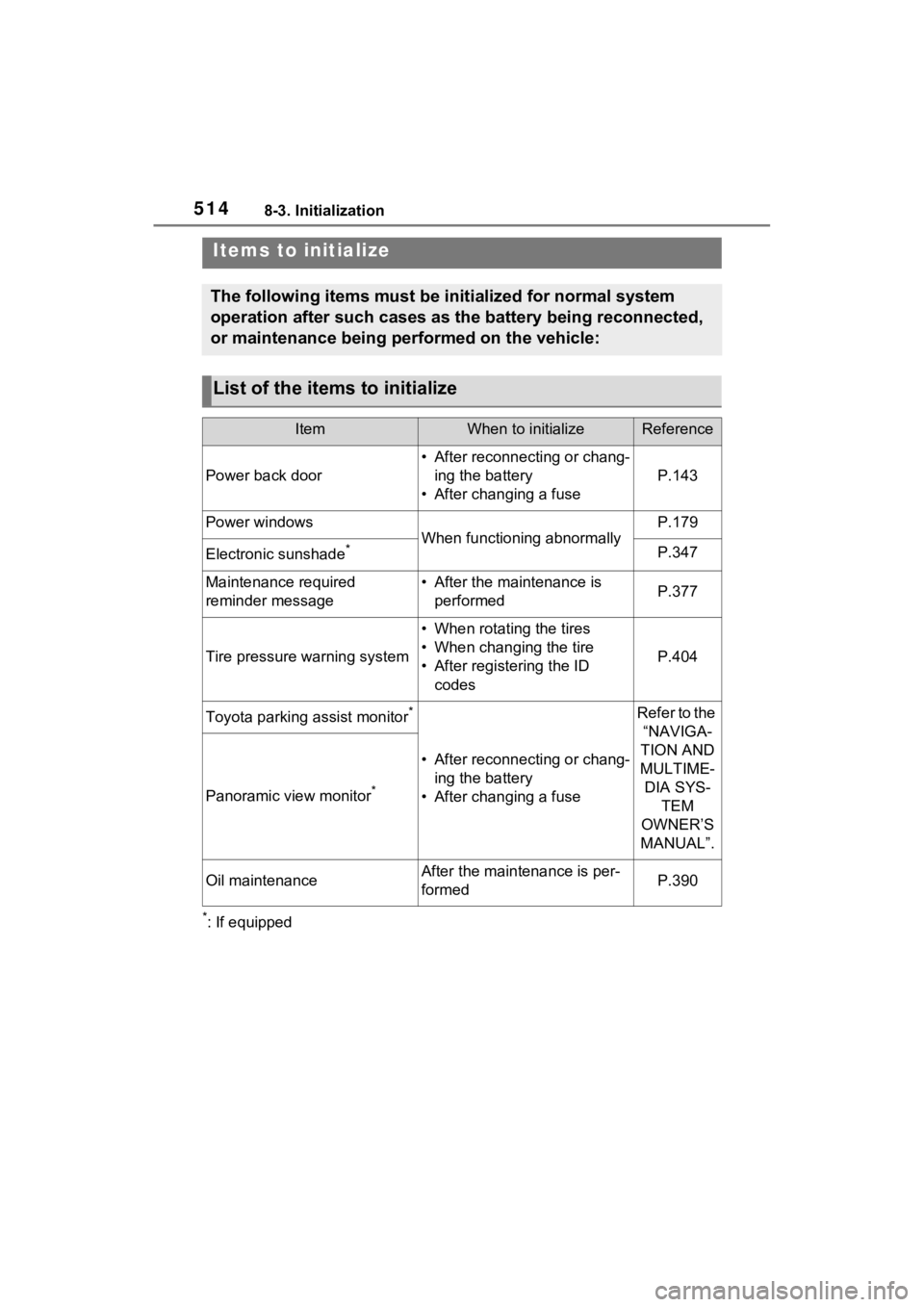
The following items must be initialized for normal system
operation after such cases as the battery being reconnected,
or maintenance being performed on the vehicle:
List of the items to initialize
ItemWhen to initializeReference
Power back door
• After reconnecting or chang-ing the battery
• After changing a fuse
P.143
Power windows
When functioning abnormally
P.179
Electronic sunshade*P.347
Maintenance required
reminder message• After the maintenance is performedP.377
Tire pressure warning system
• When rotating the tires
• When changing the tire
• After registering the ID
codes
P.404
Toyota parking assist monitor*
• After reconnecting or chang-ing the battery
• After changing a fuse
Refer to the “NAVIGA-
TION AND
MULTIME- DIA SYS- TEM
OWNER’S
MANUAL”.
Panoramic view monitor*
Oil maintenanceAfter the maintenance is per-
formedP.390
Page 543 of 548
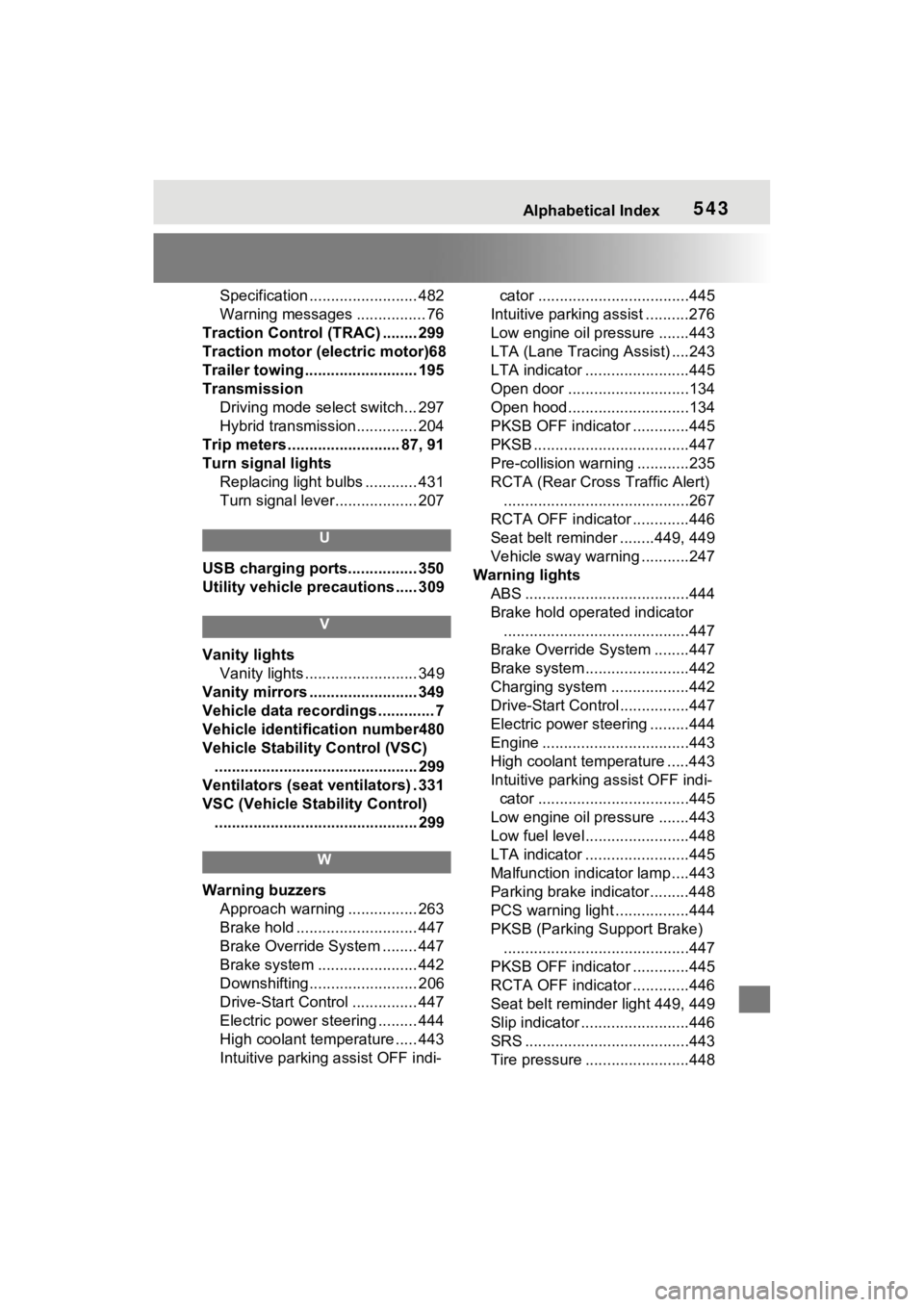
Alphabetical Index543
Specification ......................... 482
Warning messages ................ 76
Traction Control (TRAC) ........ 299
Traction motor (e lectric motor)68
Trailer towing .......................... 195
Transmission Driving mode select switch... 297
Hybrid transmission.............. 204
Trip meters .......................... 87, 91
Turn signal lights Replacing light bulbs ............ 431
Turn signal lever................... 207
U
USB charging ports................ 350
Utility vehicle precautions ..... 309
V
Vanity lightsVanity lights .......................... 349
Vanity mirrors ......................... 349
Vehicle data recordings ............. 7
Vehicle identification number480
Vehicle Stability Control (VSC) ............................................... 299
Ventilators (seat ventilators) . 331
VSC (Vehicle Stability Control) ............................................... 299
W
Warning buzzers Approach warning ................ 263
Brake hold ............................ 447
Brake Override System ........ 447
Brake system ....................... 442
Downshifting......................... 206
Drive-Start Control ............... 447
Electric power steering ......... 444
High coolant temperature ..... 443
Intuitive parking assist OFF indi- cator ...................................445
Intuitive parking assist ..........276
Low engine oil pressure .......443
LTA (Lane Traci ng Assist) ....243
LTA indicator ........................445
Open door ............................134
Open hood............................134
PKSB OFF indicator .............445
PKSB ............ ........................447
Pre-collision warn ing ............235
RCTA (Rear Cross Traffic Alert) ...........................................267
RCTA OFF indicator .............446
Seat belt reminder ........449, 449
Vehicle sway warning ...........247
Warning lights ABS ......................................444
Brake hold operated indicator...........................................447
Brake Override System ........447
Brake system ........................442
Charging system ..................442
Drive-Start Control ................447
Electric power steering .........444
Engine ..................................443
High coolant temperature .....443
Intuitive parking assist OFF indi- cator ...................................445
Low engine oil pressure .......443
Low fuel level........................448
LTA indicator ........................445
Malfunction indica tor lamp ....443
Parking brake indicator.........448
PCS warning light .................444
PKSB (Parking Support Brake) ...........................................447
PKSB OFF indicator .............445
RCTA OFF indicator .............446
Seat belt reminder light 449, 449
Slip indicator .........................446
SRS ......................................443
Tire pressure ...... ..................448