turn signal TOYOTA VENZA HYBRID 2021 Owners Manual (in English)
[x] Cancel search | Manufacturer: TOYOTA, Model Year: 2021, Model line: VENZA HYBRID, Model: TOYOTA VENZA HYBRID 2021Pages: 548, PDF Size: 18.43 MB
Page 3 of 548
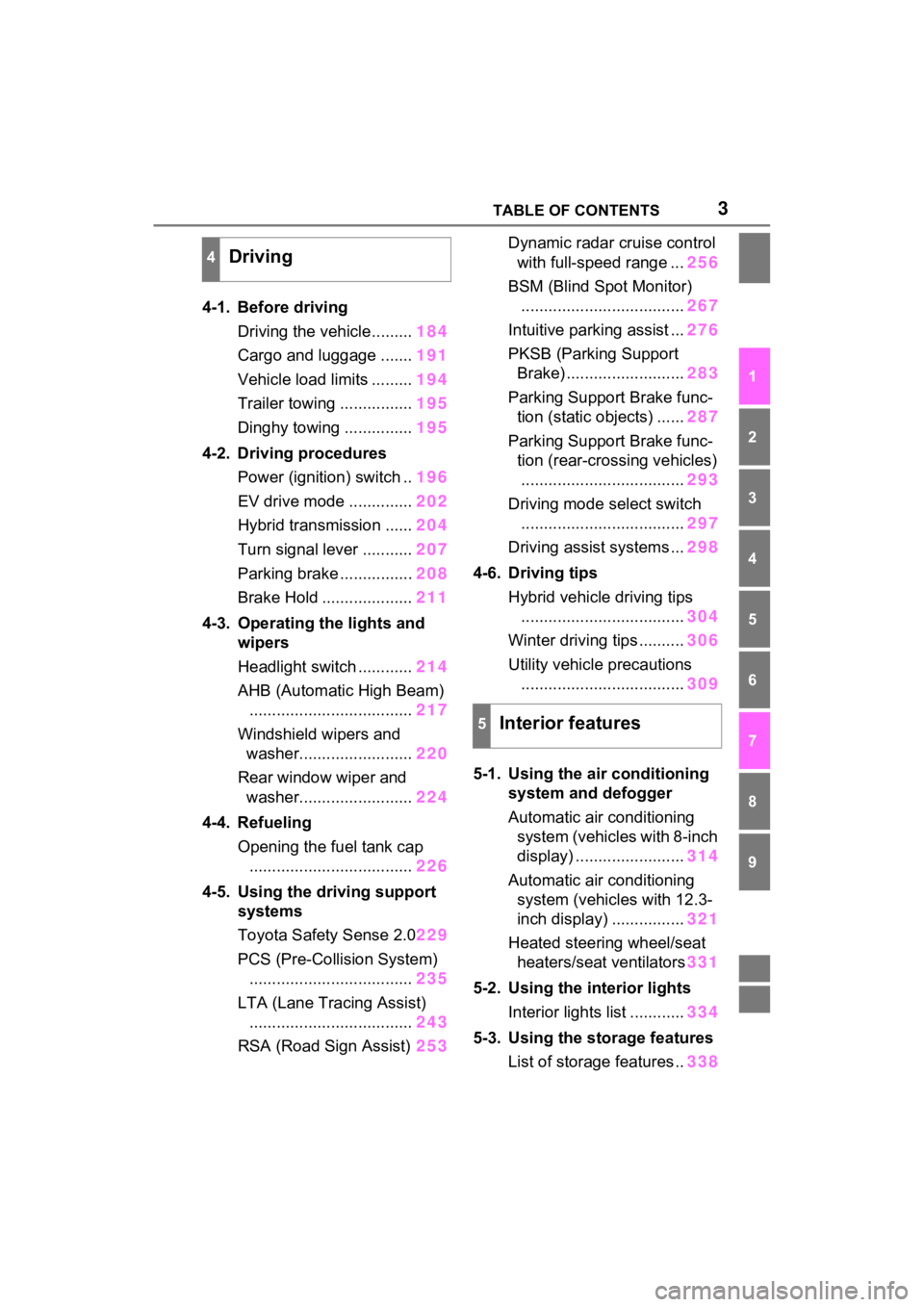
3TABLE OF CONTENTS
1
2
3
4
5
6
7
8
9
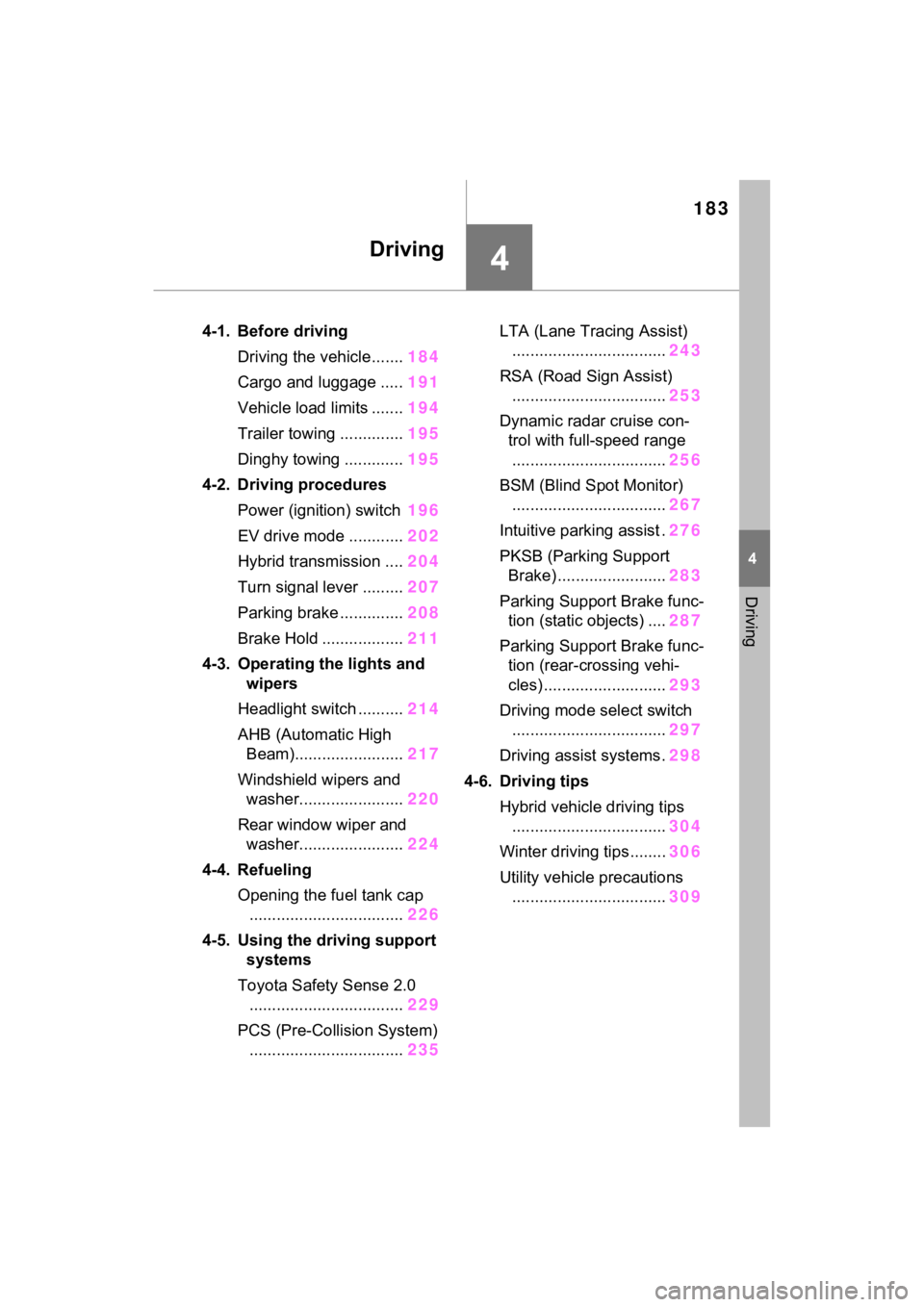
4-1. Before drivingDriving the vehicle......... 184
Cargo and luggage ....... 191
Vehicle load limits ......... 194
Trailer towing ................ 195
Dinghy towing ............... 195
4-2. Driving procedures Power (ignition) switch .. 196
EV drive mode .............. 202
Hybrid transmission ...... 204
Turn signal lever ........... 207
Parking brake ................ 208
Brake Hold .................... 211
4-3. Operating the lights and wipers
Headlight switch ............ 214
AHB (Automatic High Beam) .................................... 217
Windshield wipers and washer......................... 220
Rear window wiper and washer......................... 224
4-4. Refueling Opening the fuel tank cap.................................... 226
4-5. Using the driving support
systems
Toyota Safety Sense 2.0 229
PCS (Pre-Collision System) .................................... 235
LTA (Lane Tracing Assist) .................................... 243
RSA (Road Sign Assist) 253Dynamic radar cruise control
with full-speed range ... 256
BSM (Blind Spot Monitor) .................................... 267
Intuitive parking assist ... 276
PKSB (Parking Support Brake) .......................... 283
Parking Support Brake func- tion (static objects) ...... 287
Parking Support Brake func- tion (rear-crossing vehicles).................................... 293
Driving mode s elect switch
.................................... 297
Driving assist systems ... 298
4-6. Driving tips Hybrid vehicle driving tips.................................... 304
Winter driving tips .......... 306
Utility vehicle precautions .................................... 309
5-1. Using the ai r conditioning
system and defogger
Automatic air conditioning system (vehicles with 8-inch
display) ........................ 314
Automatic air conditioning system (vehicl es with 12.3-
inch display) ................ 321
Heated steering wheel/seat heater s/sea
t ventilators331
5-2. Using the interior lights Interior lights list ............ 334
5-3. Using the storage features List of storage features .. 338
4Driving
5Interior features
Page 15 of 548
15Pictorial index
To prevent freezing (windshield wiper de-icer)*...........P.319, 329
Precautions against car wash
(Rain-sensing windshield wipers)
*.......................................P.371
Replacing the wiper insert .................................... ...............P.421
Fuel filler door ............................................... .....................P.226
Refueling method ............................................... ..................P.226
Fuel type/fuel tan k capacity .................................................P.481
Tires ....................................................................................P.397
Tire size/inflation pressure ................................... ................P.485
Winter tires/tire chain ........................................ ...................P.306
Checking/rotation/tire pressur e warning system ..................P.397
Coping with flat tires......................................... ....................P.457
Hood ....................................................................................P.385
Opening ........................................................ .......................P.385
Engine oil ..................................................... ........................P.482
Coping with overheat ........................................... ................P.474
Warning messages ..............................................................P.453
Headlights..................................................... ......................P.214
Parking lights .....................................................................P.214
Daytime running lights .. ....................................................P.214
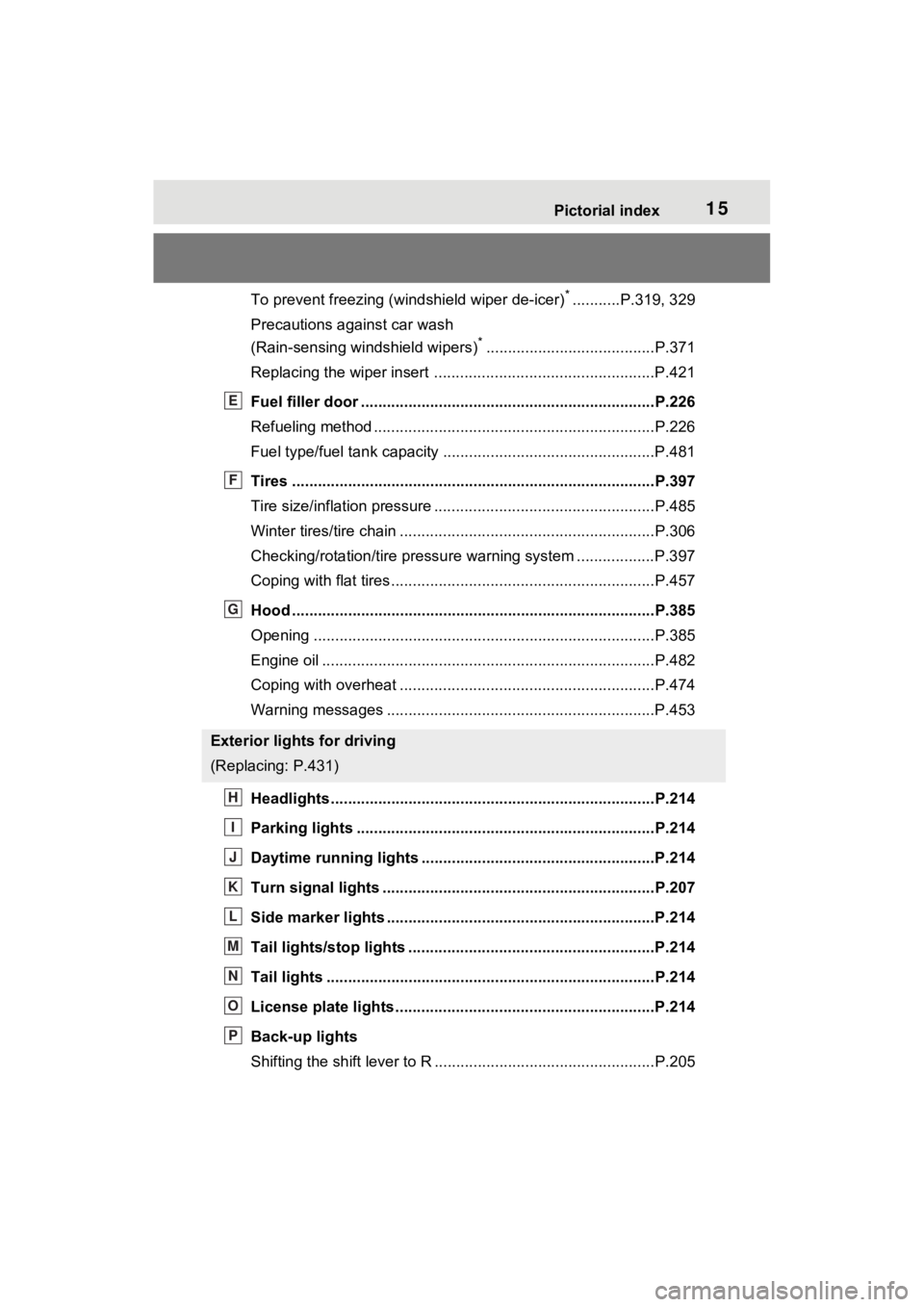
Turn signal lights ...............................................................P.207
Side marker lights ............................................. .................P.214
Tail lights/stop lights ........................................ .................P.214
Tail lights .................................................... ........................P.214
License plate lights........................................... .................P.214
Back-up lights
Shifting the shift lever to R ...................................................P.205
Exterior lights for driving
(Replacing: P.431)
E
F
G
H
I
J
K
L
M
N
O
P
Page 18 of 548
18Pictorial index
Energy monitor.....................................................................P.120
When the warning messages are displayed ........................ P.453
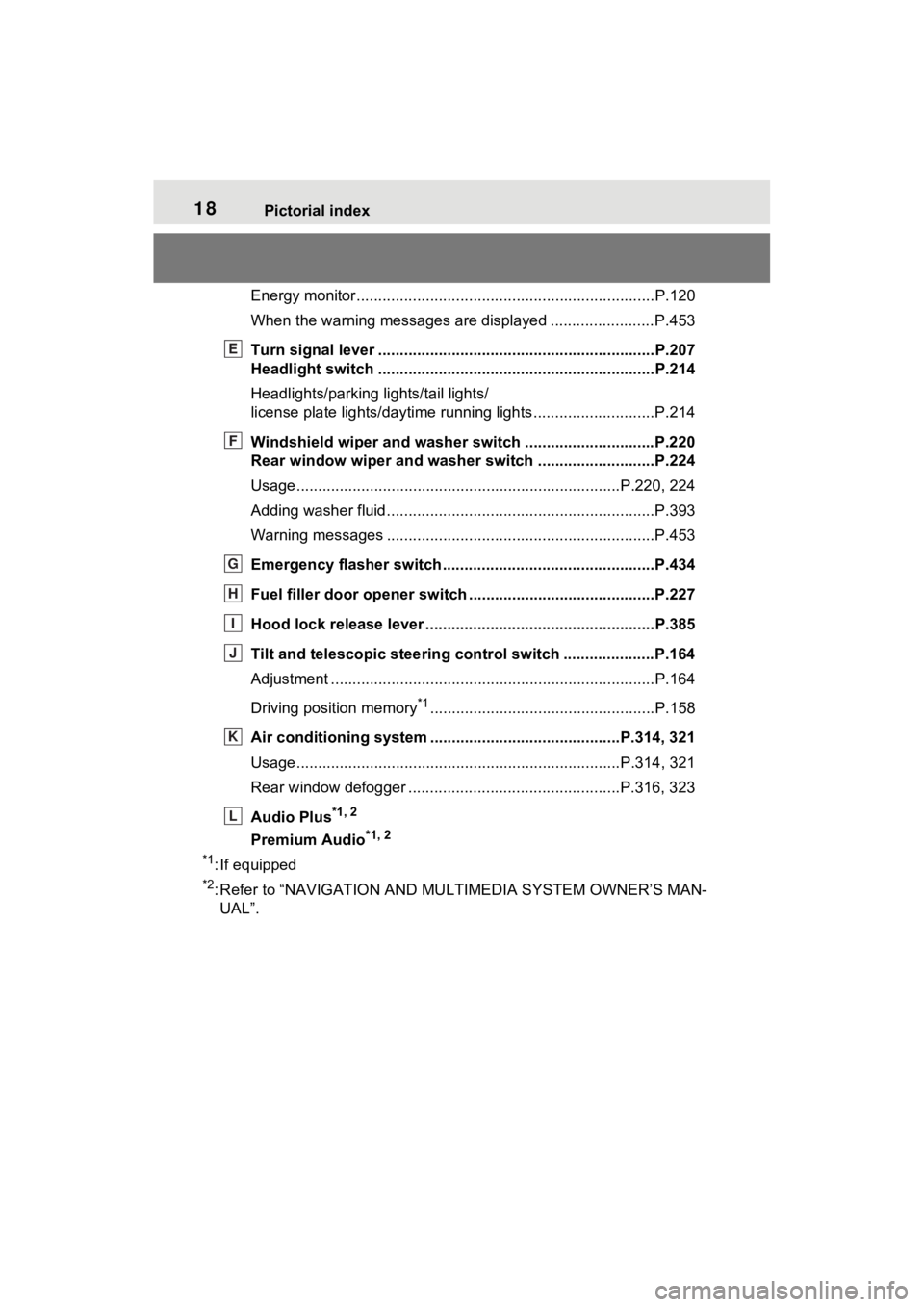
Turn signal lever ................................................................P.207
Headlight switch ................................................................P.214
Headlights/parking lights/tail lights/
license plate lights/daytime running lights .................... ........P.214
Windshield wiper and washer switch ..............................P.220
Rear window wiper and washer switch ...........................P.224
Usage.......................................................... .................P.220, 224
Adding washer fluid ..............................................................P.393
Warning messages ..............................................................P.453
Emergency flasher switch ....................................... ..........P.434
Fuel filler door opener swi tch ...........................................P.227
Hood lock release lever ........................................ .............P.385
Tilt and telescopic steering control switch .....................P.164
Adjustment ..................................................... ......................P.164
Driving position memory
*1....................................................P.158
Air conditioning system ............................. ...............P.314, 321
Usage.......................................................... .................P.314, 321
Rear window defogger ........................................... ......P.316, 323
Audio Plus
*1, 2
Premium Audio*1, 2
*1
: If equipped
*2: Refer to “NAVIGATI ON AND MULTIMEDIA SYSTEM OWNER’S MAN-
UAL”.
E
F
G
H
I
J
K
L
Page 86 of 548
852-1. Instrument cluster
2
Vehicle status information and indicators
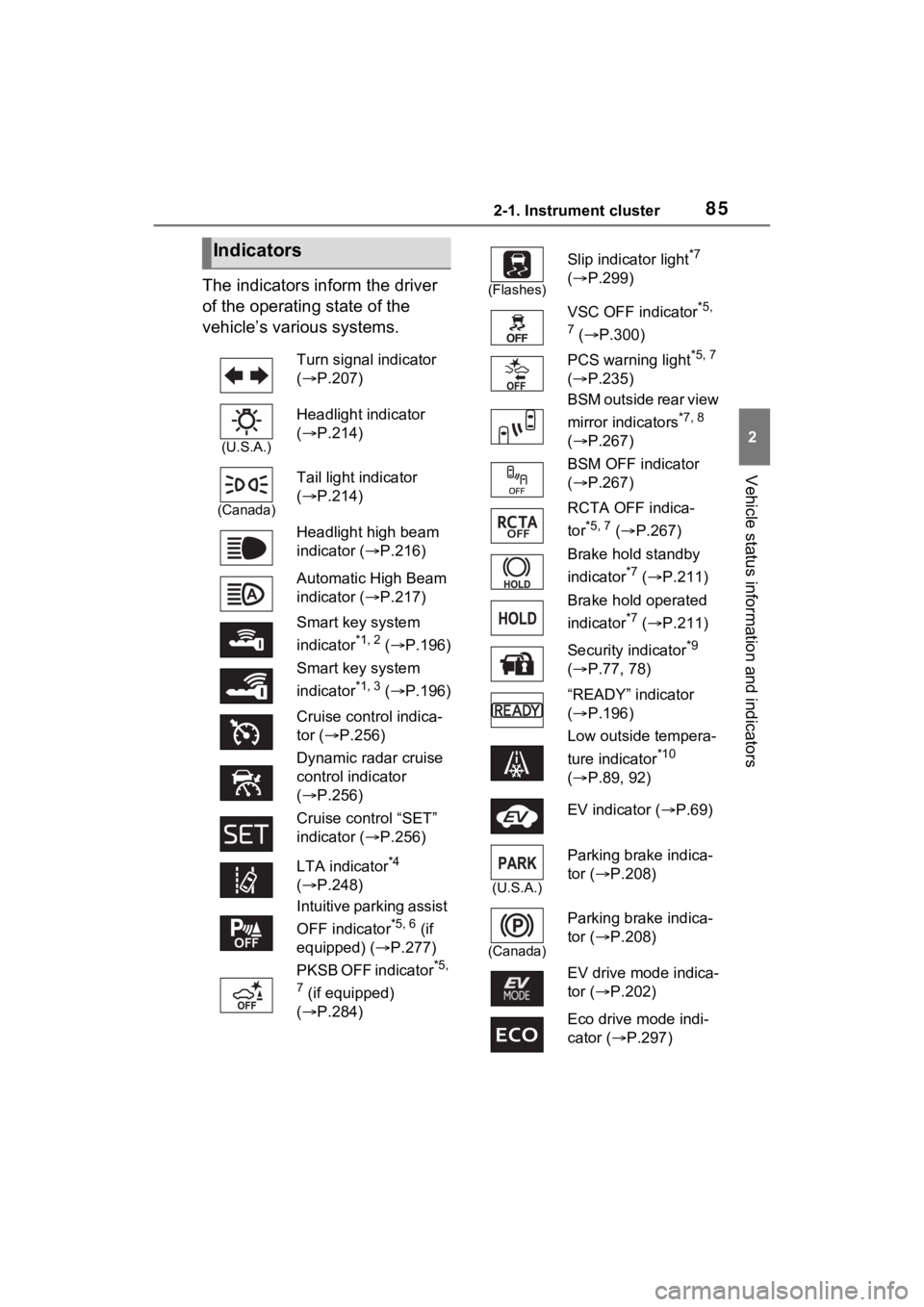
The indicators inform the driver
of the operating state of the
vehicle’s various systems.
Indicators
Turn signal indicator
( P.207)
(U.S.A.)
Headlight indicator
( P.214)
(Canada)
Tail light indicator
( P.214)
Headlight high beam
indicator ( P.216)
Automatic High Beam
indicator ( P.217)
Smart key system
indicator
*1, 2 ( P.196)
Smart key system
indicator
*1, 3 ( P.196)
Cruise control indica-
tor ( P.256)
Dynamic radar cruise
control indicator
( P.256)
Cruise control “SET”
indicator ( P.256)
LTA indicator
*4
( P.248)
Intuitive parking assist
OFF indicator
*5, 6 (if
equipped) ( P.277)
PKSB OFF indicator
*5,
7
(if equipped)
( P.284)
(Flashes)
Slip indicator light*7
( P.299)
VSC OFF indicator
*5,
7
( P.300)
PCS warning light
*5, 7
( P.235)
BSM outside rear view
mirror indicators
*7, 8
( P.267)
BSM OFF indicator
( P.267)
RCTA OFF indica-
tor
*5, 7 ( P.267)
Brake hold standby
indicator
*7 ( P.211)
Brake hold operated
indicator
*7 ( P.211)
Security indicator
*9
( P.77, 78)
“READY” indicator
( P.196)
Low outside tempera-
ture indicator
*10
( P.89, 92)
EV indicator ( P.69)
(U.S.A.)
Parking brake indica-
tor ( P.208)
(Canada)
Parking brake indica-
tor (P.208)
EV drive mode indica-
tor ( P.202)
Eco drive mode indi-
cator (P.297)
Page 153 of 548

1513-2. Opening, closing and locking the doors
3
Before driving
■Note for the entry function
●Even when the electronic key is
within the effective range (detec-
tion areas), the system may not
operate properly in the following
cases:
• The electronic key is too close to the window or outside door han-
dle, near the ground, or in a high
place when the doors are locked
or unlocked.
• The electronic key is on the instru- ment panel, luggage cover or
floor, or in the door pockets or
glove box when the hybrid system
is started or po wer switch modes
are changed.
●Do not leave the electronic key on
top of the instrument panel or near
the door pockets when exiting the
vehicle. Depending on the radio
wave reception conditions, it may
be detected by the antenna out-
side the cabin and the door will
become lockable from the outside,
possibly trapping the electronic
key inside the vehicle.
●As long as the electronic key is
within the effective range, the
doors may be locked or unlocked
by anyone. However, only the
doors detecting the electronic key
can be used to unl ock the vehicle.
●Even if the electronic key is not
inside the vehicle, it may be possi-
ble to start the hybrid system if the
electronic key is near the window.
●The doors may unlock if a large
amount of water splashes on the
door handle, such as in the rain or
in a car wash when the electronic
key is within the effective range.
(The doors will automatically be
locked after approximately 60 sec-
onds if the doors are not opened
and closed.)
●If the wireless remote control is
used to lock the doors when the
electronic key is near the vehicle,
there is a possib ility that the door
may not be unlocke d by the entry
function. (Use the wireless remote control to unlock the doors.)
●Touching the door lock sensor
while wearing gloves may delay or
prevent lock operation. Remove
the gloves and touch the lock sen-
sor again.
●When the lock operation is per-
formed using the lock sensor, rec-
ognition signals will be shown up
to two consecutive times. After
this, no recognition signals will be
given.
●If the door handle becomes wet
while the electronic key is within
the effective range, the door may
lock and unlock repeatedly. In that
case, follow the
following correc-
tion procedures to wash the vehi-
cle:
• Place the electronic key in a loca- tion 6 ft. (2 m) or more away from
the vehicle. (Take care to ensure
that the key is not stolen.)
• Set the electronic key to battery-
saving mode to disable the smart
key system. ( P.150)
●If the electronic key is inside the
vehicle and a door handle
becomes wet during a car wash, a
message may be shown on the
multi-information display and a
buzzer will sound outside the vehi-
cle. To turn off th e alarm, lock all
the doors.
●The lock sensor may not work
properly if it comes into contact
with ice, snow, m ud, etc. Clean
the lock sensor and attempt to
operate it again.
●A sudden approach to the effec-
tive range or door handle may pre-
vent the doors from being
unlocked. In this case, return the
door handle to the original position
and check that t he doors unlock
before pulling the door handle
again.
●If there is another electronic key in
the detection area, it may take
slightly longer to unlock the doors
after the door handle is gripped.
Page 184 of 548
183
4
4
Driving
Driving
4-1. Before drivingDriving the vehicle....... 184
Cargo and luggage ..... 191
Vehicle load limits ....... 194
Trailer towing .............. 195
Dinghy towing ............. 195
4-2. Driving procedures Power (ignition) switch 196
EV drive mode ............ 202
Hybrid transmission .... 204
Turn signal lever ......... 207
Parking brake .............. 208
Brake Hold .................. 211
4-3. Operating the lights and wipers
Headlight switch .......... 214
AHB (Automatic High Beam)........................ 217
Windshield wipers and washer....................... 220
Rear window wiper and washer....................... 224
4-4. Refueling Opening the fuel tank cap.................................. 226
4-5. Using the driving support
systems
Toyota Safety Sense 2.0 .................................. 229
PCS (Pre-Collision System) .................................. 235LTA (Lane Tracing Assist)
.................................. 243
RSA (Road Sign Assist) .................................. 253
Dynamic radar cruise con- trol with full-speed range
.................................. 256
BSM (Blind Spot Monitor) .................................. 267
Intuitive parking assist . 276
PKSB (Parking Support Brake) ........................ 283
Parking Support Brake func- tion (static objects) .... 287
Parking Support Brake func- tion (rear-crossing vehi-
cles) ........................... 293
Driving mode select switch .................................. 297
Driving assist systems. 298
4-6. Driving tips Hybrid vehicle driving tips.................................. 304
Winter driving tips........ 306
Utility vehicle precautions .................................. 309
Page 208 of 548
2074-2. Driving procedures
4
Driving
■If the “S” indicator does not
come on or the “D” indicator is
displayed even after shifting the
shift lever to S
This may indicate a malfunction in
the transmission system. Have the
vehicle inspected by your Toyota
dealer immediately. (In this situa-
tion, the transmissi on will operate in
the same manner as when the shift
lever is in D.)
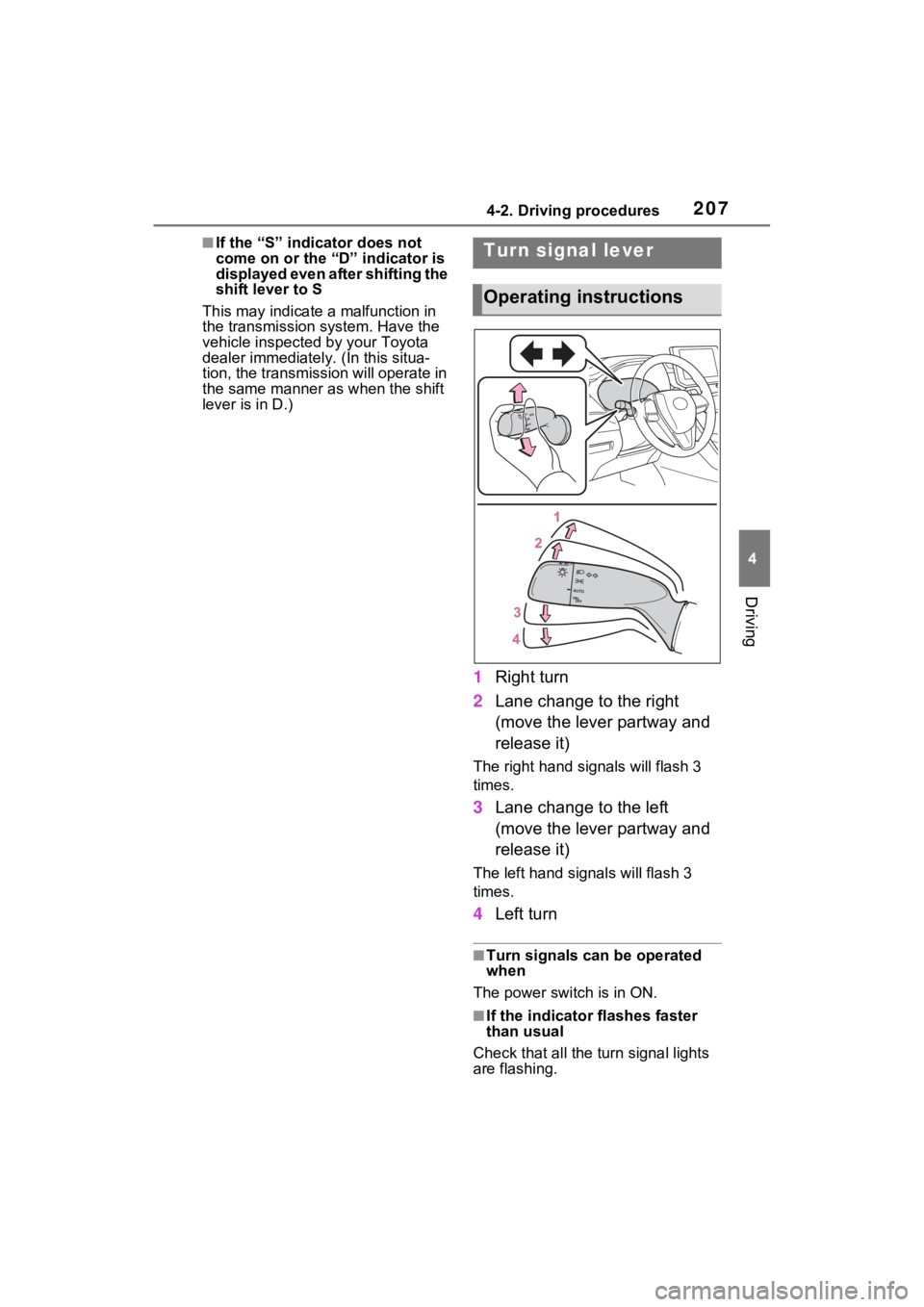
1 Right turn
2 Lane change to the right
(move the lever partway and
release it)
The right hand s ignals will flash 3
times.
3 Lane change to the left
(move the lever partway and
release it)
The left hand signals will flash 3
times.
4Left turn
■Turn signals can be operated
when
The power switch is in ON.
■If the indicator flashes faster
than usual
Check that all the turn signal lights
are flashing.
Turn signal lever
Operating instructions
Page 209 of 548
2084-2. Driving procedures
When all the turn signal lights are
flashing at an abnormally fast
speed, have the vehicle inspected
by your Toyota dealer.
■If the turn signals stop flashing
before a lane change has been
performed
Operate the lever again.
■To discontinue flashing of the
turn signals during a lane
change
Operate the lever in the opposite
direction.
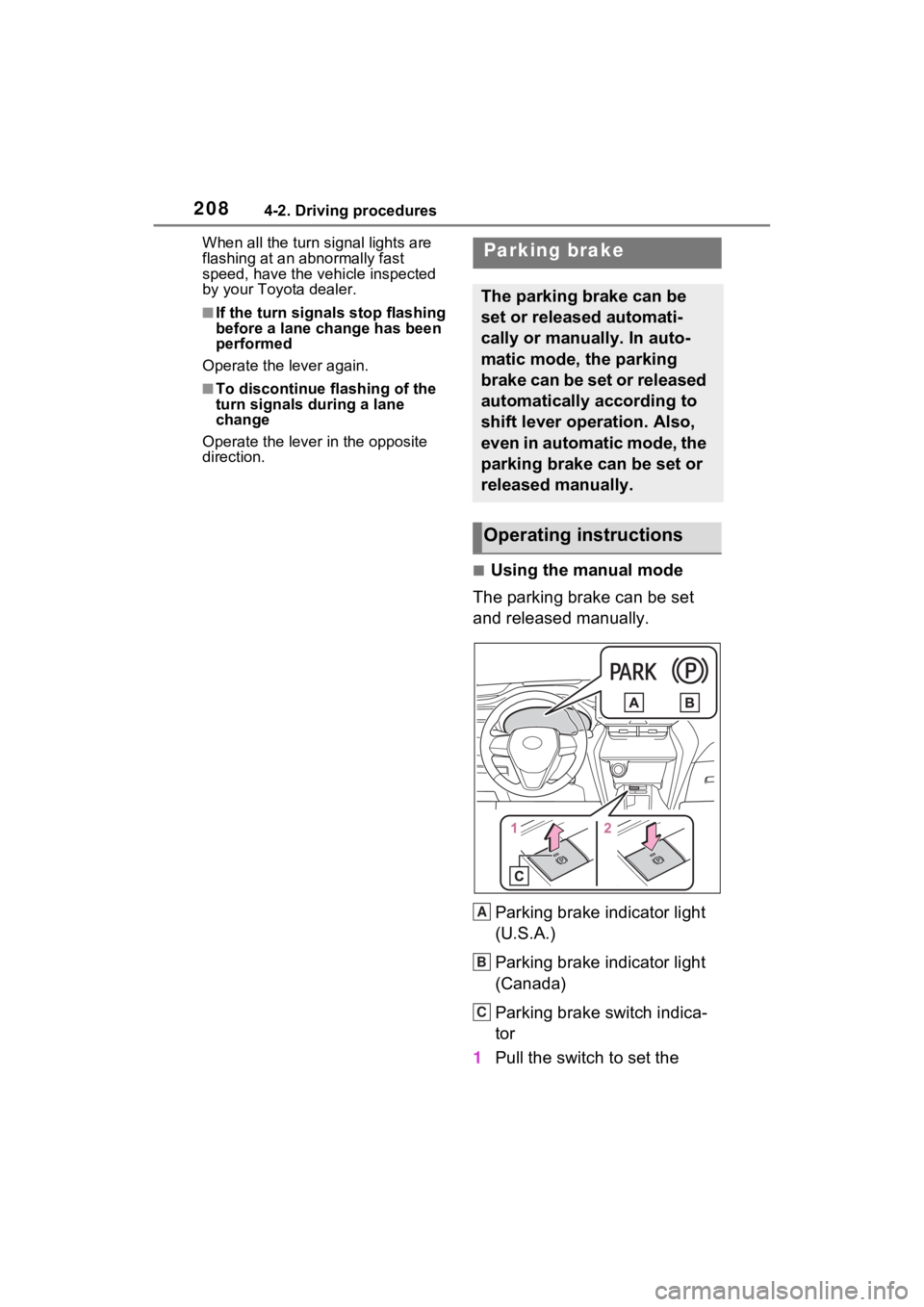
■Using the manual mode
The parking brake can be set
and released manually.
Parking brake indicator light
(U.S.A.)
Parking brake indicator light
(Canada)
Parking brake switch indica-
tor
1 Pull the switch to set the
Parking brake
The parking brake can be
set or released automati-
cally or manually. In auto-
matic mode, the parking
brake can be set or released
automatically according to
shift lever operation. Also,
even in automatic mode, the
parking brake can be set or
released manually.
Operating instructions
A
B
C
Page 219 of 548

2184-3. Operating the lights and wipers
by another vehicle
• When vehicles ahead are hidden from sight due to repeated curves,
road dividers or roadside trees
• When vehicles ahead appear from the faraway lane on a wide road
• When vehicles ahead have no lights
●The high beams may be turned off
if a vehicle ahead that is using fog
lights without using the headlights
is detected.
●House lights, street lights, traffic
signals, and illumi nated billboards
or signs may cause the high
beams to switch to the low beams,
or the low beams to remain on.
●The following factors may affect
the amount of time taken to turn
the high beams on or off:
• The brightness of headlights, fog
lights, and tail lig hts of vehicles
ahead
• The movement and direction of
vehicles ahead
• When a vehicle ahead only has operational lights on one side
• When a vehicle ahead is a two- wheeled vehicle
• The condition of the road (gradi-
ent, curve, condi tion of the road
surface etc.)
• The number of passengers and
amount of luggage
●The high beams may be turned on
or off when the driver does not
expect it.
●Bicycles or similar objects may not
be detected.
●In the situations shown below, the
system may not be able to accu-
rately detect surrounding bright-
ness levels. This may cause the
low beams to remain on or the
high beams to cause problems for
pedestrians, vehicles ahead or
other parties. In these cases,
manually switch between the high
and low beams.
• In bad weather (rain, snow, fog, sandstorms, etc.)
• The windshield is obscured by fog, mist, i
ce, dirt, etc.
• The windshield is cracked or dam- aged
• The front camera is deformed or dirty
• When the temperature of the front
camera is extremely high
• Surrounding brightness levels are equal to those of headlights, tail
lights or fog lights
• When headlights or tail lights of vehicles ahead are turned off,
dirty, changing color, or not aimed
properly
• When the vehicle is hit by water,
snow, dust, etc. from a preceding
vehicle
• When driving through an area of
intermittently changing brightness
and darkness
• When frequently and repeatedly
driving ascending/descending
roads, or roads with rough, bumpy
or uneven surfaces (such as
stone-paved roads, gravel roads,
etc.)
• When frequently and repeatedly
taking curves or driving on a wind-
ing road
• There is a highly reflective object
ahead of the vehicle, such as a
sign or mirror
• The back of a vehicle ahead is
highly reflective, such as a con-
tainer on a truck
• The vehicle’s headlights are dam-
aged or dirty, or are not aimed
properly
• The vehicle is listing or titling due
to a flat tire, a trailer being towed,
etc.
• The high beams and low beams
are repeatedly being switched
between in an abnormal manner
• The driver believes that the high
beams may be causing problems
or distress to other drivers or
pedestrians nearby
■If “Headlight System Malfunc-
tion Visit Your Dealer” is dis-
played on the multi-information
display
The system may be malfunctioning.
Page 247 of 548
2464-5. Using the driving support systems
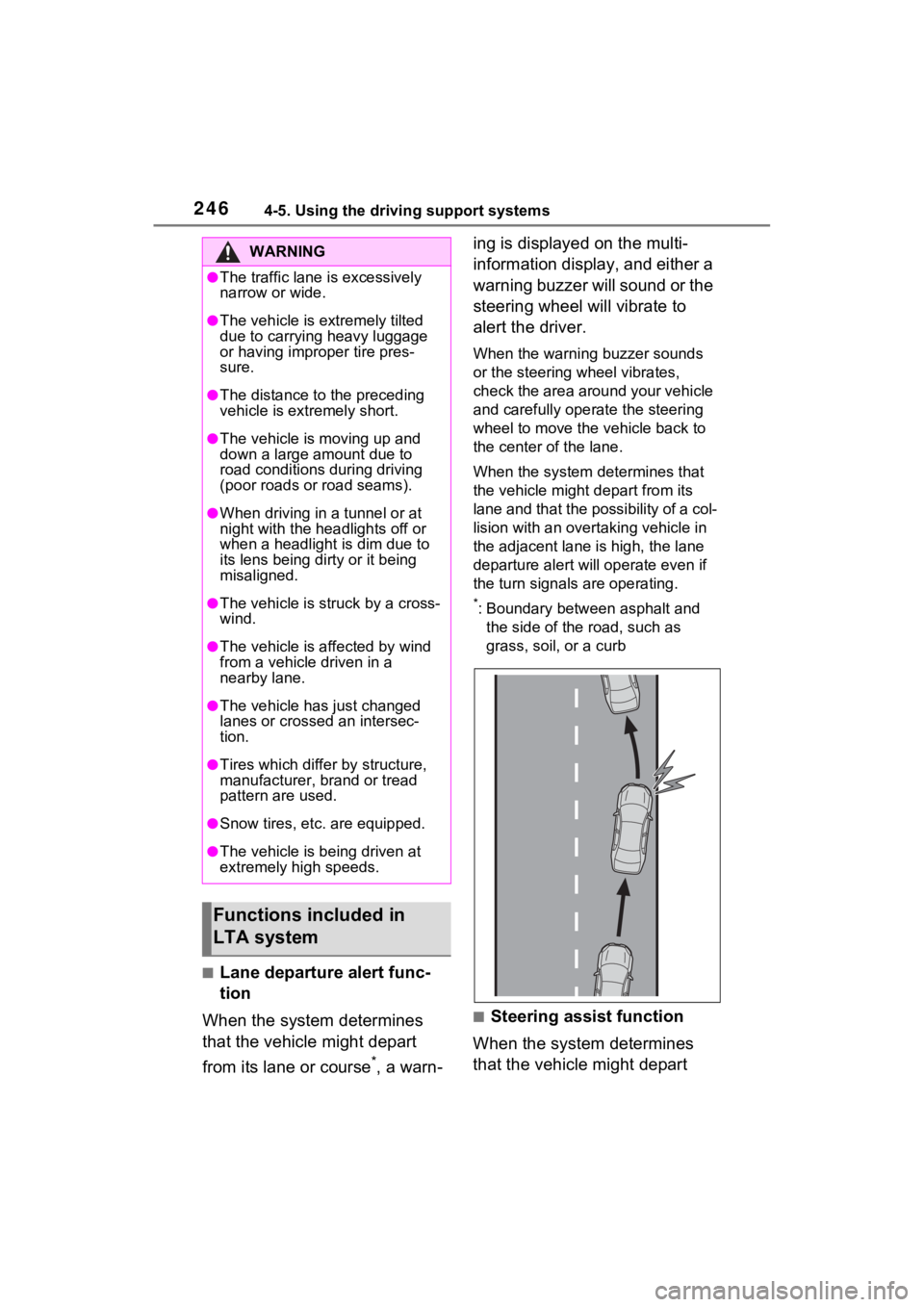
■Lane departure alert func-
tion
When the system determines
that the vehicle might depart
from its lane or course
*, a warn- ing is displayed on the multi-
information display, and either a
warning buzzer will sound or the
steering wheel will vibrate to
alert the driver.
When the warning buzzer sounds
or the steering wheel vibrates,
check the area around your vehicle
and carefully operate the steering
wheel to move the vehicle back to
the center of the lane.
When the system determines that
the vehicle might depart from its
lane and that the possibility of a col-
lision with an overta
king vehicle in
the adjacent lane is high, the lane
departure alert will operate even if
the turn signals are operating.
*: Boundary between asphalt and
the side of the road, such as
grass, soil, or a curb
■Steering assist function
When the system determines
that the vehicle might depart
WARNING
●The traffic lane is excessively
narrow or wide.
●The vehicle is extremely tilted
due to carrying heavy luggage
or having improper tire pres-
sure.
●The distance to the preceding
vehicle is extremely short.
●The vehicle is moving up and
down a large amount due to
road conditions during driving
(poor roads or road seams).
●When driving in a tunnel or at
night with the headlights off or
when a headlight is dim due to
its lens being dirty or it being
misaligned.
●The vehicle is struck by a cross-
wind.
●The vehicle is affected by wind
from a vehicle driven in a
nearby lane.
●The vehicle has just changed
lanes or crossed an intersec-
tion.
●Tires which differ by structure,
manufacturer, b rand or tread
pattern are used.
●Snow tires, etc. are equipped.
●The vehicle is being driven at
extremely high speeds.
Functions included in
LTA system