air filter TOYOTA VENZA HYBRID 2023 Owners Manual
[x] Cancel search | Manufacturer: TOYOTA, Model Year: 2023, Model line: VENZA HYBRID, Model: TOYOTA VENZA HYBRID 2023Pages: 560, PDF Size: 12.18 MB
Page 4 of 560
4TABLE OF CONTENTS
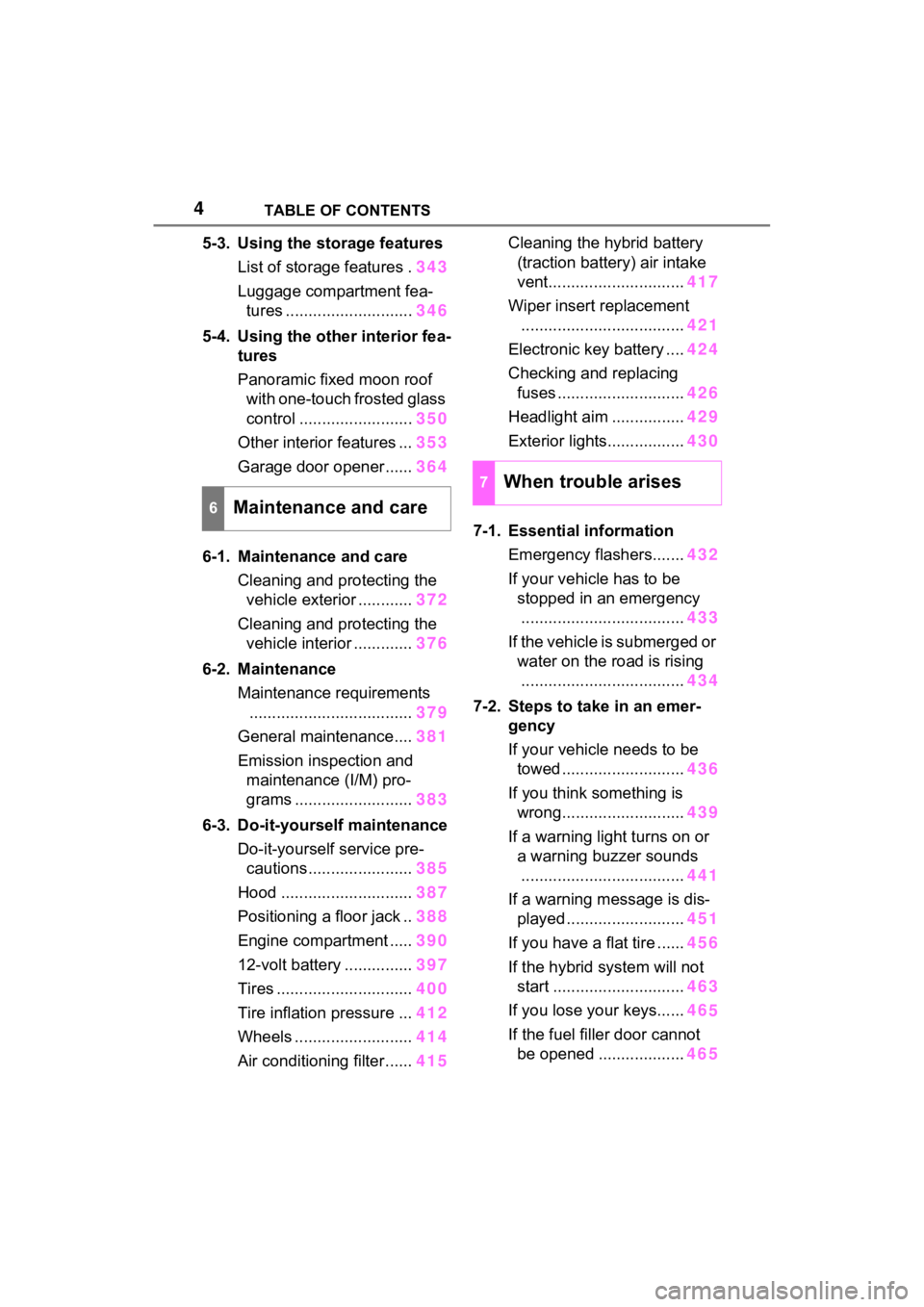
5-3. Using the storage featuresList of storage features . 343
Luggage compartment fea- tures ............................ 346
5-4. Using the other interior fea- tures
Panoramic fixed moon roof with one-touch frosted glass
control ......................... 350
Other interior features ... 353
Garage door opener...... 364
6-1. Maintenance and care Cleaning and protecting the vehicle exterior ............ 372
Cleaning and protecting the vehicle interior ............. 376
6-2. Maintenance Maintenance requirements.................................... 379
General maintenance.... 381
Emission inspection and maintenance (I/M) pro-
grams .......................... 383
6-3. Do-it-yourself maintenance Do-it-yourself service pre-cautions ....................... 385
Hood ............................. 387
Positioning a floor jack .. 388
Engine compartment ..... 390
12-volt battery ............... 397
Tires .............................. 400
Tire inflation pressure ... 412
Wheels ......... .................414
Air conditioning filter ...... 415Cleaning the hybrid battery
(traction battery) air intake
vent.............................. 417
Wiper insert replacement .................................... 421
Electronic key battery .... 424
Checking and replacing fuses ............................ 426
Headlight aim ................ 429
Exterior lights................. 430
7-1. Essential information Emergency flashers....... 432
If your vehicle has to be stopped in an emergency.................................... 433
If the vehicle is submerged or water on the road is rising.................................... 434
7-2. Steps to take in an emer- gency
If your vehicle needs to be towed ........................... 436
If you think something is wrong........................... 439
If a warning light turns on or a warning buzzer sounds
.................................... 441
If a warning message is dis- played .......................... 451
If you have a flat tire ...... 456
If the hybrid system will not start ............................. 463
If you lose your keys...... 46
5
If the fuel fille r door cannot
be opened .
..................465
6Maintenance and care
7When trouble arises
Page 323 of 560
3235-1. Using the air conditioning system and defogger
5
Interior features
• Engine speed and compressor operation controlled to restrict
heating/cooling capacity
• Fan speed restr icted when auto-
matic mode is selected
●To improve air conditioning perfor-
mance, perform the following
operations:
• Adjust the fan speed
• Turn off Eco drive mode ( P.304)
• Turn off Eco air conditioning mode
●When the driving mode is set to
Eco drive mode, the Eco air condi-
tioning mode will be turned on
automatically. Even in this case,
the Eco air conditioning mode can
be turned off by pressing the Eco
air conditioning mode switch.
■Ventilation and air conditioning
odors
●To let fresh air in, set the air condi-
tioning system to the outside air
mode.
●During use, various odors from
inside and outside the vehicle may
enter into and a ccumulate in the
air conditioning system. This may
then cause odor to be emitted
from the vents.
●In order to suppress odors that
occur when the a ir conditioning
system starts, the air flow mode
may change to blow air to the feet
or air may stop blowing for a short
period of time immediately after
the air conditioning system is
started in automatic mode.
●When parking, the system auto-
matically switches to outside air
mode to encourage better air cir-
culation throughout the vehicle,
helping to reduce odors that occur
when starting the vehicle.
■Using the Intelligent Assistant
(if equipped)
Air conditioning system can be
operated using the Intelligent Assis-
tant. For details rega rding the Intelli-
gent Assistant, refer to the
“MULTIMEDIA OWNER’S MAN- UAL”.
■Air conditioning filter
P.415
■Air conditioning system refrig-
erant
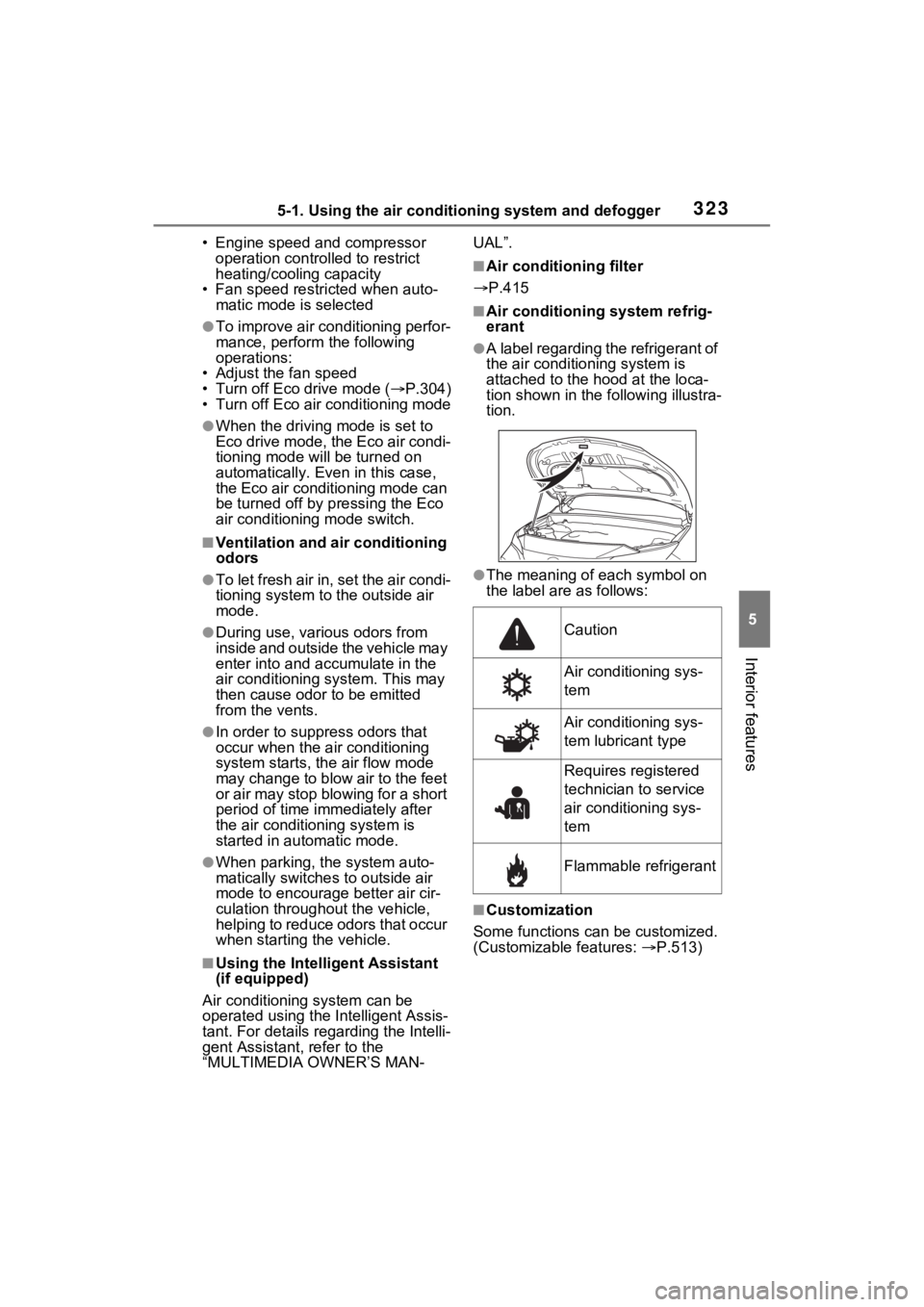
●A label regarding the refrigerant of
the air conditioning system is
attached to the h ood at the loca-
tion shown in the following illustra-
tion.
●The meaning of each symbol on
the label are as follows:
■Customization
Some functions can be customized.
(Customizable features: P.513)
Caution
Air conditioning sys-
tem
Air conditioning sys-
tem lubricant type
Requires registered
technician to service
air conditioning sys-
tem
Flammable refrigerant
Page 332 of 560
3325-1. Using the air conditioning system and defogger
• CDs, DVDs or other media
●If your hand is near or touching
the air conditioning control panel
when the power switch is turned to
ACC or ON, non-response may
occur. If so, withdraw your hand
from the air conditioning control
panel and wait approximately 10
seconds before touching the air
conditioning control panel again.
■When non-response from touch
switch operation
When the air conditioning control
panel is dirty, non-response may
occur.
Clean the touch panel frequently.
■When cleaning the air condi-
tioning control panel
Touch switches may respond when
cleaning. Turn the power switch to
OFF before proceeding with clean-
ing.
■Ventilation and air conditioning
odors
●To let fresh air in, set the air condi-
tioning system to the outside air
mode.
●During use, various odors from
inside and outside the vehicle may
enter into and a ccumulate in the
air conditioning system. This may
then cause odor to be emitted
from the vents.
●In order to suppress odors that
occur when the a ir conditioning
system starts, the air flow mode
may change to blow air to the feet
or air may stop blowing for a short
period of time immediately after
the air conditioning system is
started in automatic mode.
●When parking, the system auto-
matically switches to outside air
mode to encourage better air cir-
culation throughout the vehicle,
helping to reduce odors that occur
when starting the vehicle.
■Using the Intelligent Assistant
(if equipped)
Air conditioning system can be
operated using the Intelligent Assis-
tant. For details reg arding the Intelli-
gent Assistant, refer to the
“MULTIMEDIA OWNER’S MAN-
UAL”.
■Air conditioning filter
P.415
■Air conditioning system refrig-
erant
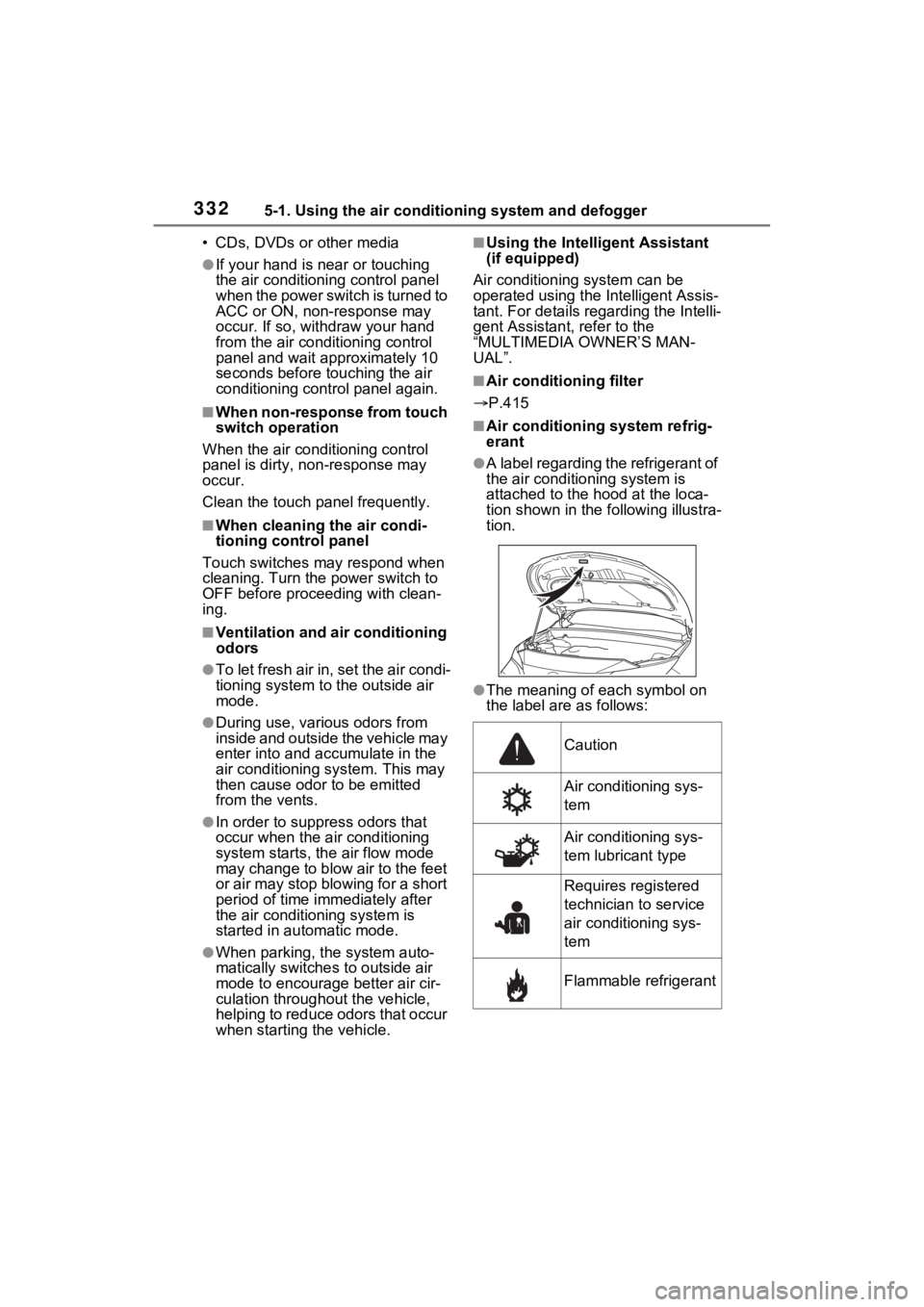
●A label regarding the refrigerant of
the air conditioning system is
attached to the h ood at the loca-
tion shown in the following illustra-
tion.
●The meaning of each symbol on
the label are as follows:
Caution
Air conditioning sys-
tem
Air conditioning sys-
tem lubricant type
Requires registered
technician to service
air conditioning sys-
tem
Flammable refrigerant
Page 371 of 560
371
6
6
Maintenance and care
Maintenance and care
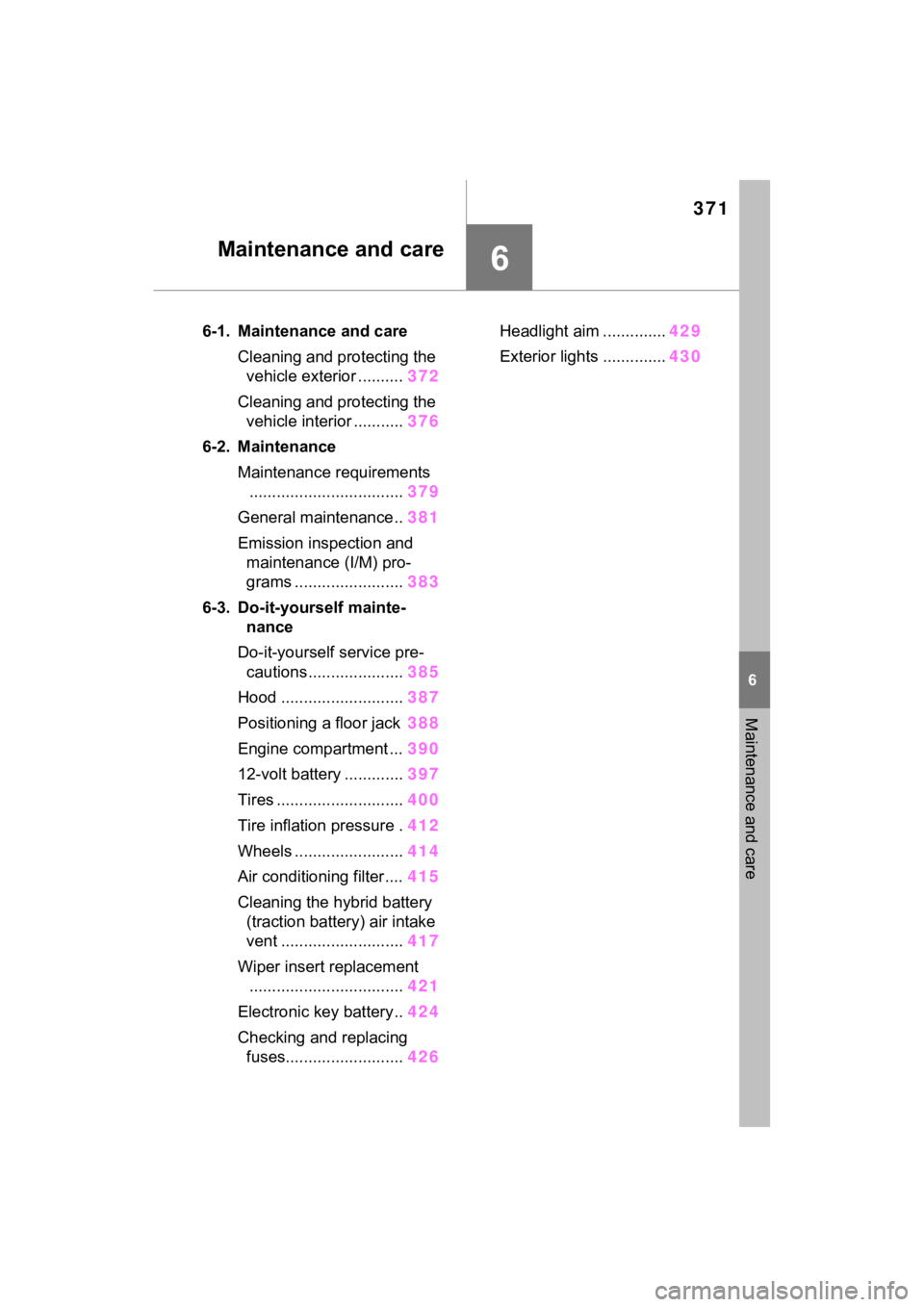
6-1. Maintenance and careCleaning and protecting the vehicle exterior .......... 372
Cleaning and protecting the vehicle interior ........... 376
6-2. Maintenance Maintenance requirements.................................. 379
General maintenance.. 381
Emission inspection and maintenance (I/M) pro-
grams ........................ 383
6-3. Do-it-yourself mainte- nance
Do-it-yourself service pre- cautions ..................... 385
Hood ........................... 387
Positioning a floor jack 388
Engine compartment ... 390
12-volt battery ............. 397
Tires ............................ 400
Tire inflation pressure . 412
Wheels ......... ...............414
Air conditioning filter .... 415
Cleaning the hybrid battery (traction battery) air intake
vent ........................... 417
Wiper insert replacement .................................. 421
Electronic key battery.. 424
Checking and replacing fuses.......................... 426Headlight aim ..............
429
Exterior lights .............. 430
Page 386 of 560
3866-3. Do-it-yourself maintenance
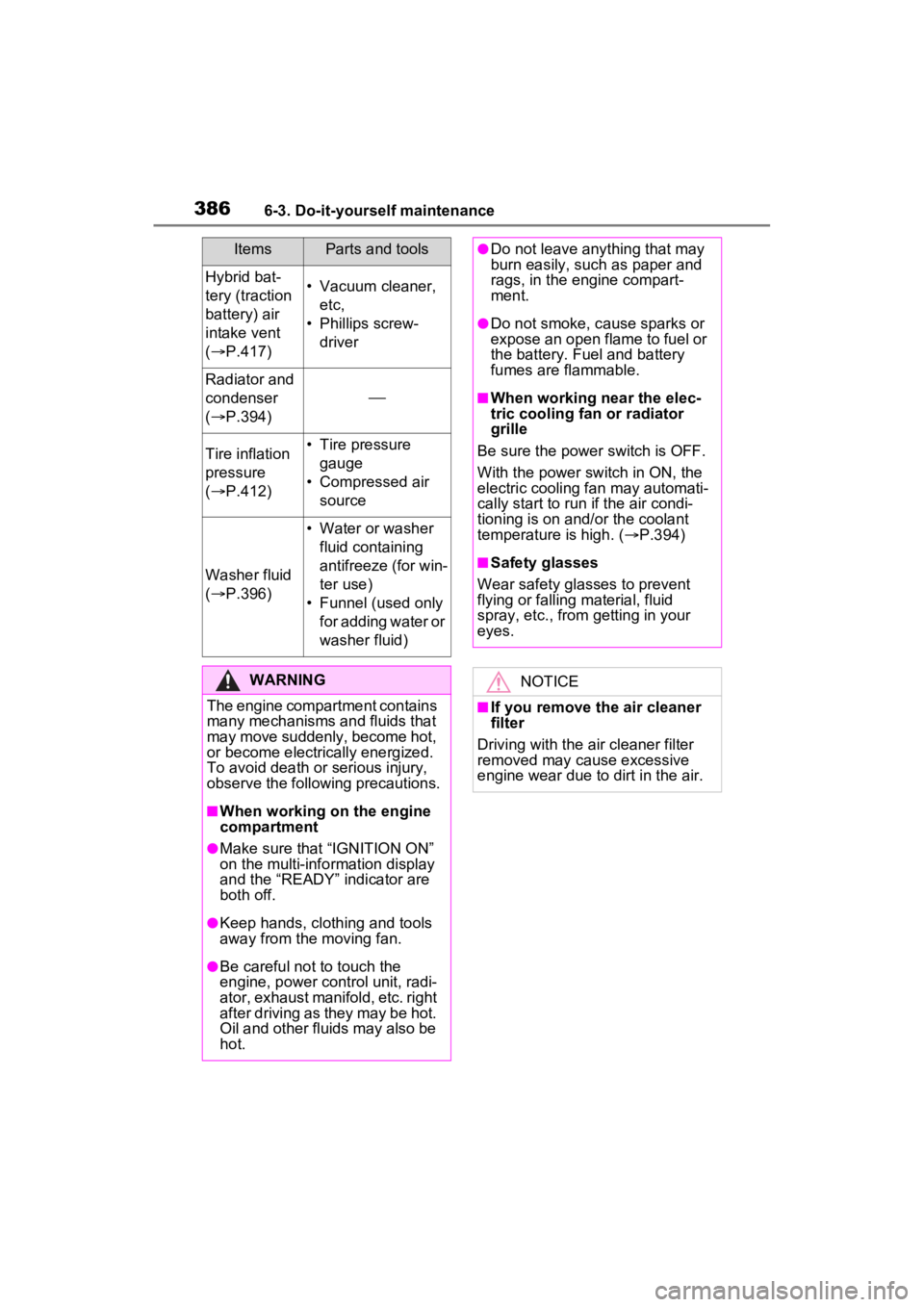
Hybrid bat-
tery (traction
battery) air
intake vent
( P.417)• Vacuum cleaner,
etc,
• Phillips screw- driver
Radiator and
condenser
( P.394)
Tire inflation
pressure
( P.412)• Tire pressure
gauge
• Compressed air source
Washer fluid
( P.396)
• Water or washer
fluid containing
antifreeze (for win-
ter use)
• Funnel (used only for adding water or
washer fluid)
WARNING
The engine compartment contains
many mechanisms and fluids that
may move suddenly, become hot,
or become electrically energized.
To avoid death or serious injury,
observe the following precautions.
■When working on the engine
compartment
●Make sure that “IGNITION ON”
on the multi-info rmation display
and the “READY” indicator are
both off.
●Keep hands, clothing and tools
away from the moving fan.
●Be careful not to touch the
engine, power control unit, radi-
ator, exhaust manifold, etc. right
after driving as they may be hot.
Oil and other fluids may also be
hot.
ItemsParts and tools●Do not leave anything that may
burn easily, such as paper and
rags, in the engine compart-
ment.
●Do not smoke, cause sparks or
expose an open flame to fuel or
the battery. Fuel and battery
fumes are flammable.
■When working near the elec-
tric cooling fan or radiator
grille
Be sure the power switch is OFF.
With the power switch in ON, the
electric cooling fa n may automati-
cally start to run if the air condi-
tioning is on and/or the coolant
temperature is high. ( P.394)
■Safety glasses
Wear safety gla sses to prevent
flying or falling material, fluid
spray, etc., from getting in your
eyes.
NOTICE
■If you remove the air cleaner
filter
Driving with the air cleaner filter
removed may cause excessive
engine wear due to dirt in the air.
Page 415 of 560
4156-3. Do-it-yourself maintenance
6
Maintenance and care
Use only Toyota wheel nuts
and wrenches designed for
use with your aluminum
wheels.
When rotating, repairing or
changing your tires, check
that the wheel nuts are still
tight after driving 1000 miles
(1600 km).
Be careful not to damage the
aluminum wheels when using
tire chains.
Use only Toyota genuine bal-
ance weights or equivalent
and a plastic or rubber ham-
mer when balancing your
wheels. 1
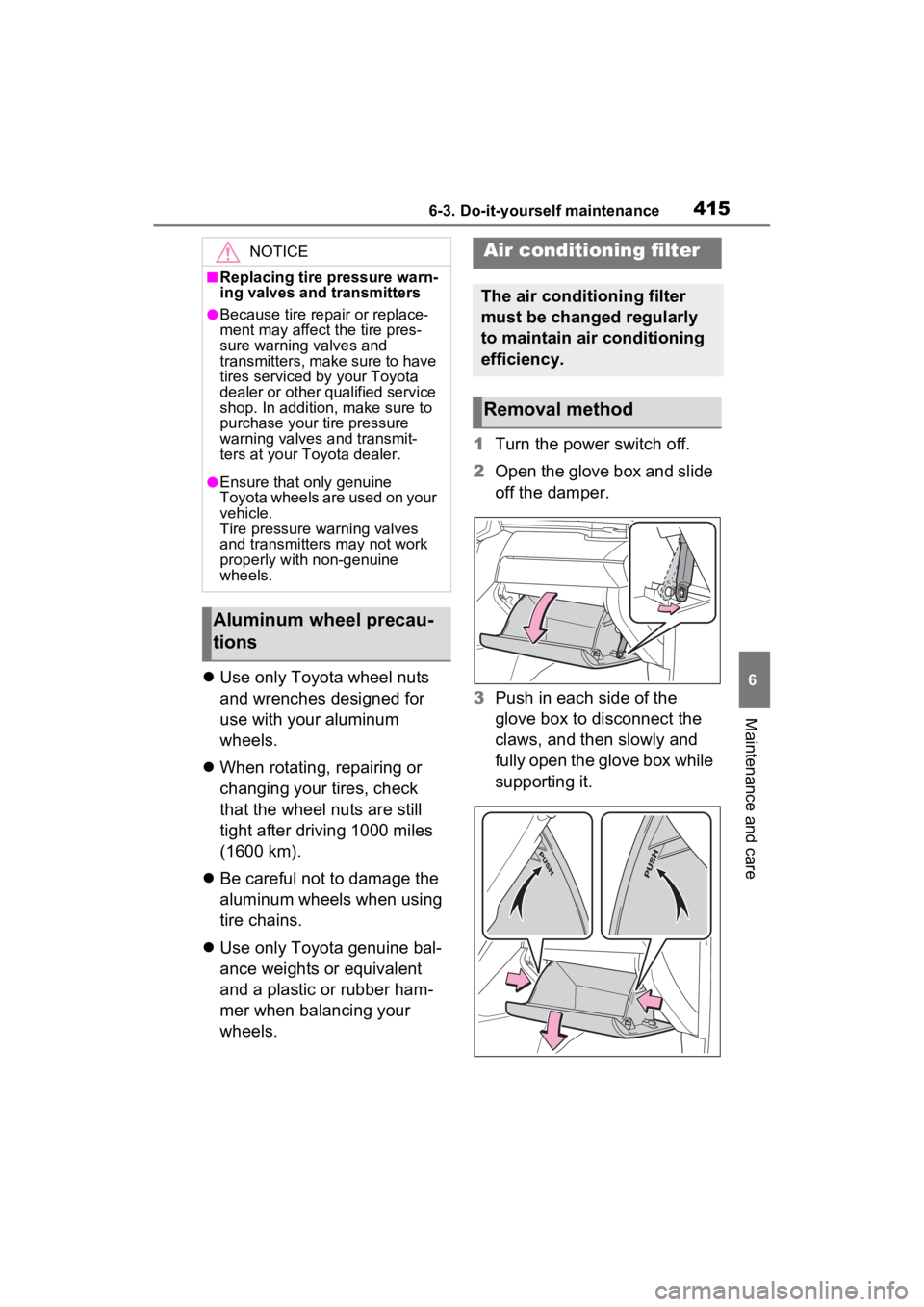
Turn the power switch off.
2 Open the glove box and slide
off the damper.
3 Push in each side of the
glove box to disconnect the
claws, and then slowly and
fully open the glove box while
supporting it.
NOTICE
■Replacing tire pressure warn-
ing valves and transmitters
●Because tire repair or replace-
ment may affect the tire pres-
sure warning valves and
transmitters, make sure to have
tires serviced by your Toyota
dealer or other qualified service
shop. In addition, make sure to
purchase your tire pressure
warning valves and transmit-
ters at your Toyota dealer.
●Ensure that only genuine
Toyota wheels are used on your
vehicle.
Tire pressure warning valves
and transmitters may not work
properly with non-genuine
wheels.
Aluminum wheel precau-
tions
Air conditioning filter
The air conditioning filter
must be changed regularly
to maintain air conditioning
efficiency.
Removal method
Page 416 of 560
4166-3. Do-it-yourself maintenance
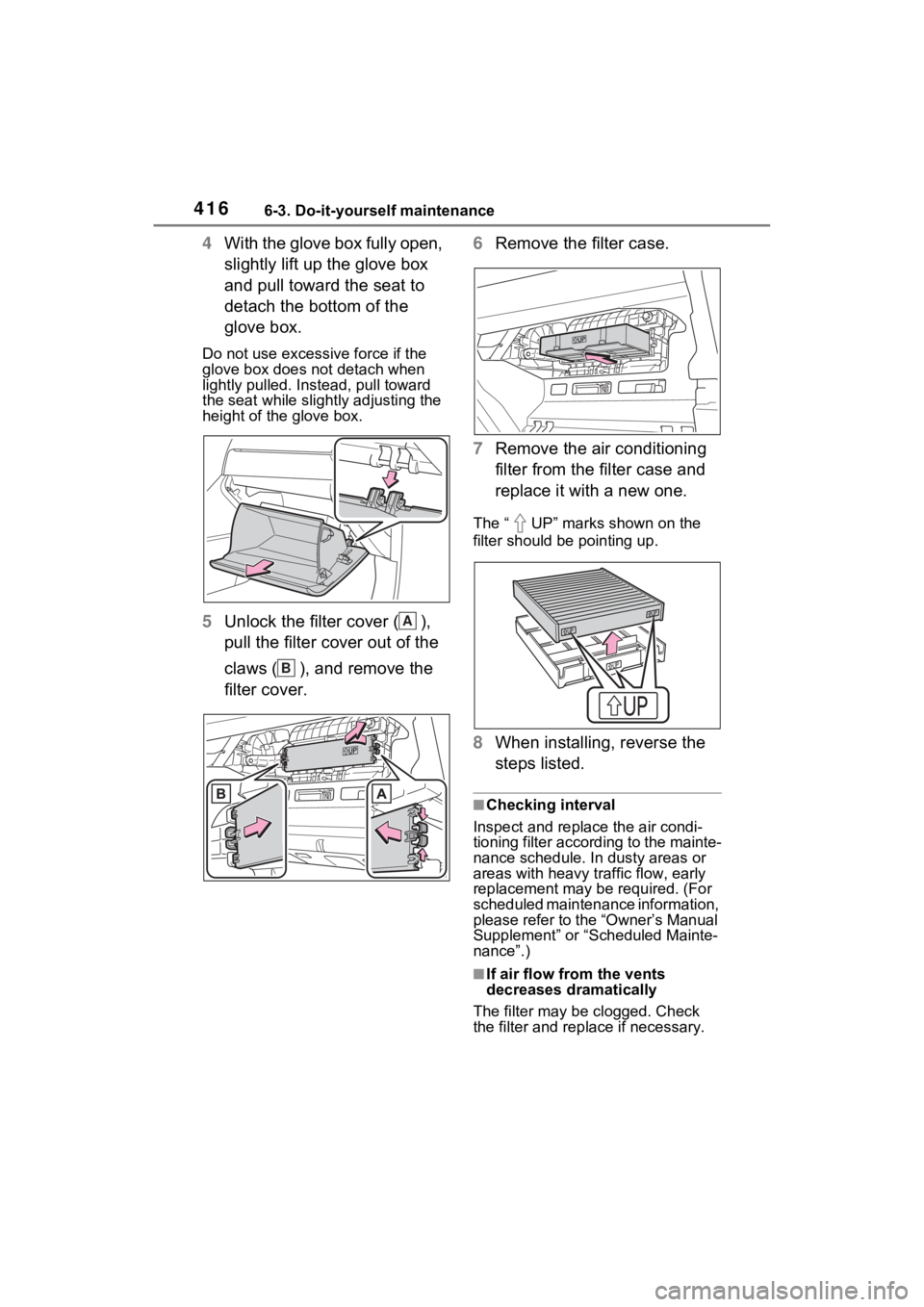
4With the glove box fully open,
slightly lift up the glove box
and pull toward the seat to
detach the bottom of the
glove box.
Do not use excessive force if the
glove box does not detach when
lightly pulled. Ins tead, pull toward
the seat while slightly adjusting the
height of the glove box.
5 Unlock the filter cover ( ),
pull the filter cover out of the
claws ( ), and remove the
filter cover. 6
Remove the filter case.
7 Remove the air conditioning
filter from the filter case and
replace it with a new one.
The “ UP” marks shown on the
filter should be pointing up.
8When installing, reverse the
steps listed.
■Checking interval
Inspect and replace the air condi-
tioning filter according to the mainte-
nance schedule. In dusty areas or
areas with heavy traffic flow, early
replacement may be required. (For
scheduled maintenance information,
please refer to the “Owner’s Manual
Supplement” or “Scheduled Mainte-
nance”.)
■If air flow from the vents
decreases dramatically
The filter may be clogged. Check
the filter and rep lace if necessary.
A
B
Page 417 of 560
4176-3. Do-it-yourself maintenance
6
Maintenance and care
■Scheduled maintenance of the
air intake vent is necessary
when
In some situations such as when the
vehicle is used frequently or in
heavy traffic or dusty areas, the air
intake vent may need to be cleaned
more regularly. For details, refer to
“Owner’s Warranty Information
Booklet” or “Owner’s Manual Sup-
plement”.
■Cleaning the air intake vent
Improper handling of the air intake
vent cover and filter may result in
damage to them. If you have any
concerns about cleaning the filter,
contact your Toyota dealer.
NOTICE
■When using the air condition-
ing system
Make sure that a filter is always
installed. Using the air condition-
ing system without a filter may
cause damage to the system.
■When removing the glove box
Always follow the specified proce-
dure to remove the glove box
( P.415). If the glove box is
removed without following the
specified procedure, the hinge of
the glove box may become dam-
aged.
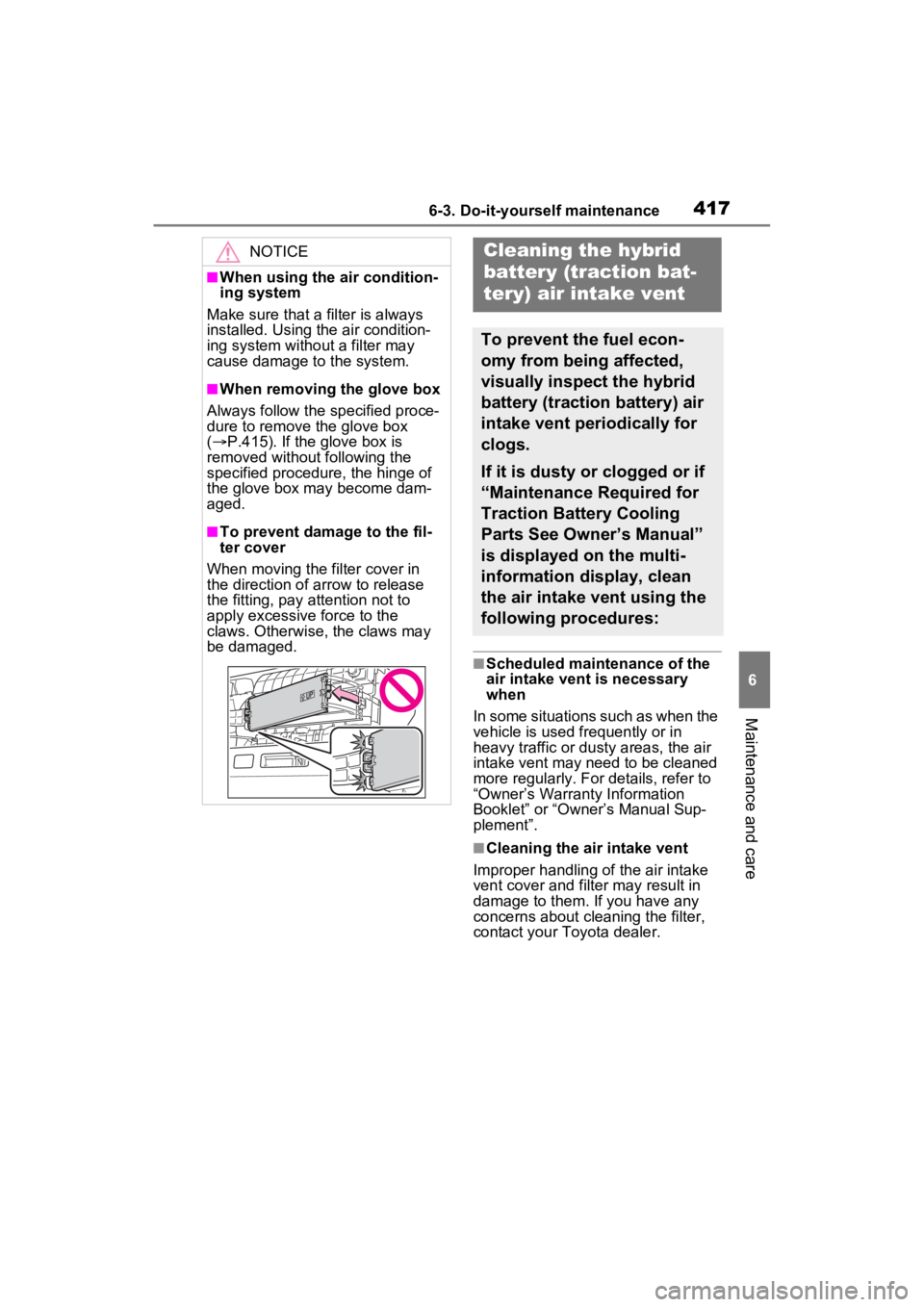
■To prevent damage to the fil-
ter cover
When moving the filter cover in
the direction of arrow to release
the fitting, pay attention not to
apply excessive force to the
claws. Otherwise, the claws may
be damaged.
Cleaning the hybrid
battery (traction bat-
tery) air intake vent
To prevent the fuel econ-
omy from being affected,
visually inspect the hybrid
battery (traction battery) air
intake vent periodically for
clogs.
If it is dusty or clogged or if
“Maintenance Required for
Traction Battery Cooling
Parts See Owner’s Manual”
is displayed on the multi-
information display, clean
the air intake vent using the
following procedures:
Page 418 of 560
4186-3. Do-it-yourself maintenance
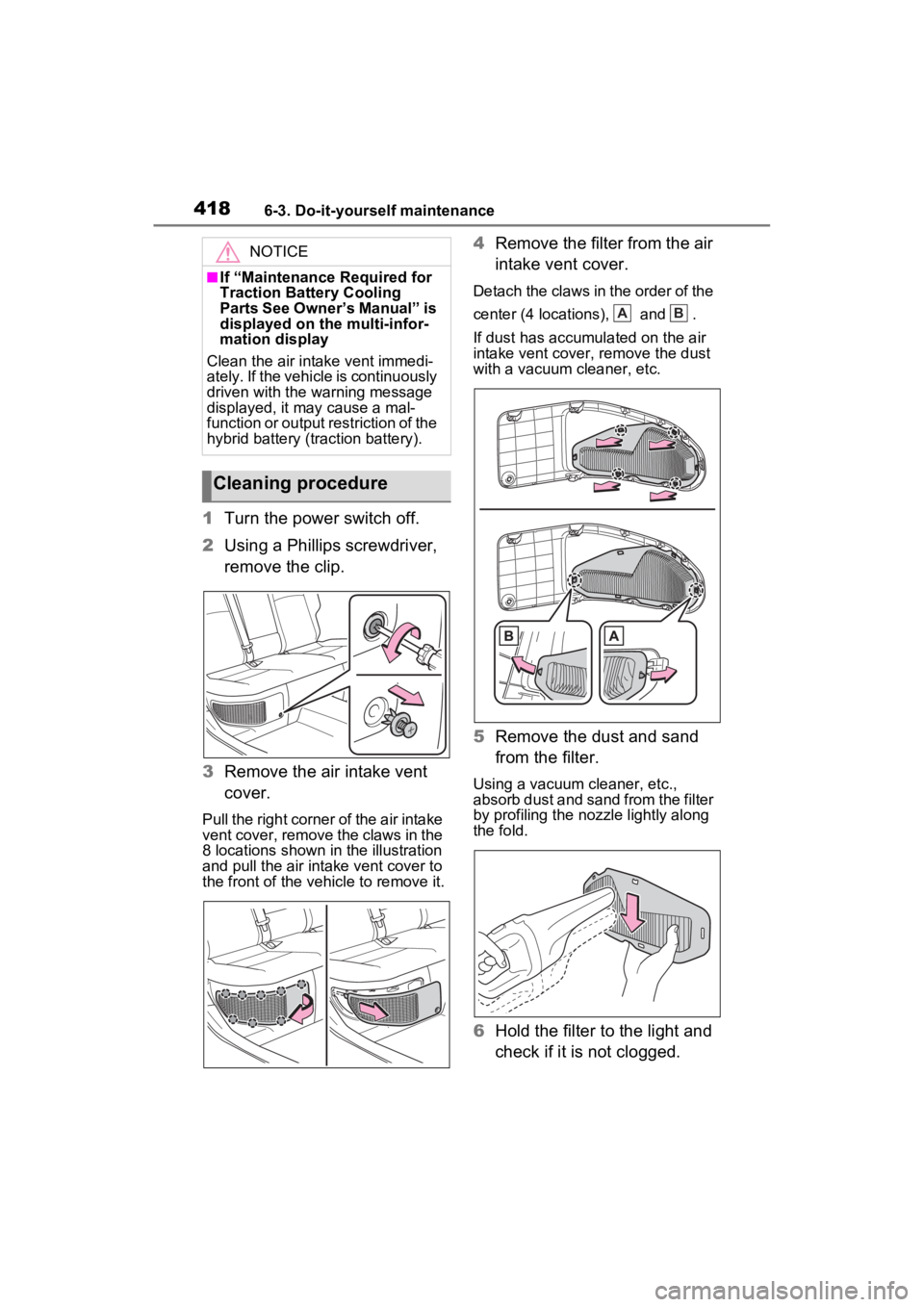
1Turn the power switch off.
2 Using a Phillips screwdriver,
remove the clip.
3 Remove the air intake vent
cover.
Pull the right corner of the air intake
vent cover, remove the claws in the
8 locations shown in the illustration
and pull the air intake vent cover to
the front of the vehicle to remove it.
4 Remove the filter from the air
intake vent cover.
Detach the claws in the order of the
center (4 locations), and .
If dust has accumula ted on the air
intake vent cover, remove the dust
with a vacuum cleaner, etc.
5 Remove the dust and sand
from the filter.
Using a vacuum cleaner, etc.,
absorb dust and sand from the filter
by profiling the nozzle lightly along
the fold.
6Hold the filter to the light and
check if it is not clogged.
NOTICE
■If “Maintenance Required for
Traction Battery Cooling
Parts See Owner’s Manual” is
displayed on the multi-infor-
mation display
Clean the air intake vent immedi-
ately. If the vehicle is continuously
driven with the warning message
displayed, it may cause a mal-
function or output restriction of the
hybrid battery (tr action battery).
Cleaning procedure
AB
Page 419 of 560
4196-3. Do-it-yourself maintenance
6
Maintenance and care
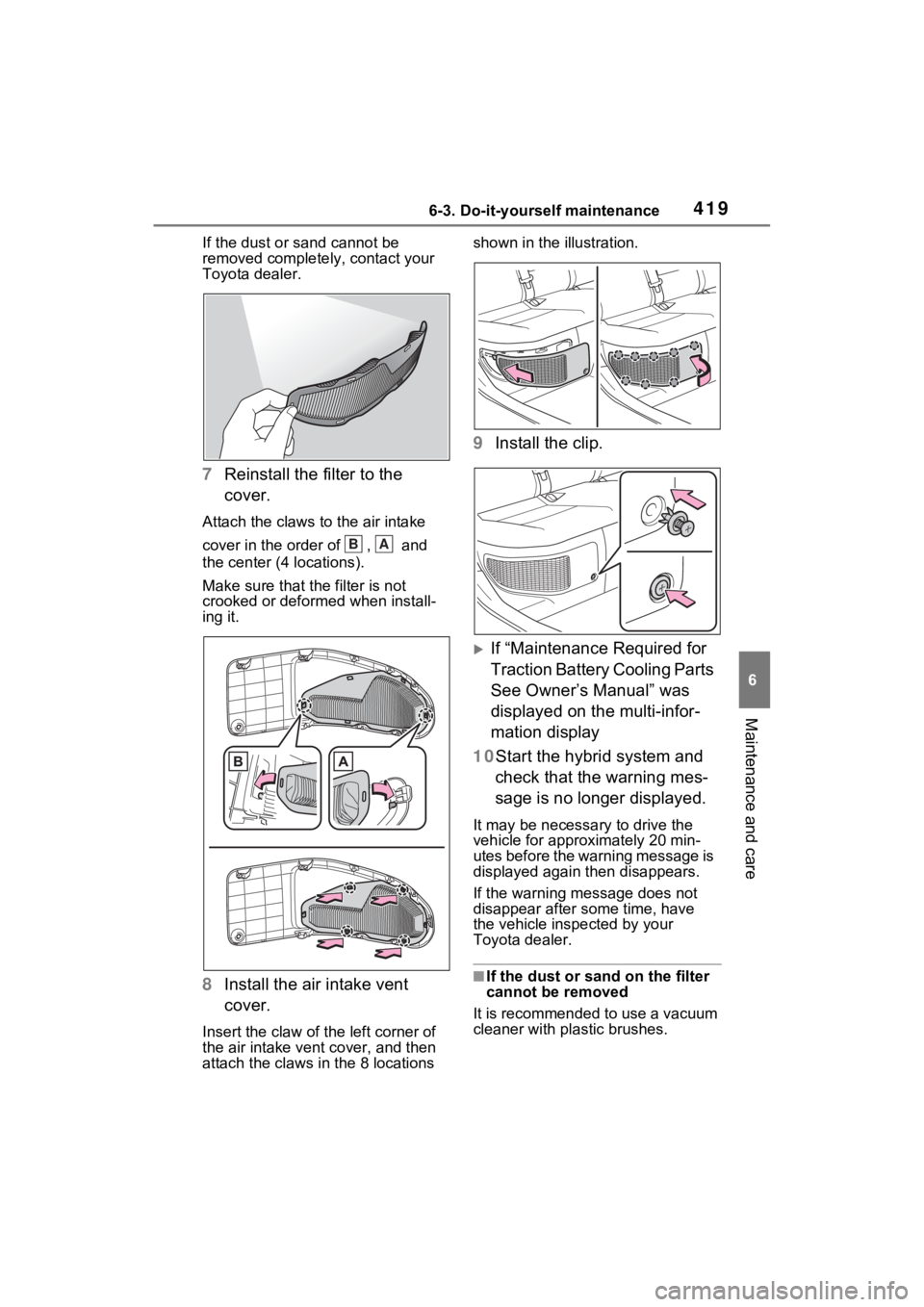
If the dust or sand cannot be
removed complete ly, contact your
Toyota dealer.
7 Reinstall the filter to the
cover.
Attach the claws to the air intake
cover in the order of , and
the center (4 locations).
Make sure that t he filter is not
crooked or deformed when install-
ing it.
8 Install the air intake vent
cover.
Insert the claw of the left corner of
the air intake vent cover, and then
attach the claws i n the 8 locations shown in the illustration.
9
Install the clip.
If “Maintenance Required for
Traction Battery Cooling Parts
See Owner’s Manual” was
displayed on the multi-infor-
mation display
10Start the hybrid system and check that the warning mes-
sage is no longer displayed.
It may be necessa ry to drive the
vehicle for approximately 20 min-
utes before the warning message is
displayed again then disappears.
If the warning message does not
disappear after some time, have
the vehicle inspected by your
Toyota dealer.
■If the dust or sand on the filter
cannot be removed
It is recommended to use a vacuum
cleaner with plastic brushes.
BA