Fog TOYOTA VERSO 2011 User Guide
[x] Cancel search | Manufacturer: TOYOTA, Model Year: 2011, Model line: VERSO, Model: TOYOTA VERSO 2011Pages: 588, PDF Size: 31.32 MB
Page 101 of 588
101 1-3. Adjustable components (seats, mirrors, steering wheel)
1
Before driving
VERSO_WE_OM64524E
The outside rear view mirrors can be operated when
Vehicles without smart entry & start system
The engine switch is in the “ACC” or “ON” position.
Vehicles with smart entry & start system
The “ENGINE START STOP” switch is in the ACCESSORY or IGNITION
ON mode.
When the mirrors are fogged up (if equipped)
Turn on the outside rear view mirror defoggers to defog the mirrors.
(P. 306)
CAUTION
Caution while driving
Observe the following precautions.
Failing to do so may result in loss of control of the vehicle and cause an acci-
dent, resulting in death or serious injury.
Do not adjust the mirrors.
Do not drive with the mirrors folded back.
Both the driver and passenger side mirrors must be extended and properly
adjusted before driving.
When a mirror is moving
To avoid injury and mirror malfunction, be careful not to get your hand
caught by the moving mirror.
When the mirror defoggers are operating
Do not touch the rear view mirror surfaces, as they can become very hot and
burn you.
If ice should jam the mirror
Do not operate the control or scrape the mirror face. Use a spray de-icer to
free the mirror.
When the outer foot lights turn on
Do not touch the outer foot light lens surfaces, as they can become very hot
and burn you.
Page 171 of 588
2When driving
171
VERSO_WE_OM64524E
2-1. Driving procedures
Driving the vehicle ............ 172
Engine (ignition) switch
(vehicles without smart
entry & start system)....... 186
Engine (ignition) switch
(vehicles with smart
entry & start system)....... 190
Multidrive .......................... 196
Automatic transmission .... 202
Manual transmission......... 209
Turn signal lever ............... 213
Parking brake ................... 214
Horn .................................. 216
2-2. Instrument cluster
Gauges and meters .......... 217
Indicators and warning
lights ............................... 222
Multi-information display ... 226
2-3. Operating the lights and
wipers
Headlight switch ............... 239
Fog light switch ................. 244
Windshield wipers and
washer ............................ 246
Rear window wiper and
washer ............................ 2512-4. Using other driving systems
Cruise control.................... 252
Speed limiter ..................... 256
Toyota parking
assist-sensor .................. 259
Driving assist systems ...... 267
Hill-start assist control....... 273
2-5. Driving information
Cargo and luggage ........... 275
Winter driving tips ............. 278
Trailer towing .................... 282
Page 174 of 588
174 2-1. Driving procedures
VERSO_WE_OM64524E
Starting on a steep uphill
Multidrive or automatic transmission
Firmly set the parking brake and shift the shift lever to “D” or
“M”.
Gently depress the accelerator pedal.
Release the parking brake.
Manual transmission
With the parking brake set and the clutch pedal fully
depressed, shift the shift lever to “1”.
Lightly depress the accelerator pedal at the same time as
gradually releasing the clutch pedal.
Release the parking brake. (P. 214)
Hill-Start Assist Control (vehicles with VSC+)
The hill-start assist control allows you to smoothly start off the vehicle on a
steep or slippery uphill incline. (P. 273)
Driving in the rain
Drive carefully when it is raining, because visibility will be reduced, the
windows may become fogged-up, and the road will be slippery.
Drive carefully when it starts to rain, because the road surface will be
especially slippery.
Refrain from high speeds when driving on an expressway in the rain,
because there may be a layer of water between the tires and the road
surface, preventing the steering and brakes from operating properly.
Page 224 of 588
224 2-2. Instrument cluster
VERSO_WE_OM64524E
Indicators
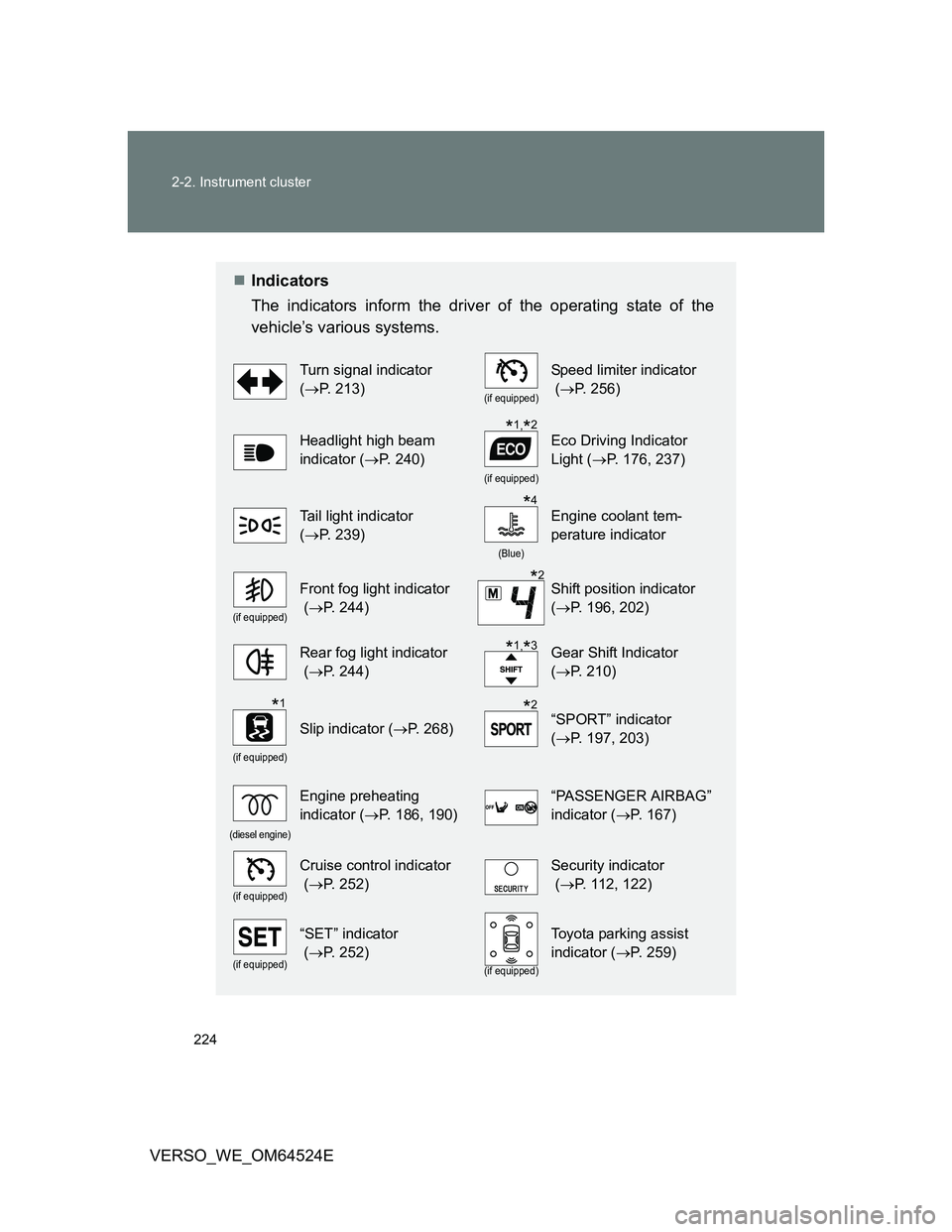
The indicators inform the driver of the operating state of the
vehicle’s various systems.
Turn signal indicator
(P. 213)
(if equipped)
Speed limiter indicator
(P. 256)
Headlight high beam
indicator (P. 240)
(if equipped)
Eco Driving Indicator
Light (P. 176, 237)
Tail light indicator
(P. 239)
(Blue)
Engine coolant tem-
perature indicator
(if equipped)
Front fog light indicator
(P. 244)Shift position indicator
(P. 196, 202)
Rear fog light indicator
(P. 244)Gear Shift Indicator
(P. 210)
(if equipped)
Slip indicator (P. 268)“SPORT” indicator
(P. 197, 203)
(diesel engine)
Engine preheating
indicator (P. 186, 190)“PASSENGER AIRBAG”
indicator (P. 167)
(if equipped)
Cruise control indicator
(P. 252)Security indicator
(P. 112, 122)
(if equipped)
“SET” indicator
(P. 252)
(if equipped)
Toyota parking assist
indicator (P. 259)
*1,*2
*4
*2
*1,*3
*1*2
Page 242 of 588
242 2-3. Operating the lights and wipers
VERSO_WE_OM64524E
Daytime running light system (if equipped)
To make your vehicle more visible to other drivers, the headlights and tail
lights turn on automatically whenever the engine is started. (However, the
daytime running light system will be canceled when the headlight switch is
operated manually or the automatic headlight system turns on the tail lights.)
Daytime running lights are not designed for use at night.
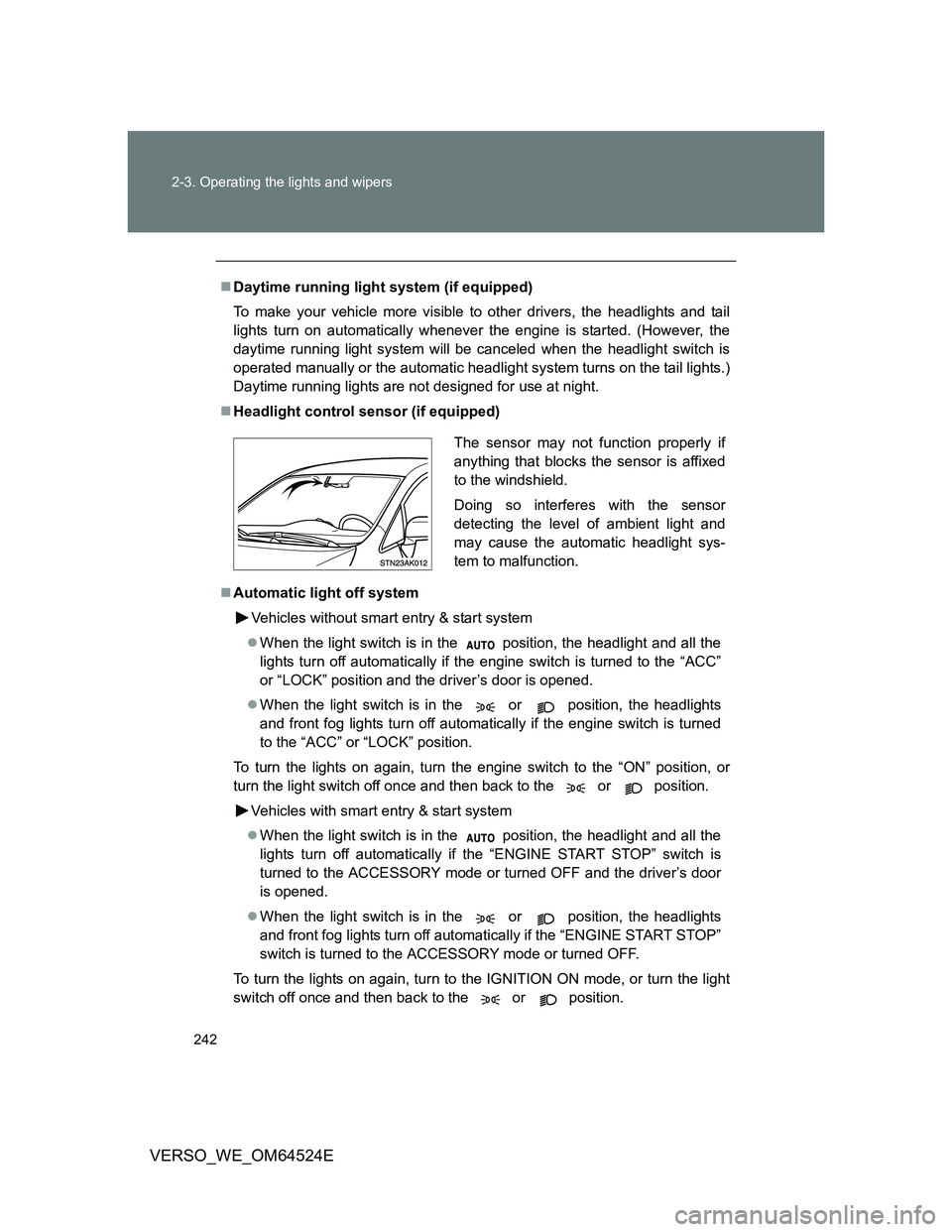
Headlight control sensor (if equipped)
Automatic light off system
Vehicles without smart entry & start system
When the light switch is in the position, the headlight and all the
lights turn off automatically if the engine switch is turned to the “ACC”
or “LOCK” position and the driver’s door is opened.
When the light switch is in the or position, the headlights
and front fog lights turn off automatically if the engine switch is turned
to the “ACC” or “LOCK” position.
To turn the lights on again, turn the engine switch to the “ON” position, or
turn the light switch off once and then back to the or position.
Vehicles with smart entry & start system
When the light switch is in the position, the headlight and all the
lights turn off automatically if the “ENGINE START STOP” switch is
turned to the ACCESSORY mode or turned OFF and the driver’s door
is opened.
When the light switch is in the or position, the headlights
and front fog lights turn off automatically if the “ENGINE START STOP”
switch is turned to the ACCESSORY mode or turned OFF.
To turn the lights on again, turn to the IGNITION ON mode, or turn the light
switch off once and then back to the or position.
The sensor may not function properly if
anything that blocks the sensor is affixed
to the windshield.
Doing so interferes with the sensor
detecting the level of ambient light and
may cause the automatic headlight sys-
tem to malfunction.
Page 244 of 588
244
2-3. Operating the lights and wipers
VERSO_WE_OM64524E
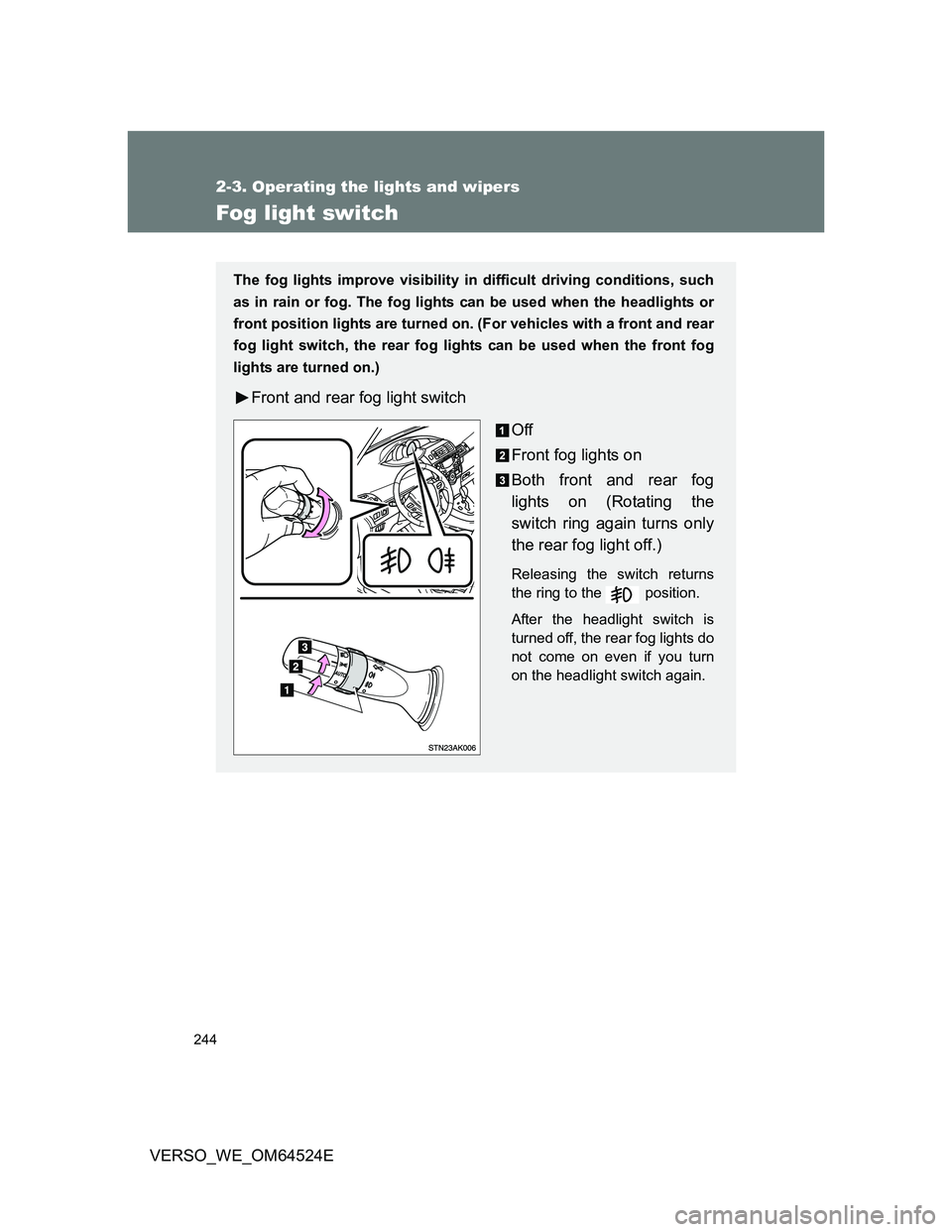
Fog light switch
The fog lights improve visibility in difficult driving conditions, such
as in rain or fog. The fog lights can be used when the headlights or
front position lights are turned on. (For vehicles with a front and rear
fog light switch, the rear fog lights can be used when the front fog
lights are turned on.)
Front and rear fog light switch
Off
Front fog lights on
Both front and rear fog
lights on (Rotating the
switch ring again turns only
the rear fog light off.)
Releasing the switch returns
the ring to the position.
After the headlight switch is
turned off, the rear fog lights do
not come on even if you turn
on the headlight switch again.
Page 245 of 588
245 2-3. Operating the lights and wipers
2
When driving
VERSO_WE_OM64524E
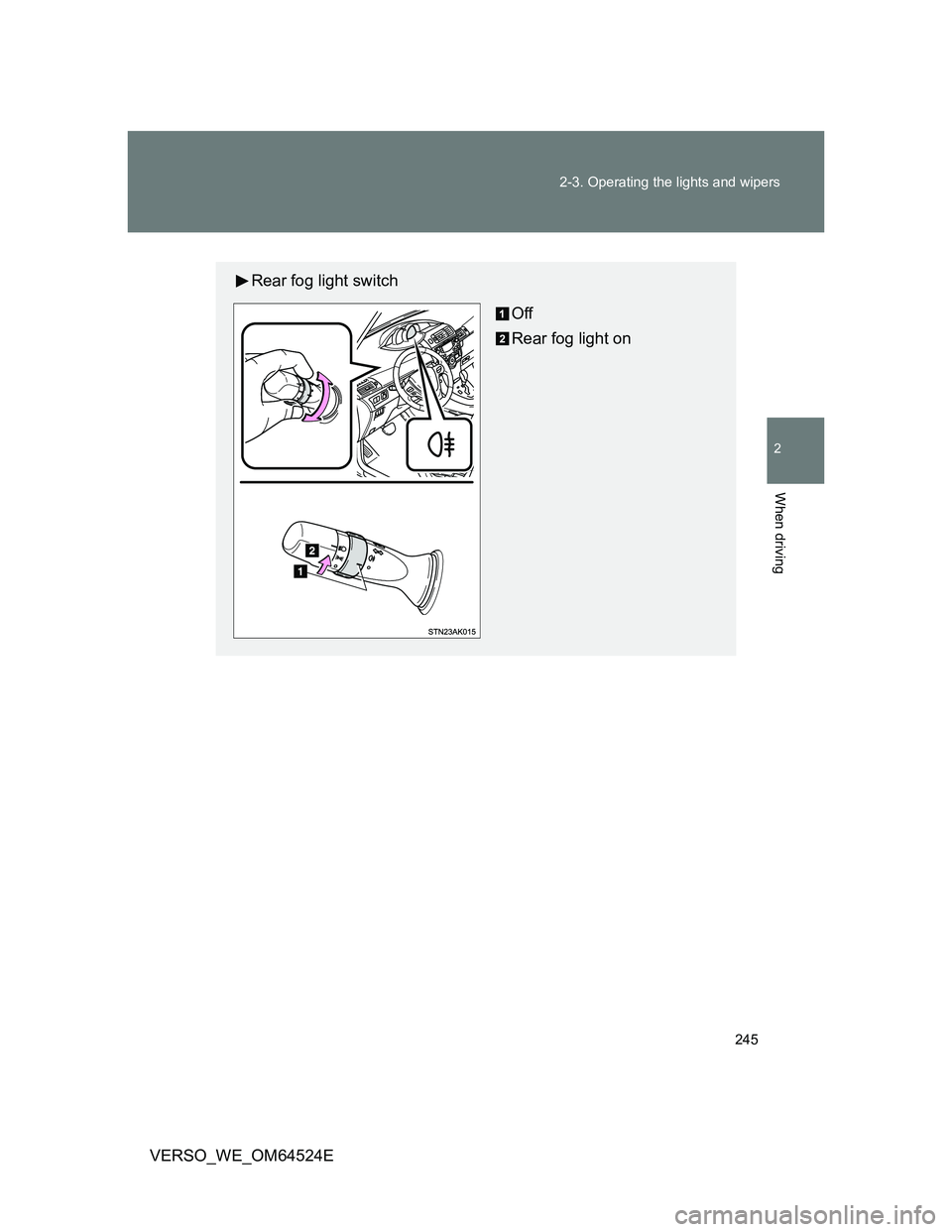
Rear fog light switch
Off
Rear fog light on
Page 291 of 588
3Interior features
291
VERSO_WE_OM64524E
3-1. Using the air conditioning
system and defogger
Manual air conditioning
system ............................ 292
Automatic air conditioning
system ............................ 297
Power heater .................... 304
Rear window and outside
rear view mirror
defoggers ....................... 306
3-2. Using the audio system
Audio system types .......... 308
Using the radio ................. 314
Using the CD player ......... 319
Playing back MP3 and
WMA discs...................... 324
Operating an iPod............. 330
Operating a USB
memory........................... 336
Optimal use of the audio
system ............................ 343
Using the AUX port ........... 345
Using the steering wheel
audio switches ................ 346
3-3. Using the interior lights
Interior lights list................ 349
• Personal/interior lights
main switch ..................... 350
• Personal/interior lights .... 3513-4. Using the storage features
List of storage features ..... 352
• Glove box ....................... 353
• Console box.................... 354
• Overhead console .......... 355
• Cup holders .................... 356
• Bottle holders.................. 357
• Auxiliary boxes ............... 358
3-5. Other interior features
Sun visors ......................... 361
Vanity mirror ..................... 362
Conversation mirror .......... 363
Portable ashtray................ 364
Cigarette lighter ................ 365
Power outlet ...................... 366
Seat heaters ..................... 368
Armrest ............................. 370
Front seatback table ......... 371
Panoramic roof shade....... 373
Rear side sunshades ........ 376
Floor mat........................... 377
Luggage compartment
features........................... 379
Page 292 of 588
292
VERSO_WE_OM64524E
3-1. Using the air conditioning system and defogger
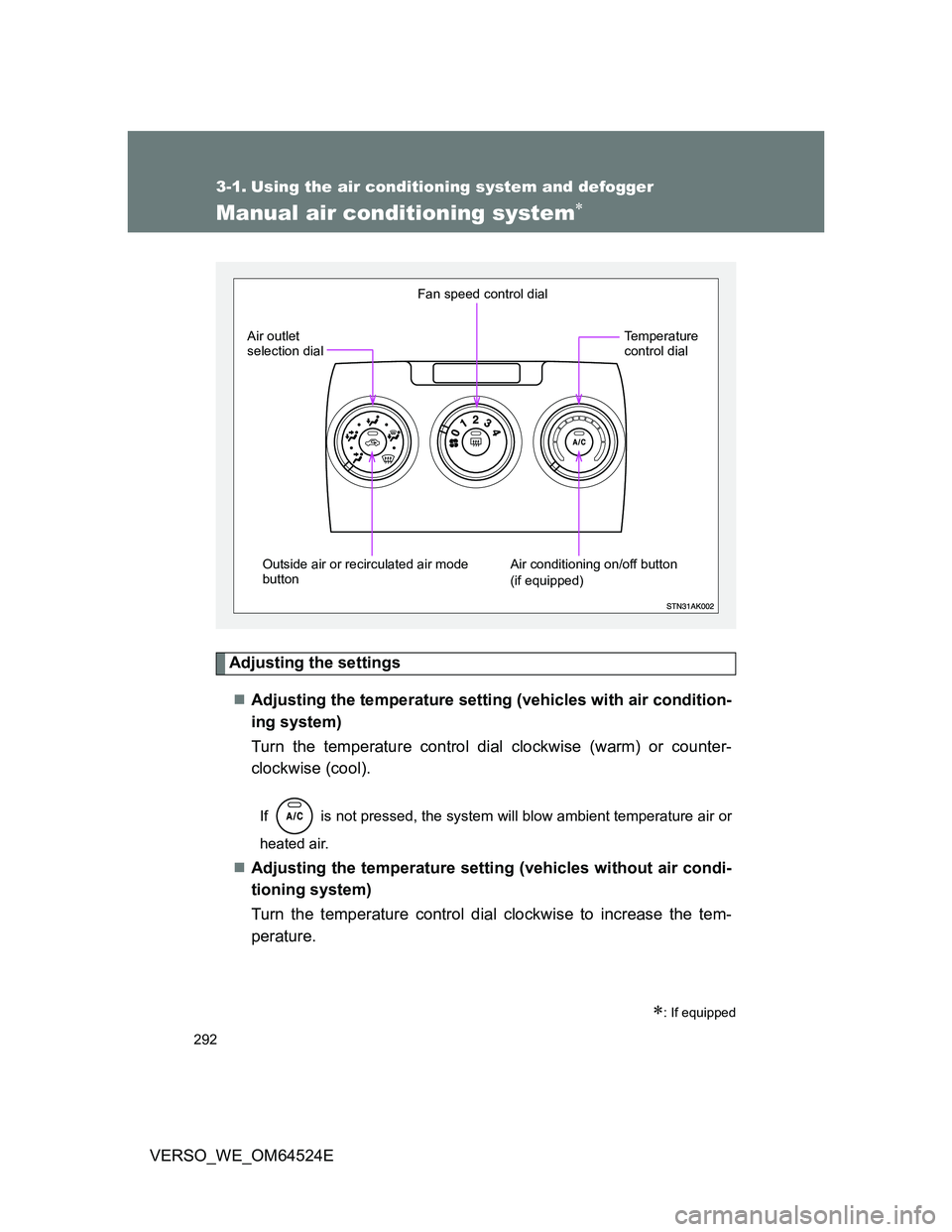
Manual air conditioning system
Adjusting the settings
Adjusting the temperature setting (vehicles with air condition-
ing system)
Turn the temperature control dial clockwise (warm) or counter-
clockwise (cool).
If is not pressed, the system will blow ambient temperature air or
heated air.
Adjusting the temperature setting (vehicles without air condi-
tioning system)
Turn the temperature control dial clockwise to increase the tem-
perature.
: If equipped
Fan speed control dial
Outside air or recirculated air mode
button Air outlet
selection dial
Air conditioning on/off button
(if equipped)Temperature
control dial
Page 293 of 588
293 3-1. Using the air conditioning system and defogger
3
Interior features
VERSO_WE_OM64524EAdjusting the fan speed
Turn the fan speed control dial clockwise (increase) or counter
clockwise (decrease).
Set the dial to “0” to turn the fan off.
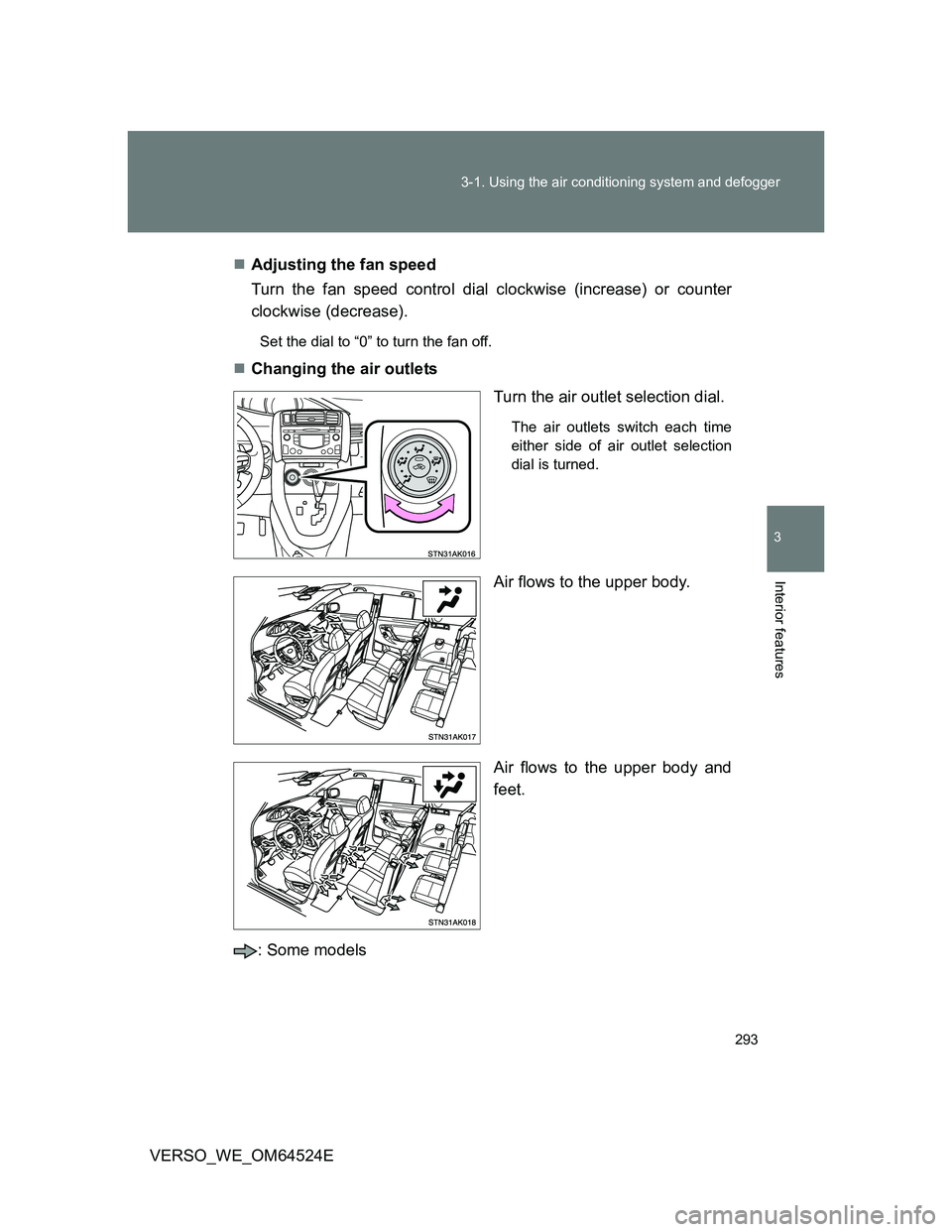
Changing the air outlets
Turn the air outlet selection dial.
The air outlets switch each time
either side of air outlet selection
dial is turned.
Air flows to the upper body.
Air flows to the upper body and
feet.
: Some models