remote control TOYOTA VERSO 2011 User Guide
[x] Cancel search | Manufacturer: TOYOTA, Model Year: 2011, Model line: VERSO, Model: TOYOTA VERSO 2011Pages: 588, PDF Size: 31.32 MB
Page 61 of 588
61 1-2. Opening, closing and locking the doors
1
Before driving
VERSO_WE_OM64524E
Certification for wireless remote control (vehicles without smart entry
& start system)
Page 67 of 588
67
1
1-2. Opening, closing and locking the doors
Before driving
VERSO_WE_OM64524E
Side doors
The vehicle can be locked and unlocked using the smart entry &
start system, wireless remote control or door lock switch.
Smart entry & start system (if equipped)
P. 4 1
Wireless remote control
P. 5 8
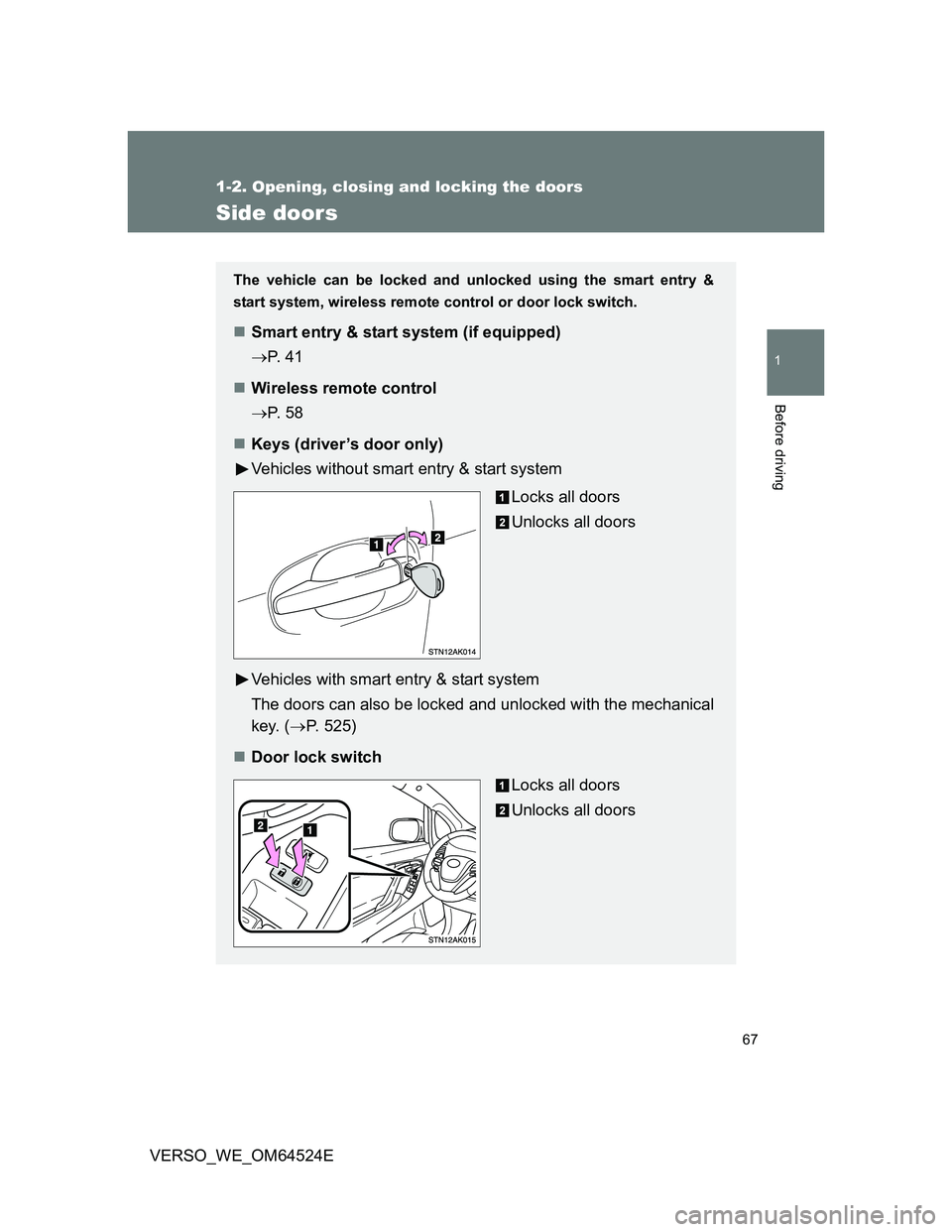
Keys (driver’s door only)
Vehicles without smart entry & start system
Locks all doors
Unlocks all doors
Vehicles with smart entry & start system
The doors can also be locked and unlocked with the mechanical
key. (P. 525)
Door lock switch
Locks all doors
Unlocks all doors
Page 73 of 588
73
1
1-2. Opening, closing and locking the doors
Before driving
VERSO_WE_OM64524E
Back door
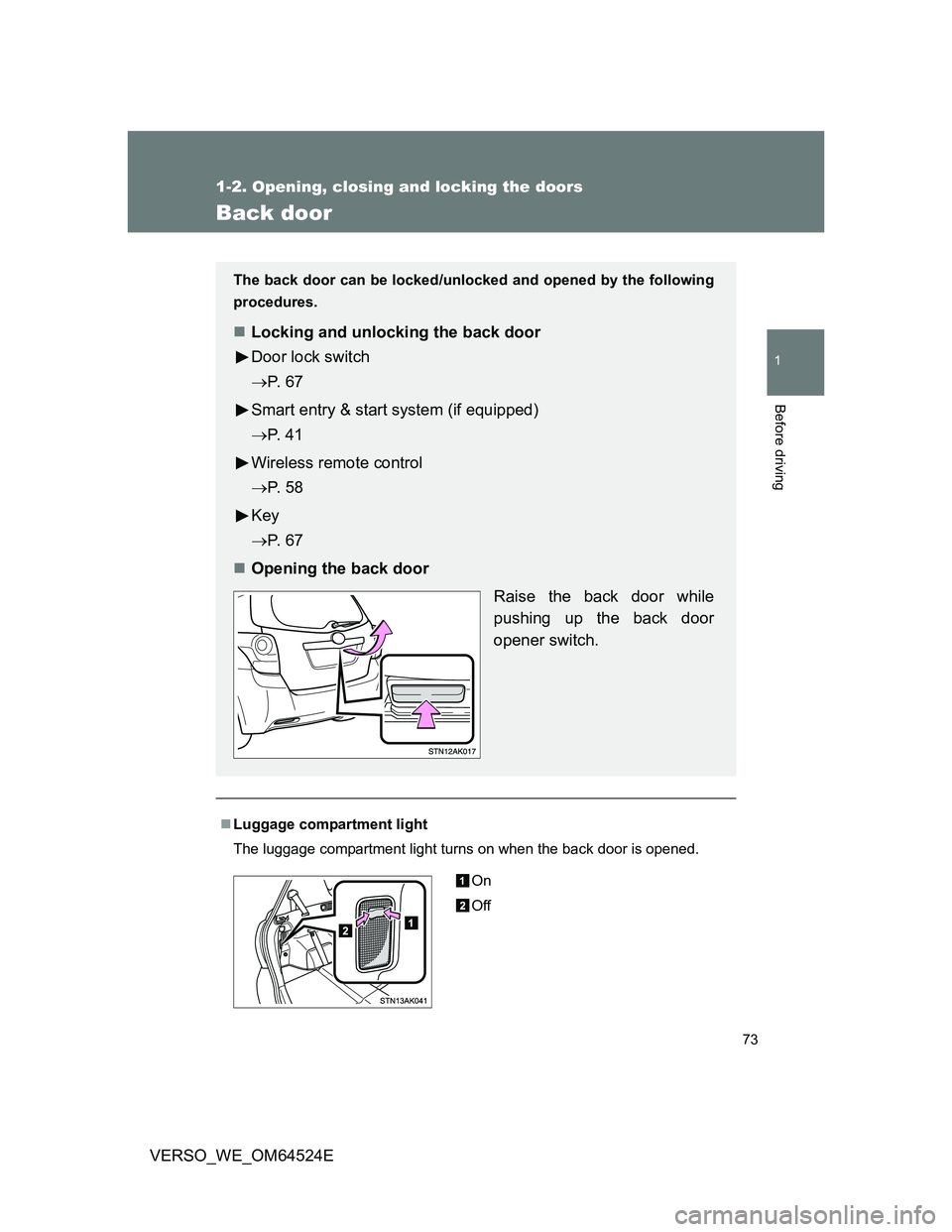
Luggage compartment light
The luggage compartment light turns on when the back door is opened.
The back door can be locked/unlocked and opened by the following
procedures.
Locking and unlocking the back door
Door lock switch
P. 6 7
Smart entry & start system (if equipped)
P. 4 1
Wireless remote control
P. 5 8
Key
P. 6 7
Opening the back door
Raise the back door while
pushing up the back door
opener switch.
On
Off
Page 120 of 588
120
1-6. Theft deterrent system
VERSO_WE_OM64524E
Double locking system
Setting the system
Vehicles without smart entry & start system
Turn the engine switch to the “LOCK” position, have all the passen-
gers exit the vehicle and ensure that all the doors are closed.
Using the wireless remote control:
Press the button twice within 5 seconds.
Vehicles with smart entry & start system
Turn the “ENGINE START STOP” switch OFF, have all the passen-
gers exit the vehicle and ensure that all the doors are closed.
Using the smart entry & start system:
Touch the sensor area on the outside door handle twice within 5
seconds.
Using the wireless remote control:
Press the
button twice within 5 seconds.
: If equipped
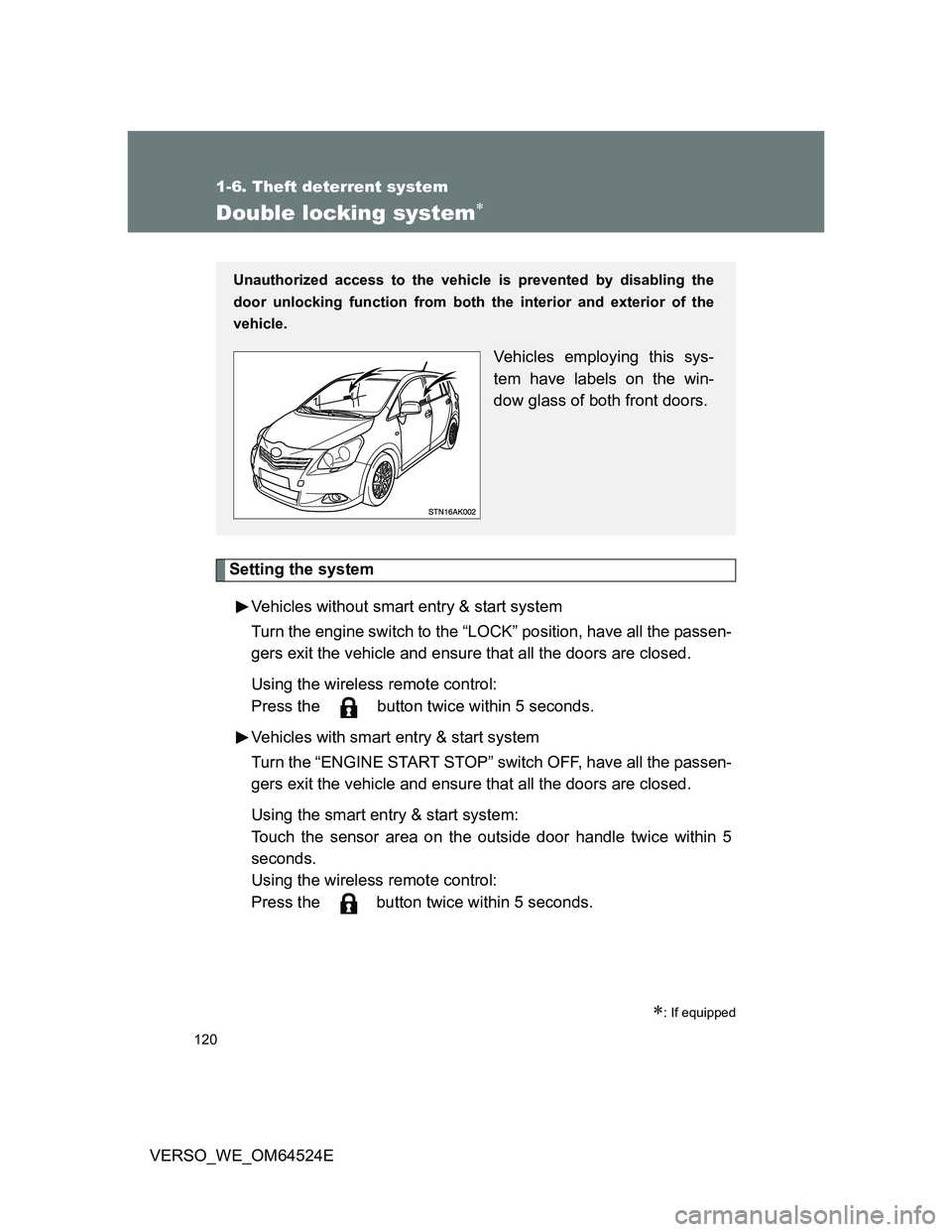
Unauthorized access to the vehicle is prevented by disabling the
door unlocking function from both the interior and exterior of the
vehicle.
Vehicles employing this sys-
tem have labels on the win-
dow glass of both front doors.
Page 121 of 588
121 1-6. Theft deterrent system
1
Before driving
VERSO_WE_OM64524E
Canceling the system
Using the smart entry & start system (if equipped):
Hold the outside door handle on the driver side.
Using the wireless remote control:
Press the
button.
CAUTION
Double locking system precaution
Never activate the double locking system when there are people in the vehi-
cle, because all the doors cannot be opened from inside the vehicle.
Page 122 of 588
122
1-6. Theft deterrent system
VERSO_WE_OM64524E
Alarm
: If equipped
The system sounds the alarm and flashes lights when forcible entry
is detected.
Triggering of the alarm
The alarm is triggered in the following situations when the alarm
is set.
A locked door is unlocked or opened in any way other than
using the entry function (vehicles with smart entry & start sys-
tem) or wireless remote control. (The doors will lock again
automatically.)
The hood is opened.
Vehicles with the intrusion sensor: The intrusion sensor
detects something moving inside the vehicle. (An intruder gets
in the vehicle.)
Vehicles with the glass breakage sensor: The back door win-
dow is tapped or broken.
The battery is reconnected.
Page 123 of 588
123 1-6. Theft deterrent system
1
Before driving
VERSO_WE_OM64524E
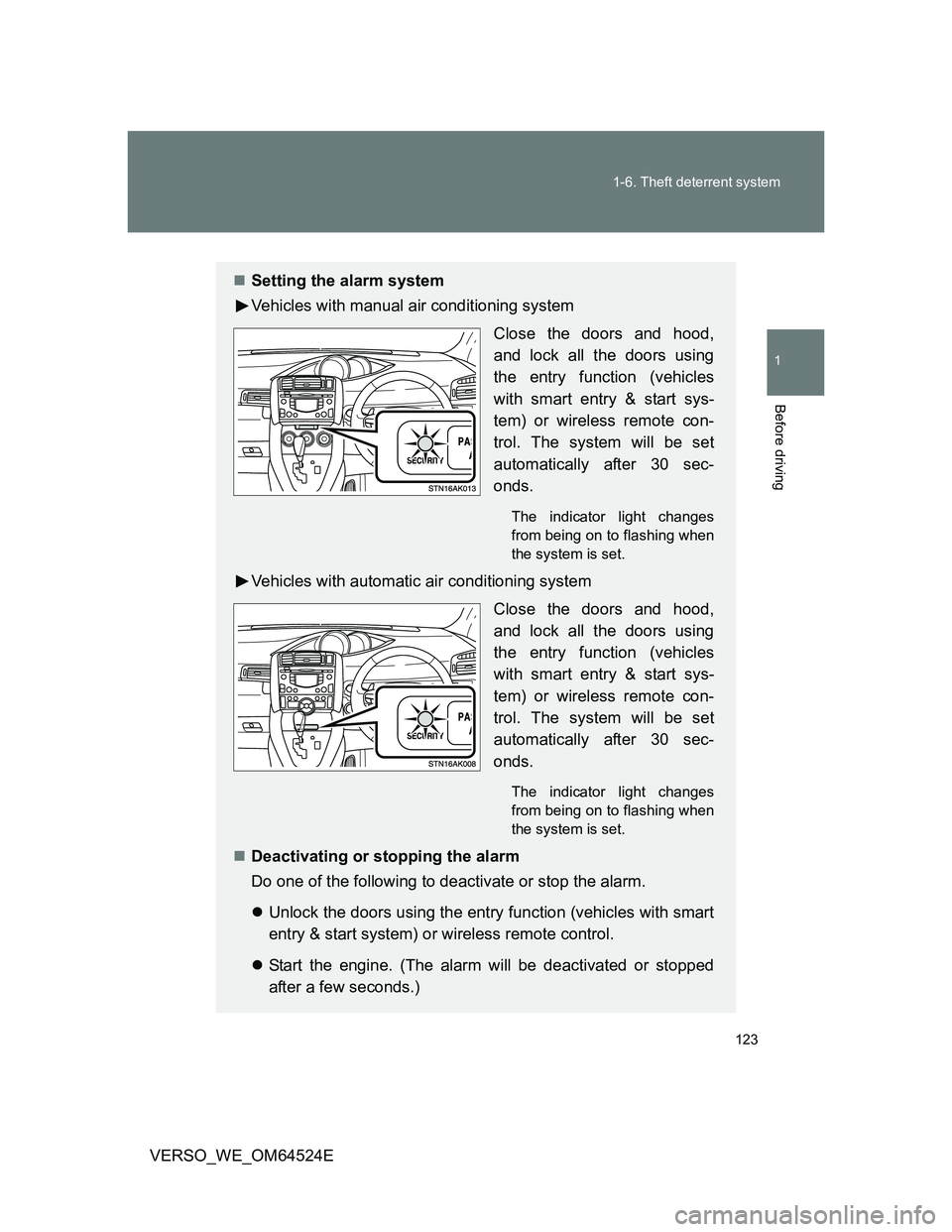
Setting the alarm system
Vehicles with manual air conditioning system
Close the doors and hood,
and lock all the doors using
the entry function (vehicles
with smart entry & start sys-
tem) or wireless remote con-
trol. The system will be set
automatically after 30 sec-
onds.
The indicator light changes
from being on to flashing when
the system is set.
Vehicles with automatic air conditioning system
Close the doors and hood,
and lock all the doors using
the entry function (vehicles
with smart entry & start sys-
tem) or wireless remote con-
trol. The system will be set
automatically after 30 sec-
onds.
The indicator light changes
from being on to flashing when
the system is set.
Deactivating or stopping the alarm
Do one of the following to deactivate or stop the alarm.
Unlock the doors using the entry function (vehicles with smart
entry & start system) or wireless remote control.
Start the engine. (The alarm will be deactivated or stopped
after a few seconds.)
Page 125 of 588
125 1-6. Theft deterrent system
1
Before driving
VERSO_WE_OM64524E
Canceling and automatic re-enabling of the intrusion sensor
The alarm will still be set even when the intrusion sensor is canceled.
Vehicles without smart entry & start system: After the intrusion sensor is
canceled, turn the engine switch to the “ON” position or unlocking the
doors using the wireless remote control will re-enable the intrusion sen-
sor.
Vehicles with smart entry & start system: After the intrusion sensor is can-
celed, pressing the “ENGINE START STOP” switch or unlocking the doors
using the smart entry & start system or wireless remote control will re-
enable the intrusion sensor.
The intrusion sensor will automatically be re-enabled when the alarm
system is deactivated.
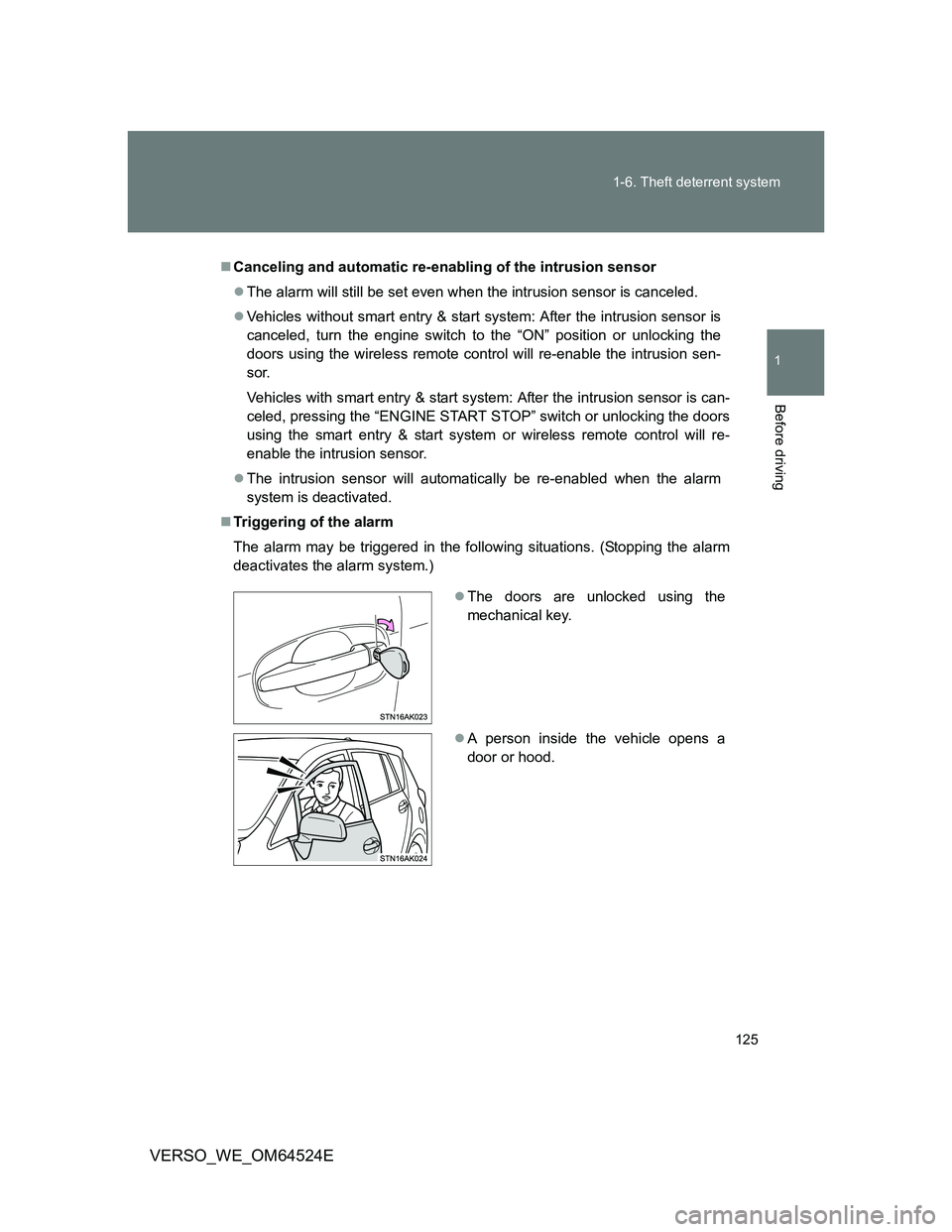
Triggering of the alarm
The alarm may be triggered in the following situations. (Stopping the alarm
deactivates the alarm system.)
The doors are unlocked using the
mechanical key.
A person inside the vehicle opens a
door or hood.
Page 434 of 588
434 4-3. Do-it-yourself maintenance
VERSO_WE_OM64524E
If the key battery is discharged
The following symptoms may occur.
The smart entry & start system (if equipped) and wireless remote control
will not function properly.
The operational range is reduced.
Use the following types of lithium battery
Vehicles without smart entry & start system: CR2016
Vehicles with smart entry & start system: CR1632
Batteries can be purchased at any authorized Toyota dealer or repairer,
or another duly qualified and equipped professional, jewelers, or camera
stores.
Replace only with the same or equivalent type recommended by any
authorized Toyota dealer or repairer, or another duly qualified and
equipped professional.
Dispose of used batteries according to local laws.
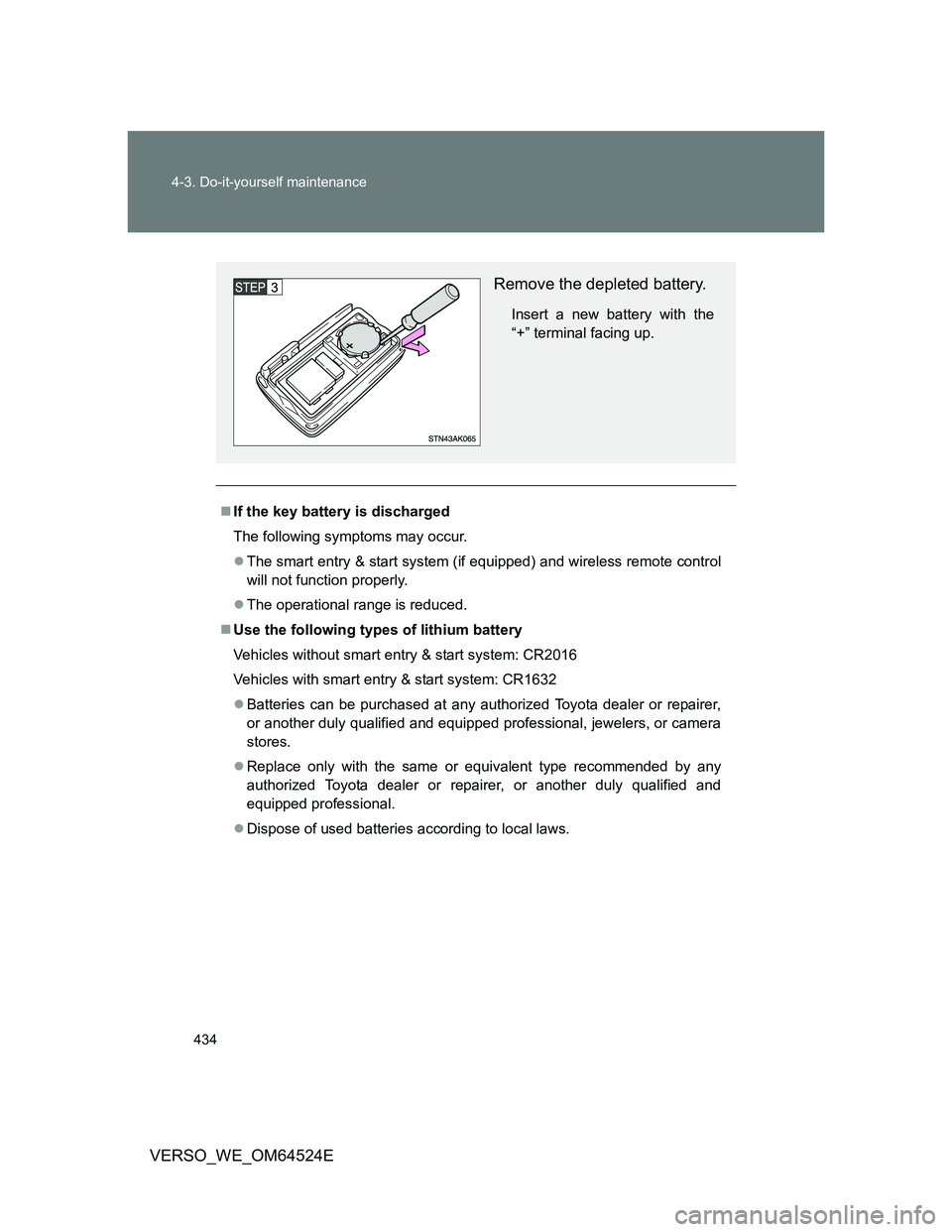
Remove the depleted battery.
Insert a new battery with the
“+” terminal facing up.
Page 435 of 588
435 4-3. Do-it-yourself maintenance
4
Maintenance and care
VERSO_WE_OM64524E
CAUTION
Removed battery and other parts
Keep away from children. These parts are small and if swallowed by a child,
they can cause choking. Failure to do so could result in death or serious
injury.
Certification for the key battery
RISK OF EXPLOSION IF BATTERY IS REPLACED BY AN INCORRECT
TYPE. DISPOSE OF USED BATTERIES ACCORDING TO THE INSTRUC-
TIONS
NOTICE
For normal operation after replacing the battery
Observe the following precautions to prevent accidents.
Always work with dry hands.
Moisture may cause the battery to rust.
Do not touch or move any other components inside the remote control.
Do not bend the battery terminals.