DRIVING TOYOTA VERSO 2011 Owners Manual
[x] Cancel search | Manufacturer: TOYOTA, Model Year: 2011, Model line: VERSO, Model: TOYOTA VERSO 2011Pages: 588, PDF Size: 31.32 MB
Page 1 of 588
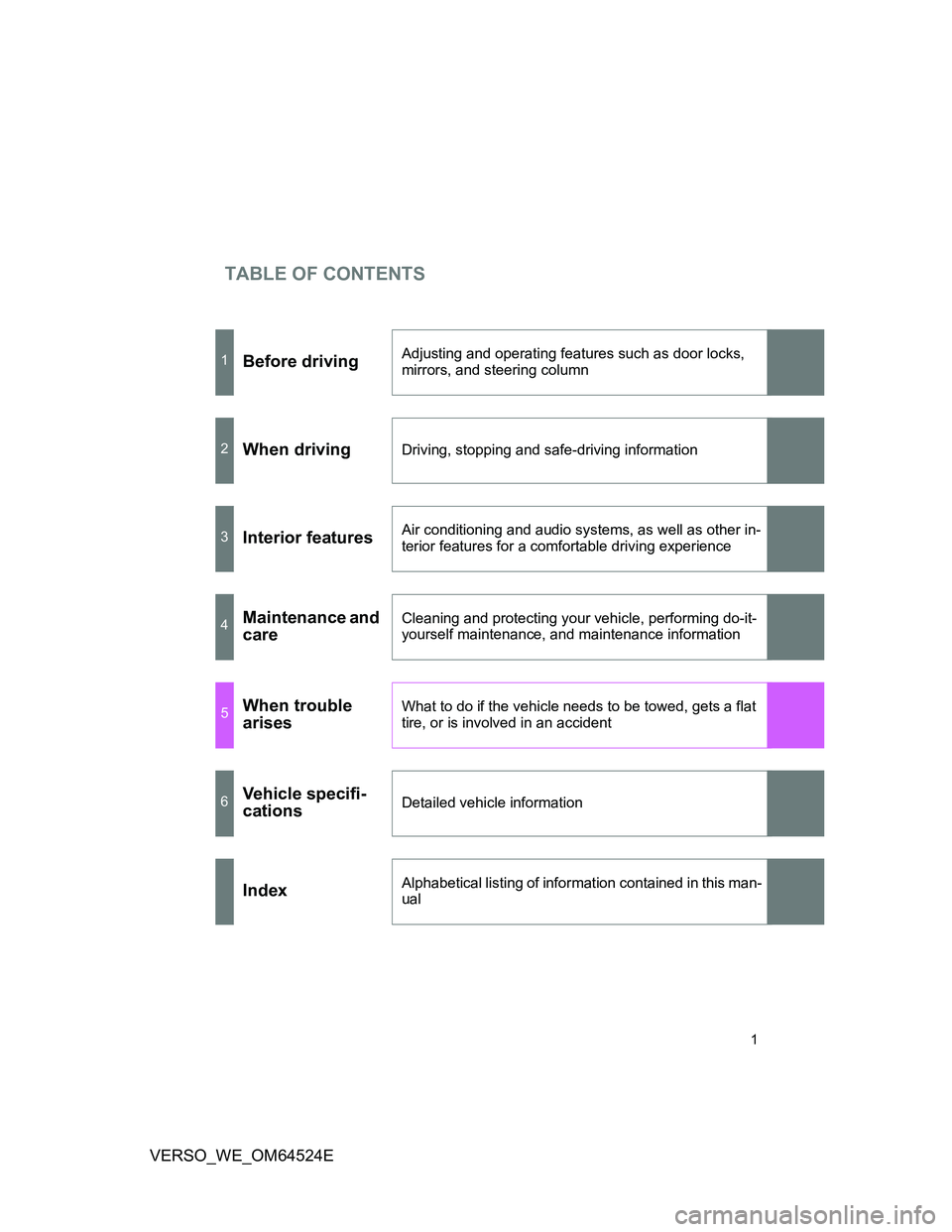
TABLE OF CONTENTS
1
VERSO_WE_OM64524E
1Before drivingAdjusting and operating features such as door locks,
mirrors, and steering column
2When drivingDriving, stopping and safe-driving information
3Interior featuresAir conditioning and audio systems, as well as other in-
terior features for a comfortable driving experience
4Maintenance and
careCleaning and protecting your vehicle, performing do-it-
yourself maintenance, and maintenance information
5When trouble
arisesWhat to do if the vehicle needs to be towed, gets a flat
tire, or is involved in an accident
6Vehicle specifi-
cationsDetailed vehicle information
IndexAlphabetical listing of information contained in this man-
ual
Page 2 of 588
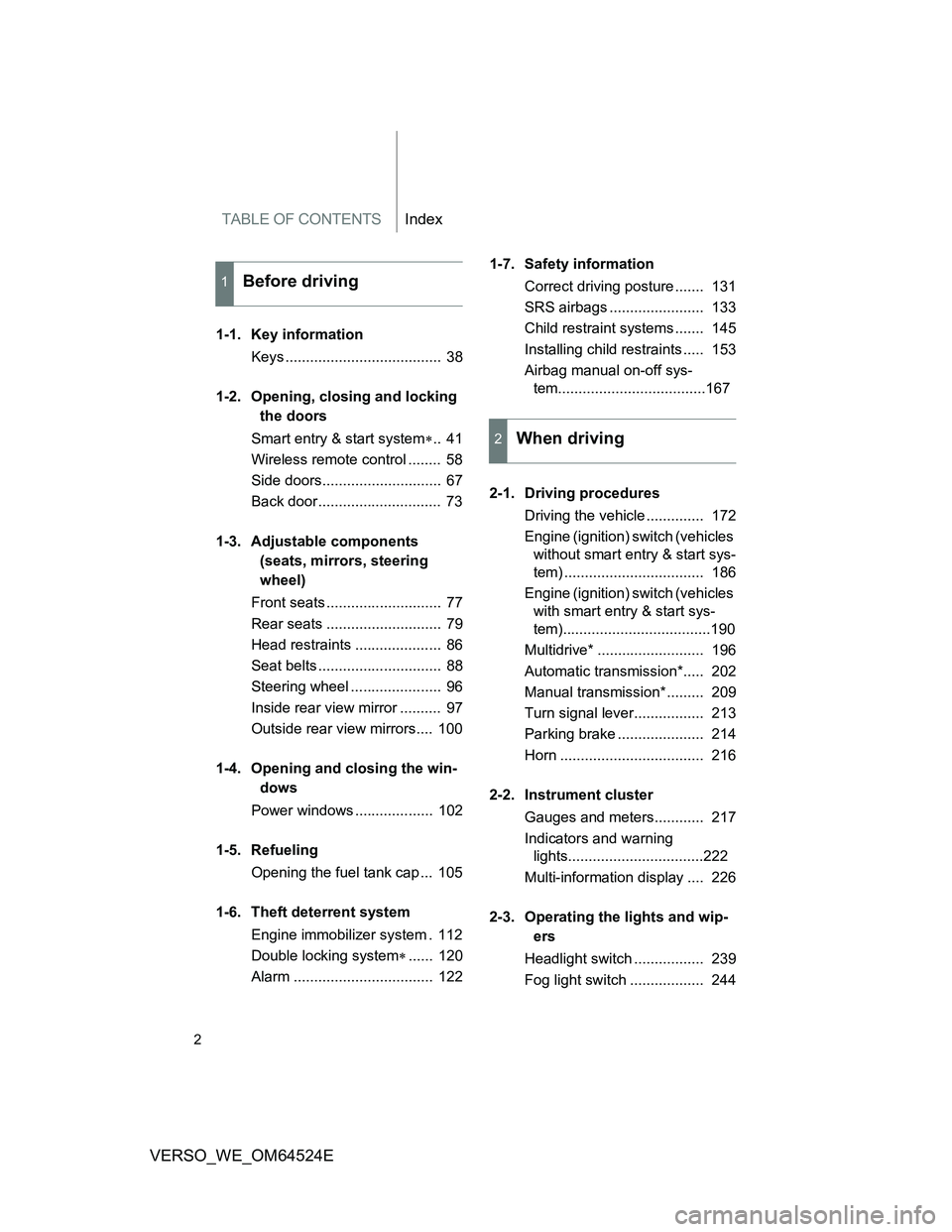
TABLE OF CONTENTSIndex
2
VERSO_WE_OM64524E
1-1. Key information
Keys ...................................... 38
1-2. Opening, closing and locking
the doors
Smart entry & start system.. 41
Wireless remote control ........ 58
Side doors............................. 67
Back door.............................. 73
1-3. Adjustable components
(seats, mirrors, steering
wheel)
Front seats ............................ 77
Rear seats ............................ 79
Head restraints ..................... 86
Seat belts .............................. 88
Steering wheel ...................... 96
Inside rear view mirror .......... 97
Outside rear view mirrors.... 100
1-4. Opening and closing the win-
dows
Power windows ................... 102
1-5. Refueling
Opening the fuel tank cap ... 105
1-6. Theft deterrent system
Engine immobilizer system . 112
Double locking system...... 120
Alarm .................................. 1221-7. Safety information
Correct driving posture ....... 131
SRS airbags ....................... 133
Child restraint systems ....... 145
Installing child restraints ..... 153
Airbag manual on-off sys-
tem....................................167
2-1. Driving procedures
Driving the vehicle .............. 172
Engine (ignition) switch (vehicles
without smart entry & start sys-
tem) .................................. 186
Engine (ignition) switch (vehicles
with smart entry & start sys-
tem)....................................190
Multidrive* .......................... 196
Automatic transmission*..... 202
Manual transmission* ......... 209
Turn signal lever................. 213
Parking brake ..................... 214
Horn ................................... 216
2-2. Instrument cluster
Gauges and meters............ 217
Indicators and warning
lights.................................222
Multi-information display .... 226
2-3. Operating the lights and wip-
ers
Headlight switch ................. 239
Fog light switch .................. 244
1Before driving
2When driving
Page 3 of 588
1
2
3
4
5
6
3
VERSO_WE_OM64524E
Windshield wipers and washer
...........................................246
Rear window wiper and wash-
er......................................251
2-4. Using other driving systems
Cruise control* .................... 252
Speed limiter* ..................... 256
Toyota parking assist-sen-
sor.....................................259
Driving assist systems ........ 267
Hill-start assist control......... 273
2-5. Driving information
Cargo and luggage ............. 275
Winter driving tips ............... 278
Trailer towing ...................... 282
3-1. Using the air conditioning sys-
tem and defogger
Manual air conditioning sys-
tem..................................292
Automatic air conditioning sys-
tem.................................... 297
Power heater* ..................... 304
Rear window and outside rear
view mirror defoggers ....... 306
3-2. Using the audio system
Audio system types* ........... 308
Using the radio* .................. 314
Using the CD player* .......... 319Playing back MP3 and WMA
discs* ............................... 324
Operating an iPod* ............. 330
Operating a USB memory*. 336
Optimal use of the audio sys-
tem..................................343
Using the AUX port* ........... 345
Using the steering wheel audio
switches ........................... 346
3-3. Using the interior lights
Interior lights list ................. 349
• Personal/interior lights main
switch...............................350
• Personal/interior lights ..... 351
3-4. Using the storage features
List of storage features....... 352
• Glove box ......................... 353
• Console box ..................... 354
• Console box and overhead
console..............................355
• Overhead console and cup
holders..............................356
• Cup holders and bottle hold-
ers.....................................357
• Bottle holders and auxiliary
boxes................................358
• Auxiliary boxes ................. 359
• Auxiliary boxes ................. 360
3-5. Other interior features
Sun visors .......................... 361
Vanity mirror ....................... 362
Conversation mirror............ 363
Portable ashtray ................. 364
Cigarette lighter .................. 365
Power outlet ....................... 366
3Interior features
Page 34 of 588
34
VERSO_WE_OM64524E
CAUTION
General precautions while driving
Driving under the influence: Never drive your vehicle when under the influ-
ence of alcohol or drugs that have impaired your ability to operate your vehi-
cle. Alcohol and certain drugs delay reaction time, impair judgment and
reduce coordination, which could lead to an accident that could result in
death or serious injury.
Defensive driving: Always drive defensively. Anticipate mistakes that other
drivers or pedestrians might make and be ready to avoid accidents.
Driver distraction: Always give your full attention to driving. Anything that dis-
tracts the driver, such as adjusting controls, talking on a cellular phone or
reading can result in a collision with resulting death or serious injury to you,
your occupants or others.
General precautions regarding children’s safety
Never leave children unattended in the vehicle, and never allow children to
have or use the key.
Children may be able to start the vehicle or shift the vehicle into neutral.
There is also a danger that children may injure themselves by playing with
the cigarette lighter, the windows, or other features of the vehicle. In addi-
tion, heat build-up or extremely cold temperatures inside the vehicle can be
fatal to children.
Your vehicle contains batteries and/or accumulators. Do not discard
them into the environment but cooperate with separate collection
(Directive 2006/66/EC).
Page 37 of 588
1Before driving
37
VERSO_WE_OM64524E
1-1. Key information
Keys.................................... 38
1-2. Opening, closing and locking
the doors
Smart entry & start
system .............................. 41
Wireless remote control ...... 58
Side doors .......................... 67
Back door ........................... 73
1-3. Adjustable components
(seats, mirrors, steering
wheel)
Front seats.......................... 77
Rear seats .......................... 79
Head restraints ................... 86
Seat belts............................ 88
Steering wheel .................... 96
Inside rear view mirror ........ 97
Outside rear view
mirrors ............................ 100
1-4. Opening and closing
the windows
Power windows................. 102
1-5. Refueling
Opening the fuel tank
cap .................................. 1051-6. Theft deterrent system
Engine immobilizer
system ............................ 112
Double locking
system ............................ 120
Alarm ................................ 122
1-7. Safety information
Correct driving posture ..... 131
SRS airbags...................... 133
Child restraint systems ..... 145
Installing child restraints ... 153
Airbag manual on-off
system ............................ 167
Page 39 of 588
39 1-1. Key information
1
Before driving
VERSO_WE_OM64524E
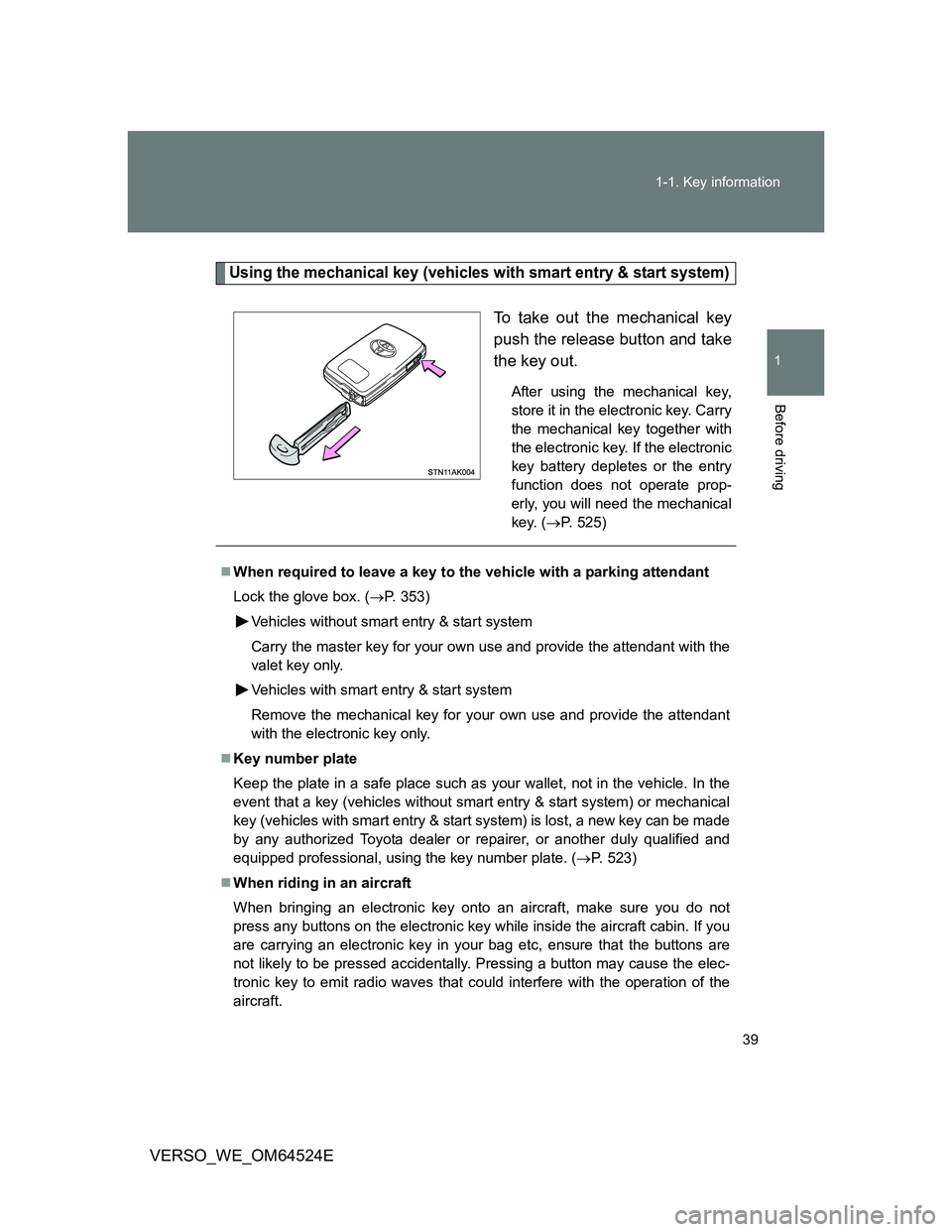
Using the mechanical key (vehicles with smart entry & start system)
To take out the mechanical key
push the release button and take
the key out.
After using the mechanical key,
store it in the electronic key. Carry
the mechanical key together with
the electronic key. If the electronic
key battery depletes or the entry
function does not operate prop-
erly, you will need the mechanical
key. (P. 525)
When required to leave a key to the vehicle with a parking attendant
Lock the glove box. (P. 353)
Vehicles without smart entry & start system
Carry the master key for your own use and provide the attendant with the
valet key only.
Vehicles with smart entry & start system
Remove the mechanical key for your own use and provide the attendant
with the electronic key only.
Key number plate
Keep the plate in a safe place such as your wallet, not in the vehicle. In the
event that a key (vehicles without smart entry & start system) or mechanical
key (vehicles with smart entry & start system) is lost, a new key can be made
by any authorized Toyota dealer or repairer, or another duly qualified and
equipped professional, using the key number plate. (P. 523)
When riding in an aircraft
When bringing an electronic key onto an aircraft, make sure you do not
press any buttons on the electronic key while inside the aircraft cabin. If you
are carrying an electronic key in your bag etc, ensure that the buttons are
not likely to be pressed accidentally. Pressing a button may cause the elec-
tronic key to emit radio waves that could interfere with the operation of the
aircraft.
Page 41 of 588
41
1
Before driving
VERSO_WE_OM64524E
1-2. Opening, closing and locking the doors
Smart entr y & start system
: If equipped
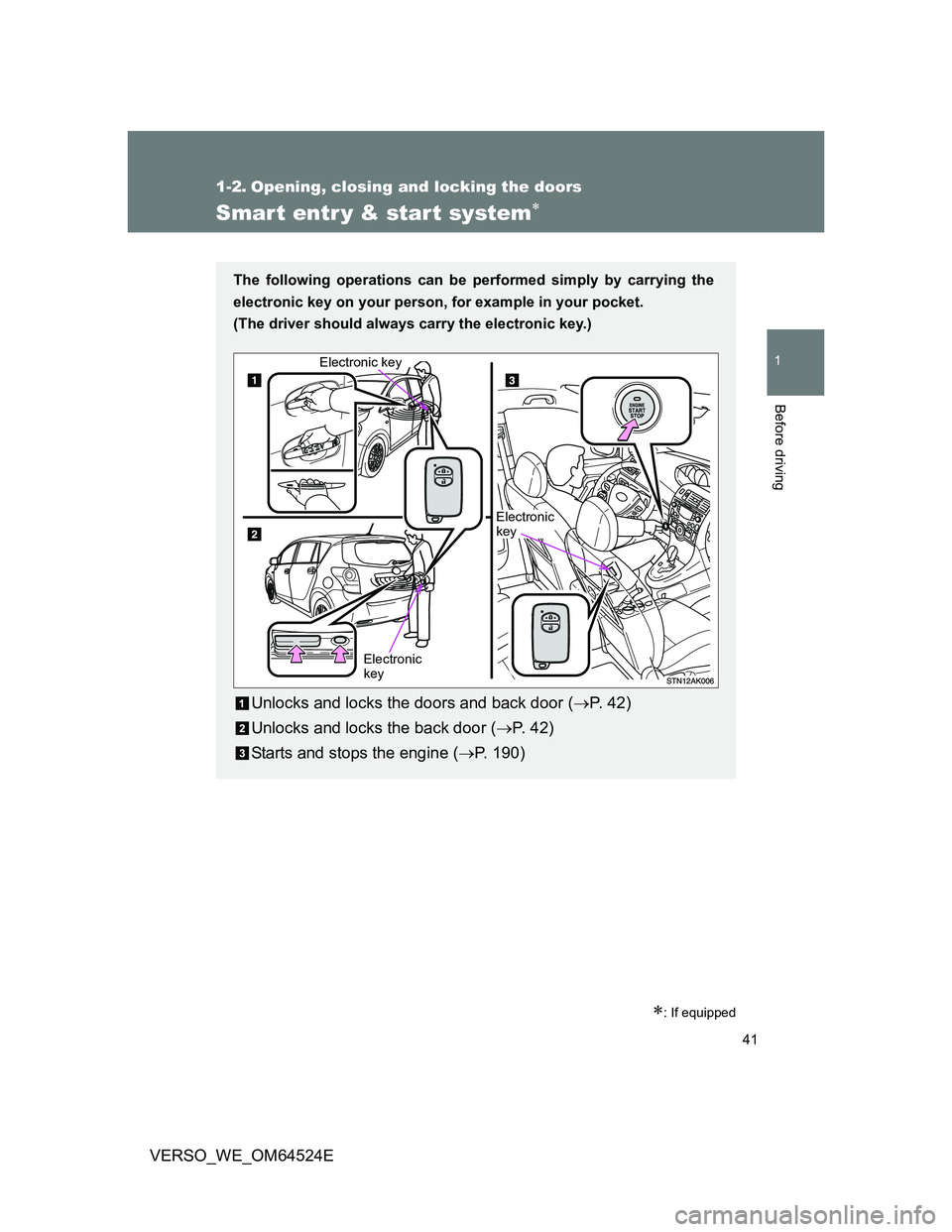
The following operations can be performed simply by carrying the
electronic key on your person, for example in your pocket.
(The driver should always carry the electronic key.)
Unlocks and locks the doors and back door (P. 4 2 )
Unlocks and locks the back door (P. 42)
Starts and stops the engine (P. 190)
Electronic
key Electronic key
Electronic
key
Page 43 of 588
43 1-2. Opening, closing and locking the doors
1
Before driving
VERSO_WE_OM64524EPress the lock button to lock.
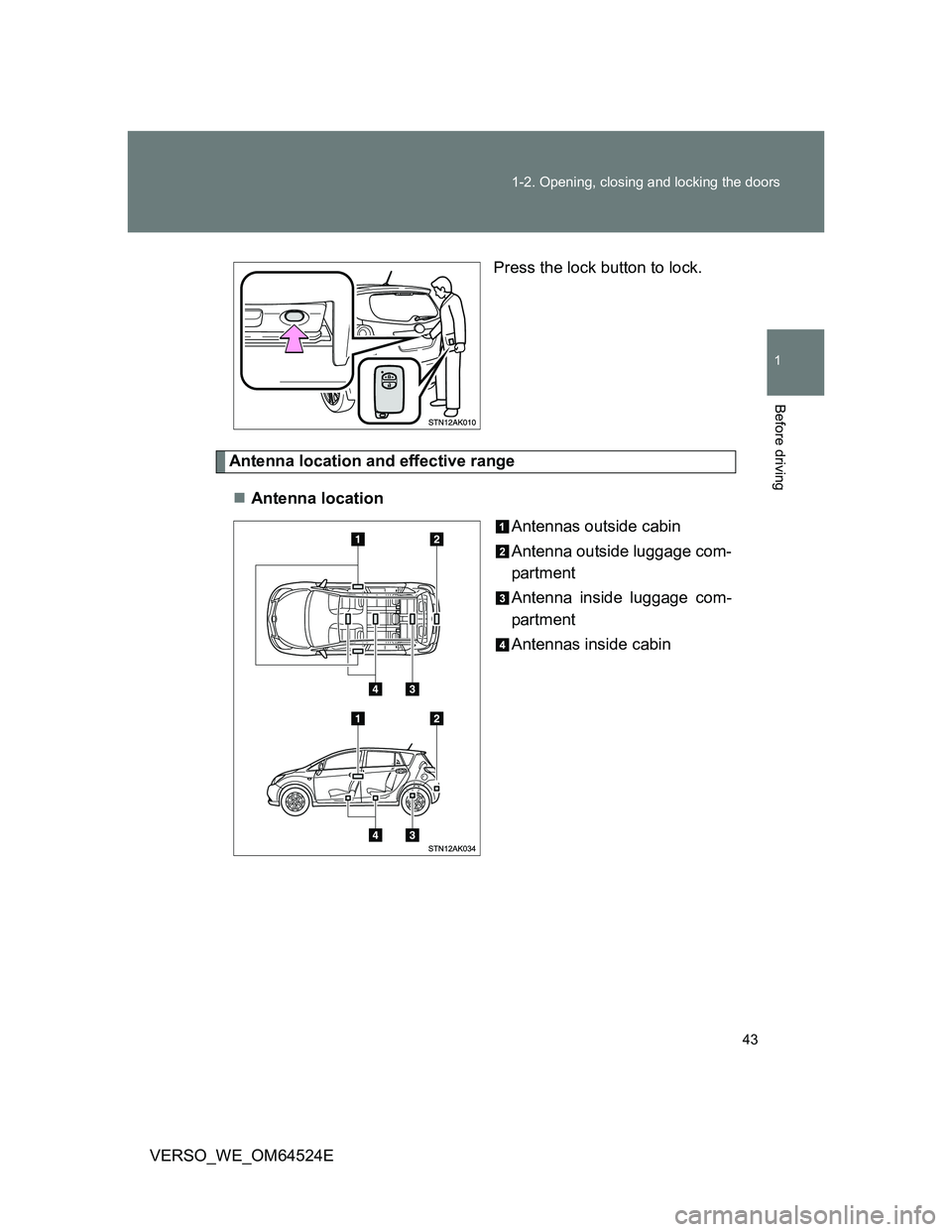
Antenna location and effective range
Antenna location
Antennas outside cabin
Antenna outside luggage com-
partment
Antenna inside luggage com-
partment
Antennas inside cabin
Page 45 of 588
45 1-2. Opening, closing and locking the doors
1
Before driving
VERSO_WE_OM64524E
Operation signals
The emergency flashers flash to indicate that the doors have been locked/
unlocked. (Locked: Once; Unlocked: Twice)
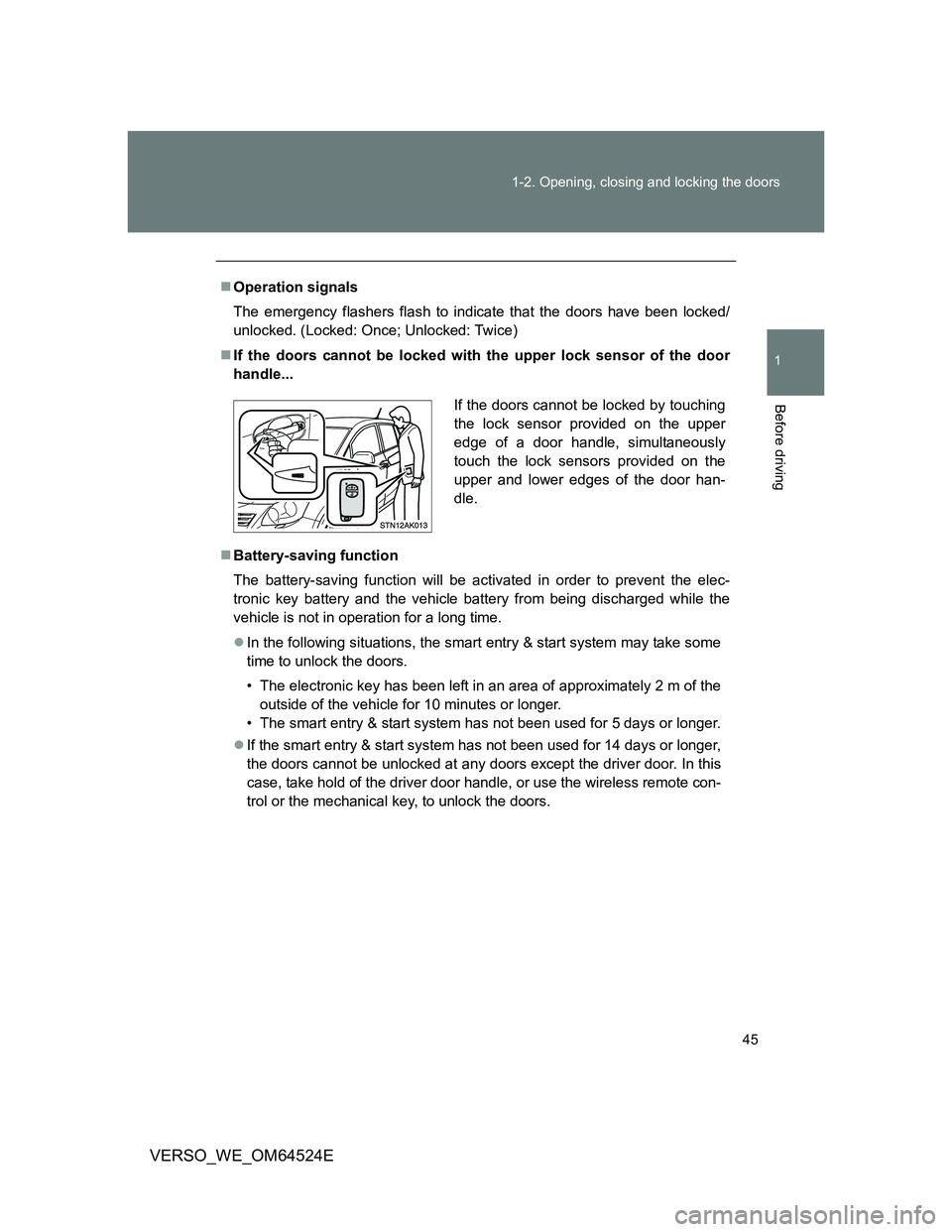
If the doors cannot be locked with the upper lock sensor of the door
handle...
Battery-saving function
The battery-saving function will be activated in order to prevent the elec-
tronic key battery and the vehicle battery from being discharged while the
vehicle is not in operation for a long time.
In the following situations, the smart entry & start system may take some
time to unlock the doors.
• The electronic key has been left in an area of approximately 2 m of the
outside of the vehicle for 10 minutes or longer.
• The smart entry & start system has not been used for 5 days or longer.
If the smart entry & start system has not been used for 14 days or longer,
the doors cannot be unlocked at any doors except the driver door. In this
case, take hold of the driver door handle, or use the wireless remote con-
trol or the mechanical key, to unlock the doors.
If the doors cannot be locked by touching
the lock sensor provided on the upper
edge of a door handle, simultaneously
touch the lock sensors provided on the
upper and lower edges of the door han-
dle.
Page 47 of 588
47 1-2. Opening, closing and locking the doors
1
Before driving
VERSO_WE_OM64524E
Do not leave the electronic key on top of the instrument panel or near the
door pockets when exiting the vehicle. Depending on the radio wave
reception conditions, it may be detected by the antenna outside the cabin
and the door will become lockable from the outside, possibly trapping the
electronic key inside the vehicle.
Special note for smart entry & start system
When the electronic key is in the operating range, anyone can lock and
unlock the doors even without having the electronic key. However, the
unlocking operation will not be active at a door that has not detected the
electronic key.
When the electronic key is in the operating range and the door handles
get soaked with water due to car washing or heavy rain, the doors may
be locked or unlocked. If the doors are unlocked, the doors will automati-
cally be locked again when no door operations occur in approximately 30
seconds.
If the electronic key is inside or near the vehicle and if the doors are
locked using the wireless remote control, the doors may not be unlocked
with the smart entry & start system. In this case, unlock the doors using
the wireless remote control.
Note for door locking operation
When touching a lock sensor to lock the doors while wearing gloves, the
response may be slow or the doors may not be locked. In this case,
touch the lock sensor without wearing a glove.
When door handles get wet while washing the vehicle with the electronic
key on your person, the doors may be locked and unlocked repeatedly. In
this case, keep the electronic key 2 m (6 ft.) or more away from the vehi-
cle while washing (pay attention to key theft).
When the electronic key is inside the vehicle and door handles get wet
due to a car wash, a warning message stating that the key is in the cabin
may appear on the multi-information display, interior and exterior alarms
may sound. In this case, lock the doors to stop the alarms.
A lock sensor covered with ice, snow or mud may not work properly. In
this case, remove the ice, snow or mud from the lock sensor surface and
then touch the sensor again, or unlock the doors using the lock sensor
located on the lower edge of the door handle.
Fingernails may come into contact with a door when taking hold of a door
handle. Be careful not to damage the door surface or your fingernails.