alarm TOYOTA VERSO 2011 Owners Manual
[x] Cancel search | Manufacturer: TOYOTA, Model Year: 2011, Model line: VERSO, Model: TOYOTA VERSO 2011Pages: 588, PDF Size: 31.32 MB
Page 2 of 588
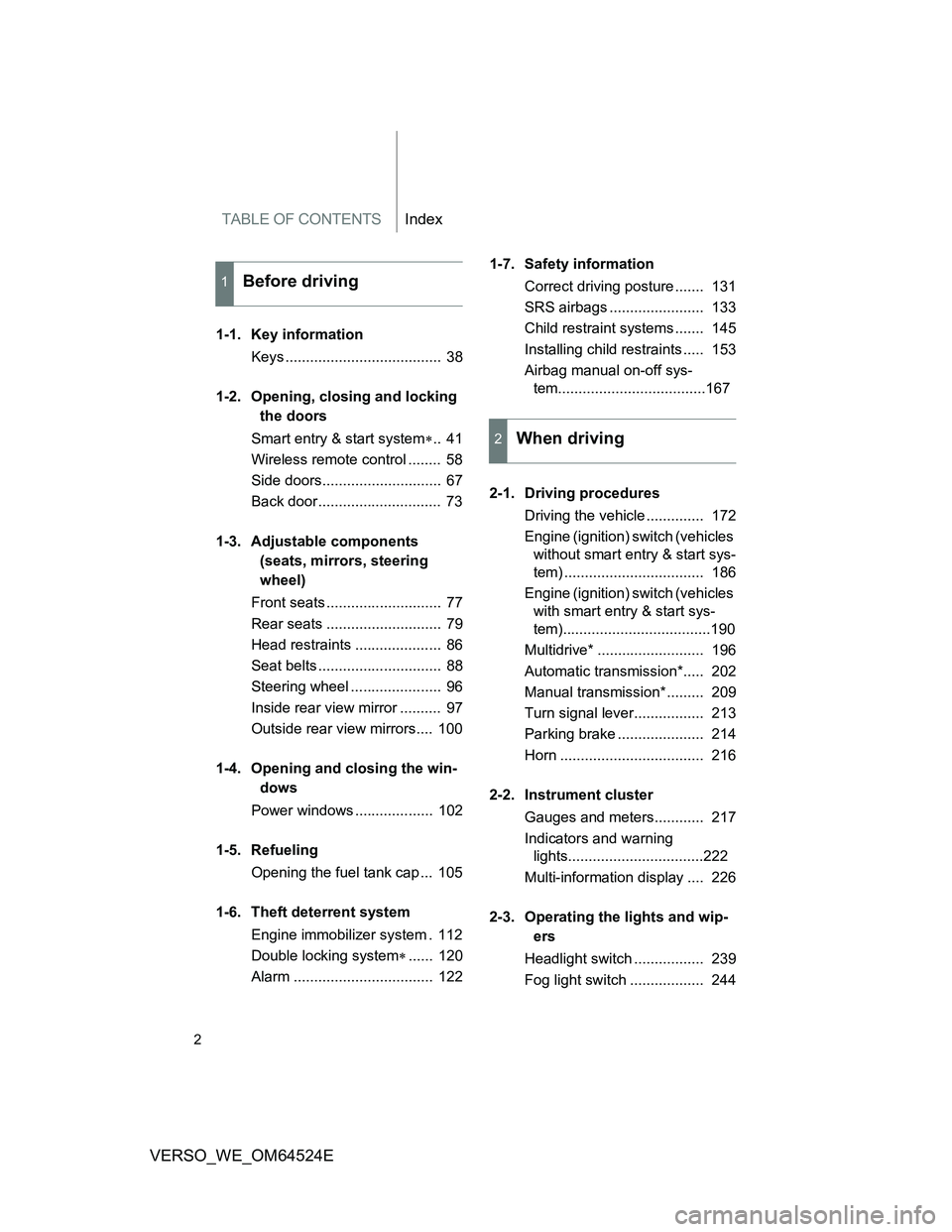
TABLE OF CONTENTSIndex
2
VERSO_WE_OM64524E
1-1. Key information
Keys ...................................... 38
1-2. Opening, closing and locking
the doors
Smart entry & start system.. 41
Wireless remote control ........ 58
Side doors............................. 67
Back door.............................. 73
1-3. Adjustable components
(seats, mirrors, steering
wheel)
Front seats ............................ 77
Rear seats ............................ 79
Head restraints ..................... 86
Seat belts .............................. 88
Steering wheel ...................... 96
Inside rear view mirror .......... 97
Outside rear view mirrors.... 100
1-4. Opening and closing the win-
dows
Power windows ................... 102
1-5. Refueling
Opening the fuel tank cap ... 105
1-6. Theft deterrent system
Engine immobilizer system . 112
Double locking system...... 120
Alarm .................................. 1221-7. Safety information
Correct driving posture ....... 131
SRS airbags ....................... 133
Child restraint systems ....... 145
Installing child restraints ..... 153
Airbag manual on-off sys-
tem....................................167
2-1. Driving procedures
Driving the vehicle .............. 172
Engine (ignition) switch (vehicles
without smart entry & start sys-
tem) .................................. 186
Engine (ignition) switch (vehicles
with smart entry & start sys-
tem)....................................190
Multidrive* .......................... 196
Automatic transmission*..... 202
Manual transmission* ......... 209
Turn signal lever................. 213
Parking brake ..................... 214
Horn ................................... 216
2-2. Instrument cluster
Gauges and meters............ 217
Indicators and warning
lights.................................222
Multi-information display .... 226
2-3. Operating the lights and wip-
ers
Headlight switch ................. 239
Fog light switch .................. 244
1Before driving
2When driving
Page 37 of 588
1Before driving
37
VERSO_WE_OM64524E
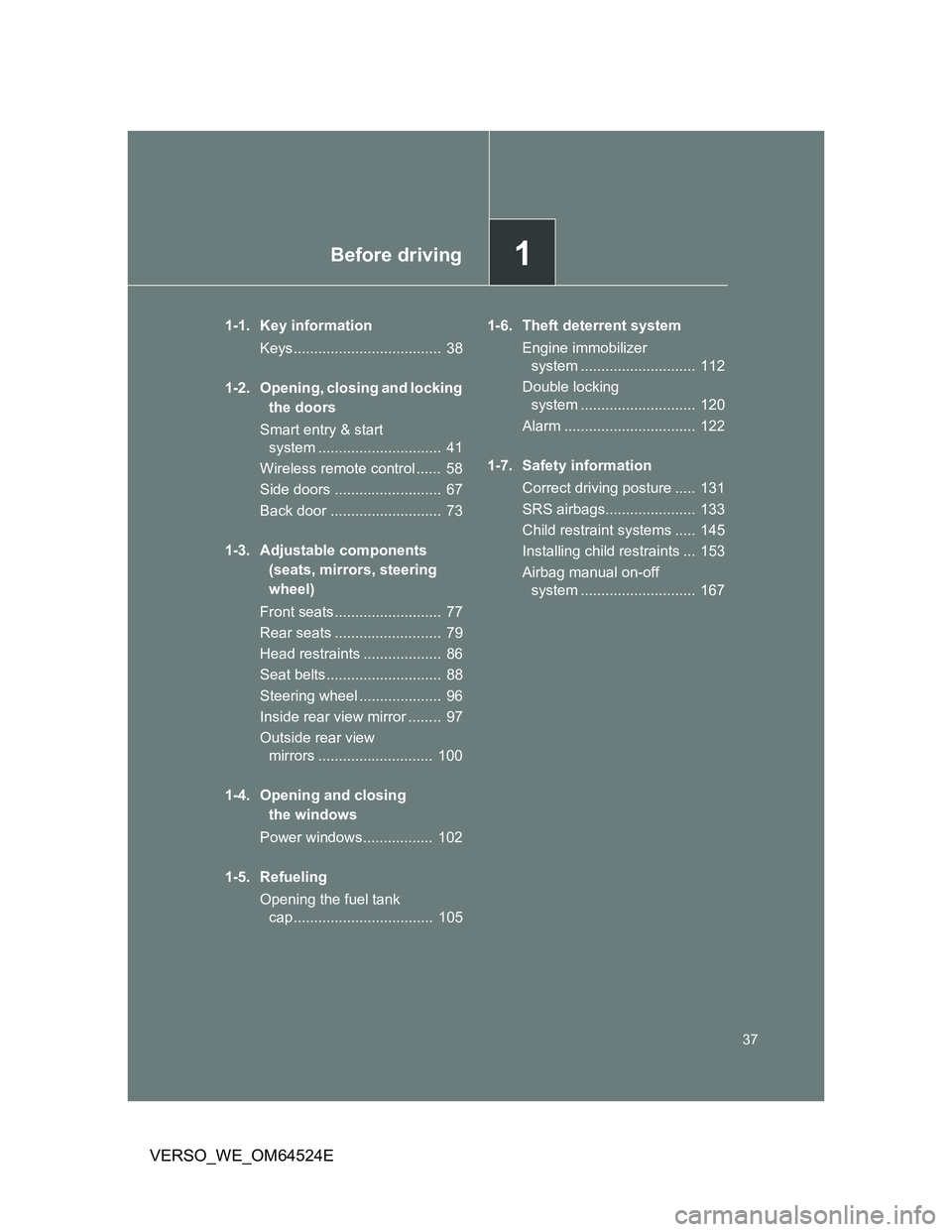
1-1. Key information
Keys.................................... 38
1-2. Opening, closing and locking
the doors
Smart entry & start
system .............................. 41
Wireless remote control ...... 58
Side doors .......................... 67
Back door ........................... 73
1-3. Adjustable components
(seats, mirrors, steering
wheel)
Front seats.......................... 77
Rear seats .......................... 79
Head restraints ................... 86
Seat belts............................ 88
Steering wheel .................... 96
Inside rear view mirror ........ 97
Outside rear view
mirrors ............................ 100
1-4. Opening and closing
the windows
Power windows................. 102
1-5. Refueling
Opening the fuel tank
cap .................................. 1051-6. Theft deterrent system
Engine immobilizer
system ............................ 112
Double locking
system ............................ 120
Alarm ................................ 122
1-7. Safety information
Correct driving posture ..... 131
SRS airbags...................... 133
Child restraint systems ..... 145
Installing child restraints ... 153
Airbag manual on-off
system ............................ 167
Page 46 of 588
46 1-2. Opening, closing and locking the doors
VERSO_WE_OM64524E
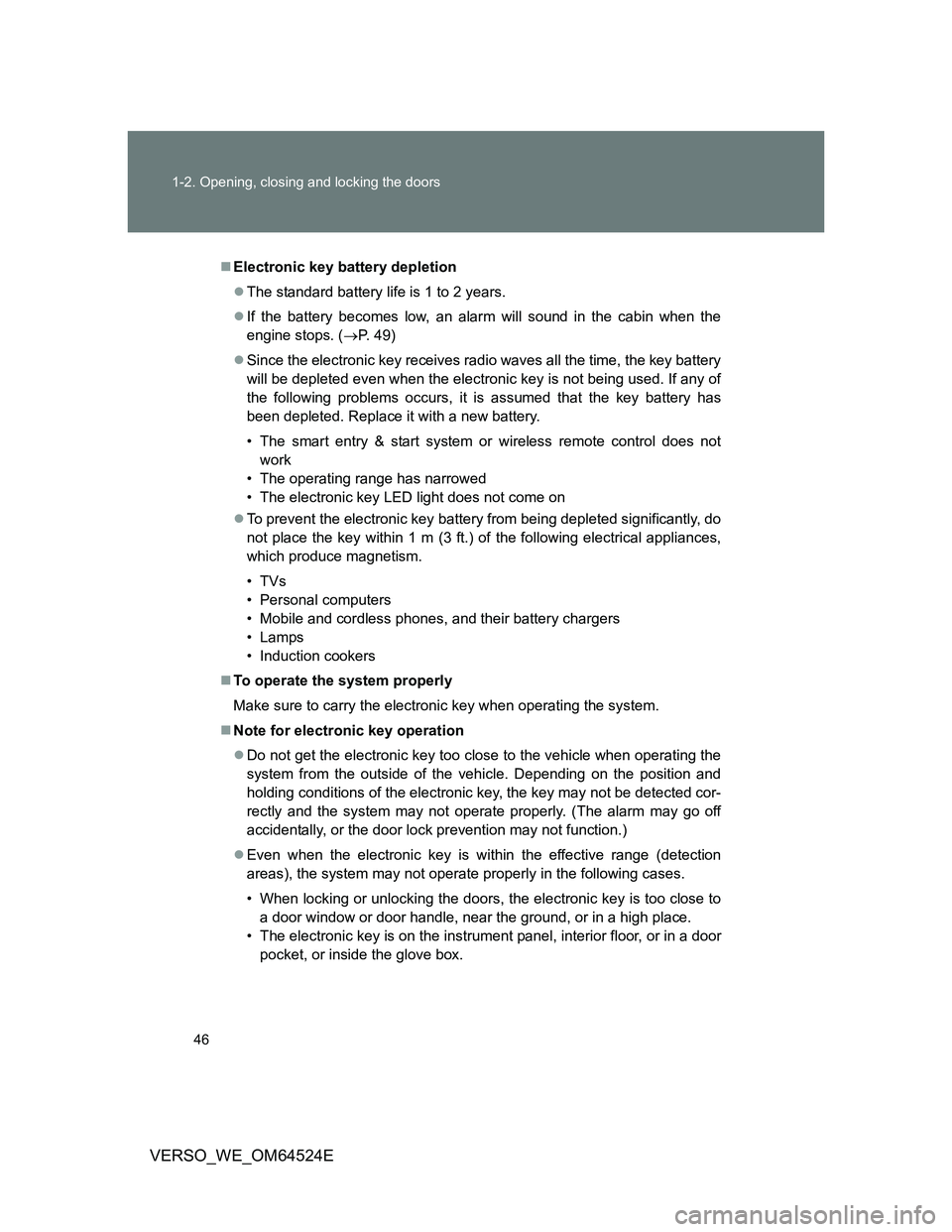
Electronic key battery depletion
The standard battery life is 1 to 2 years.
If the battery becomes low, an alarm will sound in the cabin when the
engine stops. (P. 49)
Since the electronic key receives radio waves all the time, the key battery
will be depleted even when the electronic key is not being used. If any of
the following problems occurs, it is assumed that the key battery has
been depleted. Replace it with a new battery.
• The smart entry & start system or wireless remote control does not
work
• The operating range has narrowed
• The electronic key LED light does not come on
To prevent the electronic key battery from being depleted significantly, do
not place the key within 1 m (3 ft.) of the following electrical appliances,
which produce magnetism.
•TVs
• Personal computers
• Mobile and cordless phones, and their battery chargers
• Lamps
• Induction cookers
To operate the system properly
Make sure to carry the electronic key when operating the system.
Note for electronic key operation
Do not get the electronic key too close to the vehicle when operating the
system from the outside of the vehicle. Depending on the position and
holding conditions of the electronic key, the key may not be detected cor-
rectly and the system may not operate properly. (The alarm may go off
accidentally, or the door lock prevention may not function.)
Even when the electronic key is within the effective range (detection
areas), the system may not operate properly in the following cases.
• When locking or unlocking the doors, the electronic key is too close to
a door window or door handle, near the ground, or in a high place.
• The electronic key is on the instrument panel, interior floor, or in a door
pocket, or inside the glove box.
Page 47 of 588
47 1-2. Opening, closing and locking the doors
1
Before driving
VERSO_WE_OM64524E
Do not leave the electronic key on top of the instrument panel or near the
door pockets when exiting the vehicle. Depending on the radio wave
reception conditions, it may be detected by the antenna outside the cabin
and the door will become lockable from the outside, possibly trapping the
electronic key inside the vehicle.
Special note for smart entry & start system
When the electronic key is in the operating range, anyone can lock and
unlock the doors even without having the electronic key. However, the
unlocking operation will not be active at a door that has not detected the
electronic key.
When the electronic key is in the operating range and the door handles
get soaked with water due to car washing or heavy rain, the doors may
be locked or unlocked. If the doors are unlocked, the doors will automati-
cally be locked again when no door operations occur in approximately 30
seconds.
If the electronic key is inside or near the vehicle and if the doors are
locked using the wireless remote control, the doors may not be unlocked
with the smart entry & start system. In this case, unlock the doors using
the wireless remote control.
Note for door locking operation
When touching a lock sensor to lock the doors while wearing gloves, the
response may be slow or the doors may not be locked. In this case,
touch the lock sensor without wearing a glove.
When door handles get wet while washing the vehicle with the electronic
key on your person, the doors may be locked and unlocked repeatedly. In
this case, keep the electronic key 2 m (6 ft.) or more away from the vehi-
cle while washing (pay attention to key theft).
When the electronic key is inside the vehicle and door handles get wet
due to a car wash, a warning message stating that the key is in the cabin
may appear on the multi-information display, interior and exterior alarms
may sound. In this case, lock the doors to stop the alarms.
A lock sensor covered with ice, snow or mud may not work properly. In
this case, remove the ice, snow or mud from the lock sensor surface and
then touch the sensor again, or unlock the doors using the lock sensor
located on the lower edge of the door handle.
Fingernails may come into contact with a door when taking hold of a door
handle. Be careful not to damage the door surface or your fingernails.
Page 49 of 588
49 1-2. Opening, closing and locking the doors
1
Before driving
VERSO_WE_OM64524E
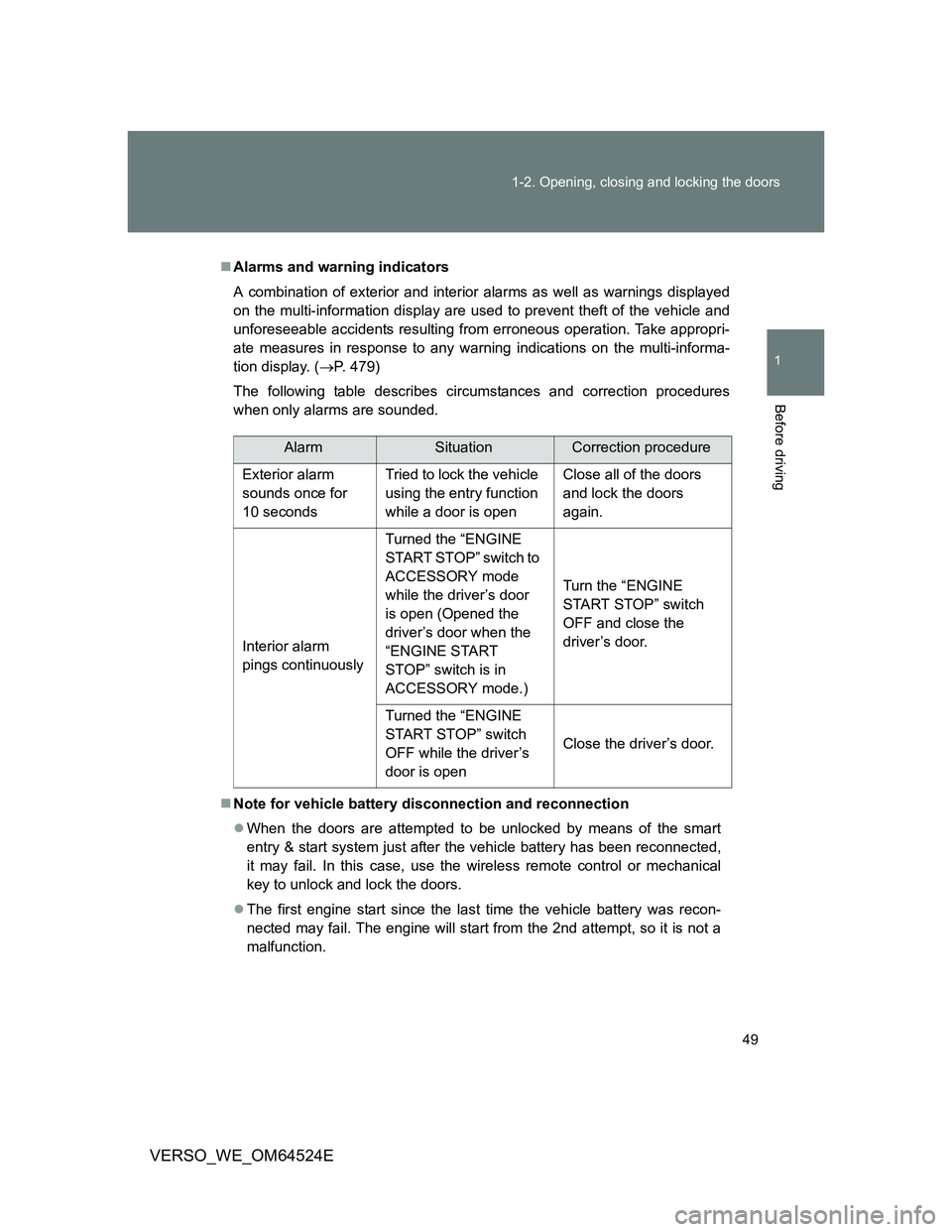
Alarms and warning indicators
A combination of exterior and interior alarms as well as warnings displayed
on the multi-information display are used to prevent theft of the vehicle and
unforeseeable accidents resulting from erroneous operation. Take appropri-
ate measures in response to any warning indications on the multi-informa-
tion display. (P. 479)
The following table describes circumstances and correction procedures
when only alarms are sounded.
Note for vehicle battery disconnection and reconnection
When the doors are attempted to be unlocked by means of the smart
entry & start system just after the vehicle battery has been reconnected,
it may fail. In this case, use the wireless remote control or mechanical
key to unlock and lock the doors.
The first engine start since the last time the vehicle battery was recon-
nected may fail. The engine will start from the 2nd attempt, so it is not a
malfunction.
AlarmSituationCorrection procedure
Exterior alarm
sounds once for
10 secondsTried to lock the vehicle
using the entry function
while a door is openClose all of the doors
and lock the doors
again.
Interior alarm
pings continuouslyTurned the “ENGINE
START STOP” switch to
ACCESSORY mode
while the driver’s door
is open (Opened the
driver’s door when the
“ENGINE START
STOP” switch is in
ACCESSORY mode.)Turn the “ENGINE
START STOP” switch
OFF and close the
driver’s door.
Turned the “ENGINE
START STOP” switch
OFF while the driver’s
door is openClose the driver’s door.
Page 59 of 588
59 1-2. Opening, closing and locking the doors
1
Before driving
VERSO_WE_OM64524E
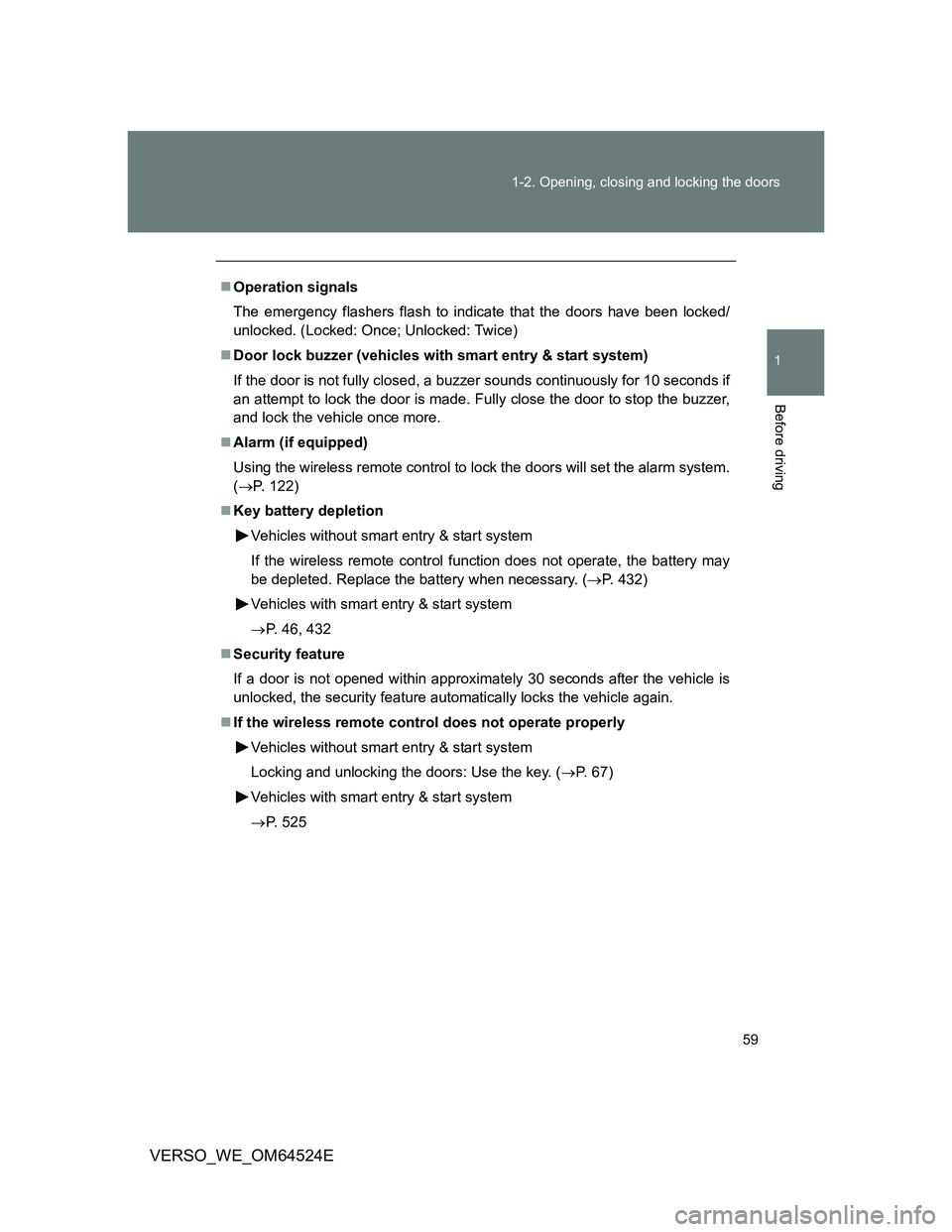
Operation signals
The emergency flashers flash to indicate that the doors have been locked/
unlocked. (Locked: Once; Unlocked: Twice)
Door lock buzzer (vehicles with smart entry & start system)
If the door is not fully closed, a buzzer sounds continuously for 10 seconds if
an attempt to lock the door is made. Fully close the door to stop the buzzer,
and lock the vehicle once more.
Alarm (if equipped)
Using the wireless remote control to lock the doors will set the alarm system.
(P. 122)
Key battery depletion
Vehicles without smart entry & start system
If the wireless remote control function does not operate, the battery may
be depleted. Replace the battery when necessary. (P. 432)
Vehicles with smart entry & start system
P. 46, 432
Security feature
If a door is not opened within approximately 30 seconds after the vehicle is
unlocked, the security feature automatically locks the vehicle again.
If the wireless remote control does not operate properly
Vehicles without smart entry & start system
Locking and unlocking the doors: Use the key. (P. 67)
Vehicles with smart entry & start system
P. 525
Page 122 of 588
122
1-6. Theft deterrent system
VERSO_WE_OM64524E
Alarm
: If equipped
The system sounds the alarm and flashes lights when forcible entry
is detected.
Triggering of the alarm
The alarm is triggered in the following situations when the alarm
is set.
A locked door is unlocked or opened in any way other than
using the entry function (vehicles with smart entry & start sys-
tem) or wireless remote control. (The doors will lock again
automatically.)
The hood is opened.
Vehicles with the intrusion sensor: The intrusion sensor
detects something moving inside the vehicle. (An intruder gets
in the vehicle.)
Vehicles with the glass breakage sensor: The back door win-
dow is tapped or broken.
The battery is reconnected.
Page 123 of 588
123 1-6. Theft deterrent system
1
Before driving
VERSO_WE_OM64524E
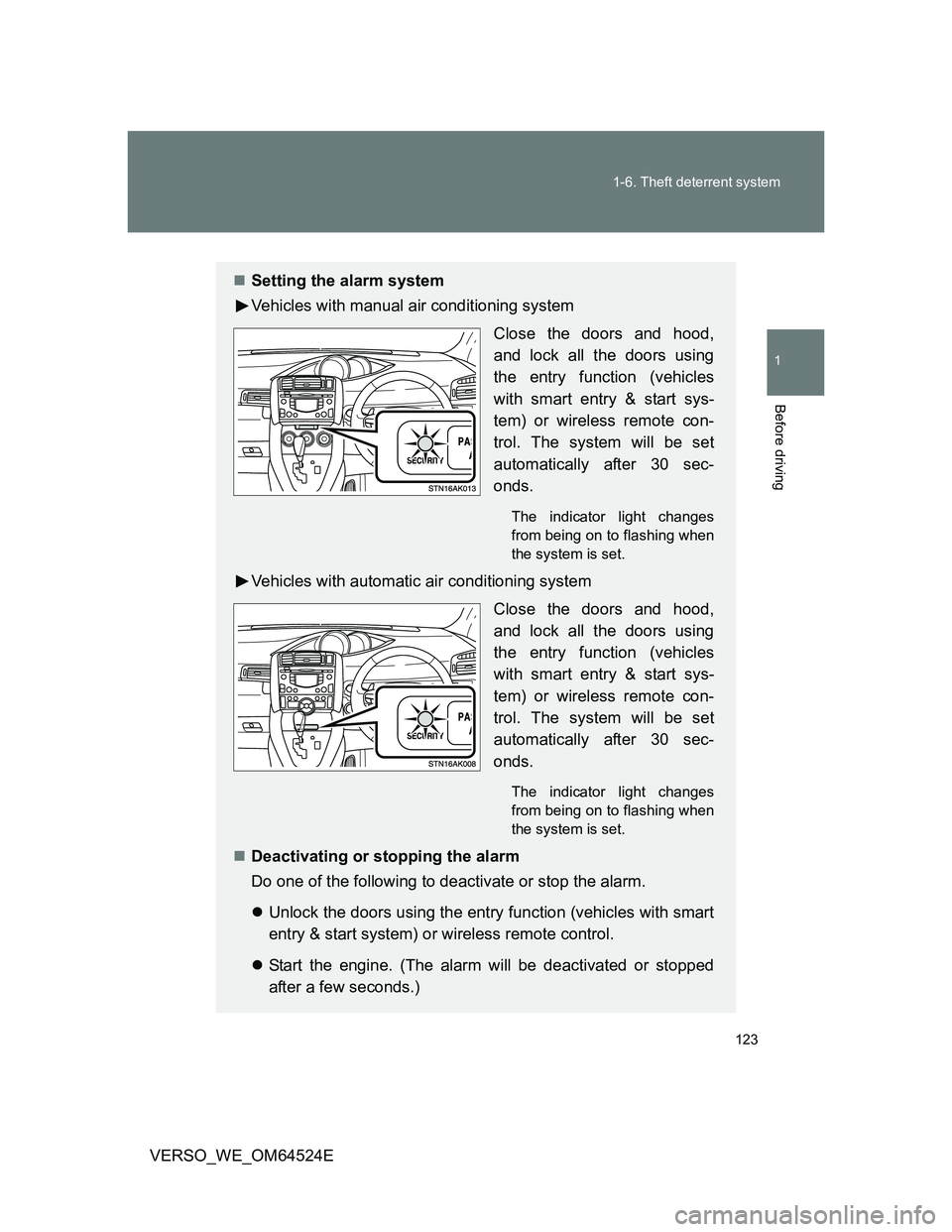
Setting the alarm system
Vehicles with manual air conditioning system
Close the doors and hood,
and lock all the doors using
the entry function (vehicles
with smart entry & start sys-
tem) or wireless remote con-
trol. The system will be set
automatically after 30 sec-
onds.
The indicator light changes
from being on to flashing when
the system is set.
Vehicles with automatic air conditioning system
Close the doors and hood,
and lock all the doors using
the entry function (vehicles
with smart entry & start sys-
tem) or wireless remote con-
trol. The system will be set
automatically after 30 sec-
onds.
The indicator light changes
from being on to flashing when
the system is set.
Deactivating or stopping the alarm
Do one of the following to deactivate or stop the alarm.
Unlock the doors using the entry function (vehicles with smart
entry & start system) or wireless remote control.
Start the engine. (The alarm will be deactivated or stopped
after a few seconds.)
Page 124 of 588
124 1-6. Theft deterrent system
VERSO_WE_OM64524E
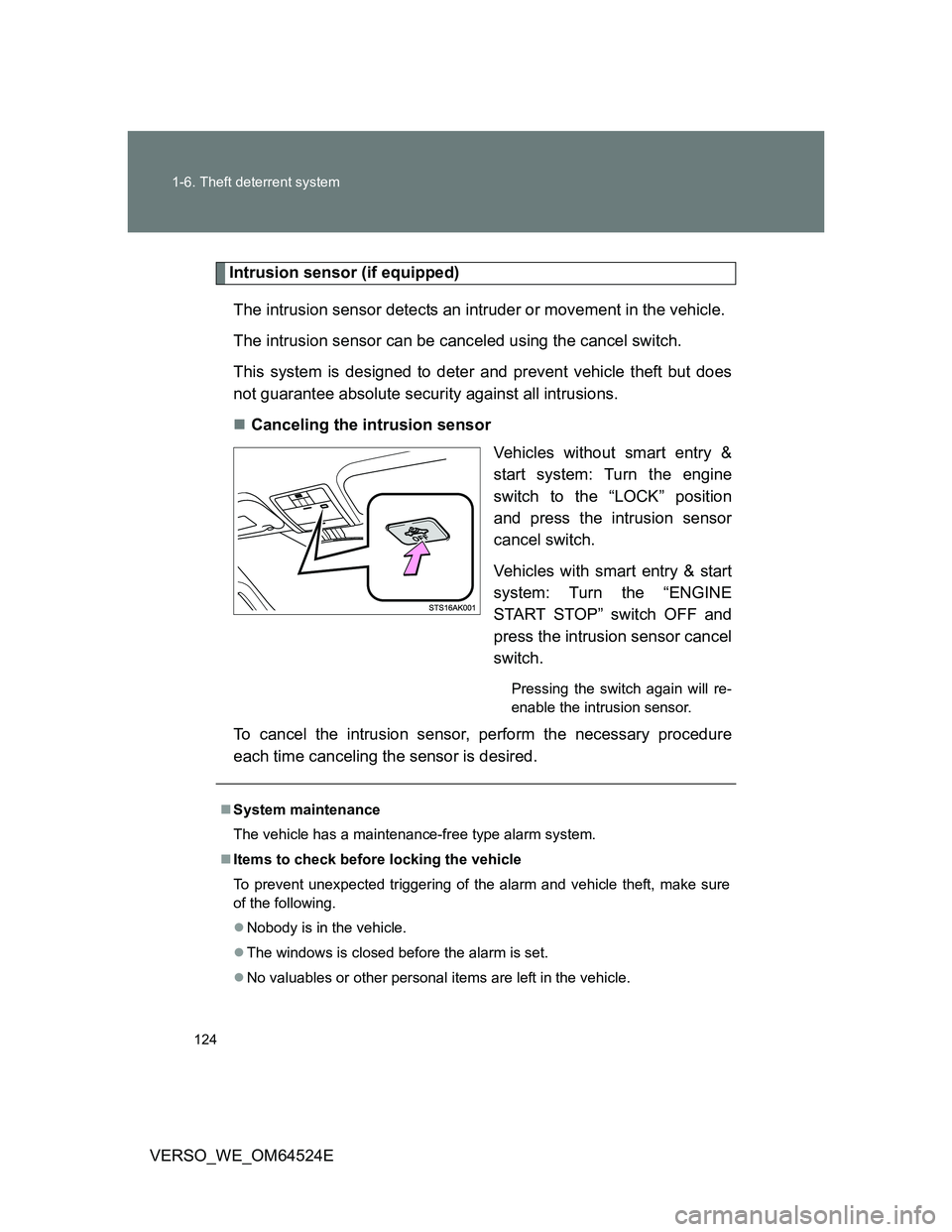
Intrusion sensor (if equipped)
The intrusion sensor detects an intruder or movement in the vehicle.
The intrusion sensor can be canceled using the cancel switch.
This system is designed to deter and prevent vehicle theft but does
not guarantee absolute security against all intrusions.
Canceling the intrusion sensor
Vehicles without smart entry &
start system: Turn the engine
switch to the “LOCK” position
and press the intrusion sensor
cancel switch.
Vehicles with smart entry & start
system: Turn the “ENGINE
START STOP” switch OFF and
press the intrusion sensor cancel
switch.
Pressing the switch again will re-
enable the intrusion sensor.
To cancel the intrusion sensor, perform the necessary procedure
each time canceling the sensor is desired.
System maintenance
The vehicle has a maintenance-free type alarm system.
Items to check before locking the vehicle
To prevent unexpected triggering of the alarm and vehicle theft, make sure
of the following.
Nobody is in the vehicle.
The windows is closed before the alarm is set.
No valuables or other personal items are left in the vehicle.
Page 125 of 588
125 1-6. Theft deterrent system
1
Before driving
VERSO_WE_OM64524E
Canceling and automatic re-enabling of the intrusion sensor
The alarm will still be set even when the intrusion sensor is canceled.
Vehicles without smart entry & start system: After the intrusion sensor is
canceled, turn the engine switch to the “ON” position or unlocking the
doors using the wireless remote control will re-enable the intrusion sen-
sor.
Vehicles with smart entry & start system: After the intrusion sensor is can-
celed, pressing the “ENGINE START STOP” switch or unlocking the doors
using the smart entry & start system or wireless remote control will re-
enable the intrusion sensor.
The intrusion sensor will automatically be re-enabled when the alarm
system is deactivated.
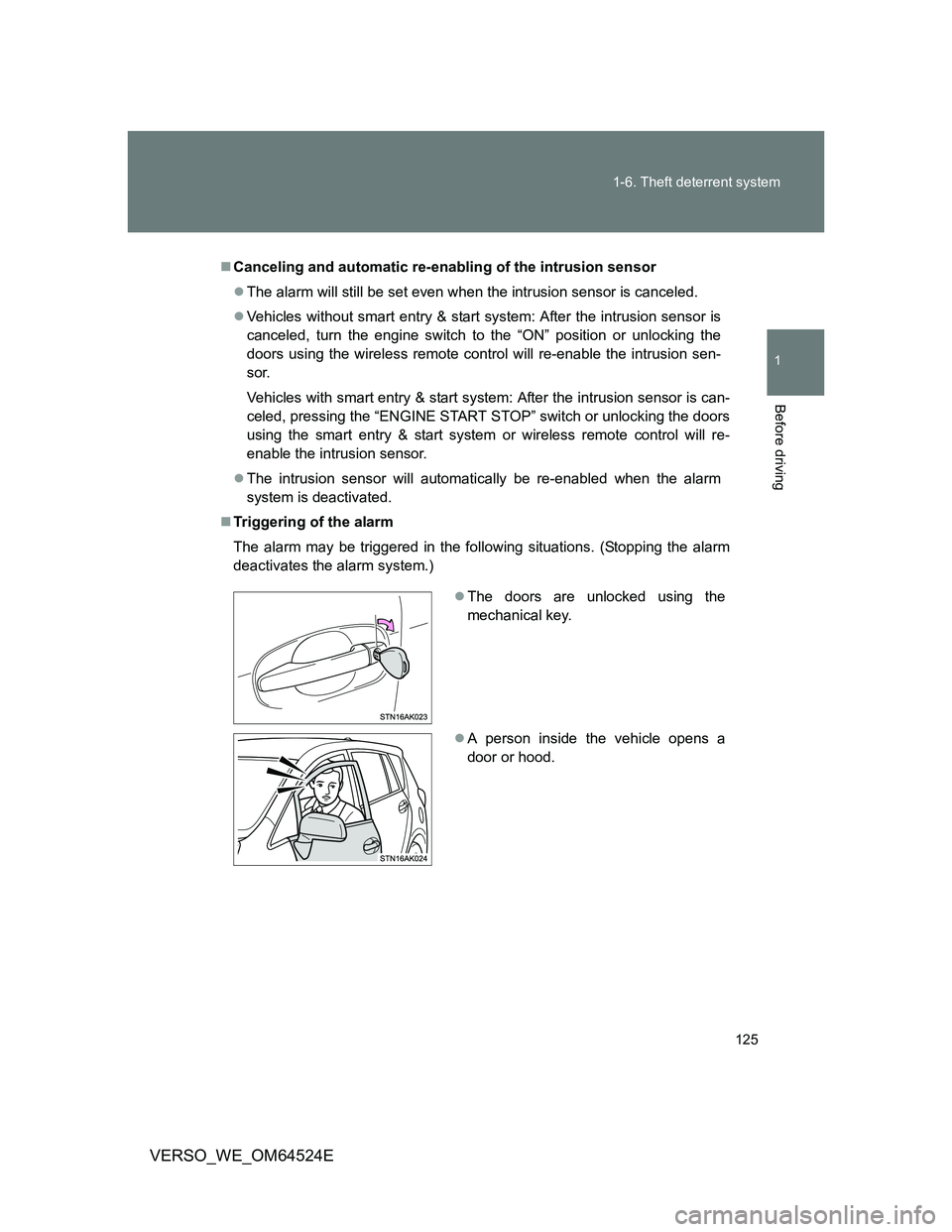
Triggering of the alarm
The alarm may be triggered in the following situations. (Stopping the alarm
deactivates the alarm system.)
The doors are unlocked using the
mechanical key.
A person inside the vehicle opens a
door or hood.