ECO mode TOYOTA VERSO 2012 Owner's Manual
[x] Cancel search | Manufacturer: TOYOTA, Model Year: 2012, Model line: VERSO, Model: TOYOTA VERSO 2012Pages: 588, PDF Size: 31.32 MB
Page 328 of 588
328 3-2. Using the audio system
VERSO_WE_OM64524E
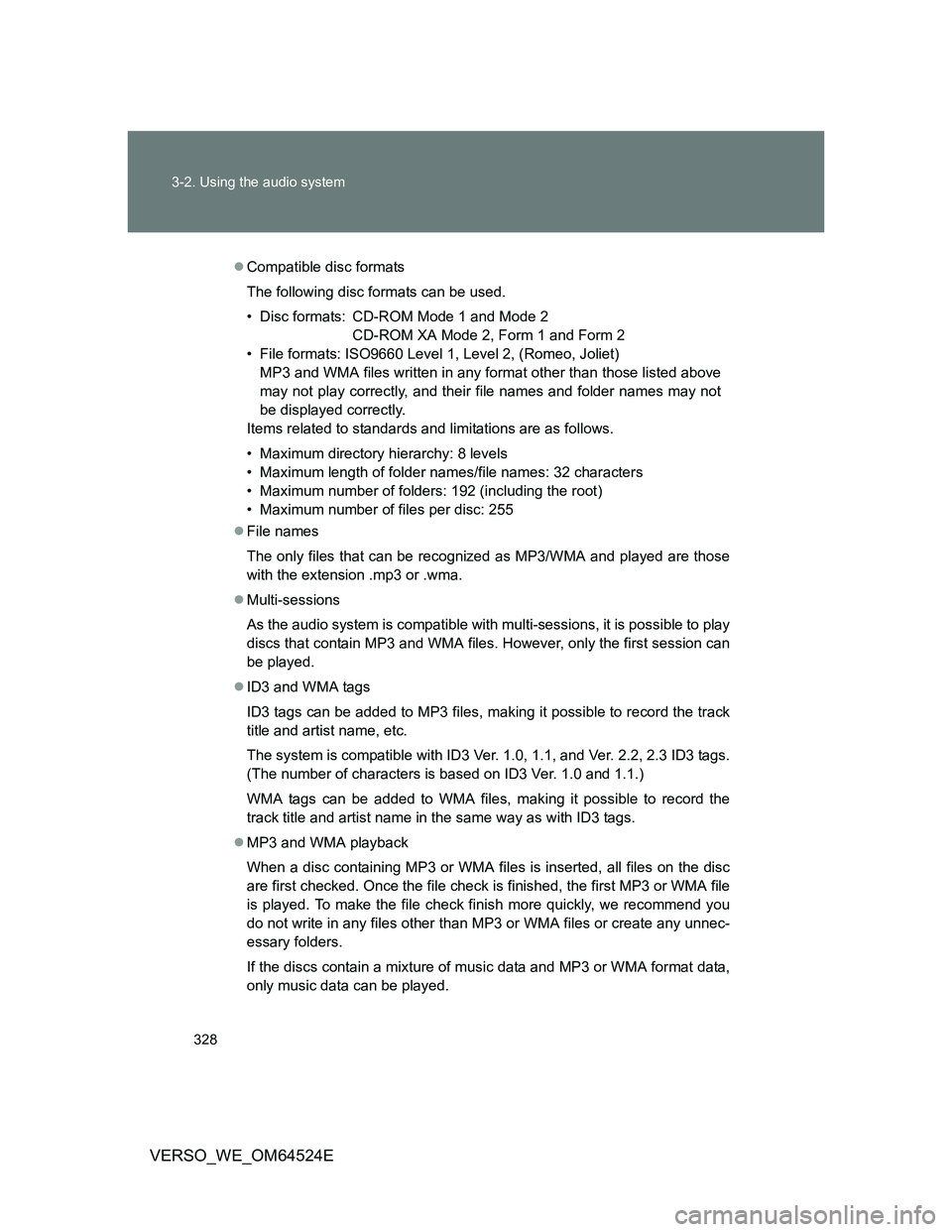
Compatible disc formats
The following disc formats can be used.
• Disc formats: CD-ROM Mode 1 and Mode 2
CD-ROM XA Mode 2, Form 1 and Form 2
• File formats: ISO9660 Level 1, Level 2, (Romeo, Joliet)
MP3 and WMA files written in any format other than those listed above
may not play correctly, and their file names and folder names may not
be displayed correctly.
Items related to standards and limitations are as follows.
• Maximum directory hierarchy: 8 levels
• Maximum length of folder names/file names: 32 characters
• Maximum number of folders: 192 (including the root)
• Maximum number of files per disc: 255
File names
The only files that can be recognized as MP3/WMA and played are those
with the extension .mp3 or .wma.
Multi-sessions
As the audio system is compatible with multi-sessions, it is possible to play
discs that contain MP3 and WMA files. However, only the first session can
be played.
ID3 and WMA tags
ID3 tags can be added to MP3 files, making it possible to record the track
title and artist name, etc.
The system is compatible with ID3 Ver. 1.0, 1.1, and Ver. 2.2, 2.3 ID3 tags.
(The number of characters is based on ID3 Ver. 1.0 and 1.1.)
WMA tags can be added to WMA files, making it possible to record the
track title and artist name in the same way as with ID3 tags.
MP3 and WMA playback
When a disc containing MP3 or WMA files is inserted, all files on the disc
are first checked. Once the file check is finished, the first MP3 or WMA file
is played. To make the file check finish more quickly, we recommend you
do not write in any files other than MP3 or WMA files or create any unnec-
essary folders.
If the discs contain a mixture of music data and MP3 or WMA format data,
only music data can be played.
Page 331 of 588
331 3-2. Using the audio system
3
Interior features
VERSO_WE_OM64524E
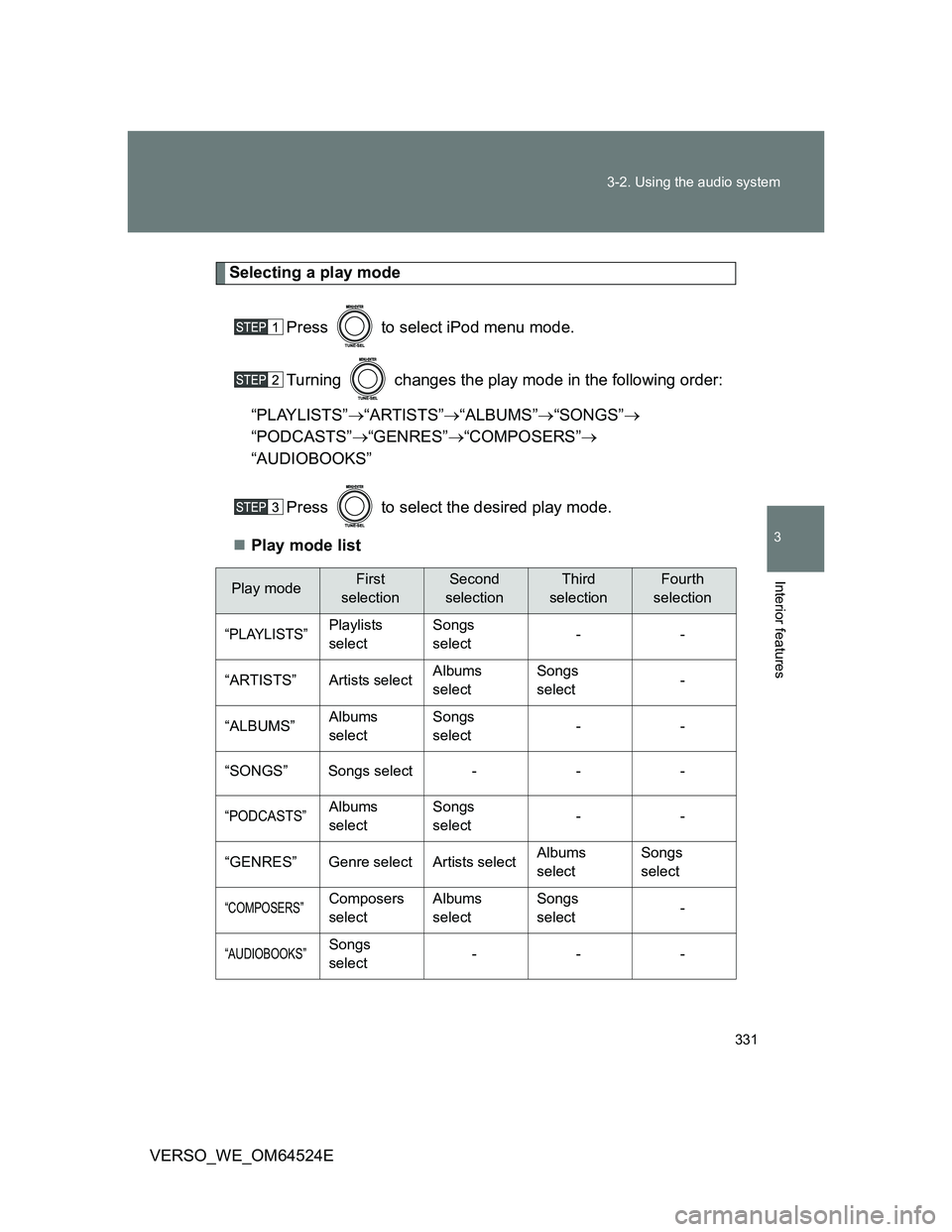
Selecting a play mode
Press to select iPod menu mode.
Turning changes the play mode in the following order:
“PLAYLISTS”“ARTISTS”“ALBUMS”“SONGS”
“PODCASTS”“GENRES”“COMPOSERS”
“AUDIOBOOKS”
Press to select the desired play mode.
Play mode list
Play modeFirst
selectionSecond
selectionThird
selectionFourth
selection
“PLAYLISTS”Playlists
selectSongs
select--
“ARTISTS” Artists selectAlbums
selectSongs
select-
“ALBUMS”Albums
selectSongs
select--
“SONGS” Songs select - - -
“PODCASTS”Albums
selectSongs
select--
“GENRES” Genre select Artists selectAlbums
selectSongs
select
“COMPOSERS”Composers
selectAlbums
selectSongs
select-
“AUDIOBOOKS”Songs
select---
Page 333 of 588
333 3-2. Using the audio system
3
Interior features
VERSO_WE_OM64524E
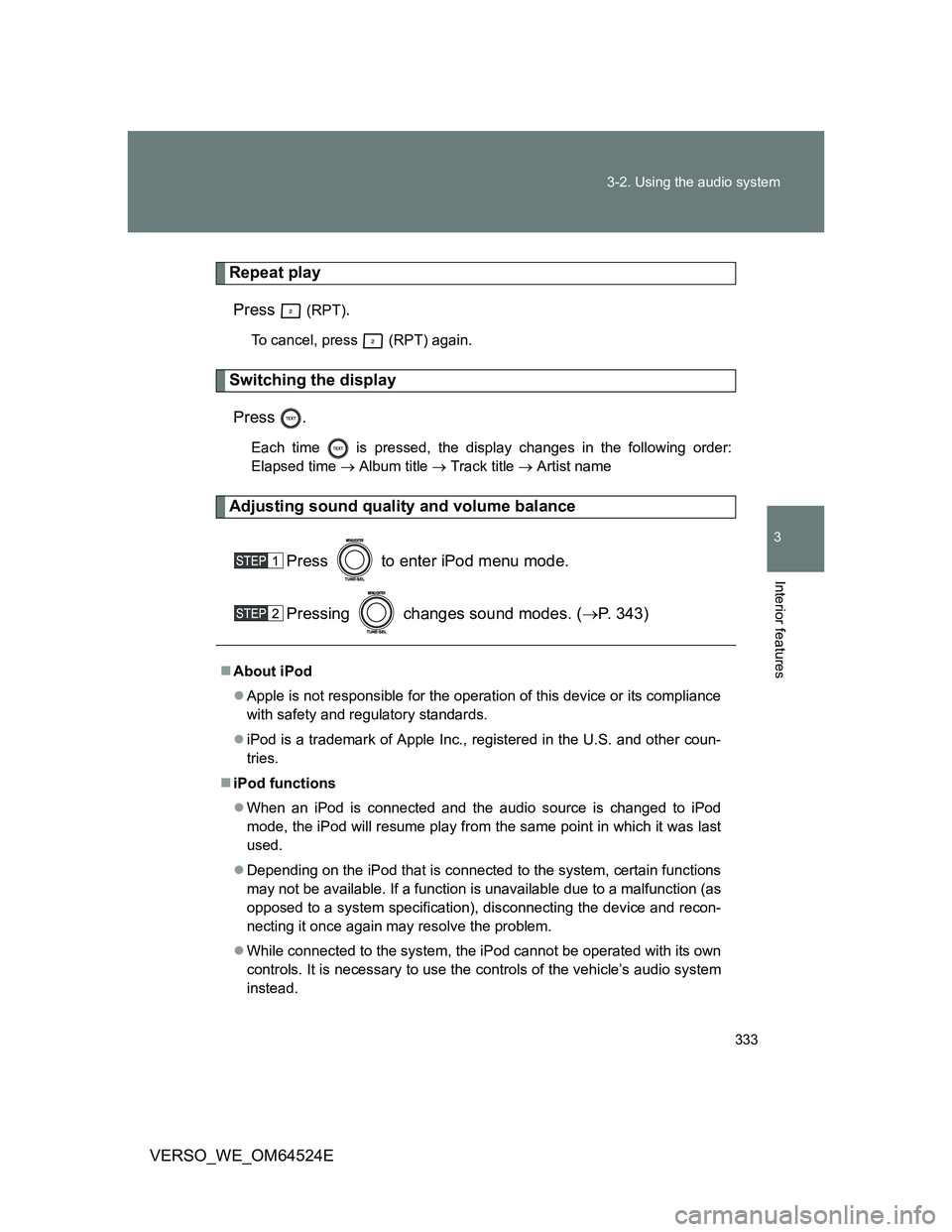
Repeat play
Press
(RPT).
To cancel, press (RPT) again.
Switching the display
Press .
Each time is pressed, the display changes in the following order:
Elapsed time Album title Track title Artist name
Adjusting sound quality and volume balance
Press to enter iPod menu mode.
Pressing changes sound modes. (P. 343)
About iPod
Apple is not responsible for the operation of this device or its compliance
with safety and regulatory standards.
iPod is a trademark of Apple Inc., registered in the U.S. and other coun-
tries.
iPod functions
When an iPod is connected and the audio source is changed to iPod
mode, the iPod will resume play from the same point in which it was last
used.
Depending on the iPod that is connected to the system, certain functions
may not be available. If a function is unavailable due to a malfunction (as
opposed to a system specification), disconnecting the device and recon-
necting it once again may resolve the problem.
While connected to the system, the iPod cannot be operated with its own
controls. It is necessary to use the controls of the vehicle’s audio system
instead.
Page 340 of 588
340 3-2. Using the audio system
VERSO_WE_OM64524E
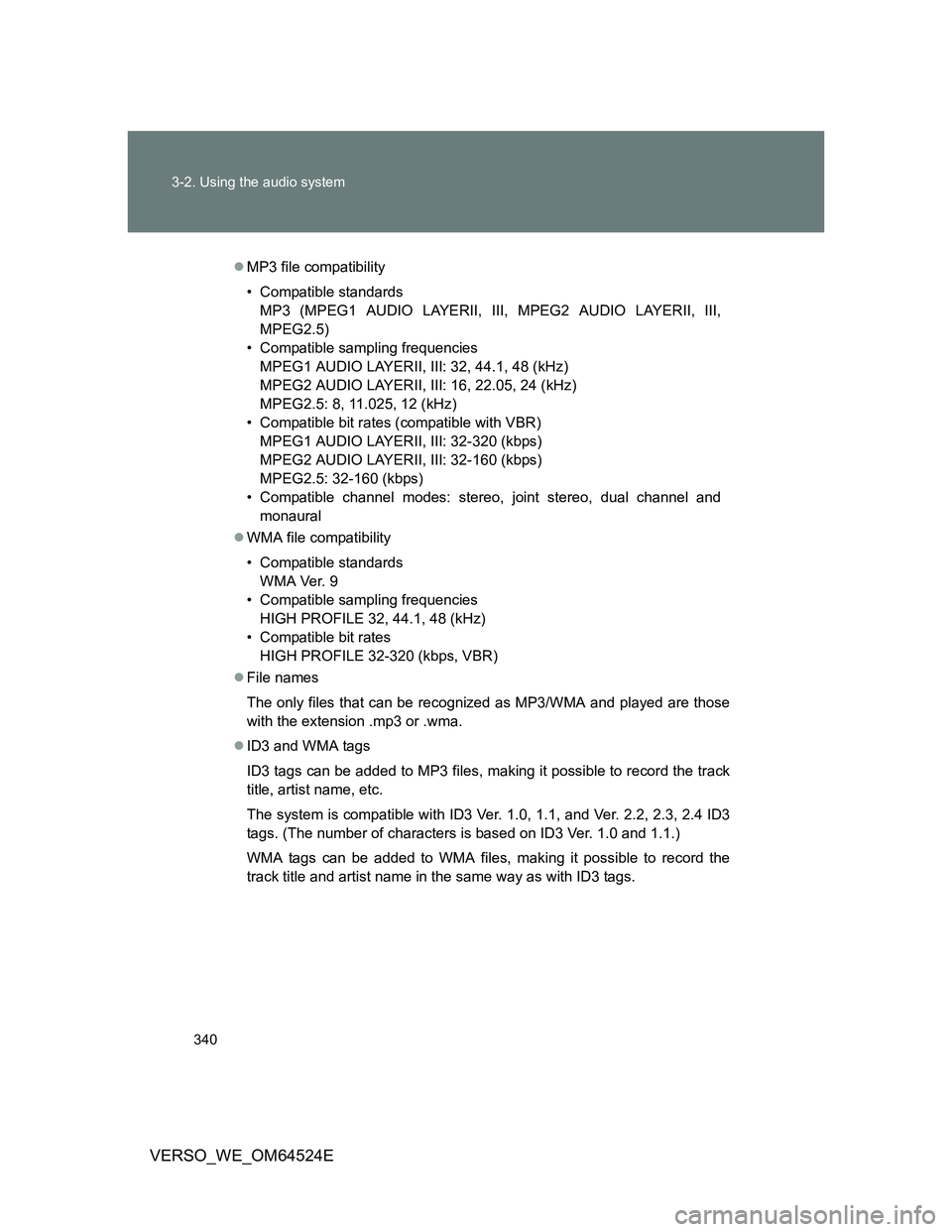
MP3 file compatibility
• Compatible standards
MP3 (MPEG1 AUDIO LAYERII, III, MPEG2 AUDIO LAYERII, III,
MPEG2.5)
• Compatible sampling frequencies
MPEG1 AUDIO LAYERII, III: 32, 44.1, 48 (kHz)
MPEG2 AUDIO LAYERII, III: 16, 22.05, 24 (kHz)
MPEG2.5: 8, 11.025, 12 (kHz)
• Compatible bit rates (compatible with VBR)
MPEG1 AUDIO LAYERII, III: 32-320 (kbps)
MPEG2 AUDIO LAYERII, III: 32-160 (kbps)
MPEG2.5: 32-160 (kbps)
• Compatible channel modes: stereo, joint stereo, dual channel and
monaural
WMA file compatibility
• Compatible standards
WMA Ver. 9
• Compatible sampling frequencies
HIGH PROFILE 32, 44.1, 48 (kHz)
• Compatible bit rates
HIGH PROFILE 32-320 (kbps, VBR)
File names
The only files that can be recognized as MP3/WMA and played are those
with the extension .mp3 or .wma.
ID3 and WMA tags
ID3 tags can be added to MP3 files, making it possible to record the track
title, artist name, etc.
The system is compatible with ID3 Ver. 1.0, 1.1, and Ver. 2.2, 2.3, 2.4 ID3
tags. (The number of characters is based on ID3 Ver. 1.0 and 1.1.)
WMA tags can be added to WMA files, making it possible to record the
track title and artist name in the same way as with ID3 tags.
Page 341 of 588
341 3-2. Using the audio system
3
Interior features
VERSO_WE_OM64524E
MP3 and WMA playback
• When a device containing MP3 or WMA files is connected, all files in
the USB memory are checked. Once the file check is finished, the first
MP3 or WMA file is played. To make the file check finish more quickly,
we recommend that you do not include any files other than MP3 or
WMA files or create any unnecessary folders.
• When the USB memory is connected and the audio source is changed
to USB memory mode, the USB memory will start playing the first file in
the first folder. If the same device is removed and reinserted (and the
contents have not been changed), the USB memory will resume play
from the same point in which it was last used.
Extensions
If the file extensions .mp3 and .wma are used for files other than MP3 and
WMA files, they will be skipped (not played).
Playback
• To play MP3 files with steady sound quality, we recommend a fixed bit
rate of at least 128 kbps and a sampling frequency of 44.1 kHz.
• There is a wide variety of freeware and other encoding software for
MP3 and WMA files on the market, and depending on the status of the
encoding and the file format, poor sound quality or noise at the start of
playback may result. In some cases, playback may not be possible at
all.
• Microsoft, Windows, and Windows Media are registered trademarks of
Microsoft Corporation in the U.S.A. and other countries.
CAUTION
Caution while driving
Do not connect USB memory or operate the controls.
Page 377 of 588
377
3-5. Other interior features
3
Interior features
VERSO_WE_OM64524E
Floor mat
CAUTION
Observe the following precautions.
Failure to do so may cause the driver’s floor mat to slip, possibly interfering
with the pedals while driving. An unexpectedly high speed may result or it may
become difficult to stop the vehicle, leading to a serious accident.
When installing the driver’s floor mat
Do not use floor mats designed for other models or different model year
vehicles, even if they are Toyota Genuine floor mats.
Only use floor mats designed for the driver’s seat.
Always install the floor mat securely using the retaining hooks (clips) pro-
vided.
Do not use two or more floor mats on top of each other.
Do not place the floor mat bottom-side up or upside-down.
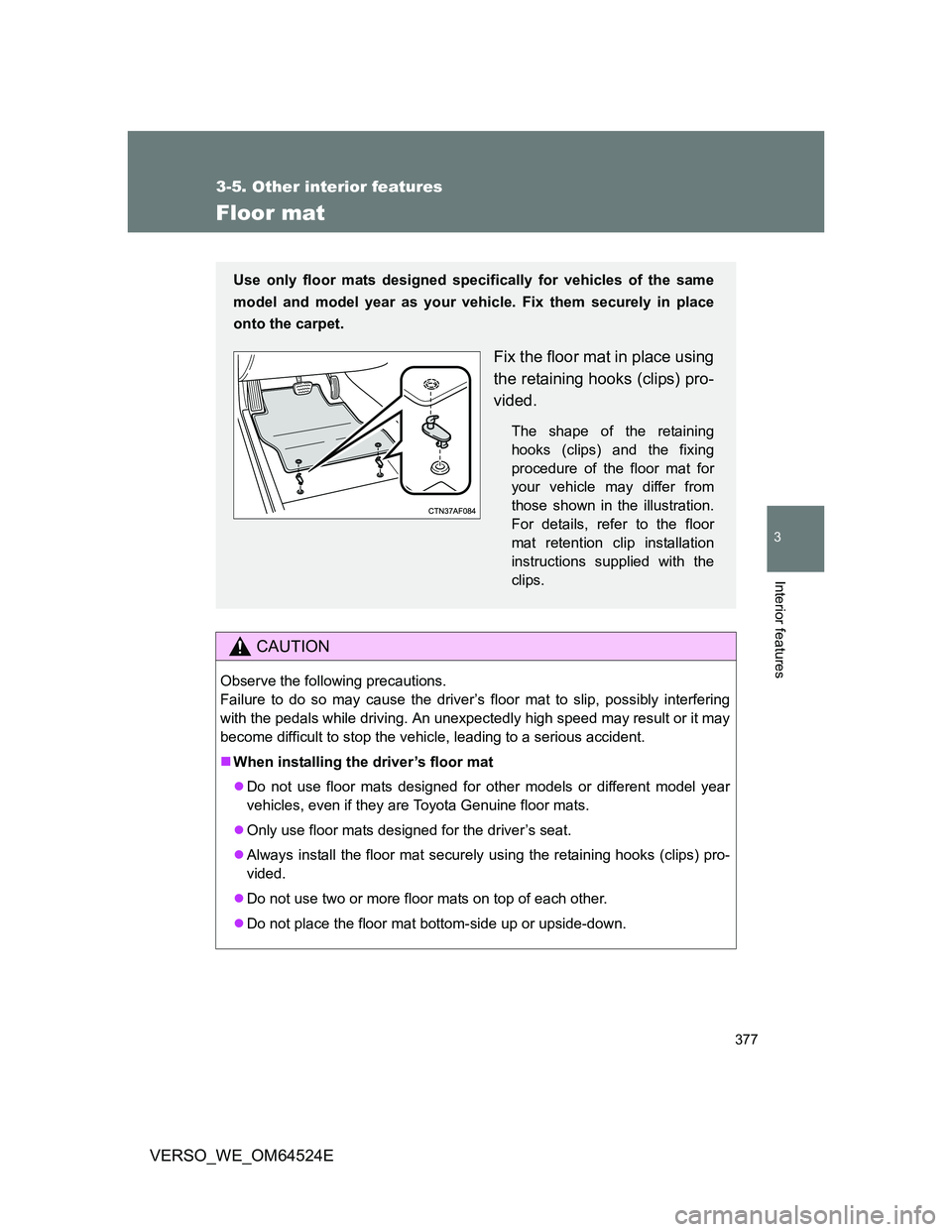
Use only floor mats designed specifically for vehicles of the same
model and model year as your vehicle. Fix them securely in place
onto the carpet.
Fix the floor mat in place using
the retaining hooks (clips) pro-
vided.
The shape of the retaining
hooks (clips) and the fixing
procedure of the floor mat for
your vehicle may differ from
those shown in the illustration.
For details, refer to the floor
mat retention clip installation
instructions supplied with the
clips.
Page 399 of 588
399 4-3. Do-it-yourself maintenance
4
Maintenance and care
VERSO_WE_OM64524E
CAUTION
The engine compartment contains many mechanisms and fluids that may
move suddenly, become hot, or become electrically energized. To avoid death
or serious injury, observe the following precautions.
When working on the engine compartment
Keep hands, clothing, and tools away from the moving fan and engine
drive belt.
Be careful not to touch the engine, radiator, exhaust manifold, etc. right
after driving as they may be hot. Oil and other fluids may also be hot.
Do not leave anything that may burn easily, such as paper or rags, in the
engine compartment.
Do not smoke, cause sparks or expose an open flame to fuel or the bat-
tery. Fuel and battery fumes are flammable.
Be extremely cautious when working on the battery. It contains poisonous
and corrosive sulphuric acid.
Take care because brake fluid can harm your hands or eyes and damage
painted surfaces.
If fluid gets on your hands or in your eyes, flush the affected area with
clean water immediately.
If you still experience discomfort, see a doctor.
When working near the electric cooling fan or radiator grille
Vehicles without smart entry & start system: Be sure the engine switch is
in the “LOCK” position.
With the engine switch in the “ON” position, the electric cooling fan may
automatically start to run if the air conditioning is on and/or the coolant
temperature is high. (P. 415)
Vehicles with smart entry & start system: Be sure the “ENGINE START
STOP” switch is OFF.
With the “ENGINE START STOP” switch in IGNITION ON mode, the elec-
tric cooling fan may automatically start to run if the air conditioning is on
and/or the coolant temperature is high. (P. 415)
Safety glasses
Wear safety glasses to prevent flying or falling material, fluid spray, etc. from
getting in the eyes.
Page 411 of 588
411 4-3. Do-it-yourself maintenance
4
Maintenance and care
VERSO_WE_OM64524E
Engine oil consumption
The amount of engine oil consumed depends on the oil viscosity, the
quality of the oil and the way the vehicle is driven.
More oil is consumed under driving conditions such as high speeds and
frequent acceleration and deceleration.
A new engine consumes more oil.
When judging the amount of oil consumption, keep in mind that the oil
may have become diluted, making it difficult to judge the true level accu-
rately.
Oil consumption: Max. 1.0 L per 1000 km (1.1 qt./600 miles, 0.9 lmp.qt./
600 miles)
If you consume more than 1.0 L (1.1 qt., 0.9 lmp. qt.) every 1000 km (600
miles), contact any authorized Toyota dealer or repairer, or another duly
qualified and equipped professional.
After changing the engine oil (diesel engine only)
The oil change system should be reset. Perform the following procedures:
Vehicles without smart entry & start system
Switch the display to trip meter A (P. 220) when the engine is run-
ning.
Turn the engine switch to the “LOCK” position.
While pressing the trip meter reset button, set the engine switch to
the “ON” position (but do not start the engine because otherwise
the reset mode will be canceled). Continue to press and hold the
button until the multi-information display indicates that the reset is
complete.
Vehicles with smart entry & start system
Switch the display to trip meter A (P. 220) when the engine is run-
ning.
Turn the “ENGINE START STOP” switch OFF.
While pressing the trip meter reset button, set the “ENGINE START
STOP” switch to the IGNITION ON mode (but do not start the
engine because otherwise the reset mode will be canceled). Con-
tinue to press and hold the button until the multi-information display
indicates that the reset is complete.
Page 422 of 588
422 4-3. Do-it-yourself maintenance
VERSO_WE_OM64524E
When to replace your vehicle’s tires
Tires should be replaced if:
You have tire damage such as cuts, splits, cracks deep enough to
expose the fabric or bulges indicating internal damage
A tire goes flat repeatedly or cannot be properly repaired due to the size
or location of a cut or other damage
If you are not sure, consult with any authorized Toyota dealer or repairer, or
another duly qualified and equipped professional.
Tire life
Any tires over 6 years old must be checked by a qualified technician even if
they have seldom or never been used or damage is not obvious.
If the tread depth wears down to 4 mm (0.16 in.) or more on snow tires
The effectiveness of snow tires is lost.
CAUTION
When inspecting or replacing tires
Observe the following precautions to prevent accidents.
Failure to do so may cause damage to parts of the drive train, as well as
dangerous handling characteristics, which may lead to an accident resulting
in death or serious injury.
Do not mix tires of different makes, models or tread patterns.
Also, do not mix tires of remarkably different treadwear.
Do not use tire sizes other than those recommended by Toyota.
Do not mix differently constructed tires
(radial, bias-belted or bias-ply tires).
Do not mix summer, all season and winter tires.
Do not use tires that have been used on another vehicle.
Do not use tires if you do not know how they were used previously.
Page 471 of 588
5
471 5-1. Essential information
When trouble arises
VERSO_WE_OM64524E
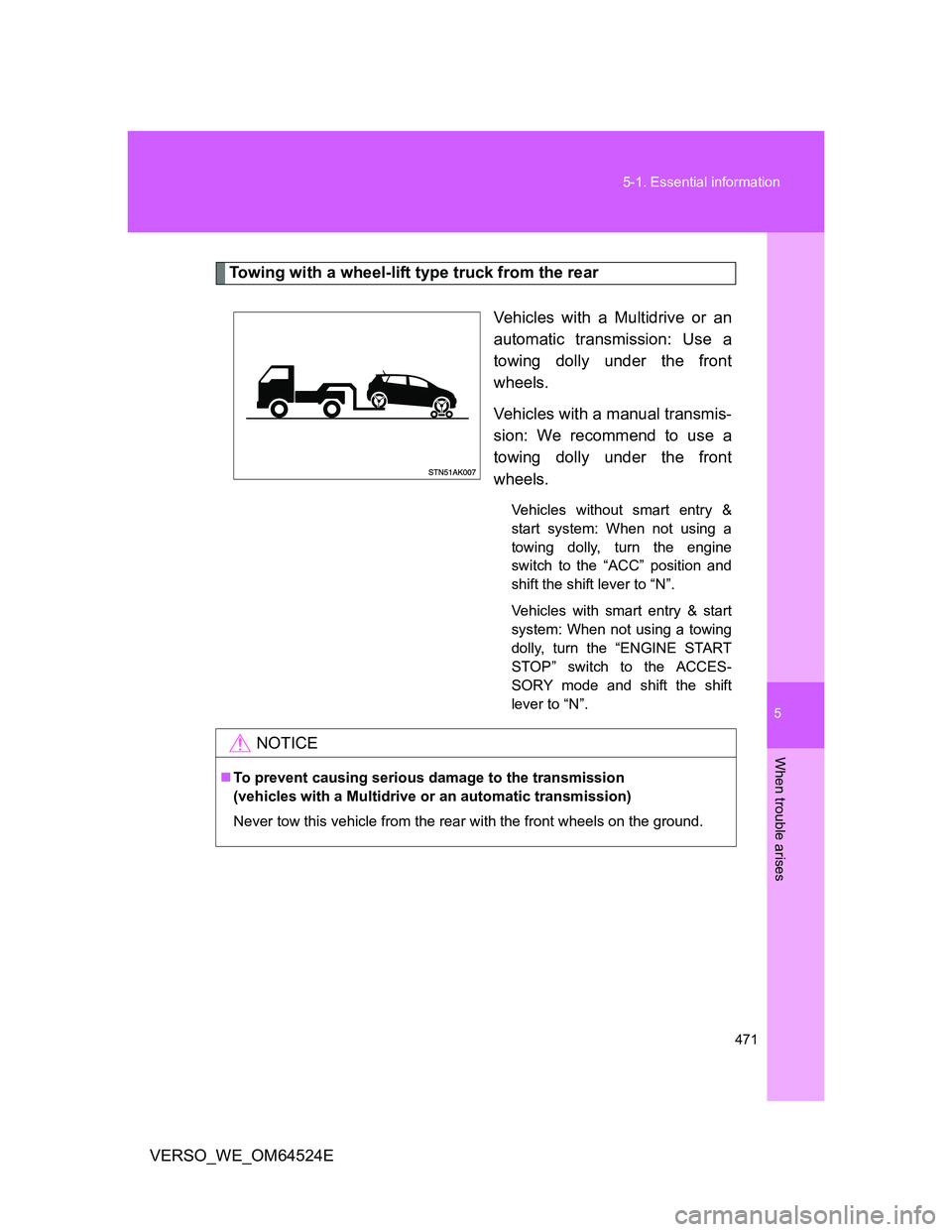
Towing with a wheel-lift type truck from the rear
Vehicles with a Multidrive or an
automatic transmission: Use a
towing dolly under the front
wheels.
Vehicles with a manual transmis-
sion: We recommend to use a
towing dolly under the front
wheels.
Vehicles without smart entry &
start system: When not using a
towing dolly, turn the engine
switch to the “ACC” position and
shift the shift lever to “N”.
Vehicles with smart entry & start
system: When not using a towing
dolly, turn the “ENGINE START
STOP” switch to the ACCES-
SORY mode and shift the shift
lever to “N”.
NOTICE
To prevent causing serious damage to the transmission
(vehicles with a Multidrive or an automatic transmission)
Never tow this vehicle from the rear with the front wheels on the ground.