fuel TOYOTA VERSO 2013 User Guide
[x] Cancel search | Manufacturer: TOYOTA, Model Year: 2013, Model line: VERSO, Model: TOYOTA VERSO 2013Pages: 616, PDF Size: 39.6 MB
Page 119 of 616
119 1-5. Refueling
1
Before driving
VERSO_WE_OM64550E_EURO5
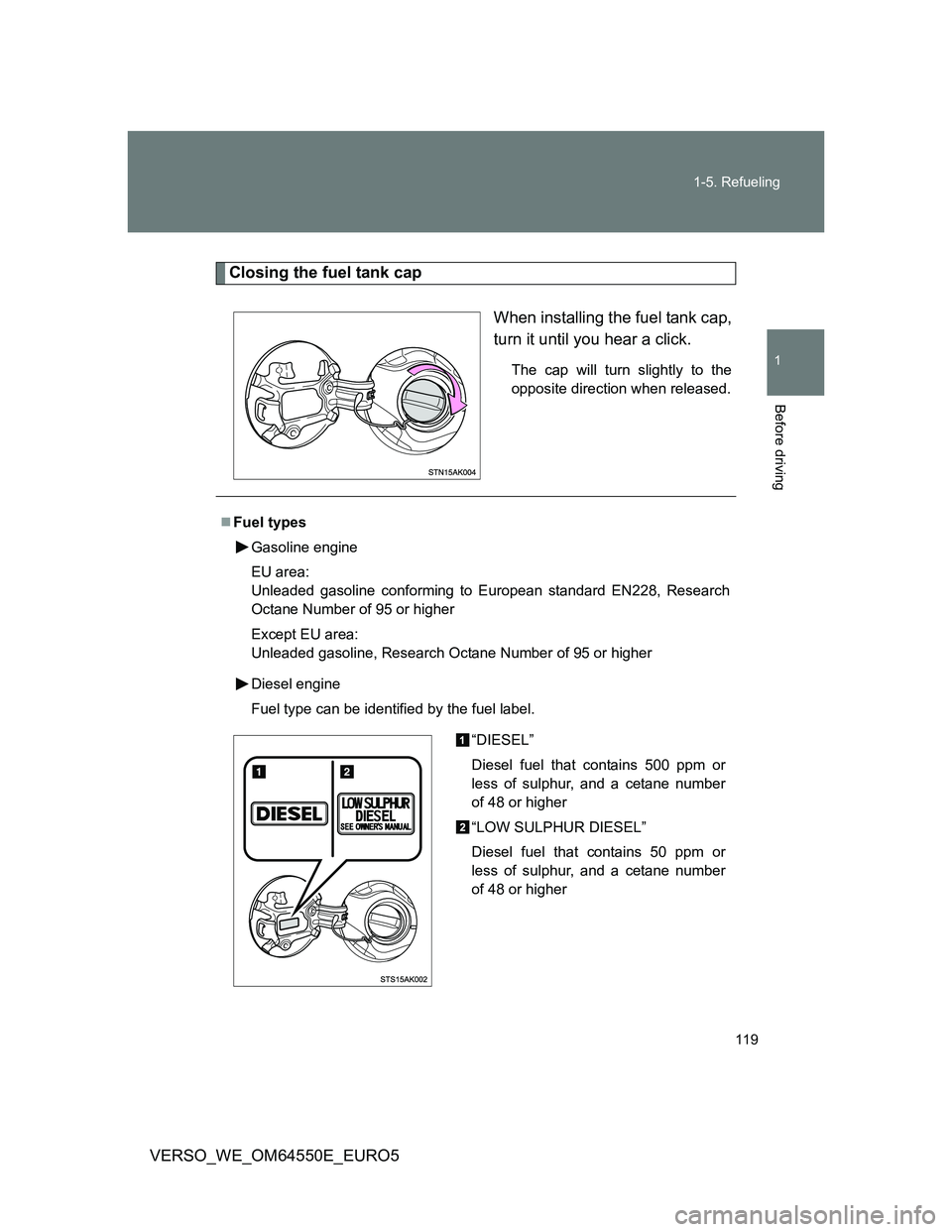
Closing the fuel tank cap
When installing the fuel tank cap,
turn it until you hear a click.
The cap will turn slightly to the
opposite direction when released.
Fuel types
Gasoline engine
EU area:
Unleaded gasoline conforming to European standard EN228, Research
Octane Number of 95 or higher
Except EU area:
Unleaded gasoline, Research Octane Number of 95 or higher
Diesel engine
Fuel type can be identified by the fuel label.
“DIESEL”
Diesel fuel that contains 500 ppm or
less of sulphur, and a cetane number
of 48 or higher
“LOW SULPHUR DIESEL”
Diesel fuel that contains 50 ppm or
less of sulphur, and a cetane number
of 48 or higher
Page 120 of 616
120 1-5. Refueling
VERSO_WE_OM64550E_EURO5
*1: To distinguish the 1AD-FTV engine, ask any authorized Toyota dealer or
repairer, or another duly qualified and equipped professional.
*2: Fuel type can be identified by the fuel label. (P. 119)
Use of ethanol blended gasoline in a gasoline engine
Toyota allows the use of ethanol blended gasoline where the ethanol content
is up to 10%. Make sure that the ethanol blended gasoline to be used has a
Research Octane Number that follows the above.
Engine/Model codeTy p e
1AD-FTV (without DPF
catalytic converter)
*1 engineFuel label
*2
“DIESEL”
Diesel fuel that contains 500 ppm or
less of sulphur and has a cetane
number of 48 or higher
“LOW SULPHUR DIESEL”
Diesel fuel that contains 50 ppm or
less of sulphur and has a cetane
number of 48 or higher
1AD-FTV (with DPF catalytic
converter)
*1 and 2AD-FHV
enginesEU area:
Diesel fuel conforming to European
standard EN590
Except EU area:
Diesel fuel that contains 50 ppm or less
of sulphur and has a cetane number of
48 or higher
Page 121 of 616
121 1-5. Refueling
1
Before driving
VERSO_WE_OM64550E_EURO5
CAUTION
Refueling the vehicle
Observe the following precautions while refueling the vehicle.
Failure to do so may result in death or serious injury.
After exiting the vehicle and before opening the fuel door, touch an
unpainted metal surface to discharge any static electricity. It is important to
discharge static electricity before refueling because sparks resulting from
static electricity can cause fuel vapors to ignite while refueling.
Always hold the grips on the fuel tank cap and turn it slowly to remove it.
A whooshing sound may be heard when the fuel tank cap is loosened.
Wait until the sound cannot be heard before fully removing the cap.
In hot weather, pressurized fuel may spray out of the filler neck and cause
injury.
Do not allow anyone that has not discharged static electricity from their
body to come close to an open fuel tank.
Do not inhale vaporized fuel.
Fuel contains substances that are harmful if inhaled.
Do not smoke while refueling the vehicle.
Doing so may cause the fuel to ignite and cause a fire.
Do not return to the vehicle or touch any person or object that is statically
charged.
This may cause static electricity to build up, resulting in a possible ignition
hazard.
When refueling
Observe the following precautions to prevent fuel overflowing from the fuel
tank:
Securely insert the fuel nozzle into the fuel filler neck
Stop filling the tank after the fuel nozzle automatically clicks off
Do not top off the fuel tank
When replacing the fuel tank cap
Do not use anything but a genuine Toyota fuel tank cap designed for your
vehicle. Doing so may cause a fire or other incident which may result in
death or serious injury.
Page 122 of 616
122 1-5. Refueling
VERSO_WE_OM64550E_EURO5
NOTICE
Refueling
Do not spill fuel during refueling.
Doing so may damage the vehicle, such as causing the emission control
system to operate abnormally or damaging fuel system components or the
vehicle’s painted surface.
Page 186 of 616
186 2-1. Driving procedures
VERSO_WE_OM64550E_EURO5
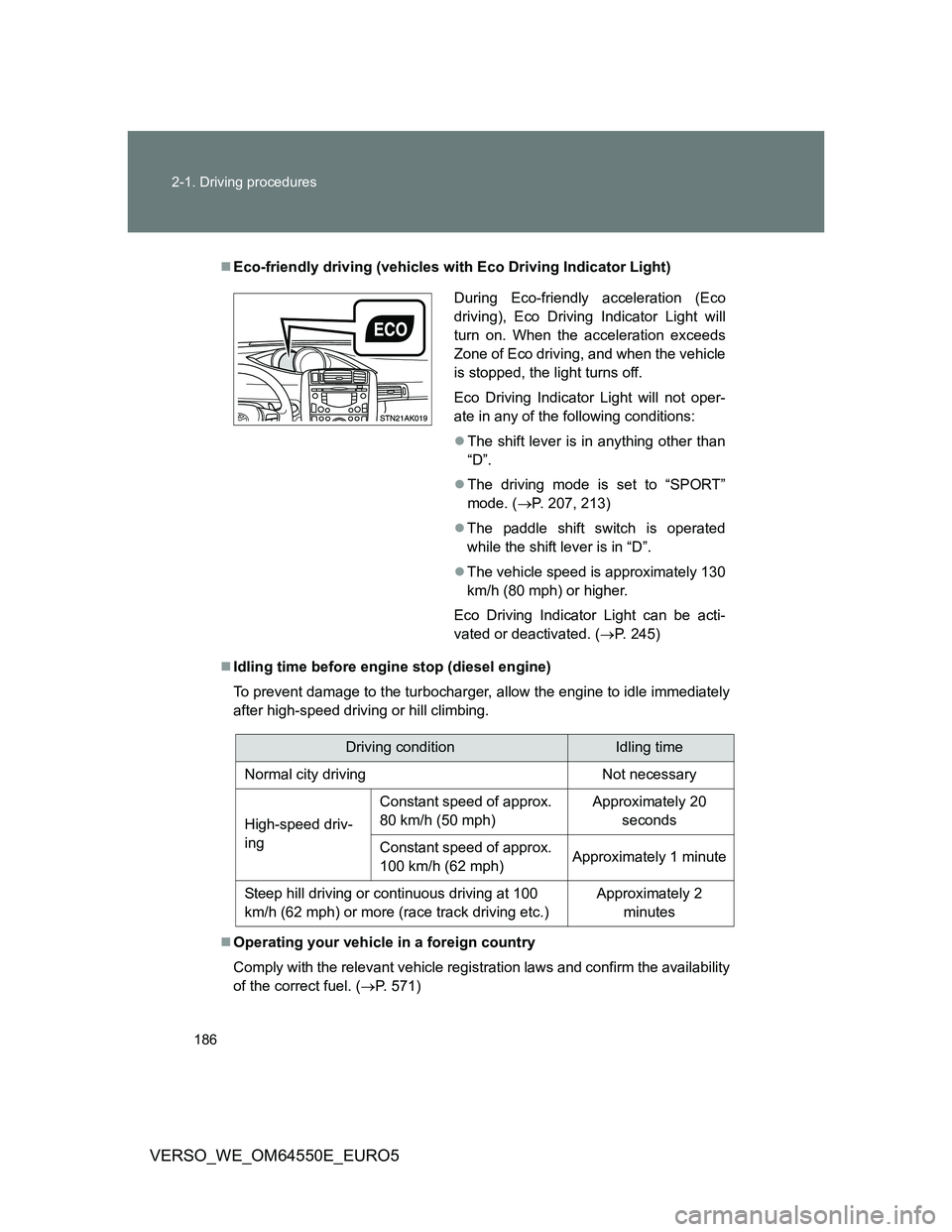
Eco-friendly driving (vehicles with Eco Driving Indicator Light)
Idling time before engine stop (diesel engine)
To prevent damage to the turbocharger, allow the engine to idle immediately
after high-speed driving or hill climbing.
Operating your vehicle in a foreign country
Comply with the relevant vehicle registration laws and confirm the availability
of the correct fuel. (P. 571)
During Eco-friendly acceleration (Eco
driving), Eco Driving Indicator Light will
turn on. When the acceleration exceeds
Zone of Eco driving, and when the vehicle
is stopped, the light turns off.
Eco Driving Indicator Light will not oper-
ate in any of the following conditions:
The shift lever is in anything other than
“D”.
The driving mode is set to “SPORT”
mode. (P. 207, 213)
The paddle shift switch is operated
while the shift lever is in “D”.
The vehicle speed is approximately 130
km/h (80 mph) or higher.
Eco Driving Indicator Light can be acti-
vated or deactivated. (P. 245)
Driving conditionIdling time
Normal city driving Not necessary
High-speed driv-
ingConstant speed of approx.
80 km/h (50 mph)Approximately 20
seconds
Constant speed of approx.
100 km/h (62 mph)Approximately 1 minute
Steep hill driving or continuous driving at 100
km/h (62 mph) or more (race track driving etc.)Approximately 2
minutes
Page 207 of 616
207 2-1. Driving procedures
2
When driving
VERSO_WE_OM64550E_EURO5
Selecting a shift position
*1: To improve fuel consumption and reduce noises, set the shift lever in
the “D” position for normal driving.
*2: If equipped, by selecting gear step using paddle shift switches, you can
control engine braking forces.
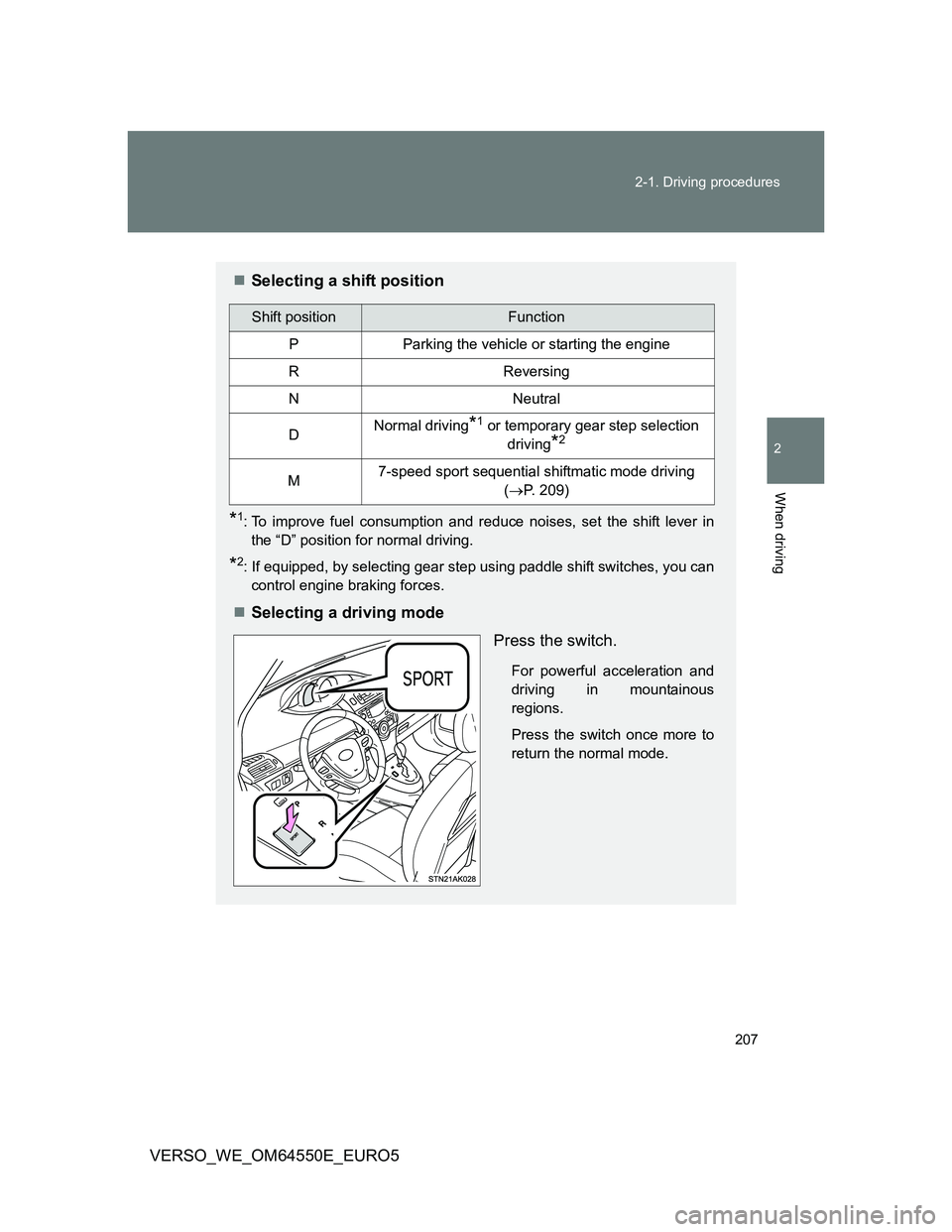
Selecting a driving mode
Press the switch.
For powerful acceleration and
driving in mountainous
regions.
Press the switch once more to
return the normal mode.
Shift positionFunction
PParking the vehicle or starting the engine
RReversing
NNeutral
DNormal driving*1 or temporary gear step selection
driving
*2
M7-speed sport sequential shiftmatic mode driving
(P. 209)
Page 220 of 616
220 2-1. Driving procedures
VERSO_WE_OM64550E_EURO5
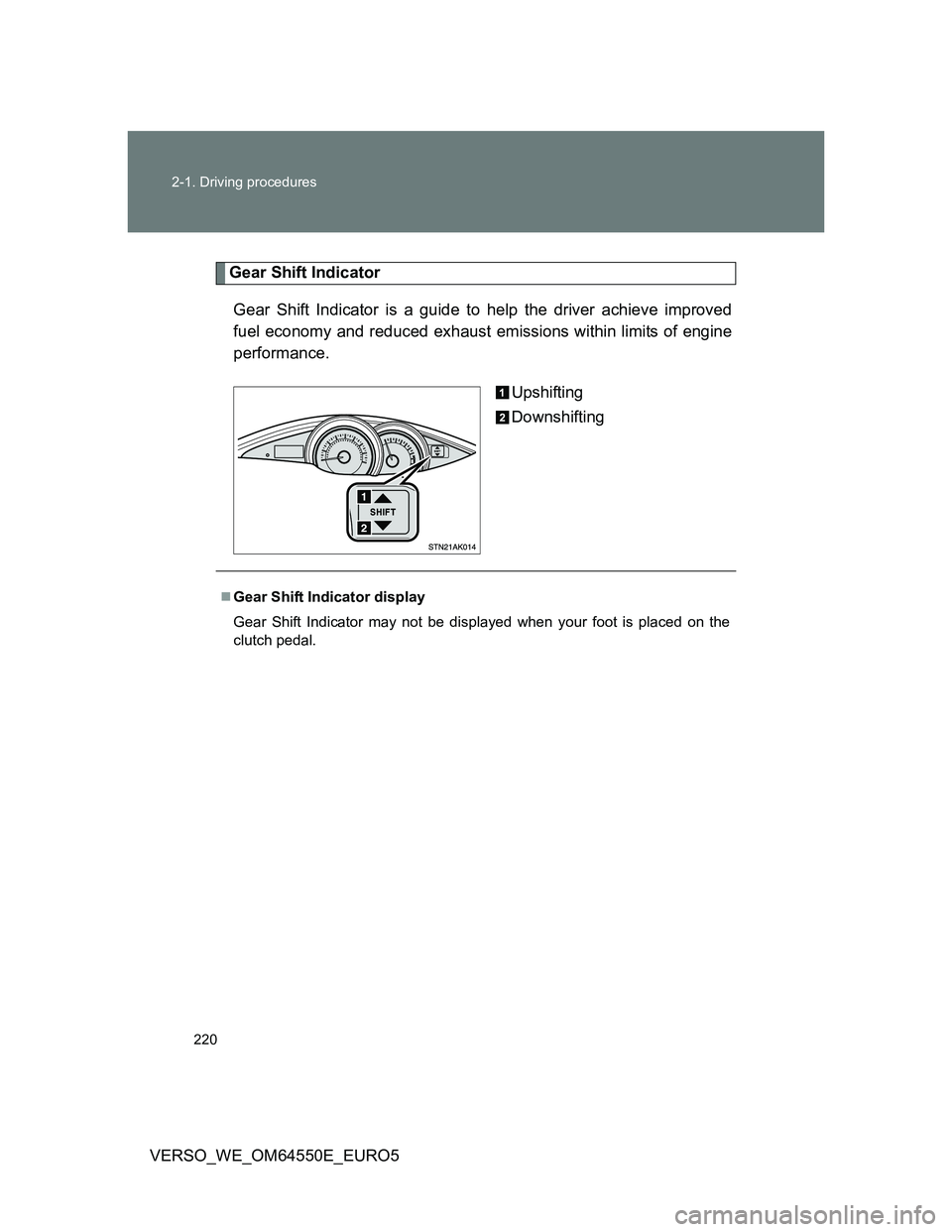
Gear Shift Indicator
Gear Shift Indicator is a guide to help the driver achieve improved
fuel economy and reduced exhaust emissions within limits of engine
performance.
Upshifting
Downshifting
Gear Shift Indicator display
Gear Shift Indicator may not be displayed when your foot is placed on the
clutch pedal.
Page 227 of 616
227
2
When driving
VERSO_WE_OM64550E_EURO5
2-2. Instrument cluster
Gauges and meters
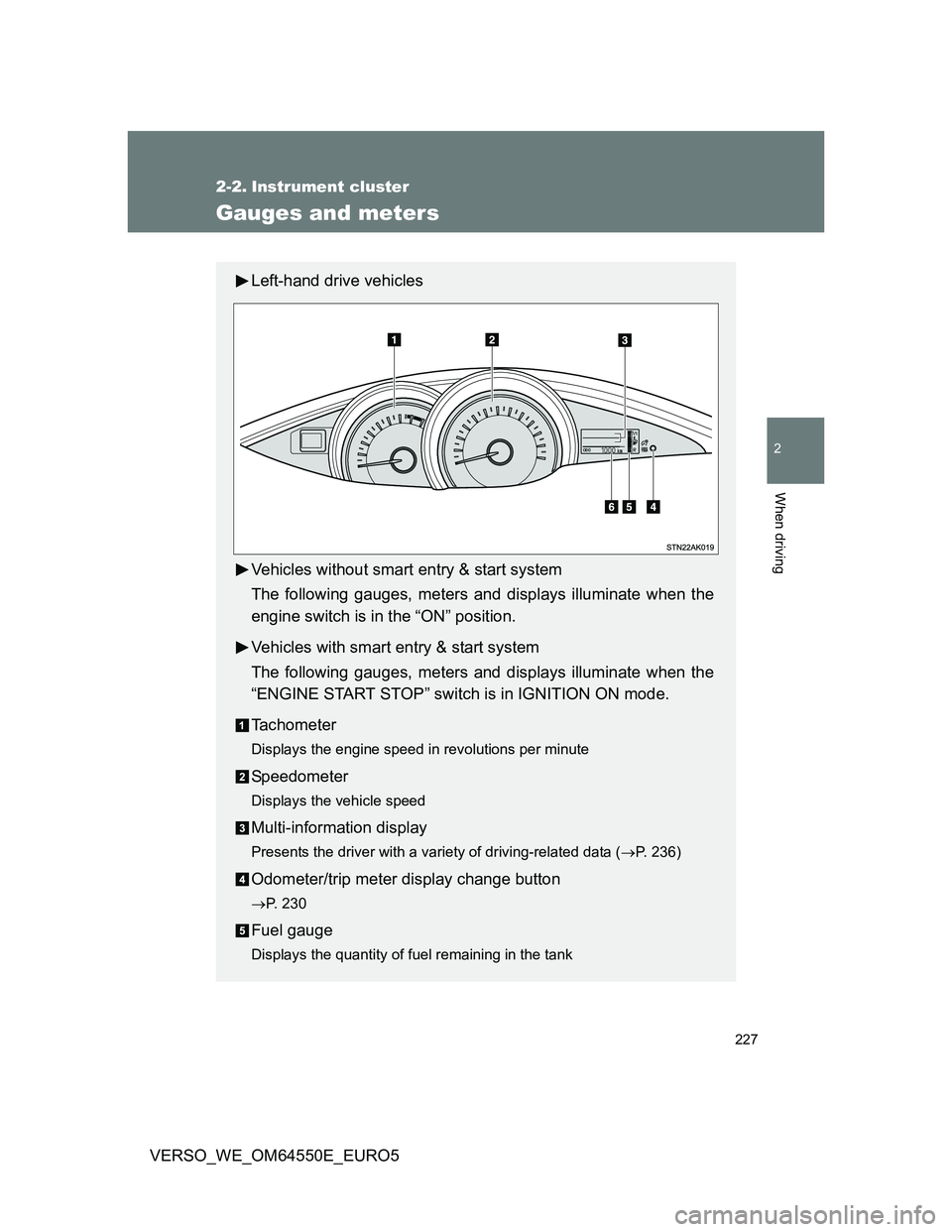
Left-hand drive vehicles
Vehicles without smart entry & start system
The following gauges, meters and displays illuminate when the
engine switch is in the “ON” position.
Vehicles with smart entry & start system
The following gauges, meters and displays illuminate when the
“ENGINE START STOP” switch is in IGNITION ON mode.
Tachometer
Displays the engine speed in revolutions per minute
Speedometer
Displays the vehicle speed
Multi-information display
Presents the driver with a variety of driving-related data (P. 236)
Odometer/trip meter display change button
P. 230
Fuel gauge
Displays the quantity of fuel remaining in the tank
Page 230 of 616
230 2-2. Instrument cluster
VERSO_WE_OM64550E_EURO5
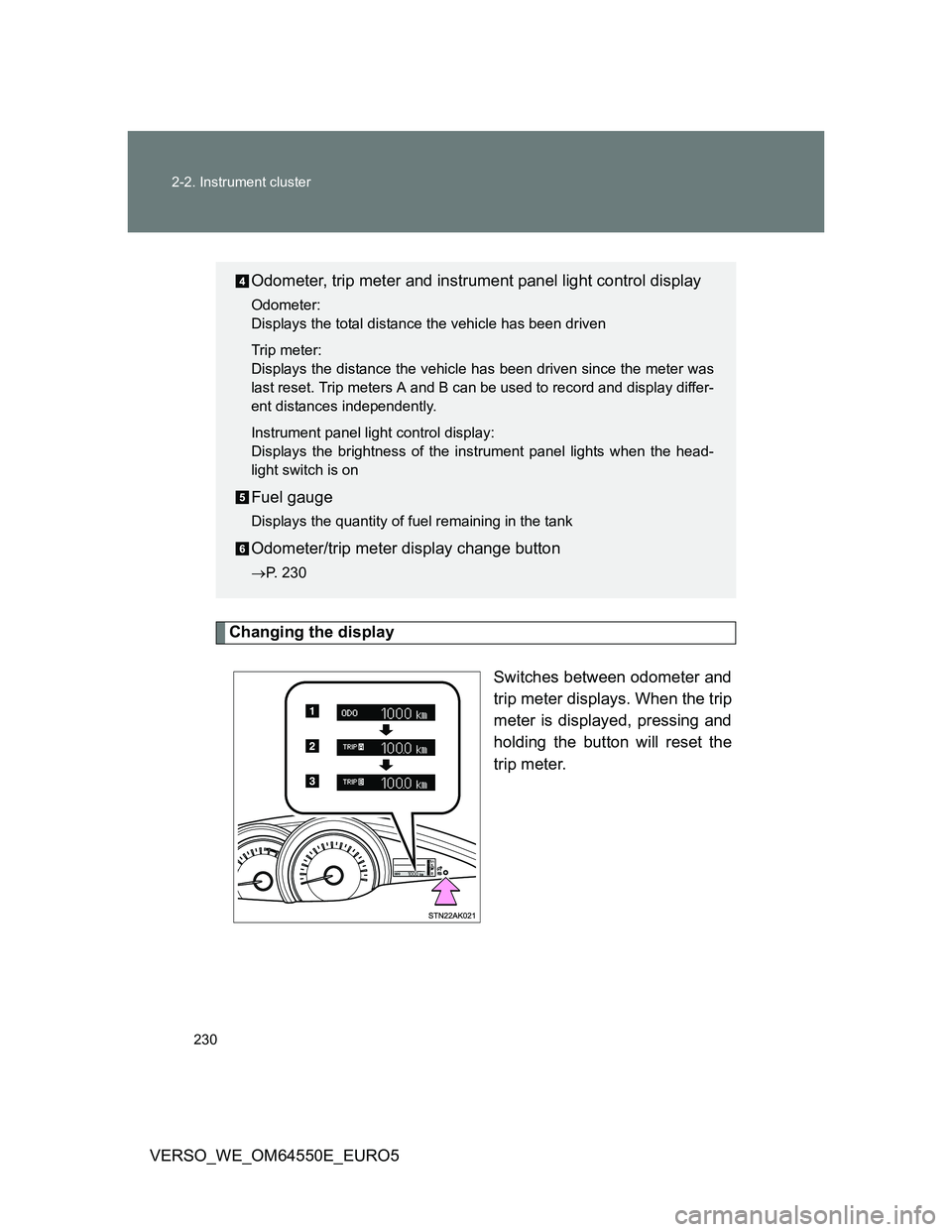
Changing the display
Switches between odometer and
trip meter displays. When the trip
meter is displayed, pressing and
holding the button will reset the
trip meter.
Odometer, trip meter and instrument panel light control display
Odometer:
Displays the total distance the vehicle has been driven
Trip meter:
Displays the distance the vehicle has been driven since the meter was
last reset. Trip meters A and B can be used to record and display differ-
ent distances independently.
Instrument panel light control display:
Displays the brightness of the instrument panel lights when the head-
light switch is on
Fuel gauge
Displays the quantity of fuel remaining in the tank
Odometer/trip meter display change button
P. 230
Page 236 of 616
236
2-2. Instrument cluster
VERSO_WE_OM64550E_EURO5
Multi-infor mation display
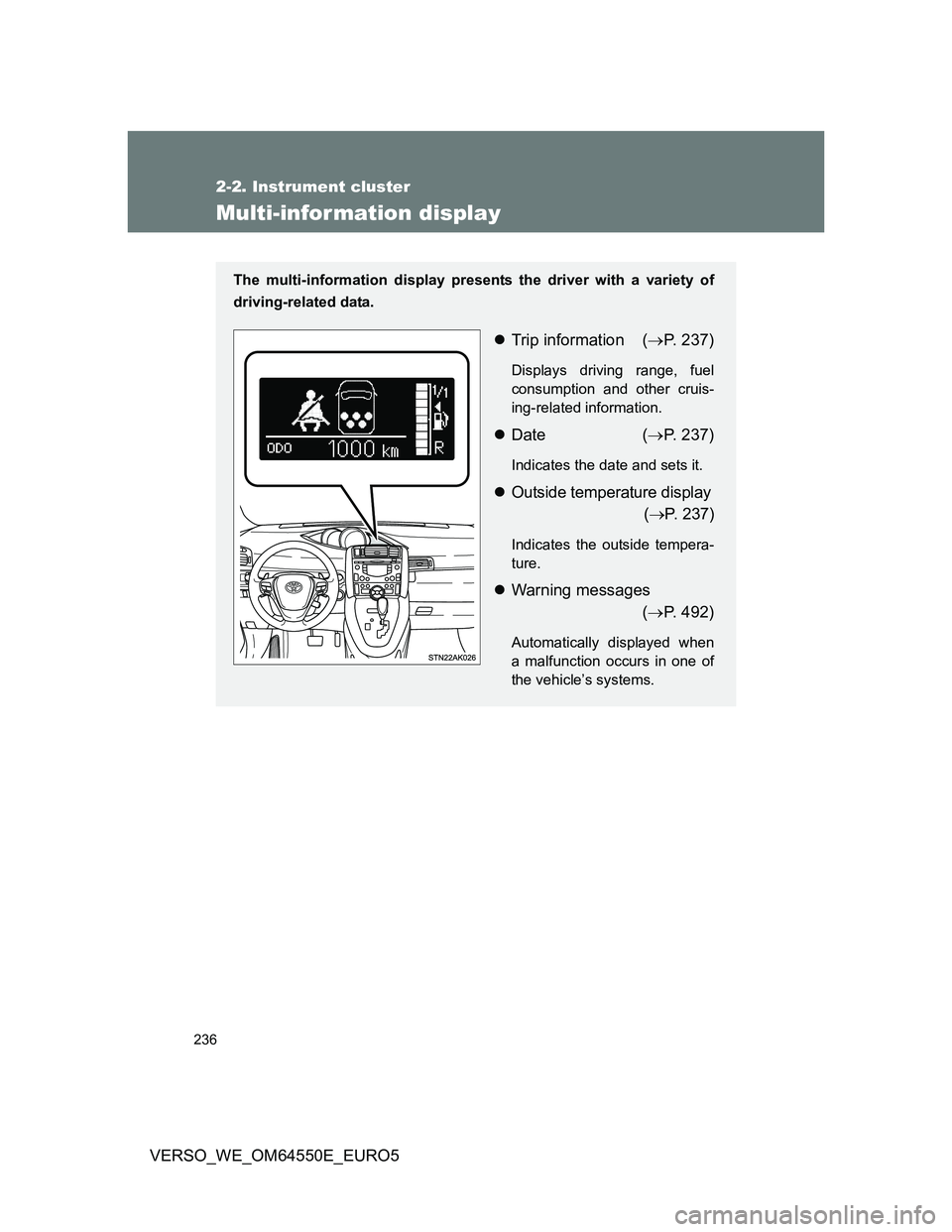
The multi-information display presents the driver with a variety of
driving-related data.
Trip information (P. 237)
Displays driving range, fuel
consumption and other cruis-
ing-related information.
Date (P. 237)
Indicates the date and sets it.
Outside temperature display
(P. 237)
Indicates the outside tempera-
ture.
Warning messages
(P. 492)
Automatically displayed when
a malfunction occurs in one of
the vehicle’s systems.