heater TOYOTA VERSO S 2011 User Guide
[x] Cancel search | Manufacturer: TOYOTA, Model Year: 2011, Model line: VERSO S, Model: TOYOTA VERSO S 2011Pages: 664, PDF Size: 160.56 MB
Page 128 of 664
1282-2. Charging
such as the remaining charge of the
hybrid battery (traction battery), the
outside temperature and specifica-
tions of a charger (charging station).
*4: When using “My Room Mode”
(P.153), the time required for
charging to complete may be longer
or the charging may not be com-
pleted.
*5: If equipped
■Charging time may increase
In the following situations, charging time
may become longer than normal:
●In very hot or very cold temperatures.
●When the hybrid battery (traction bat-
tery) becomes hot, such as immedi-
ately after high-load driving.
●The vehicle is consuming a lot of elec-
tricity, for example, when the head-
lights are on etc.
●When using “My Room Mode”.
(P.153)
●There is a power outage during
charging.
●There is an interruption in the electri-
cal supply.
●There is a drop in the voltage of exter-
nal power source.
●The charge in the 12-volt battery is
low, for example due to the vehicle
being left unused for a long period of
time.
●The maximum charging current is set
to 8A or 16A* through “Vehicle Set-
tings”. (P.125)
●When the “Battery Heater” operates.
(P.128)
●When the “Battery Cooler” is operated
before charging. (P.129)
●When the plug generates heat due to
a loose socket connection etc.
*: Vehicles with 6.6 kW onboard traction
battery charger only
■Using a DC Charger
DC Chargers cannot be used with this
vehicle.
■Charging electricity
This vehicle can be charged up to
approximately 3.3 kW or 6.6 kW
*.
However, depending on the used char-
ger or AC charging cable, charging elec-
tricity may be limited.
*: Vehicles with 6.6 kW onboard traction
battery charger only
This vehicle is equipped with sev-
eral functions that are linked with
charging.
■“My Room Mode” (P.153)
When the AC charging cable is
connected to the vehicle, electrical
components such as the air condi-
tioning system or audio system can
be used using the external power
source
*.
*: The power of the hybrid battery (trac-
tion battery) may be used depending
on the situation.
■“Battery Heater”
When the outside temperature is
low and the AC charging cable is
connected to the vehicle, this func-
tion automatically warms the hybrid
battery (traction battery) until it
reaches or exceeds a certain tem-
perature.
“Battery Heater” will operate when
the “Battery Heater” of the
“Charging Settings” on the multi-
information display is on. (P.187)
Charging-linked functions
Page 129 of 664
129
2 2-2. Charging
Plug-in hybrid system
■Hybrid battery (traction bat-
tery) warming control (Green-
land only)
This control operates after the AC
charging cable remains connected
to the vehicle for 3 days and “Bat-
tery Heater” automatically stops. It
automatically insulates the hybrid
battery (traction battery) in
extremely low temperatures.
This control stops 31 days after
the AC charging cable is con-
nected, even if it is still con-
nected to the vehicle.
When this control operates,
charging schedule settings are
ignored and charging starts.
■“Battery Cooler”
When the hybrid battery (traction
battery) is hot and the AC charging
cable is connected to the vehicle,
this function cools the hybrid bat-
tery (traction battery) before
charging is carried out.
“Battery Cooler” will operate when
the “Battery Cooler” of the
“Charging Settings” on the multi-
information display is on. (P.187)
■Traction battery heating and cool-
ing system (“Battery Heater” and
“Battery Cooler”)
●The system operates when the hybrid
battery (traction battery) is below or
above a certain temperature.
●The system may operate when
charging is not being performed.
●When the charging schedule is used
(P.144), this function will operate according to the charging schedule.
■“Battery Heater”
●When “Battery Heater” is operating,
the charging indicator illuminates.
●When the AC charging cable is
removed from the vehicle or remains
connected to the vehicle for approxi-
mately 3 days, the system automati-
cally stops.
●When “Battery Heater” is operating
during charging, the charging time
may be longer than normal.
●If the outside temperature becomes
high while “Battery Heater” is operat-
ing, charging may complete earlier
than the “Departure” time set.
(P.144)
●When the traction battery is almost
completely charged, “Battery Cooler”
may not be implemented.
●When the following operations are
performed while “Battery Heater” is
operating, the hybrid battery (traction
battery) heating operation stops.
• The shift lever is changed to any posi-
tion other than P
• The Remote Air Conditioning System
is operated (P.460)
●“Battery Heater” may operate even
when the hybrid battery (traction bat-
tery) is fully charged depending on the
temperature of the hybrid battery
(traction battery).
• The remaining charge of the hybrid
battery (traction battery) decreases
when “Battery Heater” operates. The
charging operation may start again to
charge the hybrid battery (traction bat-
tery).
• “Charging Stopped Due to Pulled
Charging Connector” may be shown
when the charging connector is
removed while recharging. (P.160)
■“Battery Cooler”
●The charging indicator is illuminated
while “Battery Cooler” is on standby or
operating.
●“Battery Cooler” is implemented for a
Page 135 of 664
135
2
2-2. Charging
Plug-in hybrid system
fully charged, the remaining charge
rapidly decreases faster than normal.
■When the charging amount sent to the hybrid battery (traction battery)
decreases
When the amount of power supplied by the charger is low or operation of the
“Battery Heater”, etc., reduces the charging power sent to the hybrid bat-tery (traction battery), the charging
amount sent to the hybrid battery (trac- tion battery) may decrease.
How to charge
This section explains the pro-
cedure for charging the hybrid
battery (traction battery) with
the equipped AC charging
cable.
When using a charging station,
make sure to check the opera-
tion instructions on the
charging station.
When the charging schedule is
registered, make sure “Charge
Now” is turned on before
charging. ( P.150)
WARNING
■AC charging inlet
Do not disassemble, repair or modify the AC charging inlet. Doing so may lead to unforeseen accidents or seri-
ous injury. When the AC charging inlet needs to be repaired, consult any authorized Toyota retailer or Toyota
authorized repairer, or any reliable repairer.
NOTICE
■When using the AC charging cable and related parts
To prevent damage to the AC charging cable and related parts, observe the following precautions.
●When interrupting or canceling charging, remove the charging con-nector before removing the plug.
●When removing the AC charging cable, check that the charging con-
nector is unlocked.
Page 146 of 664
1462-2. Charging
connected.
●After connecting the AC charging
cable, check that the charging indica-
tor of the charging port flashes
(P.106)
●Do not use an socket that has a power
cut off function (including a timer func-
tion)
Use an socket that constantly supplies
electricity. For sockets where the
power is cut off due to a timer func-
tion, etc., charging may not be carried
out according to plan if the power is
cut off during the set time.
■When the AC charging cable
remains connected to the vehicle
Even if multiple consecutive charging
schedules are registered, the next
charge will not be carried out according
to the charging schedule until the AC
charging cable is removed and recon-
nected after charging completes. Also,
when the hybrid battery (traction battery)
is fully charged, charging according to
the charging schedule will not be carried
out.
■“Climate Prep”
●When the air conditioning-linked set-
ting is turned on, the air conditioning
operates until the set departure time.
Therefore, the air conditioning will
consume electricity and charging may
not complete by the set departure
time.
●If the hybrid battery (traction battery)
is fully charged, charging will not be
carried out, even if the charging
schedule is set. However, if “Climate
Prep” is turned on, the air conditioning
will operate only once when it nears
the time set in “Departure”. If this
occurs, the air conditioning will con-
sume electricity and the remaining
charge of the hybrid battery (traction
battery) when departing may be
decreased.
●When the doors are unlocked, the air
conditioning system does not operate.
■When charging schedules are
ignored
When the following operations are per-
formed while the charging schedule is
on standby, charging schedule is tempo-
rarily canceled and charging is started.
●When the Remote Air Conditioning
System (P.460) is operated
●When turning “My Room Mode” on
(P.153)
●When turning “Charge Now” on
(P.150)
●When an operation that temporarily
cancel charging using the charging
schedule (P.138)
■Effects of outside temperature
When the charging mode is set to
“Departure”, charging schedule may be
ignored due to the outside temperature
and charging may start.
■“Battery Heater” (P.128) /“Battery
Cooler” (P.129)
When charging is carried out using the
charging schedule, the hybrid battery
(traction battery) heating or cooling func-
tion may operate according to the tem-
perature of the hybrid battery (traction
battery).
●When the charging mode is set to
“Start”, the function starts at the set
charging start time.
●“Battery Heater”: When the charging
mode is set to “Departure”, the func-
tion starts automatically to complete
heating by the desired departure time.
●“Battery Cooler”: When the charging
mode is set to “Departure”, cooling
starts approximately 30 minutes
before the charging start time. How-
ever, if there is no time to finish
charging by the charging schedule,
the hybrid battery (traction battery)
cooling time may be shortened and
“Battery Cooler” may not operate.
Page 154 of 664
1542-2. Charging
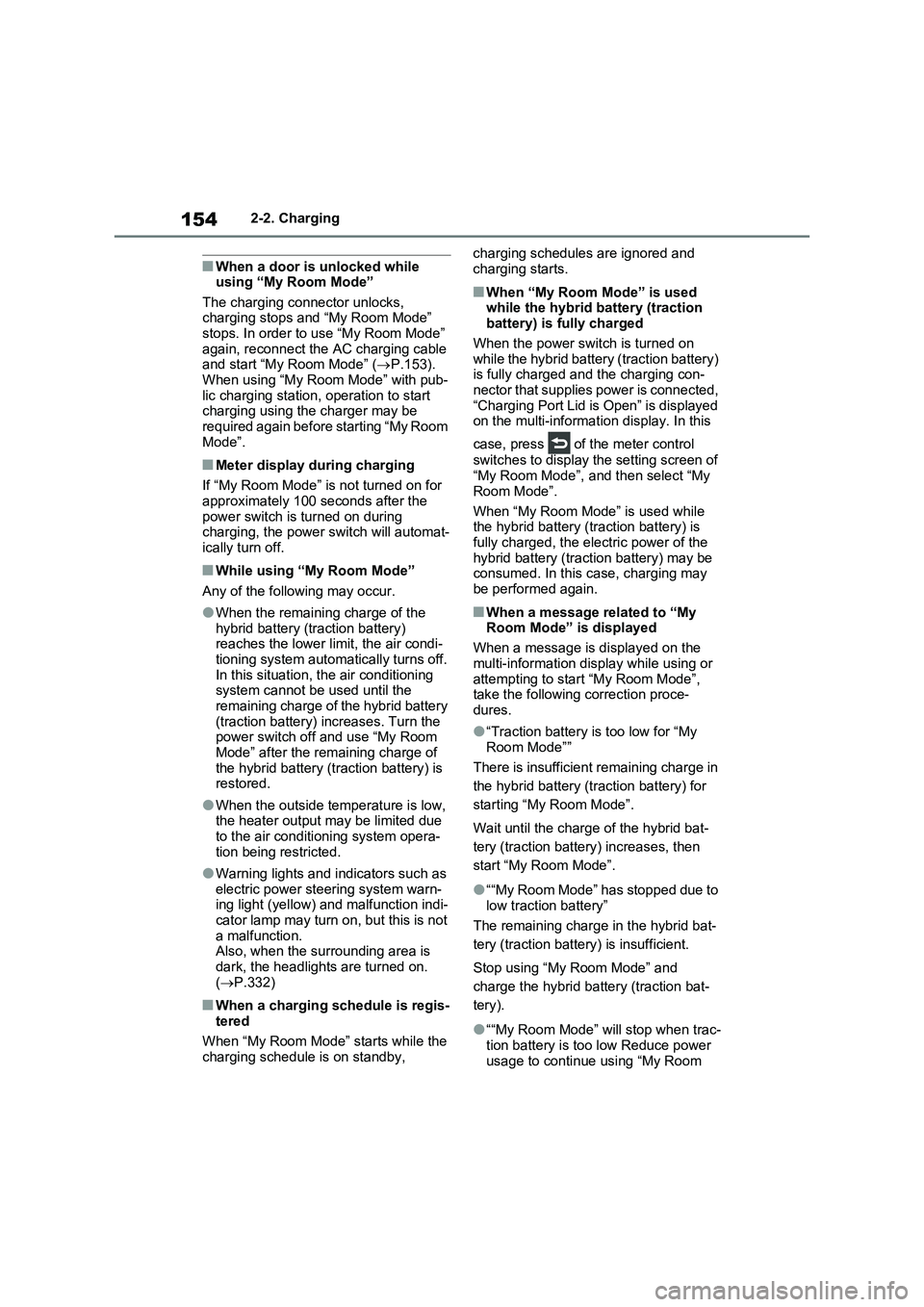
■When a door is unlocked while
using “My Room Mode”
The charging connector unlocks,
charging stops and “My Room Mode”
stops. In order to use “My Room Mode”
again, reconnect the AC charging cable
and start “My Room Mode” (P.153).
When using “My Room Mode” with pub-
lic charging station, operation to start
charging using the charger may be
required again before starting “My Room
Mode”.
■Meter display during charging
If “My Room Mode” is not turned on for
approximately 100 seconds after the
power switch is turned on during
charging, the power switch will automat-
ically turn off.
■While using “My Room Mode”
Any of the following may occur.
●When the remaining charge of the
hybrid battery (traction battery)
reaches the lower limit, the air condi-
tioning system automatically turns off.
In this situation, the air conditioning
system cannot be used until the
remaining charge of the hybrid battery
(traction battery) increases. Turn the
power switch off and use “My Room
Mode” after the remaining charge of
the hybrid battery (traction battery) is
restored.
●When the outside temperature is low,
the heater output may be limited due
to the air conditioning system opera-
tion being restricted.
●Warning lights and indicators such as
electric power steering system warn-
ing light (yellow) and malfunction indi-
cator lamp may turn on, but this is not
a malfunction.
Also, when the surrounding area is
dark, the headlights are turned on.
(P.332)
■When a charging schedule is regis-
tered
When “My Room Mode” starts while the
charging schedule is on standby, charging schedules are ignored and
charging starts.
■When “My Room Mode” is used
while the hybrid battery (traction
battery) is fully charged
When the power switch is turned on
while the hybrid battery (traction battery)
is fully charged and the charging con-
nector that supplies power is connected,
“Charging Port Lid is Open” is displayed
on the multi-information display. In this
case, press of the meter control
switches to display the setting screen of
“My Room Mode”, and then select “My
Room Mode”.
When “My Room Mode” is used while
the hybrid battery (traction battery) is
fully charged, the electric power of the
hybrid battery (traction battery) may be
consumed. In this case, charging may
be performed again.
■When a message related to “My
Room Mode” is displayed
When a message is displayed on the
multi-information display while using or
attempting to start “My Room Mode”,
take the following correction proce-
dures.
●“Traction battery is too low for “My
Room Mode””
There is insufficient remaining charge in
the hybrid battery (traction battery) for
starting “My Room Mode”.
Wait until the charge of the hybrid bat-
tery (traction battery) increases, then
start “My Room Mode”.
●““My Room Mode” has stopped due to
low traction battery”
The remaining charge in the hybrid bat-
tery (traction battery) is insufficient.
Stop using “My Room Mode” and
charge the hybrid battery (traction bat-
tery).
●““My Room Mode” will stop when trac-
tion battery is too low Reduce power
usage to continue using “My Room
Page 159 of 664
159
2 2-2. Charging
Plug-in hybrid system
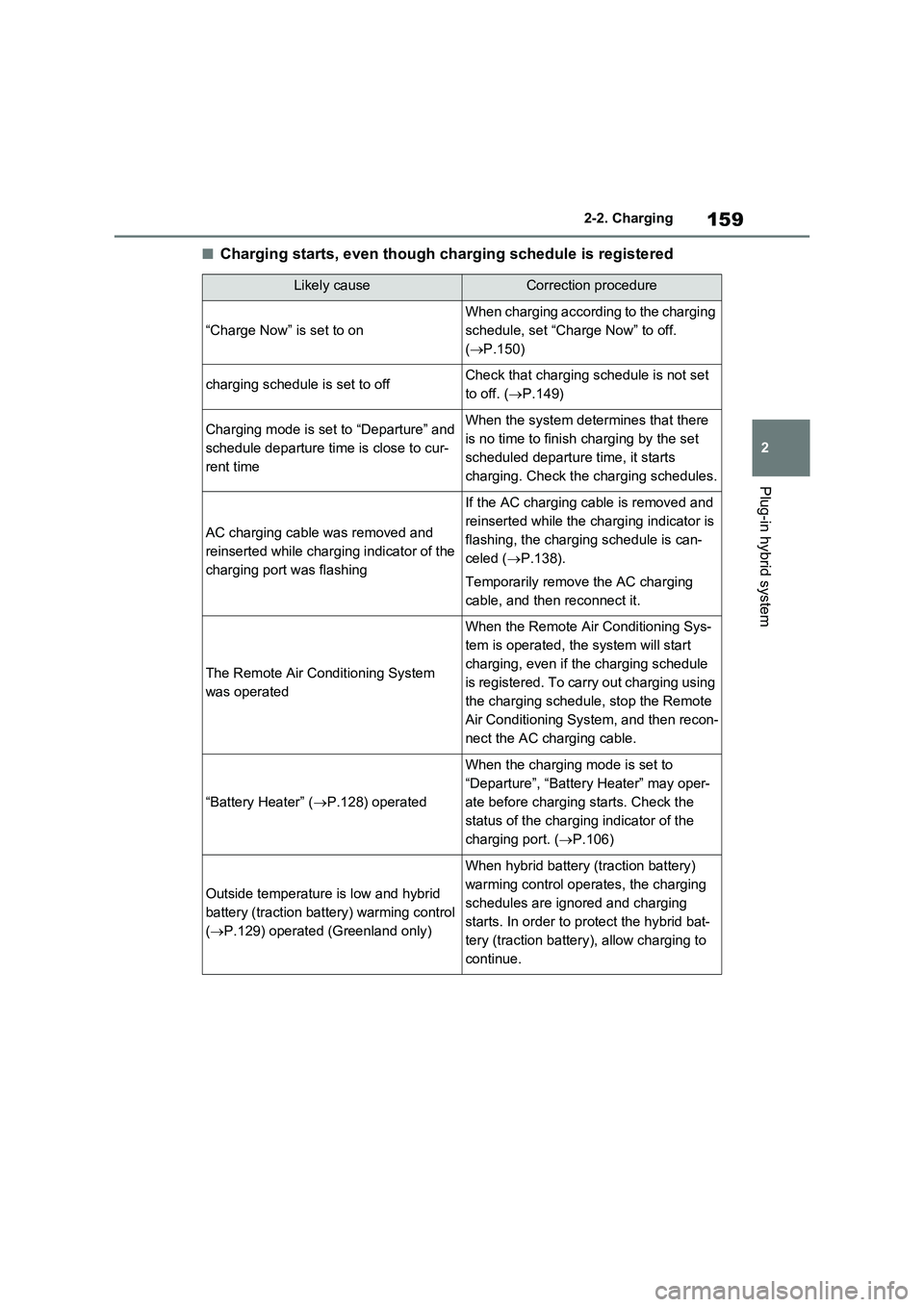
■Charging starts, even though charging schedule is registered
Likely causeCorrection procedure
“Charge Now” is set to on
When charging according to the charging
schedule, set “Charge Now” to off.
(P.150)
charging schedule is set to offCheck that charging schedule is not set
to off. (P.149)
Charging mode is set to “Departure” and
schedule departure time is close to cur-
rent timeWhen the system determines that there
is no time to finish charging by the set
scheduled departure time, it starts
charging. Check the charging schedules.
AC charging cable was removed and
reinserted while charging indicator of the
charging port was flashing
If the AC charging cable is removed and
reinserted while the charging indicator is
flashing, the charging schedule is can-
celed (P.138).
Temporarily remove the AC charging
cable, and then reconnect it.
The Remote Air Conditioning System
was operated
When the Remote Air Conditioning Sys-
tem is operated, the system will start
charging, even if the charging schedule
is registered. To carry out charging using
the charging schedule, stop the Remote
Air Conditioning System, and then recon-
nect the AC charging cable.
“Battery Heater” (P.128) operated
When the charging mode is set to
“Departure”, “Battery Heater” may oper-
ate before charging starts. Check the
status of the charging indicator of the
charging port. (P.106)
Outside temperature is low and hybrid
battery (traction battery) warming control
(P.129) operated (Greenland only)
When hybrid battery (traction battery)
warming control operates, the charging
schedules are ignored and charging
starts. In order to protect the hybrid bat-
tery (traction battery), allow charging to
continue.
Page 161 of 664
161
2 2-2. Charging
Plug-in hybrid system
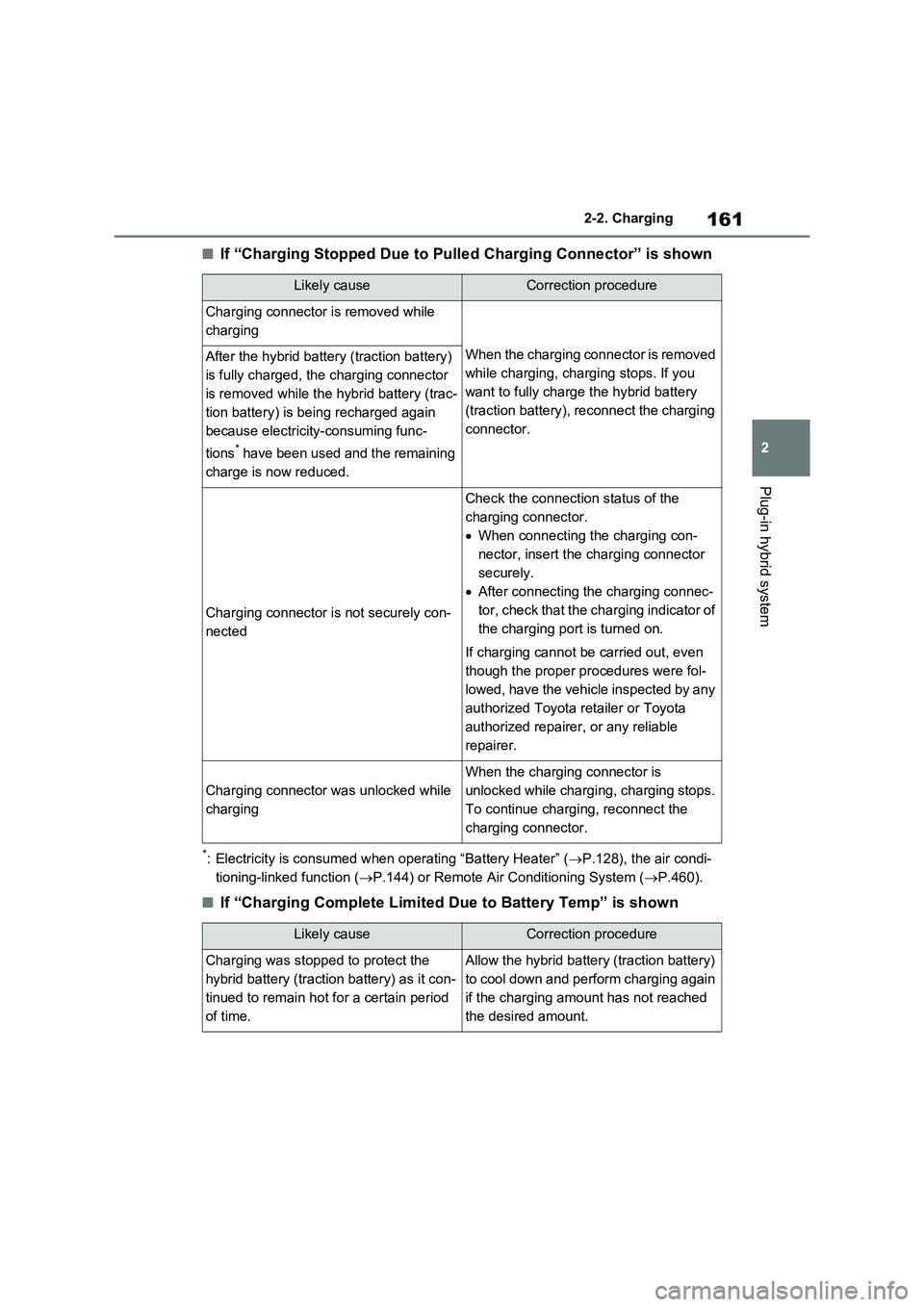
■If “Charging Stopped Due to Pulled Charging Connector” is shown
*: Electricity is consumed when operating “Battery Heater” (P.128), the air condi-
tioning-linked function (P.144) or Remote Air Conditioning System (P.460).
■If “Charging Complete Limited Due to Battery Temp” is shown
Likely causeCorrection procedure
Charging connector is removed while
charging
When the charging connector is removed
while charging, charging stops. If you
want to fully charge the hybrid battery
(traction battery), reconnect the charging
connector.After the hybrid battery (traction battery)
is fully charged, the charging connector
is removed while the hybrid battery (trac-
tion battery) is being recharged again
because electricity-consuming func-
tions
* have been used and the remaining
charge is now reduced.
Charging connector is not securely con-
nected
Check the connection status of the
charging connector.
When connecting the charging con-
nector, insert the charging connector
securely.
After connecting the charging connec-
tor, check that the charging indicator of
the charging port is turned on.
If charging cannot be carried out, even
though the proper procedures were fol-
lowed, have the vehicle inspected by any
authorized Toyota retailer or Toyota
authorized repairer, or any reliable
repairer.
Charging connector was unlocked while
charging
When the charging connector is
unlocked while charging, charging stops.
To continue charging, reconnect the
charging connector.
Likely causeCorrection procedure
Charging was stopped to protect the
hybrid battery (traction battery) as it con-
tinued to remain hot for a certain period
of time.Allow the hybrid battery (traction battery)
to cool down and perform charging again
if the charging amount has not reached
the desired amount.
Page 187 of 664
187
3 3-1. Instrument cluster
Vehicle status information and indicators
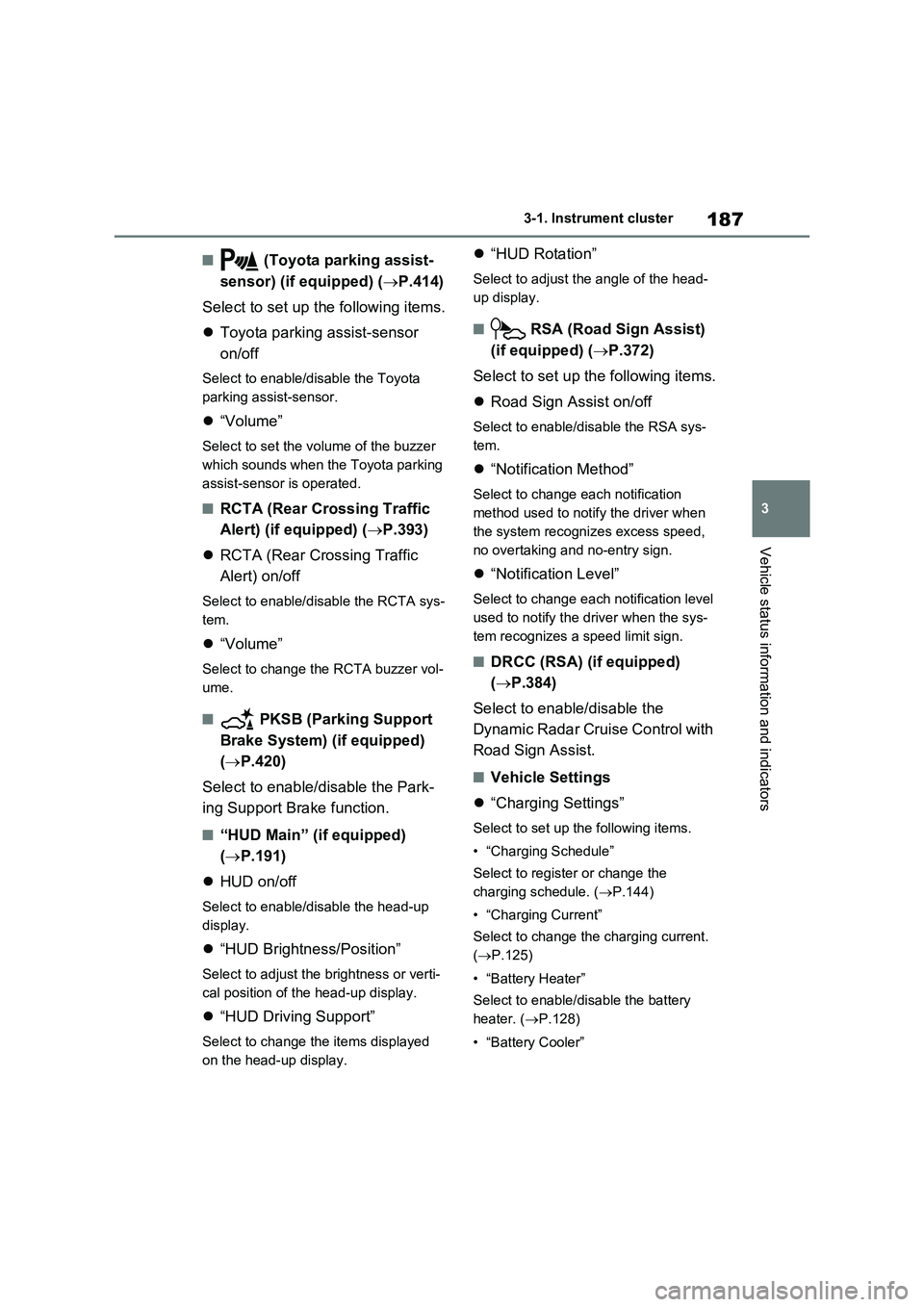
■ (Toyota parking assist-
sensor) (if equipped) (P.414)
Select to set up the following items.
Toyota parking assist-sensor
on/off
Select to enable/disable the Toyota
parking assist-sensor.
“Volume”
Select to set the volume of the buzzer
which sounds when the Toyota parking
assist-sensor is operated.
■RCTA (Rear Crossing Traffic
Alert) (if equipped) (P.393)
RCTA (Rear Crossing Traffic
Alert) on/off
Select to enable/disable the RCTA sys-
tem.
“Volume”
Select to change the RCTA buzzer vol-
ume.
■ PKSB (Parking Support
Brake System) (if equipped)
(P.420)
Select to enable/disable the Park-
ing Support Brake function.
■“HUD Main” (if equipped)
(P.191)
HUD on/off
Select to enable/disable the head-up
display.
“HUD Brightness/Position”
Select to adjust the brightness or verti-
cal position of the head-up display.
“HUD Driving Support”
Select to change the items displayed
on the head-up display.
“HUD Rotation”
Select to adjust the angle of the head-
up display.
■ RSA (Road Sign Assist)
(if equipped) (P.372)
Select to set up the following items.
Road Sign Assist on/off
Select to enable/disable the RSA sys-
tem.
“Notification Method”
Select to change each notification
method used to notify the driver when
the system recognizes excess speed,
no overtaking and no-entry sign.
“Notification Level”
Select to change each notification level
used to notify the driver when the sys-
tem recognizes a speed limit sign.
■DRCC (RSA) (if equipped)
(P.384)
Select to enable/disable the
Dynamic Radar Cruise Control with
Road Sign Assist.
■Vehicle Settings
“Charging Settings”
Select to set up the following items.
• “Charging Schedule”
Select to register or change the
charging schedule. (P.144)
• “Charging Current”
Select to change the charging current.
(P.125)
• “Battery Heater”
Select to enable/disable the battery
heater. (P.128)
• “Battery Cooler”
Page 339 of 664
339
5
5-3. Operating the lights and wipers
Driving
■The windshield wipers and washer can be operated when
The power switch is in ON.
■Effects of vehicle speed on wiper operation
With low speed windshield wiper opera-
tion selected, wiper operation will be switched from low speed to intermittent wiper operation when the vehicle is sta-
tionary. (However, when the sensor sen- sitivity is adjusted to the highest level, the mode will not switch.)
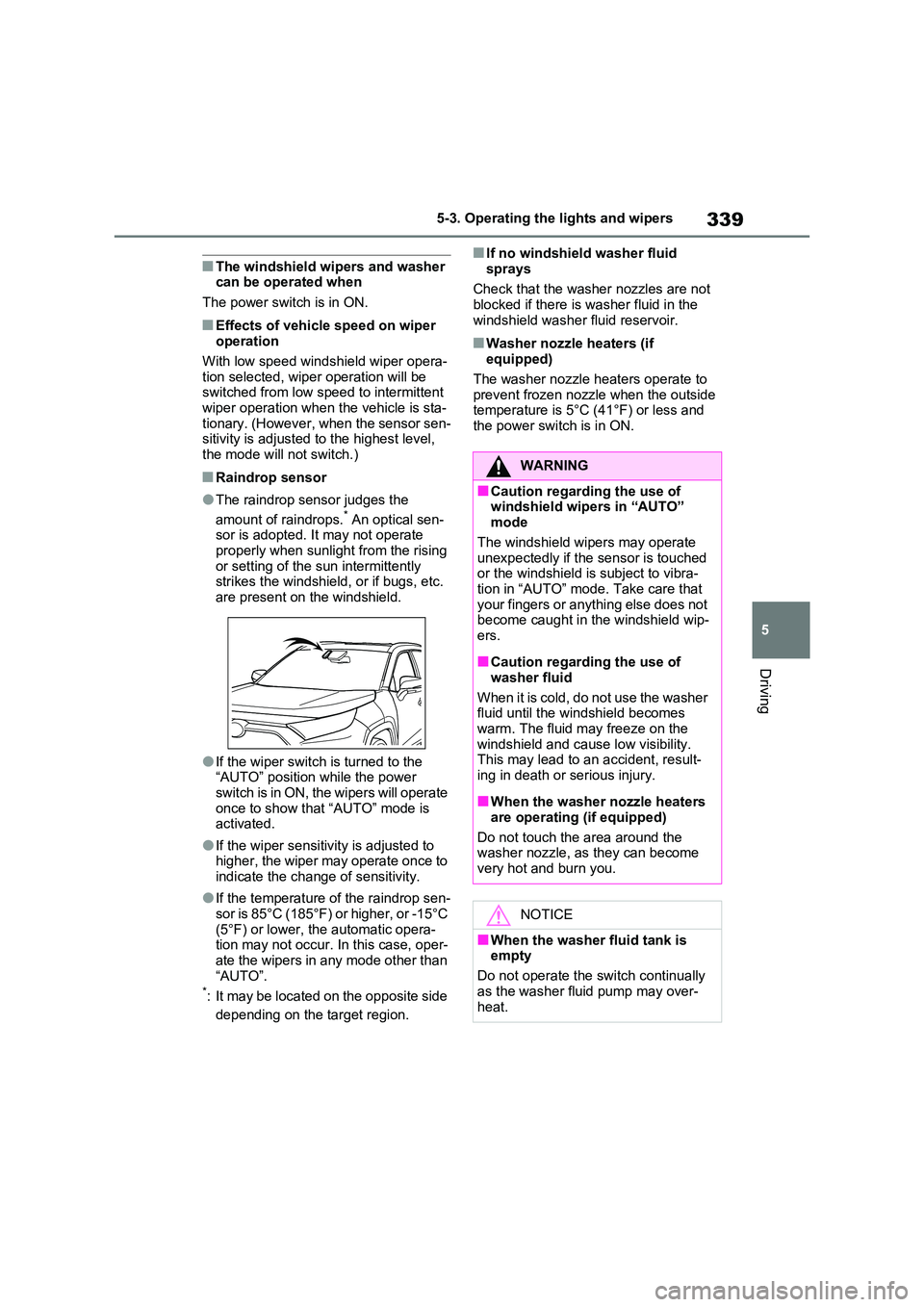
■Raindrop sensor
●The raindrop sensor judges the
amount of raindrops.* An optical sen- sor is adopted. It may not operate properly when sunlight from the rising
or setting of the sun intermittently strikes the windshield, or if bugs, etc. are present on the windshield.
●If the wiper switch is turned to the “AUTO” position while the power
switch is in ON, the wipers will operate once to show that “AUTO” mode is activated.
●If the wiper sensitivity is adjusted to higher, the wiper may operate once to
indicate the change of sensitivity.
●If the temperature of the raindrop sen-
sor is 85°C (185°F) or higher, or -15°C (5°F) or lower, the automatic opera-tion may not occur. In this case, oper-
ate the wipers in any mode other than “AUTO”.*: It may be located on the opposite side
depending on the target region.
■If no windshield washer fluid
sprays
Check that the washer nozzles are not blocked if there is washer fluid in the
windshield washer fluid reservoir.
■Washer nozzle heaters (if equipped)
The washer nozzle heaters operate to
prevent frozen nozzle when the outside temperature is 5°C (41°F) or less and the power switch is in ON.
WARNING
■Caution regarding the use of windshield wipers in “AUTO” mode
The windshield wipers may operate unexpectedly if the sensor is touched or the windshield is subject to vibra-
tion in “AUTO” mode. Take care that your fingers or anything else does not become caught in the windshield wip-
ers.
■Caution regarding the use of
washer fluid
When it is cold, do not use the washer fluid until the windshield becomes
warm. The fluid may freeze on the windshield and cause low visibility. This may lead to an accident, result-
ing in death or serious injury.
■When the washer nozzle heaters
are operating (if equipped)
Do not touch the area around the washer nozzle, as they can become
very hot and burn you.
NOTICE
■When the washer fluid tank is empty
Do not operate the switch continually
as the washer fluid pump may over- heat.
Page 451 of 664
6
451
6
Interior features
Interior features
6-1. Using the air conditioning
system and defogger
Automatic air conditioning sys-
tem ................................. 452
Remote Air Conditioning Sys-
tem ................................. 460
Heated steering wheel/Front
seat heaters/Front seat heat-
ers and ventilators/Rear seat
heaters ........................... 462
6-2. Using the interior lights
Interior lights list................ 465
6-3. Using the storage features
List of storage features ..... 468
Luggage compartment features
....................................... 472
6-4. Using the other interior fea-
tures
Other interior features....... 476