air condition TOYOTA VERSO S 2011 Service Manual
[x] Cancel search | Manufacturer: TOYOTA, Model Year: 2011, Model line: VERSO S, Model: TOYOTA VERSO S 2011Pages: 664, PDF Size: 160.56 MB
Page 319 of 664
319
5
5-2. Driving procedures
Driving
power switch to OFF, the hybrid sys-
tem may not start in some cases. After turning the power switch to OFF, please wait a few seconds before
restarting the hybrid system.
■Customization
If the smart entry & start system has been deactivated in a customized set-
ting, refer to P.605.
1 Stop the vehicle completely.
2 If the parking brake is in manual
mode, set the parking brake.
( P.326)
Check the parking brake indicator is
illuminated.
3 Shift the shift lever to P.
4 Press the power switch shortly
and firmly.
The hybrid system will stop, and the meter display will be extinguished.
Release the shift lever when pressing the power switch.
5 Release the brake pedal and
check that “ACCESSORY” or
“IGNITION ON” is not shown on
the multi-information display.
WARNING
■When starting the hybrid system
Always start the hybrid system while
sitting in the driver’s seat. Do not depress the accelerator pedal while starting the hybrid system under any
circumstances. Doing so may cause an accident resulting in death or serious injury.
■Caution while driving
If hybrid system failure occurs while
the vehicle is moving, do not lock or open the doors until the vehicle reaches a safe and complete stop.
Activation of the steering lock in this circumstance may lead to an acci-dent, resulting in death or serious
injury.
NOTICE
■When starting the hybrid system
If the hybrid system becomes difficult to start, have your vehicle checked by
any authorized Toyota retailer or Toyota authorized repairer, or any reliable repairer immediately.
■Symptoms indicating a malfunc-tion with the power switch
If the power switch seems to be oper- ating somewhat differently than usual, such as the switch sticking slightly,
there may be a malfunction. Contact any authorized Toyota retailer or Toyota authorized repairer, or any
reliable repairer immediately.
Stopping the hybrid system
WARNING
■Stopping the hybrid system in an emergency
●If you want to stop the hybrid sys-tem in an emergency while driving the vehicle, press and hold the
power switch for more than 2 sec- onds, or press it briefly 3 times or more in succession. ( P.560)
However, do not touch the power switch while driving except in an emergency. Turning the hybrid sys-
tem off while driving will not cause a loss of steering or braking control. However, power assist for the
steering wheel may be lost making it difficult to steer smoothly before stopping the vehicle depending on
the remaining charge in the 12-volt battery or usage conditions. In this situation, you should pull over and
stop the vehicle as soon as it is safe to do so.
Page 329 of 664
329
5
5-2. Driving procedures
Driving
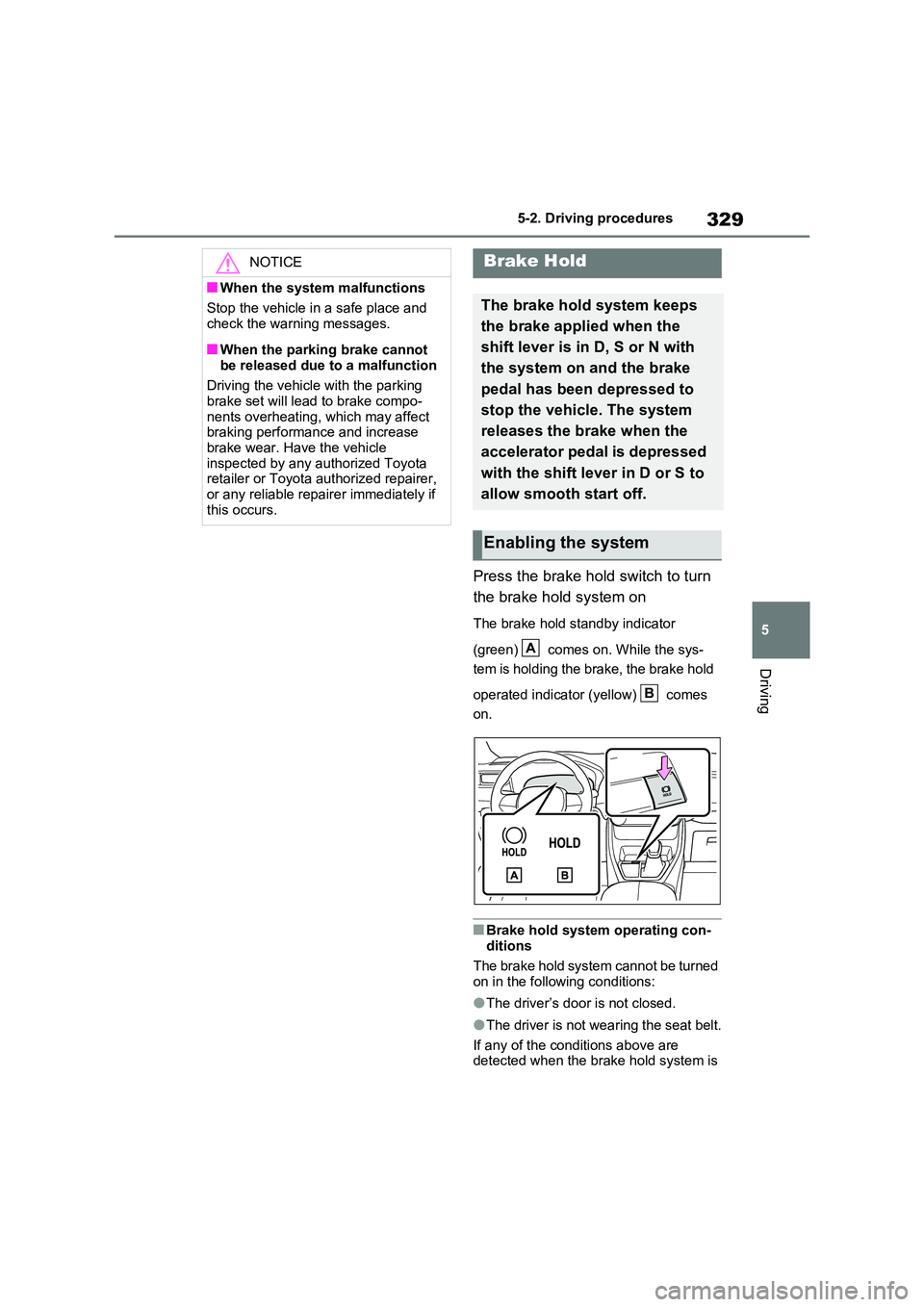
Press the brake hold switch to turn
the brake hold system on
The brake hold standby indicator
(green) comes on. While the sys-
tem is holding the brake, the brake hold
operated indicator (yellow) comes
on.
■Brake hold system operating con-
ditions
The brake hold system cannot be turned on in the following conditions:
●The driver’s door is not closed.
●The driver is not wearing the seat belt.
If any of the conditions above are detected when the brake hold system is
NOTICE
■When the system malfunctions
Stop the vehicle in a safe place and
check the warning messages.
■When the parking brake cannot
be released due to a malfunction
Driving the vehicle with the parking brake set will lead to brake compo-
nents overheating, which may affect braking performance and increase brake wear. Have the vehicle
inspected by any authorized Toyota retailer or Toyota authorized repairer, or any reliable repairer immediately if
this occurs.
Brake Hold
The brake hold system keeps
the brake applied when the
shift lever is in D, S or N with
the system on and the brake
pedal has been depressed to
stop the vehicle. The system
releases the brake when the
accelerator pedal is depressed
with the shift lever in D or S to
allow smooth start off.
Enabling the system
A
B
Page 330 of 664
3305-2. Driving procedures
enabled, the system will turn off and the
brake hold standby indicator light will go off. In addition, if any of the conditions are detected while the system is holding
the brake, a warning buzzer will sound and a message will be shown on the multi-information display. The parking
brake will then be set automatically.
■Brake hold function
●If the brake pedal is left released for a
period of about 3 minutes after the system has started holding the brake, the parking brake will be set automati-
cally. In this case, a warning buzzer sounds and a message is shown on the multi-information display.
●To turn the system off while the sys-tem is holding the brake, firmly
depress the brake pedal and press the button again.
●The brake hold function may not hold the vehicle when the vehicle is on a steep incline. In this situation, it may
be necessary for the driver to apply the brakes. A warning buzzer will sound and the multi-information dis-
play will inform the driver of this situa- tion. If a warning message is shown on the multi-information display, read
the message and follow the instruc- tions.
■When the parking brake is set auto-matically while the system is hold-
ing the brakes
Perform any of the following operations to release the parking brake:
●Depress the accelerator pedal. (The parking brake will not be released
automatically if the seat belt is not fas- tened.)
●Operate the parking brake switch with the brake pedal depressed.
Make sure that the parking brake indica-
tor light goes off. ( P.326)
■When an inspection at any autho-
rized Toyota retailer or Toyota authorized repairer, or any reliable repairer is necessary
When the brake hold standby indicator (green) does not illuminate even when the brake hold switch is pressed with the
brake hold system operating conditions met, the system may be malfunctioning. Have the vehicle inspected at any
authorized Toyota retailer or Toyota authorized repairer, or any reliable repairer.
■If “Brake Hold Malfunction Press
Brake to Deactivate Visit Your Dealer” or “Brake Hold Malfunction Visit Your Dealer” is displayed on
the multi-information display
The system may be malfunctioning. Have the vehicle inspected by any
authorized Toyota retailer or Toyota authorized repairer, or any reliable repairer.
■Warning messages and buzzers
Warning messages and buzzers are used to indicate a system malfunction or to inform the driver of the need for cau-
tion. If a warning message is shown on the multi-information display, read the message and follow the instructions.
■If the brake hold operated indicator
flashes
P.574
WARNING
■When the vehicle is on a steep
incline
When using the brake hold system on a steep incline, exercise caution. The
brake hold function may not hold the vehicle in such a situation.
■When stopped on a slippery road
The system cannot stop the vehicle when the gripping ability of the tires
has been exceeded. Do not use the system when stopped on a slippery road.
Page 333 of 664
333
5
5-3. Operating the lights and wipers
Driving
■Automatic headlight leveling sys-
tem
The level of the headlights is automati- cally adjusted according to the number
of passengers and the loading condition of the vehicle to ensure that the head-lights do not interfere with other road
users.
■12-volt battery-saving function
In order to prevent the 12-volt battery of the vehicle from discharging, if the light
switch is in position when the
power switch is turned to OFF, the 12- volt battery-saving function will operate
and automatically turn off all the lights after approximately 20 minutes.
When any of the following are per-
formed, the 12-volt battery-saving func- tion is canceled once and then reactivated. All the lights will turn off
automatically 20 minutes after the 12- volt battery-saving function has been reactivated:
●When the headlight switch is operated
●When a door is opened or closed
■If “Headlight System Malfunction Visit Your Dealer” is displayed on the multi-information display
The system may be malfunctioning. Have the vehicle inspected by any authorized Toyota retailer or Toyota
authorized repairer, or any reliable repairer.
■Customization
Settings (e.g. light sensor sensitivity)
can be changed. (Customizable features: P.637)
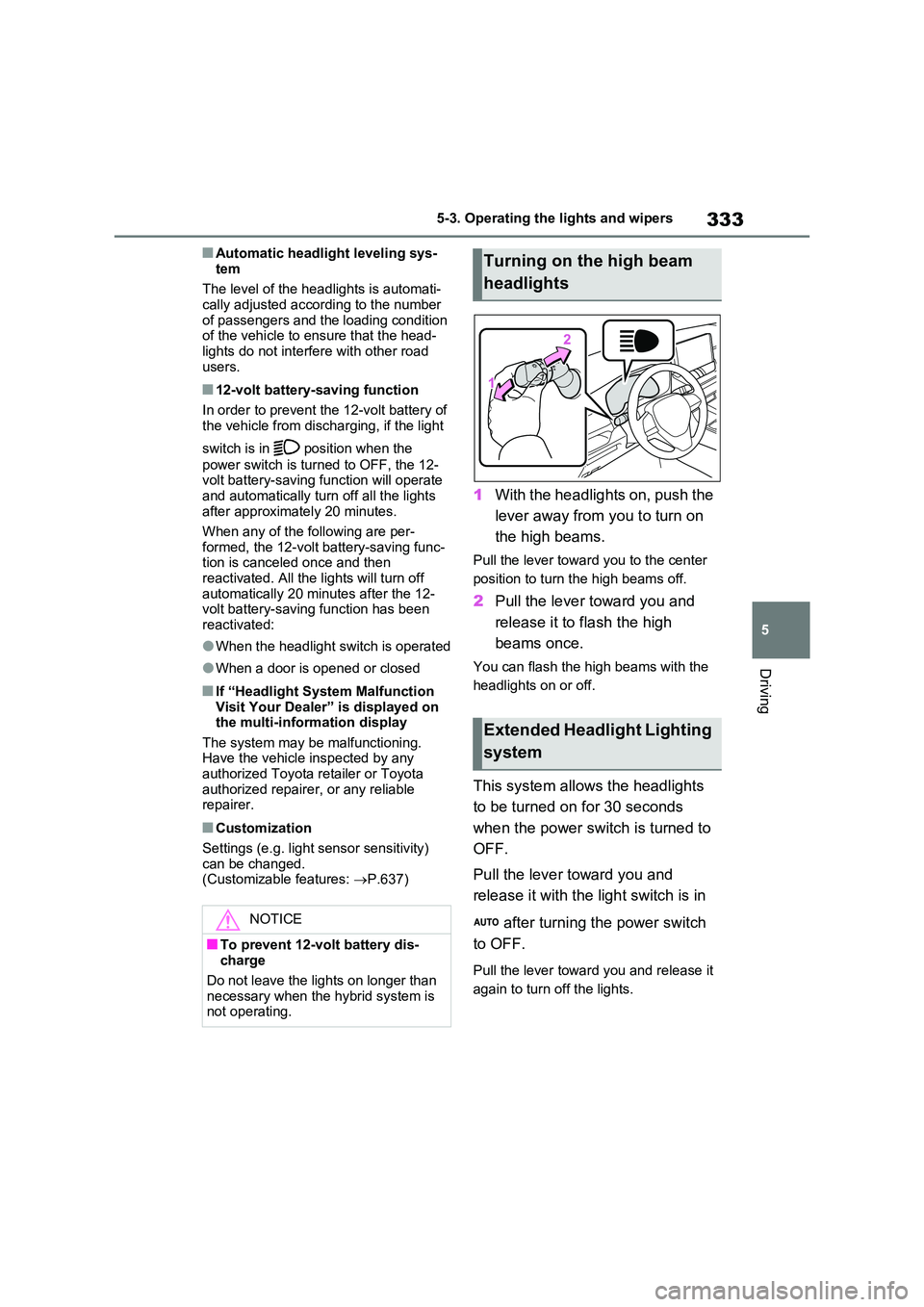
1With the headlights on, push the
lever away from you to turn on
the high beams.
Pull the lever toward you to the center
position to turn the high beams off.
2 Pull the lever toward you and
release it to flash the high
beams once.
You can flash the high beams with the
headlights on or off.
This system allows the headlights
to be turned on for 30 seconds
when the power switch is turned to
OFF.
Pull the lever toward you and
release it with the light switch is in
after turning the power switch
to OFF.
Pull the lever toward you and release it
again to turn off the lights.
NOTICE
■To prevent 12-volt battery dis- charge
Do not leave the lights on longer than
necessary when the hybrid system is not operating.
Turning on the high beam
headlights
Extended Headlight Lighting
system
Page 353 of 664
353
5 5-5. Using the driving support systems
Driving
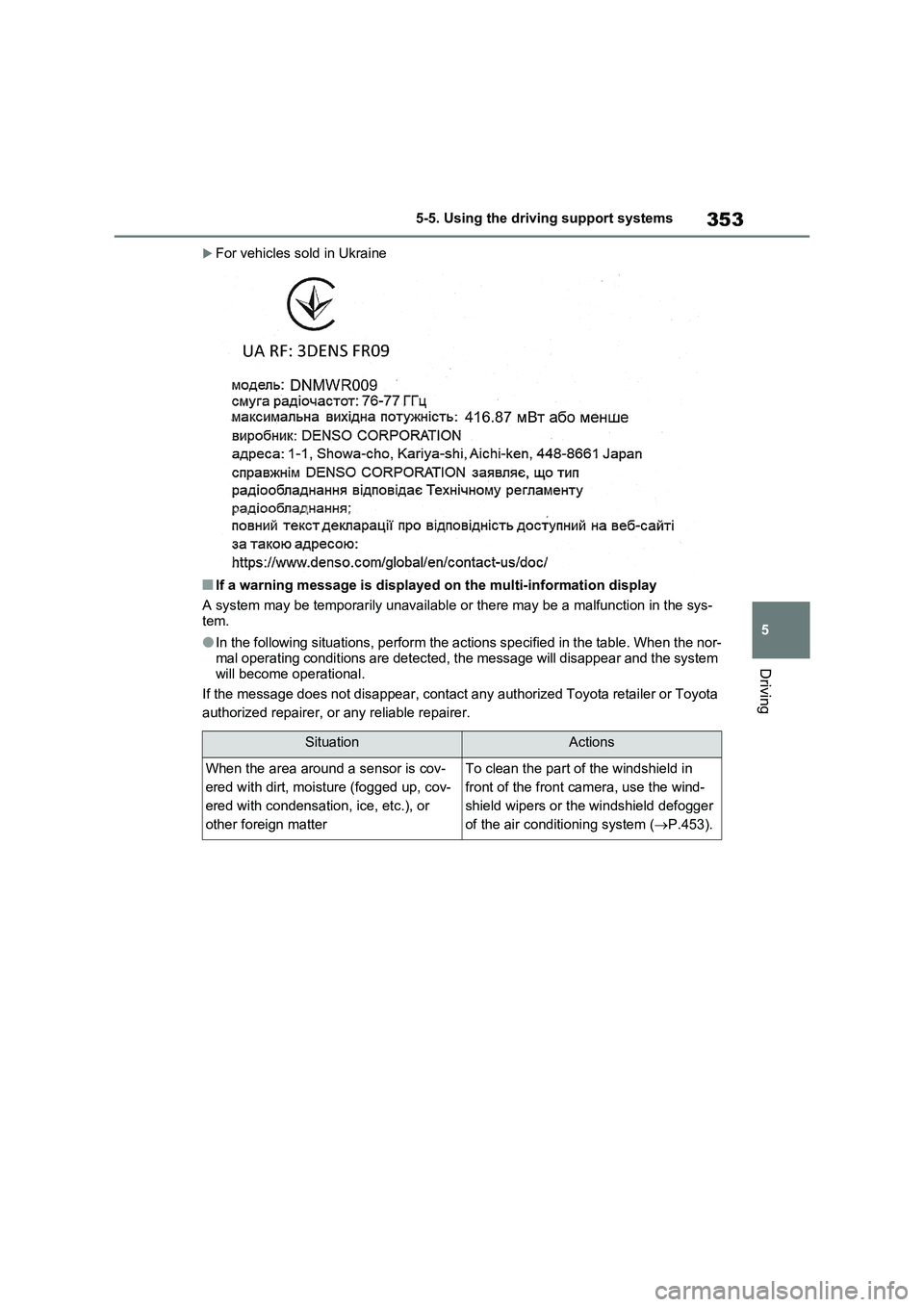
For vehicles sold in Ukraine
■If a warning message is displayed on the multi-information display
A system may be temporarily unavailable or there may be a malfunction in the sys-
tem.
●In the following situations, perform the actions specified in the table. When the nor-
mal operating conditions are detected, the message will disappear and the system
will become operational.
If the message does not disappear, contact any authorized Toyota retailer or Toyota
authorized repairer, or any reliable repairer.
SituationActions
When the area around a sensor is cov-
ered with dirt, moisture (fogged up, cov-
ered with condensation, ice, etc.), or
other foreign matterTo clean the part of the windshield in
front of the front camera, use the wind-
shield wipers or the windshield defogger
of the air conditioning system (P.453).
Page 354 of 664
3545-5. Using the driving support systems
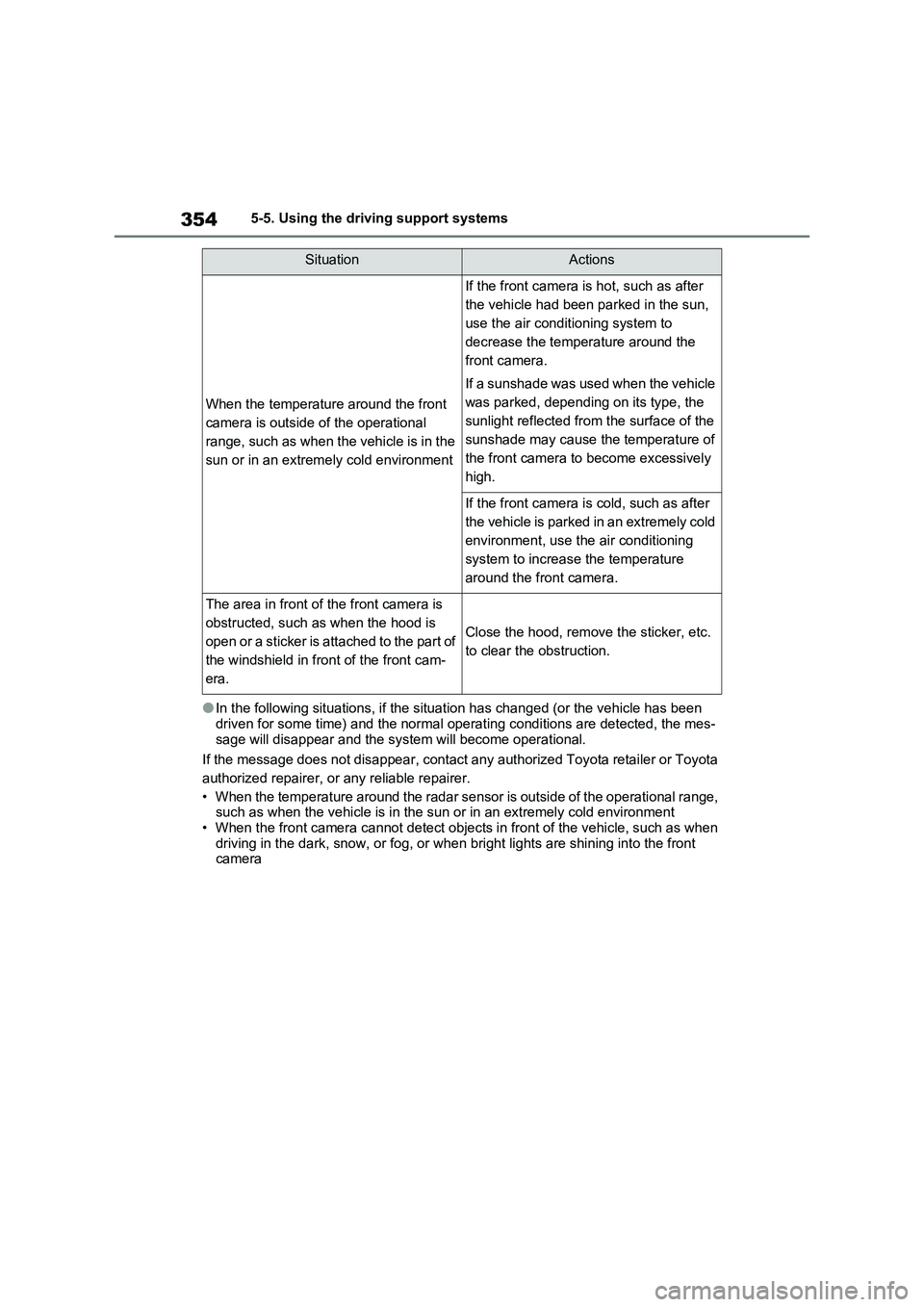
●In the following situations, if the situation has changed (or the vehicle has been
driven for some time) and the normal operating conditions are detected, the mes-
sage will disappear and the system will become operational.
If the message does not disappear, contact any authorized Toyota retailer or Toyota
authorized repairer, or any reliable repairer.
• When the temperature around the radar sensor is outside of the operational range,
such as when the vehicle is in the sun or in an extremely cold environment
• When the front camera cannot detect objects in front of the vehicle, such as when
driving in the dark, snow, or fog, or when bright lights are shining into the front
camera
When the temperature around the front
camera is outside of the operational
range, such as when the vehicle is in the
sun or in an extremely cold environment
If the front camera is hot, such as after
the vehicle had been parked in the sun,
use the air conditioning system to
decrease the temperature around the
front camera.
If a sunshade was used when the vehicle
was parked, depending on its type, the
sunlight reflected from the surface of the
sunshade may cause the temperature of
the front camera to become excessively
high.
If the front camera is cold, such as after
the vehicle is parked in an extremely cold
environment, use the air conditioning
system to increase the temperature
around the front camera.
The area in front of the front camera is
obstructed, such as when the hood is
open or a sticker is attached to the part of
the windshield in front of the front cam-
era.
Close the hood, remove the sticker, etc.
to clear the obstruction.
SituationActions
Page 363 of 664
363
5
5-5. Using the driving support systems
Driving
WARNING
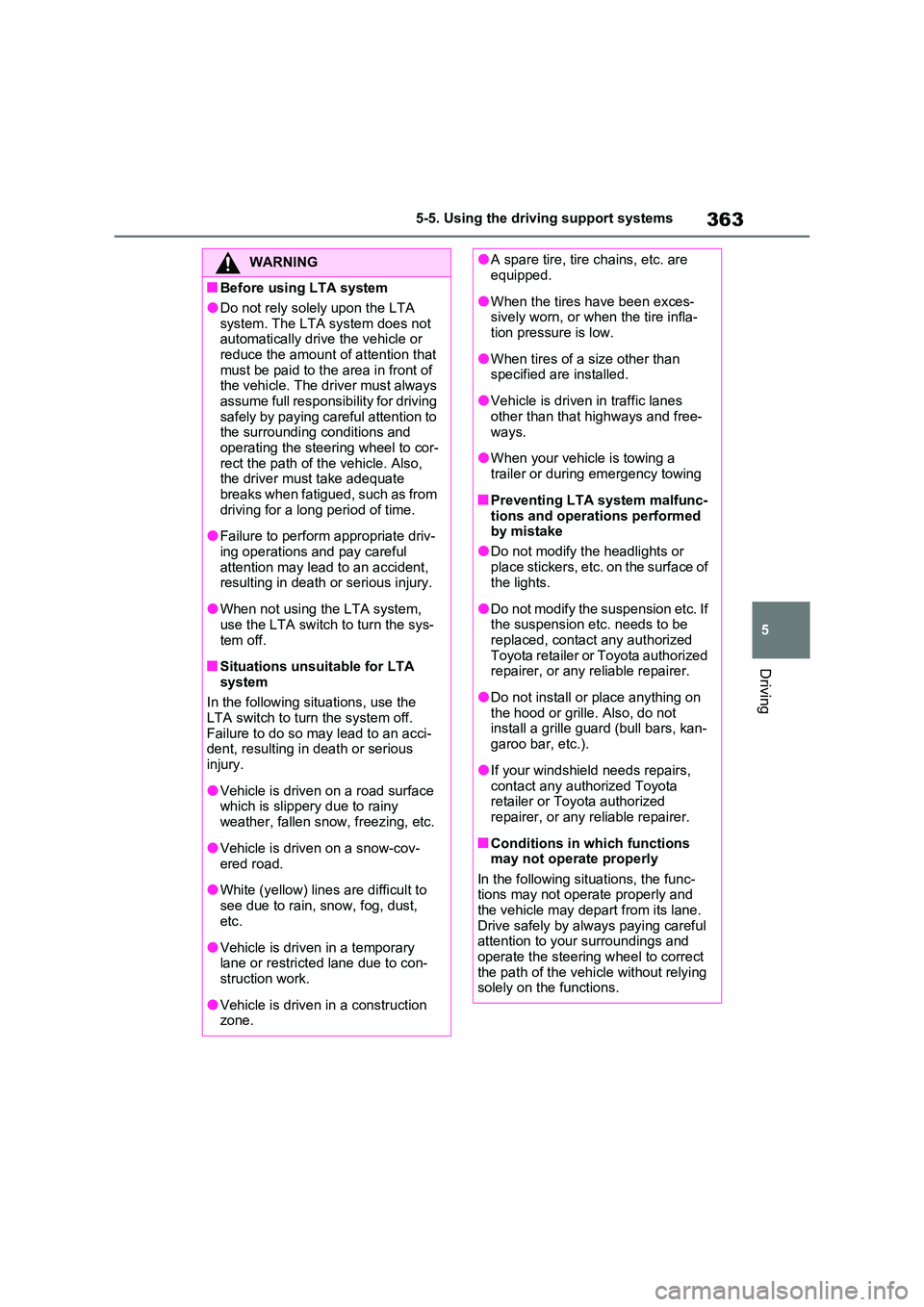
■Before using LTA system
●Do not rely solely upon the LTA
system. The LTA system does not automatically drive the vehicle or reduce the amount of attention that
must be paid to the area in front of the vehicle. The driver must always assume full responsibility for driving
safely by paying careful attention to the surrounding conditions and operating the steering wheel to cor-
rect the path of the vehicle. Also, the driver must take adequate breaks when fatigued, such as from
driving for a long period of time.
●Failure to perform appropriate driv-
ing operations and pay careful attention may lead to an accident, resulting in death or serious injury.
●When not using the LTA system, use the LTA switch to turn the sys-
tem off.
■Situations unsuitable for LTA
system
In the following situations, use the LTA switch to turn the system off.
Failure to do so may lead to an acci- dent, resulting in death or serious injury.
●Vehicle is driven on a road surface which is slippery due to rainy
weather, fallen snow, freezing, etc.
●Vehicle is driven on a snow-cov-
ered road.
●White (yellow) lines are difficult to
see due to rain, snow, fog, dust, etc.
●Vehicle is driven in a temporary lane or restricted lane due to con-struction work.
●Vehicle is driven in a construction zone.
●A spare tire, tire chains, etc. are equipped.
●When the tires have been exces-sively worn, or when the tire infla-tion pressure is low.
●When tires of a size other than specified are installed.
●Vehicle is driven in traffic lanes other than that highways and free-
ways.
●When your vehicle is towing a
trailer or during emergency towing
■Preventing LTA system malfunc-
tions and operations performed by mistake
●Do not modify the headlights or
place stickers, etc. on the surface of the lights.
●Do not modify the suspension etc. If the suspension etc. needs to be replaced, contact any authorized
Toyota retailer or Toyota authorized repairer, or any reliable repairer.
●Do not install or place anything on the hood or grille. Also, do not install a grille guard (bull bars, kan-
garoo bar, etc.).
●If your windshield needs repairs,
contact any authorized Toyota retailer or Toyota authorized repairer, or any reliable repairer.
■Conditions in which functions may not operate properly
In the following situations, the func- tions may not operate properly and the vehicle may depart from its lane.
Drive safely by always paying careful attention to your surroundings and operate the steering wheel to correct
the path of the vehicle without relying solely on the functions.
Page 371 of 664
371
5 5-5. Using the driving support systems
Driving
driver. The warning stops when the sys-
tem determines that the driver holds the
steering wheel. Always keep your hands
on the steering wheel when using this
system, regardless of warnings.
●When the system determines that the
driver is driving without holding the
steering wheel while the system is
operating
If the driver continues to keep their
hands off of the steering wheel, the
buzzer sounds, the driver is warned and
the function is temporarily canceled.
This warning also operates in the same
way when the driver continuously oper-
ates the steering wheel only a small
amount.
The buzzer also sounds even if the alert
type is set to “Steering wheel vibration”.
●When the system determines that the
vehicle may not turn and instead
depart from its lane while driving
around a curve
Depending on the vehicle condition and
road conditions, the warning may not
operate. Also, if the system determines
that the vehicle is driving around a
curve, warnings will occur earlier than
during straight-lane driving.
●When the system determines that the
driver is driving without holding the
steering wheel while the steering
wheel assist of the steering assist
function is operating.
If the driver continues to keep their
hands off of the steering wheel and the
steering wheel assist is operating, the
buzzer sounds and the driver is warned. Each time the buzzer sounds, the con-
tinuing time of the buzzer becomes lon-
ger.
The buzzer also sounds even if the alert
type is set to “Steering wheel vibration”.
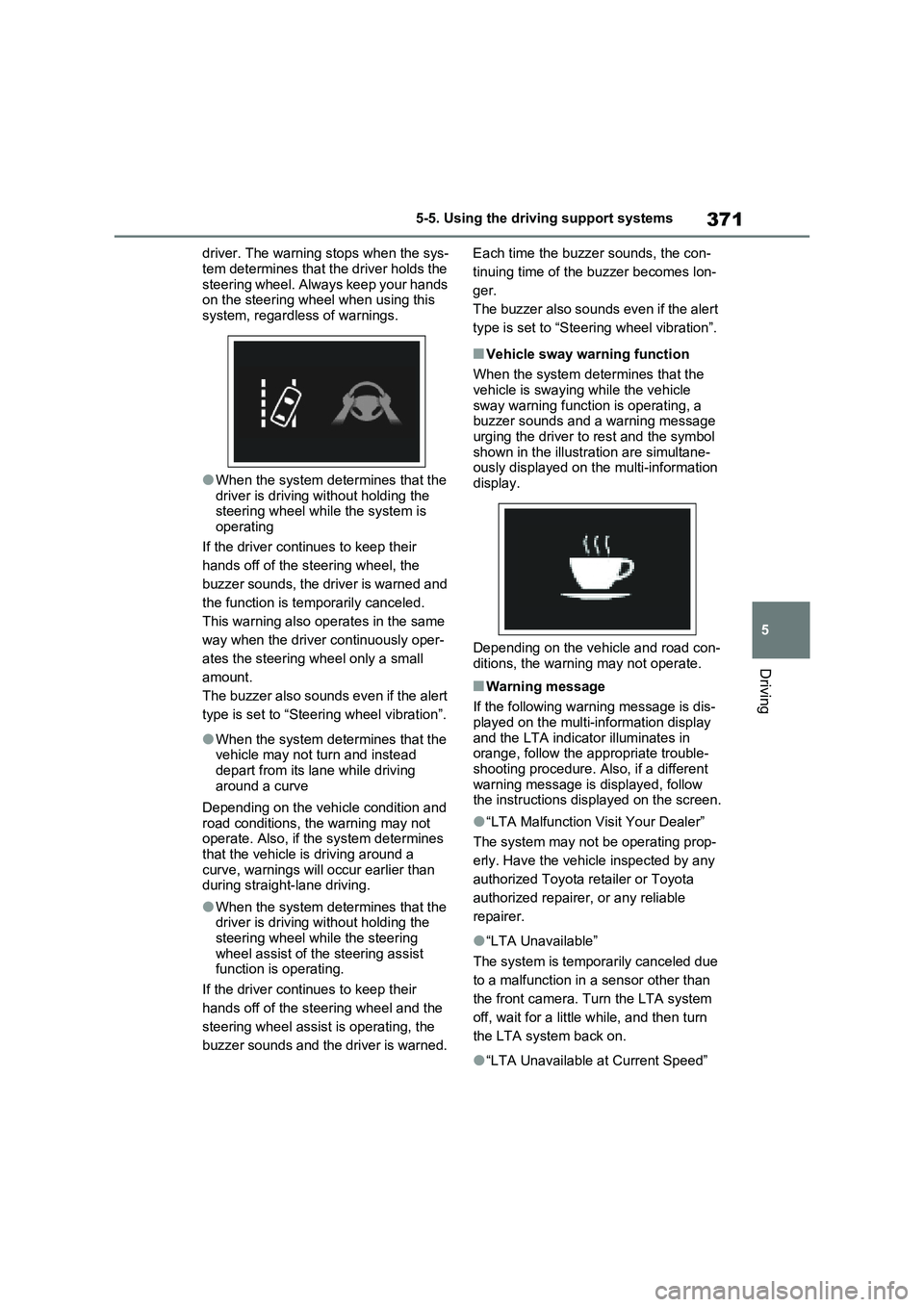
■Vehicle sway warning function
When the system determines that the
vehicle is swaying while the vehicle
sway warning function is operating, a
buzzer sounds and a warning message
urging the driver to rest and the symbol
shown in the illustration are simultane-
ously displayed on the multi-information
display.
Depending on the vehicle and road con-
ditions, the warning may not operate.
■Warning message
If the following warning message is dis-
played on the multi-information display
and the LTA indicator illuminates in
orange, follow the appropriate trouble-
shooting procedure. Also, if a different
warning message is displayed, follow
the instructions displayed on the screen.
●“LTA Malfunction Visit Your Dealer”
The system may not be operating prop-
erly. Have the vehicle inspected by any
authorized Toyota retailer or Toyota
authorized repairer, or any reliable
repairer.
●“LTA Unavailable”
The system is temporarily canceled due
to a malfunction in a sensor other than
the front camera. Turn the LTA system
off, wait for a little while, and then turn
the LTA system back on.
●“LTA Unavailable at Current Speed”
Page 386 of 664
3865-5. Using the driving support systems
●Actual vehicle speed is more than
approximately 16 km/h (10 mph) below the set vehicle speed.
●Actual vehicle speed falls below approximately 30 km/h (20 mph).
●VSC is activated.
●TRC is activated for a period of time.
●When the VSC or TRC system is turned off.
●Pre-collision braking is activated.
●The parking brake is operated.
If constant speed control mode is auto-
matically canceled for any reasons other
than the above, there may be a malfunc-
tion in the system. Contact any autho-
rized Toyota retailer or Toyota
authorized repairer, or any reliable
repairer.
■The Dynamic Radar Cruise Control with Road Sign Assist may not
operate properly when (vehicles with RSA)
As the Dynamic Radar Cruise Control
with Road Sign Assist may not operate properly in conditions in which RSA may not operate or detect correctly
( P.375), when using this function, make sure to check the speed limit sign displayed.
In the following situations, the set speed may not be changed to the recognized speed limit by pressing and holding the
“+RES”/“-SET” switch.
●If speed limit information is not avail-
able
●When the recognized speed limit is
the same as the set speed
●When the recognized speed limit is
outside of the speed range that the dynamic radar cruise control system can operate
■Brake operation
A brake operation sound may be heard and the brake pedal response may change, but these are not malfunctions.
■Warning messages and buzzers for
dynamic radar cruise control with full-speed range
Warning messages and buzzers are
used to indicate a system malfunction or to inform the driver of the need for cau-tion while driving. If a warning message
is shown on the multi-information dis- play, read the message and follow the instructions. ( P.353, 578)
■When the sensor may not be cor-
rectly detecting the vehicle ahead
In the case of the following and depend- ing on the conditions, operate the brake
pedal when deceleration of the system is insufficient or operate the accelerator pedal when acceleration is required.
As the sensor may not be able to cor- rectly detect these types of vehicles, the approach warning ( P.383) may not be
activated.
●Vehicles that cut in suddenly
●Vehicles traveling at low speeds
●Vehicles that are not moving in the same lane
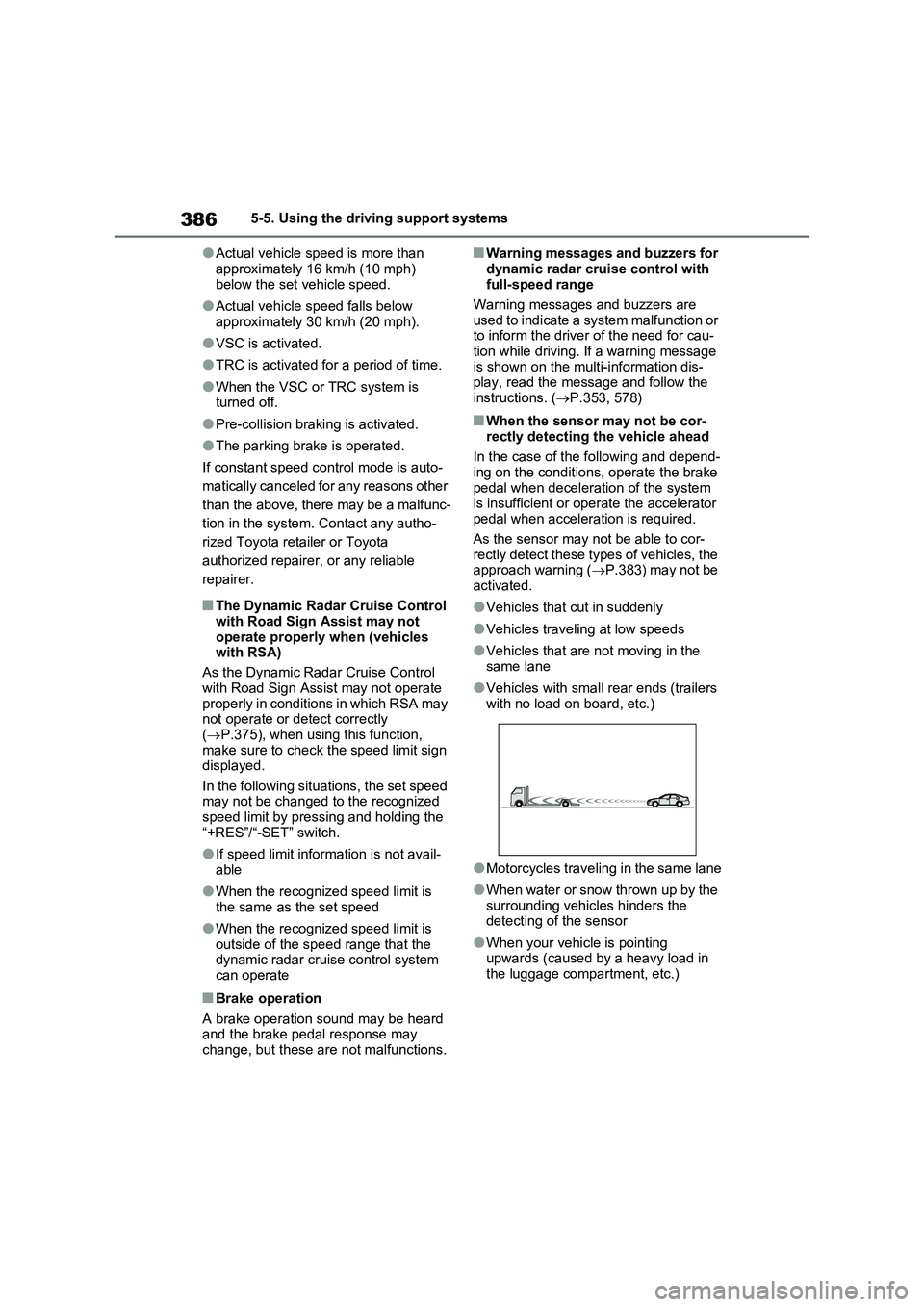
●Vehicles with small rear ends (trailers with no load on board, etc.)
●Motorcycles traveling in the same lane
●When water or snow thrown up by the
surrounding vehicles hinders the detecting of the sensor
●When your vehicle is pointing upwards (caused by a heavy load in the luggage compartment, etc.)
Page 408 of 664
4085-5. Using the driving support systems
■Vehicles that can be detected
by the Blind Spot Monitor
The BSM function uses radar sen-
sors to detect the following vehicles
traveling in adjacent lanes and
advises the driver of the presence
of such vehicles via the indicators
WARNING
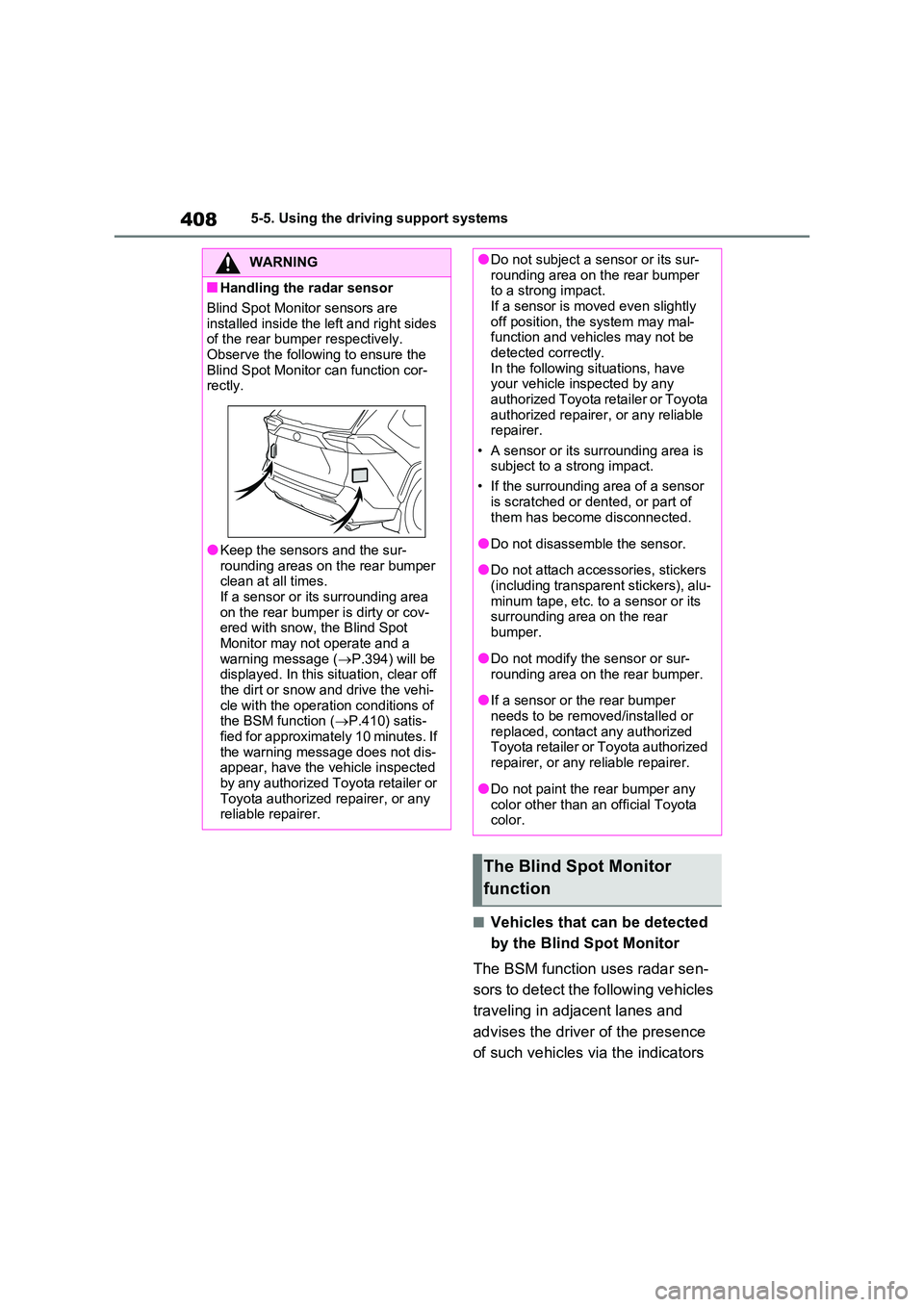
■Handling the radar sensor
Blind Spot Monitor sensors are
installed inside the left and right sides of the rear bumper respectively. Observe the following to ensure the
Blind Spot Monitor can function cor- rectly.
●Keep the sensors and the sur-rounding areas on the rear bumper clean at all times.
If a sensor or its surrounding area on the rear bumper is dirty or cov-ered with snow, the Blind Spot
Monitor may not operate and a warning message ( P.394) will be displayed. In this situation, clear off
the dirt or snow and drive the vehi- cle with the operation conditions of the BSM function ( P.410) satis-
fied for approximately 10 minutes. If the warning message does not dis-appear, have the vehicle inspected
by any authorized Toyota retailer or Toyota authorized repairer, or any reliable repairer.
●Do not subject a sensor or its sur-rounding area on the rear bumper to a strong impact.
If a sensor is moved even slightly off position, the system may mal-function and vehicles may not be
detected correctly. In the following situations, have your vehicle inspected by any
authorized Toyota retailer or Toyota authorized repairer, or any reliable repairer.
• A sensor or its surrounding area is subject to a strong impact.
• If the surrounding area of a sensor
is scratched or dented, or part of them has become disconnected.
●Do not disassemble the sensor.
●Do not attach accessories, stickers
(including transparent stickers), alu- minum tape, etc. to a sensor or its surrounding area on the rear
bumper.
●Do not modify the sensor or sur-
rounding area on the rear bumper.
●If a sensor or the rear bumper
needs to be removed/installed or replaced, contact any authorized Toyota retailer or Toyota authorized
repairer, or any reliable repairer.
●Do not paint the rear bumper any
color other than an official Toyota color.
The Blind Spot Monitor
function