oil TOYOTA VERSO S 2011 Owners Manual
[x] Cancel search | Manufacturer: TOYOTA, Model Year: 2011, Model line: VERSO S, Model: TOYOTA VERSO S 2011Pages: 664, PDF Size: 160.56 MB
Page 1 of 664
RAV4 Plug-in Hybrid_OM_OM42C53E_(EE)
1
6
5
4
3
2
8
7
9
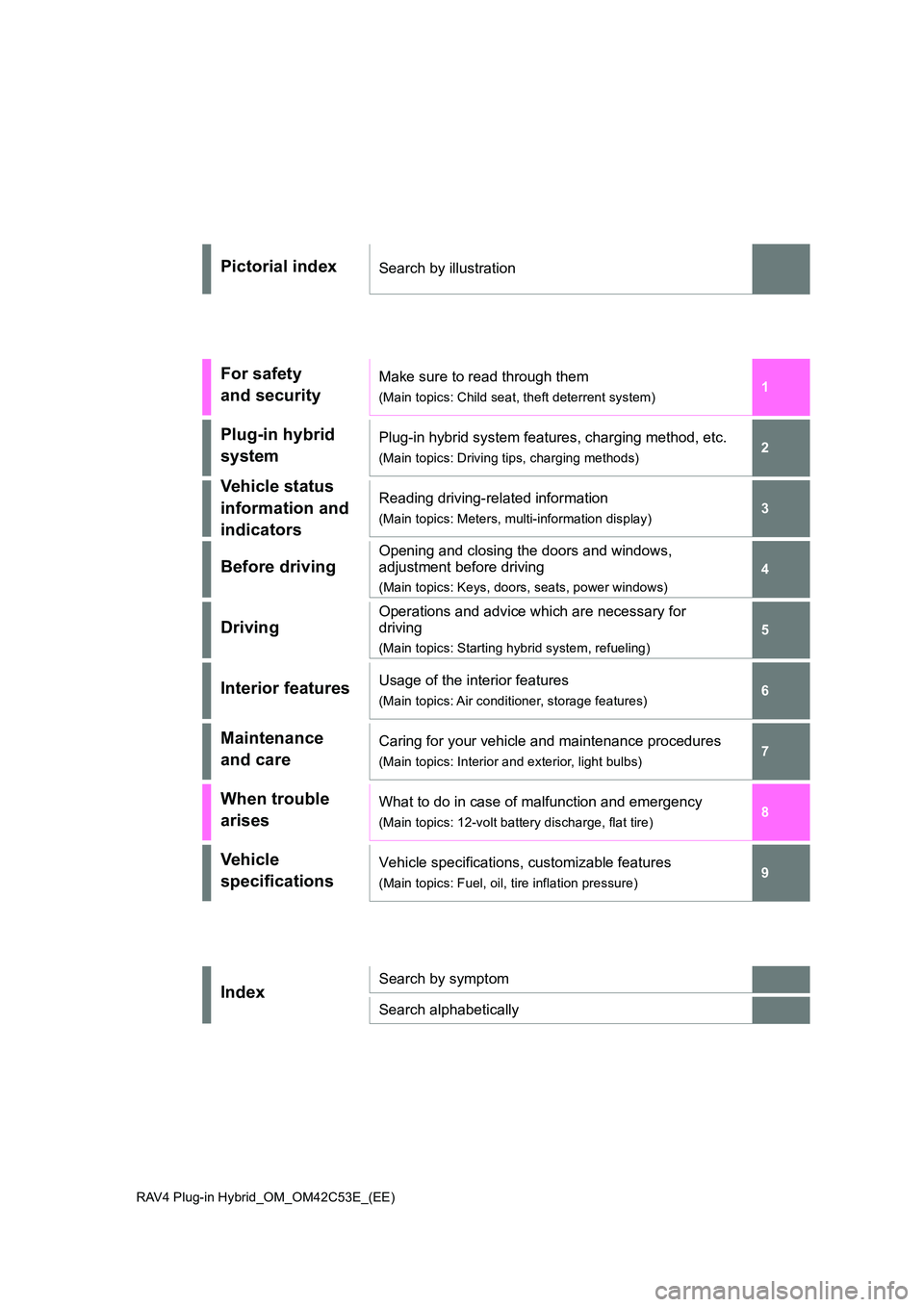
Pictorial indexSearch by illustration
For safety
and security
Make sure to read through them
(Main topics: Child seat, theft deterrent system)
Plug-in hybrid
system
Plug-in hybrid system features, charging method, etc.
(Main topics: Driving tips, charging methods)
Vehicle status
information and
indicators
Reading driving-related information
(Main topics: Meters, multi-information display)
Before driving
Opening and closing the doors and windows,
adjustment before driving
(Main topics: Keys, doors, seats, power windows)
Driving
Operations and advice which are necessary for
driving
(Main topics: Starting hybrid system, refueling)
Interior featuresUsage of the interior features
(Main topics: Air conditioner, storage features)
Maintenance
and care
Caring for your vehicle and maintenance procedures
(Main topics: Interior and exterior, light bulbs)
When trouble
arises
What to do in case of malfunction and emergency
(Main topics: 12-volt battery discharge, flat tire)
Vehicle
specifications
Vehicle specifications, customizable features
(Main topics: Fuel, oil, tire inflation pressure)
IndexSearch by symptom
Search alphabetically
Page 5 of 664
5TABLE OF CONTENTS
1
6
5
4
3
2
8
7
9
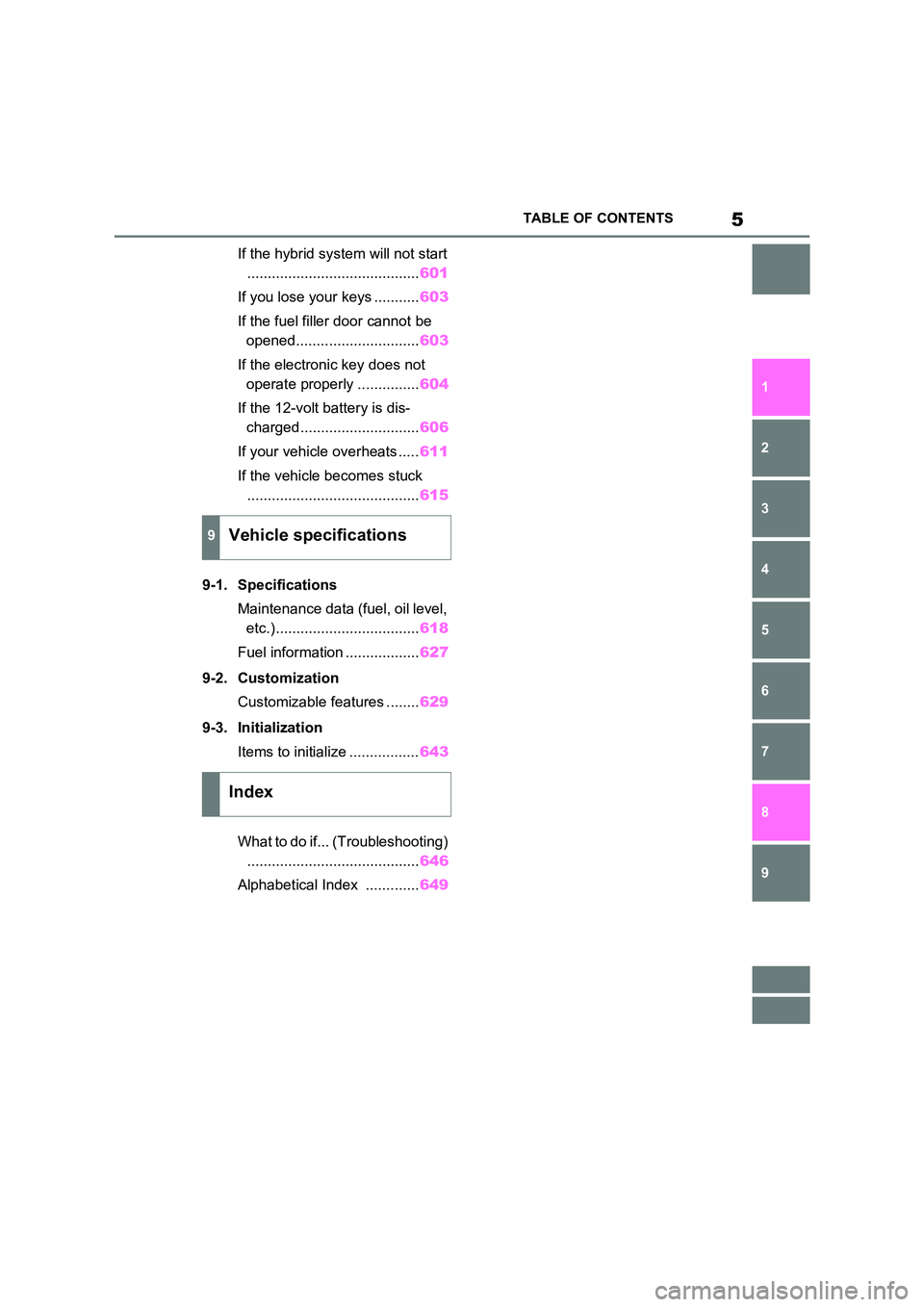
If the hybrid system will not start
.......................................... 601
If you lose your keys ........... 603
If the fuel filler door cannot be
opened.............................. 603
If the electronic key does not
operate properly ............... 604
If the 12-volt battery is dis-
charged............................. 606
If your vehicle overheats ..... 611
If the vehicle becomes stuck
.......................................... 615
9-1. Specifications
Maintenance data (fuel, oil level,
etc.)................................... 618
Fuel information .................. 627
9-2. Customization
Customizable features ........ 629
9-3. Initialization
Items to initialize ................. 643
What to do if... (Troubleshooting)
.......................................... 646
Alphabetical Index ............. 649
9Vehicle specifications
Index
Page 13 of 664
13Pictorial index
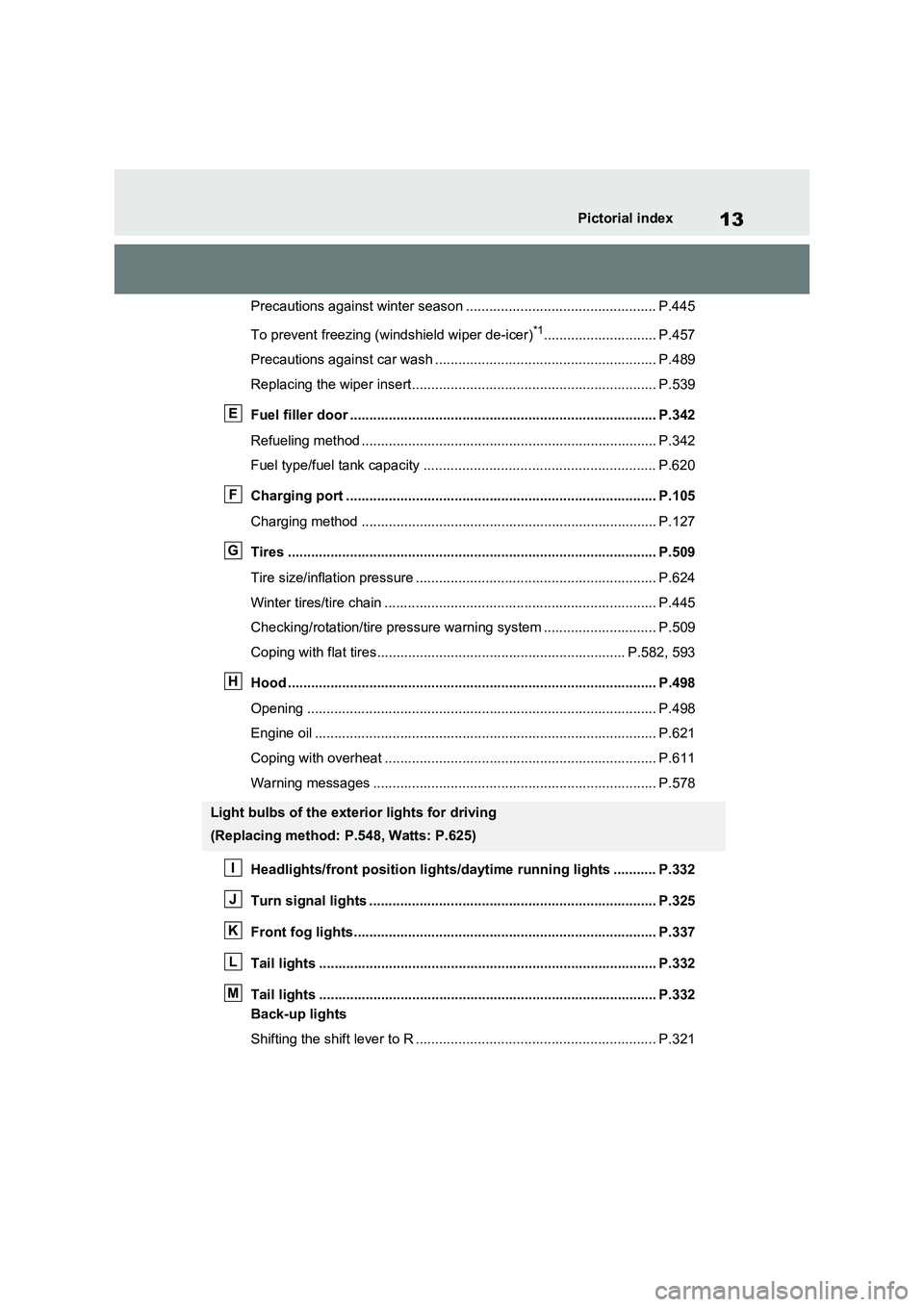
Precautions against winter season ................................................. P.445
To prevent freezing (windshield wiper de-icer)
*1............................. P.457
Precautions against car wash ......................................................... P.489
Replacing the wiper insert............................................................... P.539
Fuel filler door ............................................................................... P.342
Refueling method ............................................................................ P.342
Fuel type/fuel tank capacity ............................................................ P.620
Charging port ................................................................................ P.105
Charging method ............................................................................ P.127
Tires ............................................................................................... P.509
Tire size/inflation pressure .............................................................. P.624
Winter tires/tire chain ...................................................................... P.445
Checking/rotation/tire pressure warning system ............................. P.509
Coping with flat tires................................................................ P.582, 593
Hood ............................................................................................... P.498
Opening .......................................................................................... P.498
Engine oil ........................................................................................ P.621
Coping with overheat ...................................................................... P.611
Warning messages ......................................................................... P.578
Headlights/front position lights/daytime running lights ........... P.332
Turn signal lights .......................................................................... P.325
Front fog lights.............................................................................. P.337
Tail lights ....................................................................................... P.332
Tail lights ....................................................................................... P.332
Back-up lights
Shifting the shift lever to R .............................................................. P.321
Light bulbs of the exterior lights for driving
(Replacing method: P.548, Watts: P.625)
E
F
G
H
I
J
K
L
M
Page 170 of 664
1703-1. Instrument cluster
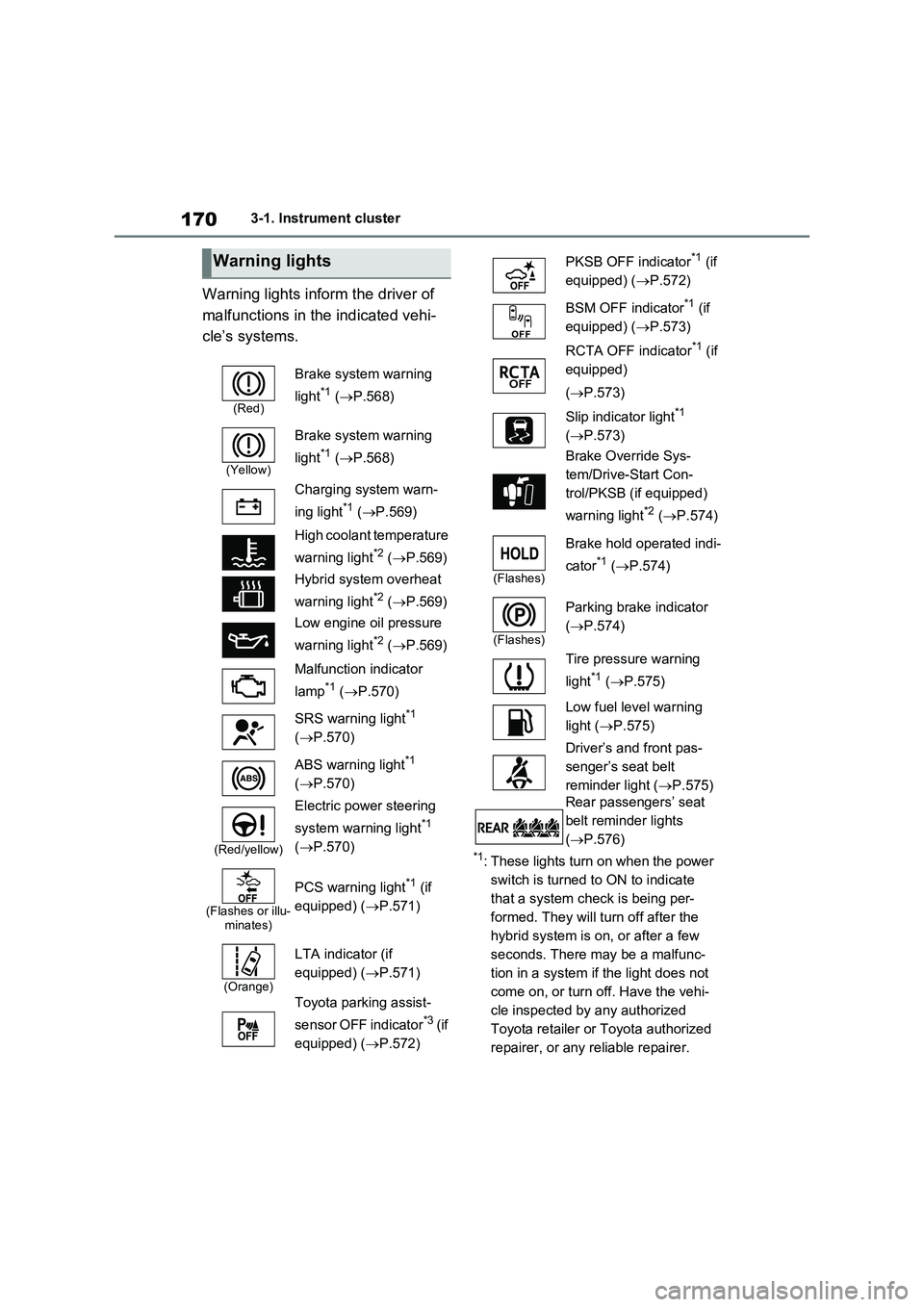
Warning lights inform the driver of
malfunctions in the indicated vehi-
cle’s systems.
*1: These lights turn on when the power
switch is turned to ON to indicate
that a system check is being per-
formed. They will turn off after the
hybrid system is on, or after a few
seconds. There may be a malfunc-
tion in a system if the light does not
come on, or turn off. Have the vehi-
cle inspected by any authorized
Toyota retailer or Toyota authorized
repairer, or any reliable repairer.
Warning lights
(Red)
Brake system warning
light
*1 (P.568)
(Yellow)
Brake system warning
light
*1 (P.568)
Charging system warn-
ing light
*1 (P.569)
High coolant temperature
warning light
*2 (P.569)
Hybrid system overheat
warning light
*2 (P.569)
Low engine oil pressure
warning light
*2 (P.569)
Malfunction indicator
lamp
*1 (P.570)
SRS warning light
*1
(P.570)
ABS warning light
*1
(P.570)
(Red/yellow)
Electric power steering
system warning light
*1
(P.570)
(Flashes or illu-
minates)
PCS warning light*1 (if
equipped) (P.571)
(Orange)
LTA indicator (if
equipped) (P.571)
Toyota parking assist-
sensor OFF indicator
*3 (if
equipped) (P.572)
PKSB OFF indicator*1 (if
equipped) (P.572)
BSM OFF indicator
*1 (if
equipped) (P.573)
RCTA OFF indicator
*1 (if
equipped)
(P.573)
Slip indicator light
*1
(P.573)
Brake Override Sys-
tem/Drive-Start Con-
trol/PKSB (if equipped)
warning light
*2 (P.574)
(Flashes)
Brake hold operated indi-
cator
*1 (P.574)
(Flashes)
Parking brake indicator
(P.574)
Tire pressure warning
light
*1 (P.575)
Low fuel level warning
light (P.575)
Driver’s and front pas-
senger’s seat belt
reminder light (P.575)
Rear passengers’ seat
belt reminder lights
(P.576)
Page 225 of 664
225
4
4-2. Opening, closing and locking the doors
Before driving
■Turning an electronic key to bat-
tery-saving mode
●When battery-saving mode is set, bat-
tery depletion is minimized by stop- ping the electronic key from receiving radio waves.
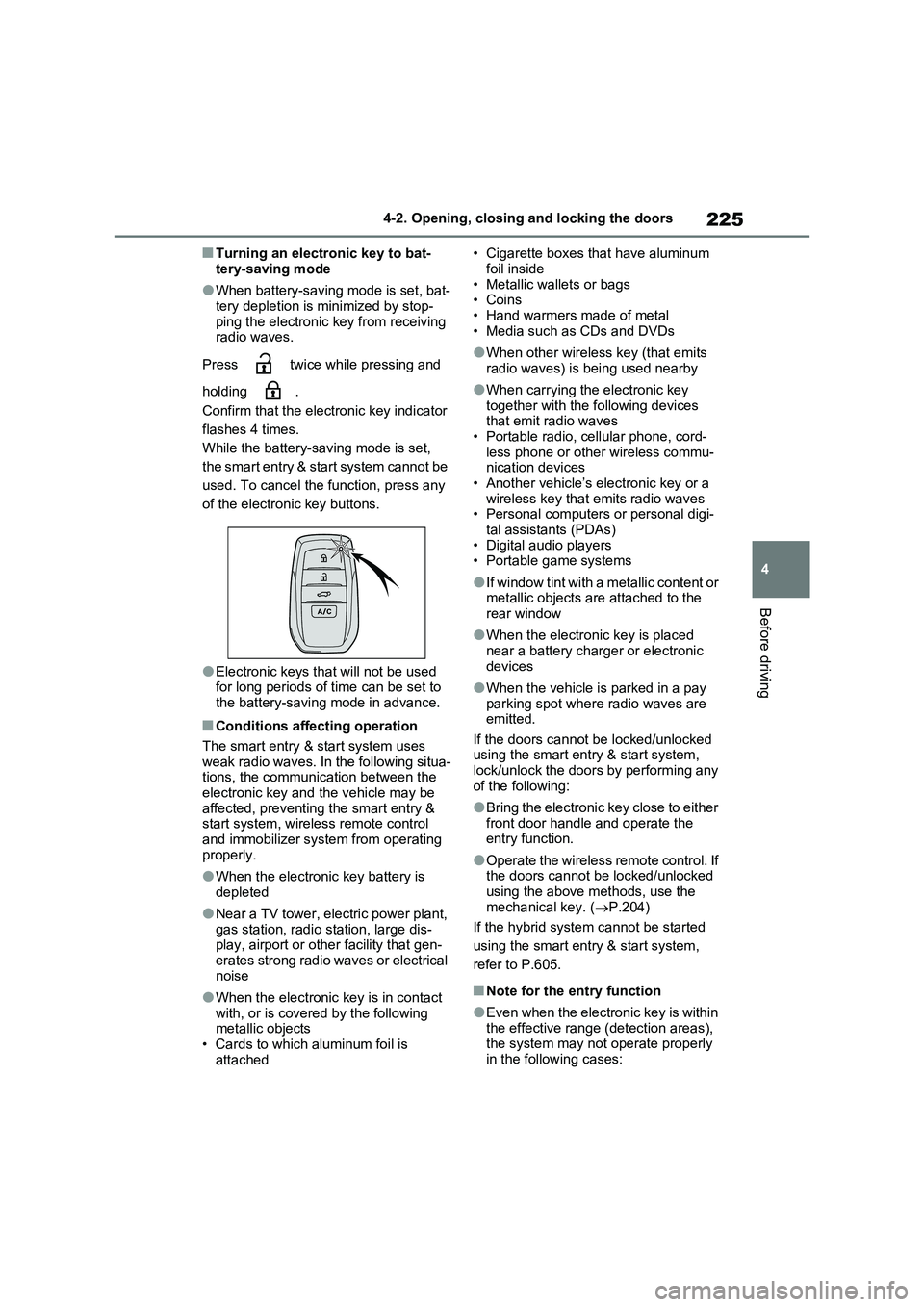
Press twice while pressing and
holding .
Confirm that the electronic key indicator
flashes 4 times.
While the battery-saving mode is set,
the smart entry & start system cannot be
used. To cancel the function, press any
of the electronic key buttons.
●Electronic keys that will not be used for long periods of time can be set to
the battery-saving mode in advance.
■Conditions affecting operation
The smart entry & start system uses
weak radio waves. In the following situa- tions, the communication between the electronic key and the vehicle may be
affected, preventing the smart entry & start system, wireless remote control and immobilizer system from operating
properly.
●When the electronic key battery is
depleted
●Near a TV tower, electric power plant,
gas station, radio station, large dis- play, airport or other facility that gen-erates strong radio waves or electrical
noise
●When the electronic key is in contact
with, or is covered by the following metallic objects• Cards to which aluminum foil is
attached
• Cigarette boxes that have aluminum
foil inside • Metallic wallets or bags•Coins
• Hand warmers made of metal • Media such as CDs and DVDs
●When other wireless key (that emits radio waves) is being used nearby
●When carrying the electronic key together with the following devices that emit radio waves
• Portable radio, cellular phone, cord- less phone or other wireless commu-nication devices
• Another vehicle’s electronic key or a wireless key that emits radio waves• Personal computers or personal digi-
tal assistants (PDAs) • Digital audio players• Portable game systems
●If window tint with a metallic content or metallic objects are attached to the
rear window
●When the electronic key is placed
near a battery charger or electronic devices
●When the vehicle is parked in a pay parking spot where radio waves are emitted.
If the doors cannot be locked/unlocked using the smart entry & start system, lock/unlock the doors by performing any
of the following:
●Bring the electronic key close to either
front door handle and operate the entry function.
●Operate the wireless remote control. If the doors cannot be locked/unlocked using the above methods, use the
mechanical key. ( P.204)
If the hybrid system cannot be started
using the smart entry & start system,
refer to P.605.
■Note for the entry function
●Even when the electronic key is within
the effective range (detection areas), the system may not operate properly in the following cases:
Page 306 of 664
3065-1. Before driving
NOTICE
In the event that you drive on a flooded road and the vehicle is
flooded, be sure to have any autho- rized Toyota retailer or Toyota autho-rized repairer, or any reliable repairer
check the following:
●Brake function
●Changes in quantity and quality of oil and fluid used for the engine, hybrid transaxle (front and rear),
etc.
●Lubricant condition for the bearings
and suspension joints (where possi- ble), and the function of all joints, bearings, etc.
■When parking the vehicle
Always set the parking brake, and
shift the shift lever to P. Failure to do so may cause the vehicle to move or the vehicle may accelerate suddenly
if the accelerator pedal is accidentally depressed.
Cargo and luggage
Take notice of the following
information about storage pre-
cautions, cargo capacity and
load.
WARNING
■Things that must not be carried in the luggage compartment
The following things may cause a fire if loaded in the luggage compartment:
●Receptacles containing gasoline
●Aerosol cans
■Storage precautions
Observe the following precautions. Failure to do so may prevent the ped-
als from being depressed properly, may block the driver’s vision, or may result in items hitting the driver or
passengers, possibly causing an acci- dent.
●Stow cargo and luggage in the lug-
gage compartment whenever pos- sible.
●Do not stack anything in the lug-gage compartment higher than the seatbacks.
●When you fold down the rear seats, long items should not be placed
directly behind the front seats.
●Never allow anyone to ride in the
luggage compartment. It is not designed for passengers. They should ride in their seats with their
seat belts properly fastened. Other- wise, they are much more likely to suffer death or serious bodily injury,
in the event of sudden braking, sud- den swerving or an accident.
Page 345 of 664
345
5
5-5. Using the driving support systems
Driving
WARNING
■To avoid malfunction of the radar sensor
Observe the following precautions. Otherwise, the radar sensor may not operate properly, possibly leading to
an accident resulting in death or seri- ous injury.
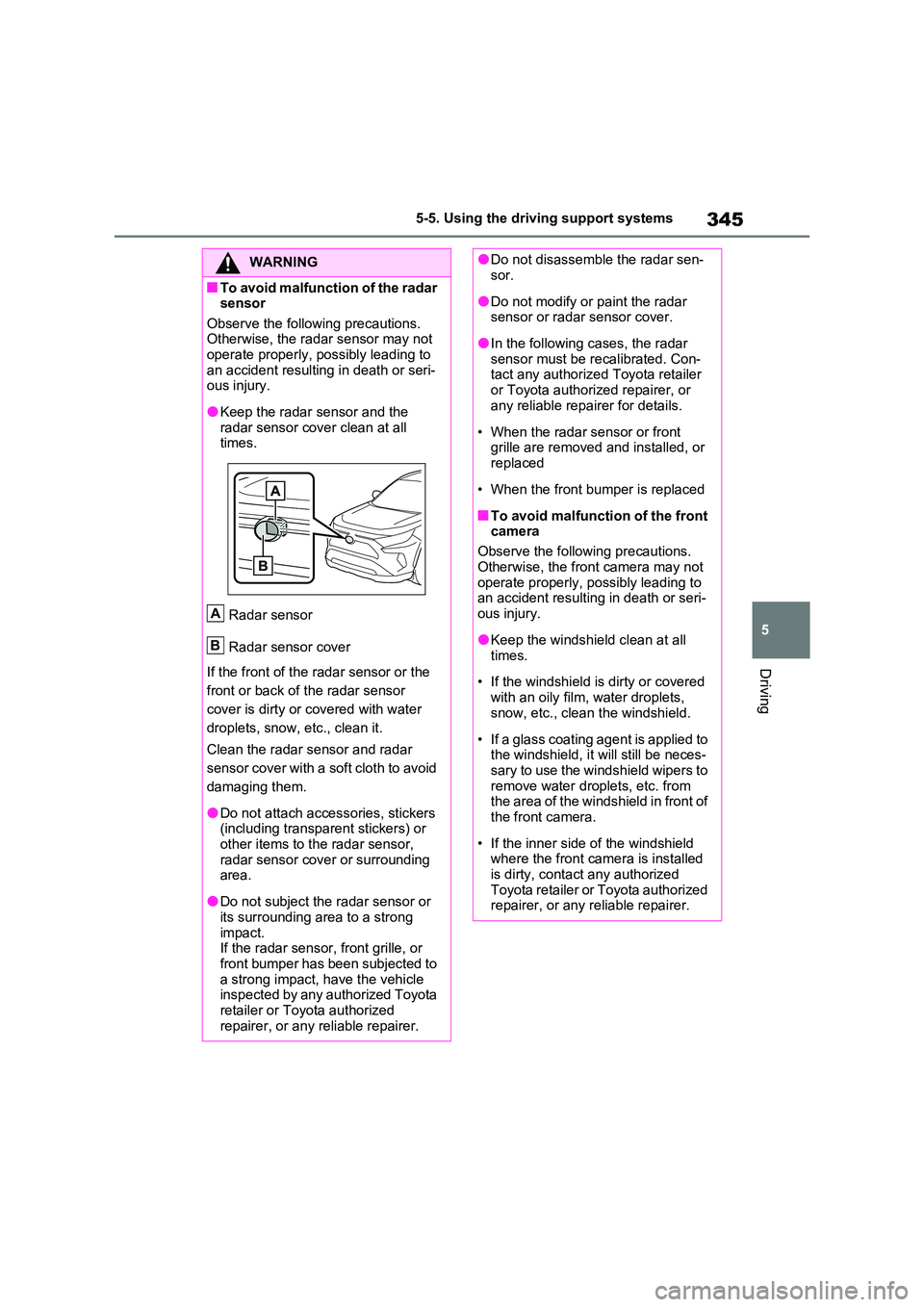
●Keep the radar sensor and the radar sensor cover clean at all times.
Radar sensor
Radar sensor cover
If the front of the radar sensor or the
front or back of the radar sensor
cover is dirty or covered with water
droplets, snow, etc., clean it.
Clean the radar sensor and radar
sensor cover with a soft cloth to avoid
damaging them.
●Do not attach accessories, stickers (including transparent stickers) or
other items to the radar sensor, radar sensor cover or surrounding area.
●Do not subject the radar sensor or its surrounding area to a strong
impact. If the radar sensor, front grille, or front bumper has been subjected to
a strong impact, have the vehicle inspected by any authorized Toyota retailer or Toyota authorized
repairer, or any reliable repairer.
A
B
●Do not disassemble the radar sen- sor.
●Do not modify or paint the radar sensor or radar sensor cover.
●In the following cases, the radar sensor must be recalibrated. Con-tact any authorized Toyota retailer
or Toyota authorized repairer, or any reliable repairer for details.
• When the radar sensor or front grille are removed and installed, or replaced
• When the front bumper is replaced
■To avoid malfunction of the front camera
Observe the following precautions.
Otherwise, the front camera may not operate properly, possibly leading to an accident resulting in death or seri-
ous injury.
●Keep the windshield clean at all
times.
• If the windshield is dirty or covered
with an oily film, water droplets, snow, etc., clean the windshield.
• If a glass coating agent is applied to the windshield, it will still be neces-sary to use the windshield wipers to
remove water droplets, etc. from the area of the windshield in front of the front camera.
• If the inner side of the windshield where the front camera is installed
is dirty, contact any authorized Toyota retailer or Toyota authorized repairer, or any reliable repairer.
Page 362 of 664
3625-5. Using the driving support systems
●The PCS warning light will turn on and
“VSC Turned OFF Pre-Collision Brake
System Unavailable” will be displayed
on the multi-information display.
*: If equipped
LTA (Lane Tracing
Assist)
*
When driving on highways and
freeways with white (yellow)
lane lines, this function alerts
the driver when the vehicle
might depart from its lane or
course
* and provides assis-
tance by operating the steering
wheel to keep the vehicle in its
lane or course
*. Furthermore,
the system provides steering
assistance when dynamic
radar cruise control with full-
speed range is operating to
keep the vehicle in its lane.
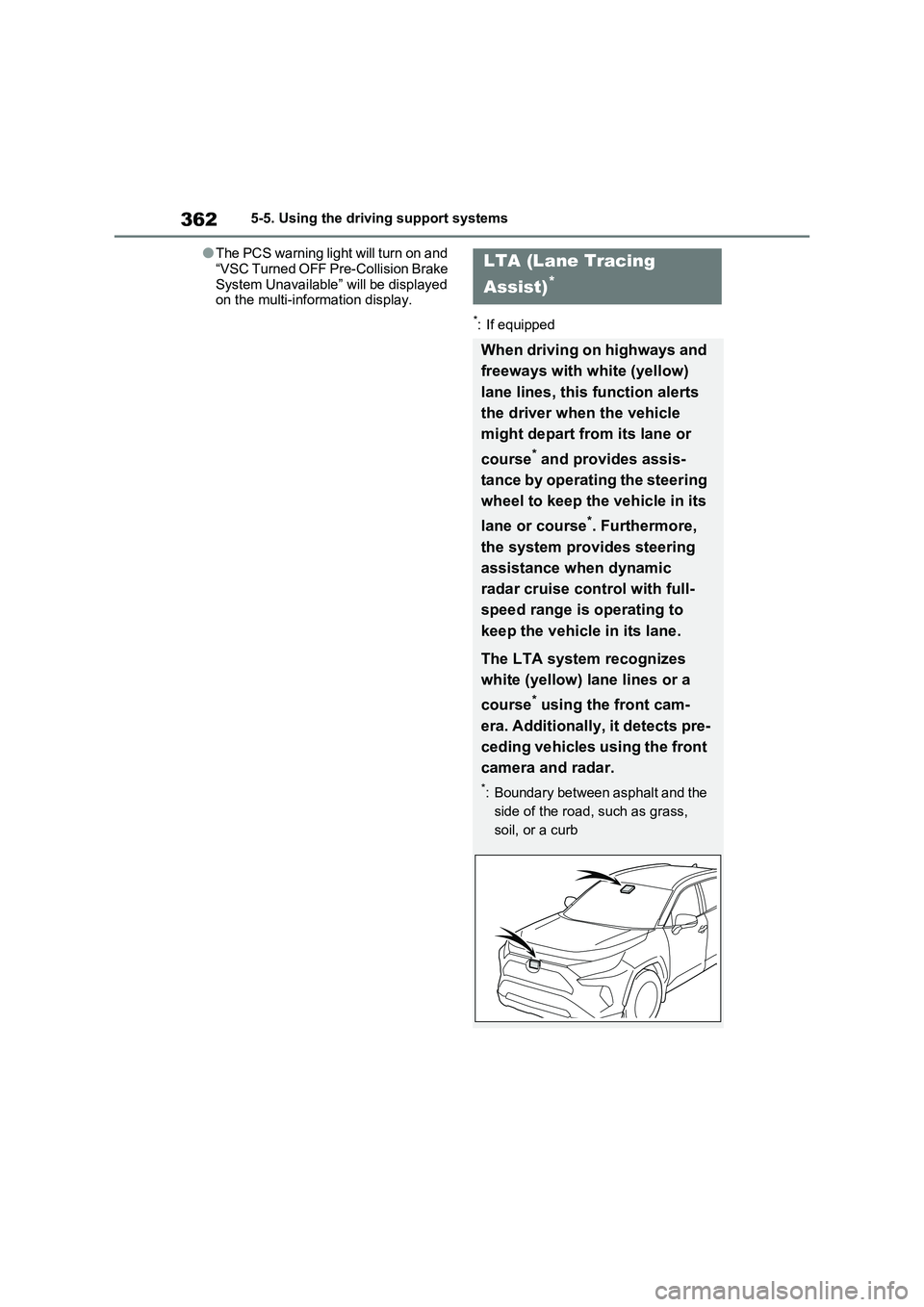
The LTA system recognizes
white (yellow) lane lines or a
course
* using the front cam-
era. Additionally, it detects pre-
ceding vehicles using the front
camera and radar.
*: Boundary between asphalt and the
side of the road, such as grass,
soil, or a curb
Page 366 of 664
3665-5. Using the driving support systems
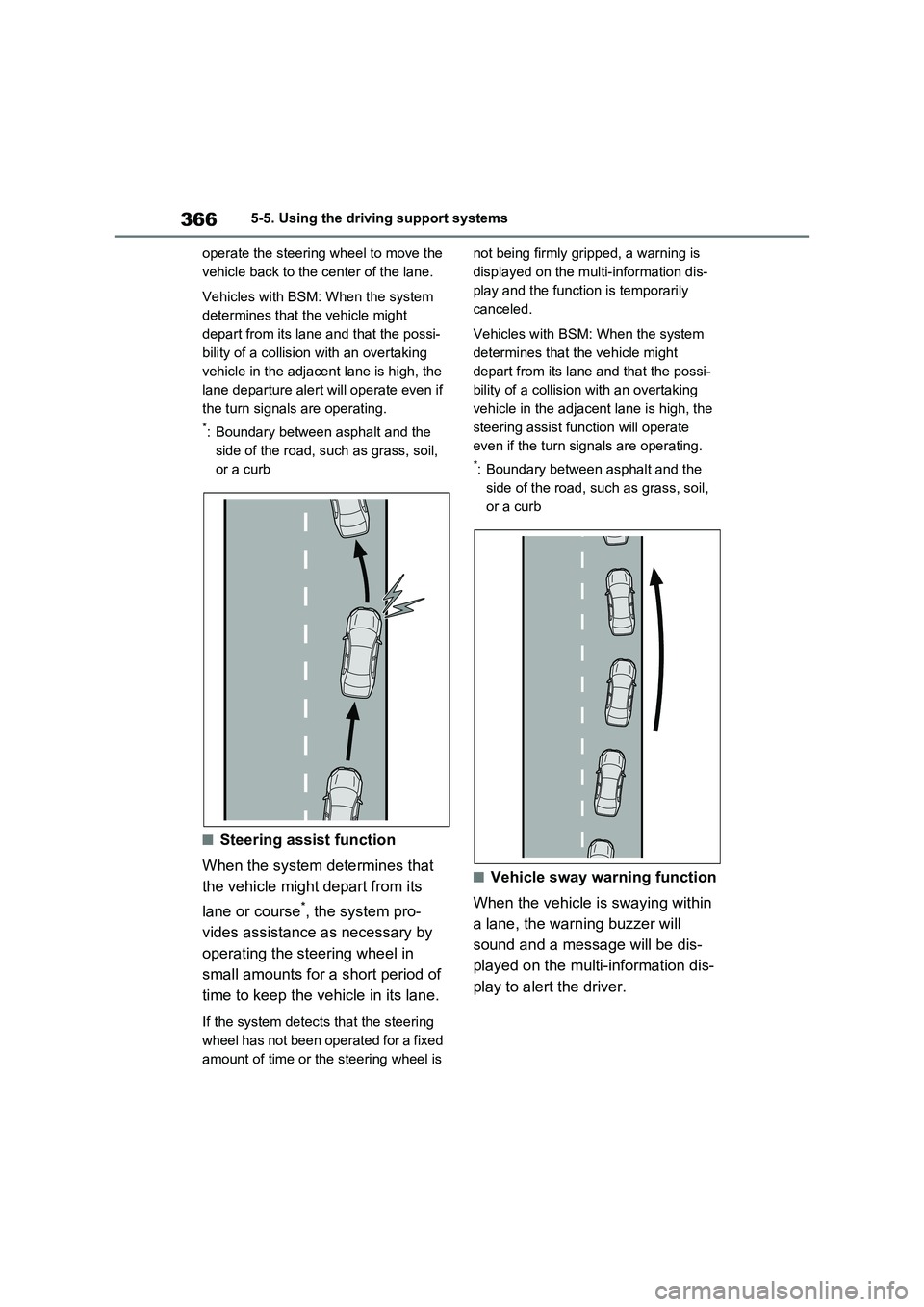
operate the steering wheel to move the
vehicle back to the center of the lane.
Vehicles with BSM: When the system
determines that the vehicle might
depart from its lane and that the possi-
bility of a collision with an overtaking
vehicle in the adjacent lane is high, the
lane departure alert will operate even if
the turn signals are operating.
*: Boundary between asphalt and the
side of the road, such as grass, soil,
or a curb
■Steering assist function
When the system determines that
the vehicle might depart from its
lane or course
*, the system pro-
vides assistance as necessary by
operating the steering wheel in
small amounts for a short period of
time to keep the vehicle in its lane.
If the system detects that the steering
wheel has not been operated for a fixed
amount of time or the steering wheel is not being firmly gripped, a warning is
displayed on the multi-information dis-
play and the function is temporarily
canceled.
Vehicles with BSM: When the system
determines that the vehicle might
depart from its lane and that the possi-
bility of a collision with an overtaking
vehicle in the adjacent lane is high, the
steering assist function will operate
even if the turn signals are operating.
*: Boundary between asphalt and the
side of the road, such as grass, soil,
or a curb
■Vehicle sway warning function
When the vehicle is swaying within
a lane, the warning buzzer will
sound and a message will be dis-
played on the multi-information dis-
play to alert the driver.
Page 369 of 664
369
5 5-5. Using the driving support systems
Driving
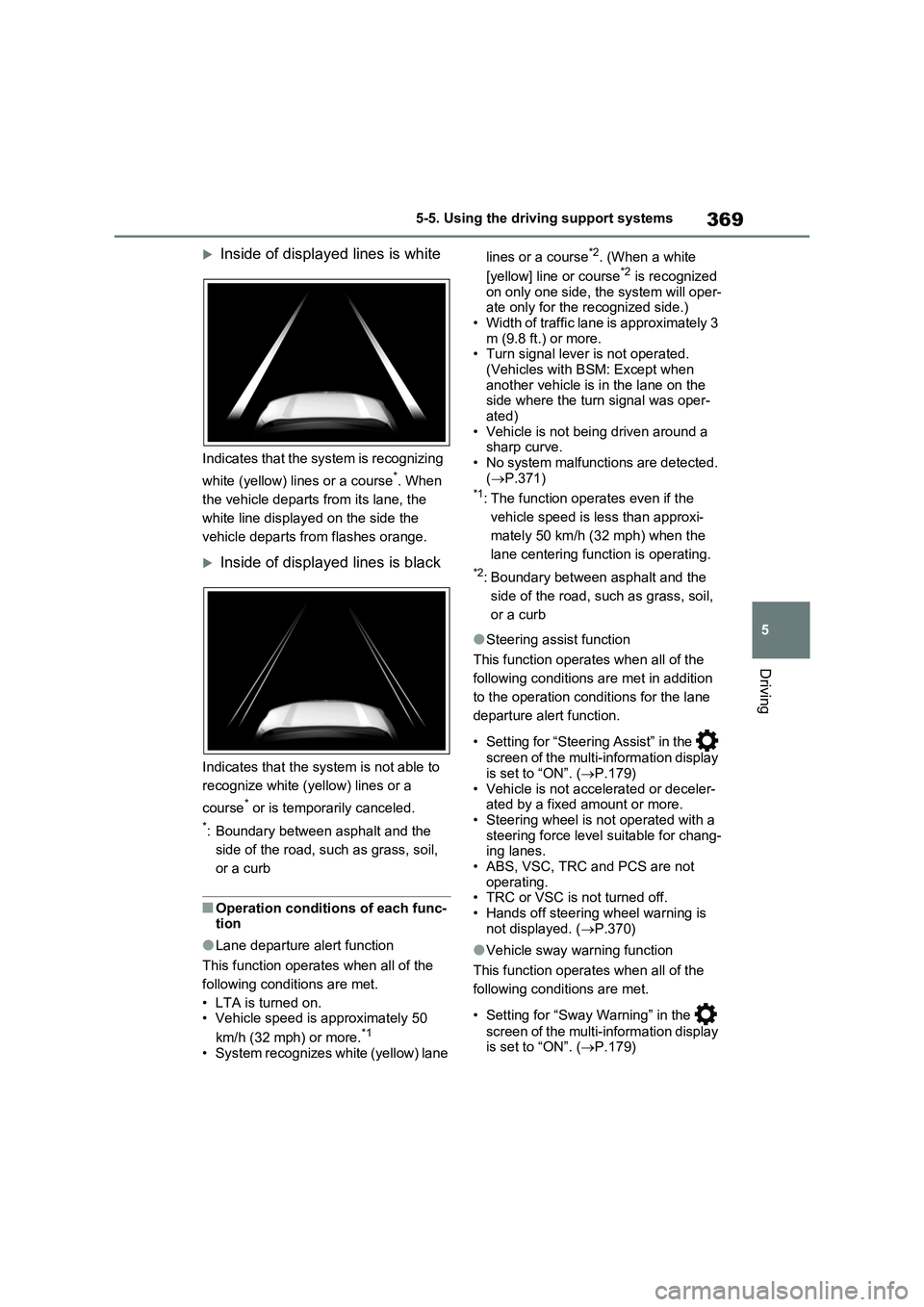
Inside of displayed lines is white
Indicates that the system is recognizing
white (yellow) lines or a course
*. When
the vehicle departs from its lane, the
white line displayed on the side the
vehicle departs from flashes orange.
Inside of displayed lines is black
Indicates that the system is not able to
recognize white (yellow) lines or a
course
* or is temporarily canceled.
*: Boundary between asphalt and the
side of the road, such as grass, soil,
or a curb
■Operation conditions of each func-
tion
●Lane departure alert function
This function operates when all of the
following conditions are met.
• LTA is turned on.
• Vehicle speed is approximately 50
km/h (32 mph) or more.
*1
• System recognizes white (yellow) lane lines or a course
*2. (When a white
[yellow] line or course*2 is recognized
on only one side, the system will oper-
ate only for the recognized side.)
• Width of traffic lane is approximately 3
m (9.8 ft.) or more.
• Turn signal lever is not operated.
(Vehicles with BSM: Except when
another vehicle is in the lane on the
side where the turn signal was oper-
ated)
• Vehicle is not being driven around a
sharp curve.
• No system malfunctions are detected.
(P.371)
*1: The function operates even if the
vehicle speed is less than approxi-
mately 50 km/h (32 mph) when the
lane centering function is operating.
*2: Boundary between asphalt and the
side of the road, such as grass, soil,
or a curb
●Steering assist function
This function operates when all of the
following conditions are met in addition
to the operation conditions for the lane
departure alert function.
• Setting for “Steering Assist” in the
screen of the multi-information display
is set to “ON”. (P.179)
• Vehicle is not accelerated or deceler-
ated by a fixed amount or more.
• Steering wheel is not operated with a
steering force level suitable for chang-
ing lanes.
• ABS, VSC, TRC and PCS are not
operating.
• TRC or VSC is not turned off.
• Hands off steering wheel warning is
not displayed. (P.370)
●Vehicle sway warning function
This function operates when all of the
following conditions are met.
• Setting for “Sway Warning” in the
screen of the multi-information display
is set to “ON”. (P.179)