ECO mode TOYOTA VERSO S 2012 User Guide
[x] Cancel search | Manufacturer: TOYOTA, Model Year: 2012, Model line: VERSO S, Model: TOYOTA VERSO S 2012Pages: 540, PDF Size: 17.43 MB
Page 168 of 540
168 2-1. Driving procedures
VERSO-S_EE
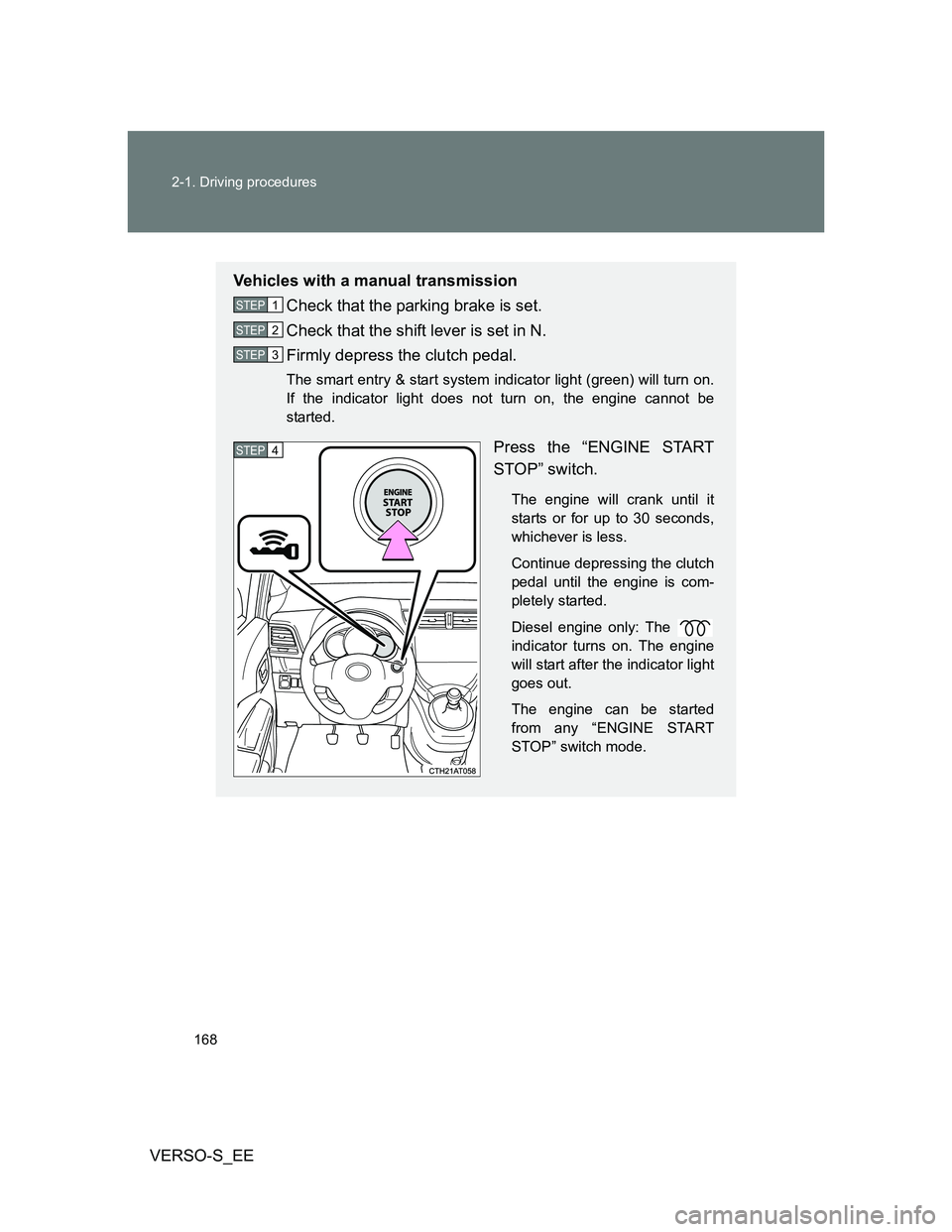
Vehicles with a manual transmission
Check that the parking brake is set.
Check that the shift lever is set in N.
Firmly depress the clutch pedal.
The smart entry & start system indicator light (green) will turn on.
If the indicator light does not turn on, the engine cannot be
started.
Press the “ENGINE START
STOP” switch.
The engine will crank until it
starts or for up to 30 seconds,
whichever is less.
Continue depressing the clutch
pedal until the engine is com-
pletely started.
Diesel engine only: The
indicator turns on. The engine
will start after the indicator light
goes out.
The engine can be started
from any “ENGINE START
STOP” switch mode.
STEP1
STEP2
STEP3
STEP4
Page 173 of 540
173 2-1. Driving procedures
2
When driving
VERSO-S_EE
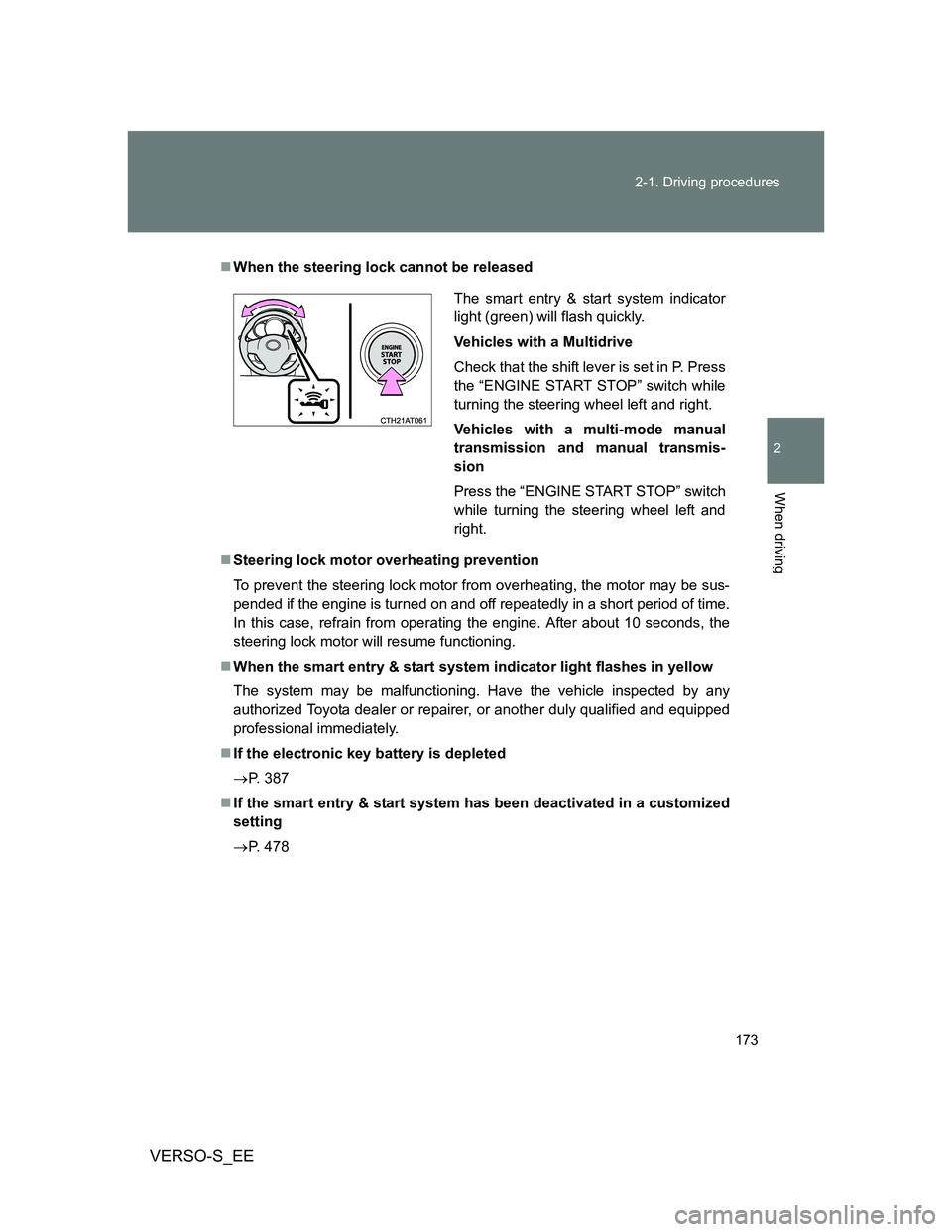
When the steering lock cannot be released
Steering lock motor overheating prevention
To prevent the steering lock motor from overheating, the motor may be sus-
pended if the engine is turned on and off repeatedly in a short period of time.
In this case, refrain from operating the engine. After about 10 seconds, the
steering lock motor will resume functioning.
When the smart entry & start system indicator light flashes in yellow
The system may be malfunctioning. Have the vehicle inspected by any
authorized Toyota dealer or repairer, or another duly qualified and equipped
professional immediately.
If the electronic key battery is depleted
P. 387
If the smart entry & start system has been deactivated in a customized
setting
P. 478
The smart entry & start system indicator
light (green) will flash quickly.
Vehicles with a Multidrive
Check that the shift lever is set in P. Press
the “ENGINE START STOP” switch while
turning the steering wheel left and right.
Vehicles with a multi-mode manual
transmission and manual transmis-
sion
Press the “ENGINE START STOP” switch
while turning the steering wheel left and
right.
Page 175 of 540
175 2-1. Driving procedures
2
When driving
VERSO-S_EE
NOTICE
To prevent battery discharge
Do not leave the “ENGINE START STOP” switch in ACCESSORY or IGNI-
TION ON mode for long periods of time without the engine running.
If the smart entry & start system indicator light (green) is illuminated, the
“ENGINE START STOP” switch is not off. When exiting the vehicle,
always check that the “ENGINE START STOP” switch is off.
Vehicles with a Multidrive: Do not stop the engine when the shift lever is in
a position other than P. If the engine is stopped in another shift lever posi-
tion, the “ENGINE START STOP” switch will not be turned off but instead
be turned to ACCESSORY mode. If the vehicle is left in ACCESSORY
mode, battery discharge may occur.
When starting the engine
Do not race a cold engine.
If the engine becomes difficult to start or stalls frequently, have the engine
checked immediately.
Symptoms indicating a malfunction with the “ENGINE START STOP”
switch
If the “ENGINE START STOP” seems to be operating somewhat differently
than usual, such as the switch sticking slightly, there may be a malfunction.
Contact any authorized Toyota dealer or repairer, or another duly qualified
and equipped professional immediately.
Page 187 of 540
187 2-1. Driving procedures
2
When driving
VERSO-S_EE
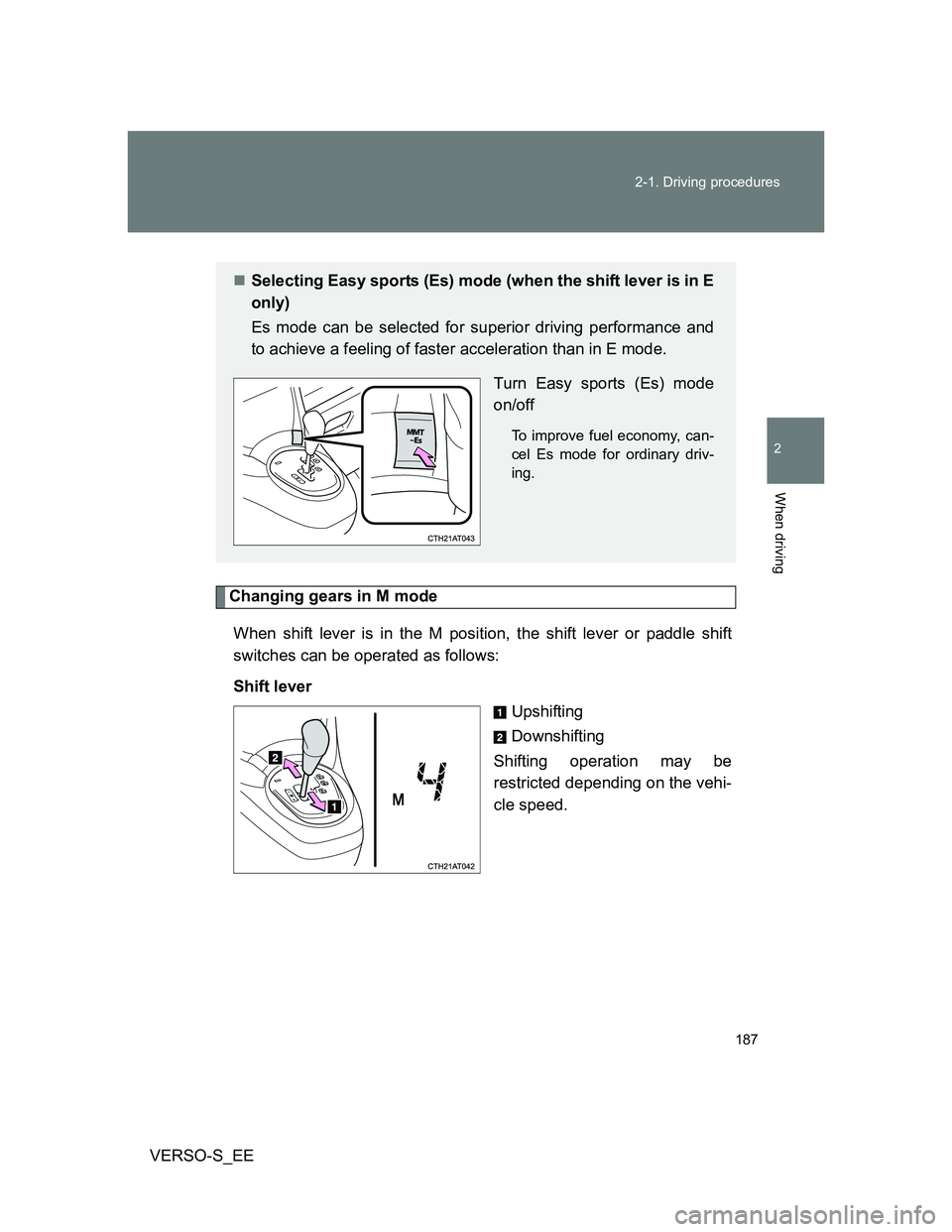
Changing gears in M mode
When shift lever is in the M position, the shift lever or paddle shift
switches can be operated as follows:
Shift lever
Upshifting
Downshifting
Shifting operation may be
restricted depending on the vehi-
cle speed.
Selecting Easy sports (Es) mode (when the shift lever is in E
only)
Es mode can be selected for superior driving performance and
to achieve a feeling of faster acceleration than in E mode.
Turn Easy sports (Es) mode
on/off
To improve fuel economy, can-
cel Es mode for ordinary driv-
ing.
Page 189 of 540
189 2-1. Driving procedures
2
When driving
VERSO-S_EE
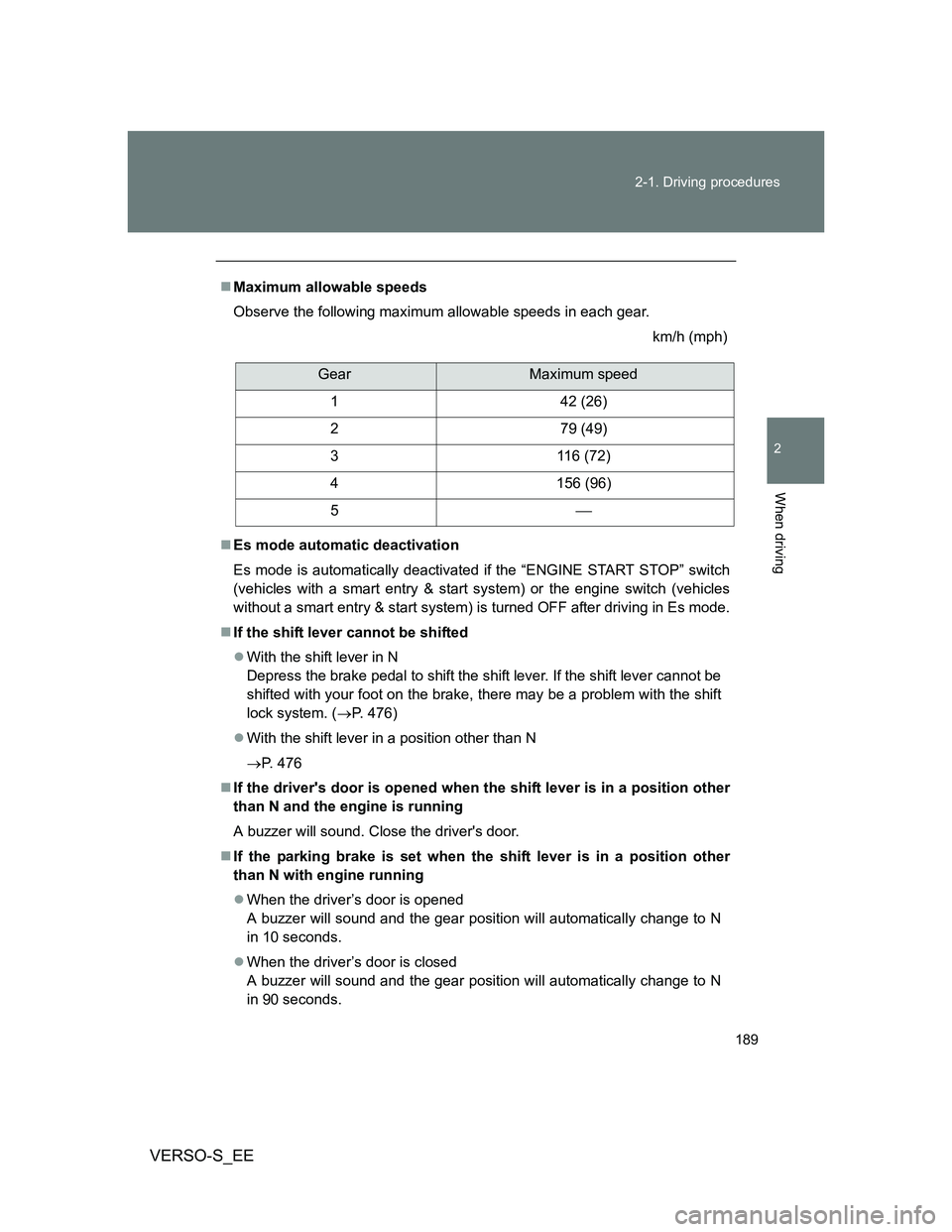
Maximum allowable speeds
Observe the following maximum allowable speeds in each gear.
km/h (mph)
Es mode automatic deactivation
Es mode is automatically deactivated if the “ENGINE START STOP” switch
(vehicles with a smart entry & start system) or the engine switch (vehicles
without a smart entry & start system) is turned OFF after driving in Es mode.
If the shift lever cannot be shifted
With the shift lever in N
Depress the brake pedal to shift the shift lever. If the shift lever cannot be
shifted with your foot on the brake, there may be a problem with the shift
lock system. (P. 476)
With the shift lever in a position other than N
P. 476
If the driver's door is opened when the shift lever is in a position other
than N and the engine is running
A buzzer will sound. Close the driver's door.
If the parking brake is set when the shift lever is in a position other
than N with engine running
When the driver’s door is opened
A buzzer will sound and the gear position will automatically change to N
in 10 seconds.
When the driver’s door is closed
A buzzer will sound and the gear position will automatically change to N
in 90 seconds.
GearMaximum speed
1 42 (26)
2 79 (49)
3 116 (72)
4 156 (96)
5
Page 190 of 540
190 2-1. Driving procedures
VERSO-S_EE
If the “M” indicator does not come on even after shifting the shift lever
to M
This may indicate a malfunction in the multi-mode manual transmission sys-
tem. Have the vehicle inspected by any authorized Toyota dealer or repairer,
or another duly qualified and equipped professional immediately.
(In this situation, the transmission will operate in the same manner as when
the shift lever is in E.)
If the “N” indicator is flashing
When shifting the shift lever
Shift the shift lever to N. Wait a few seconds and shift the shift lever to the
desired position.
When the engine is turned off
Vehicles without smart entry & start system: Turn the engine switch to the
“ON” position. Depress the brake pedal and shift the shift lever to N, and
then to the desired position.
Vehicles with smart entry & start system: Turn the “ENGINE START
STOP” switch to IGNITION ON mode. Depress the brake pedal and shift
the shift lever to N, and then to the desired position.
If the indicator still flashes after the above operations, shift the shift lever to
N and start the engine. Then, shift the shift lever to the desired position.
If the “N” indicator is flashing and warning buzzer is beeping
Shift the shift lever to N, and then to E, M or R.
Reverse warning buzzer
When shifting into R, a buzzer will sound to inform the driver that the shift
lever is in R.
Downshift restriction warning buzzer (in E mode [when the paddle shift
switches are operated] or M mode)
To help ensure safety and driving performance, downshifting operation may
sometimes be restricted. In some circumstances, downshifting may not be
possible even when the shift lever or paddle shift switches are operated. (A
buzzer will sound twice.)
Page 199 of 540
199 2-2. Instrument cluster
2
When driving
VERSO-S_EEInstantaneous fuel consumption
P. 208
Average fuel consumption
P. 208
Driving range
P. 209
Instrument panel light control
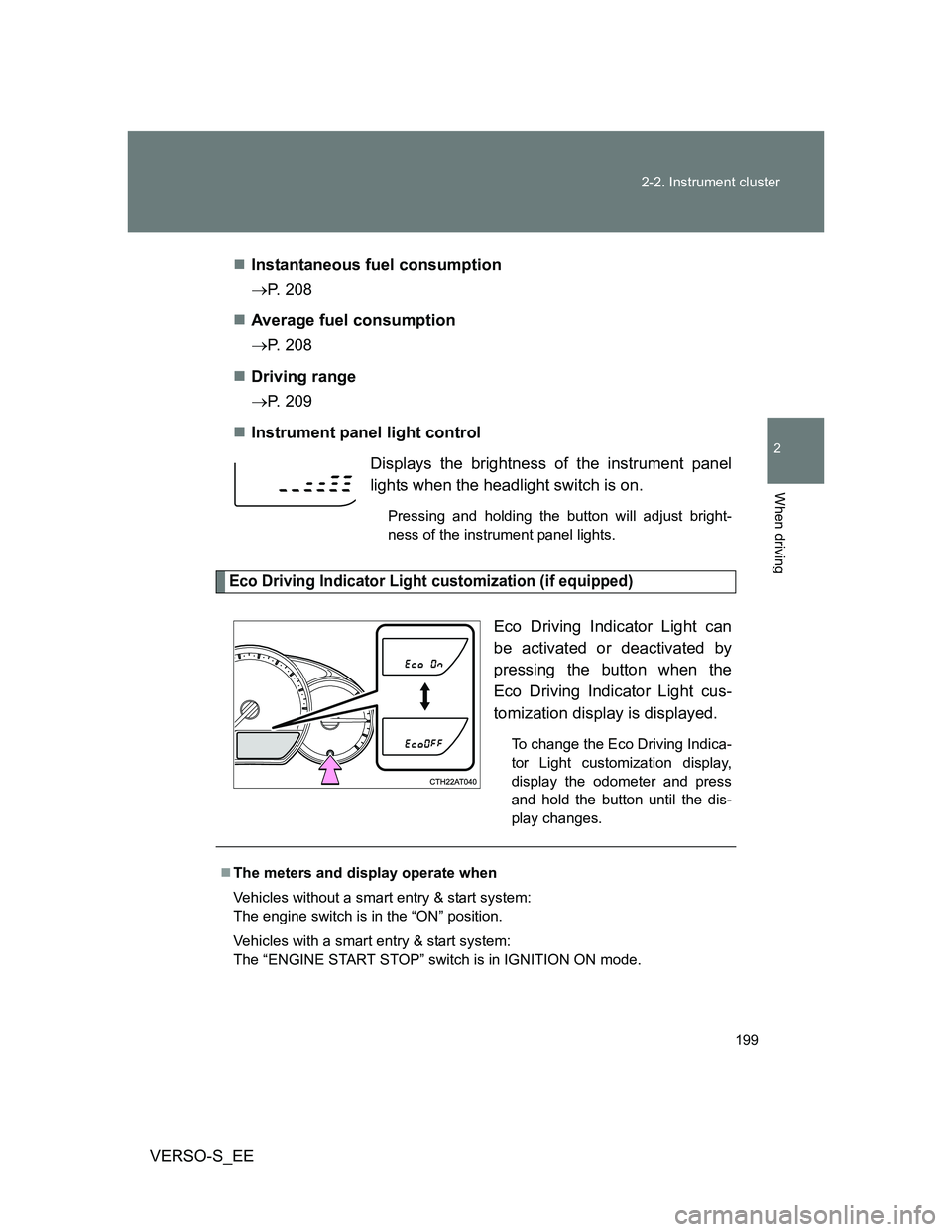
Eco Driving Indicator Light customization (if equipped)
Eco Driving Indicator Light can
be activated or deactivated by
pressing the button when the
Eco Driving Indicator Light cus-
tomization display is displayed.
To change the Eco Driving Indica-
tor Light customization display,
display the odometer and press
and hold the button until the dis-
play changes.
Displays the brightness of the instrument panel
lights when the headlight switch is on.
Pressing and holding the button will adjust bright-
ness of the instrument panel lights.
The meters and display operate when
Vehicles without a smart entry & start system:
The engine switch is in the “ON” position.
Vehicles with a smart entry & start system:
The “ENGINE START STOP” switch is in IGNITION ON mode.
Page 204 of 540
204 2-2. Instrument cluster
VERSO-S_EE
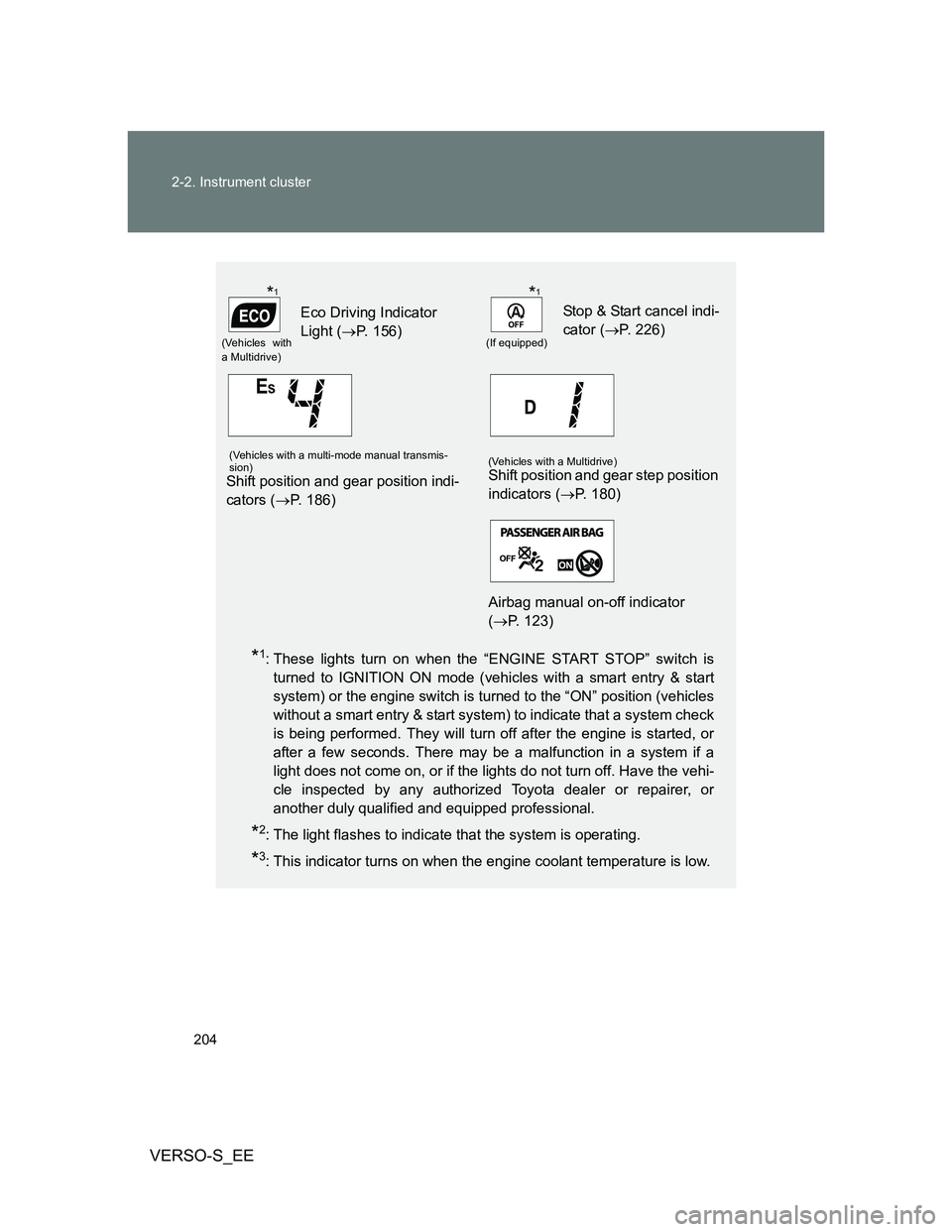
*1: These lights turn on when the “ENGINE START STOP” switch is
turned to IGNITION ON mode (vehicles with a smart entry & start
system) or the engine switch is turned to the “ON” position (vehicles
without a smart entry & start system) to indicate that a system check
is being performed. They will turn off after the engine is started, or
after a few seconds. There may be a malfunction in a system if a
light does not come on, or if the lights do not turn off. Have the vehi-
cle inspected by any authorized Toyota dealer or repairer, or
another duly qualified and equipped professional.
*2: The light flashes to indicate that the system is operating.
*3: This indicator turns on when the engine coolant temperature is low.
(Vehicles with
a Multidrive)
Eco Driving Indicator
Light (P. 156)
(If equipped)
Stop & Start cancel indi-
cator (P. 226)
(Vehicles with a multi-mode manual transmis-
sion)
Shift position and gear position indi-
cators (P. 186)
(Vehicles with a Multidrive)Shift position and gear step position
indicators (P. 180)
Airbag manual on-off indicator
(P. 123)
*1*1
Page 205 of 540
205 2-2. Instrument cluster
2
When driving
VERSO-S_EE
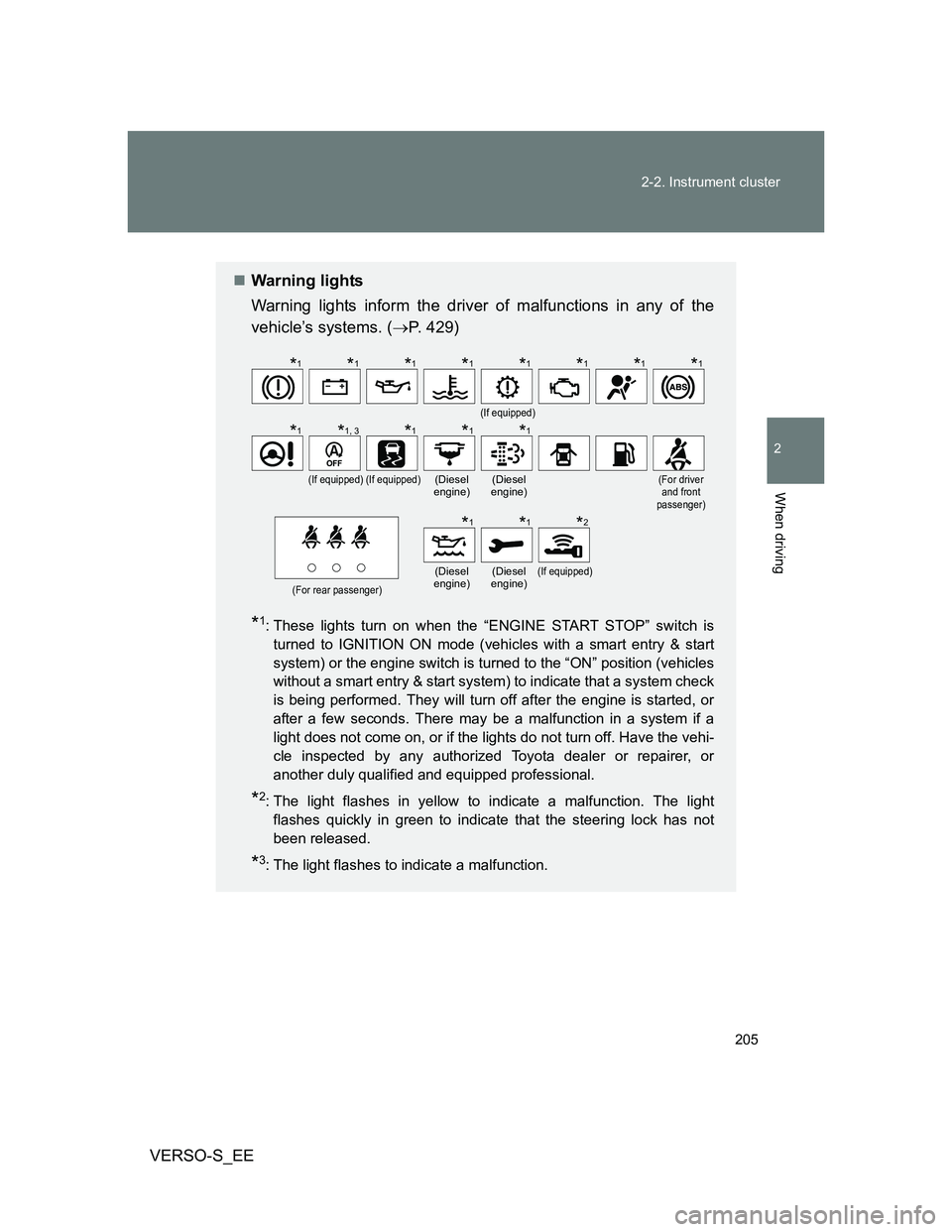
Warning lights
Warning lights inform the driver of malfunctions in any of the
vehicle’s systems. (P. 429)
*1: These lights turn on when the “ENGINE START STOP” switch is
turned to IGNITION ON mode (vehicles with a smart entry & start
system) or the engine switch is turned to the “ON” position (vehicles
without a smart entry & start system) to indicate that a system check
is being performed. They will turn off after the engine is started, or
after a few seconds. There may be a malfunction in a system if a
light does not come on, or if the lights do not turn off. Have the vehi-
cle inspected by any authorized Toyota dealer or repairer, or
another duly qualified and equipped professional.
*2: The light flashes in yellow to indicate a malfunction. The light
flashes quickly in green to indicate that the steering lock has not
been released.
*3: The light flashes to indicate a malfunction.
(If equipped)
(If equipped)(If equipped)(Diesel
engine)(Diesel
engine)(For driver
and front
passenger)
(For rear passenger)
(Diesel
engine)(Diesel
engine)(If equipped)
*1*1*1*1*1*1*1*1
*1*1, 3*1*1*1
*1*1*2
Page 215 of 540
215 2-3. Operating the lights and wipers
2
When driving
VERSO-S_EE
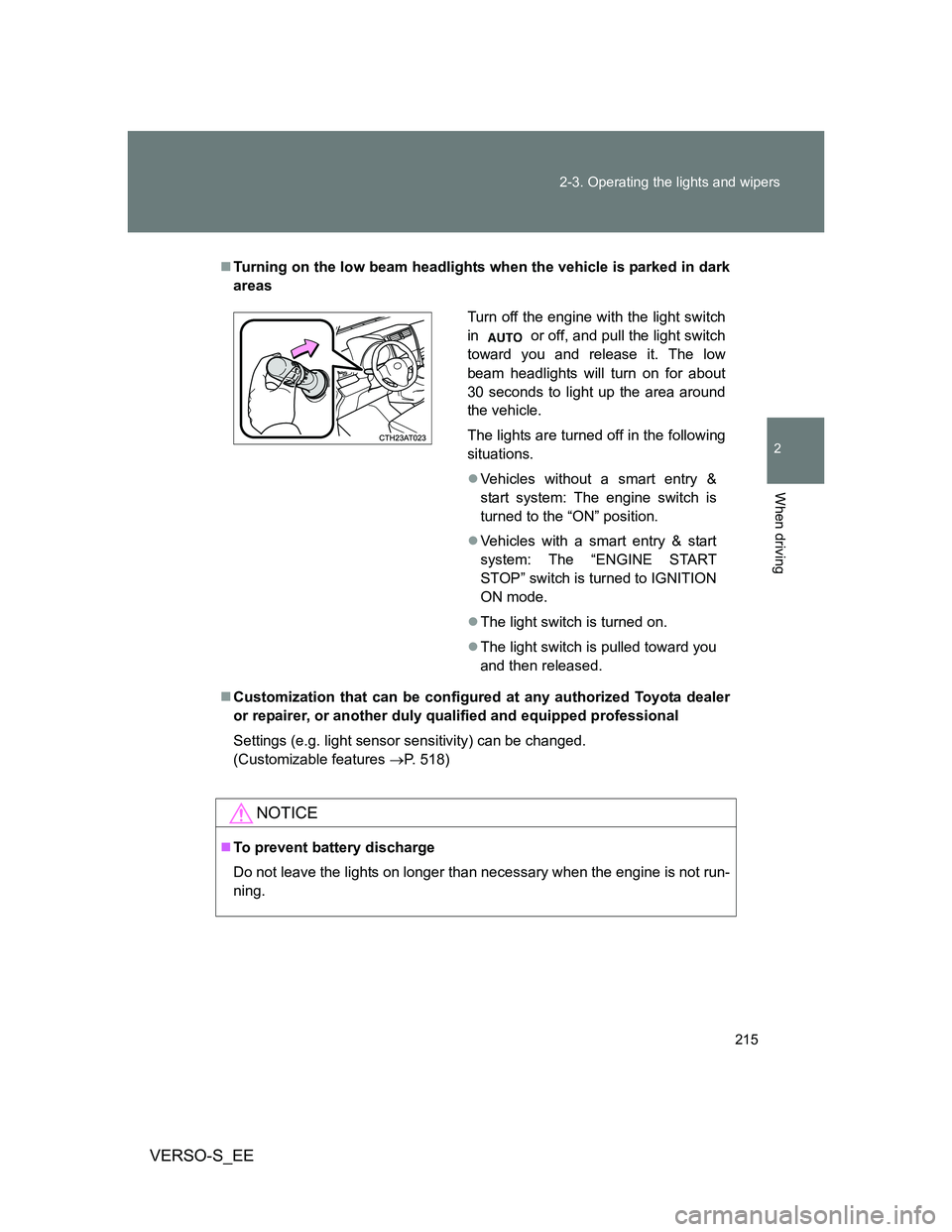
Turning on the low beam headlights when the vehicle is parked in dark
areas
Customization that can be configured at any authorized Toyota dealer
or repairer, or another duly qualified and equipped professional
Settings (e.g. light sensor sensitivity) can be changed.
(Customizable features P. 518)
NOTICE
To prevent battery discharge
Do not leave the lights on longer than necessary when the engine is not run-
ning.
Turn off the engine with the light switch
in or off, and pull the light switch
toward you and release it. The low
beam headlights will turn on for about
30 seconds to light up the area around
the vehicle.
The lights are turned off in the following
situations.
Vehicles without a smart entry &
start system: The engine switch is
turned to the “ON” position.
Vehicles with a smart entry & start
system: The “ENGINE START
STOP” switch is turned to IGNITION
ON mode.
The light switch is turned on.
The light switch is pulled toward you
and then released.