radio TOYOTA VERSO S 2012 User Guide
[x] Cancel search | Manufacturer: TOYOTA, Model Year: 2012, Model line: VERSO S, Model: TOYOTA VERSO S 2012Pages: 540, PDF Size: 17.43 MB
Page 278 of 540
278
3-2. Using the audio system
VERSO-S_EE
Using the radio
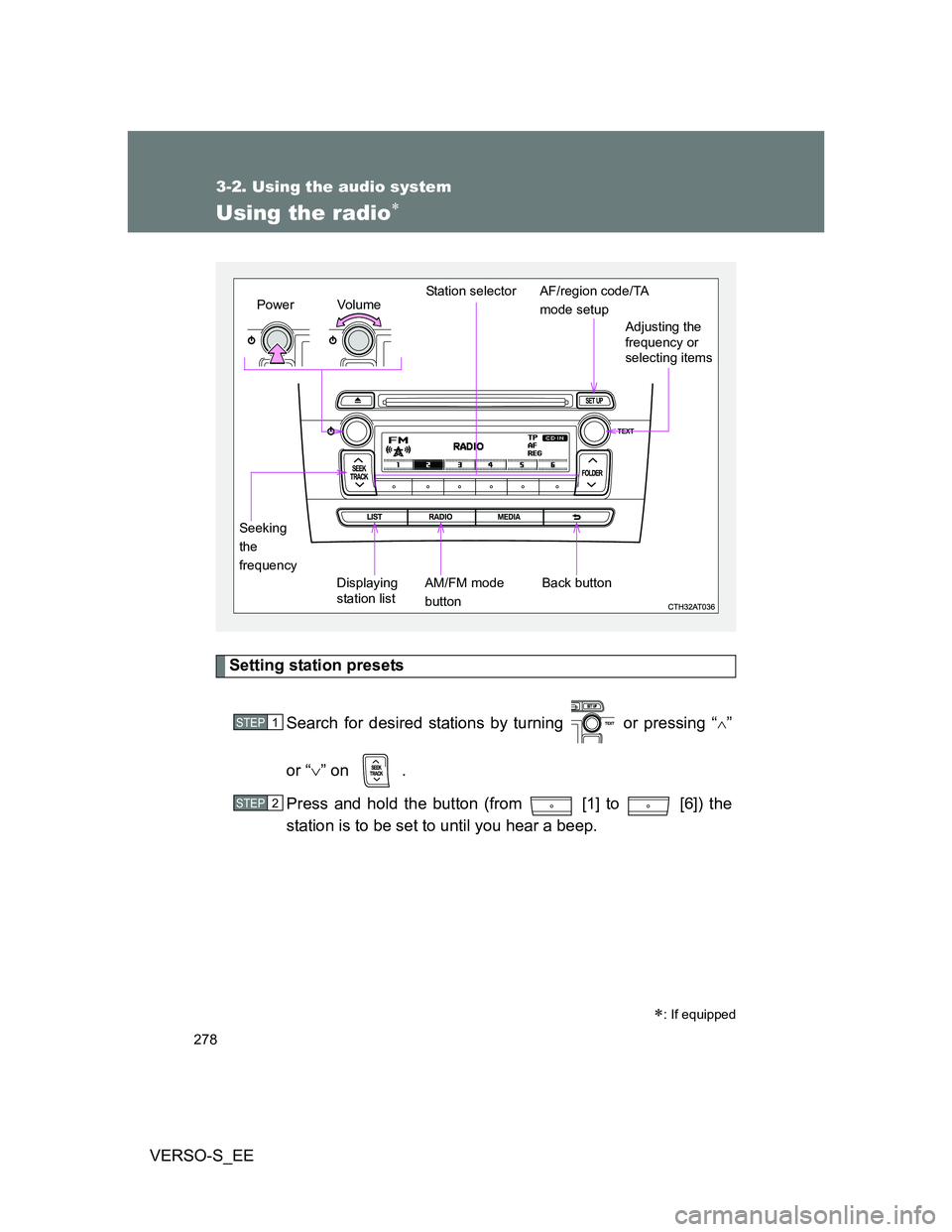
Setting station presets
Search for desired stations by turning or pressing “
”
or “” on .
Press and hold the button (from [1] to [6]) the
station is to be set to until you hear a beep.
: If equipped
Vo lu m e
Displaying
station listStation selector
Seeking
the
frequencyAdjusting the
frequency or
selecting items
AM/FM mode
buttonPowerAF/region code/TA
mode setup
Back button
STEP1
STEP2
Page 279 of 540
279 3-2. Using the audio system
3
Interior features
VERSO-S_EE
Using the station list
Updating the station list
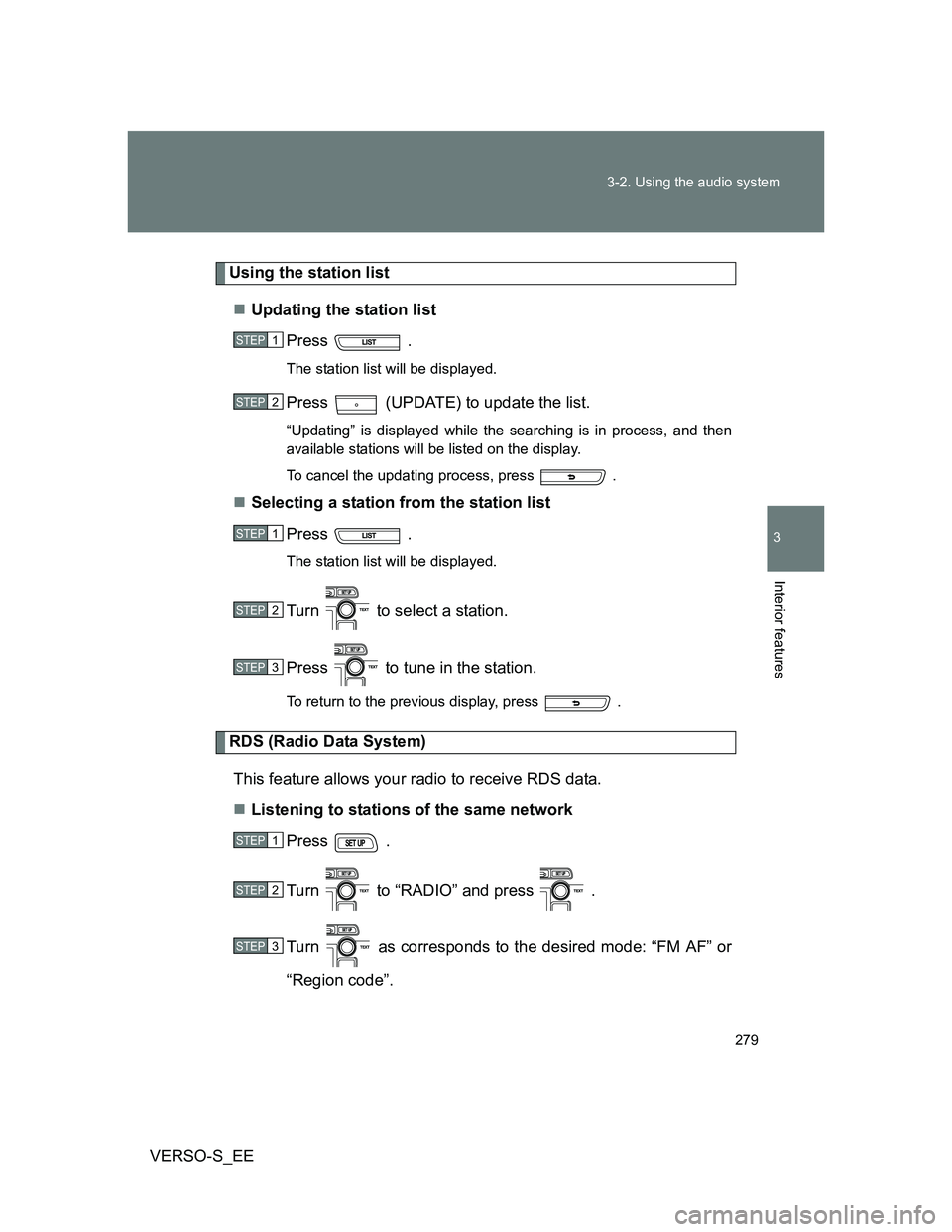
Press .
The station list will be displayed.
Press (UPDATE) to update the list.
“Updating” is displayed while the searching is in process, and then
available stations will be listed on the display.
To cancel the updating process, press .
Selecting a station from the station list
Press .
The station list will be displayed.
Turn to select a station.
Press to tune in the station.
To return to the previous display, press .
RDS (Radio Data System)
This feature allows your radio to receive RDS data.
Listening to stations of the same network
Press .
Turn to “RADIO” and press .
Turn as corresponds to the desired mode: “FM AF” or
“Region code”.
STEP1
STEP2
STEP1
STEP2
STEP3
STEP1
STEP2
STEP3
Page 280 of 540
280 3-2. Using the audio system
VERSO-S_EEPress to select “ON” or “OFF”.
FM AF ON mode: The station among those of the same net-
work with strong reception is selected.
Region code ON mode: The station among those of the same net-
work with strong reception and broad-
casting the same program is selected.
Traffic information
Press .
Turn to “RADIO” and press .
Turn to “FM TA” mode.
Press to select “ON” or “OFF”.
TP mode: The system automatically switches to traffic information
when a broadcast with a traffic information signal is
received.
The station returns to the previous one when the traffic infor-
mation ends.
TA mode: The system automatically switches to traffic information
when a broadcast with a traffic information signal is
received. In FM modes, the system will be mute unless
traffic information is being broadcast.
The audio system returns to the previous mode when the traf-
fic information ends.
STEP4
STEP1
STEP2
STEP3
STEP4
Page 281 of 540
281 3-2. Using the audio system
3
Interior features
VERSO-S_EE
Certification for the radio (for Italy)
IL PRODUTTORE Panasonic Corporation Automotive Systems Company
4261, Ikonobe-cho, Tsuzuki-ku, Yokohama, 224-8520, JAPAN
DI QUESTO APPARECCHIO MODELLO 86120 52B00 DICHIARA CHE
ESSO E’CONFORME AL D.M.28.08.1995 Nr.548, OTTEMPERANDO ALLE
PRESCRIZIONI DI CUI AL D.M.25.6.1985 (PARAGRAFO 3,ALL.A) ED AL
D.M.27.8.1987 (PARAGRAFO 3,ALL.I)
EON (Enhanced Other Network) system (for traffic announcement
function)
If the RDS station (with EON data) you are listening to is not broadcasting a
traffic information program and the audio system is in the TA (traffic
announcement) mode, the radio will be switched automatically to a station
broadcasting a traffic information program in the EON AF list when traffic
information begins.
When the battery is disconnected
Stations presets are erased.
Reception sensitivity
Maintaining perfect radio reception at all times is difficult due to the con-
tinually changing position of the antenna, differences in signal strength
and surrounding objects, such as trains, transmitters, etc.
The radio antenna is mounted on the rear roof. The antenna can be
removed from the base by turning it.
Digital Audio Broadcast (DAB) radio
The optional radio antenna and tuner are necessary for the use of Digital
Audio Broadcast (DAB) radio.
NOTICE
To prevent damage, remove the antenna in the following cases.
The antenna will touch the ceiling of a garage.
A cover will be put on the roof.
Page 313 of 540
313
3-2. Using the audio system
3
Interior features
VERSO-S_EE
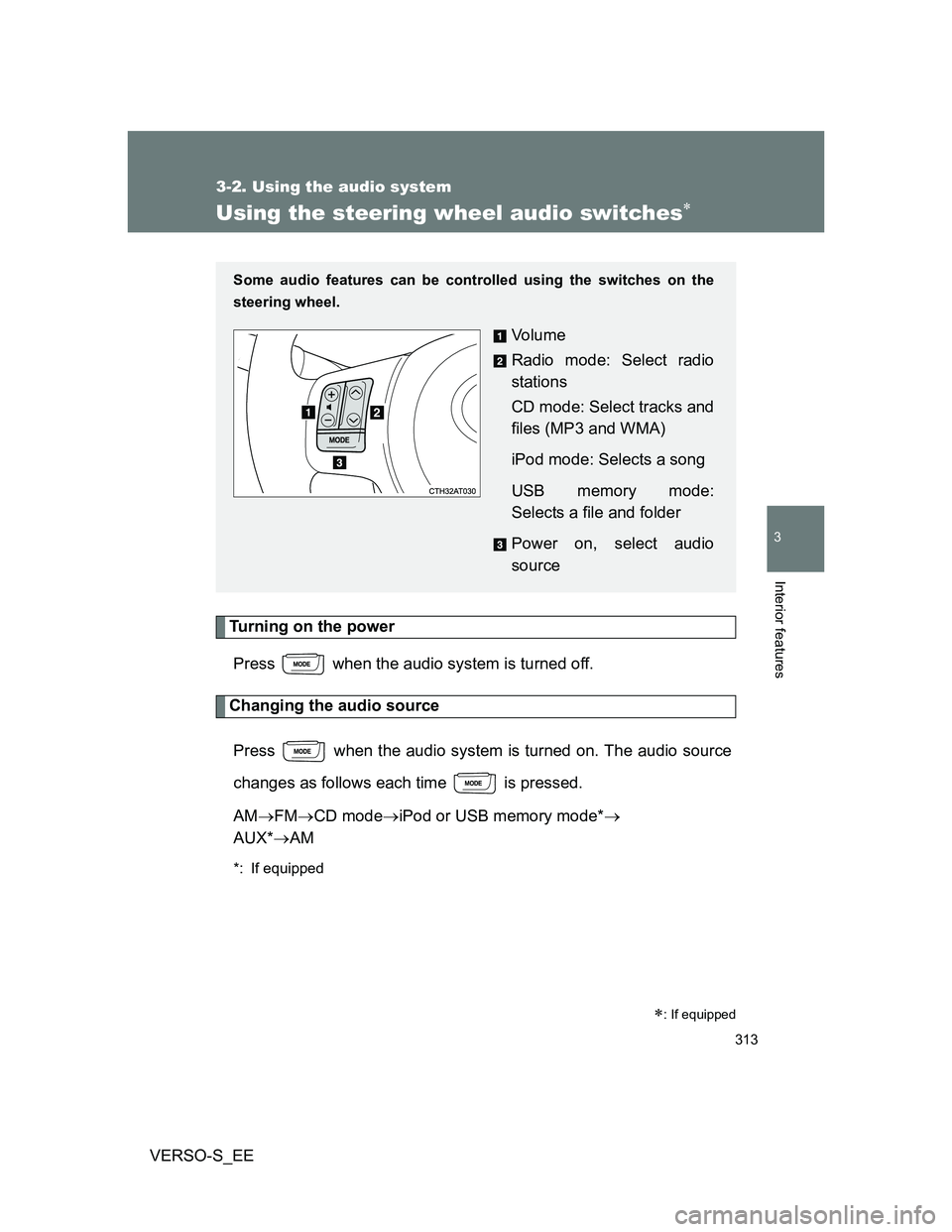
Using the steering wheel audio switches
Turning on the power
Press when the audio system is turned off.
Changing the audio source
Press when the audio system is turned on. The audio source
changes as follows each time is pressed.
AMFMCD modeiPod or USB memory mode*
AUX*AM
*: If equipped
: If equipped
Some audio features can be controlled using the switches on the
steering wheel.
Vo l u m e
Radio mode: Select radio
stations
CD mode: Select tracks and
files (MP3 and WMA)
iPod mode: Selects a song
USB memory mode:
Selects a file and folder
Power on, select audio
source
Page 314 of 540
314 3-2. Using the audio system
VERSO-S_EE
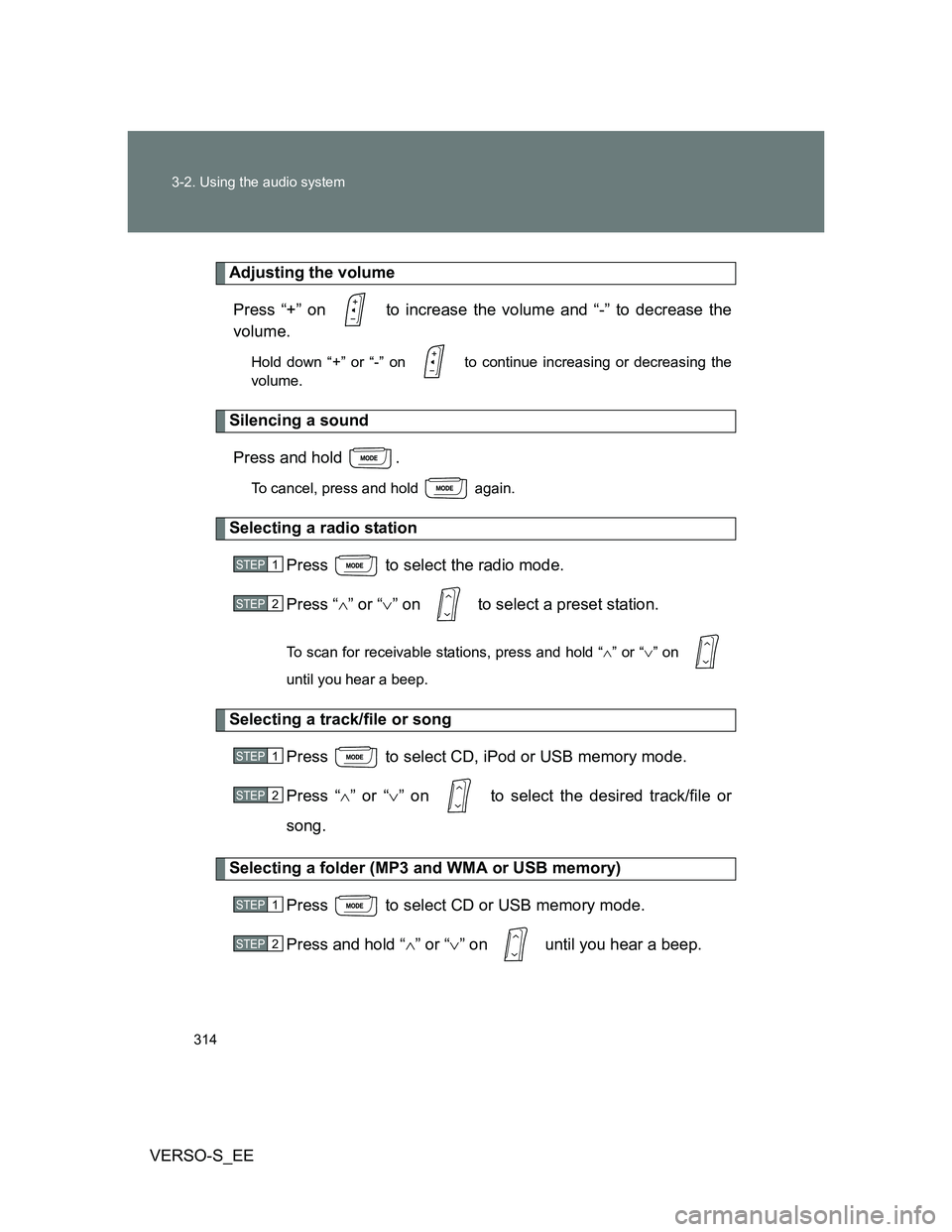
Adjusting the volume
Press “+” on to increase the volume and “-” to decrease the
volume.
Hold down “+” or “-” on to continue increasing or decreasing the
volume.
Silencing a sound
Press and hold .
To cancel, press and hold again.
Selecting a radio station
Press to select the radio mode.
Press “” or “” on to select a preset station.
To scan for receivable stations, press and hold “” or “” on
until you hear a beep.
Selecting a track/file or song
Press to select CD, iPod or USB memory mode.
Press “” or “” on to select the desired track/file or
song.
Selecting a folder (MP3 and WMA or USB memory)
Press to select CD or USB memory mode.
Press and hold “” or “” on until you hear a beep.
STEP1
STEP2
STEP1
STEP2
STEP1
STEP2
Page 525 of 540
525
VERSO-S_EE
Alphabetical index
Alphabetical index
A/C..................................... 258, 264
ABS ........................................... 233
Air conditioning filter .............. 384
Air conditioning system
Air conditioning filter.............. 384
Automatic air conditioning
system ................................ 264
Manual air conditioning
system ................................ 258
Airbags
Airbag manual on-off
system ................................ 123
Airbag operating
conditions ........................... 114
Airbag precautions for
your child ............................ 118
Airbag warning light .............. 432
Curtain shield airbag
operating conditions ........... 114
Curtain shield airbag
precautions ......................... 118
General airbag precautions... 118
Locations of airbags .............. 112
Modification and disposal of
airbags ................................ 122
Proper driving posture... 110, 118
Side airbag operating
conditions ........................... 114
Side airbag precautions ........ 118
SRS airbags .......................... 112Antenna .................................... 349
Anti-lock brake system ........... 233
Armrest ..................................... 333
Audio input............................... 312
Audio system
Antenna ................................ 349
Audio input ............................ 312
AUX port ............................... 312
CD player .............................. 282
iPod....................................... 294
MP3/WMA disc ..................... 287
Optimal use........................... 310
Portable music player ........... 312
Radio .................................... 278
Steering wheel audio
switch ................................. 313
Type ...................................... 274
USB memory ........................ 302
Automatic air conditioning
system .................................... 264
Automatic light control
system .................................... 210
AUX port ................................... 312
Auxiliary box .................... 320, 340A
Page 532 of 540
532 Alphabetical index
VERSO-S_EE
Radiator .................................... 371
Radio ......................................... 278
RDS (Radio data system) ........ 279
Rear fog light
Replacing light bulbs ............. 407
Switch ................................... 216
Wattage................................. 514
Rear seat
Adjustment .............................. 70
Folding down........................... 71
Rear turn signal lights
Replacing light bulbs ............. 407
Wattage................................. 514
Rear view monitor system*
Rear window defogger ............ 272
Rear window wiper .................. 224
Replacing
Fuses .................................... 391
Key battery ............................ 387
Light bulbs............................. 407
Tires ...................................... 442Seat belts
Adjusting the seat belt ............ 77
Child restraint system
installation .......................... 135
Cleaning and maintaining
the seat belts ...................... 351
Emergency Locking
Retractor (ELR) .................... 80
How to wear your seat belt ..... 77
How your child should wear
the seat belt .......................... 81
Pregnant women,
proper seat belt use.............. 80
Reminder light....................... 433
Seat belt pretensioners ........... 79
Seat heaters ............................. 331
Seats
Adjustment .............................. 69
Adjustment precautions .......... 69
Child seats/child restraint
system installation .............. 135
Cleaning................................ 350
Head restraint ......................... 75RS