instrument cluster TOYOTA VERSO S 2012 Owners Manual
[x] Cancel search | Manufacturer: TOYOTA, Model Year: 2012, Model line: VERSO S, Model: TOYOTA VERSO S 2012Pages: 540, PDF Size: 17.43 MB
Page 3 of 540
1
2
3
4
5
6
VERSO-S_EE
3
2-2. Instrument cluster
Gauges and meters ............ 197
Indicators and warning
lights ................................. 201
Multi-information display ..... 207
2-3. Operating the lights and
wipers
Headlight switch.................. 210
Fog light switch ................... 216
Windshield wiper and
washer .............................. 218
Rear window wiper and
washer .............................. 224
2-4. Using other driving
systems
Stop & Start system ............ 226
Driving assist systems ........ 233
Diesel particulate filter
system .............................. 239
2-5. Driving information
Cargo and luggage ............. 241
Winter driving tips ............... 243
Trailer towing ...................... 2473-1. Using the air conditioning
system and defogger
Manual air conditioning
system.............................. 258
Automatic air conditioning
system.............................. 264
Power heater ...................... 270
Rear window and
outside rear view
mirror defoggers............... 272
3-2. Using the audio system
Audio system types ............ 274
Using the radio ................... 278
Using the CD player ........... 282
Playing back MP3 and
WMA discs ....................... 287
Operating an iPod .............. 294
Operating a USB
memory ............................ 302
Optimal use of the audio
system.............................. 310
Using the AUX port ............ 312
Using the steering wheel
audio switches ................. 313
3-3. Using the interior lights
Interior lights list ................. 316
• Personal lights ................. 317
• Personal/interior lights ..... 317
• Interior light ...................... 318
3Interior features
Page 149 of 540
2When driving
149
VERSO-S_EE
2-1. Driving procedures
Driving the vehicle ............ 150
Engine (ignition) switch
(vehicles with a smart
entry & start system)....... 166
Engine (ignition) switch
(vehicles without a smart
entry & start system)....... 176
Multidrive .......................... 180
Multi-mode Manual
Transmission .................. 186
Manual Transmission ....... 191
Turn signal lever ............... 194
Parking brake ................... 195
Horn .................................. 196
2-2. Instrument cluster
Gauges and meters .......... 197
Indicators and warning
lights ............................... 201
Multi-information
display ............................ 2072-3. Operating the lights and
wipers
Headlight switch................ 210
Fog light switch ................. 216
Windshield wiper and
washer ............................ 218
Rear window wiper and
washer ............................ 224
2-4. Using other driving
systems
Stop & Start system .......... 226
Driving assist systems ...... 233
Diesel particulate filter
system ............................ 239
2-5. Driving information
Cargo and luggage ........... 241
Winter driving tips ............. 243
Trailer towing .................... 247
Page 197 of 540
197
2
When driving
VERSO-S_EE
2-2. Instrument cluster
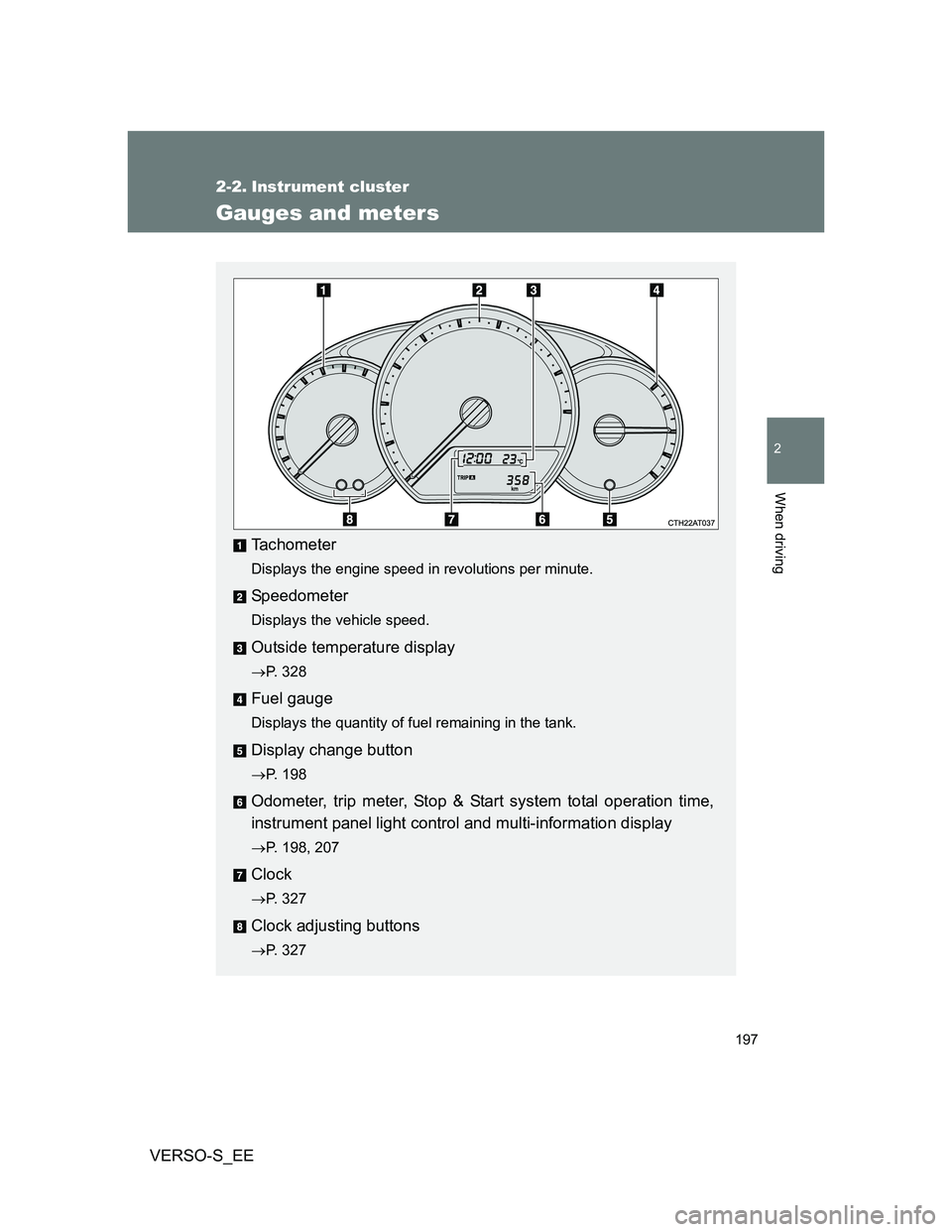
Gauges and meters
Tachometer
Displays the engine speed in revolutions per minute.
Speedometer
Displays the vehicle speed.
Outside temperature display
P. 328
Fuel gauge
Displays the quantity of fuel remaining in the tank.
Display change button
P. 198
Odometer, trip meter, Stop & Start system total operation time,
instrument panel light control and multi-information display
P. 198, 207
Clock
P. 327
Clock adjusting buttons
P. 327
Page 198 of 540
198 2-2. Instrument cluster
VERSO-S_EE
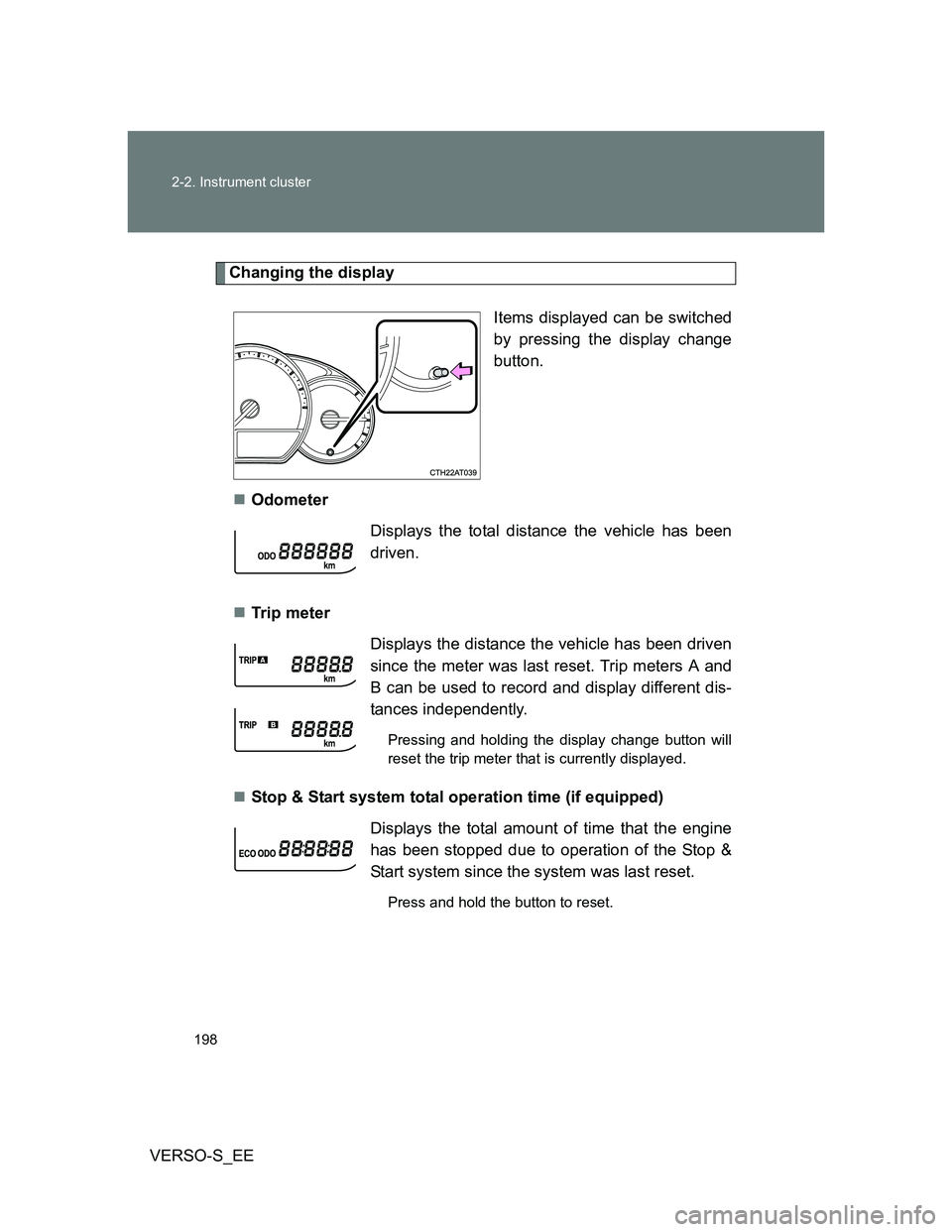
Changing the display
Items displayed can be switched
by pressing the display change
button.
Odometer
Tr ip m eter
Stop & Start system total operation time (if equipped)
Displays the total distance the vehicle has been
driven.
Displays the distance the vehicle has been driven
since the meter was last reset. Trip meters A and
B can be used to record and display different dis-
tances independently.
Pressing and holding the display change button will
reset the trip meter that is currently displayed.
Displays the total amount of time that the engine
has been stopped due to operation of the Stop &
Start system since the system was last reset.
Press and hold the button to reset.
Page 199 of 540
199 2-2. Instrument cluster
2
When driving
VERSO-S_EEInstantaneous fuel consumption
P. 208
Average fuel consumption
P. 208
Driving range
P. 209
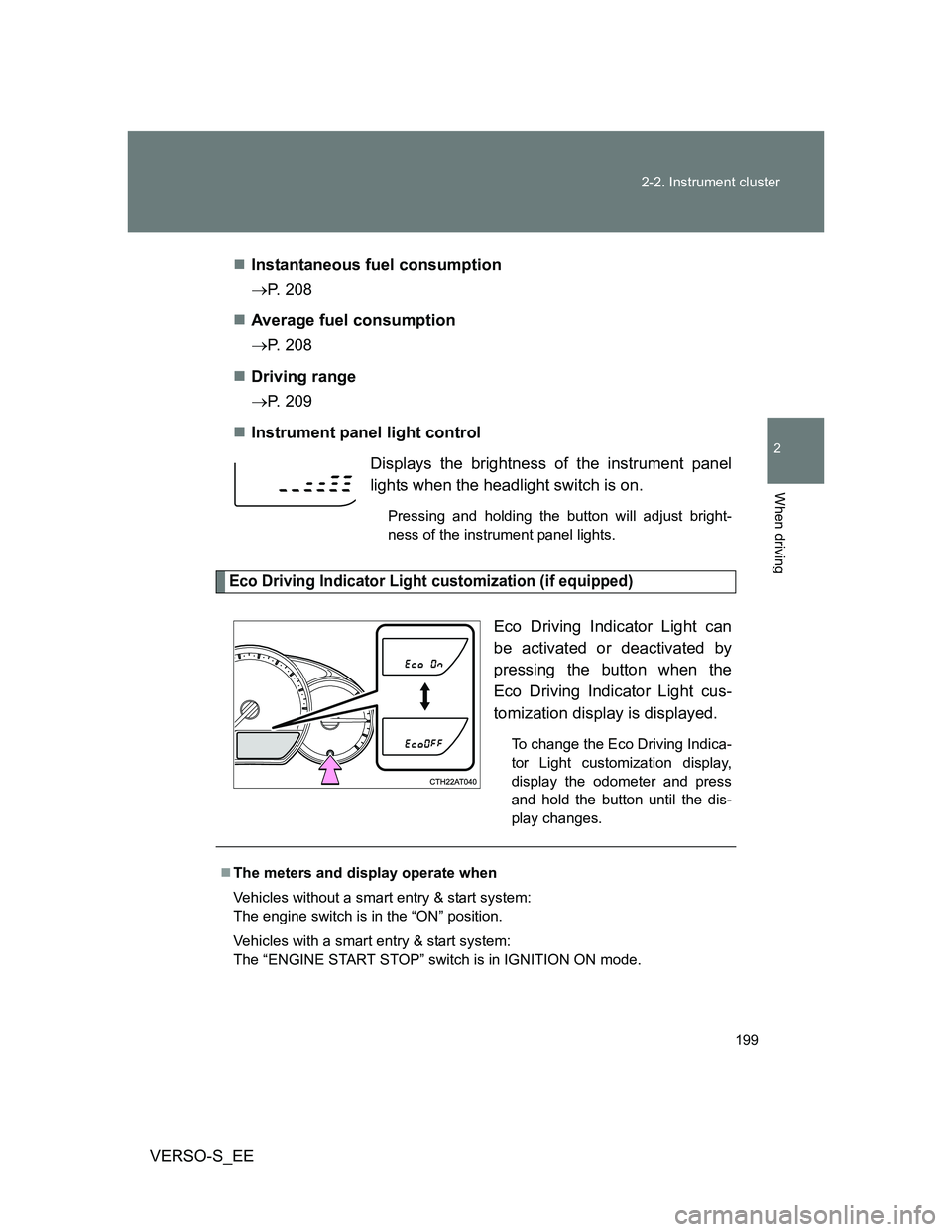
Instrument panel light control
Eco Driving Indicator Light customization (if equipped)
Eco Driving Indicator Light can
be activated or deactivated by
pressing the button when the
Eco Driving Indicator Light cus-
tomization display is displayed.
To change the Eco Driving Indica-
tor Light customization display,
display the odometer and press
and hold the button until the dis-
play changes.
Displays the brightness of the instrument panel
lights when the headlight switch is on.
Pressing and holding the button will adjust bright-
ness of the instrument panel lights.
The meters and display operate when
Vehicles without a smart entry & start system:
The engine switch is in the “ON” position.
Vehicles with a smart entry & start system:
The “ENGINE START STOP” switch is in IGNITION ON mode.
Page 200 of 540
200 2-2. Instrument cluster
VERSO-S_EE
NOTICE
To prevent damage to the engine and its components
Do not let the indicator needle of the tachometer enter the red zone, which
indicates the maximum engine speed.
The engine may be overheating if the high engine coolant temperature
warning light flashes or turns on. In this case, immediately stop the vehicle
in a safe place, and check the engine after it has cooled completely.
(
P. 489)
Page 201 of 540
201
2-2. Instrument cluster
2
When driving
VERSO-S_EE
Indicators and warning lights
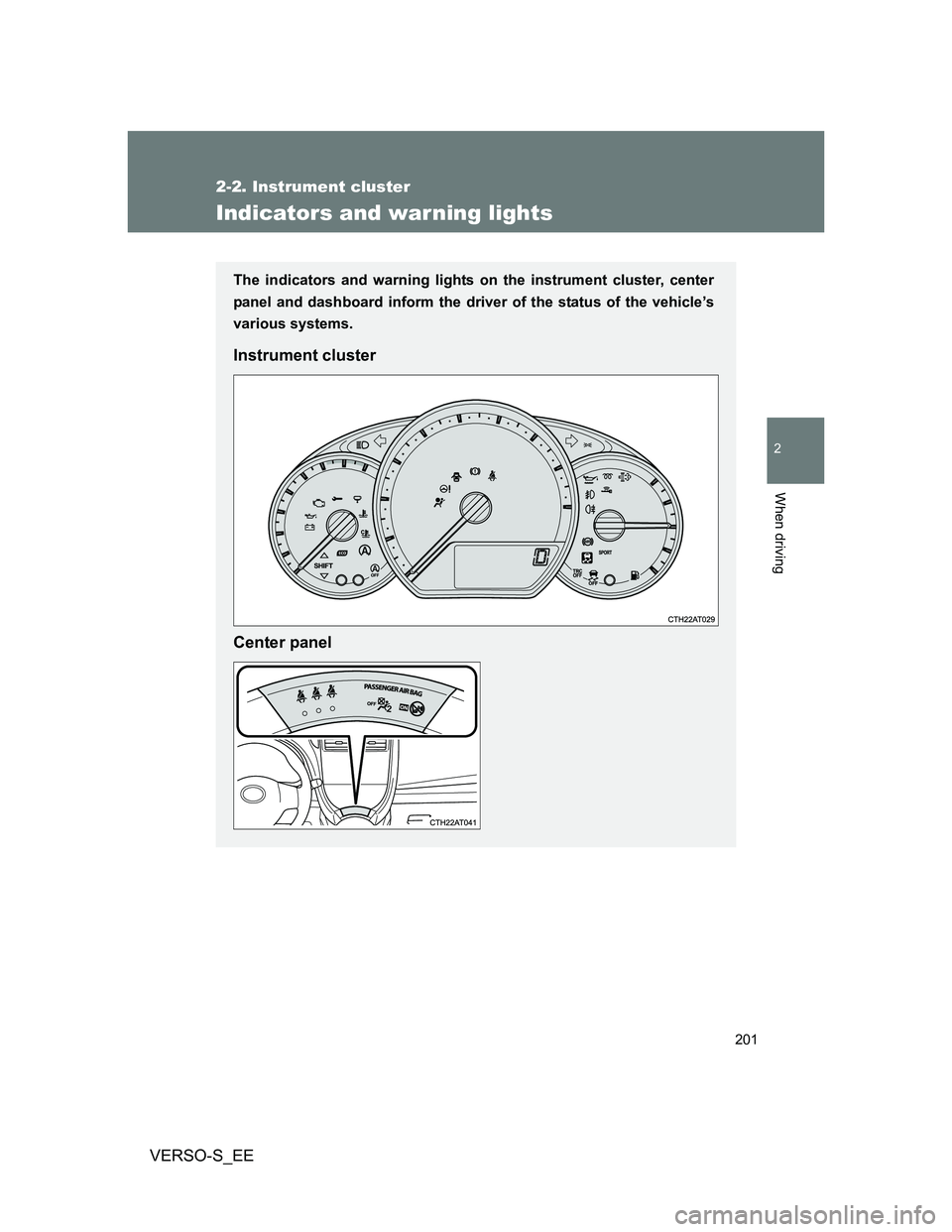
The indicators and warning lights on the instrument cluster, center
panel and dashboard inform the driver of the status of the vehicle’s
various systems.
Instrument cluster
Center panel
Page 202 of 540
202 2-2. Instrument cluster
VERSO-S_EE
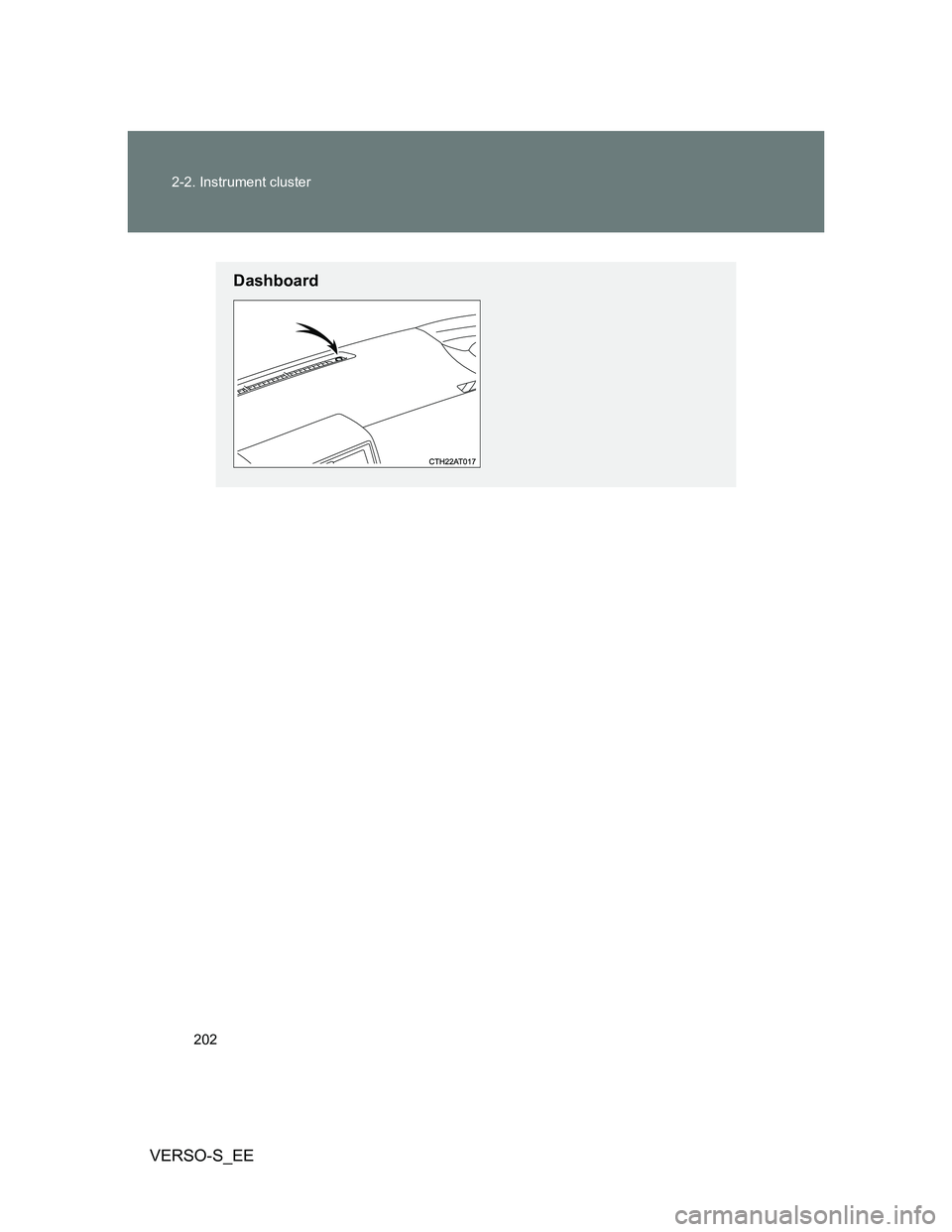
Dashboard
Page 203 of 540
203 2-2. Instrument cluster
2
When driving
VERSO-S_EE
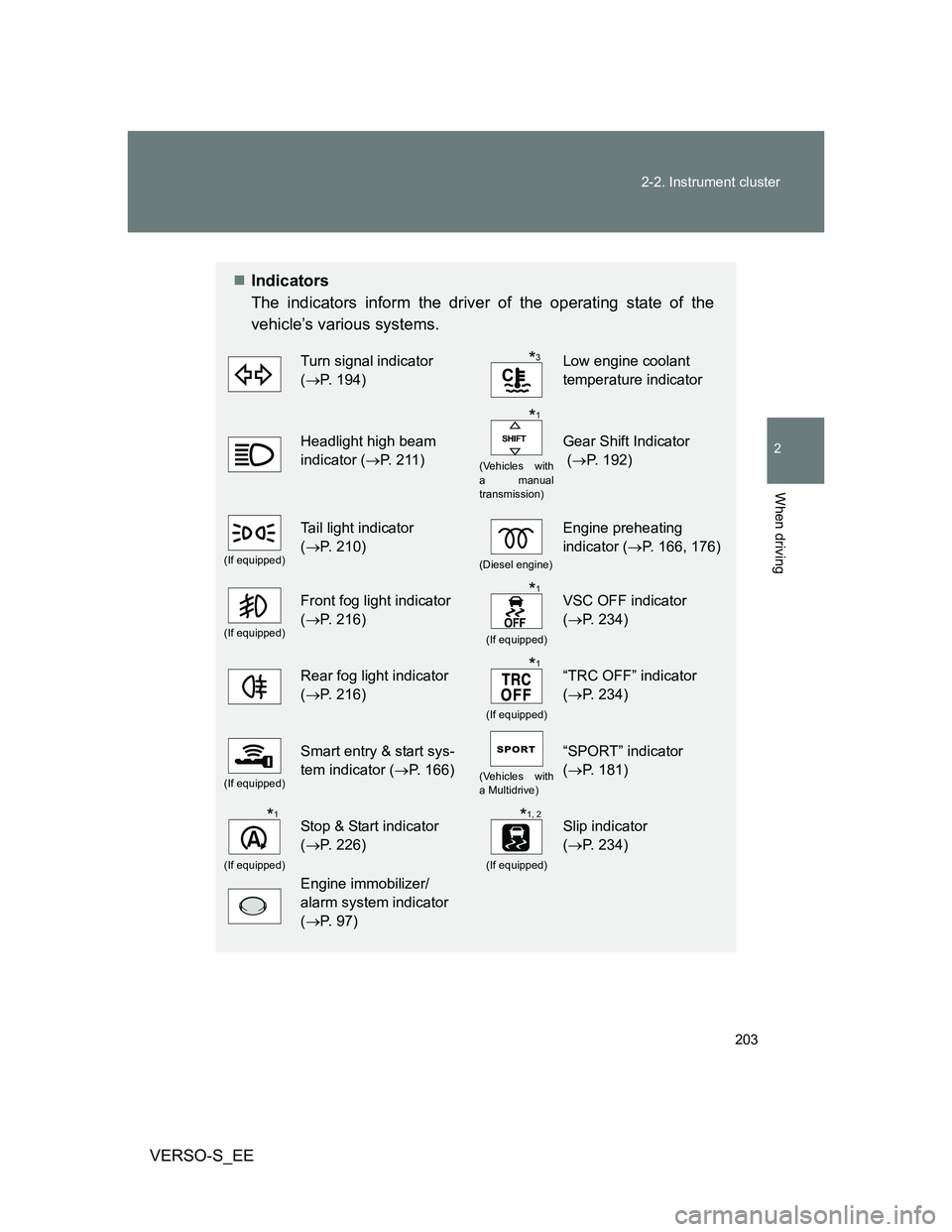
Indicators
The indicators inform the driver of the operating state of the
vehicle’s various systems.
Turn signal indicator
(P. 194)Low engine coolant
temperature indicator
Headlight high beam
indicator (P. 211)
(Vehicles with
a manual
transmission)
Gear Shift Indicator
(P. 192)
(If equipped)
Tail light indicator
(P. 210)
(Diesel engine)
Engine preheating
indicator (P. 166, 176)
(If equipped)
Front fog light indicator
(P. 216)
(If equipped)
VSC OFF indicator
(P. 234)
Rear fog light indicator
(P. 216)
(If equipped)
“TRC OFF” indicator
(P. 234)
(If equipped)
Smart entry & start sys-
tem indicator (P. 166)
(Vehicles with
a Multidrive)
“SPORT” indicator
(P. 181)
(If equipped)
Stop & Start indicator
(P. 226)
(If equipped)
Slip indicator
(P. 234)
Engine immobilizer/
alarm system indicator
(P. 97)
*3
*1
*1
*1
*1*1, 2
Page 204 of 540
204 2-2. Instrument cluster
VERSO-S_EE
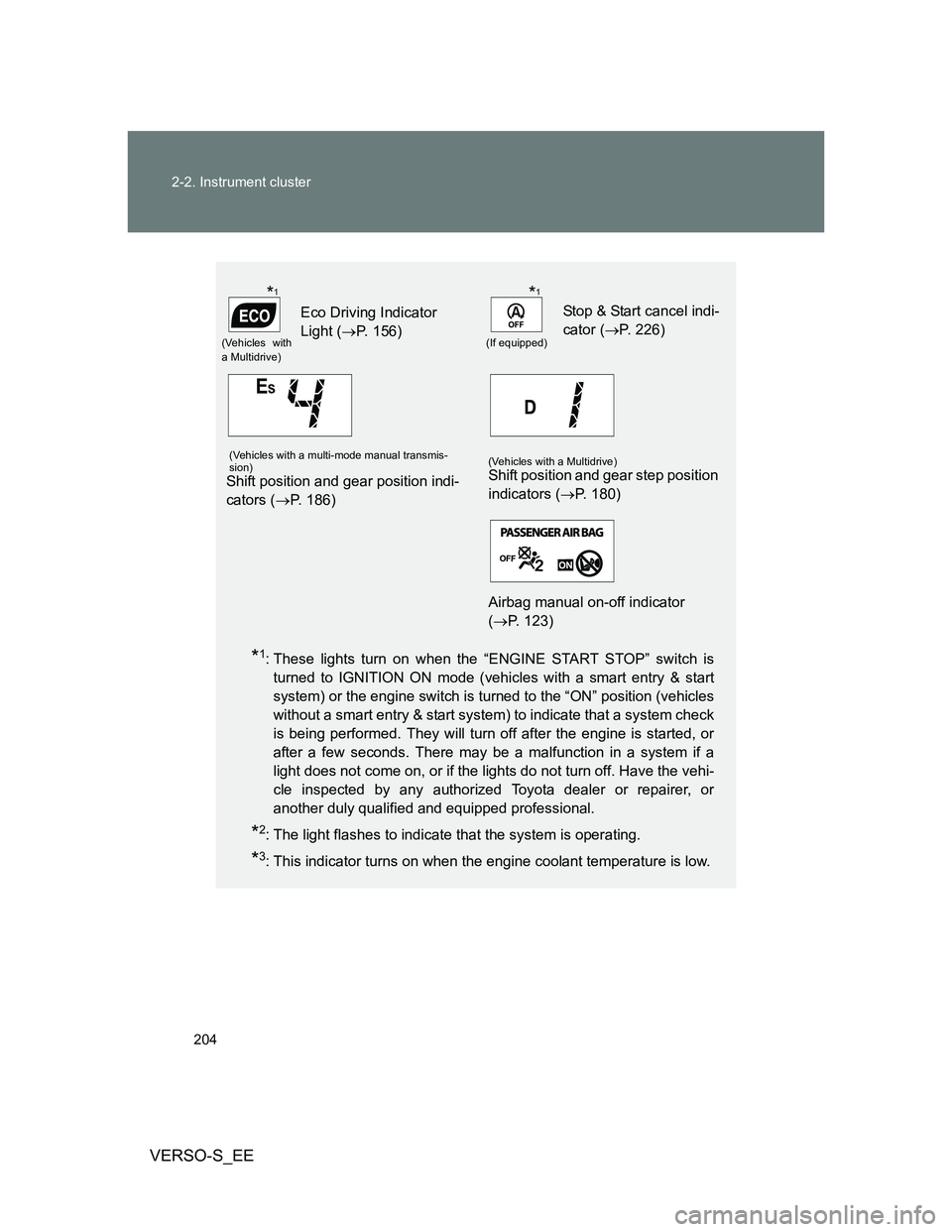
*1: These lights turn on when the “ENGINE START STOP” switch is
turned to IGNITION ON mode (vehicles with a smart entry & start
system) or the engine switch is turned to the “ON” position (vehicles
without a smart entry & start system) to indicate that a system check
is being performed. They will turn off after the engine is started, or
after a few seconds. There may be a malfunction in a system if a
light does not come on, or if the lights do not turn off. Have the vehi-
cle inspected by any authorized Toyota dealer or repairer, or
another duly qualified and equipped professional.
*2: The light flashes to indicate that the system is operating.
*3: This indicator turns on when the engine coolant temperature is low.
(Vehicles with
a Multidrive)
Eco Driving Indicator
Light (P. 156)
(If equipped)
Stop & Start cancel indi-
cator (P. 226)
(Vehicles with a multi-mode manual transmis-
sion)
Shift position and gear position indi-
cators (P. 186)
(Vehicles with a Multidrive)Shift position and gear step position
indicators (P. 180)
Airbag manual on-off indicator
(P. 123)
*1*1