brake TOYOTA VERSO S 2013 Owner's Manual
[x] Cancel search | Manufacturer: TOYOTA, Model Year: 2013, Model line: VERSO S, Model: TOYOTA VERSO S 2013Pages: 552, PDF Size: 15.57 MB
Page 163 of 552
163 2-1. Driving procedures
2
When driving
VERSO-S_EE
NOTICE
When encountering flooded roads
Do not drive on a road that has flooded after heavy rain etc. Doing so may
cause the following serious damage to the vehicle:
Engine stalling
Short in electrical components
Engine damage caused by water immersion
In the event that you drive on a flooded road and the vehicle is flooded, be
sure to have any authorized Toyota dealer or repairer, or another duly quali-
fied and equipped professional check the following:
Brake function
Changes in quantity and quality of engine oil, transaxle fluid, etc.
Lubricant condition for the bearings and suspension joints (where possi-
ble), and the function of all joints, bearings, etc.
Page 164 of 552
164
2-1. Driving procedures
VERSO-S_EE
Engine (ignition) switch (vehicles with a smar t entr y & star t system)
Performing the following operations when carrying the electronic
key on your person starts the engine or changes “ENGINE START
STOP” switch modes.
Starting the engine
Vehicles with a Multidrive
Check that the parking brake is set.
Check that the shift lever is set in P.
If the shift lever is not set in P, the engine may not be started.
(P. 178)
Firmly depress the brake pedal.
The smart entry & start system indicator light (green) will turn on.
If the indicator light does not turn on, the engine cannot be
started.
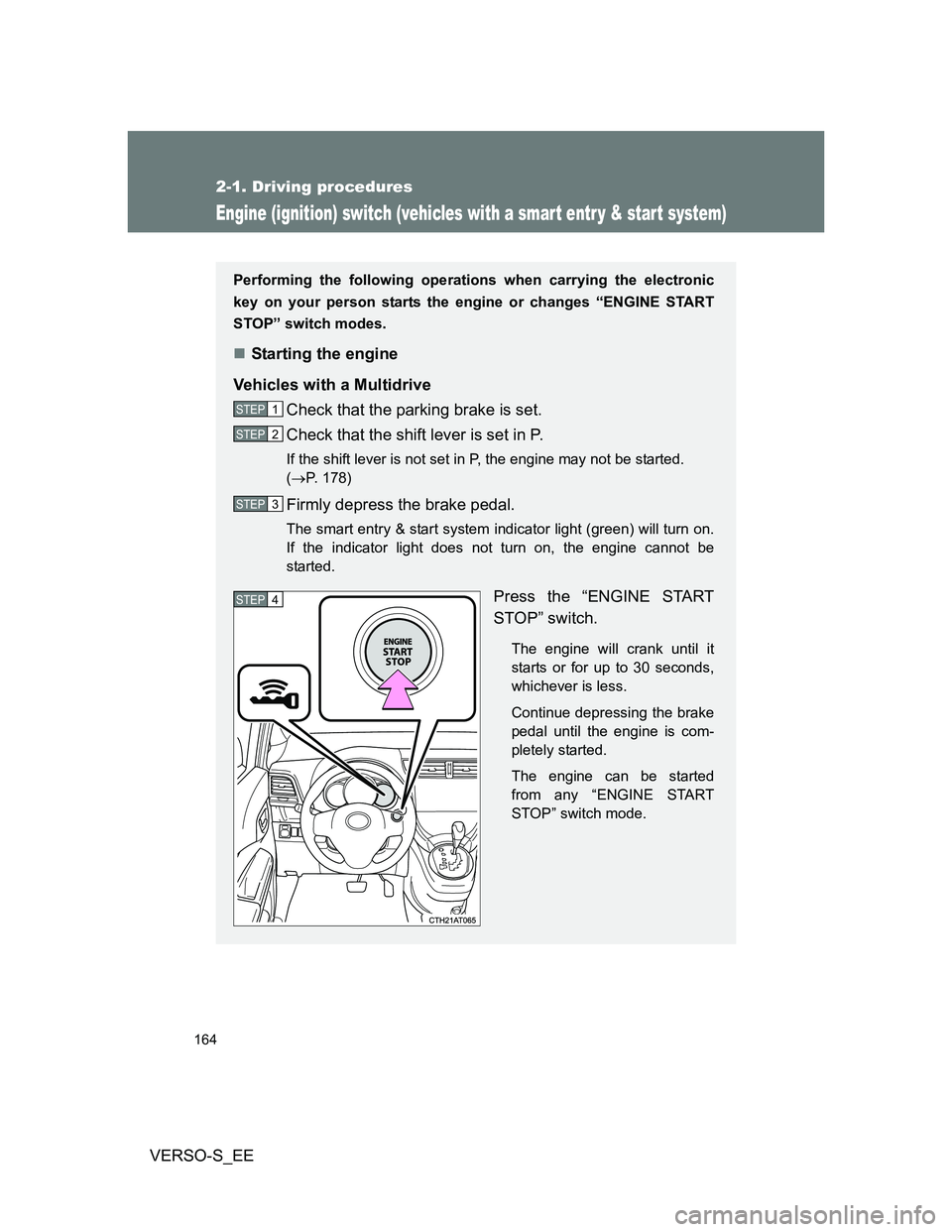
Press the “ENGINE START
STOP” switch.
The engine will crank until it
starts or for up to 30 seconds,
whichever is less.
Continue depressing the brake
pedal until the engine is com-
pletely started.
The engine can be started
from any “ENGINE START
STOP” switch mode.
STEP1
STEP2
STEP3
STEP4
Page 165 of 552
165 2-1. Driving procedures
2
When driving
VERSO-S_EE
Vehicles with a multi-mode manual transmission
Check that the parking brake is set.
Firmly depress the brake pedal, press the “ENGINE START
STOP” switch once and shift the shift lever to N. (P. 184)
The smart entry & start system indicator light (green) will turn on.
If the indicator light does not turn on, the engine cannot be
started.
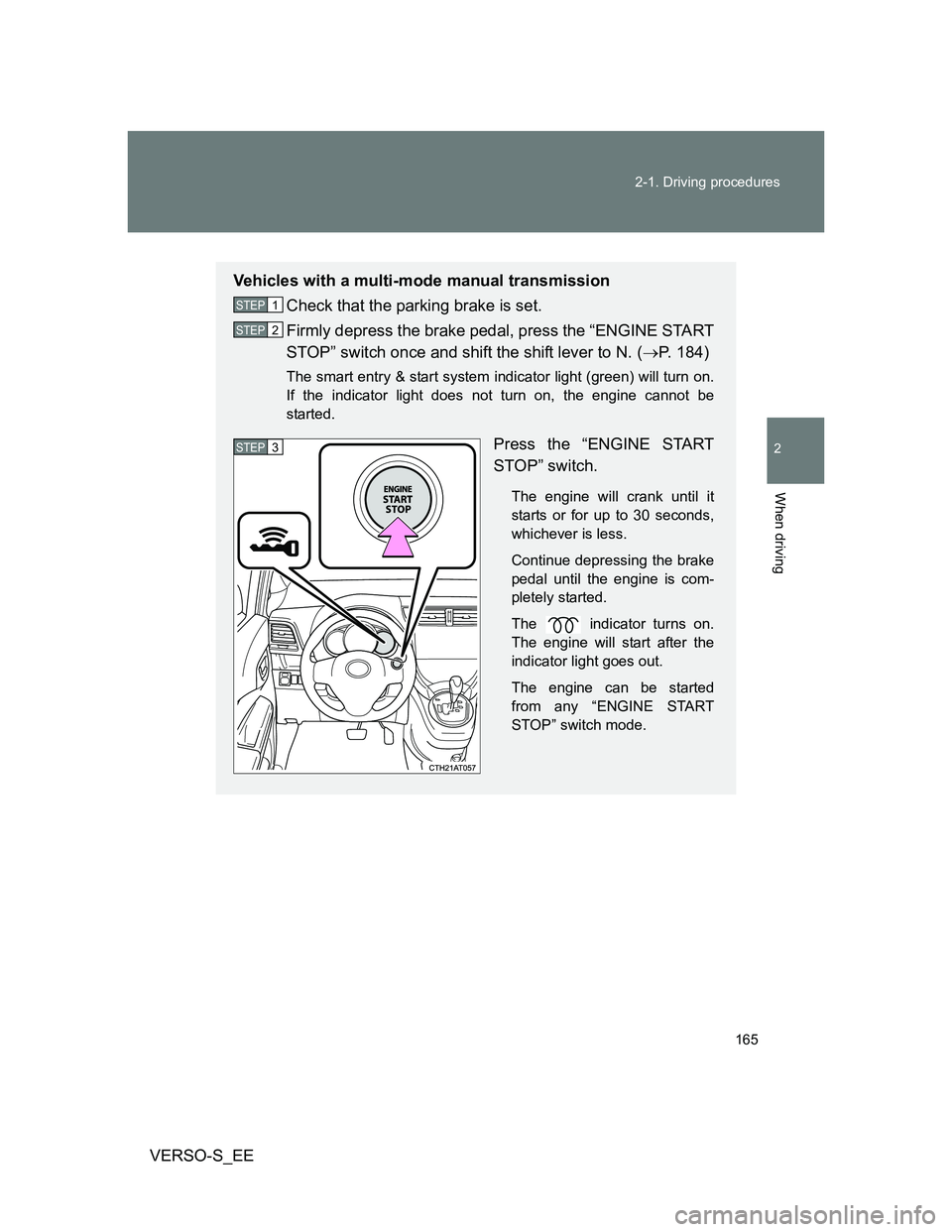
Press the “ENGINE START
STOP” switch.
The engine will crank until it
starts or for up to 30 seconds,
whichever is less.
Continue depressing the brake
pedal until the engine is com-
pletely started.
The indicator turns on.
The engine will start after the
indicator light goes out.
The engine can be started
from any “ENGINE START
STOP” switch mode.
STEP1
STEP2
STEP3
Page 166 of 552
166 2-1. Driving procedures
VERSO-S_EE
Vehicles with a manual transmission
Check that the parking brake is set.
Check that the shift lever is set in N.
Firmly depress the clutch pedal.
The smart entry & start system indicator light (green) will turn on.
If the indicator light does not turn on, the engine cannot be
started.
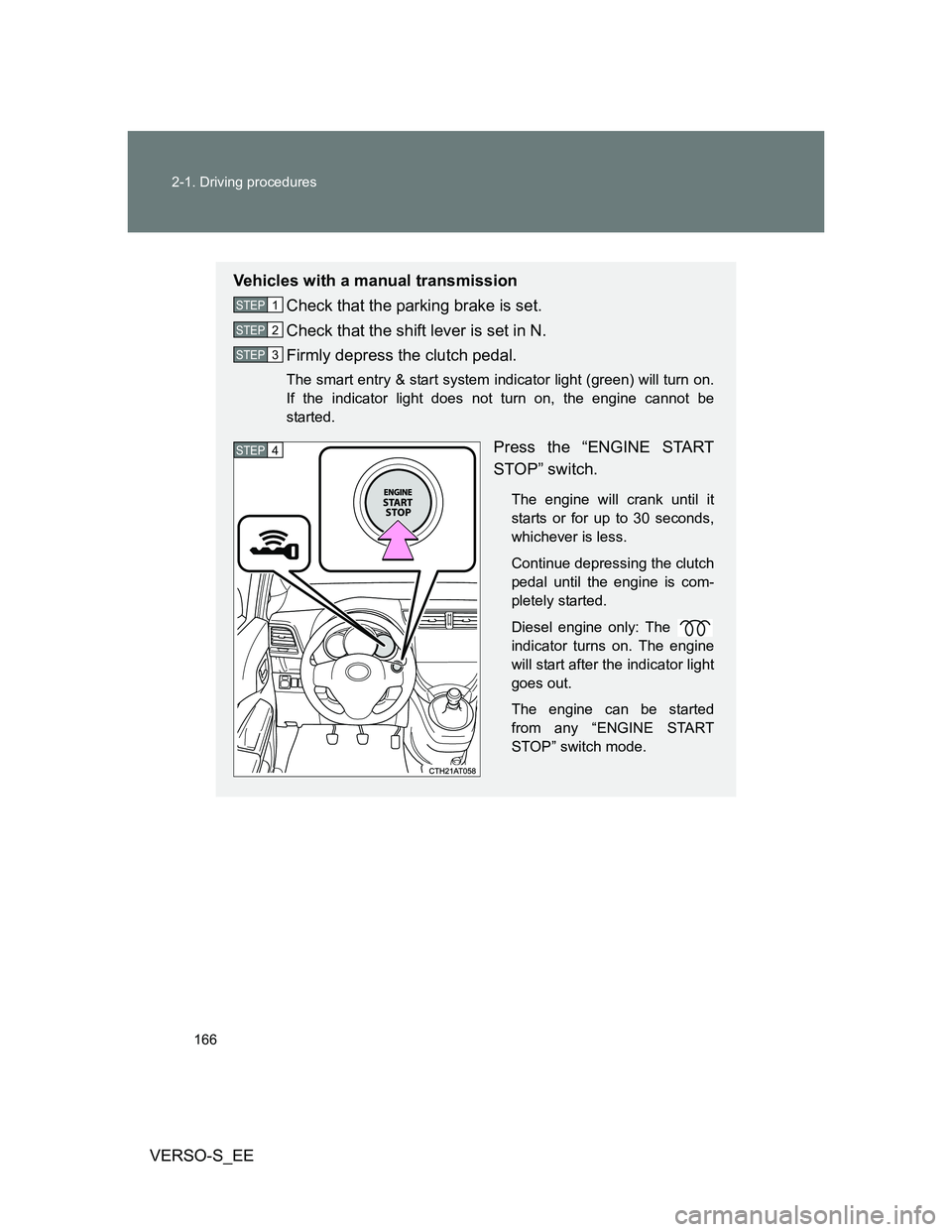
Press the “ENGINE START
STOP” switch.
The engine will crank until it
starts or for up to 30 seconds,
whichever is less.
Continue depressing the clutch
pedal until the engine is com-
pletely started.
Diesel engine only: The
indicator turns on. The engine
will start after the indicator light
goes out.
The engine can be started
from any “ENGINE START
STOP” switch mode.
STEP1
STEP2
STEP3
STEP4
Page 167 of 552
167 2-1. Driving procedures
2
When driving
VERSO-S_EE
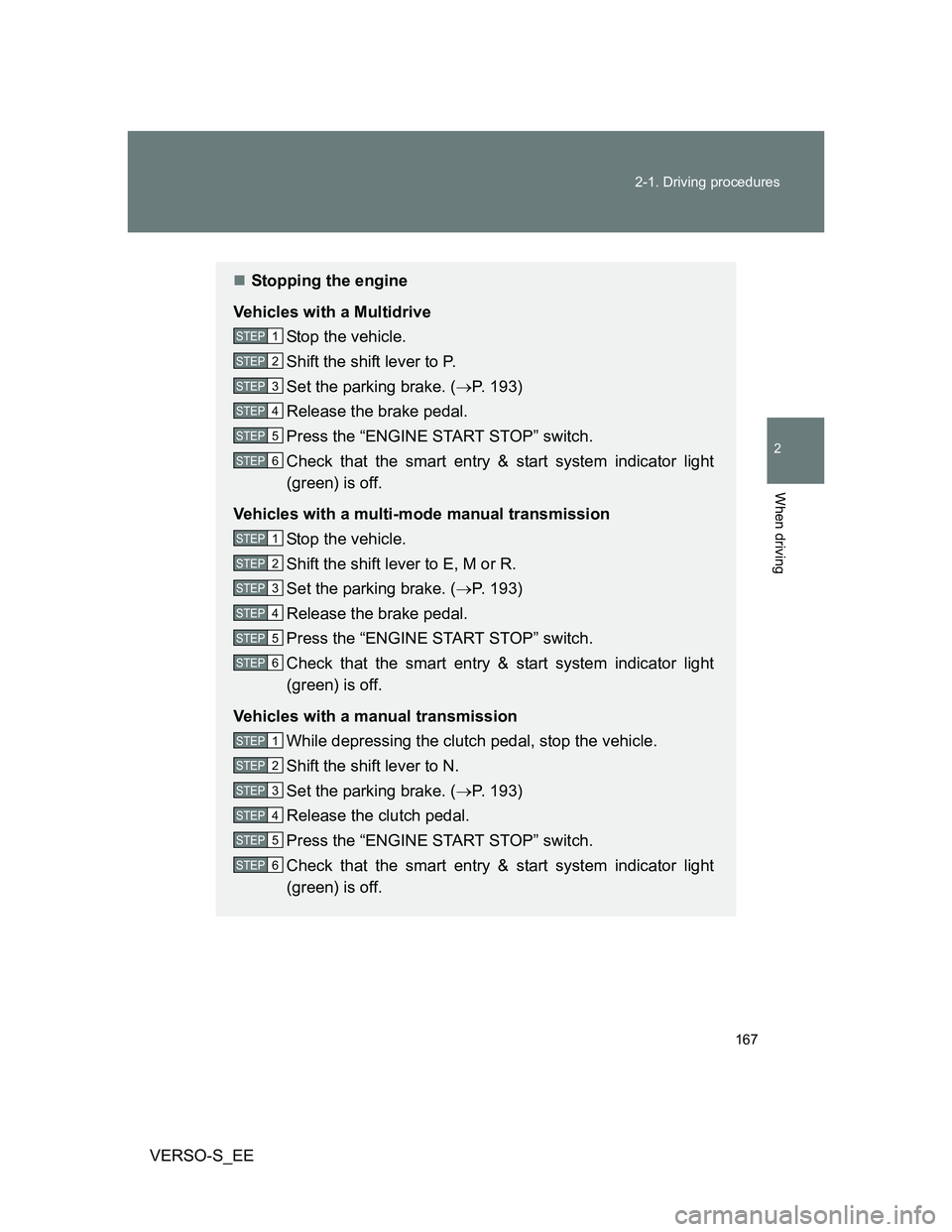
Stopping the engine
Vehicles with a Multidrive
Stop the vehicle.
Shift the shift lever to P.
Set the parking brake. (P. 193)
Release the brake pedal.
Press the “ENGINE START STOP” switch.
Check that the smart entry & start system indicator light
(green) is off.
Vehicles with a multi-mode manual transmission
Stop the vehicle.
Shift the shift lever to E, M or R.
Set the parking brake. (P. 193)
Release the brake pedal.
Press the “ENGINE START STOP” switch.
Check that the smart entry & start system indicator light
(green) is off.
Vehicles with a manual transmission
While depressing the clutch pedal, stop the vehicle.
Shift the shift lever to N.
Set the parking brake. (P. 193)
Release the clutch pedal.
Press the “ENGINE START STOP” switch.
Check that the smart entry & start system indicator light
(green) is off.
STEP1
STEP2
STEP3
STEP4
STEP5
STEP6
STEP1
STEP2
STEP3
STEP4
STEP5
STEP6
STEP1
STEP2
STEP3
STEP4
STEP5
STEP6
Page 168 of 552
168 2-1. Driving procedures
VERSO-S_EE
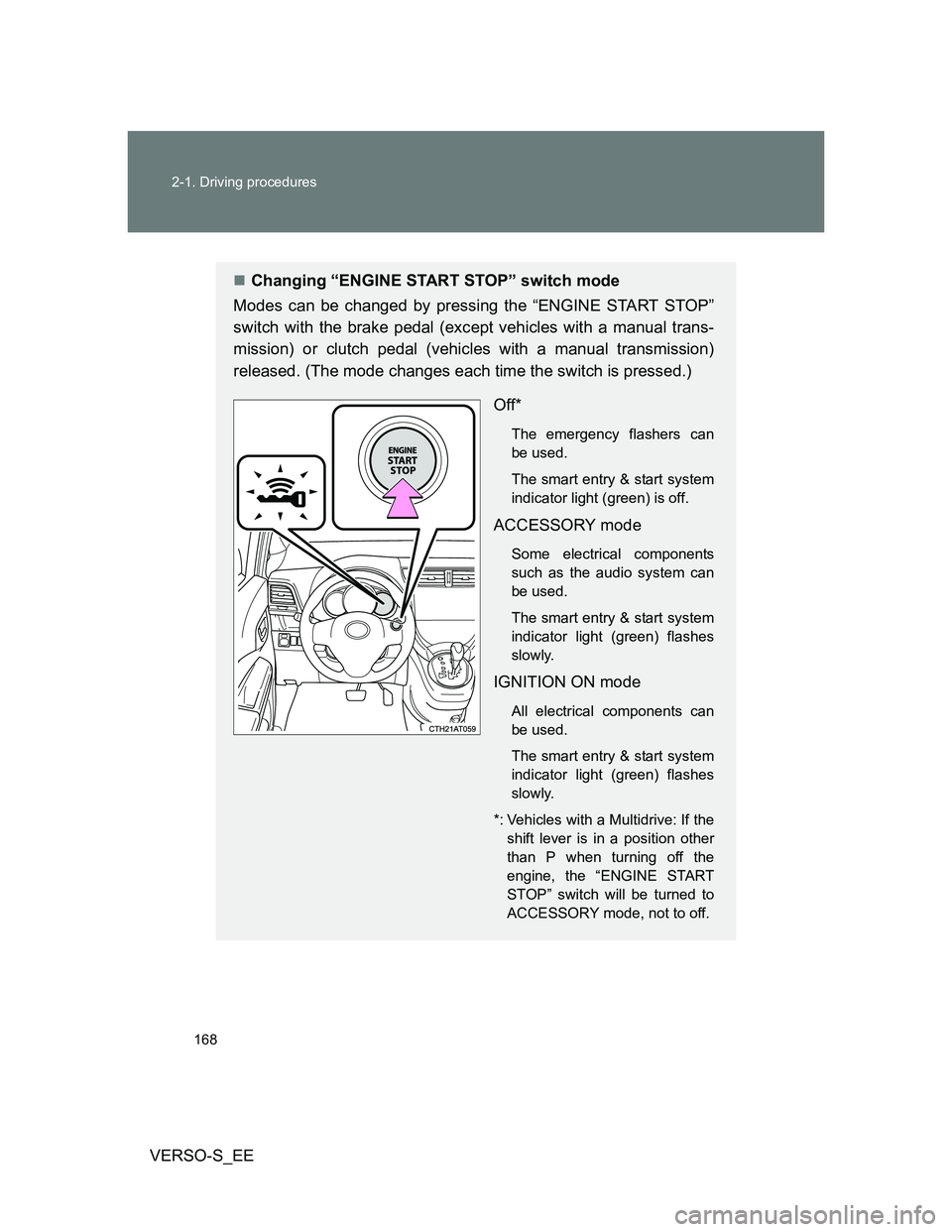
Changing “ENGINE START STOP” switch mode
Modes can be changed by pressing the “ENGINE START STOP”
switch with the brake pedal (except vehicles with a manual trans-
mission) or clutch pedal (vehicles with a manual transmission)
released. (The mode changes each time the switch is pressed.)
Off*
The emergency flashers can
be used.
The smart entry & start system
indicator light (green) is off.
ACCESSORY mode
Some electrical components
such as the audio system can
be used.
The smart entry & start system
indicator light (green) flashes
slowly.
IGNITION ON mode
All electrical components can
be used.
The smart entry & start system
indicator light (green) flashes
slowly.
*: Vehicles with a Multidrive: If the
shift lever is in a position other
than P when turning off the
engine, the “ENGINE START
STOP” switch will be turned to
ACCESSORY mode, not to off.
Page 169 of 552
169 2-1. Driving procedures
2
When driving
VERSO-S_EE
When stopping the engine with the shift lever in a position other
than P (vehicles with a Multidrive)
If the engine is stopped with the shift lever in a position other than P,
the “ENGINE START STOP” switch will not be turned off but instead
be turned to ACCESSORY mode. Perform the following procedure to
turn the switch off:
Check that the parking brake is set.
Shift the shift lever to P.
Check that the smart entry & start system indicator light
(green) flashes slowly and then press the “ENGINE START
STOP” switch once.
Check that the smart entry & start system indicator light
(green) is off.
Auto power off function
Vehicles with a Multidrive
If the vehicle is left in ACCESSORY or IGNITION ON mode (the engine is
not running) for more than an hour with the shift lever in P, the “ENGINE
START STOP” switch will automatically turn off. However, this function can-
not entirely prevent battery discharge. Do not leave the vehicle with the
“ENGINE START STOP” switch in ACCESSORY or IGNITION ON mode for
long periods of time when the engine is not running.
Vehicles with a multi-mode manual transmission and manual transmis-
sion
If the vehicle is left in ACCESSORY or IGNITION ON mode (the engine is
not running) for more than an hour, the “ENGINE START STOP” switch will
automatically turn off. However, this function cannot entirely prevent battery
discharge. Do not leave the vehicle with the “ENGINE START STOP” switch
in ACCESSORY or IGNITION ON mode for long periods of time when the
engine is not running.
STEP1
STEP2
STEP3
STEP4
Page 172 of 552
172 2-1. Driving procedures
VERSO-S_EE
CAUTION
When starting the engine
Always start the engine while sitting in the driver’s seat. Do not depress the
accelerator pedal while starting the engine under any circumstances.
Doing so may cause an accident resulting in death or serious injury.
Caution while driving
If engine failure occurs while the vehicle is moving, do not lock or open the
doors until the vehicle reaches a safe and complete stop. Activation of the
steering lock in this circumstance may lead to an accident, resulting in death
or serious injury.
Stopping the engine in an emergency
If you want to stop the engine in an emergency while driving the vehicle,
press and hold the “ENGINE START STOP” switch for more than 3 seconds,
or press it briefly 3 times or more in succession.
However, do not touch the “ENGINE START STOP” switch while driving
except in an emergency. Turning the engine off while driving will not cause
loss of steering or braking control, but the power assist to these systems will
be lost. This will make it more difficult to steer and brake, so you should pull
over and stop the vehicle as soon as it is safe to do so.
Page 174 of 552
174
2-1. Driving procedures
VERSO-S_EE
Engine (ignition) switch (vehicles without a smar t entr y & star t system)
Starting the engine
Vehicles with a Multidrive
Check that the parking brake is set.
Check that the shift lever is set in P.
Firmly depress the brake pedal.
Turn the engine switch to the “START” position to start the
engine.
Vehicles with a multi-mode manual transmission
Check that the parking brake is set.
Firmly depress the brake pedal, turn the engine switch to
“ON” position and shift the shift lever to N. (P. 184)
The indicator turns on.
After the indicator light goes out, turn the engine
switch to the “START” position to start the engine.
Vehicles with a manual transmission (gasoline engine)
Check that the parking brake is set.
Check that the shift lever is set in N.
Firmly depress the clutch pedal.
Turn the engine switch to the “START” position to start the
engine.
STEP1
STEP2
STEP3
STEP4
STEP1
STEP2
STEP3
STEP1
STEP2
STEP3
STEP4
Page 175 of 552
175 2-1. Driving procedures
2
When driving
VERSO-S_EE
Vehicles with a manual transmission (diesel engine)
Check that the parking brake is set.
Check that the shift lever is set in N.
Firmly depress the clutch pedal.
Turn the engine switch to the “ON” position.
The indicator turns on.
After the indicator light goes out, turn the engine
switch to the “START” position to start the engine.
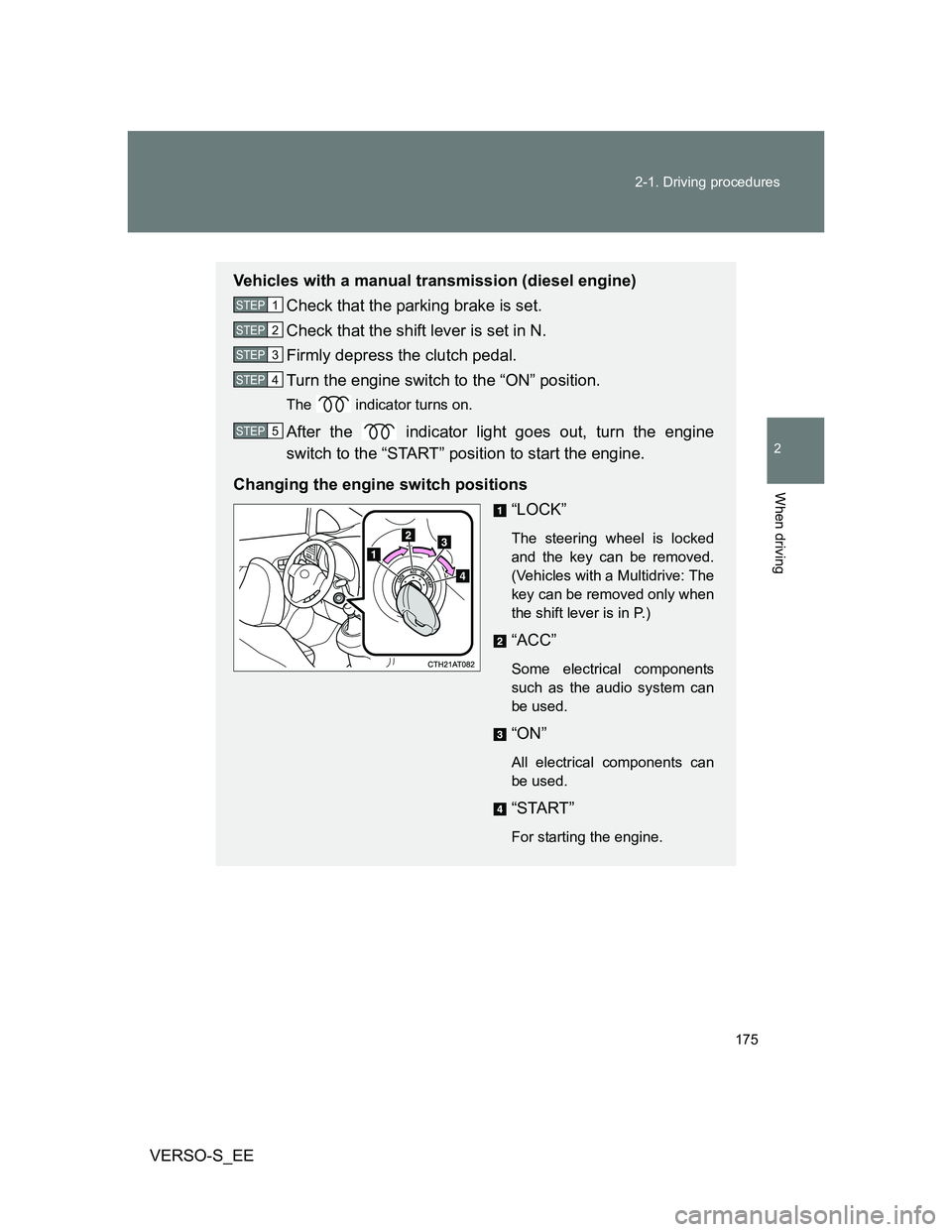
Changing the engine switch positions
“LOCK”
The steering wheel is locked
and the key can be removed.
(Vehicles with a Multidrive: The
key can be removed only when
the shift lever is in P.)
“ACC”
Some electrical components
such as the audio system can
be used.
“ON”
All electrical components can
be used.
“START”
For starting the engine.
STEP1
STEP2
STEP3
STEP4
STEP5