ESP TOYOTA VERSO S 2014 User Guide
[x] Cancel search | Manufacturer: TOYOTA, Model Year: 2014, Model line: VERSO S, Model: TOYOTA VERSO S 2014Pages: 560, PDF Size: 16.94 MB
Page 221 of 560
221 2-2. Instrument cluster
2
When driving
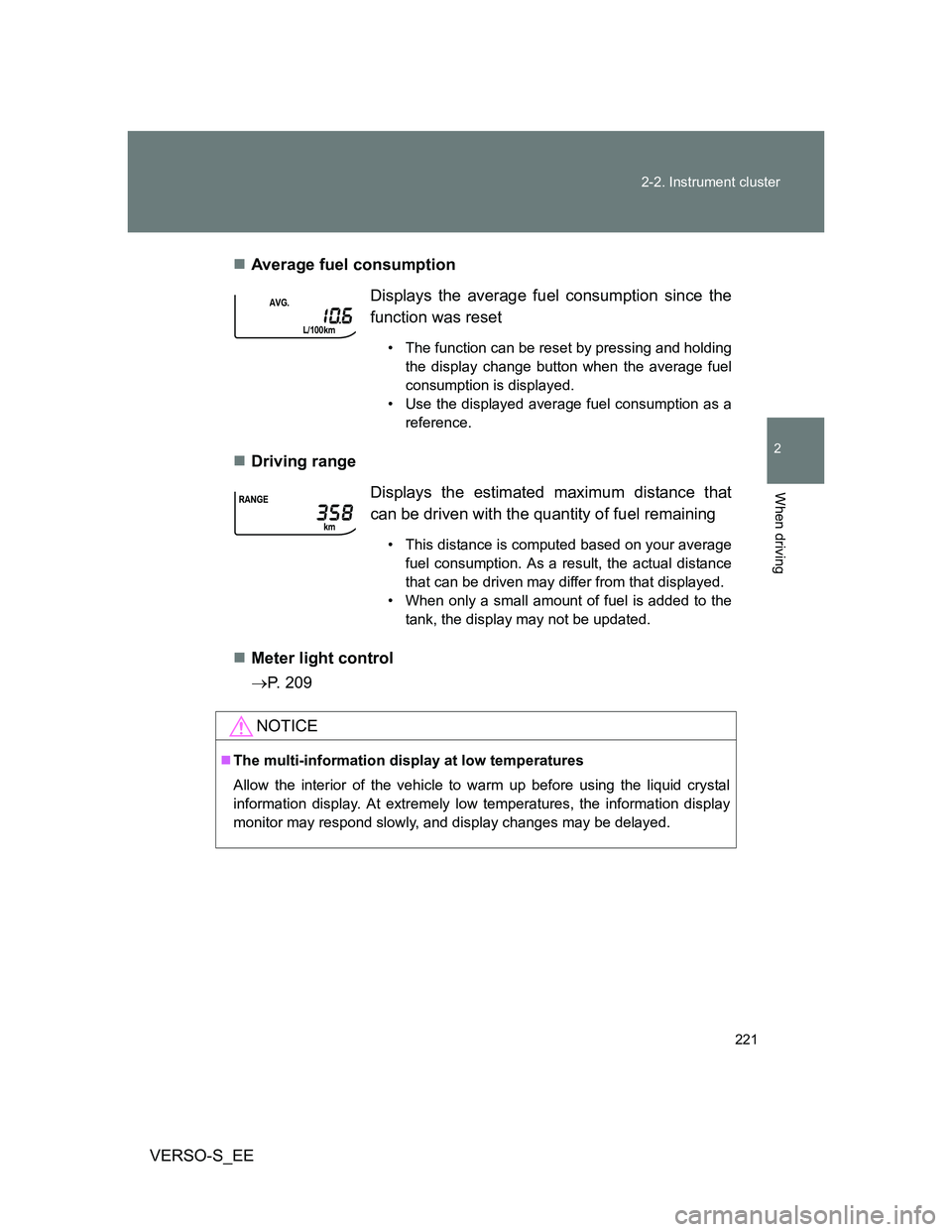
VERSO-S_EEAverage fuel consumption
Driving range
Meter light control
P. 209Displays the average fuel consumption since the
function was reset
• The function can be reset by pressing and holding
the display change button when the average fuel
consumption is displayed.
• Use the displayed average fuel consumption as a
reference.
Displays the estimated maximum distance that
can be driven with the quantity of fuel remaining
• This distance is computed based on your average
fuel consumption. As a result, the actual distance
that can be driven may differ from that displayed.
• When only a small amount of fuel is added to the
tank, the display may not be updated.
NOTICE
The multi-information display at low temperatures
Allow the interior of the vehicle to warm up before using the liquid crystal
information display. At extremely low temperatures, the information display
monitor may respond slowly, and display changes may be delayed.
Page 249 of 560
249
2-4. Using other driving systems
2
When driving
VERSO-S_EE
Driving assist systems
To help enhance driving safety and performance, the following sys-
tems operate automatically in response to various driving situations.
Be aware, however, that these systems are supplementary and
should not be relied upon too heavily when operating the vehicle.
ABS (Anti-lock Brake System)
Helps to prevent wheel lock when the brakes are applied suddenly, or if
the brakes are applied while driving on a slippery road surface
Brake assist
Generates an increased level of braking force after the brake pedal is
depressed when the system detects a panic stop situation
VSC (Vehicle Stability Control)
Helps the driver to control skidding when swerving suddenly or turning
on slippery road surfaces
VSC+ (Vehicle Stability Control +)
Provides cooperative control of the ABS, TRC, VSC and EPS.
Helps to maintain directional stability when swerving on slippery road
surfaces by controlling steering performance.
TRC (Traction Control)
Helps to maintain drive power and prevent the drive wheels from spin-
ning when starting the vehicle or accelerating on slippery roads
Hill-start assist control (with Stop & Start system and Multi-
drive)
Helps to prevent the vehicle from rolling backwards when the brake
pedal is released to restart the engine
EPS (Electric Power Steering)
Employs an electric motor to reduce the amount of effort needed to turn
the steering wheel
Page 253 of 560
253 2-4. Using other driving systems
2
When driving
VERSO-S_EE
CAUTION
The ABS does not operate effectively when
The limits of tire gripping performance have been exceeded (such as
excessively worn tires on a snow covered road).
The vehicle hydroplanes while driving at high speed on wet or slick roads.
Stopping distance when the ABS is operating may exceed that of nor-
mal conditions
The ABS is not designed to shorten the vehicle’s stopping distance. Always
maintain a safe distance from the vehicle in front of you, especially in the fol-
lowing situations:
When driving on dirt, gravel or snow-covered roads
When driving with tire chains
When driving over bumps in the road
When driving over roads with potholes or uneven surfaces
TRC may not operate effectively when
Directional control and power may not be achievable while driving on slip-
pery road surfaces, even if the TRC system is operating.
Drive the vehicle carefully in conditions where stability and power may be
lost.
When the VSC is activated
The slip indicator light flashes. Always drive carefully. Reckless driving may
cause an accident. Exercise particular care when the indicator light flashes.
When the TRC/VSC systems are turned off
Be especially careful and drive at a speed appropriate to the road condi-
tions. As these are the systems to ensure vehicle stability and driving force,
do not turn the TRC/VSC systems off unless necessary.
Page 270 of 560
270 2-5. Driving information
VERSO-S_EEIncreasing vehicle-to-vehicle distance
At a speed of 10 km/h (6 mph), the distance to the vehicle running
ahead of you should be equivalent to or greater than the combined
length of your vehicle and trailer. Avoid sudden braking that may
cause skidding. Otherwise, the vehicle may spin out of control.
This is especially true when driving on wet or slippery road sur-
faces.
Sudden acceleration/steering input/cornering
Executing sharp turns when towing may result in the trailer collid-
ing with your vehicle. Decelerate well in advance when approach-
ing turns and take them slowly and carefully to avoid sudden
braking.
Important points regarding turning
The wheels of the trailer will travel closer to the inside of the curve
than the wheels of the vehicle. To make allowance for this, take the
turns wider than you would normally do.
Important points regarding stability
Vehicle movement resulting from uneven road surfaces and strong
crosswinds will affect handling. The vehicle may also be rocked by
passing buses or large trucks. Frequently check behind when mov-
ing alongside such vehicles. As soon as such vehicle movement
occurs, immediately start to decelerate smoothly by slowly apply-
ing the brakes. Always steer the vehicle straight ahead while brak-
ing.
Passing other vehicles
Consider the total combined length of your vehicle and trailer and
ensure that the vehicle-to-vehicle distance is sufficient before exe-
cuting lane changes.
Page 290 of 560
290
VERSO-S_EE
3-2. Using the audio system
Audio system types
: If equipped
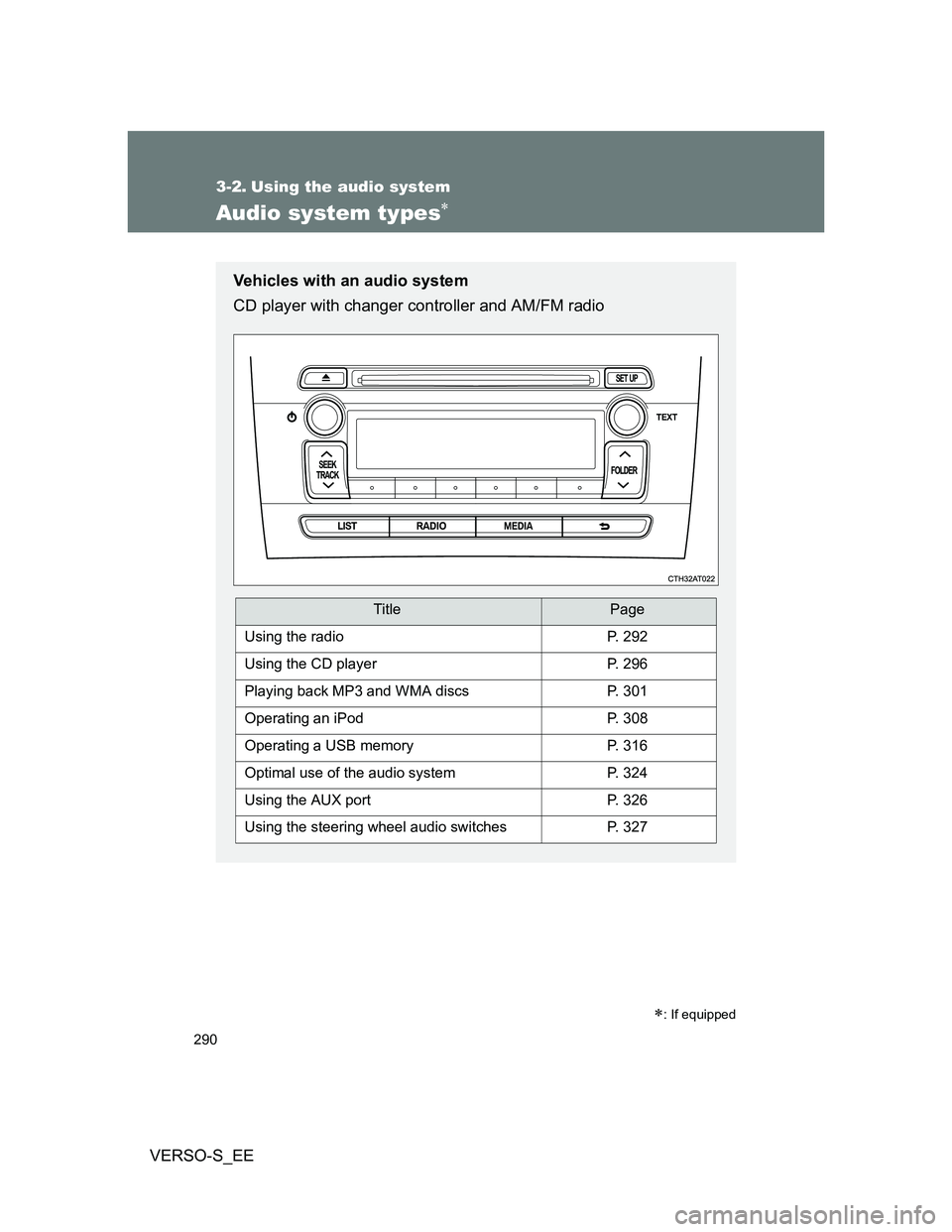
Vehicles with an audio system
CD player with changer controller and AM/FM radio
TitlePage
Using the radioP. 292
Using the CD playerP. 296
Playing back MP3 and WMA discsP. 301
Operating an iPodP. 308
Operating a USB memoryP. 316
Optimal use of the audio systemP. 324
Using the AUX portP. 326
Using the steering wheel audio switchesP. 327
Page 293 of 560
293 3-2. Using the audio system
3
Interior features
VERSO-S_EE
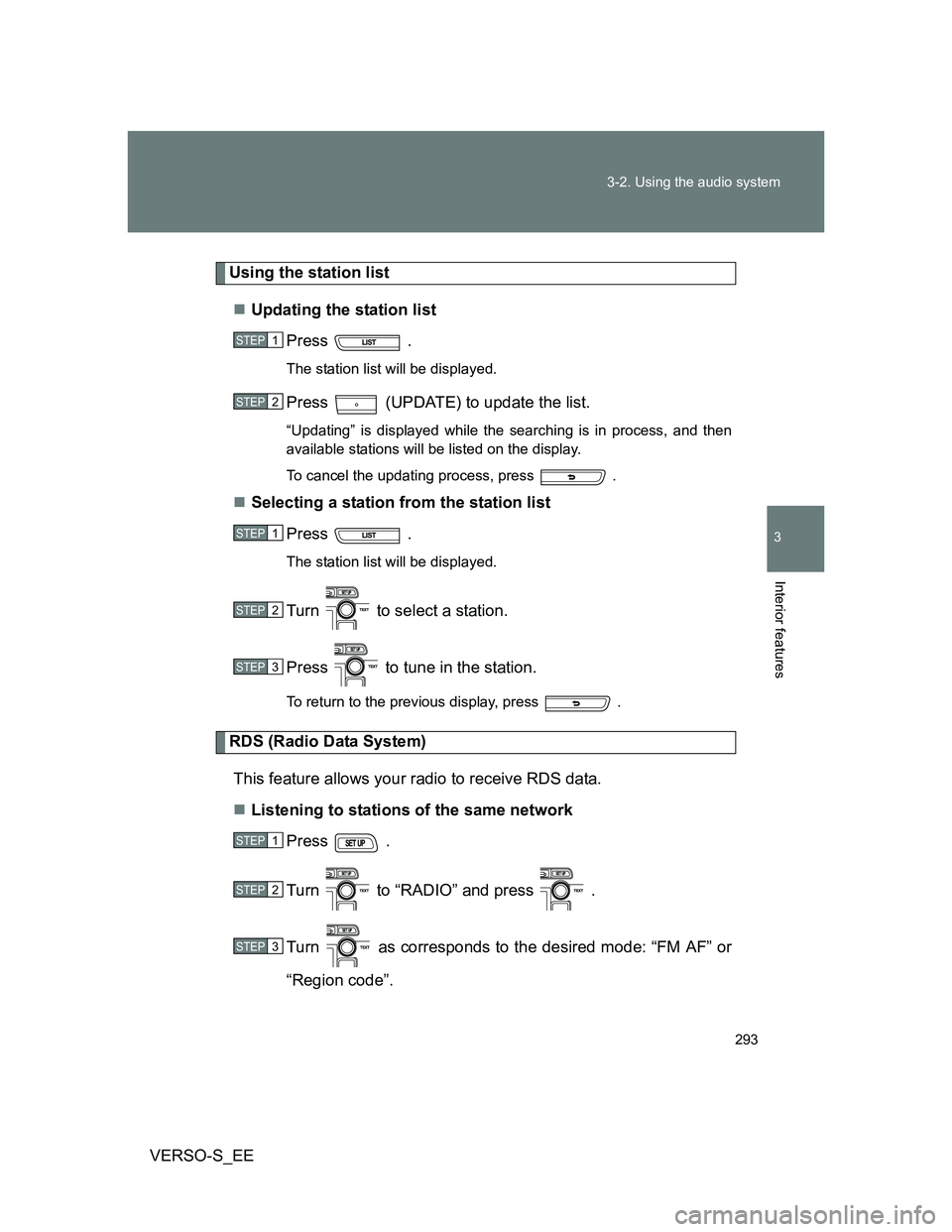
Using the station list
Updating the station list
Press .
The station list will be displayed.
Press (UPDATE) to update the list.
“Updating” is displayed while the searching is in process, and then
available stations will be listed on the display.
To cancel the updating process, press .
Selecting a station from the station list
Press .
The station list will be displayed.
Turn to select a station.
Press to tune in the station.
To return to the previous display, press .
RDS (Radio Data System)
This feature allows your radio to receive RDS data.
Listening to stations of the same network
Press .
Turn to “RADIO” and press .
Turn as corresponds to the desired mode: “FM AF” or
“Region code”.
STEP1
STEP2
STEP1
STEP2
STEP3
STEP1
STEP2
STEP3
Page 313 of 560
313 3-2. Using the audio system
3
Interior features
VERSO-S_EE
About iPod
Apple is not responsible for the operation of this device or its compliance
with safety and regulatory standards.
iPod is a trademark of Apple Inc., registered in the U.S. and other coun-
tries.
iPod functions
When an iPod is connected and the audio source is changed to iPod
mode, the iPod will resume play from the same point in which it was last
used.
Depending on the iPod that is connected to the system, certain functions
may not be available. If a function is unavailable due to a malfunction (as
opposed to a system specification), disconnecting the device and recon-
necting it once again may resolve the problem.
While connected to the system, the iPod cannot be operated with its own
controls. It is necessary to use the controls of the vehicle’s audio system
instead.
iPod problems
To resolve most problems encountered when using your iPod, disconnect
your iPod from the vehicle iPod connection and reset it.
For instructions on how to reset your iPod, refer to your iPod Owner’s Man-
ual.
Display
P. 298
Error messages
“ERROR”: This indicates a problem in the iPod or its connection.
“NO SONGS”: This indicates that there is no music data in the iPod.
“NO PLAYLISTS”: This indicates that some available songs are not found in
a selected playlist.
“UPDATE YOUR IPOD”: This indicates that the version of the iPod is not
compatible. Upgrade your iPod software to the lat-
est version.
Page 320 of 560
320 3-2. Using the audio system
VERSO-S_EE
USB memory
Compatible devices
USB memory that can be used for MP3 and WMA playback
Compatible device formats
The following device formats can be used:
• USB communication formats: USB2.0 FS (12 mbps)
• File formats: FAT16/32 (Windows)
• Correspondence class: Mass storage class
MP3 and WMA files written in any format other than those listed above
may not play correctly, and their file names and folder names may not be
displayed correctly.
Items related to standards and limitations are as follows:
• Maximum directory hierarchy: 8 levels
• Maximum number of folders in a device: 999 (including the root)
• Maximum number of files in a device: 9999
• Maximum number of files per folder: 255
MP3 and WMA files
MP3 (MPEG Audio LAYER 3) is a standard audio compression format.
Files can be compressed to approximately 1/10 of their original size using
MP3 compression.
WMA (Windows Media Audio) is a Microsoft audio compression format.
This format compresses audio data to a size smaller than that of the MP3
format.
There is a limit to the MP3 and WMA file standards that can be used and
to the media/formats on which the files are recorded.
Page 324 of 560
324
3-2. Using the audio system
VERSO-S_EE
Optimal use of the audio system
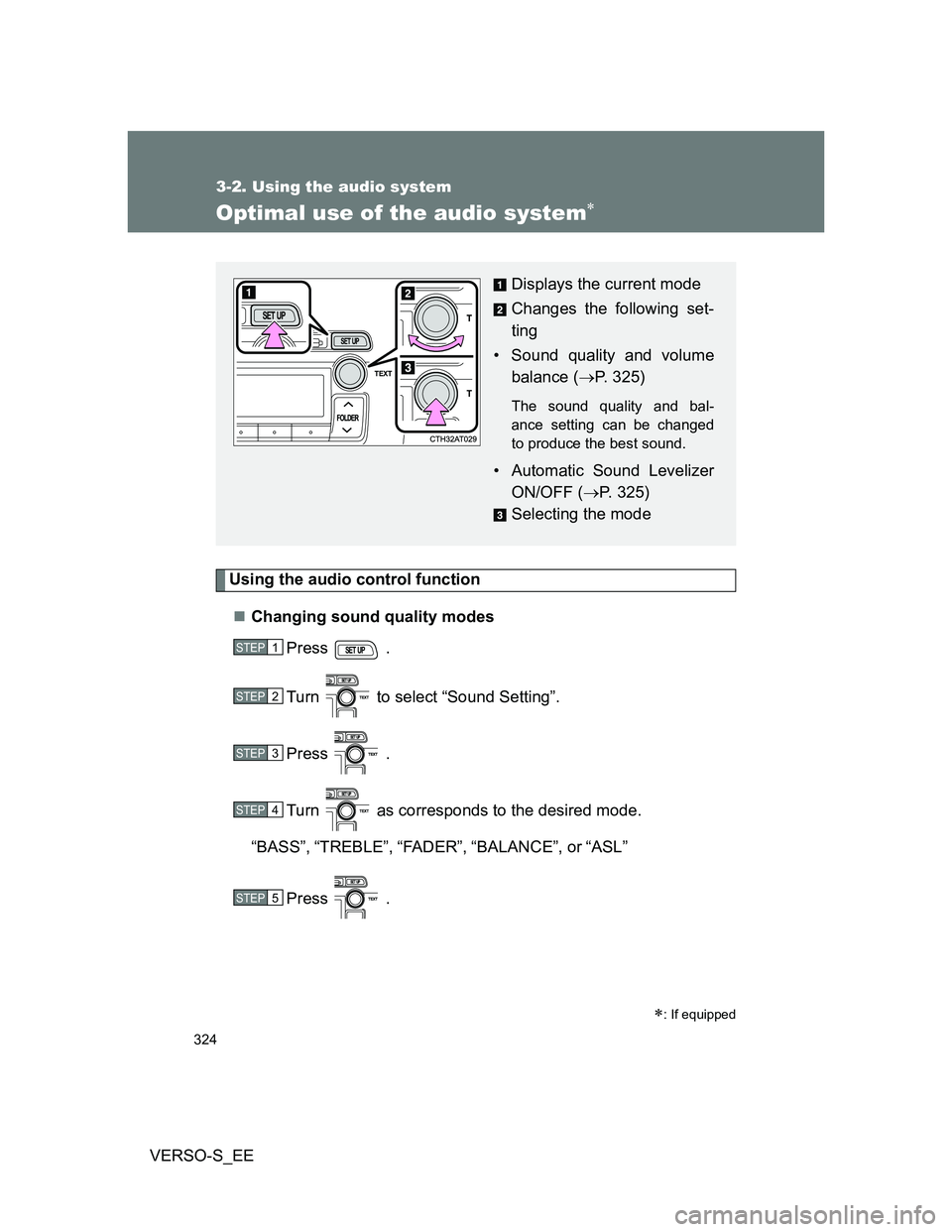
Using the audio control function
Changing sound quality modes
Press .
Turn to select “Sound Setting”.
Press .
Turn as corresponds to the desired mode.
“BASS”,“TREBLE”,“FADER”,“BALANCE”, or“ASL”
Press .
: If equipped
Displays the current mode
Changes the following set-
ting
• Sound quality and volume
balance (P. 325)
The sound quality and bal-
ance setting can be changed
to produce the best sound.
• Automatic Sound Levelizer
ON/OFF (P. 325)
Selecting the mode
STEP1
STEP2
STEP3
STEP4
STEP5
Page 349 of 560
349 3-5. Other interior features
3
Interior features
VERSO-S_EE
If the panoramic roof shade does not open/close automatically
Press the “OPEN” side of the switch to open the panoramic roof
shade.
Press and hold the “OPEN” side of the switch until the panoramic
roof shade opens fully and then closes slightly.
After this procedure is completed, check that the automatic opening/closing
function is available.
If the automatic opening/closing function does not work properly, have the
vehicle inspected by any authorized Toyota dealer or repairer, or another
duly qualified and equipped professional.
CAUTION
Closing the panoramic roof shade
Observe the following precautions.
Failing to do so may result in death or serious injury.
Check to make sure that all passengers do not have any part of their body
in a position where it could be caught when the panoramic roof shade is
being operated.
Do not allow children to operate the panoramic roof shade. Closing the
panoramic roof shade on someone can cause death or serious injury. The
driver is responsible for instructing children not to operate the panoramic
roof shade.
Jam protection function
Never use any part of your body to intentionally activate the jam protection
function.
The jam protection function may not work if something gets caught just
before the panoramic roof shade fully closes.
STEP1
STEP2