lock TOYOTA YARIS 2009 2.G User Guide
[x] Cancel search | Manufacturer: TOYOTA, Model Year: 2009, Model line: YARIS, Model: TOYOTA YARIS 2009 2.GPages: 392, PDF Size: 8.52 MB
Page 29 of 392
29
1-2. Opening, closing and locking the doors
1
Before driving
■
Conditions affecting operation
The wireless remote control function may not operate normally in the follow-
ing situations.
●Near a TV tower, radio station, elec tric power plant, airport, gas station or
other facility that generates strong radio waves
● When carrying a portable radio, cell ular phone or other wireless commu-
nication device
● When multiple wireless keys are in the vicinity
● When the wireless key has come into contact with, or is covered by a
metallic object
● When a wireless key (that emits radio waves) is being used nearby
● When the wireless key has been left near an electrical appliance such as
a personal computer
■ When riding in an aircraft
When bringing an wireless key onto an aircraft, make sure you do not press
any buttons on the wireless key while inside the aircraft cabin. If you are car-
rying an wireless key in your bag etc., ensure that the buttons are not likely
to be pressed accidentally. Pressing a button may cause the wireless key to
emit radio waves that could interfere with the operation of the aircraft.
■ Customization that can be co nfigured at Toyota dealer
Settings (e.g. wireless remote control system) can be changed.
(Customizable features P. 369)
Page 30 of 392
30 1-2. Opening, closing and locking the doors
■Certification for wireless remote control
For vehicles sold in U.S.A.
FCC ID:MOZB41TG
FCC ID:MOZB21RG
NOTE:
This device complies with Part 15 of the FCC Rules. Operation is subject to
the following two conditions: (1) This device may not cause harmful interfer-
ence, and (2) this device must accept any interference received, including
interference that may cause undesired operation.
FCC WARNING:
Changes or modifications not expressly approved by the party responsible
for compliance could void the user's authority to operate the equipment. For vehicles sold in Canada
NOTE:
This device complies with RSS-210 of Industry Canada.
Operation is subject to the following two conditions: (1) This device may not
cause interference, and (2) this device must accept any interference, includ-
ing interference that may cause undesired operation of the device.
Page 31 of 392
31
1
1-2. Opening, closing and locking the doors
Before driving
Side doors
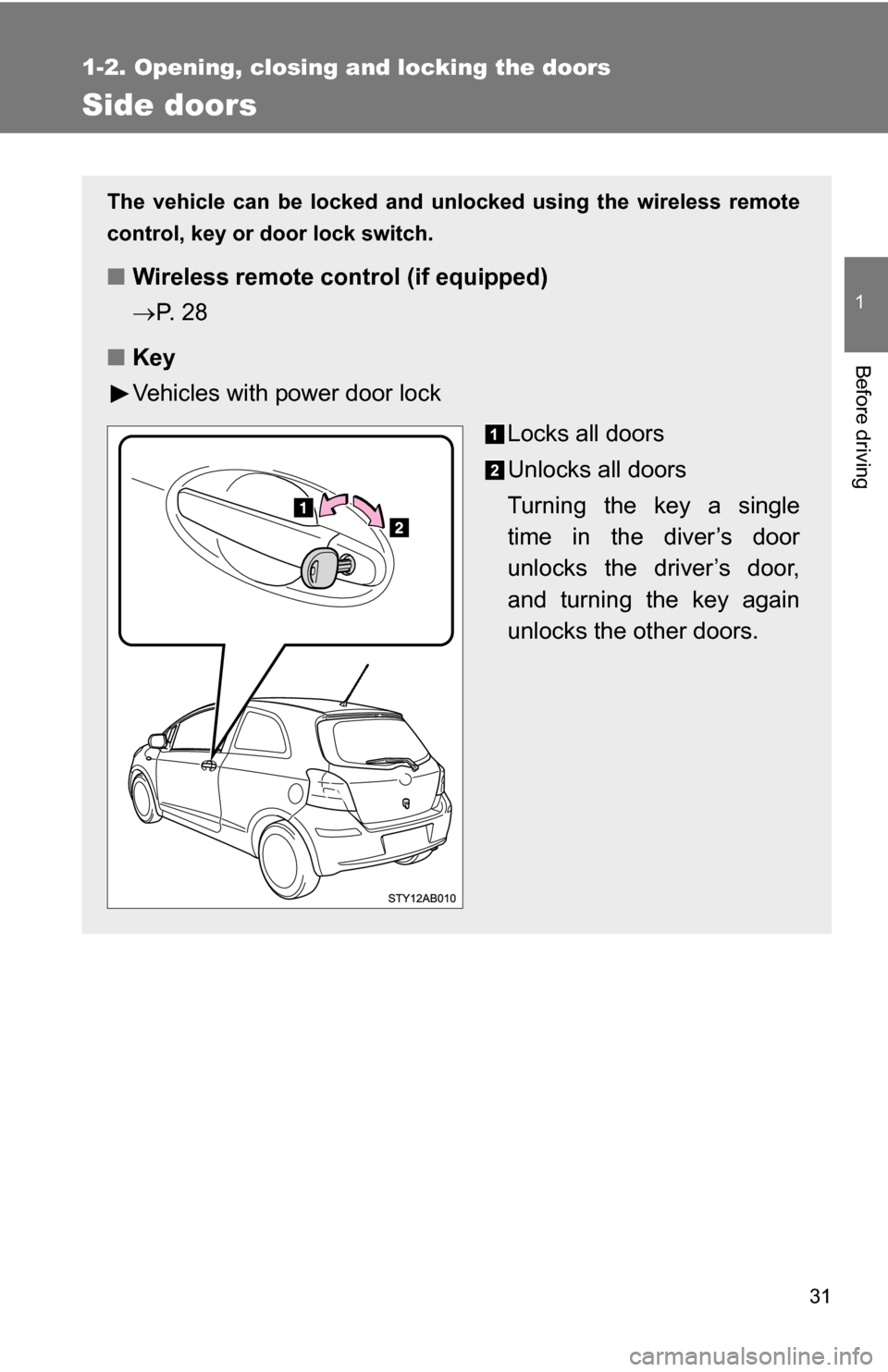
The vehicle can be locked and unlocked using the wireless remote
control, key or door lock switch.
■Wireless remote control (if equipped)
P. 2 8
■ Key
Vehicles with power door lock
Locks all doors
Unlocks all doors
Turning the key a single
time in the diver’s door
unlocks the driver’s door,
and turning the key again
unlocks the other doors.
Page 32 of 392
32 1-2. Opening, closing and locking the doors
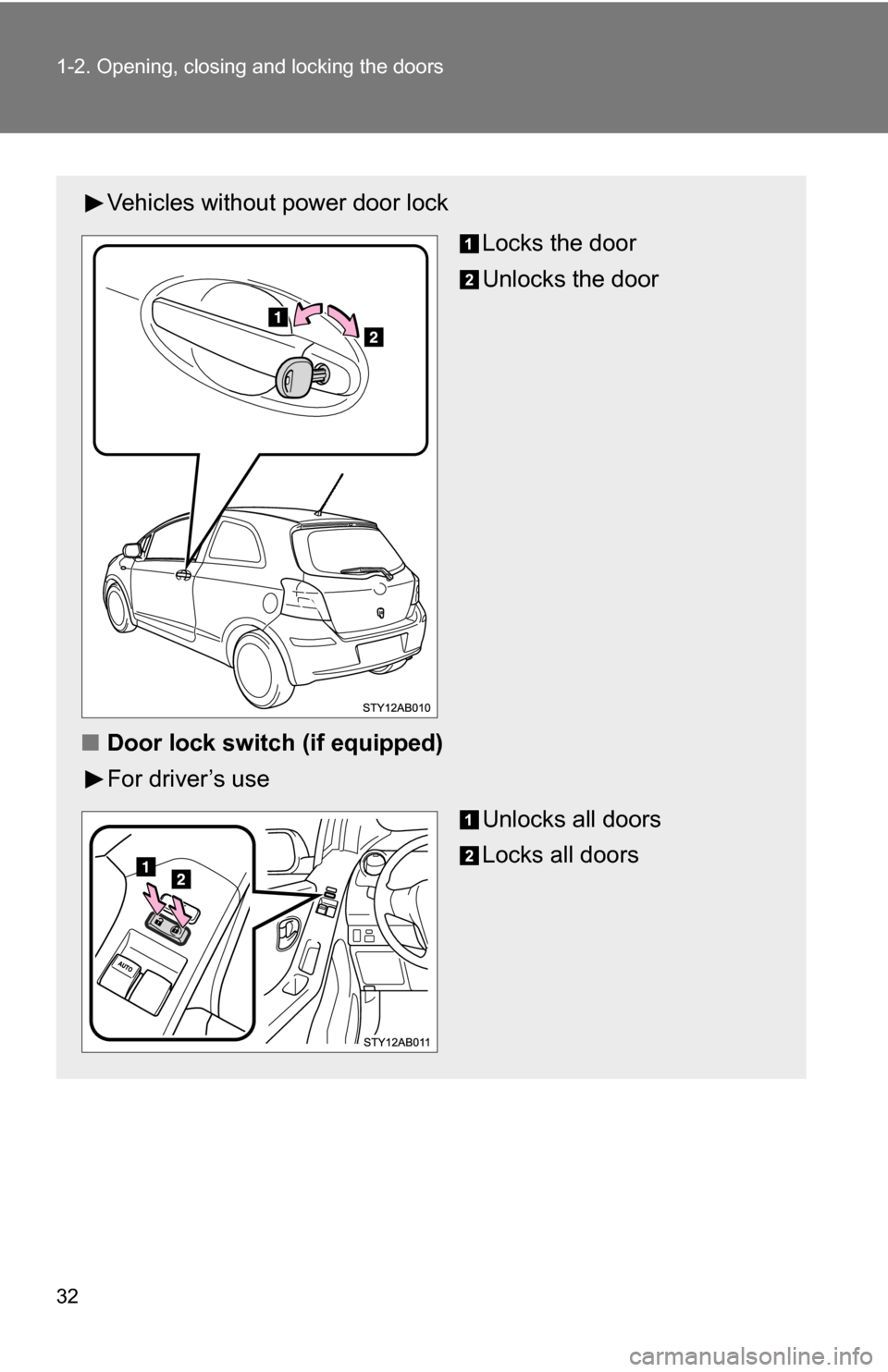
Vehicles without power door lockLocks the door
Unlocks the door
■ Door lock switch (if equipped)
For driver’s use
Unlocks all doors
Locks all doors
Page 33 of 392
33
1-2. Opening, closing and locking the doors
1
Before driving
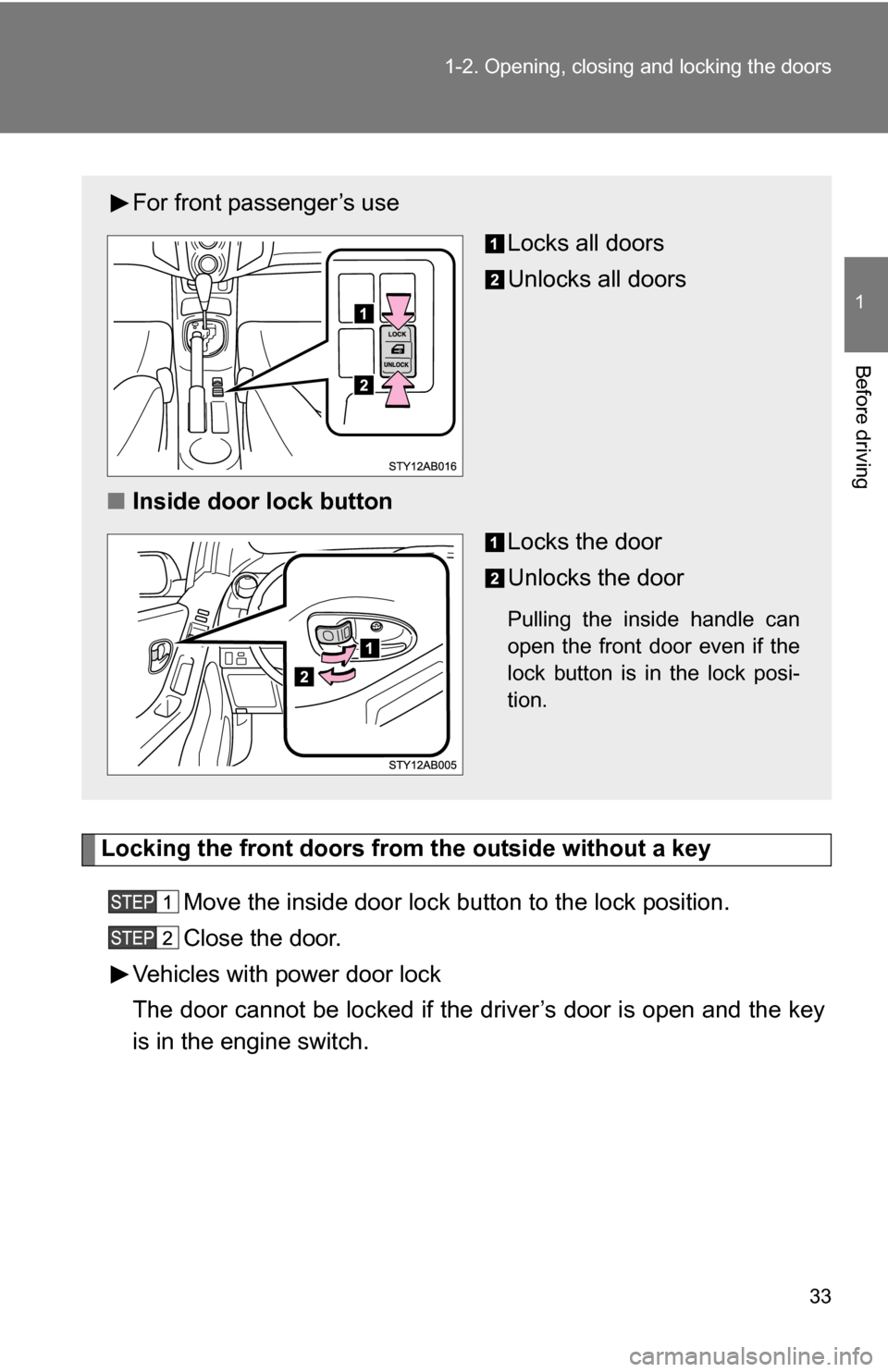
Locking the front doors from the outside without a key
Move the inside door lock button to the lock position.
Close the door.
Vehicles with power door lock
The door cannot be locked if the driver’s door is open and the key
is in the engine switch.
For front passenger’s use
Locks all doors
Unlocks all doors
■ Inside door lock button
Locks the door
Unlocks the door
Pulling the inside handle can
open the front door even if the
lock button is in the lock posi-
tion.
Page 34 of 392
34 1-2. Opening, closing and locking the doors
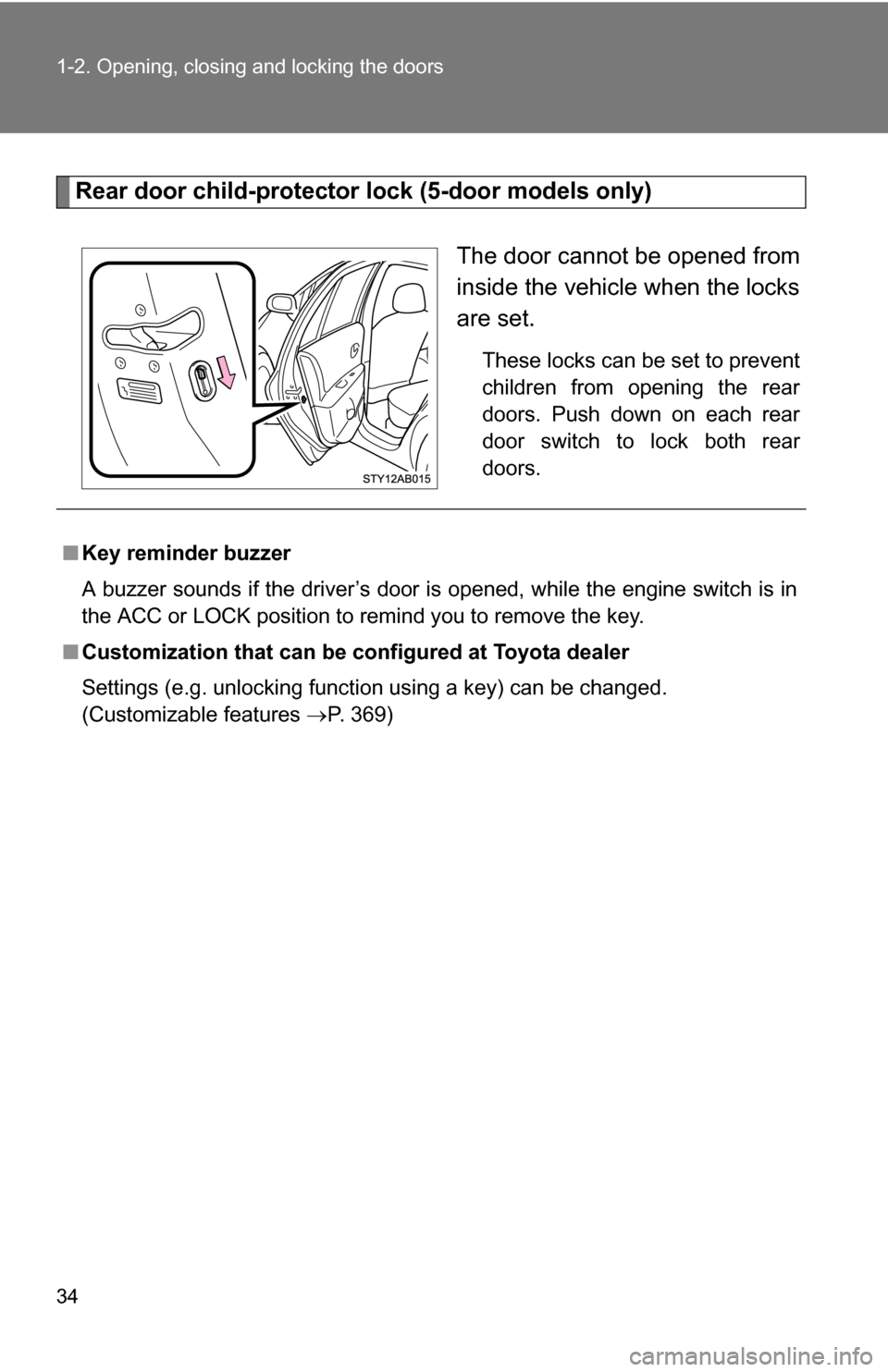
Rear door child-protector lock (5-door models only)The door cannot be opened from
inside the vehicle when the locks
are set.
These locks can be set to prevent
children from opening the rear
doors. Push down on each rear
door switch to lock both rear
doors.
■Key reminder buzzer
A buzzer sounds if the driver’s door is opened, while the engine switch is in
the ACC or LOCK position to remind you to remove the key.
■ Customization that can be co nfigured at Toyota dealer
Settings (e.g. unlocking function using a key) can be changed.
(Customizable features P. 369)
Page 35 of 392
35
1-2. Opening, closing and locking the doors
1
Before driving
CAUTION
■
To prevent an accident
Observe the following precautions while driving the vehicle.
Failing to do so may result in a door opening and an occupant falling out,
resulting in death or serious injury.
●Always use a seat belt.
● Always lock all doors.
● Ensure that all doors are properly closed.
● Do not pull the inside handle of the doors while driving.
The doors may be opened and the passengers are thrown out of the vehi-
cle and it may result in serious injury or death.
● Be especially careful for the front doors, the doors may be opened even if
the inside lock buttons are in locked position.
● Set the rear door child protector locks when children are seated in the rear
seat.
Page 36 of 392
36
1-2. Opening, closing and locking the doors
Back door
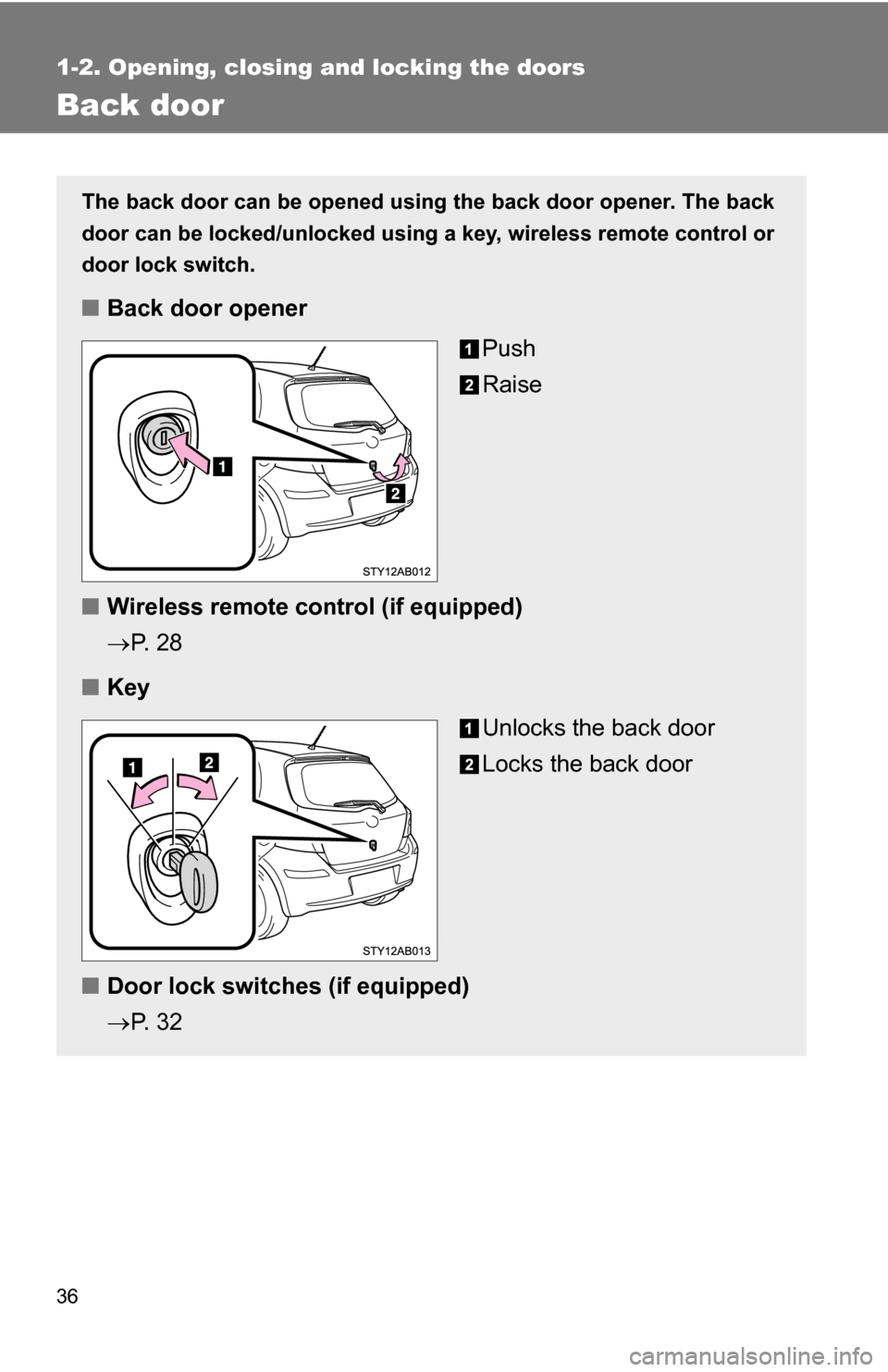
The back door can be opened using the back door opener. The back
door can be locked/unlocked using a key, wireless remote control or
door lock switch.
■ Back door opener
Push
Raise
■ Wireless remote control (if equipped)
P. 2 8
■ Key
Unlocks the back door
Locks the back door
■ Door lock switches (if equipped)
P. 3 2
Page 37 of 392
37
1-2. Opening, closing and locking the doors
1
Before driving
■
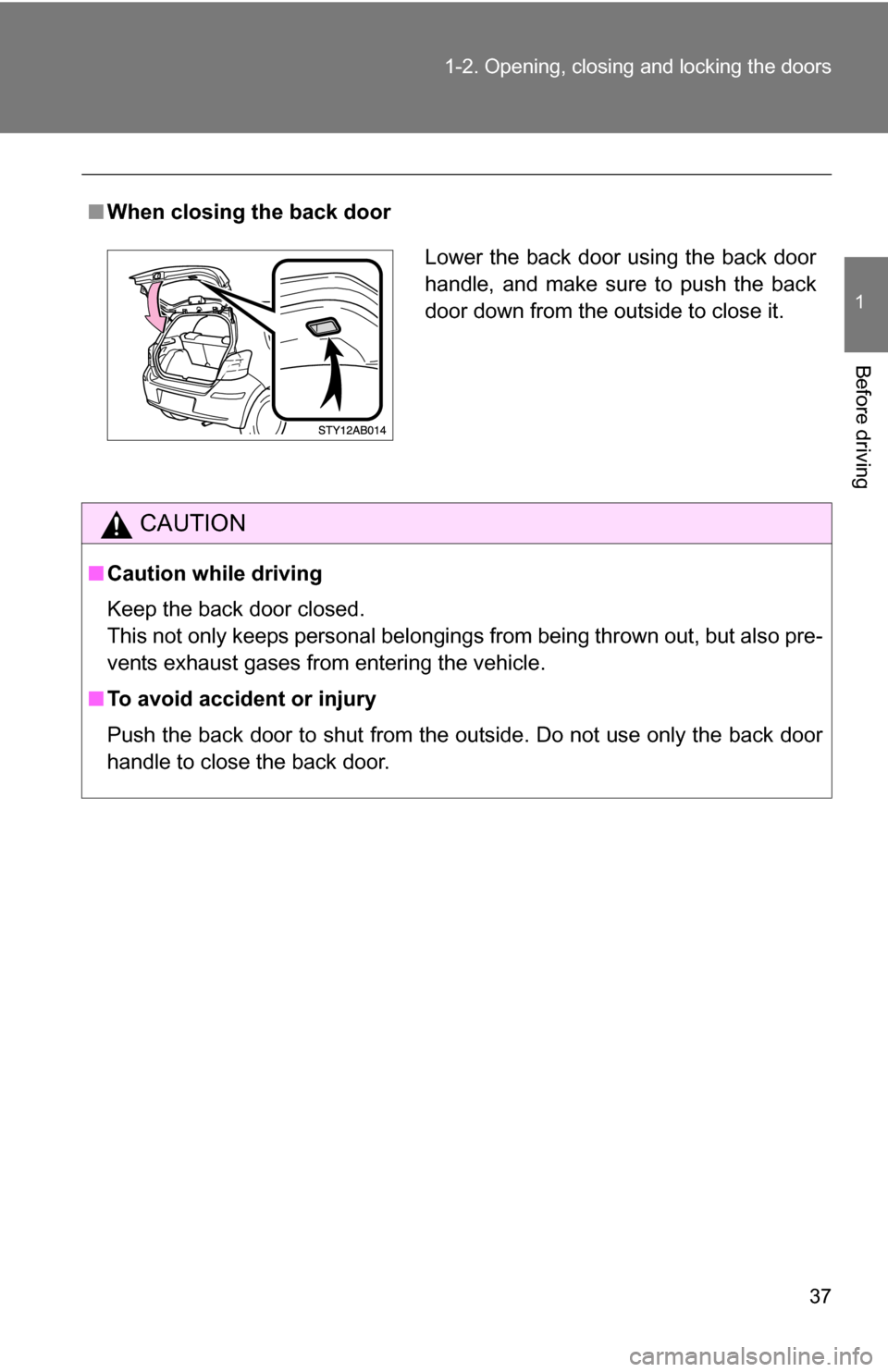
When closing the back door
CAUTION
■Caution while driving
Keep the back door closed.
This not only keeps personal belongings from being thrown out, but also pre-
vents exhaust gases from entering the vehicle.
■ To avoid accident or injury
Push the back door to shut from the outside. Do not use only the back door
handle to close the back door.
Lower the back door using the back door
handle, and make sure to push the back
door down from the outside to close it.
Page 39 of 392
39
1-3. Adjustable components (s
eats, mirrors, steering wheel)
1
Before driving
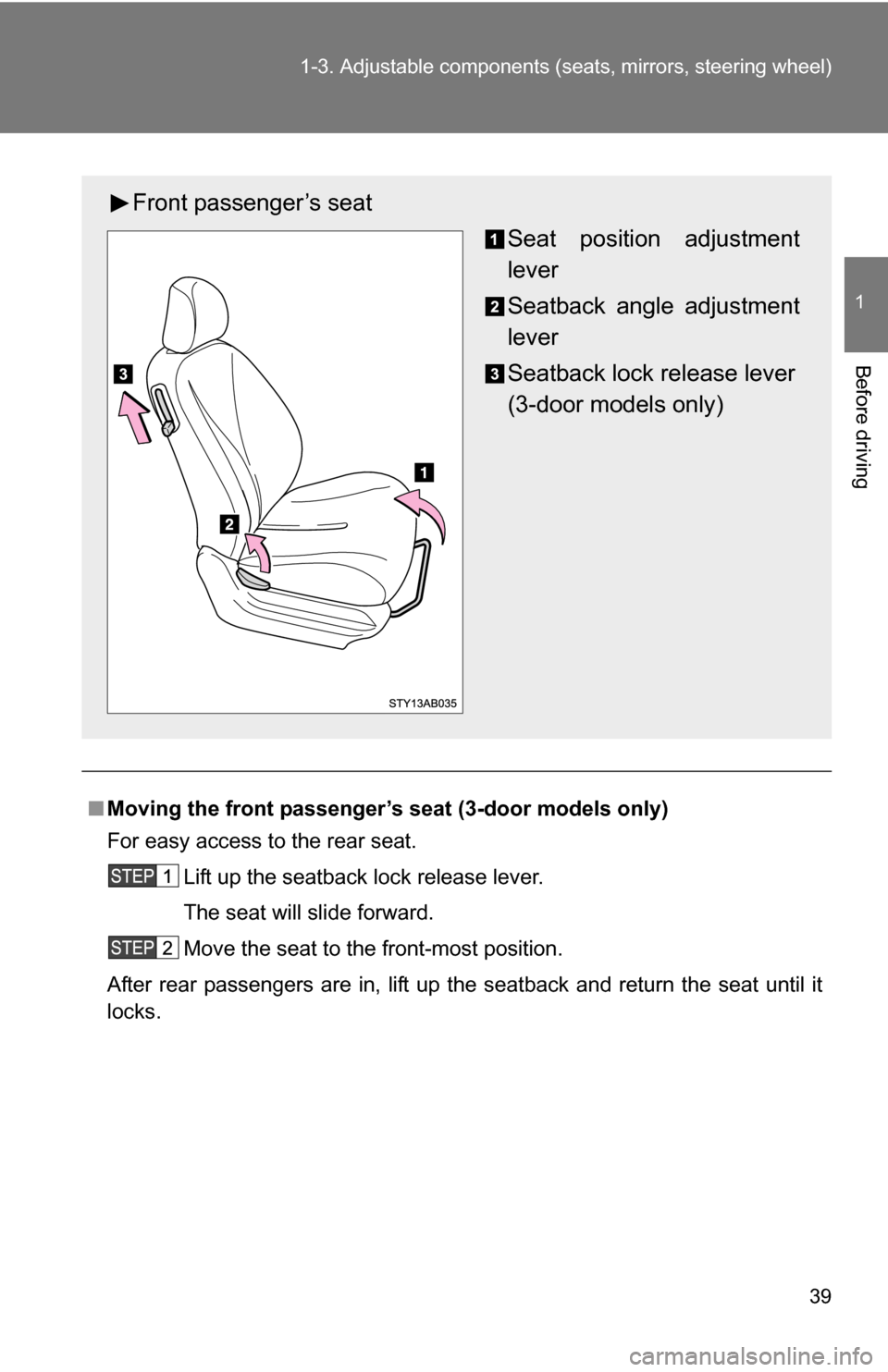
■Moving the front passenger’s seat (3-door models only)
For easy access to the rear seat.
Lift up the seatback lock release lever.
The seat will slide forward.
Move the seat to the front-most position.
After rear passengers are in, lift up the seatback and return the seat until it
locks.
Front passenger’s seat Seat position adjustment
lever
Seatback angle adjustment
lever
Seatback lock release lever
(3-door models only)