light TOYOTA YARIS 2010 3.G Repair Manual
[x] Cancel search | Manufacturer: TOYOTA, Model Year: 2010, Model line: YARIS, Model: TOYOTA YARIS 2010 3.GPages: 400, PDF Size: 11.4 MB
Page 177 of 400

177 2-5. Driving information
2
When driving
Trailer towing tips
Your vehicle will handle differently when towing a trailer. In order to
avoid accident, death or serious injury, keep the following in mind
when towing:
●Before starting out, check the trailer’s light and the vehicle-trailer
connections. Recheck after driving a short distance.
●Practice turning, stopping and reversing with the trailer attached in
an area away from traffic until you become accustomed to the feel
of the vehicle.
NOTICE
■When installing a trailer hitch
Use only the position recommended by your Toyota dealer. Do not install the
trailer hitch on the bumper; this may cause body damage.
■Brakes
Toyota recommends trailers with brakes that conform to any applicable fed-
eral and state/provincial regulations.
■Safety chain
A safety chain must always be used between the towing vehicle and the
trailer. Leave sufficient slack in the chain for turns. The chain should cross
under the trailer tongue to prevent the tongue from dropping to the ground in
the case that it becomes damaged or separated. For the correct safety chain
installation procedure, ask your Toyota dealer.
■Do not directly splice trailer lights
Directly splicing may damage your vehicle’s electrical system and cause a
malfunction.
Page 185 of 400
Interior features3
185
3-1. Using the air conditioning
system and defogger
Air conditioning system .... 186
Rear window and outside
rear view mirror
defoggers ....................... 193
3-2. Using the audio system
Audio system type............ 195
Using the radio ................. 197
Using the CD player ......... 203
Playing back MP3 and
WMA discs ..................... 208
Optimal use of the audio
system ........................... 215
Using the AUX adapter .... 217
3-3. Using the interior lights
Interior lights list ............... 218
• Interior light .................... 219
• Personal lights ............... 219
3-4. Using the storage features
List of storage features .... 220
• Glove boxes ................... 221
• Cup holders ................... 222
• Bottle holders ................. 223
• Auxiliary boxes............... 2253-5. Other interior features
Sun visors ........................ 227
Vanity mirrors ................... 228
Clock ................................ 229
Power outlet ..................... 231
Floor mat .......................... 232
Luggage compartment
features .......................... 233
Page 193 of 400
193
3-1. Using the air conditioning system and defogger
3
Interior features
Rear window and outside rear view mirror defoggers
: If equipped
■The rear window and outside rear view mirror defoggers can be oper-
ated when
The engine switch is in the ON position.
■Outside rear view mirror defoggers (vehicles with outside rear view
mirror defoggers)
Turning the rear window defogger on will turn the outside rear view mirror
defoggers on.
CAUTION
■When the outside rear view mirror defoggers are on (vehicles with out-
side rear view mirror defoggers)
Do not touch the rear view mirror surfaces, as they can become very hot and
burn you.
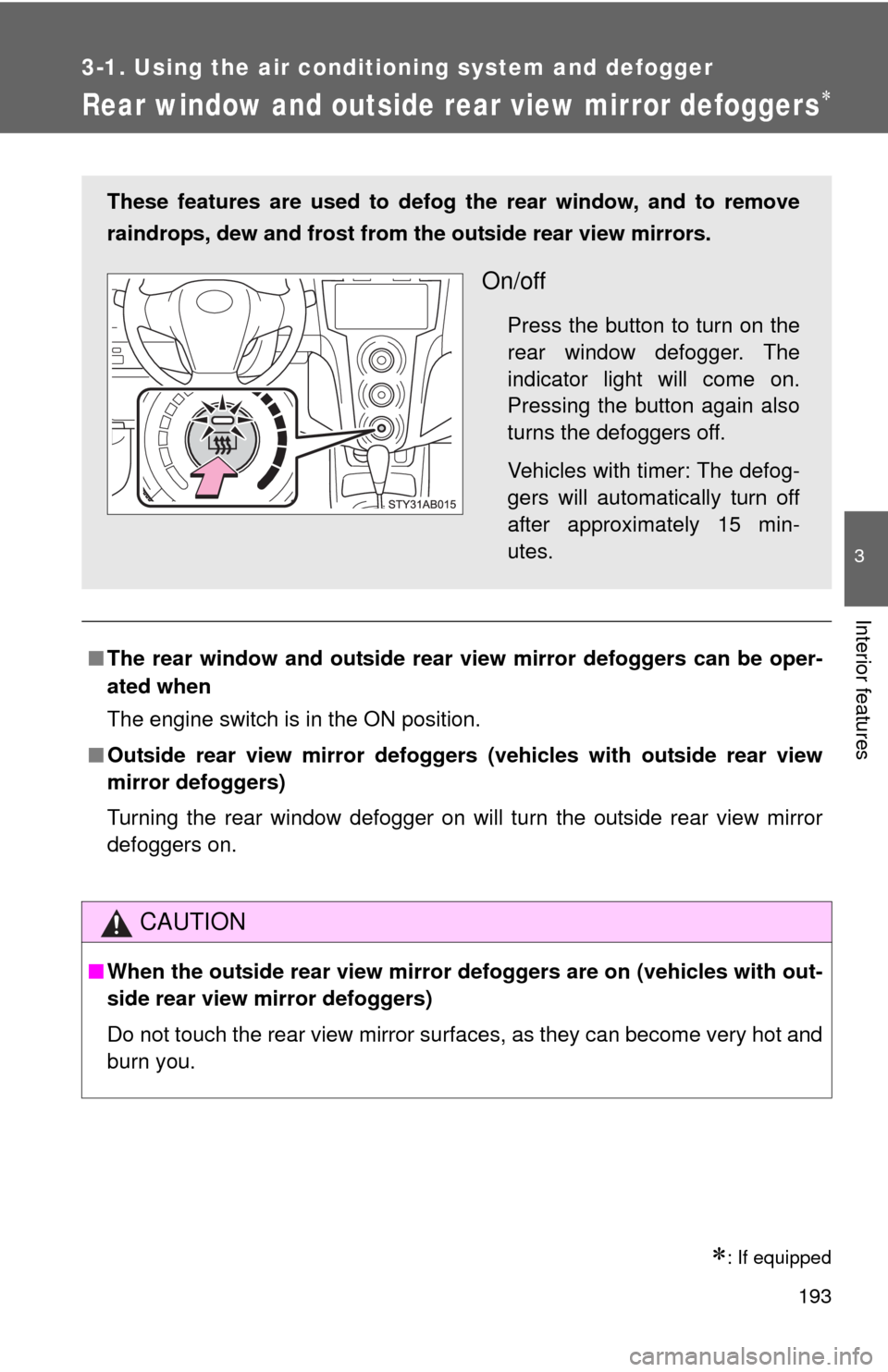
These features are used to defog the rear window, and to remove
raindrops, dew and frost from the outside rear view mirrors.
On/off
Press the button to turn on the
rear window defogger. The
indicator light will come on.
Pressing the button again also
turns the defoggers off.
Vehicles with timer: The defog-
gers will automatically turn off
after approximately 15 min-
utes.
Page 207 of 400
207 3-2. Using the audio system
3
Interior features
NOTICE
■CD player precautions
Failure to follow the precautions below may result in serious damage to the
CDs or the player itself.
●Do not insert anything other than CDs into the CD slot.
●Do not apply oil to the CD player.
●Store CDs away from direct sunlight.
●Never try to disassemble any part of the CD player.
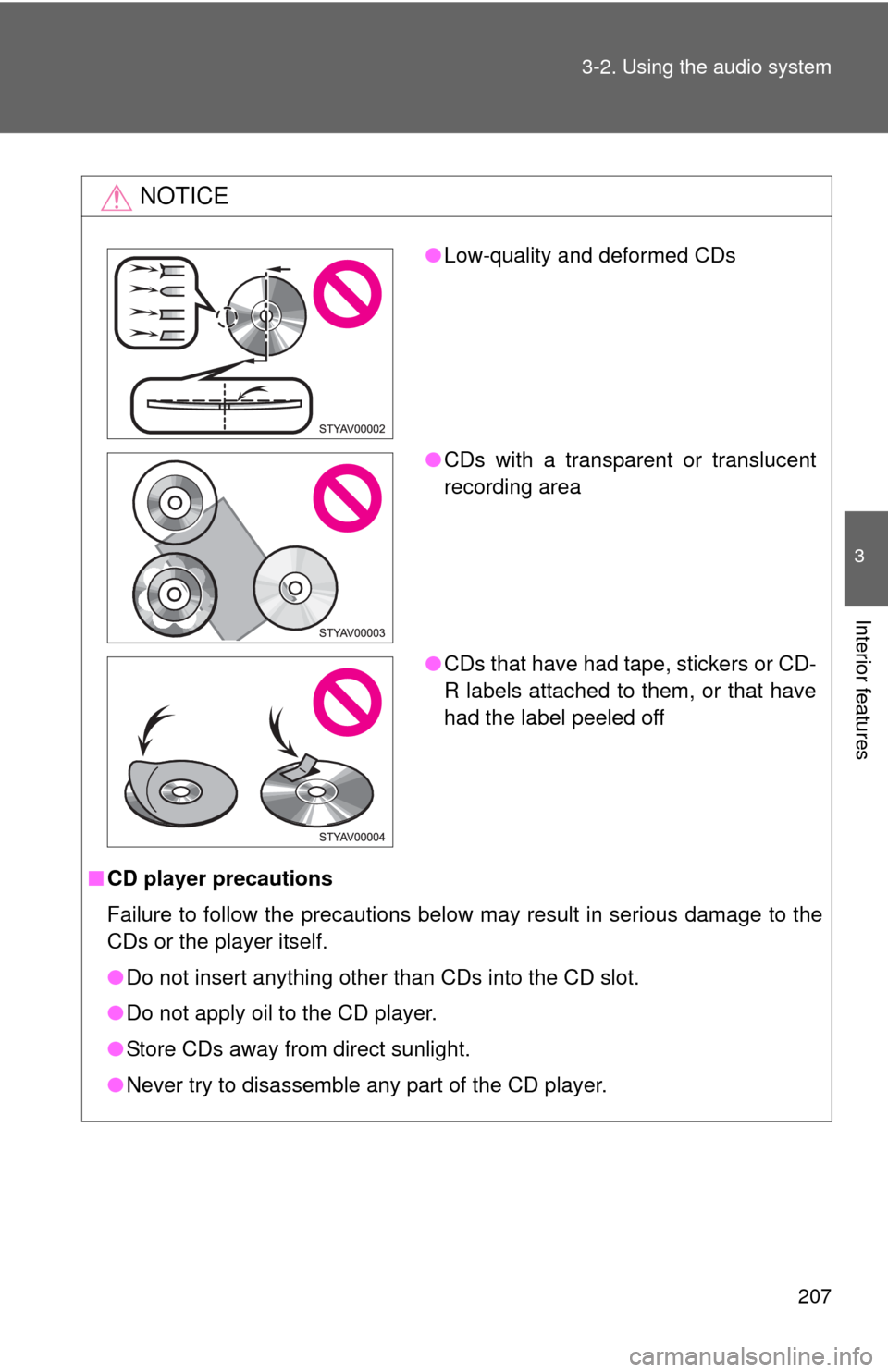
●Low-quality and deformed CDs
●CDs with a transparent or translucent
recording area
●CDs that have had tape, stickers or CD-
R labels attached to them, or that have
had the label peeled off
Page 218 of 400
218
3-3. Using the interior lights
Interior lights list
■Illuminated entry system (if equipped)
When the interior light switch is in the DOOR position, the interior light auto-
matically turns on/off according to whether the doors are locked/unlocked
and whether the doors are open/closed and the engine switch position.
■To prevent the battery from being discharged
If the interior light remains on when the door is not fully closed and the inte-
rior light switch is in the DOOR position, the light will go off automatically
after 20 minutes.
■Customization that can be configured at Toyota dealer
Settings (e.g. The time elapsed before lights turn off) can be changed.
(Customizable features P. 377)
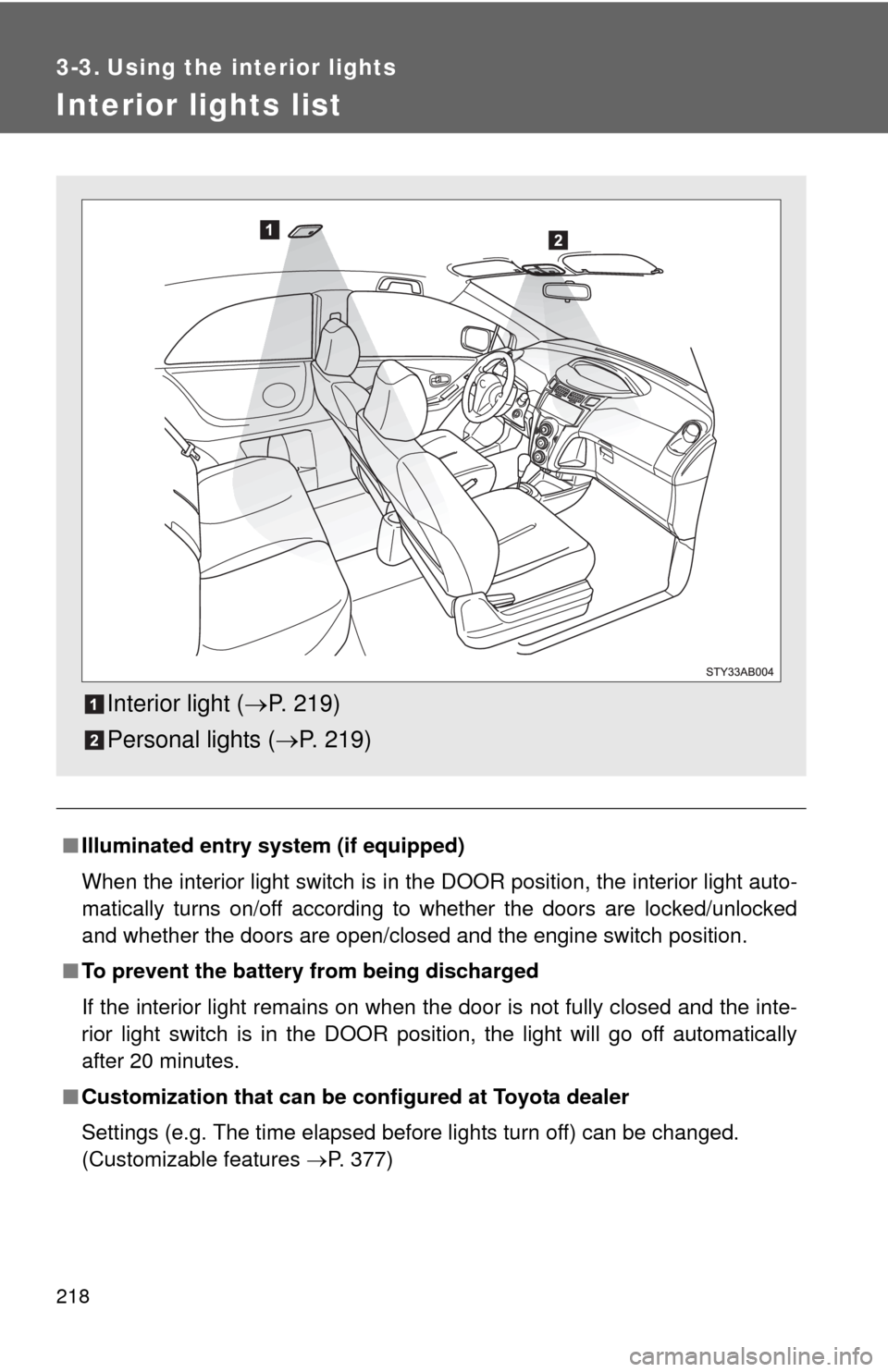
Interior light (P. 219)
Personal lights (P. 219)
Page 219 of 400
219 3-3. Using the interior lights
3
Interior features
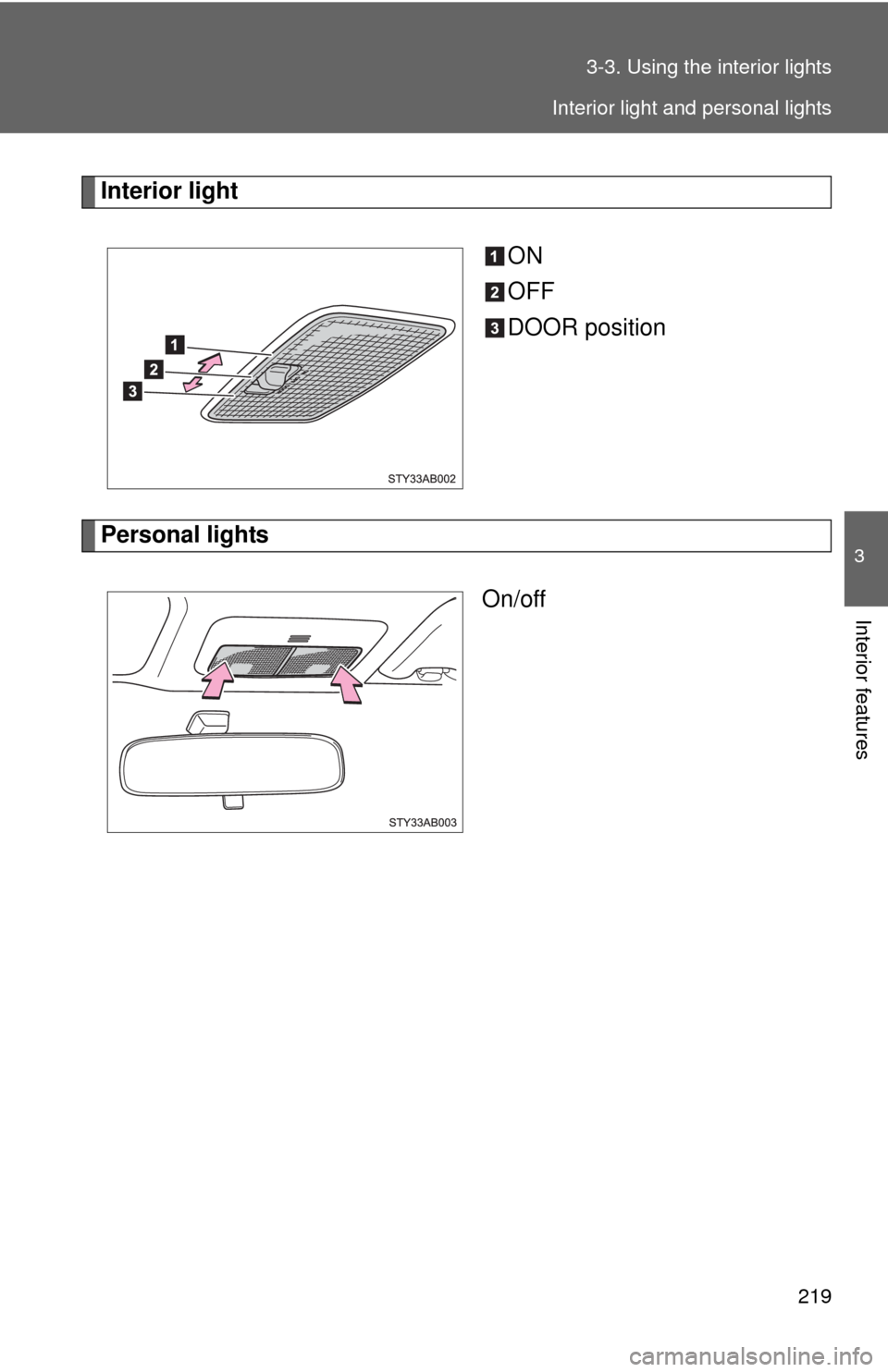
Interior light
ON
OFF
DOOR position
Personal lights
On/off
Interior light and personal lights
Page 220 of 400
220
3-4. Using the storage features
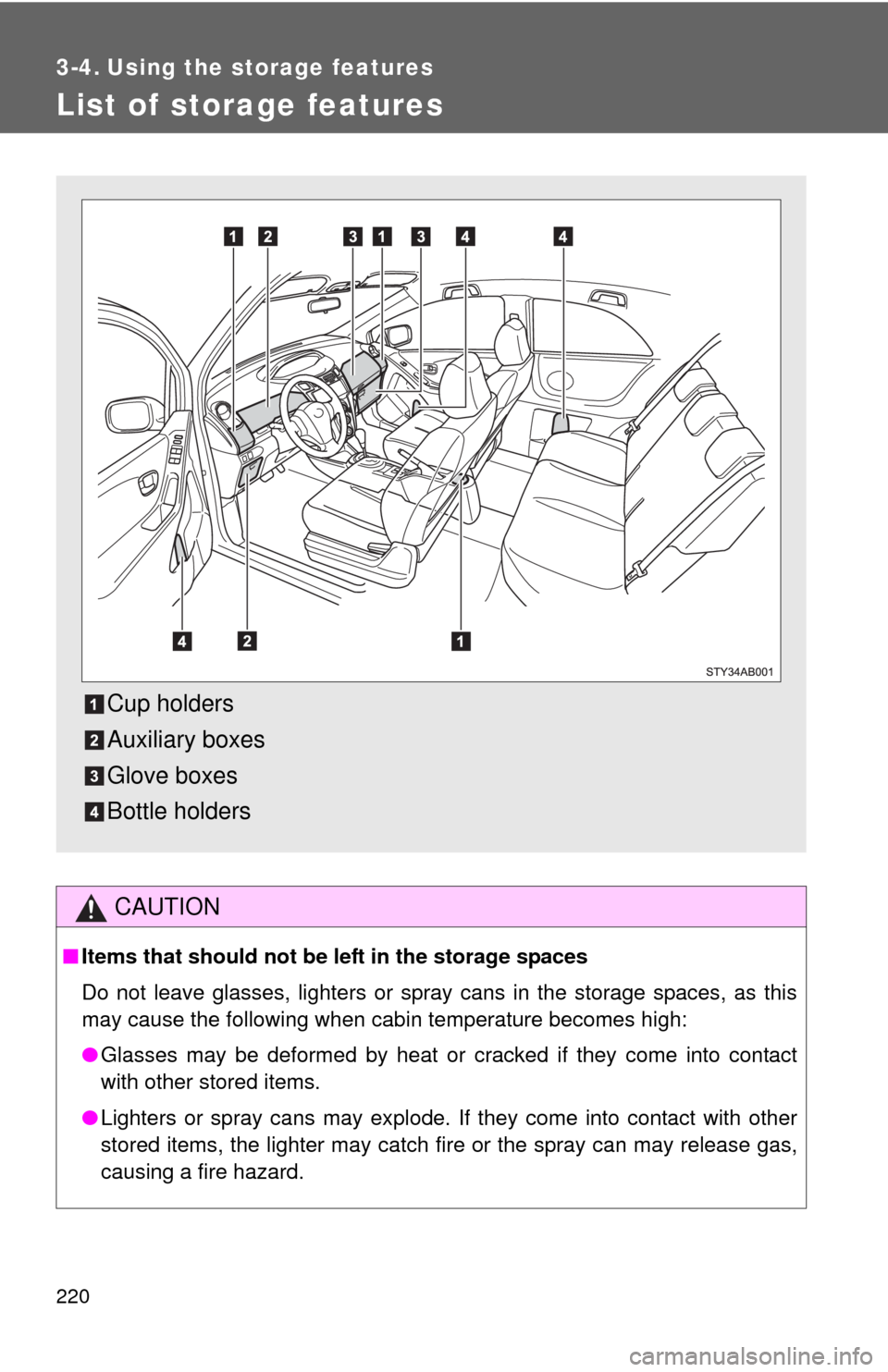
List of storage features
CAUTION
■Items that should not be left in the storage spaces
Do not leave glasses, lighters or spray cans in the storage spaces, as this
may cause the following when cabin temperature becomes high:
●Glasses may be deformed by heat or cracked if they come into contact
with other stored items.
●Lighters or spray cans may explode. If they come into contact with other
stored items, the lighter may catch fire or the spray can may release gas,
causing a fire hazard.
Cup holders
Auxiliary boxes
Glove boxes
Bottle holders
Page 235 of 400
Maintenance and care4
235
4-1. Maintenance and care
Cleaning and protecting
the vehicle exterior......... 236
Cleaning and protecting
the vehicle interior.......... 238
4-2. Maintenance
Maintenance
requirements .................. 241
General maintenance....... 243
Emission inspection and
maintenance (I/M)
programs........................ 2464-3. Do-it-yourself maintenance
Do-it-yourself service
precautions .................... 247
Hood ................................ 250
Positioning a floor jack ..... 251
Engine compartment ........ 253
Tires ................................. 266
Tire inflation pressure ...... 272
Wheels ............................. 276
Air conditioning filter......... 278
Key battery ....................... 281
Checking and replacing
fuses .............................. 283
Light bulbs........................ 294
Page 237 of 400

237 4-1. Maintenance and care
4
Maintenance and care
CAUTION
■Caution about the exhaust pipe
Exhaust gasses cause the exhaust pipe to become quite hot.
When washing the vehicle, be careful not to touch the pipe until it has cooled
sufficiently, as touching a hot exhaust pipe can cause burns.
NOTICE
■To prevent paint deterioration and corrosion on the body and compo-
nents (aluminum wheels etc.)
●Wash the vehicle immediately in the following cases:
• After driving near the sea coast
• After driving on salted roads
• If you see coal tar or tree sap on the paint surface
• If you see dead insects, insect droppings or bird droppings on the paint
• After driving in an area contaminated with soot, oily smoke, mine dust,
iron powder or chemical substances
• If the vehicle becomes heavily soiled in dust or mud
• If liquids such as benzene and gasoline are spilled on the paint surface
●If the paint is chipped or scratched, have it repaired immediately.
●To prevent the wheels from corroding, remove any dirt and store in a place
with low humidity when storing the wheels.
■Cleaning the exterior lights
●Wash carefully. Do not use organic substances or scrub with a hard brush.
This may damage the surfaces of the lights.
●Do not apply wax on the surfaces of the lights.
Wax may cause damage to the lenses.
■Antenna installation and removal precautions
●Before driving, ensure that the antenna is installed.
●When the antenna is removed, such as before entering an automatic car
wash, make sure to store it in a suitable place so as not to lose it. Also,
before driving, make sure to reinstall the antenna in its original position.
■To prevent damage to the windshield wiper arms
When lifting the wiper arms away from the windshield, pull the driver side
wiper arm upward first, and repeat for the passenger side. When returning
the wipers to their original position, do so from the passenger side first.
Page 240 of 400

240 4-1. Maintenance and care
NOTICE
■Cleaning detergents
●Do not use organic substances such as benzene or gasoline, acidic or
alkaline solutions, dye, bleach or other detergent. Doing so may discolor
the vehicle interior or cause streaks or damage to painted surfaces.
●Do not use polish wax or polish cleaner. The instrument panel’s or other
interior part’s painted surface may be damaged.
■Preventing damage to leather surfaces
Observe the following precautions to avoid damage to and deterioration of
leather surfaces.
●Remove any dust or dirt on leather surfaces immediately.
●Do not expose the vehicle to direct sunlight for extended periods of time.
Park the vehicle in the shade, especially during summer.
●Do not place items made of vinyl, plastic, or that contain wax on the uphol-
stery, as they may stick to the leather surface if the vehicle interior heats
up significantly.
■Water on the floor
Do not wash the vehicle floor with water.
Vehicle systems such as the audio system may be damaged if water comes
into contact with electrical components under the floor of the vehicle, and
may also cause the body to rust.
■Cleaning the inside of the rear window
●Do not use glass cleaner to clean the rear window, as this may cause
damage to the rear window defogger heater wires. Use a cloth dampened
with lukewarm water to gently wipe the window clean. Wipe the window in
strokes running parallel to the heater wires.
●Be careful not to scratch or damage the heater wires.