clock TOYOTA YARIS 2010 3.G Owners Manual
[x] Cancel search | Manufacturer: TOYOTA, Model Year: 2010, Model line: YARIS, Model: TOYOTA YARIS 2010 3.GPages: 400, PDF Size: 11.4 MB
Page 3 of 400
1
2
3
4
5
6
7
3
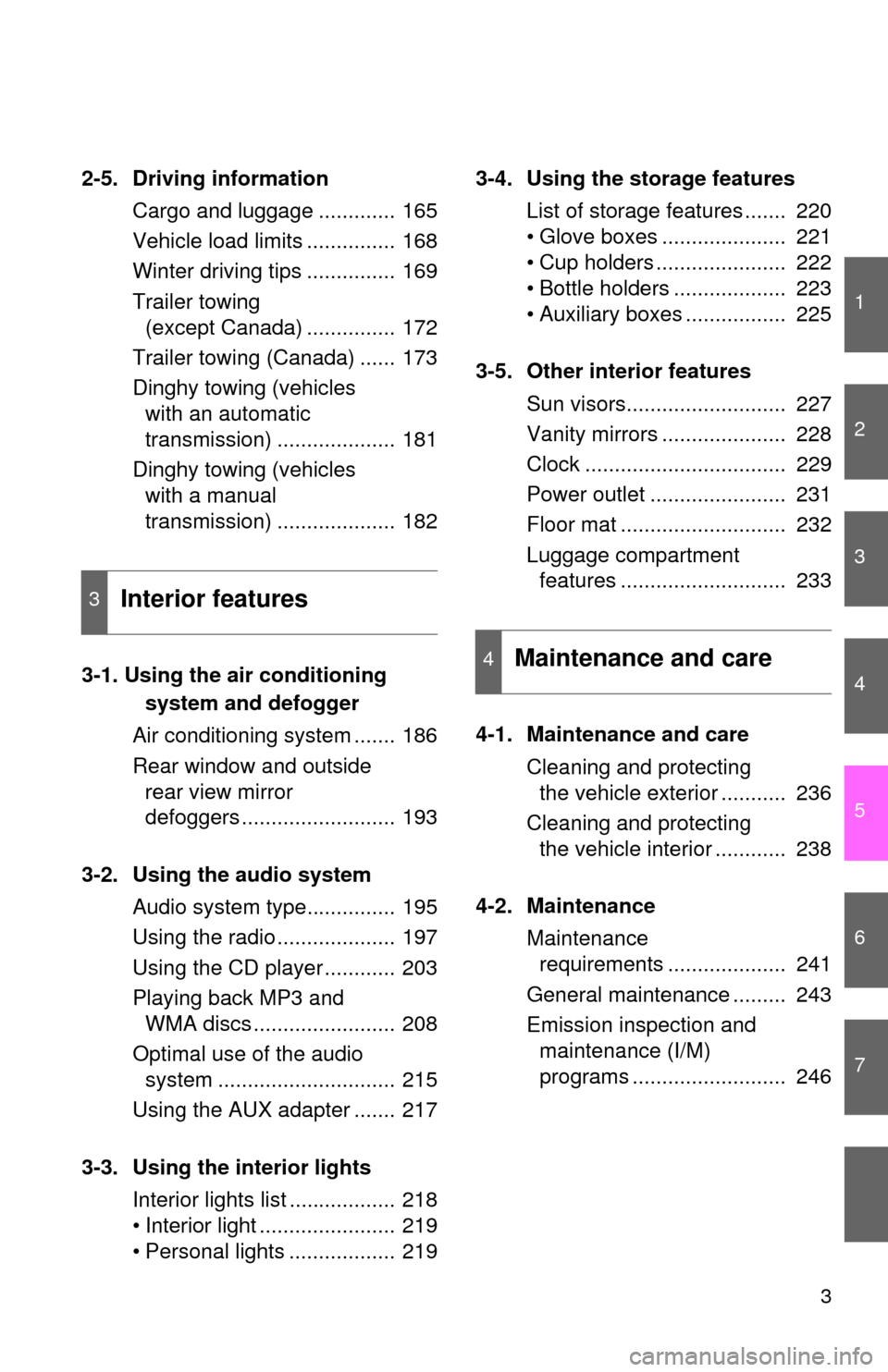
2-5. Driving information
Cargo and luggage ............. 165
Vehicle load limits ............... 168
Winter driving tips ............... 169
Trailer towing
(except Canada) ............... 172
Trailer towing (Canada) ...... 173
Dinghy towing (vehicles
with an automatic
transmission) .................... 181
Dinghy towing (vehicles
with a manual
transmission) .................... 182
3-1. Using the air conditioning
system and defogger
Air conditioning system ....... 186
Rear window and outside
rear view mirror
defoggers .......................... 193
3-2. Using the audio system
Audio system type............... 195
Using the radio .................... 197
Using the CD player ............ 203
Playing back MP3 and
WMA discs ........................ 208
Optimal use of the audio
system .............................. 215
Using the AUX adapter ....... 217
3-3. Using the interior lights
Interior lights list .................. 218
• Interior light ....................... 219
• Personal lights .................. 2193-4. Using the storage features
List of storage features ....... 220
• Glove boxes ..................... 221
• Cup holders ...................... 222
• Bottle holders ................... 223
• Auxiliary boxes ................. 225
3-5. Other interior features
Sun visors........................... 227
Vanity mirrors ..................... 228
Clock .................................. 229
Power outlet ....................... 231
Floor mat ............................ 232
Luggage compartment
features ............................ 233
4-1. Maintenance and care
Cleaning and protecting
the vehicle exterior ........... 236
Cleaning and protecting
the vehicle interior ............ 238
4-2. Maintenance
Maintenance
requirements .................... 241
General maintenance ......... 243
Emission inspection and
maintenance (I/M)
programs .......................... 246
3Interior features
4Maintenance and care
Page 139 of 400
139
2
When driving
2-2. Instrument cluster
Gauges and meters
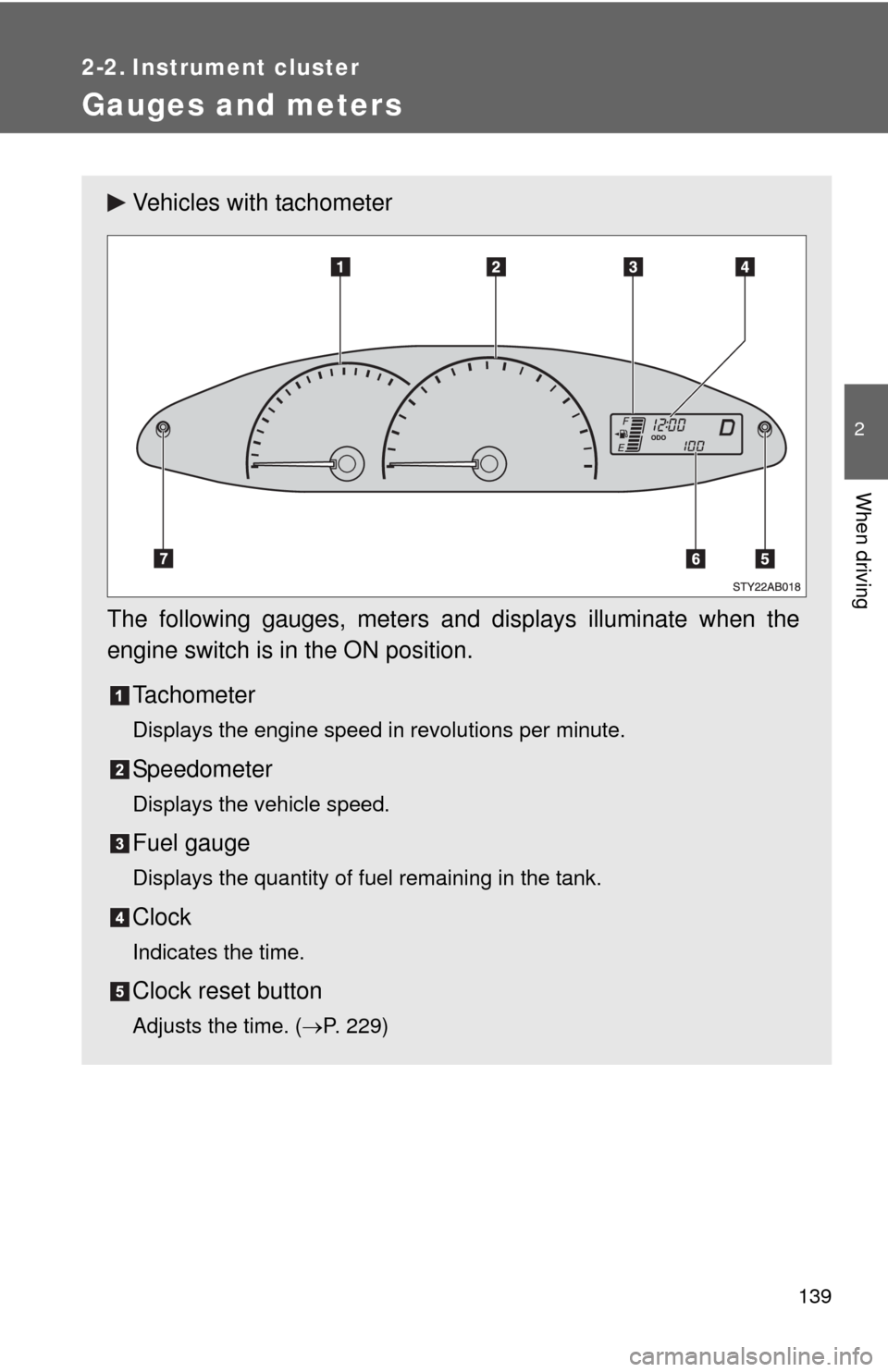
Vehicles with tachometer
The following gauges, meters and displays illuminate when the
engine switch is in the ON position.
Tachometer
Displays the engine speed in revolutions per minute.
Speedometer
Displays the vehicle speed.
Fuel gauge
Displays the quantity of fuel remaining in the tank.
Clock
Indicates the time.
Clock reset button
Adjusts the time.(P. 229)
Page 141 of 400
141 2-2. Instrument cluster
2
When driving
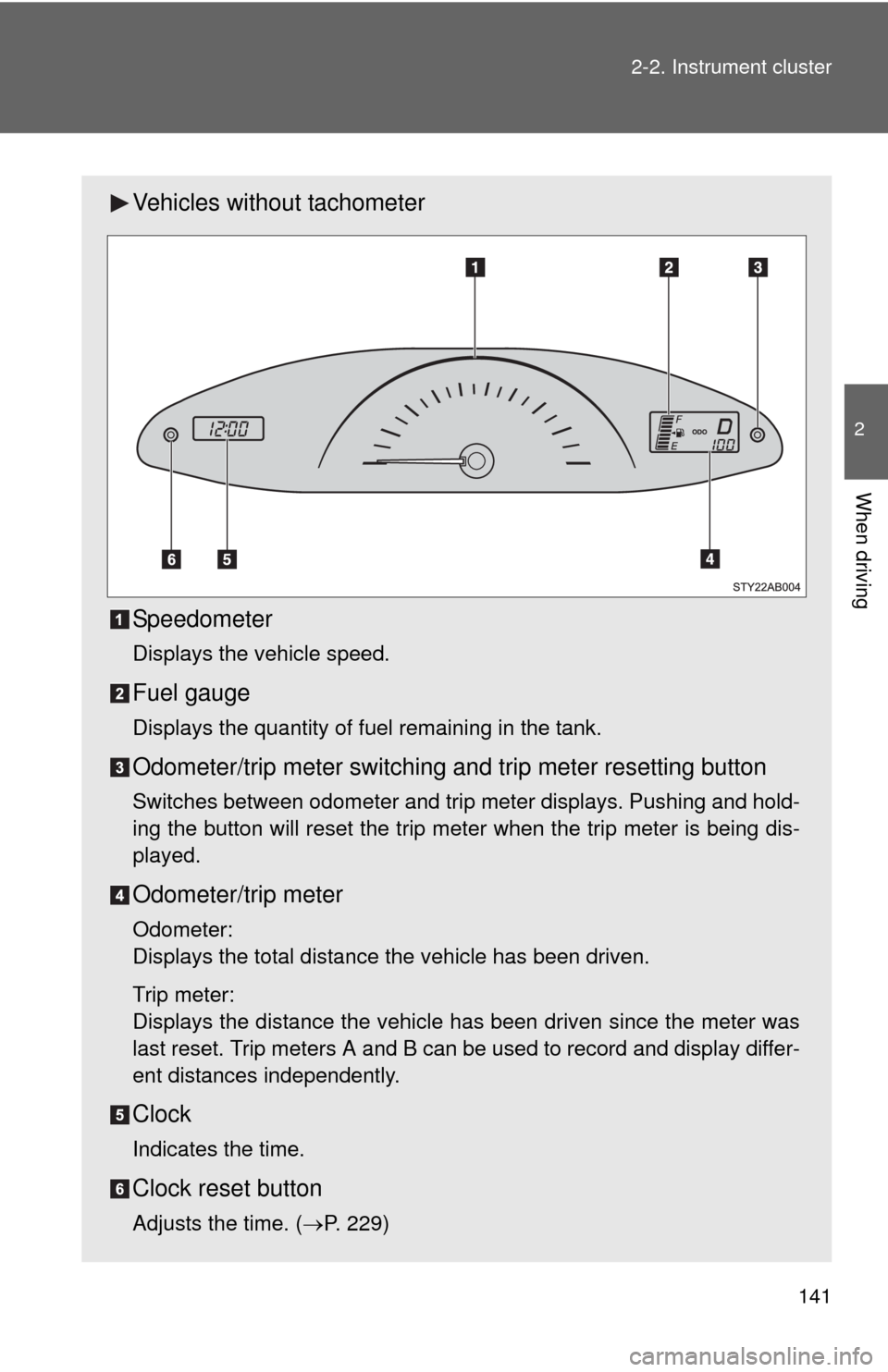
Vehicles without tachometer
Speedometer
Displays the vehicle speed.
Fuel gauge
Displays the quantity of fuel remaining in the tank.
Odometer/trip meter switching and trip meter resetting button
Switches between odometer and trip meter displays. Pushing and hold-
ing the button will reset the trip meter when the trip meter is being dis-
played.
Odometer/trip meter
Odometer:
Displays the total distance the vehicle has been driven.
Trip meter:
Displays the distance the vehicle has been driven since the meter was
last reset. Trip meters A and B can be used to record and display differ-
ent distances independently.
Clock
Indicates the time.
Clock reset button
Adjusts the time. (P. 229)
Page 185 of 400
Interior features3
185
3-1. Using the air conditioning
system and defogger
Air conditioning system .... 186
Rear window and outside
rear view mirror
defoggers ....................... 193
3-2. Using the audio system
Audio system type............ 195
Using the radio ................. 197
Using the CD player ......... 203
Playing back MP3 and
WMA discs ..................... 208
Optimal use of the audio
system ........................... 215
Using the AUX adapter .... 217
3-3. Using the interior lights
Interior lights list ............... 218
• Interior light .................... 219
• Personal lights ............... 219
3-4. Using the storage features
List of storage features .... 220
• Glove boxes ................... 221
• Cup holders ................... 222
• Bottle holders ................. 223
• Auxiliary boxes............... 2253-5. Other interior features
Sun visors ........................ 227
Vanity mirrors ................... 228
Clock ................................ 229
Power outlet ..................... 231
Floor mat .......................... 232
Luggage compartment
features .......................... 233
Page 186 of 400
186
3-1. Using the air conditioning system and defogger
Air conditioning system
Adjusting the settings
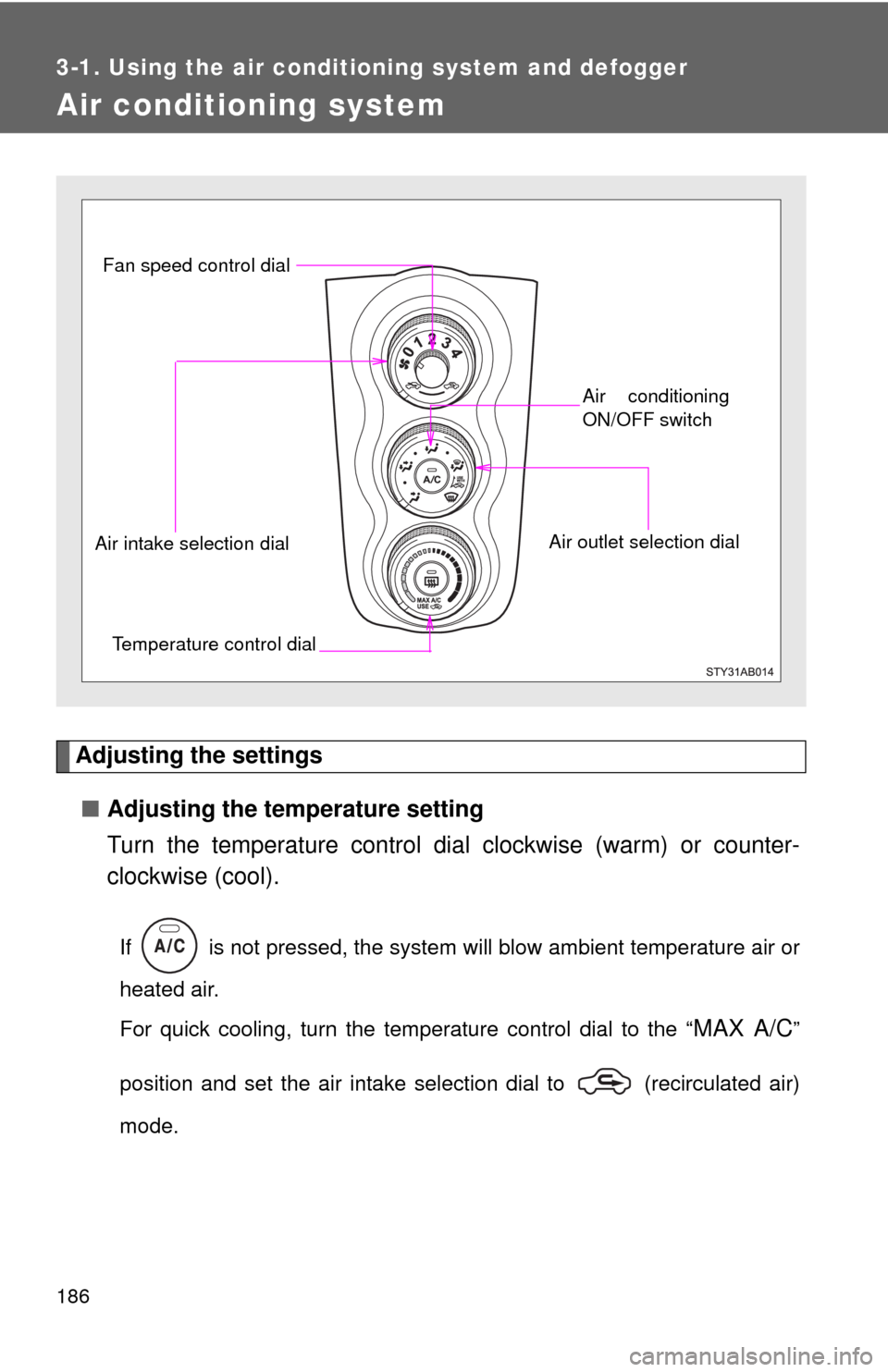
■Adjusting the temperature setting
Turn the temperature control dial clockwise (warm) or counter-
clockwise (cool).
If is not pressed, the system will blow ambient temperature air or
heated air.
For quick cooling, turn the temperature control dial to the “
MAX A/C”
position and set the air intake selection dial to (recirculated air)
mode.
Fan speed control dial
Air outlet selection dialAir conditioning
ON/OFF switch
Temperature control dial Air intake selection dial
Page 187 of 400
187 3-1. Using the air conditioning system and defogger
3
Interior features
■Adjusting the fan speed
Turn the fan speed control dial clockwise (increase) or counter-
clockwise (decrease).
Set the dial to “0” to turn the fan off.
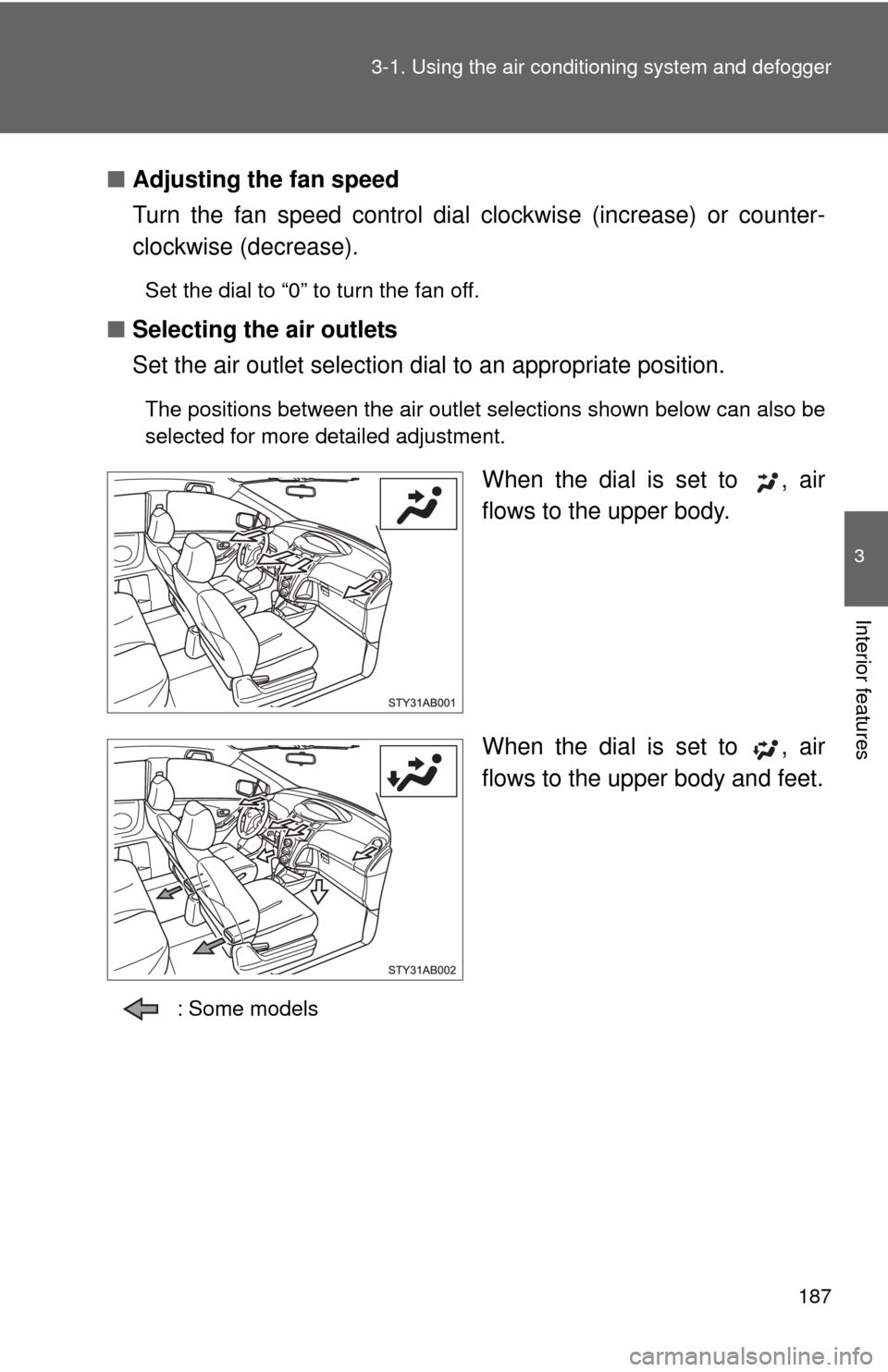
■Selecting the air outlets
Set the air outlet selection dial to an appropriate position.
The positions between the air outlet selections shown below can also be
selected for more detailed adjustment.
When the dial is set to , air
flows to the upper body.
When the dial is set to , air
flows to the upper body and feet.
: Some models
Page 229 of 400
229
3-5. Other interior features
3
Interior features
Clock
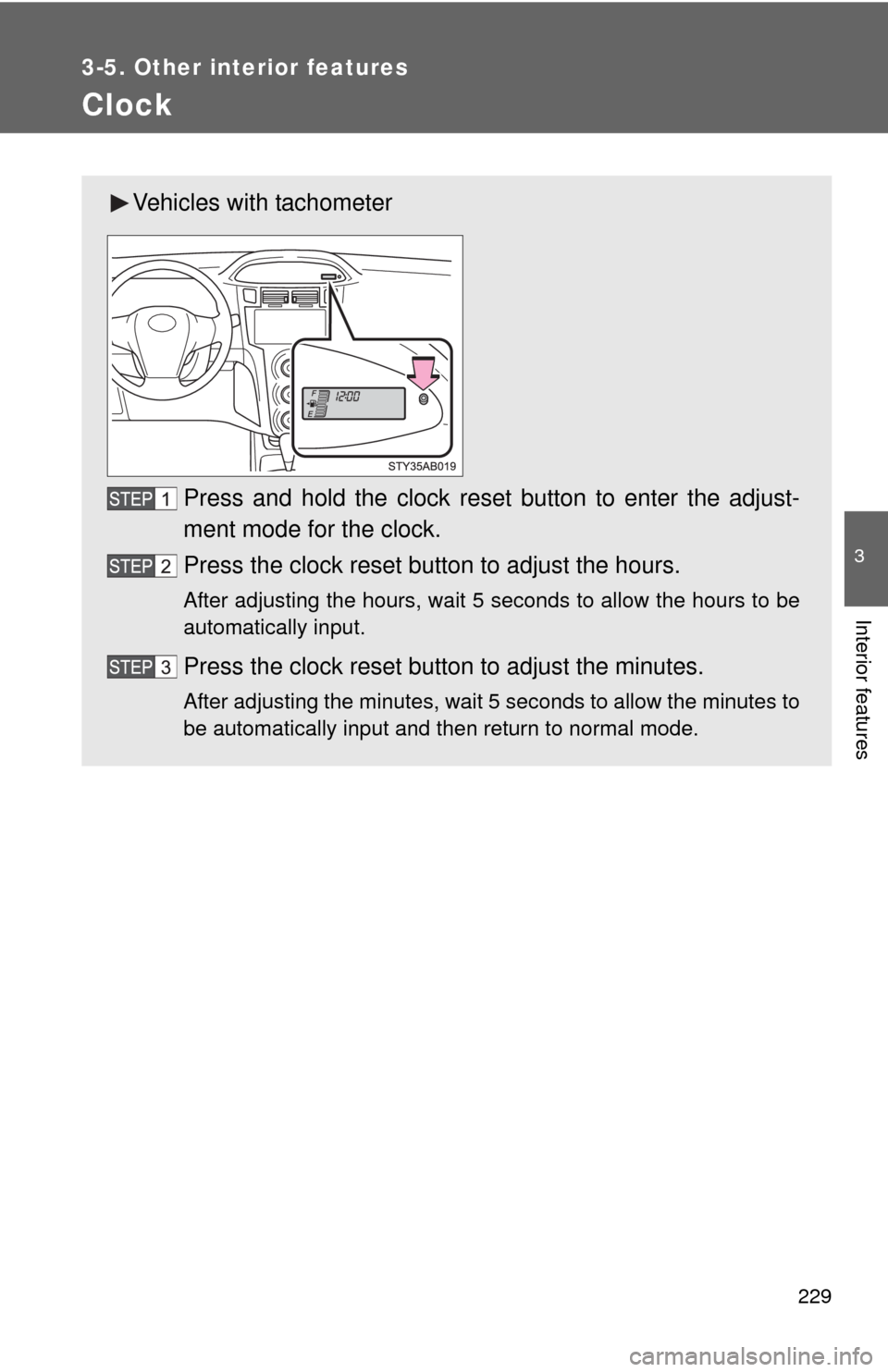
Vehicles with tachometer
Press and hold the clock reset button to enter the adjust-
ment mode for the clock.
Press the clock reset button to adjust the hours.
After adjusting the hours, wait 5 seconds to allow the hours to be
automatically input.
Press the clock reset button to adjust the minutes.
After adjusting the minutes, wait 5 seconds to allow the minutes to
be automatically input and then return to normal mode.
Page 230 of 400
230 3-5. Other interior features
■The clock is displayed when
The engine switch is in the ON position.
■When disconnecting and reconnecting battery terminals
The time display will automatically be set to 1:00.
■Adjusting to a full hour (vehicles without tachometer)
If you press the clock reset button, the minute values will be rounded to the
nearest hour. So, minute values from “:00” to “:29” are rounded down, and
values from “:30” to “:59” are rounded up.*
*: e.g.
1:00 to 1:29 1:00
1:30 to 1:59 2:00
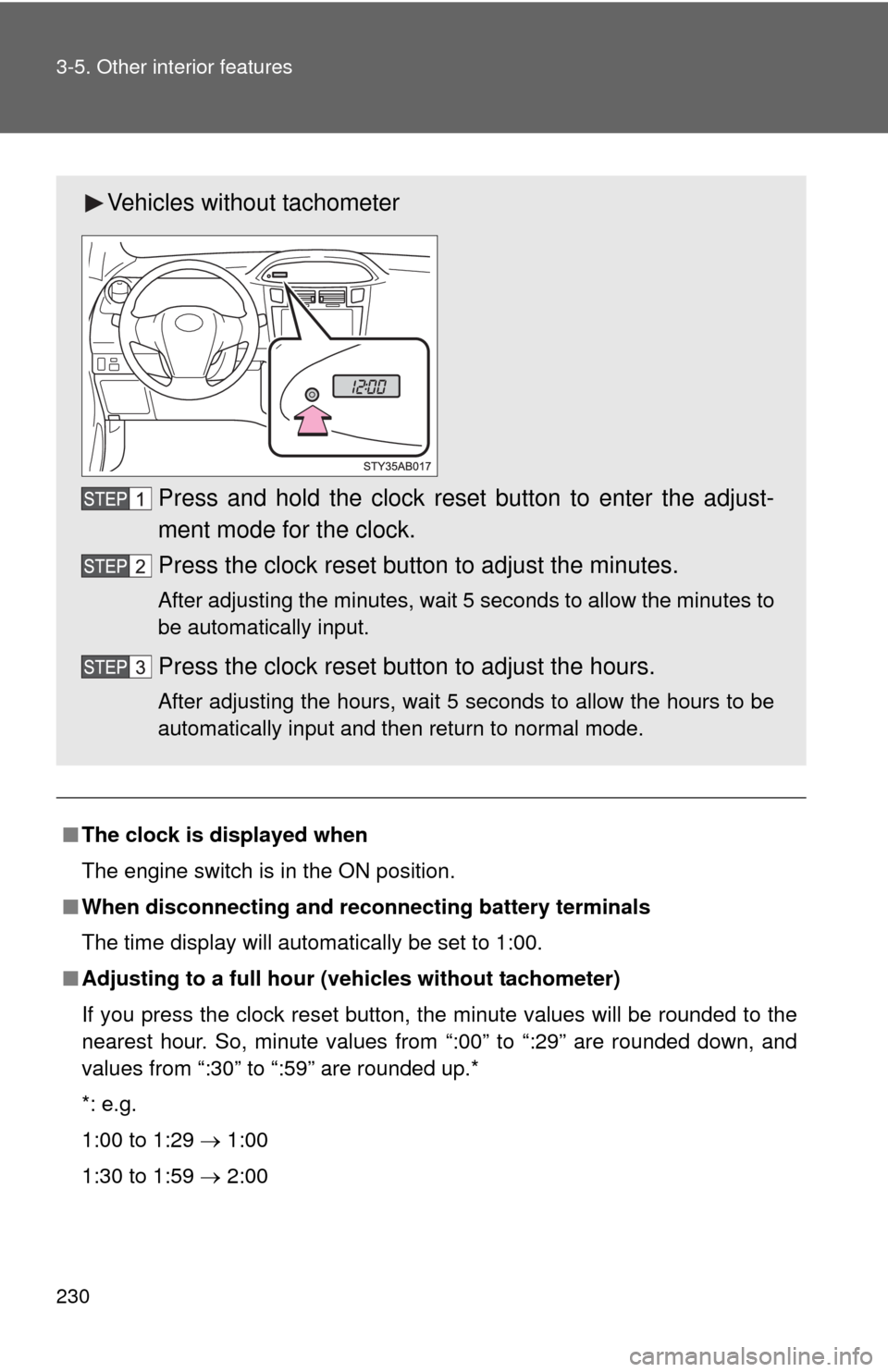
Vehicles without tachometer
Press and hold the clock reset button to enter the adjust-
ment mode for the clock.
Press the clock reset button to adjust the minutes.
After adjusting the minutes, wait 5 seconds to allow the minutes to
be automatically input.
Press the clock reset button to adjust the hours.
After adjusting the hours, wait 5 seconds to allow the hours to be
automatically input and then return to normal mode.
Page 255 of 400
255 4-3. Do-it-yourself maintenance
4
Maintenance and care
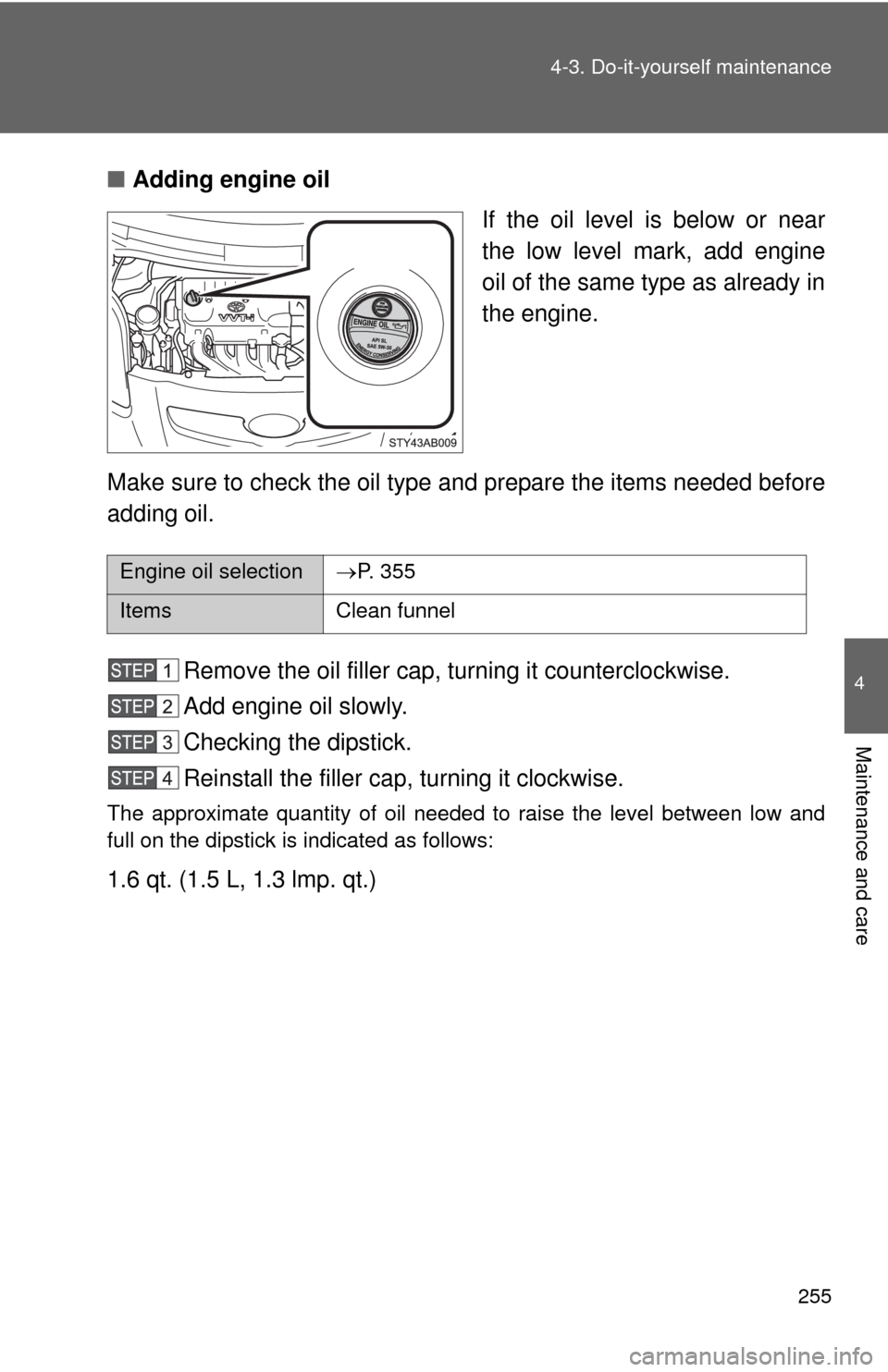
■Adding engine oil
If the oil level is below or near
the low level mark, add engine
oil of the same type as already in
the engine.
Make sure to check the oil type and prepare the items needed before
adding oil.
Remove the oil filler cap, turning it counterclockwise.
Add engine oil slowly.
Checking the dipstick.
Reinstall the filler cap, turning it clockwise.
The approximate quantity of oil needed to raise the level between low and
full on the dipstick is indicated as follows:
1.6 qt. (1.5 L, 1.3 lmp. qt.)
Engine oil selectionP. 355
Items Clean funnel
Page 297 of 400
297 4-3. Do-it-yourself maintenance
4
Maintenance and care
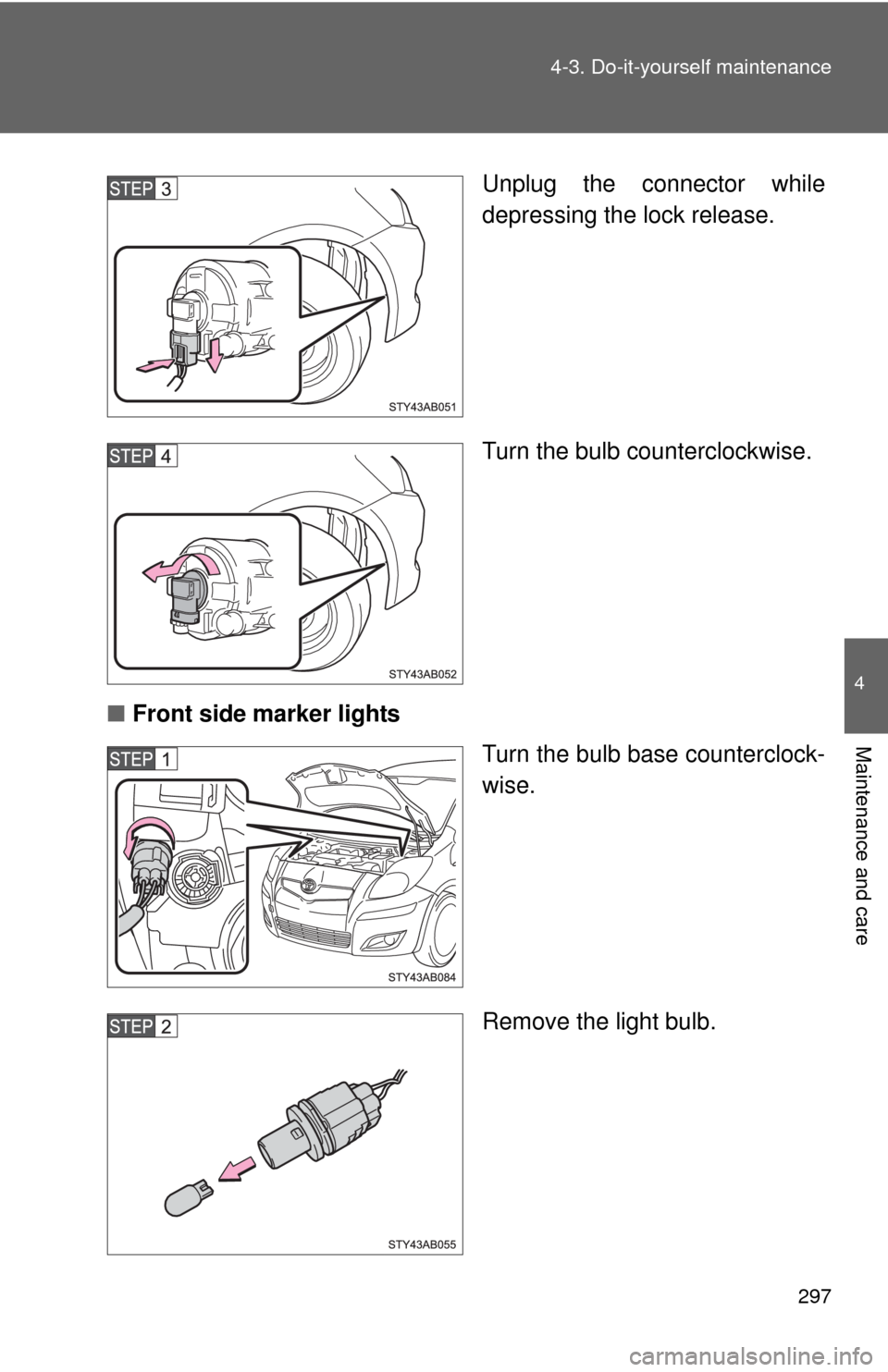
Unplug the connector while
depressing the lock release.
Turn the bulb counterclockwise.
■Front side marker lights
Turn the bulb base counterclock-
wise.
Remove the light bulb.