change time TOYOTA YARIS 2012 User Guide
[x] Cancel search | Manufacturer: TOYOTA, Model Year: 2012, Model line: YARIS, Model: TOYOTA YARIS 2012Pages: 704, PDF Size: 27.58 MB
Page 292 of 704
292 2-2. Instrument cluster
YARIS_F (including HV)_WE_52C79E
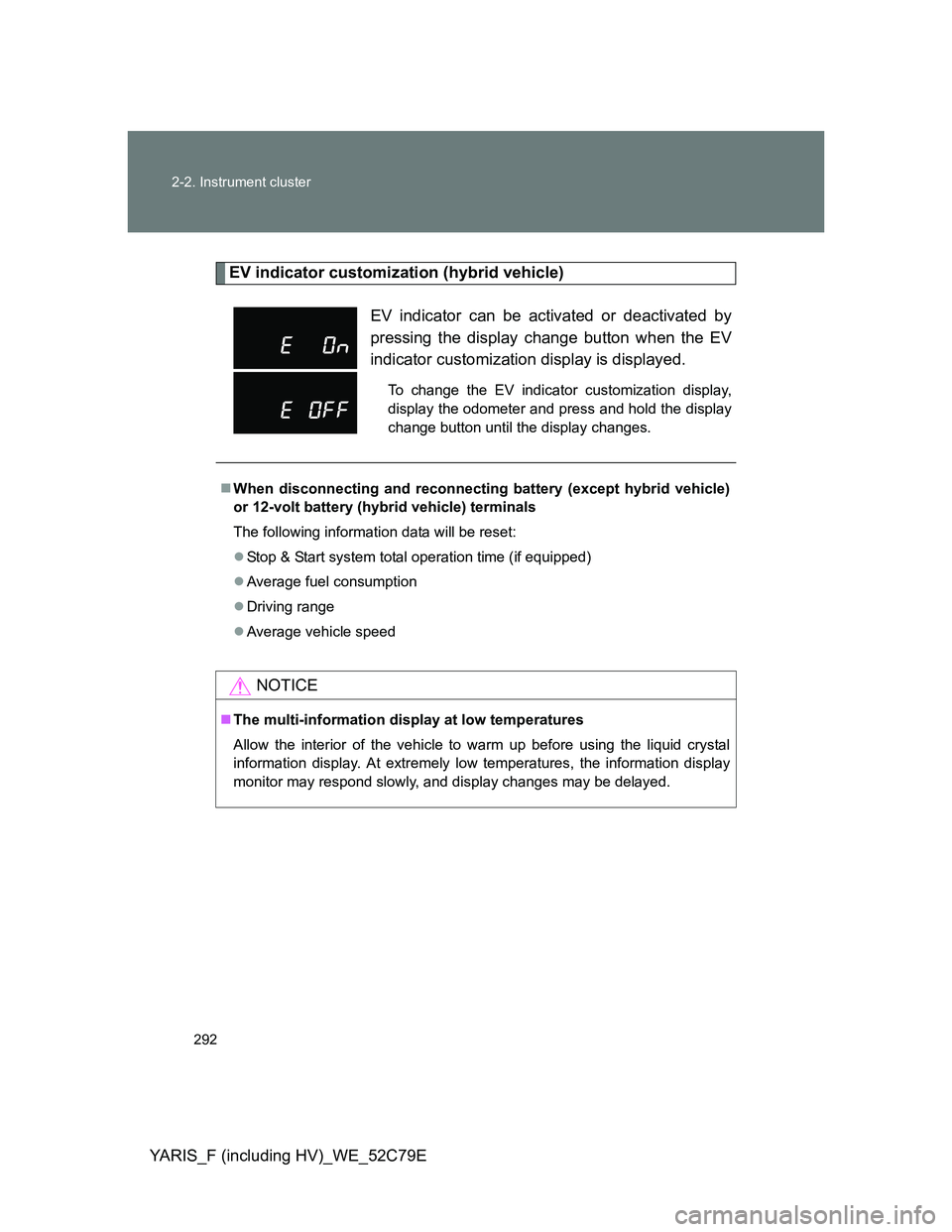
EV indicator customization (hybrid vehicle)
EV indicator can be activated or deactivated by
pressing the display change button when the EV
indicator customization display is displayed.
To change the EV indicator customization display,
display the odometer and press and hold the display
change button until the display changes.
When disconnecting and reconnecting battery (except hybrid vehicle)
or 12-volt battery (hybrid vehicle) terminals
The following information data will be reset:
Stop & Start system total operation time (if equipped)
Average fuel consumption
Driving range
Average vehicle speed
NOTICE
The multi-information display at low temperatures
Allow the interior of the vehicle to warm up before using the liquid crystal
information display. At extremely low temperatures, the information display
monitor may respond slowly, and display changes may be delayed.
Page 312 of 704
312 2-4. Using other driving systems
YARIS_F (including HV)_WE_52C79E
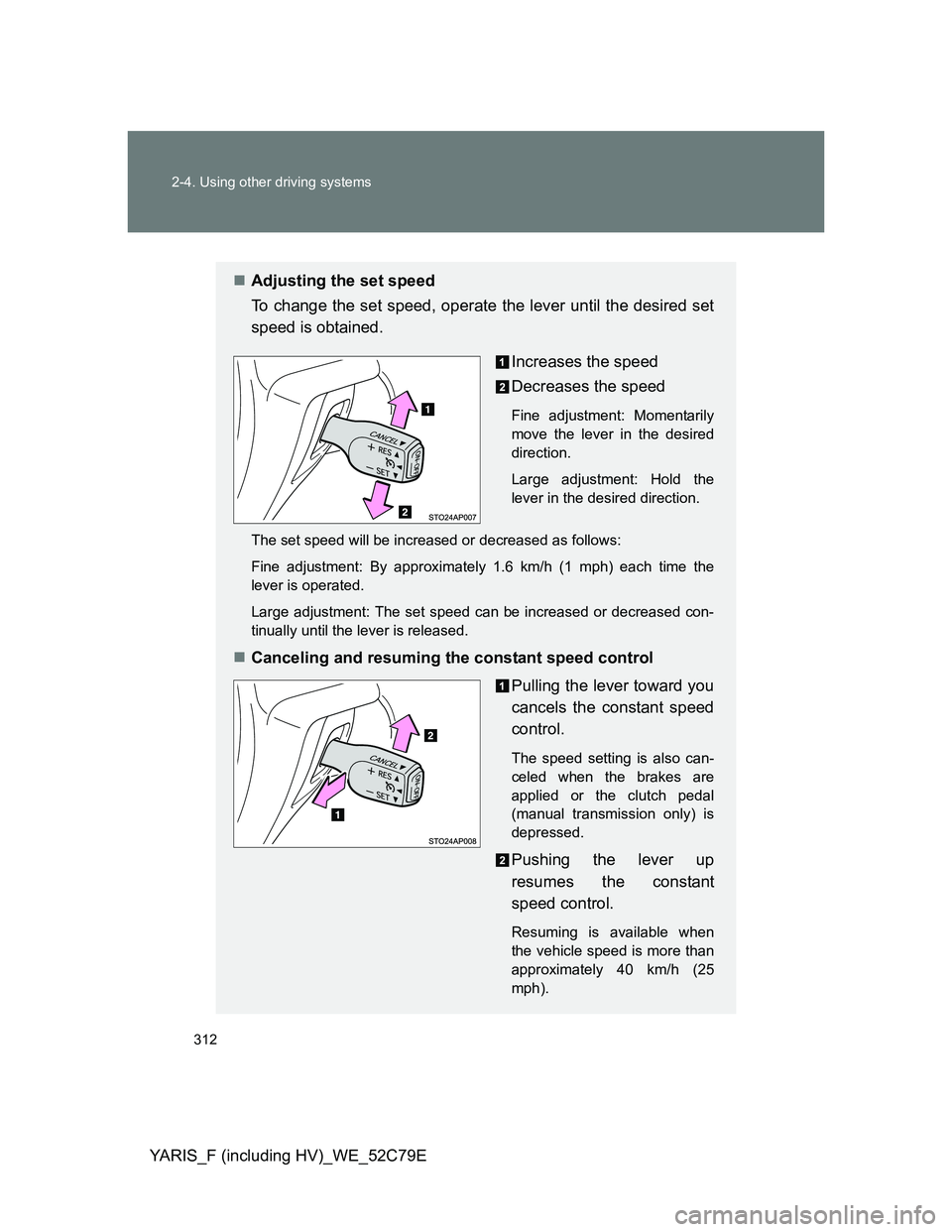
Adjusting the set speed
To change the set speed, operate the lever until the desired set
speed is obtained.
Increases the speed
Decreases the speed
Fine adjustment: Momentarily
move the lever in the desired
direction.
Large adjustment: Hold the
lever in the desired direction.
The set speed will be increased or decreased as follows:
Fine adjustment: By approximately 1.6 km/h (1 mph) each time the
lever is operated.
Large adjustment: The set speed can be increased or decreased con-
tinually until the lever is released.
Canceling and resuming the constant speed control
Pulling the lever toward you
cancels the constant speed
control.
The speed setting is also can-
celed when the brakes are
applied or the clutch pedal
(manual transmission only) is
depressed.
Pushing the lever up
resumes the constant
speed control.
Resuming is available when
the vehicle speed is more than
approximately 40 km/h (25
mph).
Page 316 of 704
316 2-4. Using other driving systems
YARIS_F (including HV)_WE_52C79E
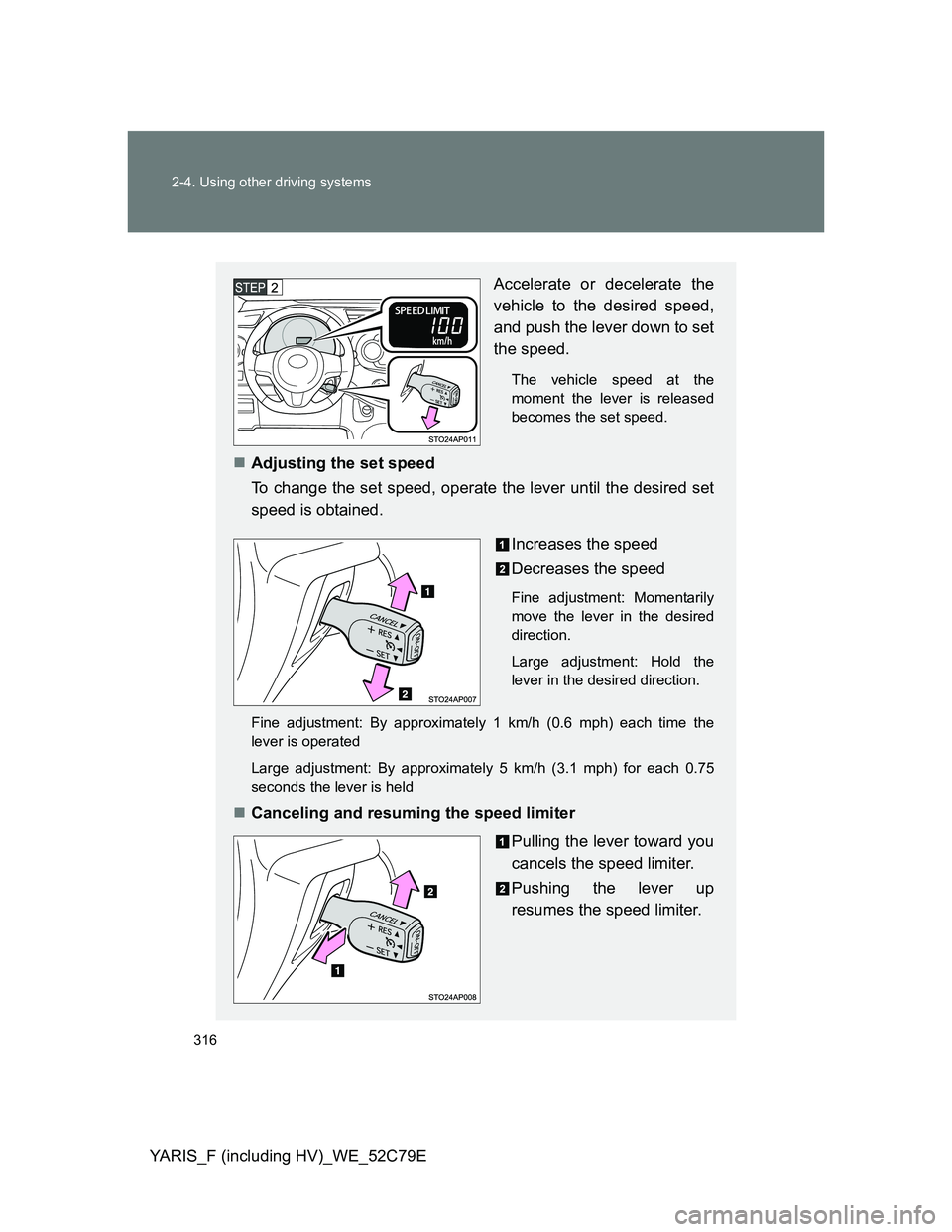
Accelerate or decelerate the
vehicle to the desired speed,
and push the lever down to set
the speed.
The vehicle speed at the
moment the lever is released
becomes the set speed.
Adjusting the set speed
To change the set speed, operate the lever until the desired set
speed is obtained.
Increases the speed
Decreases the speed
Fine adjustment: Momentarily
move the lever in the desired
direction.
Large adjustment: Hold the
lever in the desired direction.
Fine adjustment: By approximately 1 km/h (0.6 mph) each time the
lever is operated
Large adjustment: By approximately 5 km/h (3.1 mph) for each 0.75
seconds the lever is held
Canceling and resuming the speed limiter
Pulling the lever toward you
cancels the speed limiter.
Pushing the lever up
resumes the speed limiter.
Page 322 of 704
322 2-4. Using other driving systems
YARIS_F (including HV)_WE_52C79E
The Stop & Start system protection feature
Vehicles without a smart entry & start system:
When an excessively loud sound is being projected by the audio system, the
audio system may be automatically cut off in order to maintain power for the
Stop & Start system function.
If this occurs, turning the engine switch to the “LOCK” position then to the
“ACC” or “ON” position re-enables the audio system.
Vehicles with a smart entry & start system:
When an excessively loud sound is being projected by the audio system, the
audio system may be automatically cut off in order to maintain power for the
Stop & Start system function.
If this occurs, turning the “ENGINE START STOP” switch off then to ACCES-
SORY mode or IGNITION ON mode re-enables the audio system.
Steering wheel operation
When the engine is stopped by the Stop & Start system, the steering wheel
may become heavier than when driving.
Hood
If the hood is opened while the engine is stopped by the Stop & Start system,
the engine cannot be restarted by the Stop & Start system or by the auto-
matic engine start function. Restart the engine with the engine switch opera-
tion. (P. 224, 228)
Vehicles with a Multidrive: If the hood is opened while the engine is stopped
by the Stop & Start system and the shift lever is in N or P, the engine will
restart.
Hill-start assist control (vehicles with a Multidrive)
On a steep uphill grade, the vehicle may roll backward after hill-start
assist control is released. In this situation, apply the parking brake and
operate the brake pedal when putting the vehicle in motion.
This system operates on flat surfaces as well as steep grades.
When the engine is stopped due to Stop & Start system operation, the
force required to depress the brake pedal may change, but this is not a
malfunction.
When to use the Stop & Start system
Use the Stop & Start system when stopping the vehicle temporarily at red
lights, intersections, etc. When stopping the vehicle for a longer period of
time, turn off the engine completely.
Page 365 of 704
365 3-1. Using the air conditioning system and defogger
3
Interior features
YARIS_F (including HV)_WE_52C79E
If is not pressed, the system will blow ambient temperature
air or heated air.
To change the air outlets, press .
The air outlets used are switched each time is pressed.
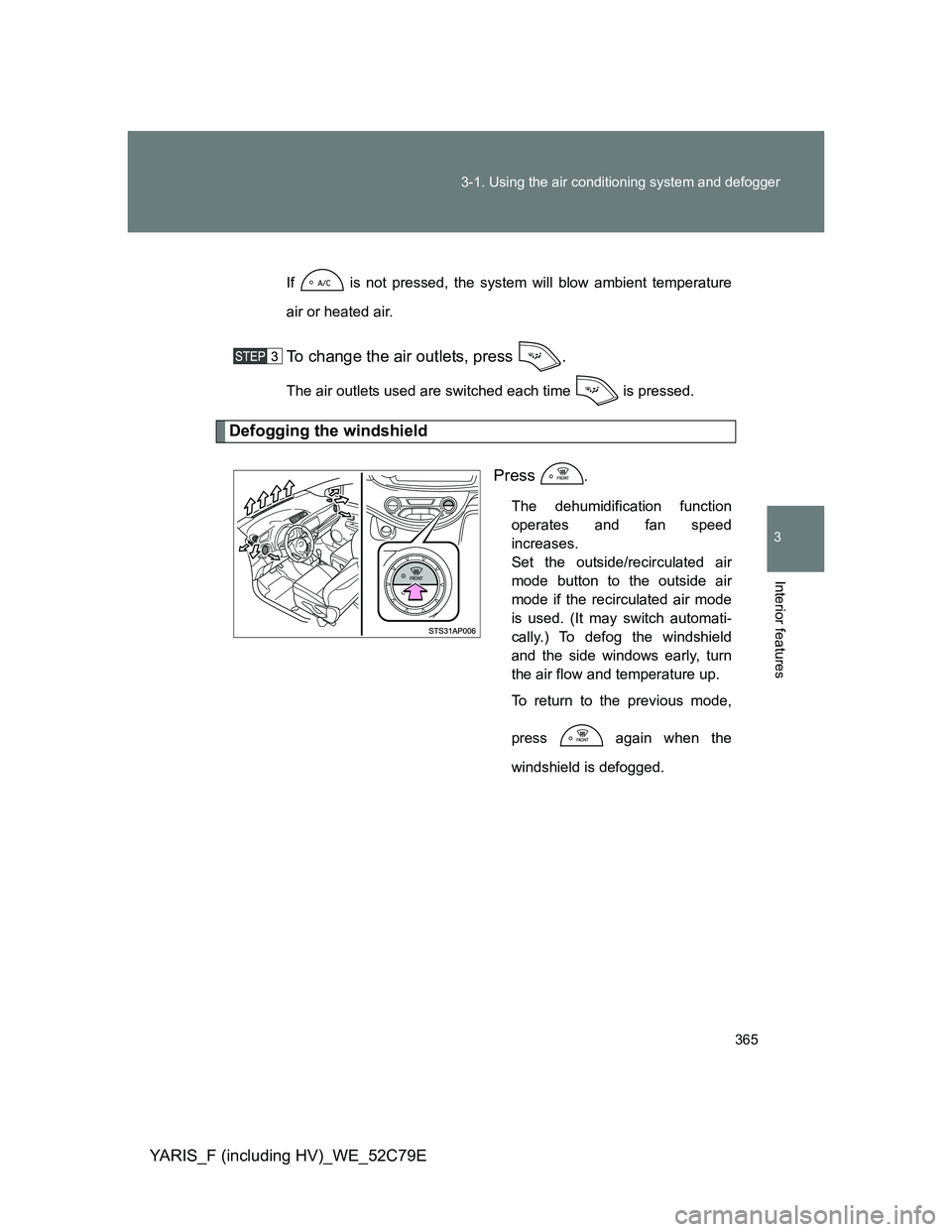
Defogging the windshield
Press
.
The dehumidification function
operates and fan speed
increases.
Set the outside/recirculated air
mode button to the outside air
mode if the recirculated air mode
is used. (It may switch automati-
cally.) To defog the windshield
and the side windows early, turn
the air flow and temperature up.
To return to the previous mode,
press again when the
windshield is defogged.
Page 414 of 704
414
3-2. Using the audio system
YARIS_F (including HV)_WE_52C79E
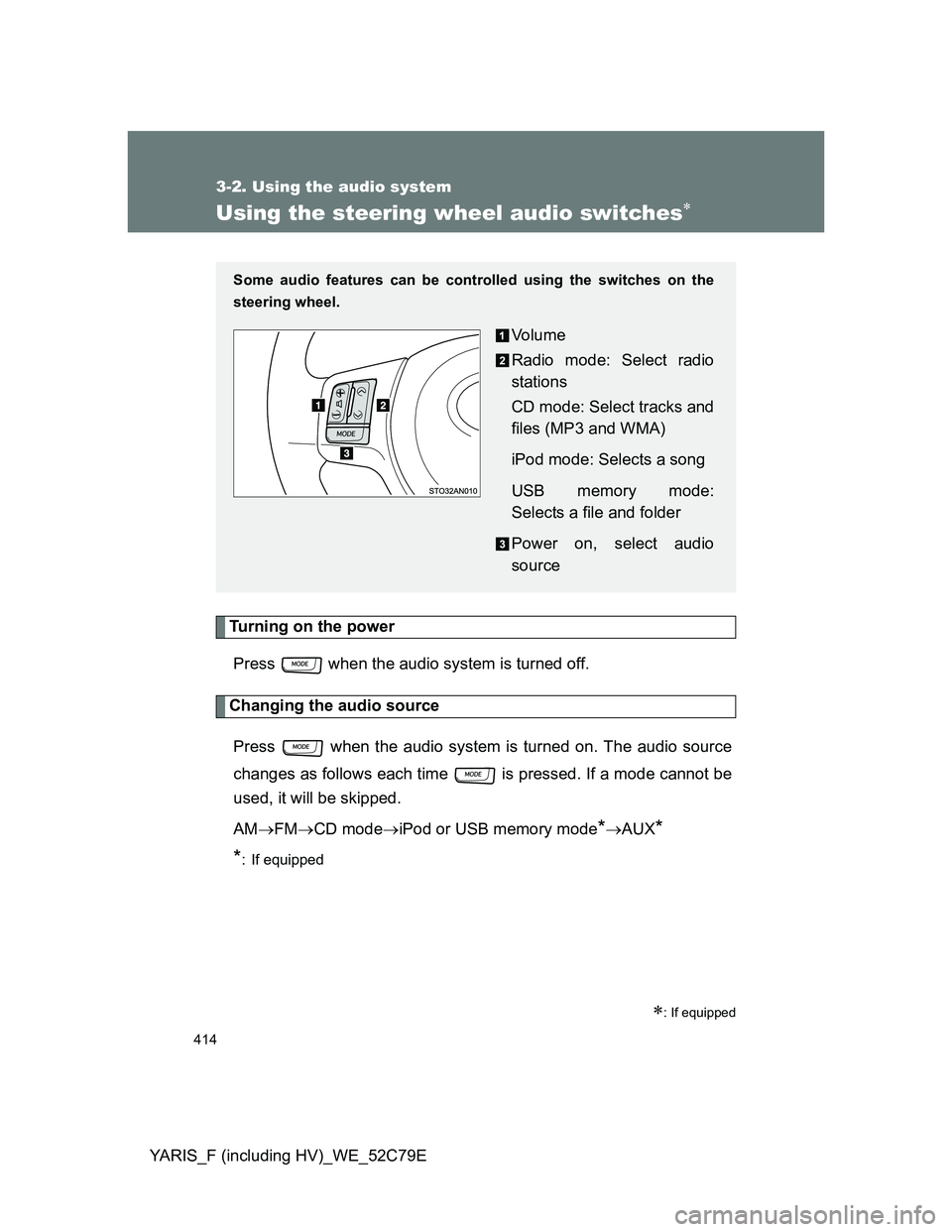
Using the steering wheel audio switches
Turning on the power
Press when the audio system is turned off.
Changing the audio source
Press when the audio system is turned on. The audio source
changes as follows each time is pressed. If a mode cannot be
used, it will be skipped.
AMFMCD modeiPod or USB memory mode
*AUX*
*
: If equipped
: If equipped
Some audio features can be controlled using the switches on the
steering wheel.
Vo l u m e
Radio mode: Select radio
stations
CD mode: Select tracks and
files (MP3 and WMA)
iPod mode: Selects a song
USB memory mode:
Selects a file and folder
Power on, select audio
source
Page 419 of 704
419 3-3. Using the interior lights
3
Interior features
YARIS_F (including HV)_WE_52C79E
Hybrid vehicle
Vehicles without an electronic key:
The lights automatically turn on/off according to the engine switch position,
whether the doors are locked/unlocked, and whether the doors are opened/
closed.
Vehicles with an electronic key:
The lights automatically turn on/off according to “POWER” switch mode, the
presence of the electronic key, whether the doors are locked/unlocked, and
whether the doors are opened/closed.
To prevent battery discharge (except hybrid vehicle)
If the following lights remain on when the door is not fully closed, the lights
will go off automatically after 20 minutes:
Interior light (when the switch is in the door position)
“ENGINE START STOP” switch light
Footwell lights
To prevent 12-volt battery discharge (hybrid vehicle)
If the following lights remain on when the door is not fully closed, the lights
will go off automatically after 20 minutes:
Interior light (when the switch is in the door position)
“POWER” switch light
Footwell lights
Customization that can be configured at any authorized Toyota dealer
or repair, or another duly qualified and equipped professional
Settings (e.g. the time elapsed before lights turn off) can be changed.
(Customizable features P. 682)
Interior light
Page 620 of 704
620 5-2. Steps to take in an emergency
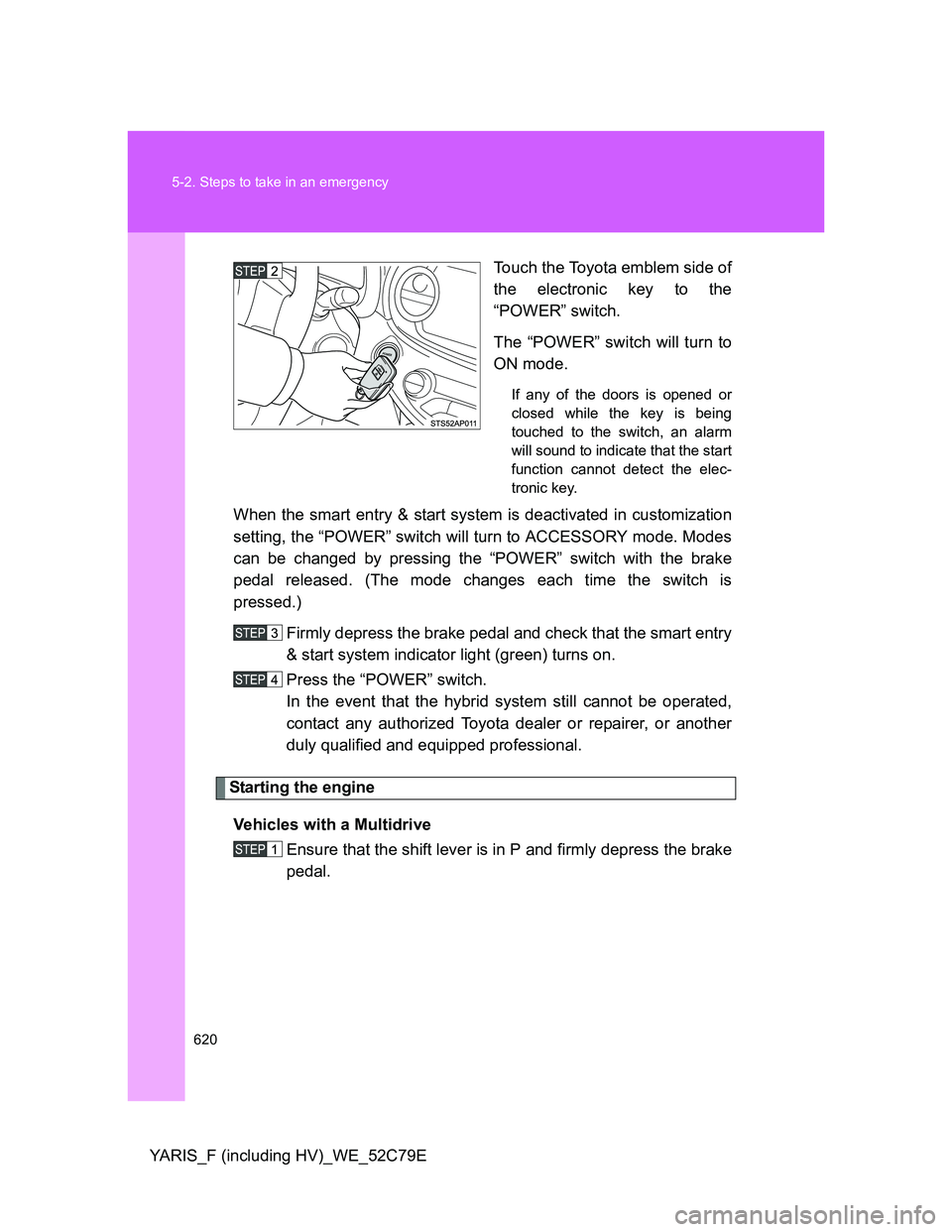
YARIS_F (including HV)_WE_52C79ETouch the Toyota emblem side of
the electronic key to the
“POWER” switch.
The “POWER” switch will turn to
ON mode.
If any of the doors is opened or
closed while the key is being
touched to the switch, an alarm
will sound to indicate that the start
function cannot detect the elec-
tronic key.
When the smart entry & start system is deactivated in customization
setting, the “POWER” switch will turn to ACCESSORY mode. Modes
can be changed by pressing the “POWER” switch with the brake
pedal released. (The mode changes each time the switch is
pressed.)
Firmly depress the brake pedal and check that the smart entry
& start system indicator light (green) turns on.
Press the “POWER” switch.
In the event that the hybrid system still cannot be operated,
contact any authorized Toyota dealer or repairer, or another
duly qualified and equipped professional.
Starting the engine
Vehicles with a Multidrive
Ensure that the shift lever is in P and firmly depress the brake
pedal.
Page 621 of 704
5
621 5-2. Steps to take in an emergency
When trouble arises
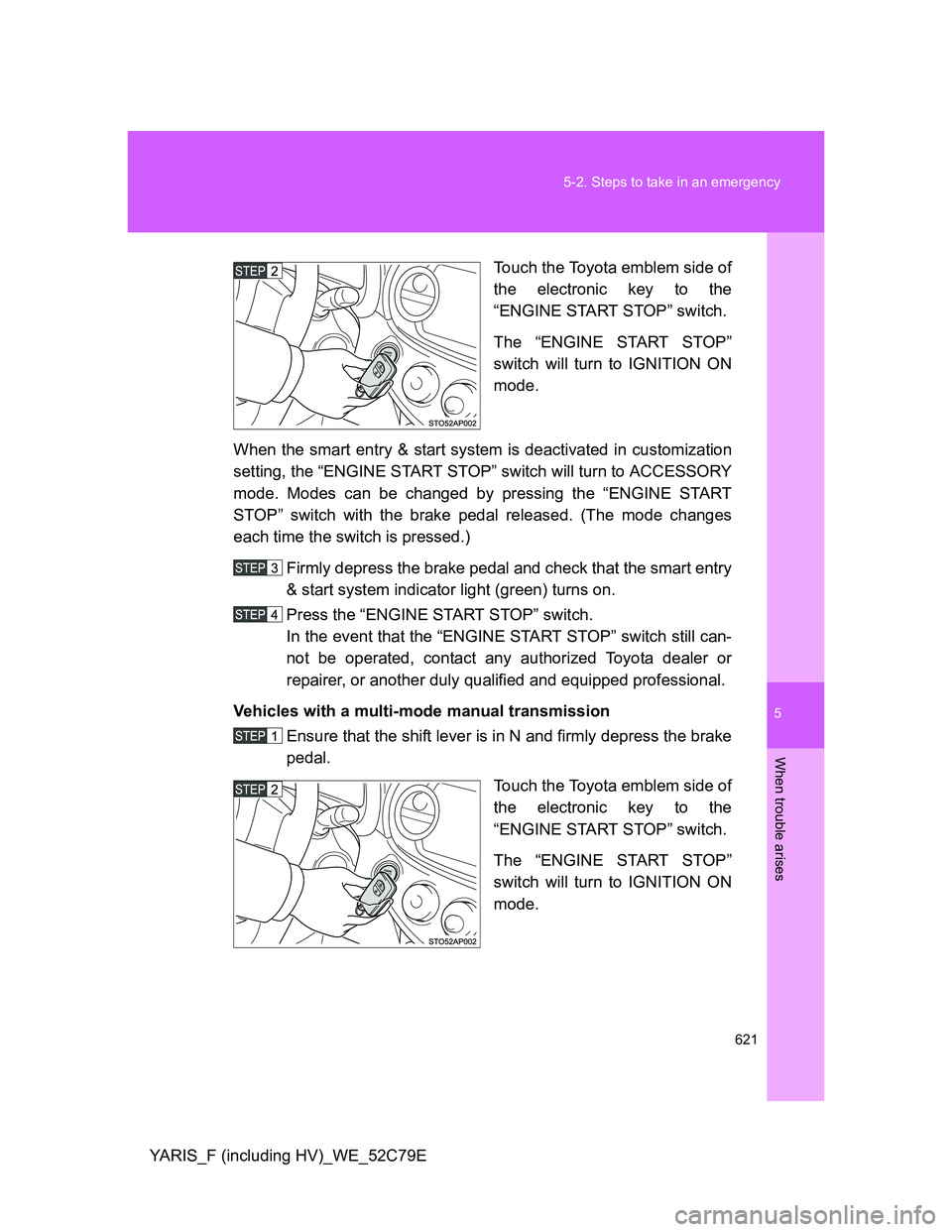
YARIS_F (including HV)_WE_52C79ETouch the Toyota emblem side of
the electronic key to the
“ENGINE START STOP” switch.
The “ENGINE START STOP”
switch will turn to IGNITION ON
mode.
When the smart entry & start system is deactivated in customization
setting, the “ENGINE START STOP” switch will turn to ACCESSORY
mode. Modes can be changed by pressing the “ENGINE START
STOP” switch with the brake pedal released. (The mode changes
each time the switch is pressed.)
Firmly depress the brake pedal and check that the smart entry
& start system indicator light (green) turns on.
Press the “ENGINE START STOP” switch.
In the event that the “ENGINE START STOP” switch still can-
not be operated, contact any authorized Toyota dealer or
repairer, or another duly qualified and equipped professional.
Vehicles with a multi-mode manual transmission
Ensure that the shift lever is in N and firmly depress the brake
pedal.
Touch the Toyota emblem side of
the electronic key to the
“ENGINE START STOP” switch.
The “ENGINE START STOP”
switch will turn to IGNITION ON
mode.
Page 622 of 704
622 5-2. Steps to take in an emergency
YARIS_F (including HV)_WE_52C79EWhen the smart entry & start system is deactivated in customization
setting, the “ENGINE START STOP” switch will turn to ACCESSORY
mode. Modes can be changed by pressing the “ENGINE START
STOP” switch with the brake pedal released. (The mode changes
each time the switch is pressed.)
Firmly depress the brake pedal and check that the smart entry
& start system indicator light (green) turns on.
Press the “ENGINE START STOP” switch.
In the event that the “ENGINE START STOP” switch still can-
not be operated, contact any authorized Toyota dealer or
repairer, or another duly qualified and equipped professional.
Vehicles with a manual transmission
Ensure that the shift lever is in N and depress the clutch
pedal.
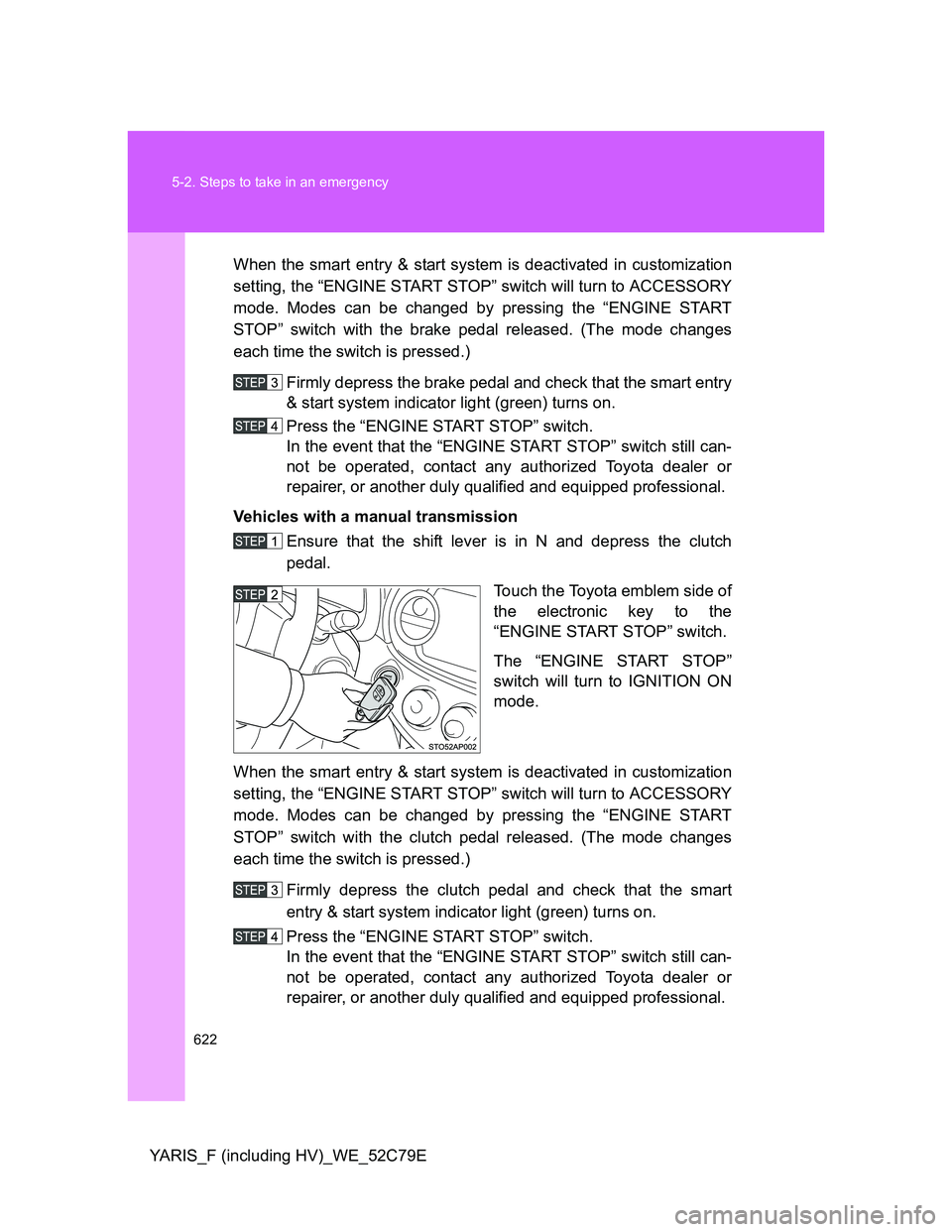
Touch the Toyota emblem side of
the electronic key to the
“ENGINE START STOP” switch.
The “ENGINE START STOP”
switch will turn to IGNITION ON
mode.
When the smart entry & start system is deactivated in customization
setting, the “ENGINE START STOP” switch will turn to ACCESSORY
mode. Modes can be changed by pressing the “ENGINE START
STOP” switch with the clutch pedal released. (The mode changes
each time the switch is pressed.)
Firmly depress the clutch pedal and check that the smart
entry & start system indicator light (green) turns on.
Press the “ENGINE START STOP” switch.
In the event that the “ENGINE START STOP” switch still can-
not be operated, contact any authorized Toyota dealer or
repairer, or another duly qualified and equipped professional.