stop start TOYOTA YARIS 2013 User Guide
[x] Cancel search | Manufacturer: TOYOTA, Model Year: 2013, Model line: YARIS, Model: TOYOTA YARIS 2013Pages: 712, PDF Size: 30.2 MB
Page 79 of 712
79 1-3. Opening, closing and locking the doors
1
Before driving
YARIS_F(including HV)_WE_52E26E
Notes for the entry function
Even when the electronic key is within the effective range (detection
areas), the system may not operate properly in the following cases:
• The electronic key is too close to the window or outside door handle,
near the ground, or in a high place when the doors are locked or
unlocked.
• The electronic key is on the instrument panel, luggage cover (if
equipped) or floor, or in the door pockets, glove box, accessory box of
the instrument panel, or in/near the front cup holder when:
• Except hybrid vehicle: the engine is started or “ENGINE START
STOP” switch modes are changed.
• Hybrid vehicle: the hybrid system is started or “POWER” switch
modes are changed.
Do not leave the electronic key on top of the instrument panel or near the
door pockets when exiting the vehicle. Depending on the radio wave
reception conditions, it may be detected by the antenna outside the cabin
and the door will become lockable from the outside, possibly trapping the
electronic key inside the vehicle.
As long as the electronic key is within the effective range, the doors may
be locked or unlocked by anyone.
Even if the electronic key is not inside the vehicle, it may be possible to
start the engine (except hybrid vehicle) or hybrid system (hybrid vehicle)
if the electronic key is near the window.
The doors may unlock if a large amount of water splashes on the door
handle, such as in the rain or in a car wash when the electronic key is
within the effective range. (The door will automatically be locked after
approximately 30 seconds if the doors are not opened and closed.)
Gripping the door handle when wearing a glove may not unlock the door.
If the wireless remote control is used to lock the doors when the elec-
tronic key is near the vehicle, there is a possibility that the door may not
be unlocked by the entry function. (Use the wireless remote control to
unlock the doors.)
A sudden approach to the effective range or door handle may prevent the
doors from being unlocked. In this case, return the door handle to the
original position and check that the doors unlock before pulling the door
handle again.
Page 81 of 712
81 1-3. Opening, closing and locking the doors
1
Before driving
YARIS_F(including HV)_WE_52E26E
Security feature
If a door is not opened within approximately 30 seconds after the vehicle is
unlocked, the security feature automatically locks the vehicle again.
To operate the system properly
Make sure to carry the electronic key when operating the system. Do not get
the electronic key too close to the vehicle when operating the system from
the outside of the vehicle.
Depending on the position and holding condition of the electronic key, the
key may not be detected correctly and the system may not operate properly.
(The alarm may go off accidentally, or the door lock prevention function may
not operate.)
If the smart entry & start system does not operate properly
Locking and unlocking the doors: Use the mechanical key. (P. 624)
Starting the engine (except hybrid vehicle) or the hybrid system (hybrid
vehicle): P. 625, 627
Electronic key battery depletion
The standard battery life is 1 to 2 years.
If the battery becomes low, an alarm will sound in the cabin when the
engine (except hybrid vehicle) or the hybrid system (hybrid vehicle)
stops. (P. 571)
As the electronic key always receives radio waves, the battery will
become depleted even if the electronic key is not used. The following
symptoms indicate that the electronic key battery may be depleted.
Replace the battery when necessary. (P. 501)
• The smart entry & start system or the wireless remote control does not
operate.
• The detection area becomes smaller.
• The LED indicator on the key surface does not turn on.
To avoid serious deterioration, do not leave the electronic key within 1 m
(3 ft.) of the following electrical appliances that produce a magnetic field:
•TVs
• Personal computers
• Cellular phones, cordless phones and battery chargers
• Recharging cellular phones or cordless phones
• Induction cookers
• Table lamps
Page 82 of 712
82 1-3. Opening, closing and locking the doors
YARIS_F(including HV)_WE_52E26E
When the electronic key battery is fully depleted
P. 501
If the smart entry & start system has been deactivated in a customized
setting
Locking and unlocking the doors: Use the wireless remote control or
mechanical key. (P. 105, 624)
Starting the engine and changing “ENGINE START STOP” switch modes
(except hybrid vehicle): P. 625
Starting the hybrid system and changing “POWER” switch mode (hybrid
vehicle): P. 627
Stopping the engine (except hybrid vehicle): P. 229
Stopping the hybrid system (hybrid vehicle):P. 2 4 2
Customization that can be configured at any authorized Toyota dealer
or repairer, or another duly qualified and equipped professional
Settings (e. g. smart entry & start system) can be changed.
(Customizable features: P. 689)
Page 94 of 712
94
1-3. Opening, closing and locking the doors
YARIS_F(including HV)_WE_52E26E
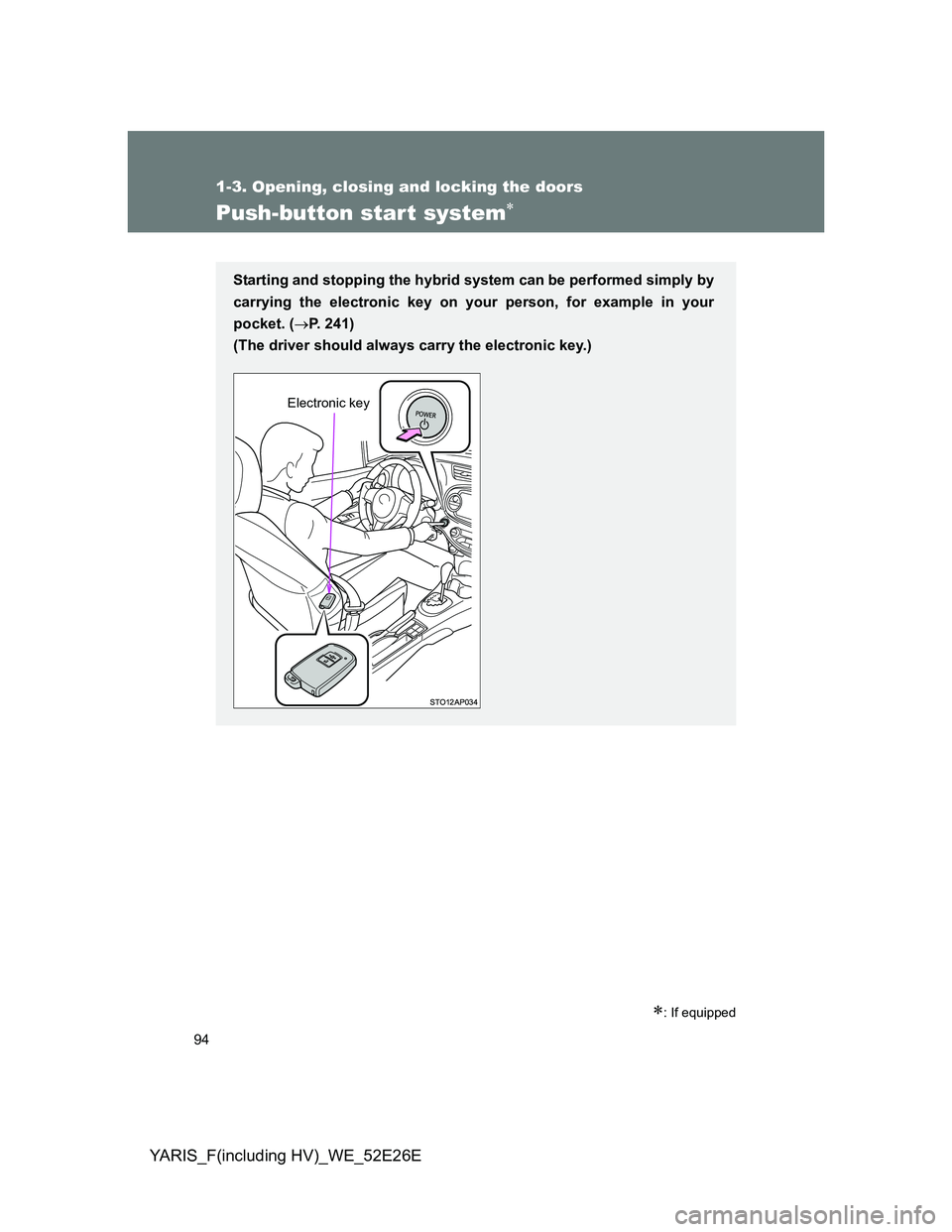
Push-button start system
: If equipped
Starting and stopping the hybrid system can be performed simply by
carrying the electronic key on your person, for example in your
pocket. (P. 241)
(The driver should always carry the electronic key.)
Electronic key
Page 106 of 712
106 1-3. Opening, closing and locking the doors
YARIS_F(including HV)_WE_52E26E
Operation signals
The emergency flashers flash to indicate that the doors have been locked/
unlocked. (Locked: once; Unlocked: twice)
Door lock buzzer (vehicles with a smart entry & start system or a push-
button start system)
If an attempt to lock the doors is made when a door is not fully closed, a
buzzer sounds continuously. Fully close the door to stop the buzzer, and lock
the vehicle once more.
Security feature
If a door is not opened within approximately 30 seconds after the vehicle is
unlocked, the security feature automatically locks the vehicle again.
Conditions affecting operation
Vehicles without a smart entry & start system or a push-button start
system
The wireless remote control function may not operate normally in the follow-
ing situations:
When the wireless key battery is depleted
Near a TV tower, electric power plant, gas station, radio station, large dis-
play, airport or other facility that generates strong radio waves or electri-
cal noise
When carrying a portable radio, cellular phone or other wireless commu-
nication devices
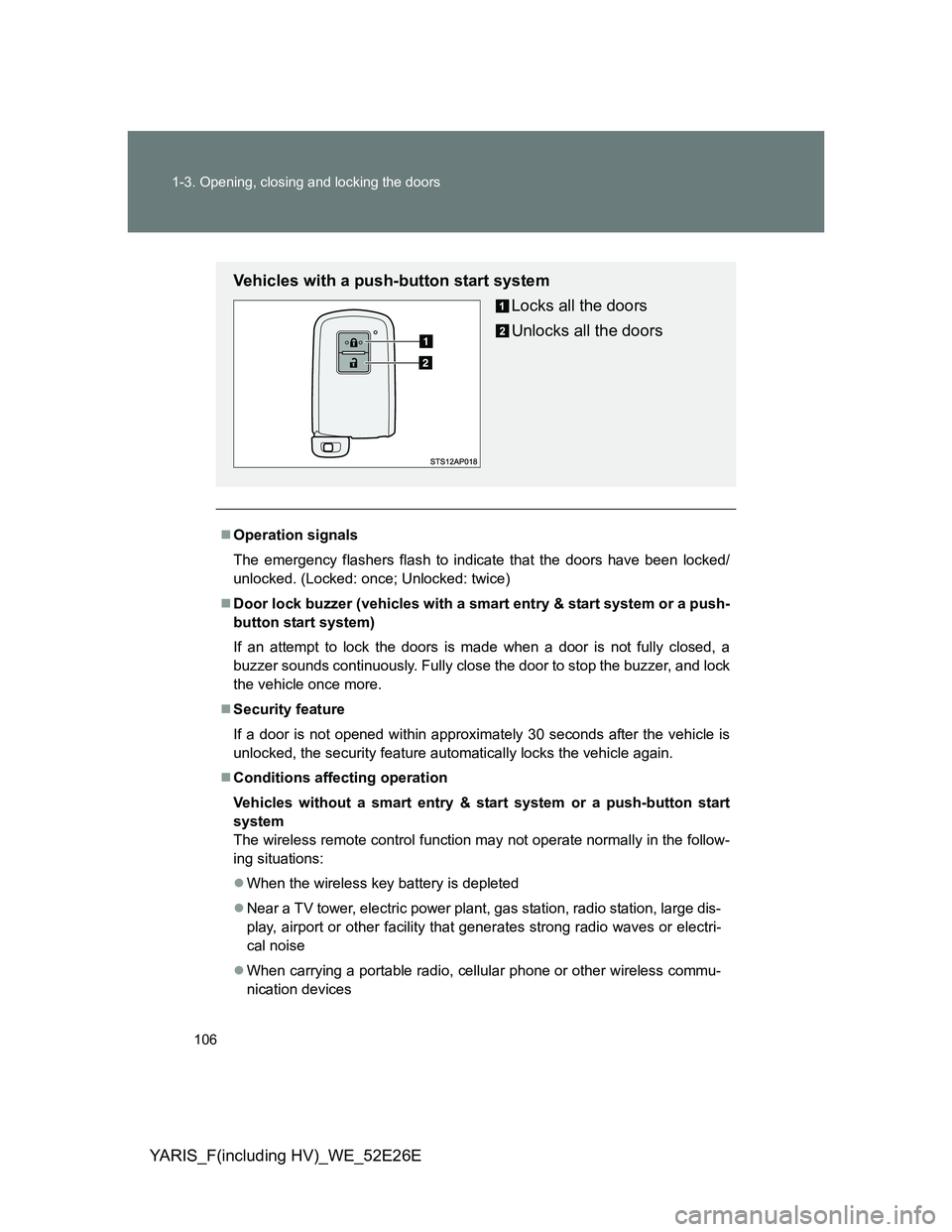
Vehicles with a push-button start system
Locks all the doors
Unlocks all the doors
Page 116 of 712
116 1-3. Opening, closing and locking the doors
YARIS_F(including HV)_WE_52E26E
Locking the front doors from the outside without a key
Move the inside door lock button to the lock position.
Close the door while pulling the door handle.
Vehicles without a smart entry & start system or a push-button
start system (hybrid vehicle)
The door cannot be locked if the key is in the engine switch.
Vehicles with a smart entry & start system or a push-button start
system (hybrid vehicle)
Except hybrid vehicle: The door cannot be locked if the “ENGINE
START STOP” switch is in ACCESSORY or IGNITION ON mode, or
the electronic key is left inside the vehicle.
Hybrid vehicle: The door cannot be locked if the “POWER” switch is
in ACCESSORY or ON mode, or the electronic key is left.
The key may not be detected correctly and the door may be locked.
Page 142 of 712
142 1-4. Adjustable components (seats, mirrors, steering wheel)
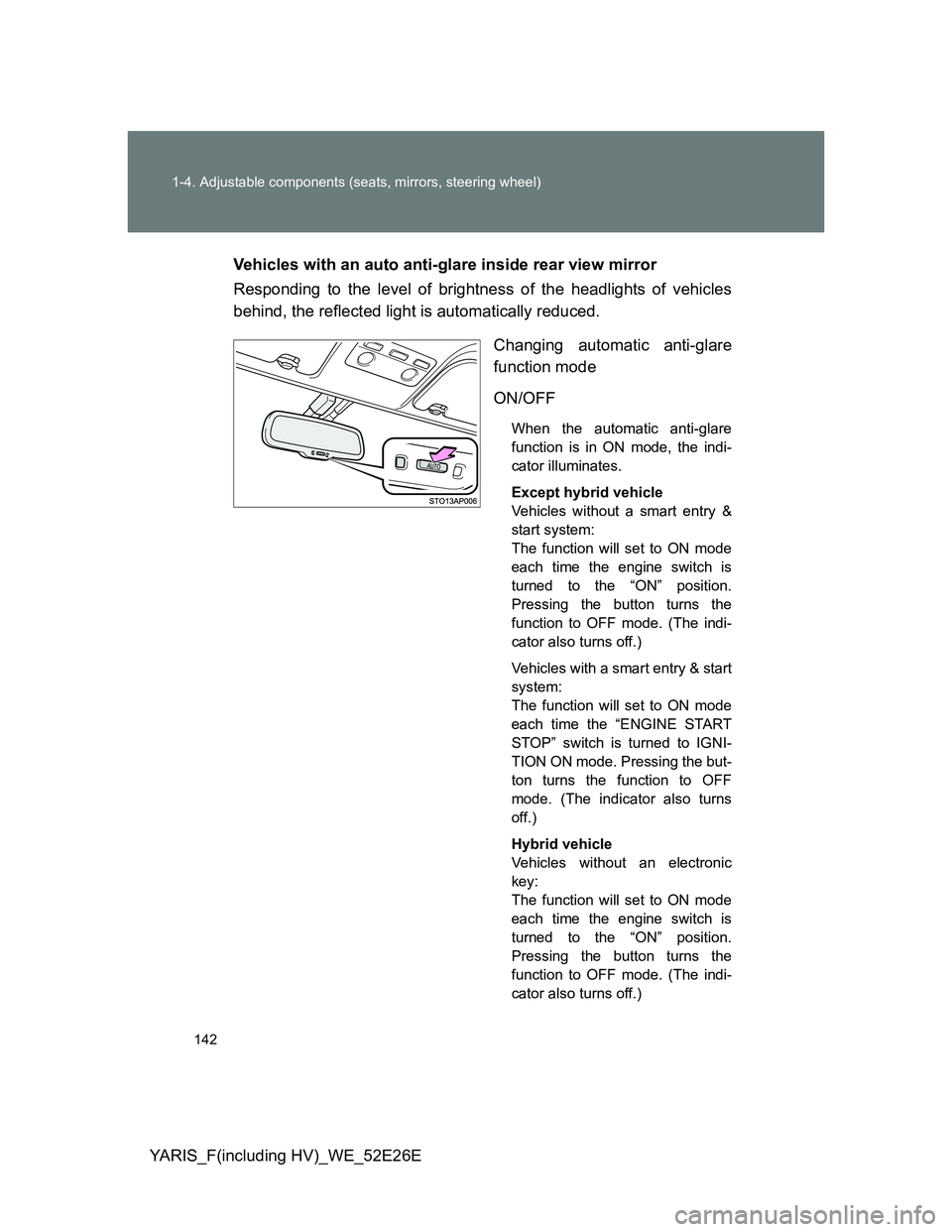
YARIS_F(including HV)_WE_52E26EVehicles with an auto anti-glare inside rear view mirror
Responding to the level of brightness of the headlights of vehicles
behind, the reflected light is automatically reduced.
Changing automatic anti-glare
function mode
ON/OFF
When the automatic anti-glare
function is in ON mode, the indi-
cator illuminates.
Except hybrid vehicle
Vehicles without a smart entry &
start system:
The function will set to ON mode
each time the engine switch is
turned to the “ON” position.
Pressing the button turns the
function to OFF mode. (The indi-
cator also turns off.)
Vehicles with a smart entry & start
system:
The function will set to ON mode
each time the “ENGINE START
STOP” switch is turned to IGNI-
TION ON mode. Pressing the but-
ton turns the function to OFF
mode. (The indicator also turns
off.)
Hybrid vehicle
Vehicles without an electronic
key:
The function will set to ON mode
each time the engine switch is
turned to the “ON” position.
Pressing the button turns the
function to OFF mode. (The indi-
cator also turns off.)
Page 145 of 712
145 1-4. Adjustable components (seats, mirrors, steering wheel)
1
Before driving
YARIS_F(including HV)_WE_52E26E
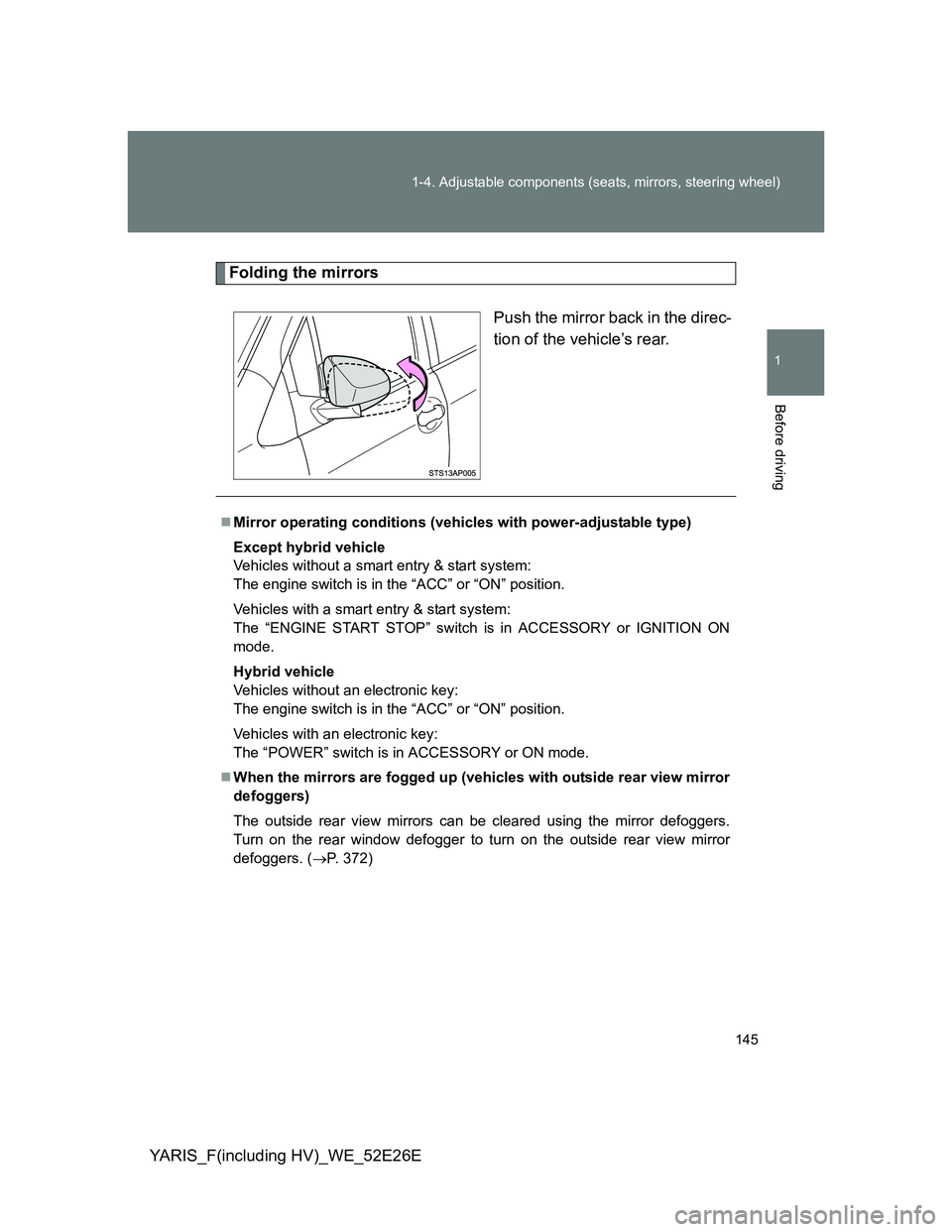
Folding the mirrors
Push the mirror back in the direc-
tion of the vehicle’s rear.
Mirror operating conditions (vehicles with power-adjustable type)
Except hybrid vehicle
Vehicles without a smart entry & start system:
The engine switch is in the “ACC” or “ON” position.
Vehicles with a smart entry & start system:
The “ENGINE START STOP” switch is in ACCESSORY or IGNITION ON
mode.
Hybrid vehicle
Vehicles without an electronic key:
The engine switch is in the “ACC” or “ON” position.
Vehicles with an electronic key:
The “POWER” switch is in ACCESSORY or ON mode.
When the mirrors are fogged up (vehicles with outside rear view mirror
defoggers)
The outside rear view mirrors can be cleared using the mirror defoggers.
Turn on the rear window defogger to turn on the outside rear view mirror
defoggers. (P. 372)
Page 148 of 712
148 1-5. Opening and closing the windows
YARIS_F(including HV)_WE_52E26E
The power windows can be operated when
Except hybrid vehicle
Vehicles without a smart entry & start system:
The engine switch is in the “ON” position.
Vehicles with a smart entry & start system:
The “ENGINE START STOP” switch is in IGNITION ON mode.
Hybrid vehicle
Vehicles without an electronic key:
The engine switch is in the “ON” position.
Vehicles with an electronic key:
The “POWER” switch is in ON mode.
Operating the power windows after turning the engine (except hybrid
vehicle) or hybrid system (hybrid vehicle) off
Except hybrid vehicle
Vehicles without a smart entry & start system:
The power windows can be operated for approximately 45 seconds even
after the engine switch is turned to the “ACC” or “LOCK” position. They can-
not, however, be operated once either front door is opened.
Vehicles with a smart entry & start system:
The power windows can be operated for approximately 45 seconds even
after the “ENGINE START STOP” switch is turned to ACCESSORY mode or
turned off. They cannot, however, be operated once either front door is
opened.
Hybrid vehicle
Vehicles without an electronic key:
The power windows can be operated for approximately 45 seconds even
after the engine switch is turned to the “ACC” or “LOCK” position. They can-
not, however, be operated once either front door is opened.
Vehicles with an electronic key:
The power windows can be operated for approximately 45 seconds even
after the “POWER” switch is turned to ACCESSORY mode or turned off.
They cannot, however, be operated once either front door is opened.
Jam protection function (driver’s side only)
If an object becomes caught between the window and the window frame,
window travel is stopped and the window is opened slightly.
Page 149 of 712
149 1-5. Opening and closing the windows
1
Before driving
YARIS_F(including HV)_WE_52E26E
When the power window does not close normally
If the jam protection function is operating abnormally and a window cannot
be closed, perform the following operations using the power window switch
on the driver’s door.
Except hybrid vehicle (vehicles without a smart entry & start system):
After stopping the vehicle, the window can be closed by holding the
power window switch in the one-touch closing position while the engine
switch is turned to the “ON” position.
Except hybrid vehicle (vehicles with a smart entry & start system):
After stopping the vehicle, the window can be closed by holding the
power window switch in the one-touch closing position while the
“ENGINE START STOP” switch is turned to IGNITION ON mode.
Hybrid vehicle (vehicles without an electronic key):
After stopping the vehicle, the window can be closed by holding the
power window switch in the one-touch closing position while the engine
switch is turned to the “ON” position.
Hybrid vehicle (vehicles with an electronic key):
After stopping the vehicle, the window can be closed by holding the
power window switch in the one-touch closing position while the
“POWER” switch is turned to ON mode.
If the window still cannot be closed even by carrying out the operation
explained above, initialize the function by performing the following proce-
dure.
Hold the power window switch in the one-touch closing position.
Continue holding the switch for a further 6 seconds after the win-
dow has closed.
Hold the power window switch in the one-touch opening position.
Continue holding the switch for a further 2 seconds after the win-
dow has opened completely.
Hold the power window switch in the one-touch closing position
once again. Continue holding the switch for a further 2 seconds
after the window has closed.