light TOYOTA YARIS 2016 Owners Manual
[x] Cancel search | Manufacturer: TOYOTA, Model Year: 2016, Model line: YARIS, Model: TOYOTA YARIS 2016Pages: 592, PDF Size: 10.44 MB
Page 243 of 592
YARIS_SEDAN_OM_OM99M18z_(U)
2414-1. Climate Control System
4
Interior Features
Set the mode selector dial to the position.
Set the temperature control dial to the cold position.
Set the fan control dial to the desired speed.
Turn on the air conditioner by pressing the A/C switch.
After cooling begins, adjust the fan control dial and temperature
control dial as needed to maintain maximum comfort.
■Cooling
●When maximum cooling is desired, set the temperature control dial to the
extreme cold position and set the air intake selector to the recirculated air
position, then set the fan control dial to position 4.
● If warmer air is desired at floor level, set the mode selector dial to the
position and adjust the temperature control dial to maintain maximum com-
fort.
● The air to the floor is warmer than air to the face (except when the tempera-
ture control dial is set at the extreme hot or cold position).
Cooling
NOTICE
If the air conditioner is used while driving up long hills or in heavy traffic,
monitor the engine coolant temperature warning light to see if it is illumi-
nated or flashing ( →P. 148).
The air conditioner may cause engine overheating. If the warning light is
illuminated or flashing, turn the air conditioning off ( →P. 502).
1
2
3
4
5
YARIS_SEDAN_OM_OM99M18z_(U).book Page 241 Monday, June 1, 2015 9:22 PM
Page 249 of 592
YARIS_SEDAN_OM_OM99M18z_(U)
2474-2. Audio System
4
Interior Features
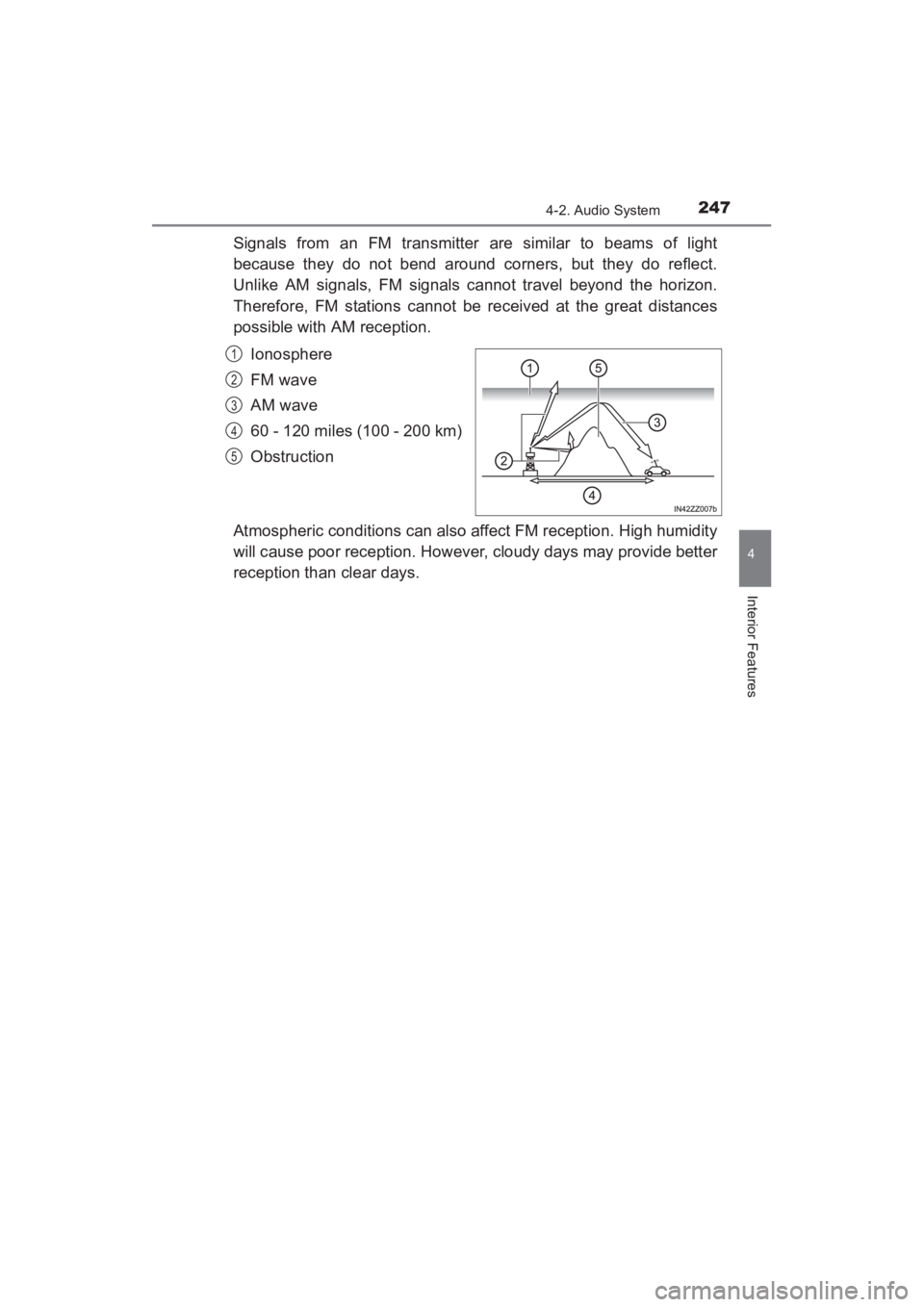
Signals from an FM transmitter are similar to beams of light
because they do not bend around corners, but they do reflect.
Unlike AM signals, FM signals cannot travel beyond the horizon.
Therefore, FM stations cannot be received at the great distances
possible with AM reception.Ionosphere
FM wave
AM wave
60 - 120 miles (100 - 200 km)
Obstruction
Atmospheric conditions can also affect FM reception. High humidity
will cause poor reception. However, cloudy days may provide better
reception than clear days.
1
2
3
4
5
YARIS_SEDAN_OM_OM99M18z_(U).book Page 247 Monday, June 1, 2015 9:22 PM
Page 250 of 592
248
YARIS_SEDAN_OM_OM99M18z_(U)
4-2. Audio System
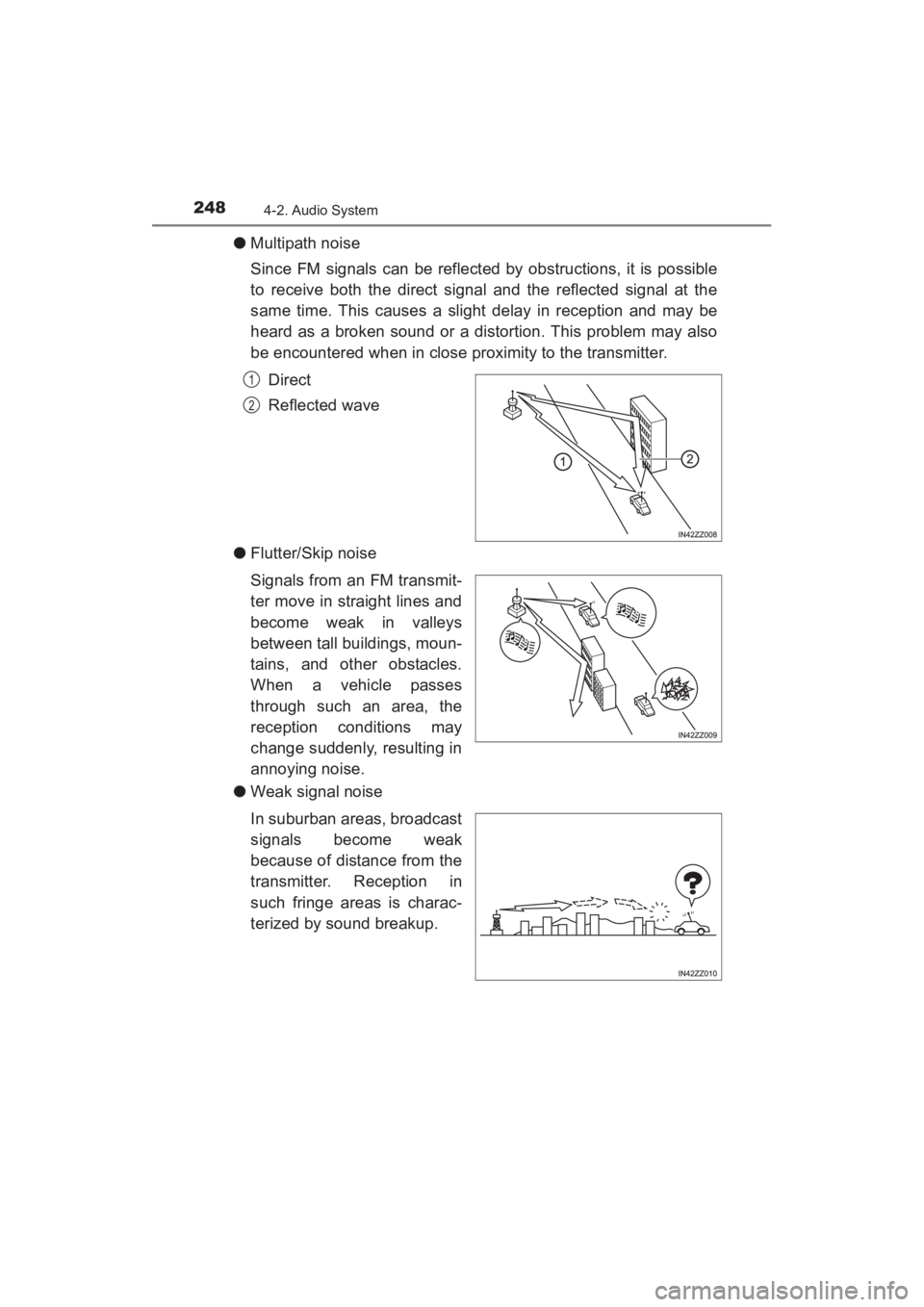
●Multipath noise
Since FM signals can be reflected by obstructions, it is possible
to receive both the direct signal and the reflected signal at the
same time. This causes a slight delay in reception and may be
heard as a broken sound or a distortion. This problem may also
be encountered when in close proximity to the transmitter.
Direct
Reflected wave
● Flutter/Skip noise
Signals from an FM transmit-
ter move in straight lines and
become weak in valleys
between tall buildings, moun-
tains, and other obstacles.
When a vehicle passes
through such an area, the
reception conditions may
change suddenly, resulting in
annoying noise.
● Weak signal noise
In suburban areas, broadcast
signals become weak
because of distance from the
transmitter. Reception in
such fringe areas is charac-
terized by sound breakup.
1
2
YARIS_SEDAN_OM_OM99M18z_(U).book Page 248 Monday, June 1, 2015 9:22 PM
Page 254 of 592
252
YARIS_SEDAN_OM_OM99M18z_(U)
4-2. Audio System
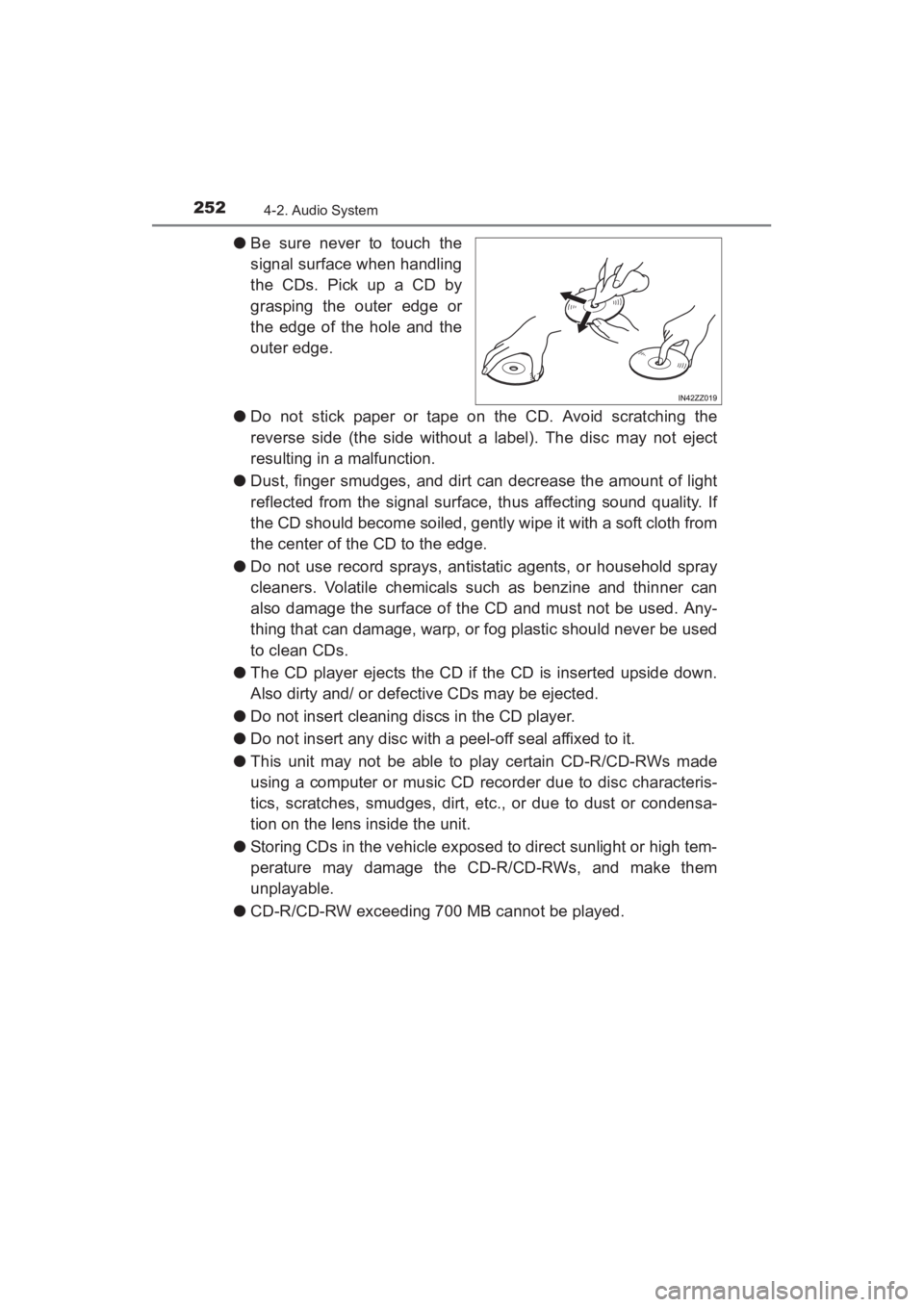
●Be sure never to touch the
signal surface when handling
the CDs. Pick up a CD by
grasping the outer edge or
the edge of the hole and the
outer edge.
● Do not stick paper or tape on the CD. Avoid scratching the
reverse side (the side without a label). The disc may not eject
resulting in a malfunction.
● Dust, finger smudges, and dirt can decrease the amount of light
reflected from the signal surface, thus affecting sound quality. If
the CD should become soiled, gently wipe it with a soft cloth from
the center of the CD to the edge.
● Do not use record sprays, antistatic agents, or household spray
cleaners. Volatile chemicals such as benzine and thinner can
also damage the surface of the CD and must not be used. Any-
thing that can damage, warp, or fog plastic should never be used
to clean CDs.
● The CD player ejects the CD if the CD is inserted upside down.
Also dirty and/ or defective CDs may be ejected.
● Do not insert cleaning discs in the CD player.
● Do not insert any disc with a peel-off seal affixed to it.
● This unit may not be able to play certain CD-R/CD-RWs made
using a computer or music CD recorder due to disc characteris-
tics, scratches, smudges, dirt, etc., or due to dust or condensa-
tion on the lens inside the unit.
● Storing CDs in the vehicle exposed to direct sunlight or high tem-
perature may damage the CD-R/CD-RWs, and make them
unplayable.
● CD-R/CD-RW exceeding 700 MB cannot be played.
YARIS_SEDAN_OM_OM99M18z_(U).book Page 252 Monday, June 1, 2015 9:22 PM
Page 267 of 592
YARIS_SEDAN_OM_OM99M18z_(U)
2654-2. Audio System
4
Interior Features
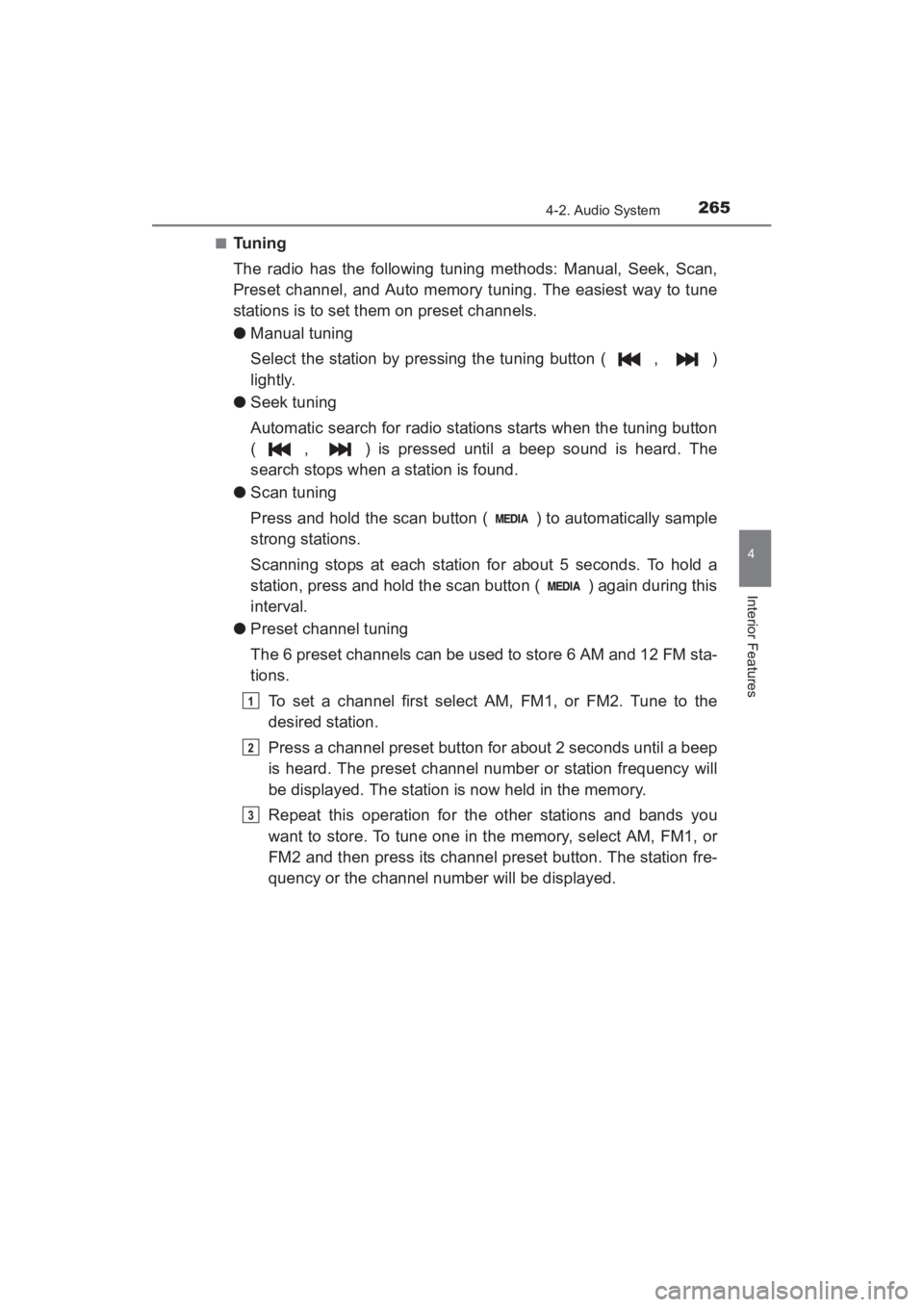
■Tuning
The radio has the following tuning methods: Manual, Seek, Scan,
Preset channel, and Auto memory tuning. The easiest way to tune
stations is to set them on preset channels.
●Manual tuning
Select the station by pressing the tuning button ( , )
lightly.
● Seek tuning
Automatic search for radio stations starts when the tuning button
( , ) is pressed until a beep sound is heard. The
search stops when a station is found.
● Scan tuning
Press and hold the scan button ( ) to automatically sample
strong stations.
Scanning stops at each station for about 5 seconds. To hold a
station, press and hold the scan button ( ) again during this
interval.
● Preset channel tuning
The 6 preset channels can be used to store 6 AM and 12 FM sta-
tions.
To set a channel first select AM, FM1, or FM2. Tune to the
desired station.
Press a channel preset button for about 2 seconds until a beep
is heard. The preset channel number or station frequency will
be displayed. The station is now held in the memory.
Repeat this operation for the other stations and bands you
want to store. To tune one in the memory, select AM, FM1, or
FM2 and then press its channel preset button. The station fre-
quency or the channel number will be displayed.
1
2
3
YARIS_SEDAN_OM_OM99M18z_(U).book Page 265 Monday, June 1, 2015 9:22 PM
Page 282 of 592
280
YARIS_SEDAN_OM_OM99M18z_(U)
4-2. Audio System
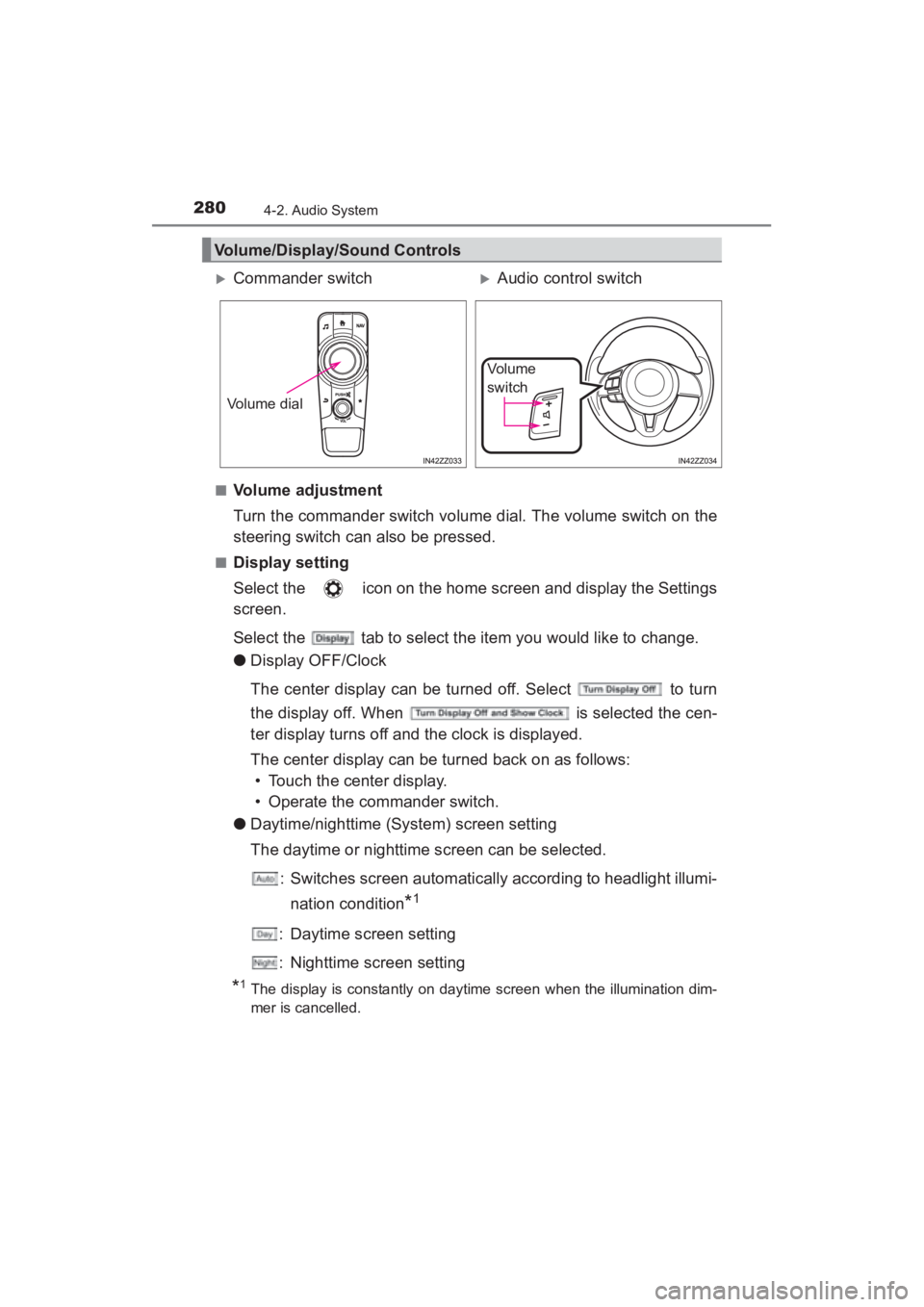
■Volume adjustment
Turn the commander switch volume dial. The volume switch on the
steering switch can also be pressed.
■Display setting
Select the icon on the home screen and display the Settings
screen.
Select the tab to select the item you would like to change.
●Display OFF/Clock
The center display can be turned off. Select to turn
the display off. When is selected the cen-
ter display turns off and the clock is displayed.
The center display can be turned back on as follows:
• Touch the center display.
• Operate the commander switch.
● Daytime/nighttime (System) screen setting
The daytime or nighttime screen can be selected.
: Switches screen automatically according to headlight illumi-nation condition
*1
: Daytime screen setting
: Nighttime screen setting
*1The display is constantly on daytime screen when the illumination dim-
mer is cancelled.
Volume/Display/Sound Controls
XCommander switchXAudio control switch
Volume dial
Vo l u m e
switch
YARIS_SEDAN_OM_OM99M18z_(U).book Page 280 Monday, June 1, 2015 9:22 PM
Page 298 of 592
296
YARIS_SEDAN_OM_OM99M18z_(U)
4-2. Audio System
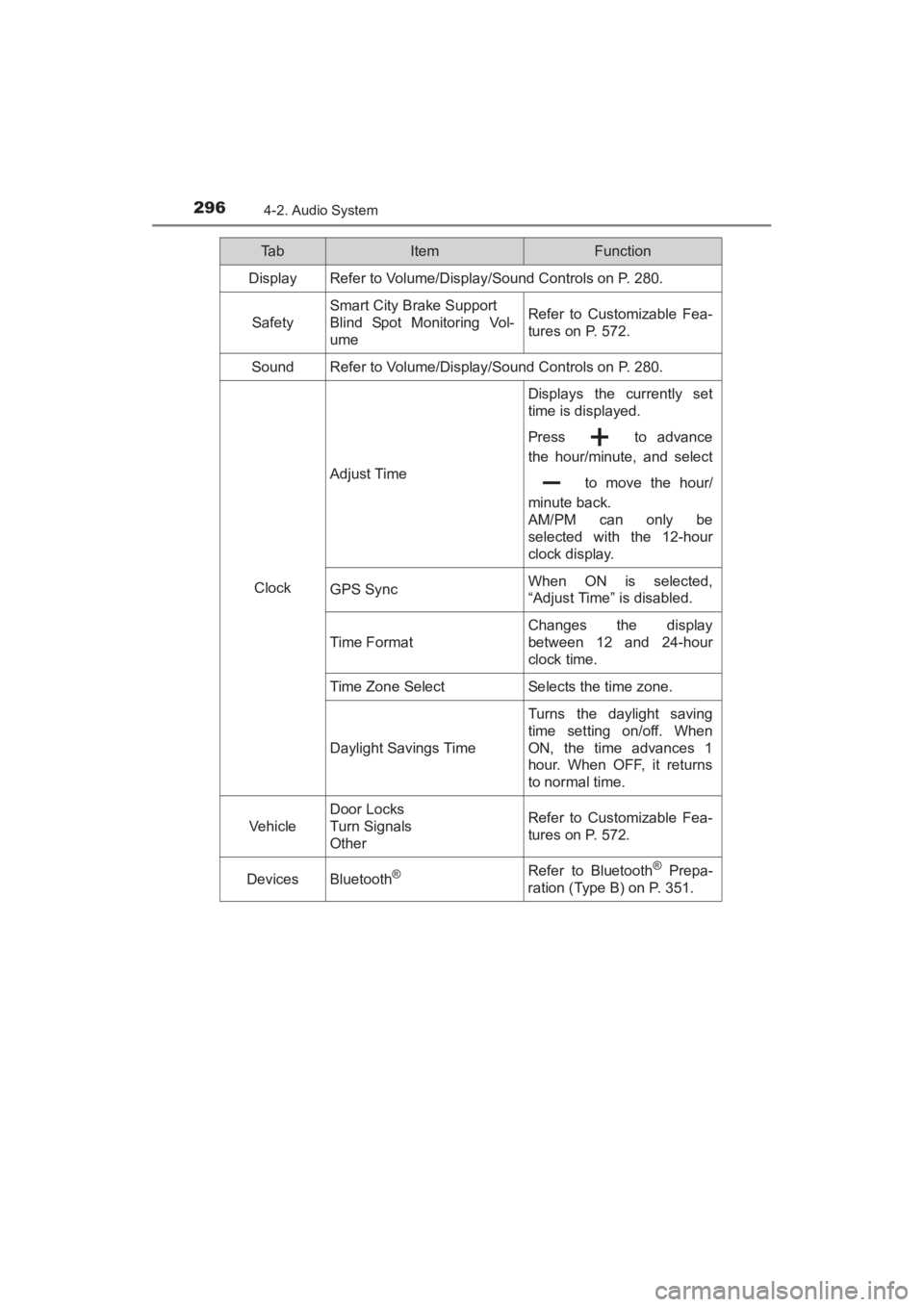
Ta bItemFunction
Display Refer to Volume/Display/Sound Controls on P. 280.
Safety
Smart City Brake Support
Blind Spot Monitoring Vol-
umeRefer to Customizable Fea-
tures on P. 572.
SoundRefer to Volume/Display/Sound Controls on P. 280.
Clock
Adjust Time
Displays the currently set
time is displayed.
Press to advance
the hour/minute, and select to move the hour/
minute back.
AM/PM can only be
selected with the 12-hour
clock display.
GPS SyncWhen ON is selected,
“Adjust Time” is disabled.
Time F ormat
Changes the display
between 12 and 24-hour
clock time.
Time Zone SelectSelects the time zone.
Daylight Savings Time
Turns the daylight saving
time setting on/off. When
ON, the time advances 1
hour. When OFF, it returns
to normal time.
Vehicle
Door Locks
Turn Signals
OtherRefer to Customizable Fea-
tures on P. 572.
DevicesBluetooth®Refer to Bluetooth® Prepa-
ration (Type B) on P. 351.
YARIS_SEDAN_OM_OM99M18z_(U).book Page 296 Monday, June 1, 2015 9:22 PM
Page 300 of 592
298
YARIS_SEDAN_OM_OM99M18z_(U)
4-2. Audio System
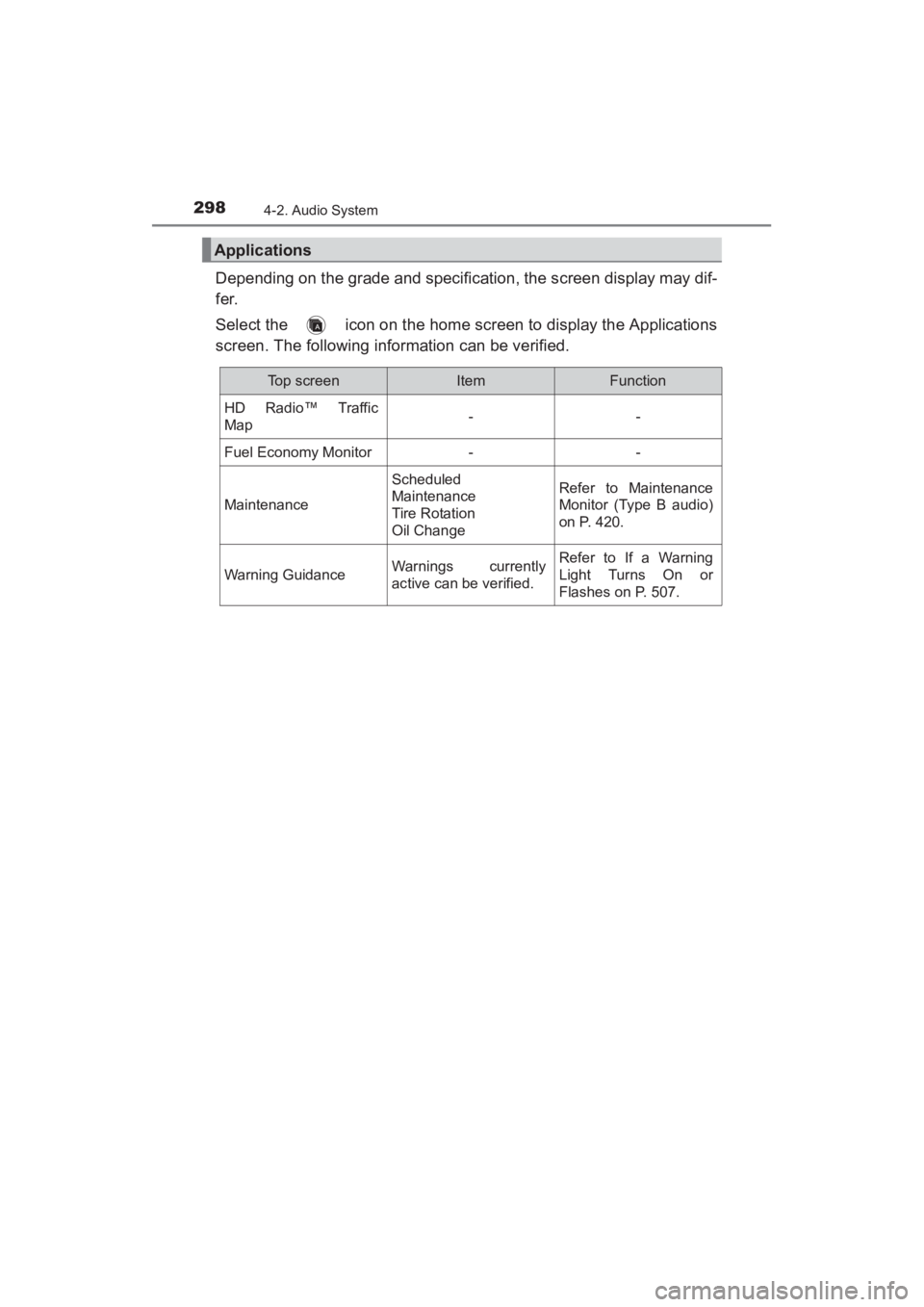
Depending on the grade and specification, the screen display may dif-
fer.
Select the icon on the home screen to display the Applications
screen. The following information can be verified.
Applications
Top screenItemFunction
HD Radio™ Traffic
Map--
Fuel Economy Monitor--
Maintenance
Scheduled
Maintenance
Tire Rotation
Oil ChangeRefer to Maintenance
Monitor (Type B audio)
on P. 420.
Warning GuidanceWarnings currently
active can be verified.Refer to If a Warning
Light Turns On or
Flashes on P. 507.
YARIS_SEDAN_OM_OM99M18z_(U).book Page 298 Monday, June 1, 2015 9:22 PM
Page 409 of 592
407
YARIS_SEDAN_OM_OM99M18z_(U)
4-4. Interior Equipment
4
Interior Features
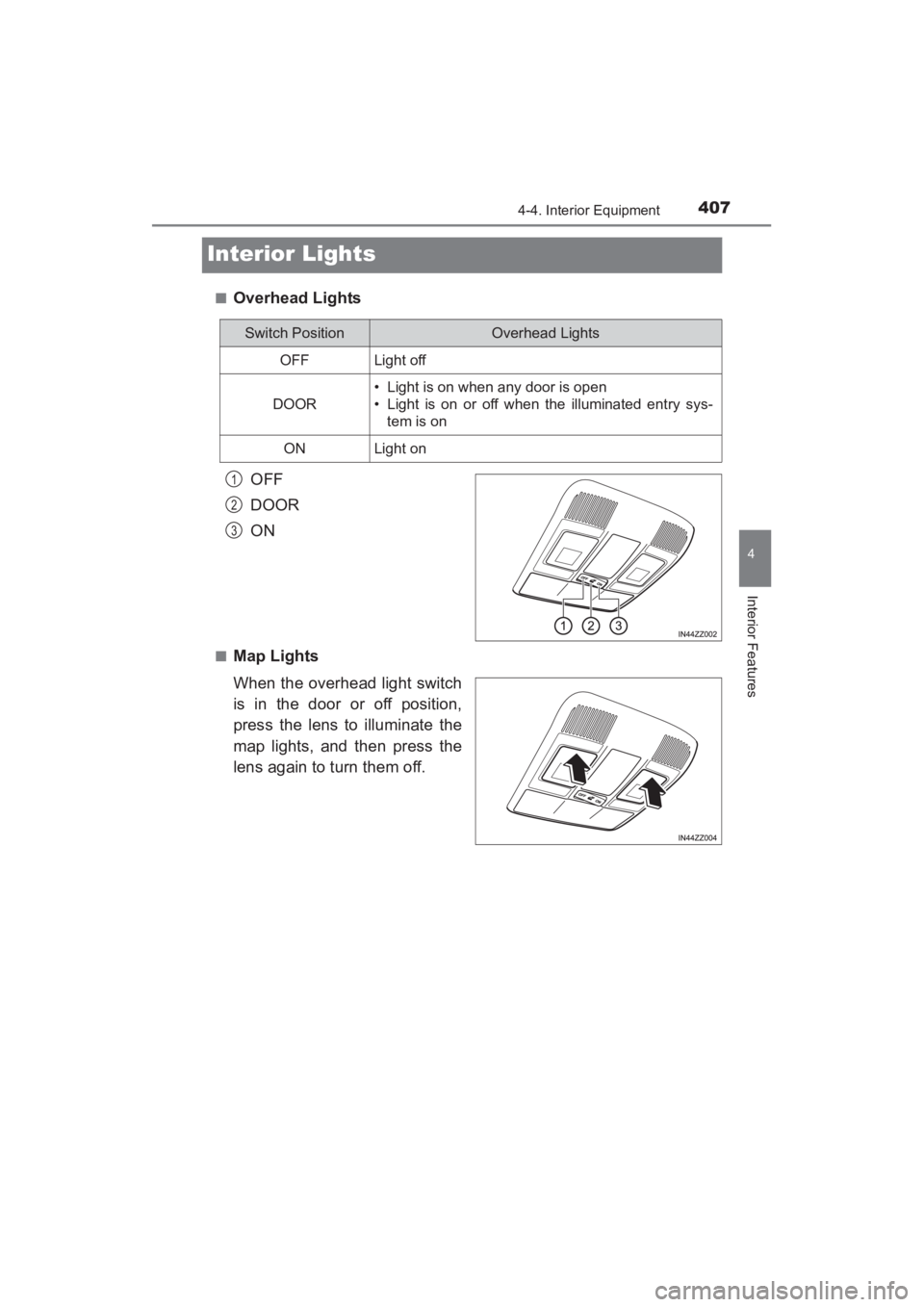
Interior Lights
■Overhead LightsOFF
DOOR
ON
■Map Lights
When the overhead light switch
is in the door or off position,
press the lens to illuminate the
map lights, and then press the
lens again to turn them off.
Switch PositionOverhead Lights
OFFLight off
DOOR
• Light is on when any door is open
• Light is on or off when the illuminated entry sys-tem is on
ONLight on
1
2
3
YARIS_SEDAN_OM_OM99M18z_(U).book Page 407 Monday, June 1, 2015 9:22 PM
Page 410 of 592
408
YARIS_SEDAN_OM_OM99M18z_(U)
4-4. Interior Equipment
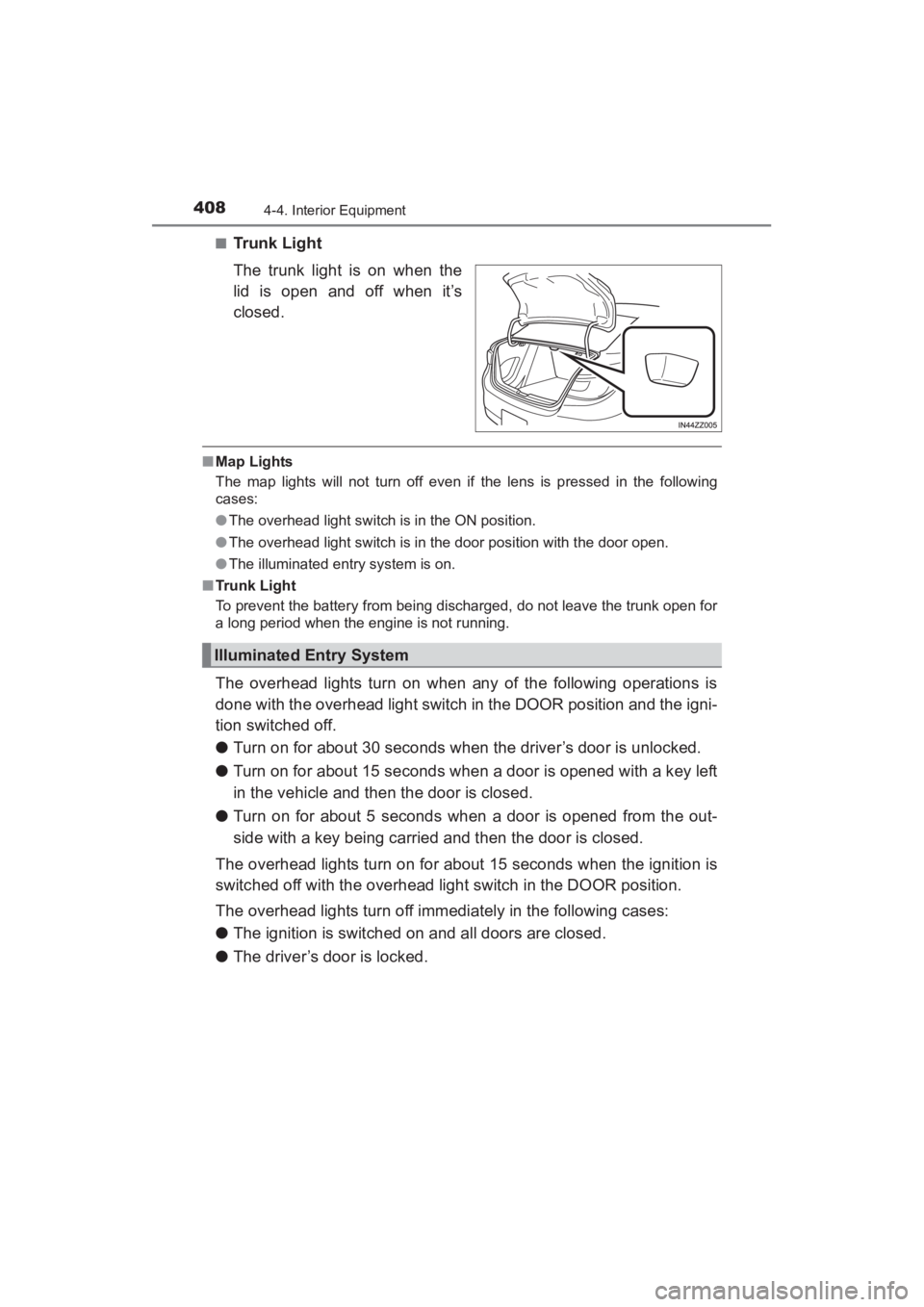
■Trunk Light
The trunk light is on when the
lid is open and off when it’s
closed.
■Map Lights
The map lights will not turn off even if the lens is pressed in the following
cases:
●The overhead light switch is in the ON position.
● The overhead light switch is in the door position with the door open.
● The illuminated entry system is on.
■ Trunk Light
To prevent the battery from being discharged, do not leave the trunk open for
a long period when the engine is not running.
The overhead lights turn on when any of the following operations is
done with the overhead light switch in the DOOR position and the igni-
tion switched off.
● Turn on for about 30 seconds when the driver’s door is unlocked.
● Turn on for about 15 seconds when a door is opened with a key left
in the vehicle and then the door is closed.
● Turn on for about 5 seconds when a door is opened from the out-
side with a key being carried and then the door is closed.
The overhead lights turn on for about 15 seconds when the ignition is
switched off with the overhead light switch in the DOOR position.
The overhead lights turn off immediately in the following cases:
● The ignition is switched on and all doors are closed.
● The driver’s door is locked.
Illuminated Entry System
YARIS_SEDAN_OM_OM99M18z_(U).book Page 408 Monday, June 1, 2015 9:22 PM