stop start TOYOTA YARIS 2016 Owner's Manual
[x] Cancel search | Manufacturer: TOYOTA, Model Year: 2016, Model line: YARIS, Model: TOYOTA YARIS 2016Pages: 592, PDF Size: 10.44 MB
Page 212 of 592
210
YARIS_SEDAN_OM_OM99M18z_(U)
3-10. Active Safety System
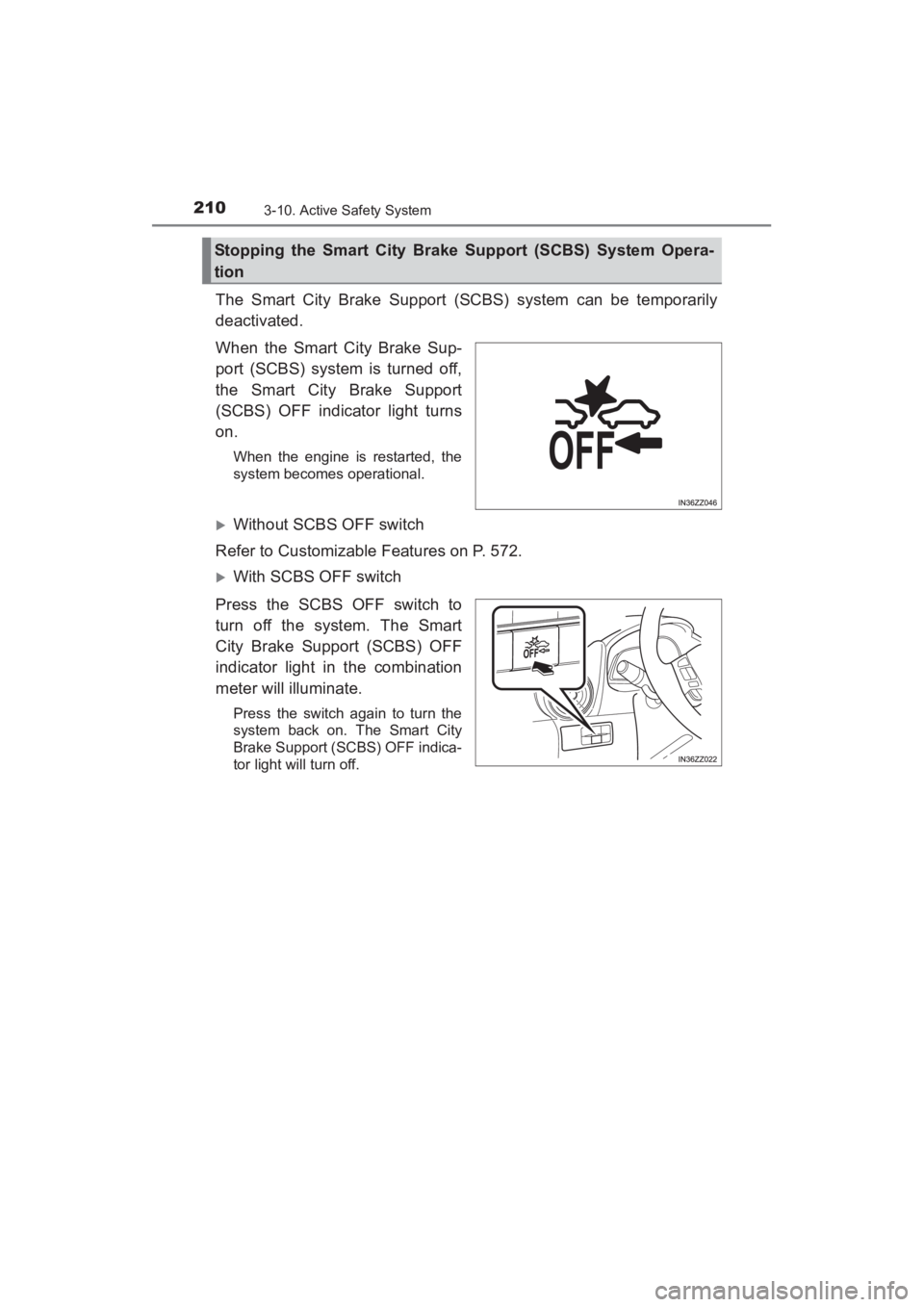
The Smart City Brake Support (SCBS) system can be temporarily
deactivated.
When the Smart City Brake Sup-
port (SCBS) system is turned off,
the Smart City Brake Support
(SCBS) OFF indicator light turns
on.
When the engine is restarted, the
system becomes operational.
XWithout SCBS OFF switch
Refer to Customizable Features on P. 572.
XWith SCBS OFF switch
Press the SCBS OFF switch to
turn off the system. The Smart
City Brake Support (SCBS) OFF
indicator light in the combination
meter will illuminate.
Press the switch again to turn the
system back on. The Smart City
Brake Support (SCBS) OFF indica-
tor light will turn off.
Stopping the Smart City Brake Support (SCBS) System Opera-
tion
YARIS_SEDAN_OM_OM99M18z_(U).book Page 210 Monday, June 1, 2015 9:22 PM
Page 222 of 592
220
YARIS_SEDAN_OM_OM99M18z_(U)
3-12. Tire Pressure Monitoring System
NOTICE
●Each tire, including the spare (if provided), should be checked monthly
when cold and inflated to the inflation pressure recommended by the
vehicle manufacturer on the vehicle placard or tire inflation pressure
label. (If your vehicle has tires of a different size than the size indicated
on the vehicle placard or tire inflation pressure label, you should deter-
mine the proper tire inflation pressure for those tires.)
As an added safety feature, your vehicle has been equipped with a tire
pressure monitoring system (TPMS) that illuminates a low tire pres-
sure telltale when one or more of your tires is significantly under-
inflated. Accordingly, when the low tire pressure telltale illuminates,
you should stop and check your tires as soon as possible, and inflate
them to the proper pressure. Driving on a significantly under-inflated
tire causes the tire to overheat and can lead to tire failure. Under-infla-
tion also reduces fuel efficiency and tire tread life, and may affect the
vehicle’s handling and stopping ability.
Please note that the TPMS is not a substitute for proper tire mainte-
nance, and it is the driver’s responsibility to maintain correct tire pres-
sure, even if under-inflation has not reached the level to trigger
illumination of the TPMS low tire pressure telltale.
Your vehicle has also been equipped with a TPMS malfunction indica-
tor to indicate when the system is not operating properly.
The TPMS malfunction indicator is combined with the low tire pressure
telltale. When the system detects a malfunction, the telltale will flash
for approximately one minute and then remain continuously illumi-
nated. This sequence will continue upon subsequent vehicle start-ups
as long as the malfunction exists. When the malfunction indicator is
illuminated, the system may not be able to detect or signal low tire
pressure as intended. TPMS malfunctions may occur for a variety of
reasons, including the installation of replacement or alternate tires or
wheels on the vehicle that prevent the TPMS from functioning properly.
Always check the TPMS malfunction telltale after replacing one or
more tires or wheels on your vehicle to ensure that the replacement or
alternate tires and wheels allow the TPMS to continue to function prop-
erly.
●To avoid false readings, the system samples for a little while before
indicating a problem. As a result it will not instantaneously register a
rapid tire deflation or blow out.
YARIS_SEDAN_OM_OM99M18z_(U).book Page 220 Monday, June 1, 2015 9:22 PM
Page 267 of 592
YARIS_SEDAN_OM_OM99M18z_(U)
2654-2. Audio System
4
Interior Features
■Tuning
The radio has the following tuning methods: Manual, Seek, Scan,
Preset channel, and Auto memory tuning. The easiest way to tune
stations is to set them on preset channels.
●Manual tuning
Select the station by pressing the tuning button ( , )
lightly.
● Seek tuning
Automatic search for radio stations starts when the tuning button
( , ) is pressed until a beep sound is heard. The
search stops when a station is found.
● Scan tuning
Press and hold the scan button ( ) to automatically sample
strong stations.
Scanning stops at each station for about 5 seconds. To hold a
station, press and hold the scan button ( ) again during this
interval.
● Preset channel tuning
The 6 preset channels can be used to store 6 AM and 12 FM sta-
tions.
To set a channel first select AM, FM1, or FM2. Tune to the
desired station.
Press a channel preset button for about 2 seconds until a beep
is heard. The preset channel number or station frequency will
be displayed. The station is now held in the memory.
Repeat this operation for the other stations and bands you
want to store. To tune one in the memory, select AM, FM1, or
FM2 and then press its channel preset button. The station fre-
quency or the channel number will be displayed.
1
2
3
YARIS_SEDAN_OM_OM99M18z_(U).book Page 265 Monday, June 1, 2015 9:22 PM
Page 270 of 592
268
YARIS_SEDAN_OM_OM99M18z_(U)
4-2. Audio System
■Inserting the CD
Insert the CD into the slot, label-side up. The auto-loading mecha-
nism will set the CD and begin play.
■Ejecting the CD
Press the CD eject button ( ) to eject the CD.
■Playback
Press the media button ( ) to switch to CD mode and start
playback.
■Pause
To stop playback, press the Play/Pause button (4).
Press the button again to resume playback.
■Fast-forward/Reverse
Press and hold the fast-forward button ( ) to advance through
a track at high speed. Press and hold the reverse button ( ) to
reverse through a track at high speed.
■Track search
Press the track up button ( ) once to skip forward to the
beginning of the next track. Press the track down button ( )
within a few seconds after playback begins to track down to the
beginning of the previous track.
Press the track down button ( ) after a few seconds have
elapsed to start playback from the beginning of the current track.
■Folder search (during MP3/WMA/AAC CD playback)
To change to the previous folder, press the folder down button
( ), or press the folder up button ( ) to advance to the
next folder.
YARIS_SEDAN_OM_OM99M18z_(U).book Page 268 Monday, June 1, 2015 9:22 PM
Page 296 of 592
294
YARIS_SEDAN_OM_OM99M18z_(U)
4-2. Audio System
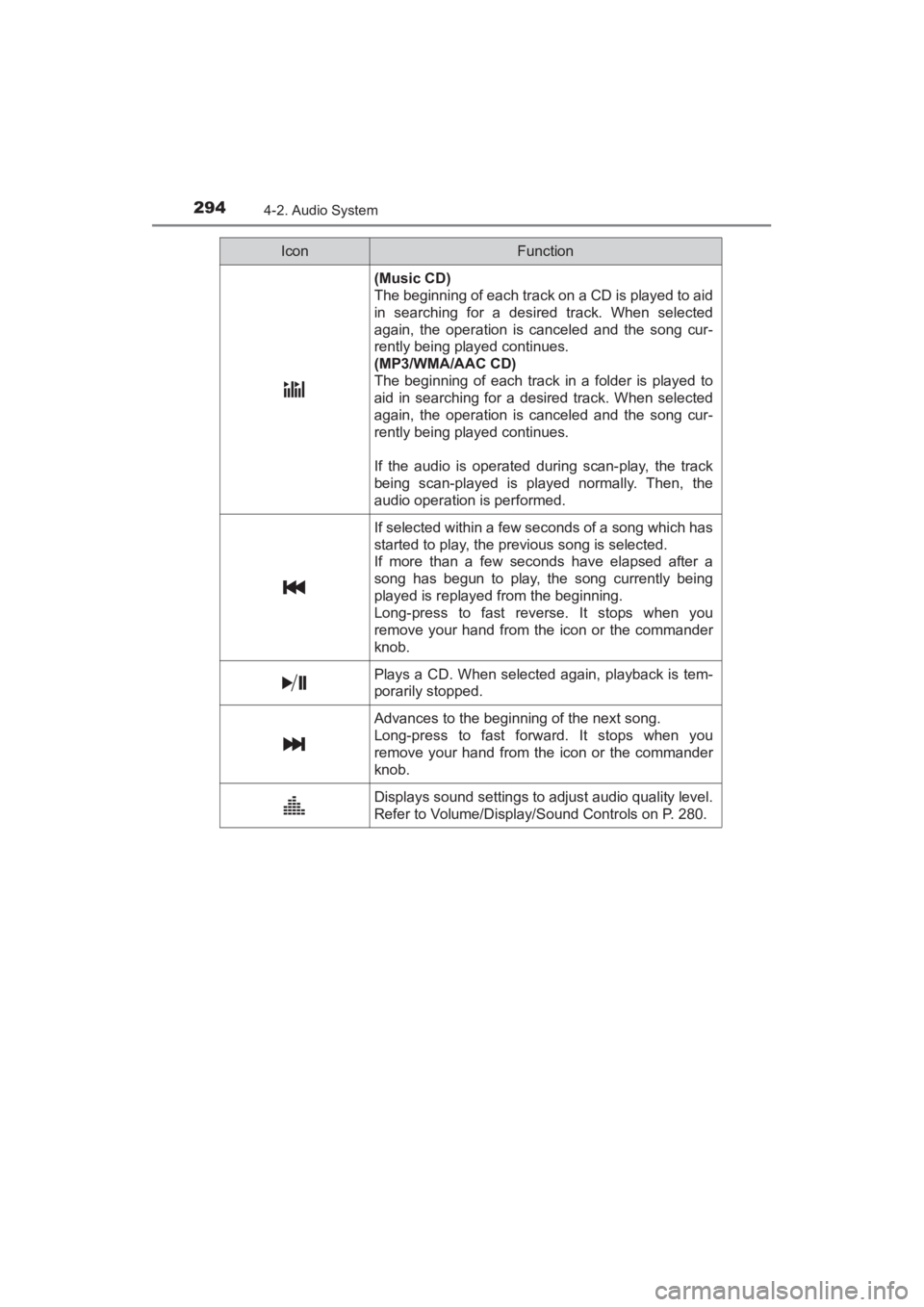
(Music CD)
The beginning of each track on a CD is played to aid
in searching for a desired track. When selected
again, the operation is canceled and the song cur-
rently being played continues.
(MP3/WMA/AAC CD)
The beginning of each track in a folder is played to
aid in searching for a desired track. When selected
again, the operation is canceled and the song cur-
rently being played continues.
If the audio is operated during scan-play, the track
being scan-played is played normally. Then, the
audio operation is performed.
If selected within a few seconds of a song which has
started to play, the previous song is selected.
If more than a few seconds have elapsed after a
song has begun to play, the song currently being
played is replayed from the beginning.
Long-press to fast reverse. It stops when you
remove your hand from the icon or the commander
knob.
Plays a CD. When selected again, playback is tem-
porarily stopped.
Advances to the beginning of the next song.
Long-press to fast forward. It stops when you
remove your hand from the icon or the commander
knob.
Displays sound settings to adjust audio quality level.
Refer to Volume/Display/Sound Controls on P. 280.
IconFunction
YARIS_SEDAN_OM_OM99M18z_(U).book Page 294 Monday, June 1, 2015 9:22 PM
Page 309 of 592
YARIS_SEDAN_OM_OM99M18z_(U)
3074-2. Audio System
4
Interior Features
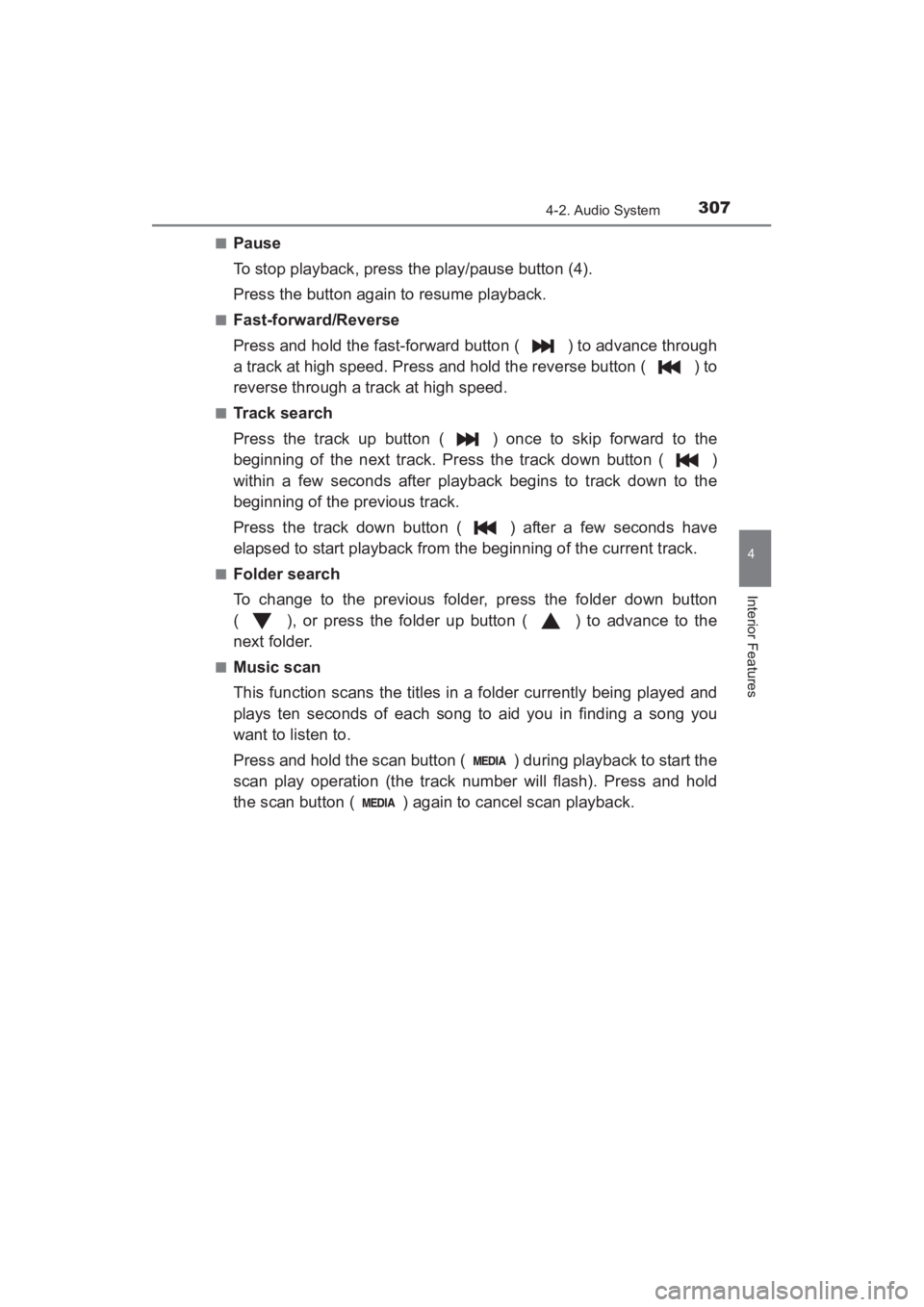
■Pause
To stop playback, press the play/pause button (4).
Press the button again to resume playback.
■Fast-forward/Reverse
Press and hold the fast-forward button ( ) to advance through
a track at high speed. Press and hold the reverse button ( ) to
reverse through a track at high speed.
■Track search
Press the track up button ( ) once to skip forward to the
beginning of the next track. Press the track down button ( )
within a few seconds after playback begins to track down to the
beginning of the previous track.
Press the track down button ( ) after a few seconds have
elapsed to start playback from the beginning of the current track.
■Folder search
To change to the previous folder, press the folder down button
( ), or press the folder up button ( ) to advance to the
next folder.
■Music scan
This function scans the titles in a folder currently being played and
plays ten seconds of each song to aid you in finding a song you
want to listen to.
Press and hold the scan button ( ) during playback to start the
scan play operation (the track number will flash). Press and hold
the scan button ( ) again to cancel scan playback.
YARIS_SEDAN_OM_OM99M18z_(U).book Page 307 Monday, June 1, 2015 9:22 PM
Page 314 of 592
312
YARIS_SEDAN_OM_OM99M18z_(U)
4-2. Audio System
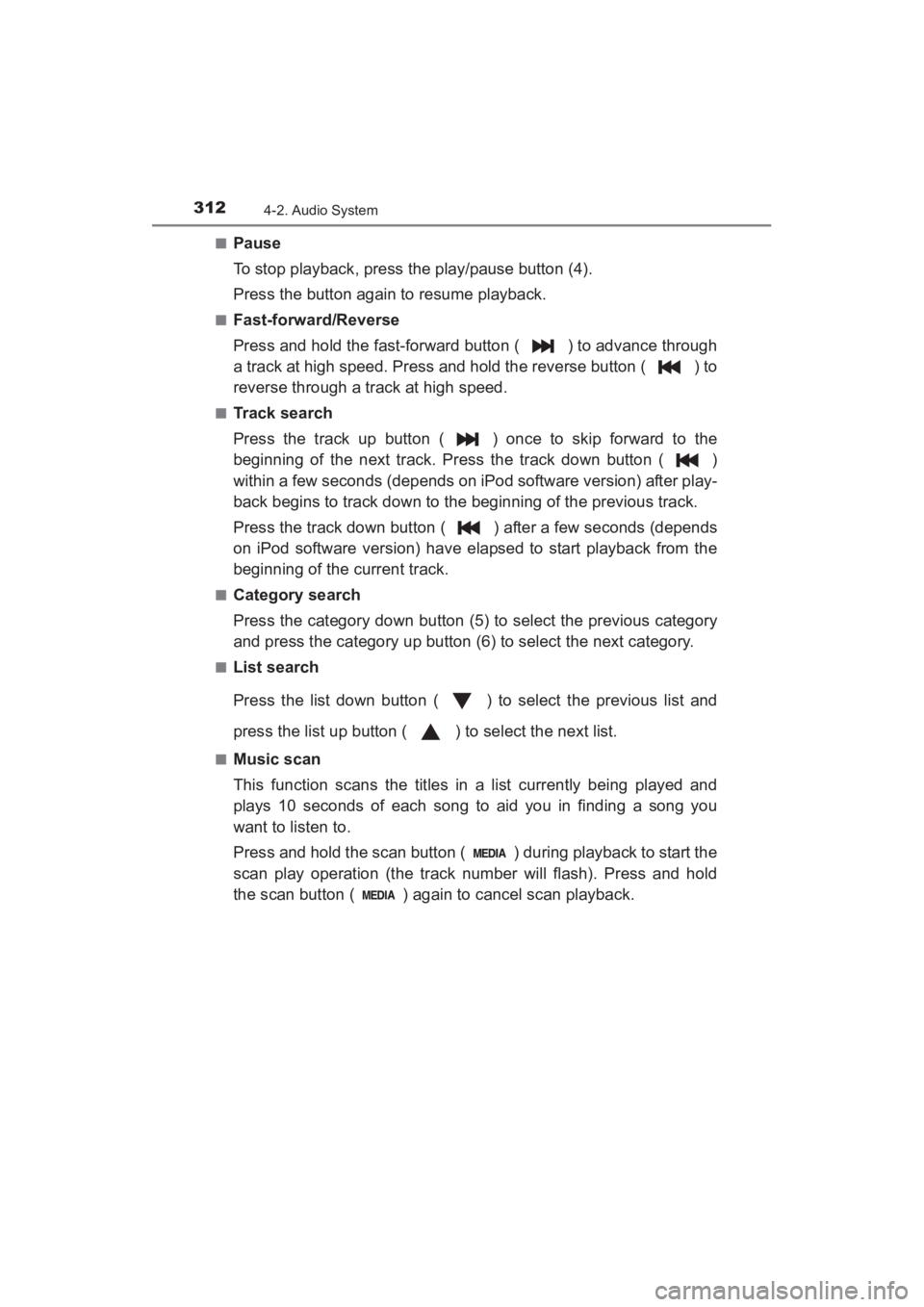
■Pause
To stop playback, press the play/pause button (4).
Press the button again to resume playback.
■Fast-forward/Reverse
Press and hold the fast-forward button ( ) to advance through
a track at high speed. Press and hold the reverse button ( ) to
reverse through a track at high speed.
■Track search
Press the track up button ( ) once to skip forward to the
beginning of the next track. Press the track down button ( )
within a few seconds (depends on iPod software version) after play-
back begins to track down to the beginning of the previous track.
Press the track down button ( ) after a few seconds (depends
on iPod software version) have elapsed to start playback from the
beginning of the current track.
■Category search
Press the category down button (5) to select the previous category
and press the category up button (6) to select the next category.
■List search
Press the list down button ( ) to select the previous list and
press the list up button ( ) to select the next list.
■Music scan
This function scans the titles in a list currently being played and
plays 10 seconds of each song to aid you in finding a song you
want to listen to.
Press and hold the scan button ( ) during playback to start the
scan play operation (the track number will flash). Press and hold
the scan button ( ) again to cancel scan playback.
YARIS_SEDAN_OM_OM99M18z_(U).book Page 312 Monday, June 1, 2015 9:22 PM
Page 319 of 592
YARIS_SEDAN_OM_OM99M18z_(U)
3174-2. Audio System
4
Interior Features
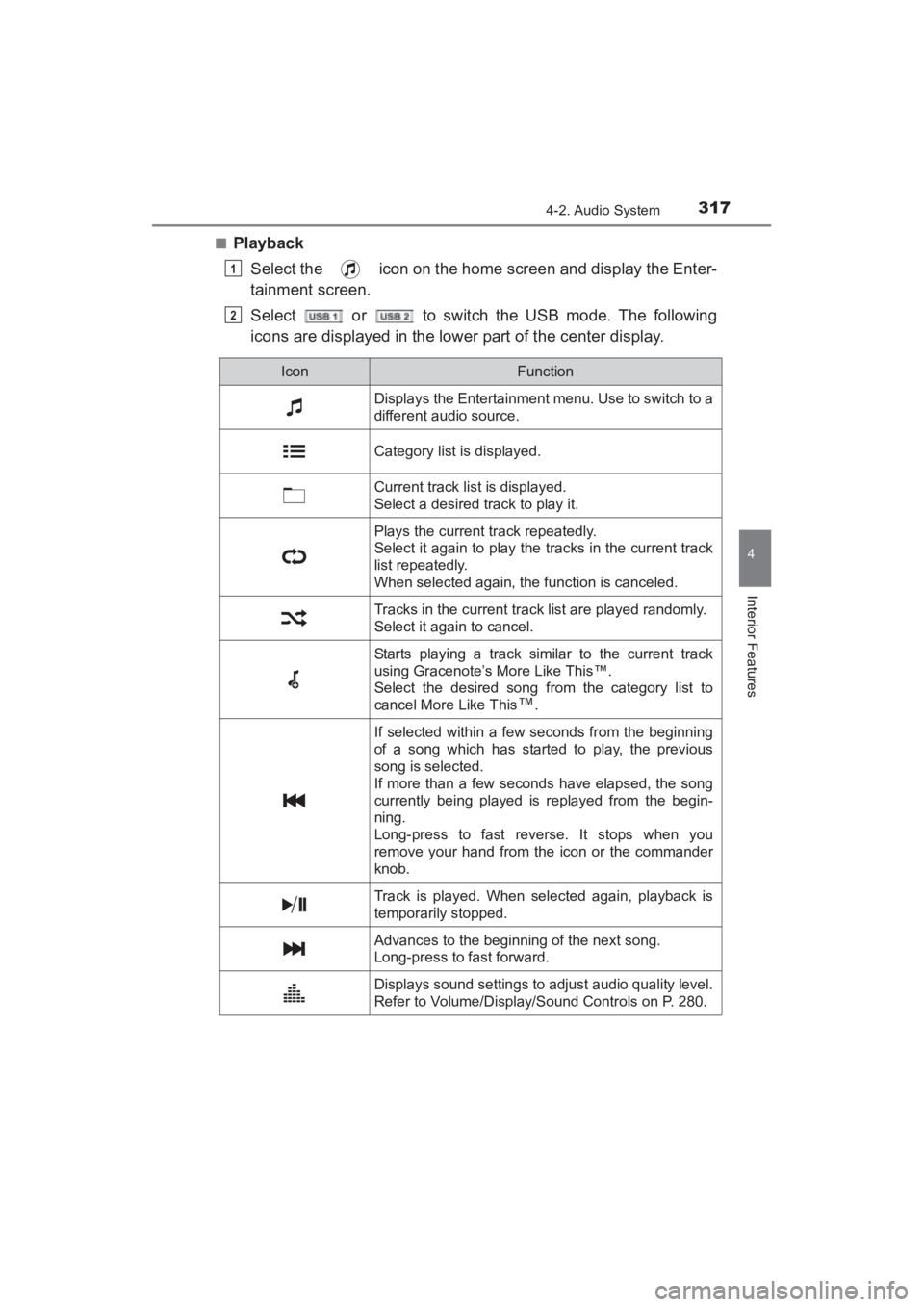
■PlaybackSelect the icon on the home screen and display the Enter-
tainment screen.
Select or to switch the USB mode. The following
icons are displayed in the lower part of the center display.
1
2
IconFunction
Displays the Entertainment menu. Use to switch to a
different audio source.
Category list is displayed.
Current track list is displayed.
Select a desired track to play it.
Plays the current track repeatedly.
Select it again to play the tracks in the current track
list repeatedly.
When selected again, the function is canceled.
Tracks in the current track list are played randomly.
Select it again to cancel.
Starts playing a track similar to the current track
using Gracenote’s More Like This™.
Select the desired song from the category list to
cancel More Like This
™.
If selected within a few seconds from the beginning
of a song which has started to play, the previous
song is selected.
If more than a few seconds have elapsed, the song
currently being played is replayed from the begin-
ning.
Long-press to fast reverse. It stops when you
remove your hand from the icon or the commander
knob.
Track is played. When selected again, playback is
temporarily stopped.
Advances to the beginning of the next song.
Long-press to fast forward.
Displays sound settings to adjust audio quality level.
Refer to Volume/Display/Sound Controls on P. 280.
YARIS_SEDAN_OM_OM99M18z_(U).book Page 317 Monday, June 1, 2015 9:22 PM
Page 326 of 592
324
YARIS_SEDAN_OM_OM99M18z_(U)
4-3. Bluetooth®
Bluetooth®
■Bluetooth® Hands-Free outline
When a Bluetooth
® device (mobile phone) is connected to the vehi-
cle’s Bluetooth® unit via radio wave transmission, a call can be
made or received by pressing the talk button, pickup button, or
hang-up button on the audio remote control switch, or by operating
the center display. For example, even if a device (mobile phone) is
in your coat pocket, a call can be made without taking the device
(mobile phone) out and operating it directly.
■Bluetooth® audio outline
When a portable audio unit equipped with the Bluetooth
® communi-
cation function is paired to the vehicle, you can listen to music
stored on the paired portable audio device from the vehicle’s speak-
ers. It is not necessary to connect the portable audio device to the
vehicle’s external input terminal. After programming, operate the
vehicle audio control panel to play/ stop the audio.
■Applicable Bluetooth® specification (Recommended)
Type A: Ver. 2.0
Type B: Ver. 1.1/1.2/2.0 + EDR/2.1 + EDR/3.0 (conformity)
■ Bluetooth® audio outline
● For your safety, a device can be paired only when the vehicle is parked. If
the vehicle starts to move, the pairing procedure will end. Park the vehicle in
a safe place before pairing.
● The communication range of a Bluetooth
® equipped device is about 32 ft.
(10 m) or less.
● Basic audio operation is available using voice commands even if Bluetooth
®
is not connected.
YARIS_SEDAN_OM_OM99M18z_(U).book Page 324 Monday, June 1, 2015 9:22 PM
Page 381 of 592
YARIS_SEDAN_OM_OM99M18z_(U)
3794-3. Bluetooth®
4
Interior Features
Select or to display the Inbox.
Select .
Download will be started from the mobile phone.
■Receiving messages
Method 1:
When a device receives a message, a message received notifica-
tion is displayed. The “Email Notifications” (E-mail) or “Text Notifica-
tions” (SMS) setting must be on.
Refer to Communication Settings on P. 382.
Select and display the message.
Method 2:Select the icon on the home screen and display the Com-
munication screen.
Select and display the new message list for e-mail and
SMS.
Select the message you would like to display.
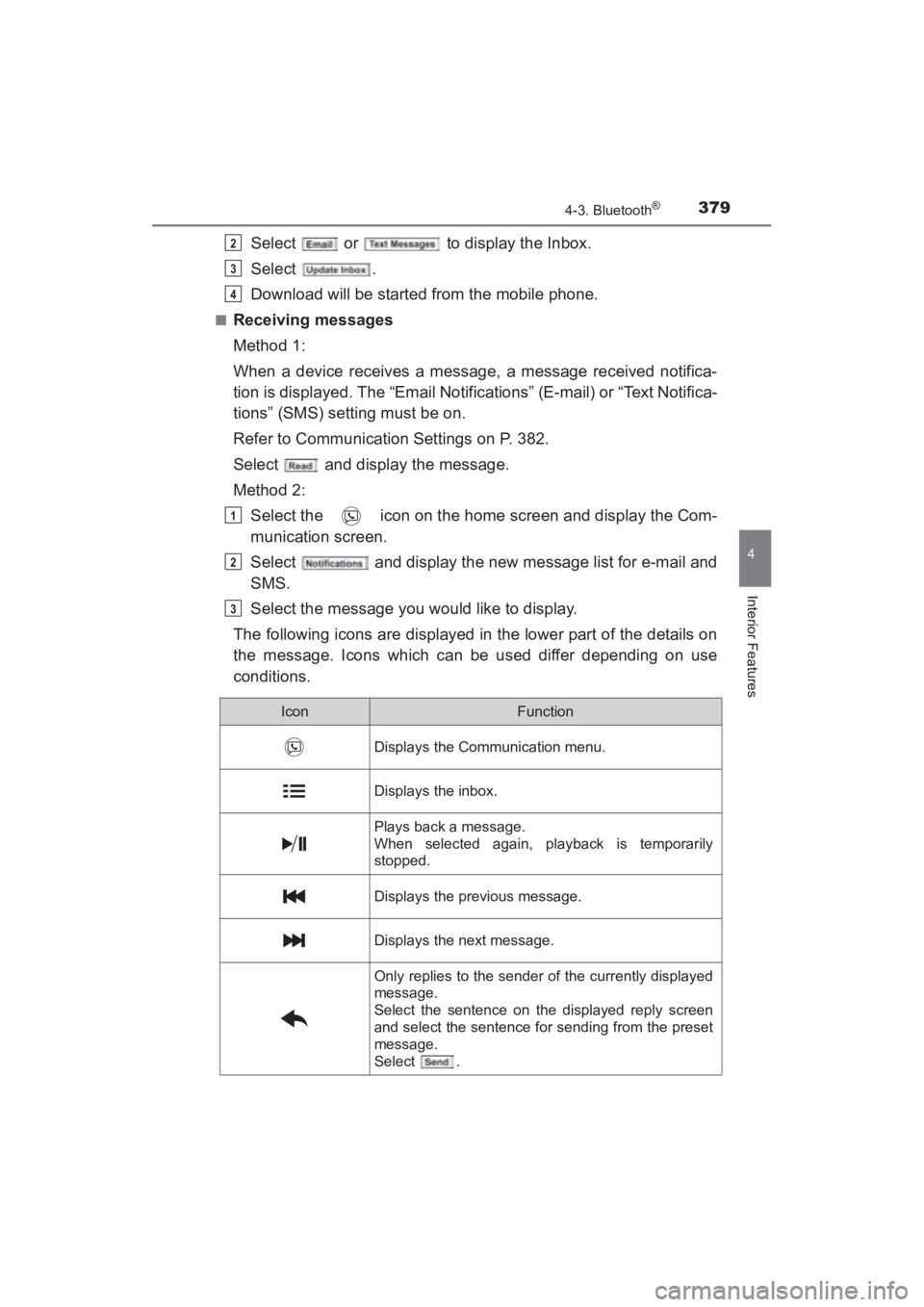
The following icons are displayed in the lower part of the details on
the message. Icons which can be used differ depending on use
conditions.
2
3
4
1
2
3
IconFunction
Displays the Communication menu.
Displays the inbox.
Plays back a message.
When selected again, playback is temporarily
stopped.
Displays the previous message.
Displays the next message.
Only replies to the sender of the currently displayed
message.
Select the sentence on the displayed reply screen
and select the sentence for sending from the preset
message.
Select .
YARIS_SEDAN_OM_OM99M18z_(U).book Page 379 Monday, June 1, 2015 9:22 PM