lock TOYOTA YARIS 2016 Manual PDF
[x] Cancel search | Manufacturer: TOYOTA, Model Year: 2016, Model line: YARIS, Model: TOYOTA YARIS 2016Pages: 592, PDF Size: 10.44 MB
Page 262 of 592
260
YARIS_SEDAN_OM_OM99M18z_(U)
4-2. Audio System
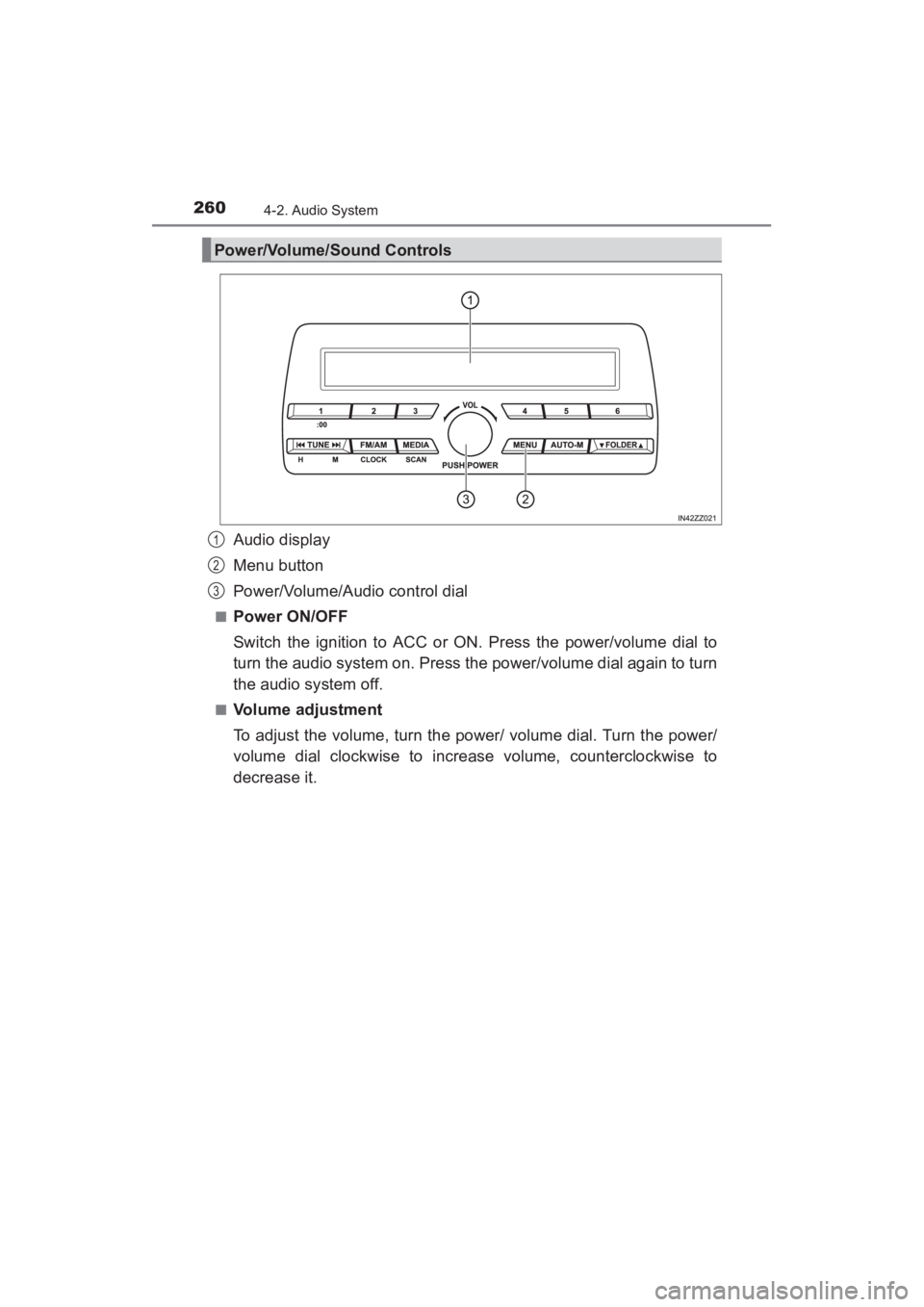
Audio display
Menu button
Power/Volume/Audio control dial
■Power ON/OFF
Switch the ignition to ACC or ON. Press the power/volume dial to
turn the audio system on. Press the power/volume dial again to turn
the audio system off.
■Volume adjustment
To adjust the volume, turn the power/ volume dial. Turn the power/
volume dial clockwise to increase volume, counterclockwise to
decrease it.
Power/Volume/Sound Controls
1
2
3
YARIS_SEDAN_OM_OM99M18z_(U).book Page 260 Monday, June 1, 2015 9:22 PM
Page 263 of 592
YARIS_SEDAN_OM_OM99M18z_(U)
2614-2. Audio System
4
Interior Features
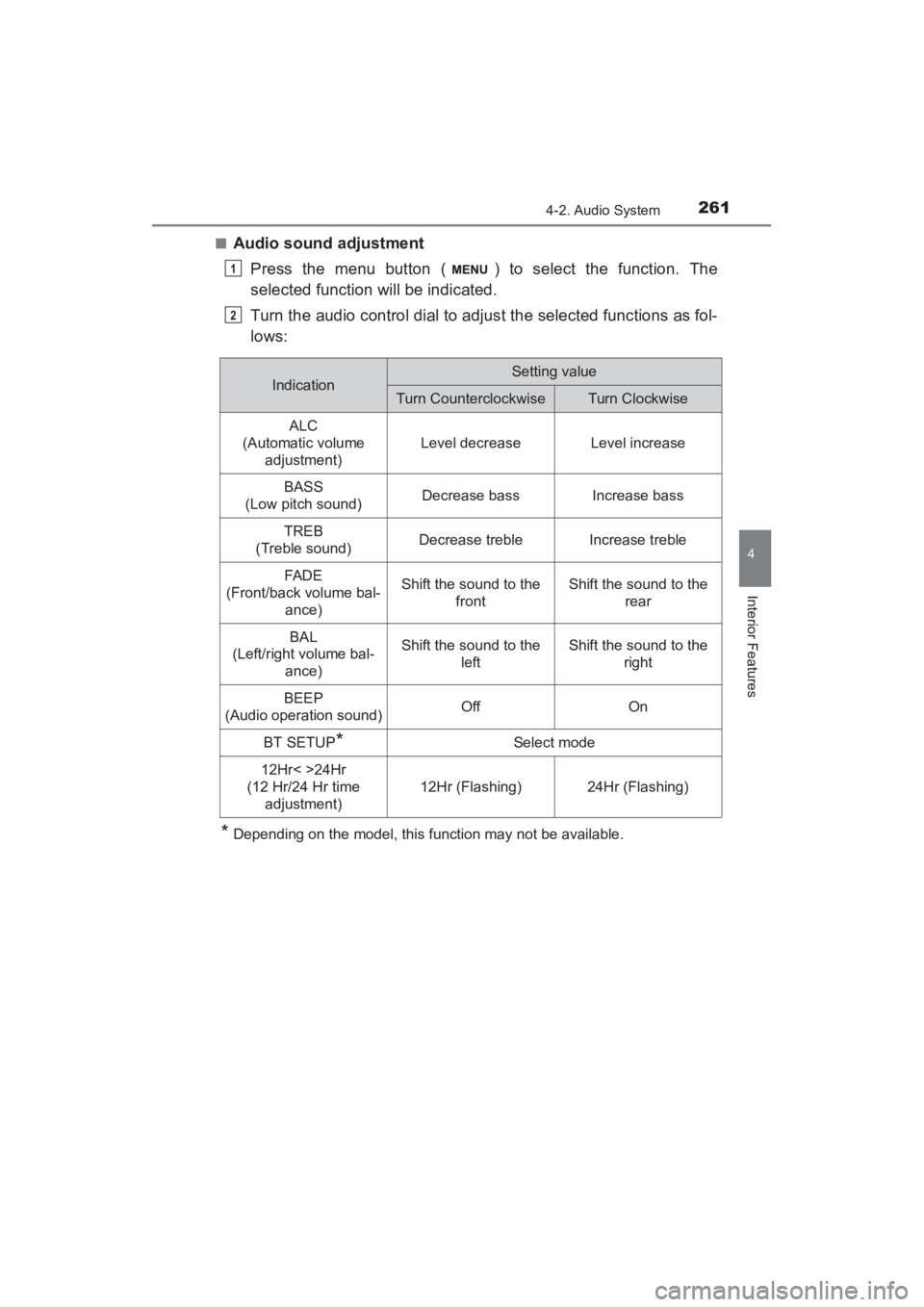
■Audio sound adjustmentPress the menu button ( ) to select the function. The
selected function will be indicated.
Turn the audio control dial to adjust the selected functions as fol-
lows:
*Depending on the model, this function may not be available.
1
2
IndicationSetting value
Turn CounterclockwiseTurn Clockwise
ALC
(Automatic volume adjustment)
Level decreaseLevel increase
BASS
(Low pitch sound)Decrease bassIncrease bass
TREB
(Treble sound)Decrease trebleIncrease treble
FAD E
(Front/back volume bal- ance)Shift the sound to the frontShift the sound to the rear
BAL
(Left/right volume bal-
ance)Shift the sound to the leftShift the sound to the right
BEEP
(Audio operation sound)OffOn
BT SETUP*Select mode
12Hr< >24Hr
(12 Hr/24 Hr time adjustment)
12Hr (Flashing)24Hr (Flashing)
YARIS_SEDAN_OM_OM99M18z_(U).book Page 261 Monday, June 1, 2015 9:22 PM
Page 264 of 592
262
YARIS_SEDAN_OM_OM99M18z_(U)
4-2. Audio System
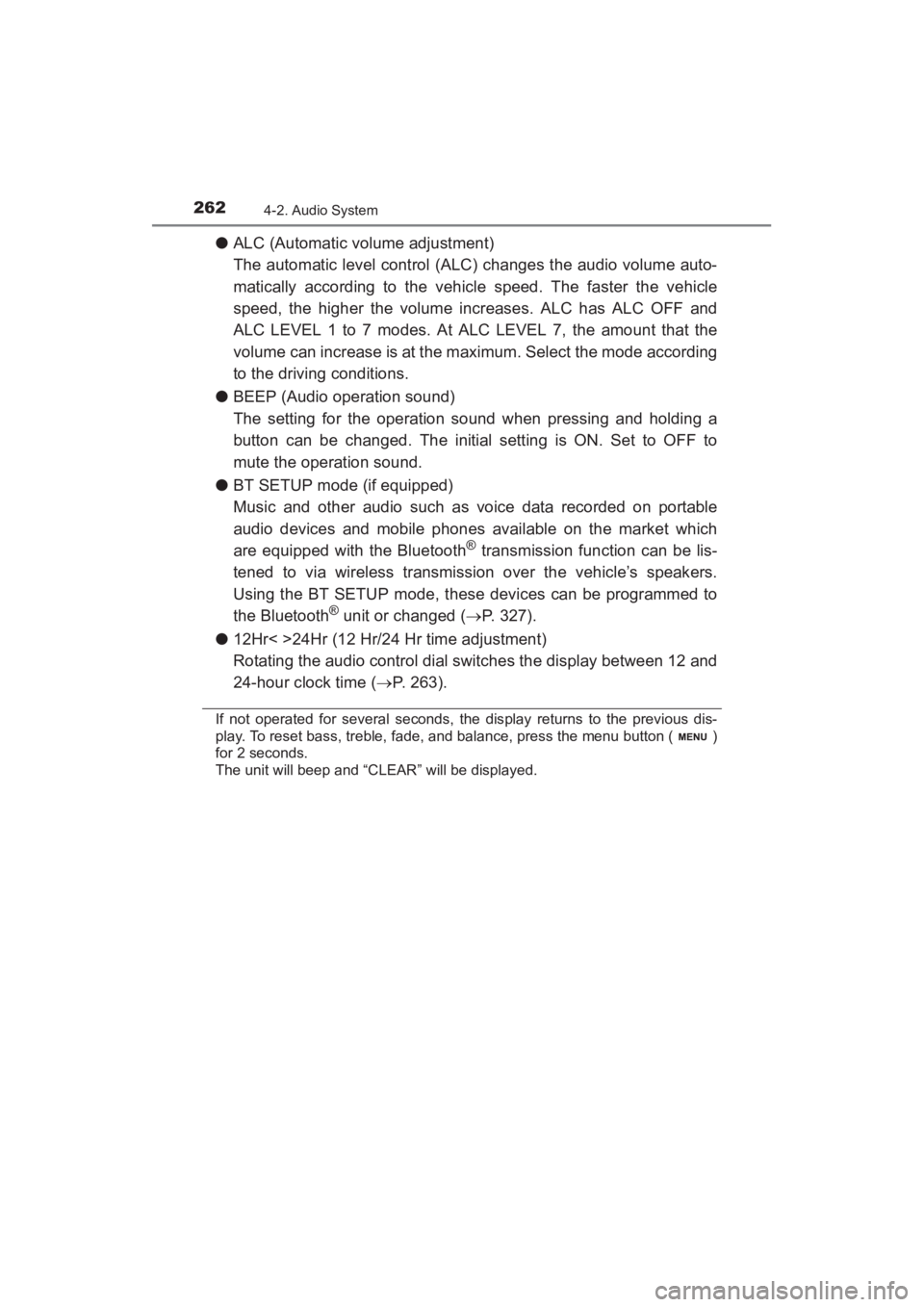
●ALC (Automatic volume adjustment)
The automatic level control (ALC) changes the audio volume auto-
matically according to the vehicle speed. The faster the vehicle
speed, the higher the volume increases. ALC has ALC OFF and
ALC LEVEL 1 to 7 modes. At ALC LEVEL 7, the amount that the
volume can increase is at the maximum. Select the mode according
to the driving conditions.
● BEEP (Audio operation sound)
The setting for the operation sound when pressing and holding a
button can be changed. The initial setting is ON. Set to OFF to
mute the operation sound.
● BT SETUP mode (if equipped)
Music and other audio such as voice data recorded on portable
audio devices and mobile phones available on the market which
are equipped with the Bluetooth
® transmission function can be lis-
tened to via wireless transmission over the vehicle’s speakers.
Using the BT SETUP mode, these devices can be programmed to
the Bluetooth
® unit or changed ( →P. 327).
● 12Hr< >24Hr (12 Hr/24 Hr time adjustment)
Rotating the audio control dial switches the display between 12 and
24-hour clock time ( →P. 263).
If not operated for several seconds, the display returns to the previous dis-
play. To reset bass, treble, fade, and balance, press the menu button ( )
for 2 seconds.
The unit will beep and “CLEAR” will be displayed.
YARIS_SEDAN_OM_OM99M18z_(U).book Page 262 Monday, June 1, 2015 9:22 PM
Page 265 of 592
YARIS_SEDAN_OM_OM99M18z_(U)
2634-2. Audio System
4
Interior Features
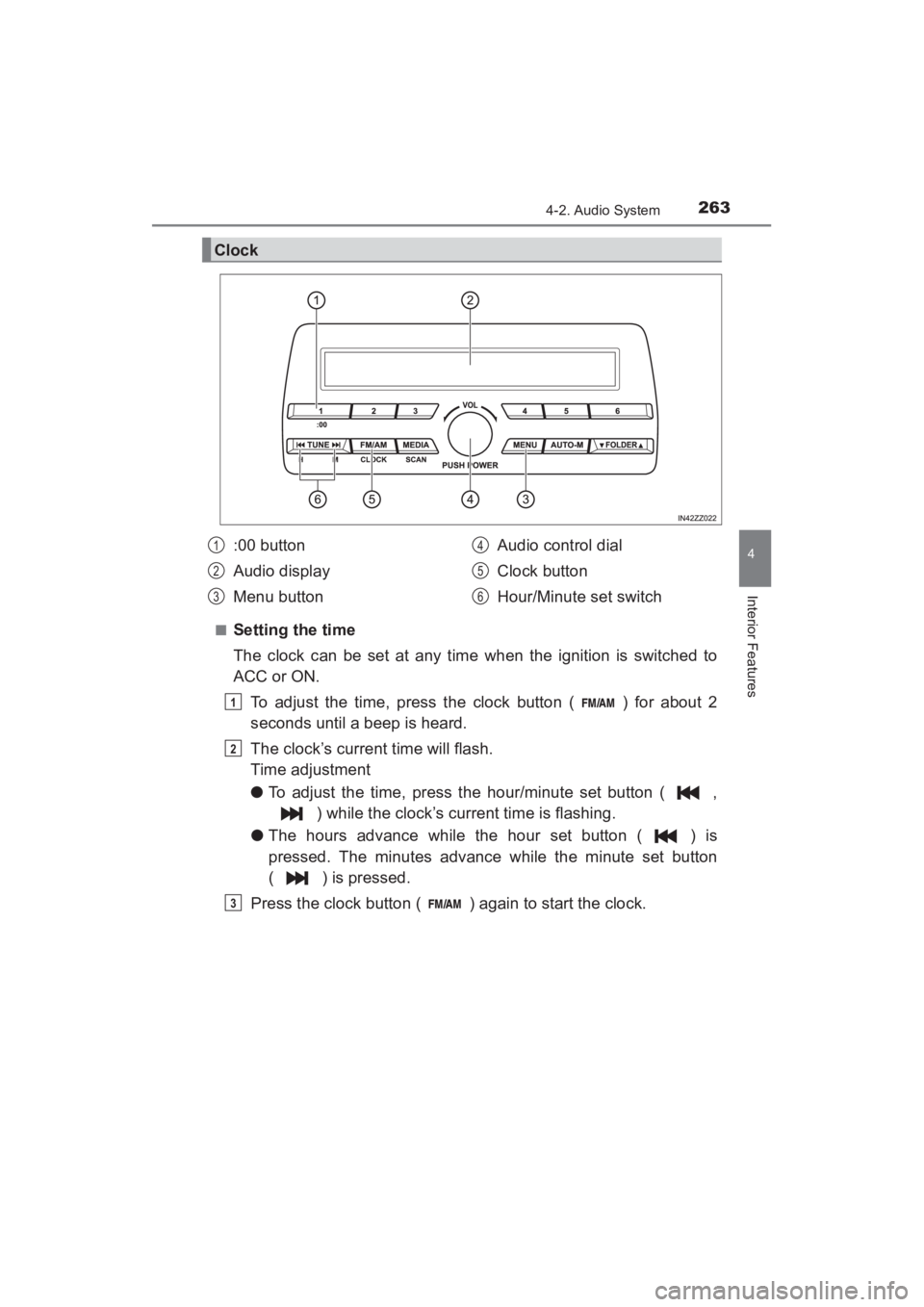
■Setting the time
The clock can be set at any time when the ignition is switched to
ACC or ON.To adjust the time, press the clock button ( ) for about 2
seconds until a beep is heard.
The clock’s current time will flash.
Time adjustment
● To adjust the time, press the hour/minute set button ( ,
) while the clock’s current time is flashing.
● The hours advance while the hour set button ( ) is
pressed. The minutes advance while the minute set button
( ) is pressed.
Press the clock button ( ) again to start the clock.
Clock
:00 button
Audio display
Menu button Audio control dial
Clock button
Hour/Minute set switch1
2
3
4
5
6
1
2
3
YARIS_SEDAN_OM_OM99M18z_(U).book Page 263 Monday, June 1, 2015 9:22 PM
Page 266 of 592
264
YARIS_SEDAN_OM_OM99M18z_(U)
4-2. Audio System
■Time resettingPress the clock button ( ) for about 2 seconds until a beep
is heard.
Press the :00 button (1).
When the button is pressed, the time will be reset as follows:
(Example) 12:01 - 12:29 →12:00
12:30 - 12:59 →1:00
●When the :00 button (1) is pressed, the seconds will start at “00”.
● Switching between 12 and 24-hour clock time:
Press the menu button ( ) several times until 12 and 24-hour clock time
are displayed. Turn the audio control dial in either direction, select the
desired clock setting while the preferred clock time is flashing.
■
Radio ON
Press a band selector button ( ) to turn the radio on.
■Band selection
Successively pressing the band selector button ( ) switches
the bands as follows: FM1 →FM2 →AM.
The selected mode will be indicated.
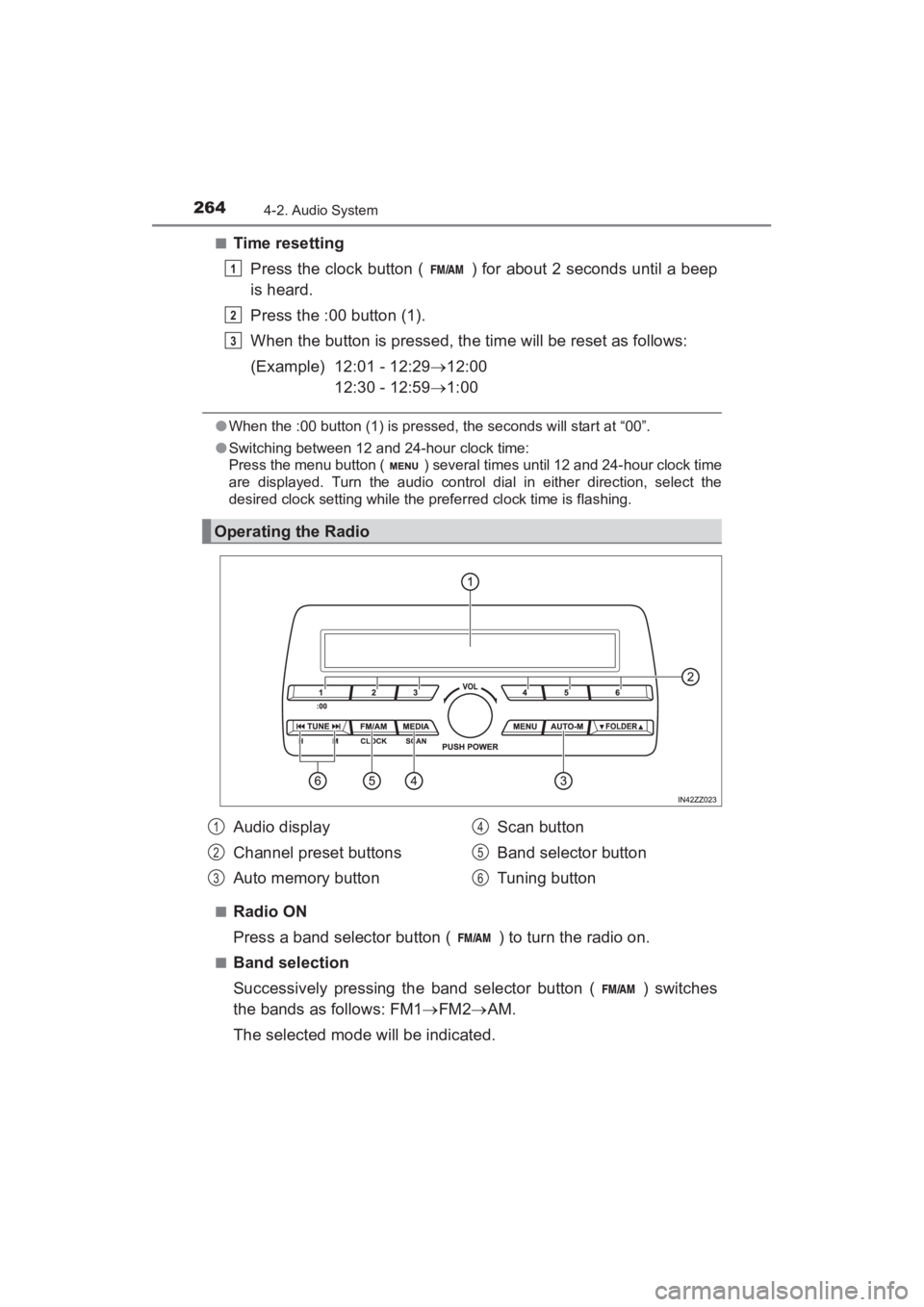
Operating the Radio
1
2
3
Audio display
Channel preset buttons
Auto memory button Scan button
Band selector button
Tuning button1
2
3
4
5
6
YARIS_SEDAN_OM_OM99M18z_(U).book Page 264 Monday, June 1, 2015 9:22 PM
Page 277 of 592
275
YARIS_SEDAN_OM_OM99M18z_(U)
4-2. Audio System
4
Interior Features
Audio Set (Type B)∗
Audio Set (Type B) has three different human interfaces.
●Commander switch
● Touch panel
● Voice recognition with steering switch and microphone
■Commander switch operation
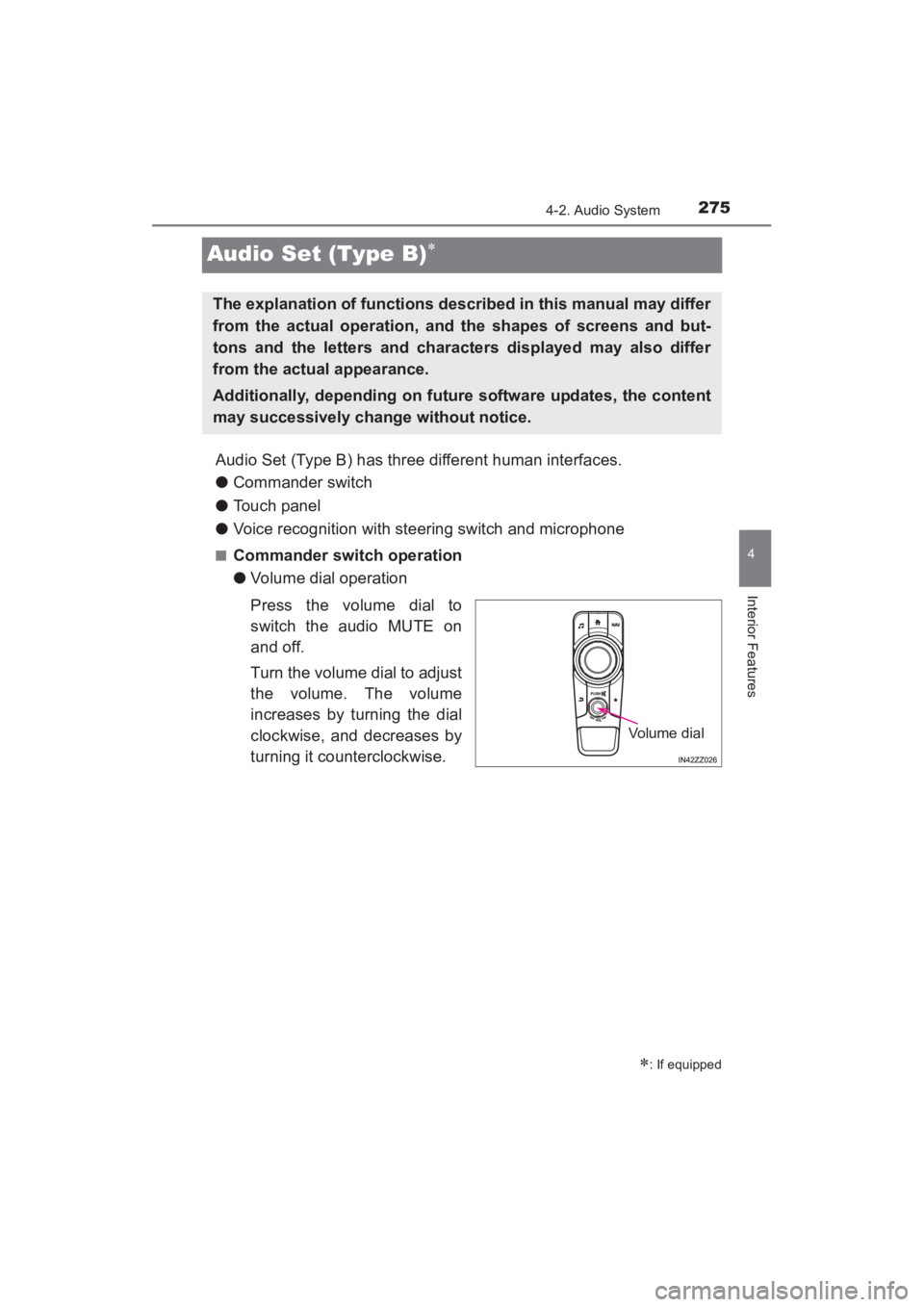
●Volume dial operation
Press the volume dial to
switch the audio MUTE on
and off.
Turn the volume dial to adjust
the volume. The volume
increases by turning the dial
clockwise, and decreases by
turning it counterclockwise.
∗: If equipped
The explanation of functions described in this manual may differ
from the actual operation, and the shapes of screens and but-
tons and the letters and characters displayed may also differ
from the actual appearance.
Additionally, depending on future software updates, the content
may successively change without notice.
Volume dial
YARIS_SEDAN_OM_OM99M18z_(U).book Page 275 Monday, June 1, 2015 9:22 PM
Page 282 of 592
280
YARIS_SEDAN_OM_OM99M18z_(U)
4-2. Audio System
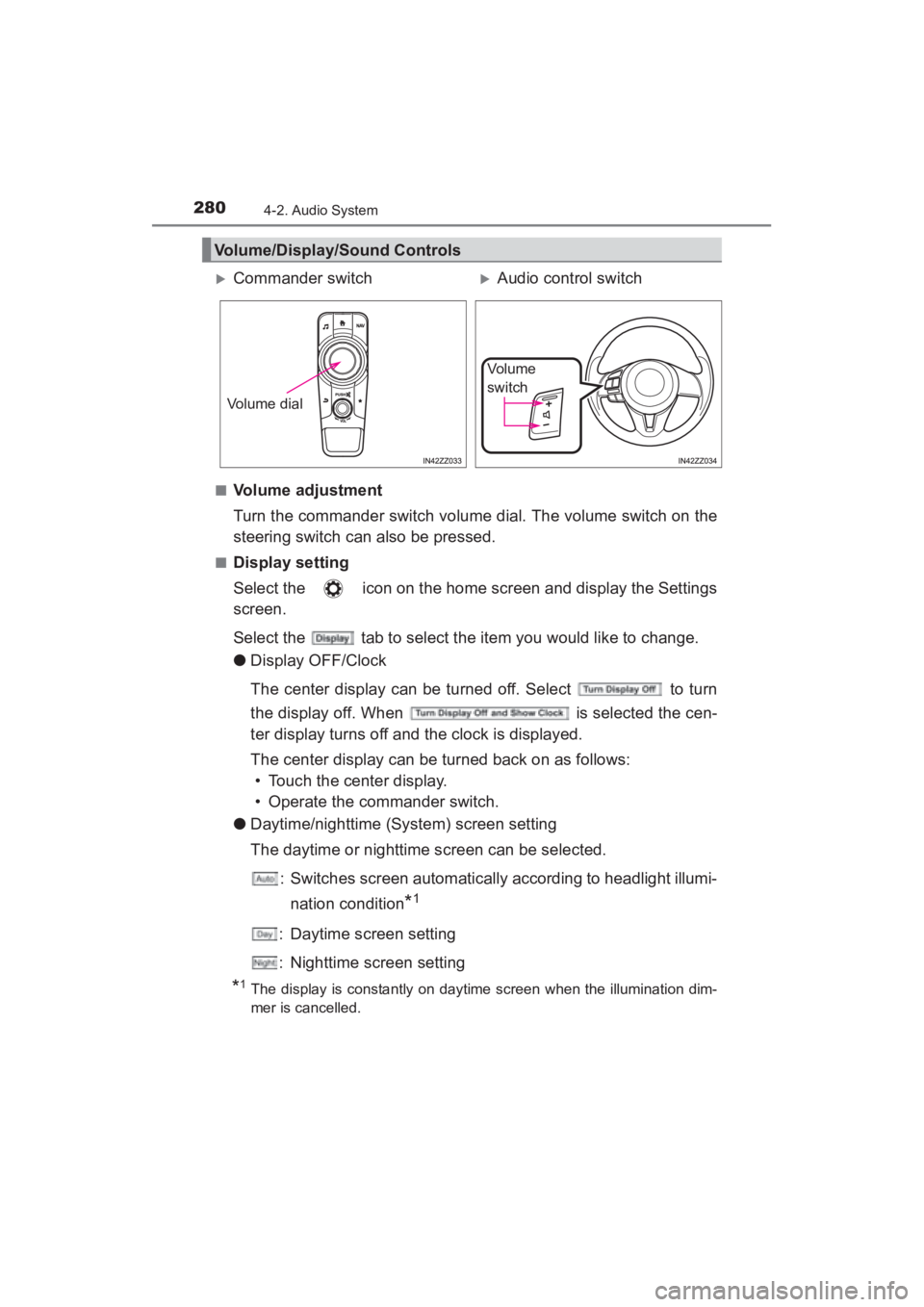
■Volume adjustment
Turn the commander switch volume dial. The volume switch on the
steering switch can also be pressed.
■Display setting
Select the icon on the home screen and display the Settings
screen.
Select the tab to select the item you would like to change.
●Display OFF/Clock
The center display can be turned off. Select to turn
the display off. When is selected the cen-
ter display turns off and the clock is displayed.
The center display can be turned back on as follows:
• Touch the center display.
• Operate the commander switch.
● Daytime/nighttime (System) screen setting
The daytime or nighttime screen can be selected.
: Switches screen automatically according to headlight illumi-nation condition
*1
: Daytime screen setting
: Nighttime screen setting
*1The display is constantly on daytime screen when the illumination dim-
mer is cancelled.
Volume/Display/Sound Controls
XCommander switchXAudio control switch
Volume dial
Vo l u m e
switch
YARIS_SEDAN_OM_OM99M18z_(U).book Page 280 Monday, June 1, 2015 9:22 PM
Page 292 of 592
290
YARIS_SEDAN_OM_OM99M18z_(U)
4-2. Audio System
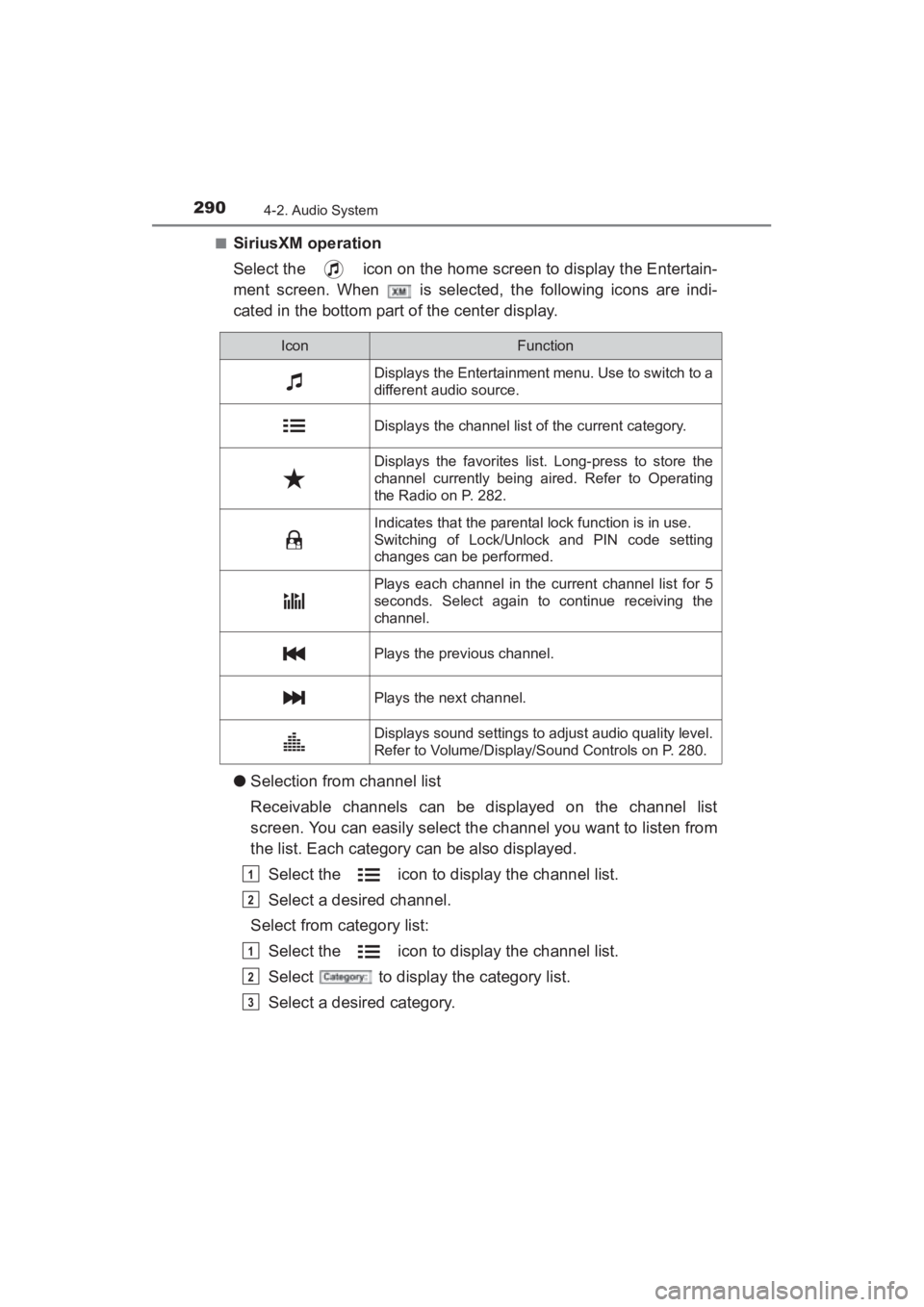
■SiriusXM operation
Select the icon on the home screen to display the Entertain-
ment screen. When is selected, the following icons are indi-
cated in the bottom part of the center display.
●Selection from channel list
Receivable channels can be displayed on the channel list
screen. You can easily select the channel you want to listen from
the list. Each category can be also displayed.
Select the icon to display the channel list.
Select a desired channel.
Select from category list:
Select the icon to display the channel list.
Select to display the category list.
Select a desired category.
IconFunction
Displays the Entertainment menu. Use to switch to a
different audio source.
Displays the channel list of the current category.
Displays the favorites list. Long-press to store the
channel currently being aired. Refer to Operating
the Radio on P. 282.
Indicates that the parental lock function is in use.
Switching of Lock/Unlock and PIN code setting
changes can be performed.
Plays each channel in the current channel list for 5
seconds. Select again to continue receiving the
channel.
Plays the previous channel.
Plays the next channel.
Displays sound settings to adjust audio quality level.
Refer to Volume/Display/Sound Controls on P. 280.
1
2
1
2
3
YARIS_SEDAN_OM_OM99M18z_(U).book Page 290 Monday, June 1, 2015 9:22 PM
Page 293 of 592
YARIS_SEDAN_OM_OM99M18z_(U)
2914-2. Audio System
4
Interior Features
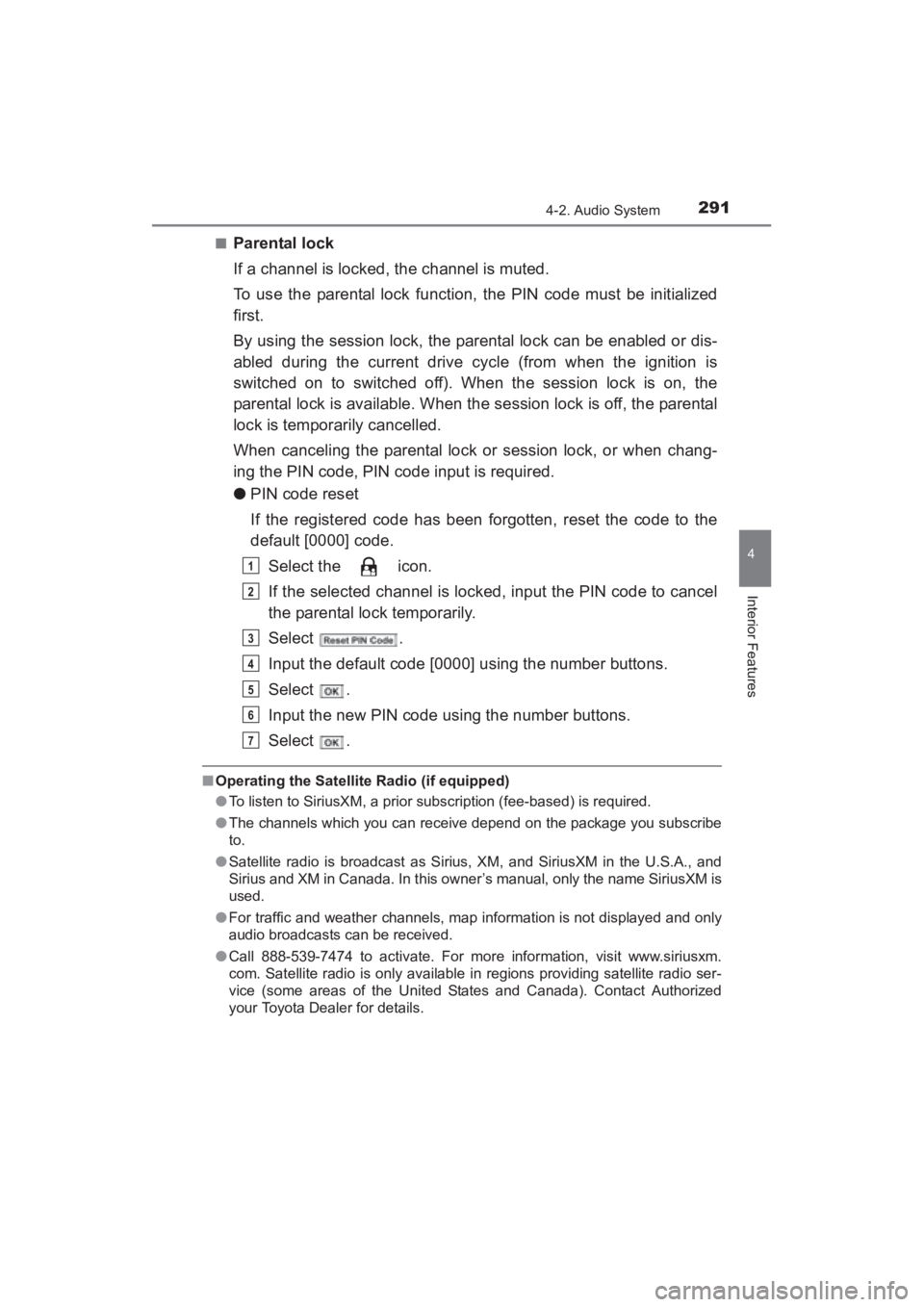
■Parental lock
If a channel is locked, the channel is muted.
To use the parental lock function, the PIN code must be initialized
first.
By using the session lock, the parental lock can be enabled or dis-
abled during the current drive cycle (from when the ignition is
switched on to switched off). When the session lock is on, the
parental lock is available. When the session lock is off, the parental
lock is temporarily cancelled.
When canceling the parental lock or session lock, or when chang-
ing the PIN code, PIN code input is required.
●PIN code reset
If the registered code has been forgotten, reset the code to the
default [0000] code.
Select the icon.
If the selected channel is locked, input the PIN code to cancel
the parental lock temporarily.
Select .
Input the default code [0000] using the number buttons.
Select .
Input the new PIN code using the number buttons.
Select .
■Operating the Satellite Radio (if equipped)
●To listen to SiriusXM, a prior subscription (fee-based) is required.
● The channels which you can receive depend on the package you subscribe
to.
● Satellite radio is broadcast as Sirius, XM, and SiriusXM in the U.S.A., and
Sirius and XM in Canada. In this owner’s manual, only the name SiriusXM is
used.
● For traffic and weather channels, map information is not displayed and only
audio broadcasts can be received.
● Call 888-539-7474 to activate. For more information, visit www.siriusxm.
com. Satellite radio is only available in regions providing satellite radio ser-
vice (some areas of the United States and Canada). Contact Authorized
your Toyota Dealer for details.
1
2
3
4
5
6
7
YARIS_SEDAN_OM_OM99M18z_(U).book Page 291 Monday, June 1, 2015 9:22 PM
Page 298 of 592
296
YARIS_SEDAN_OM_OM99M18z_(U)
4-2. Audio System
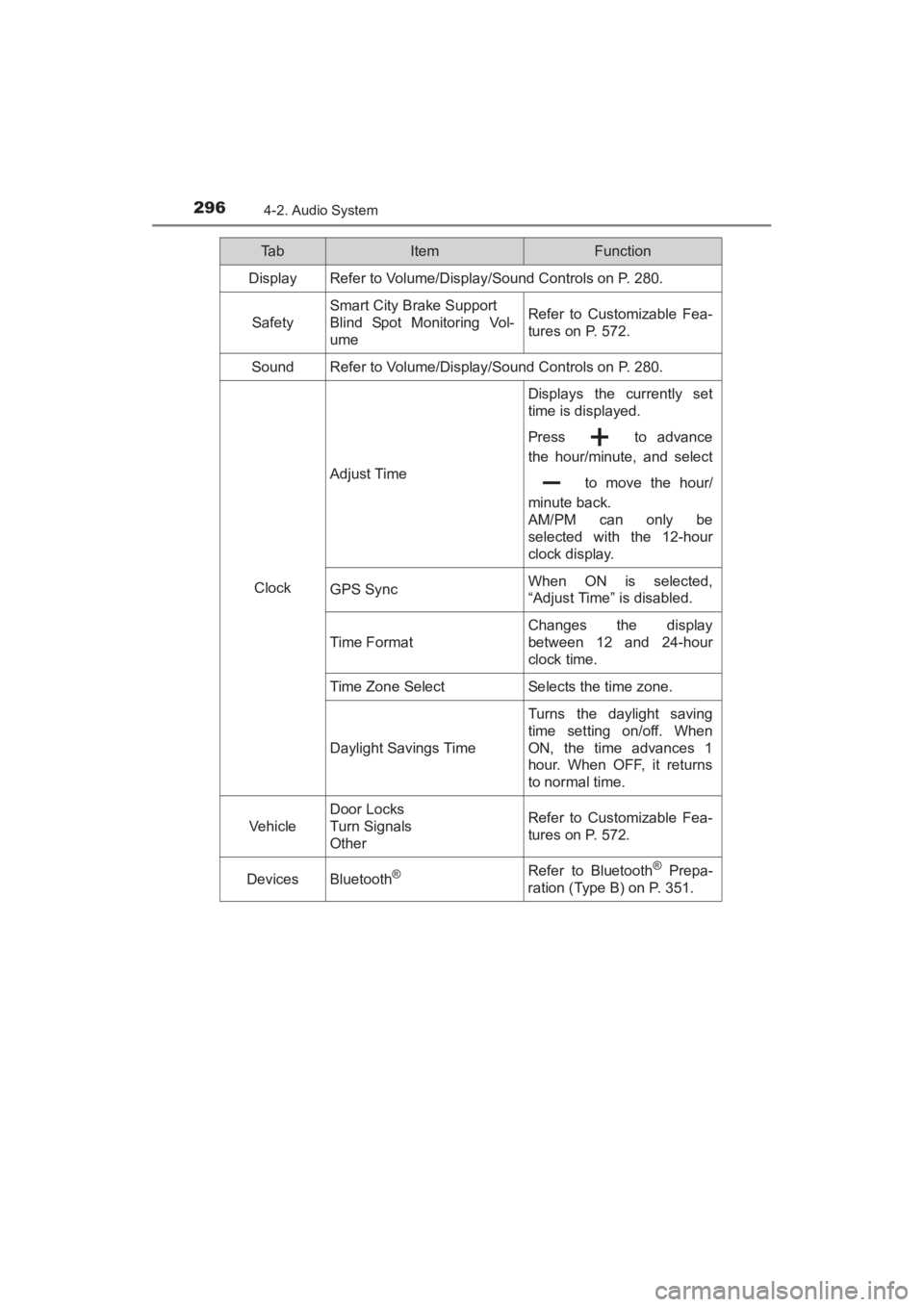
Ta bItemFunction
Display Refer to Volume/Display/Sound Controls on P. 280.
Safety
Smart City Brake Support
Blind Spot Monitoring Vol-
umeRefer to Customizable Fea-
tures on P. 572.
SoundRefer to Volume/Display/Sound Controls on P. 280.
Clock
Adjust Time
Displays the currently set
time is displayed.
Press to advance
the hour/minute, and select to move the hour/
minute back.
AM/PM can only be
selected with the 12-hour
clock display.
GPS SyncWhen ON is selected,
“Adjust Time” is disabled.
Time F ormat
Changes the display
between 12 and 24-hour
clock time.
Time Zone SelectSelects the time zone.
Daylight Savings Time
Turns the daylight saving
time setting on/off. When
ON, the time advances 1
hour. When OFF, it returns
to normal time.
Vehicle
Door Locks
Turn Signals
OtherRefer to Customizable Fea-
tures on P. 572.
DevicesBluetooth®Refer to Bluetooth® Prepa-
ration (Type B) on P. 351.
YARIS_SEDAN_OM_OM99M18z_(U).book Page 296 Monday, June 1, 2015 9:22 PM