service TOYOTA YARIS 2016 Owners Manual
[x] Cancel search | Manufacturer: TOYOTA, Model Year: 2016, Model line: YARIS, Model: TOYOTA YARIS 2016Pages: 592, PDF Size: 10.44 MB
Page 10 of 592
8
YARIS_SEDAN_OM_OM99M18z_(U)
Please be aware that this manual applies to all models, equipment
and options. As a result, you may find some explanations for equip-
ment not installed on your vehicle.
■Important Notes About This Manual
Keep this manual in the glove box as a handy reference for the safe
and enjoyable use of your Toyota. Should you resell the vehicle,
leave this manual with it for the next owner.
All specifications and descriptions are accurate at the time of print-
ing. Because improvement is a constant goal at Toyota, we reserve
the right to make changes in specifications at any time without
notice and without obligation.
■Air Conditioning and the Environment
Your Toyota’s genuine air conditioner is filled with a refrigerant that
has been found not to damage the earth’s ozone layer. If the air
conditioner does not operate properly, consult your Toyota dealer.
Perchlorate
Certain components of this vehicle such as [air bag modules, seat
belt pretensioners, lithium batteries,...] may contain Perchlorate
Material-- Special handling may apply for service or vehicle end of
life disposal. See www.dtsc.ca.gov/hazardouswaste/perchlorate.
YARIS_SEDAN_OM_OM99M18z_(U).book Page 8 Monday, June 1, 2015 9:22 PM
Page 275 of 592
YARIS_SEDAN_OM_OM99M18z_(U)
2734-2. Audio System
4
Interior Features
■Display scroll
Only 13 characters can be displayed at one time. To display the rest
of the characters of a long title, press and hold the text button (3).
The display scrolls the next 13 characters. Press and hold the text
button (3) again after the last 13 characters have been displayed to
return to the beginning of the title.
■Message display
If “CHECK CD” is displayed, it means that there is some CD mal-
function. Check the CD for damage, dirt, or smudges, and then
properly reinsert it. If the message appears again, insert another
known good CD. If the message continues to appear, take the unit
to your Toyota dealer for service.
■Operating the Compact Disc (CD) Player
●If a disc has both music data (CD-DA) and MP3/WMA/AAC files, playback of
the two or three file types differs depending on how the disc was recorded.
● There will be a short lapse before play begins while the player reads the dig-
ital signals on the CD.
● The CD mode cannot be selected if a CD has not been inserted.
● If the unit is left in scan, normal playback will resume where scan was
selected.
● The information viewable in the display is only CD information (such as art-
ist name, song title) which has been recorded to the CD.
● This unit cannot display some characters. Characters which cannot be dis-
played are indicated by an asterisk ( ).
● The number of characters which can be displayed is restricted.
YARIS_SEDAN_OM_OM99M18z_(U).book Page 273 Monday, June 1, 2015 9:22 PM
Page 291 of 592
YARIS_SEDAN_OM_OM99M18z_(U)
2894-2. Audio System
4
Interior Features
■What is satellite radio?
With over 130 channels, SiriusXM Satellite Radio brings you more
of what you love. Get channels and channels of commercial-free
music, plus sports, news, talk, entertainment and more.
●Commercial-free music from nearly every genre-rock to pop, hip-
hop to country, jazz, classical and more. Plus live performances
and artist-dedicated channels.
● Live sports Play-by-Play & Expert Talk-every NFL game, every
NASCAR
® race, 24/7 sports talk, college sports and more.
● Exclusive entertainment, comedy and talk-The biggest names,
compelling talk, hilarious comedy.
● World-class news plus local traffic and weather.
Sign up for SiriusXM Satellite Radio today!
■How to Activate Satellite Radio
You must call SiriusXM to activate your service. Activation is free
and takes only a few minutes.
SiriusXM service uses an ID code to identify your radio. This code
is needed to activate SiriusXM service, and report any problems.
Please have the following information ready:
●Radio ID (8-digit electronic serial no - See below for how to find
your ESN)
● Valid credit card information (may not be required at initial sign-
up)
Be sure you are parked outside with a clear view of open sky, you
will be instructed to turn on your radio (in SiriusXM mode and tuned
to channel 184 (Sirius)/1 (XM and SiriusXM)). Activation typically
takes only 2-5 minutes.
■Displaying the Radio ID (ESN)
When channel 0 is selected, the radio ID is displayed. Use the
PREVIOUS or NEXT channel buttons to select channel 0.
Operating the Satellite Radio (if equipped)
YARIS_SEDAN_OM_OM99M18z_(U).book Page 289 Monday, June 1, 2015 9:22 PM
Page 320 of 592
318
YARIS_SEDAN_OM_OM99M18z_(U)
4-2. Audio System
●Category list
Select the icon and display the following category list.
Select a desired category and item.
● Example of use (to play all tracks in USB device)
XMethod 1
Select to display the category list.
Select .
All the tracks in the USB device are displayed.
Select a desired track.
The selected track is played. All the tracks in the USB device
can be played by continuing playback.
CategoryFunction
PlaylistDisplays playlists on the device.
Artist
Displays the artist name list.
All the tracks or tracks for each album of the
selected artist can be played.
AlbumDisplays the album name list.
SongAll the tracks in the device are displayed.
Genre
Displays the genre list.
All the tracks or tracks per album or artist in the
selected genre can be played.
AudiobookDisplays the audiobook list.
Chapters can be selected and played.
Podcast
Displays the podcast list.
Episode can be selected and played.
(Special service for some Apple devices.)
FolderDisplays the folder/file list.
1
2
3
YARIS_SEDAN_OM_OM99M18z_(U).book Page 318 Monday, June 1, 2015 9:22 PM
Page 322 of 592
320
YARIS_SEDAN_OM_OM99M18z_(U)
4-2. Audio System
■Introduction
Music recognition technology and related data are provided by
Gracenote
®. Gracenote is the industry standard in music recogni-
tion technology and related content delivery. For more information
visit www.gracenote.com.
CD and music-related data from Gracenote, Inc., copyright © 2000
to present Gracenote. Gracenote Software, copyright © 2000 to
present Gracenote. One or more patents owned by Gracenote
apply to this product and service. See the Gracenote website for a
non-exhaustive list of applicable Gracenote patents. Gracenote,
CDDB, MusicID, MediaVOCS, the Gracenote logo and logotype,
and the “Powered by Gracenote” logo are either registered trade-
marks or trademarks of Gracenote in the United States and/or other
countries.
Gracenote
® End User License Agreement
This application or device contains software from Gracenote, Inc. of
Emeryville, California (“Gracenote”). The software from Gracenote
(the “Gracenote Software”) enables this application to perform disc
and/or file identification and obtain music-related information, includ-
ing name, artist, track, and title information (“Gracenote Data”) from
online servers or embedded databases (collectively, “Gracenote Serv-
ers”) and to perform other functions. You may use Gracenote Data
only by means of the intended End-User functions of this application
or device.
YARIS_SEDAN_OM_OM99M18z_(U).book Page 320 Monday, June 1, 2015 9:22 PM
Page 324 of 592

322
YARIS_SEDAN_OM_OM99M18z_(U)
4-2. Audio System
You agree that your non-exclusive license to use the Gracenote Data,
the Gracenote Software, and Gracenote Servers will terminate if you
violate these restrictions. If your license terminates, you agree to
cease any and all use of the Gracenote Data, the Gracenote Soft-
ware, and Gracenote Servers. Gracenote reserves all rights in
Gracenote Data, the Gracenote Software, and the Gracenote Servers,
including all ownership rights. Under no circumstances will Gracenote
become liable for any payment to you for any information that you pro-
vide. You agree that Gracenote, Inc. may enforce its rights under this
Agreement against you directly in its own name.
The Gracenote service uses a unique identifier to track queries for
statistical purposes. The purpose of a randomly assigned numeric
identifier is to allow the Gracenote service to count queries without
knowing anything about who you are. For more information, see the
web page for the Gracenote Privacy Policy for the Gracenote service.
The Gracenote Software and each item of Gracenote Data are
licensed to you “AS IS.” Gracenote makes no representations or war-
ranties, express or implied, regarding the accuracy of any Gracenote
Data from in the Gracenote Servers. Gracenote reserves the right to
delete data from the Gracenote Servers or to change data categories
for any cause that Gracenote deems sufficient. No warranty is made
that the Gracenote Software or Gracenote Servers are error-free or
that functioning of Gracenote Software or Gracenote Servers will be
uninterrupted. Gracenote is not obligated to provide you with new
enhanced or additional data types or categories that Gracenote may
provide in the future and is free to discontinue its services at any time.
GRACENOTE DISCLAIMS ALL WARRANTIES EXPRESS OR
IMPLIED, INCLUDING, BUT NOT LIMITED TO, IMPLIED WARRAN-
TIES OF MERCHANTABILITY, FITNESS FOR A PARTICULAR PUR-
POSE, TITLE, AND NON-INFRINGEMENT. GRACENOTE DOES
NOT WARRANT THE RESULTS THAT WILL BE OBTAINED BY
YOUR USE OF THE GRACENOTE SOFTWARE OR ANY
GRACENOTE SERVER. IN NO CASE WILL GRACENOTE BE LIA-
BLE FOR ANY CONSEQUENTIAL OR INCIDENTAL DAMAGES OR
FOR ANY LOST PROFITS OR LOST REVENUES.
© 2000 to present. Gracenote, Inc.
YARIS_SEDAN_OM_OM99M18z_(U).book Page 322 Monday, June 1, 2015 9:22 PM
Page 354 of 592
352
YARIS_SEDAN_OM_OM99M18z_(U)
4-3. Bluetooth®
(Device with Bluetooth® version 2.0)
Input the displayed 4-digit pairing code into the device.
(Device with Bluetooth
® version 2.1 or higher)
Make sure the displayed 6-digit code on the audio is also dis-
played on the device, and touch the .
Connection permission and phonebook access permission for
your mobile device may be required depending on the mobile
device.
If pairing is successful, the functions of the device connected
to Bluetooth
® are displayed.
(Devices compatible with Toyota/Scion Email/SMS function)
SMS (Short Message Service) messages, and E-mail for the
device are downloaded automatically. A download permission
operation for your device may be required depending on the
device.
After a device is registered, the system automatically identifies the
device. By activating Bluetooth
® Hands-Free again, or by activating
Bluetooth® Hands-Free first after switching the ignition from OFF to
ACC, the device connection condition is indicated in the center dis-
play.
● IMPORTANT note about pairing and automatic reconnection:
• If pairing is redone on the same mobile phone device, first
clear “Toyota” displayed on the Bluetooth
® setting screen of
the mobile device.
• When the OS of the device is updated, the pairing information may be deleted. If this happens, reprogram the pairing infor-
mation to the Bluetooth
® unit.
• Before you pair your device, make sure that Bluetooth® is
“ON”, both on your phone and on the vehicle.
8
9
10
YARIS_SEDAN_OM_OM99M18z_(U).book Page 352 Monday, June 1, 2015 9:22 PM
Page 380 of 592

378
YARIS_SEDAN_OM_OM99M18z_(U)
4-3. Bluetooth®
A call can be interrupted to receive an incoming call from a third party.
When is selected or the pick- up button on the steering
wheel is pressed, the current call is held and the system switches to
the new incoming call.
When is selected, the current call is ended and the system
switches to the new incoming call (GSM network only).
When is selected or the hang-up button on the steering wheel
is pressed, an incoming call is refused.
●The function may not be available depending on the contractual content of
the mobile device.
● The function may not be operable depending on the type of the telephone
network and the mobile device.
SMS (Short Message Service) messages, and E-mail received by
connected devices can be downloaded, displayed, and played (read
by the system).
Additionally, replies can also be made to calls and messages in the
received messages.
■Downloading messages
Up to 20 new messages can be downloaded and displayed from a
connected device.
For e-mail, 20 messages for each account can be downloaded.
Automatic downloading:
The “Auto Download Email” (E-mail) or “Auto Download Text Mes-
sage” (SMS) setting must be on. A message is downloaded auto-
matically when the
Bluetooth
® unit is connected to the device. Refer to Communication
Settings on P. 382.
Manually downloading:
When the “Auto Download Email” (E-mail) or “Auto Download Text
Message” (SMS) setting is off, the message is downloaded using
the following procedure.
Select the icon on the home screen and display the Com-
munication screen.
Call Interrupt
Receiving and Replying to Messages (available only with E-mail/
SMS compatible phones)
1
YARIS_SEDAN_OM_OM99M18z_(U).book Page 378 Monday, June 1, 2015 9:22 PM
Page 397 of 592
YARIS_SEDAN_OM_OM99M18z_(U)
3954-3. Bluetooth®
4
Interior Features
Aha is an application which can be used to enjoy various Internet con-
tent such as Internet radio and podcasts.
Stay connected to your friends activities by getting updates from
Facebook and Twitter. Using the location-based service, nearby ser-
vices and destinations can be searched or real- time local information
can be obtained.
For details on Aha, refer to “http://www.aharadio.com/”.
*Aha, the Aha logo, and the Aha trade dress are trademarks or registered
trademarks of Harman International Industries, Inc., used with permission.To operate Aha from your Bluetooth
® device, perform the following in
advance:
• Install the Aha application to your device.
• Create an Aha account for your device.
• Log onto Aha using your device.
• Select the preset station on your device.
■
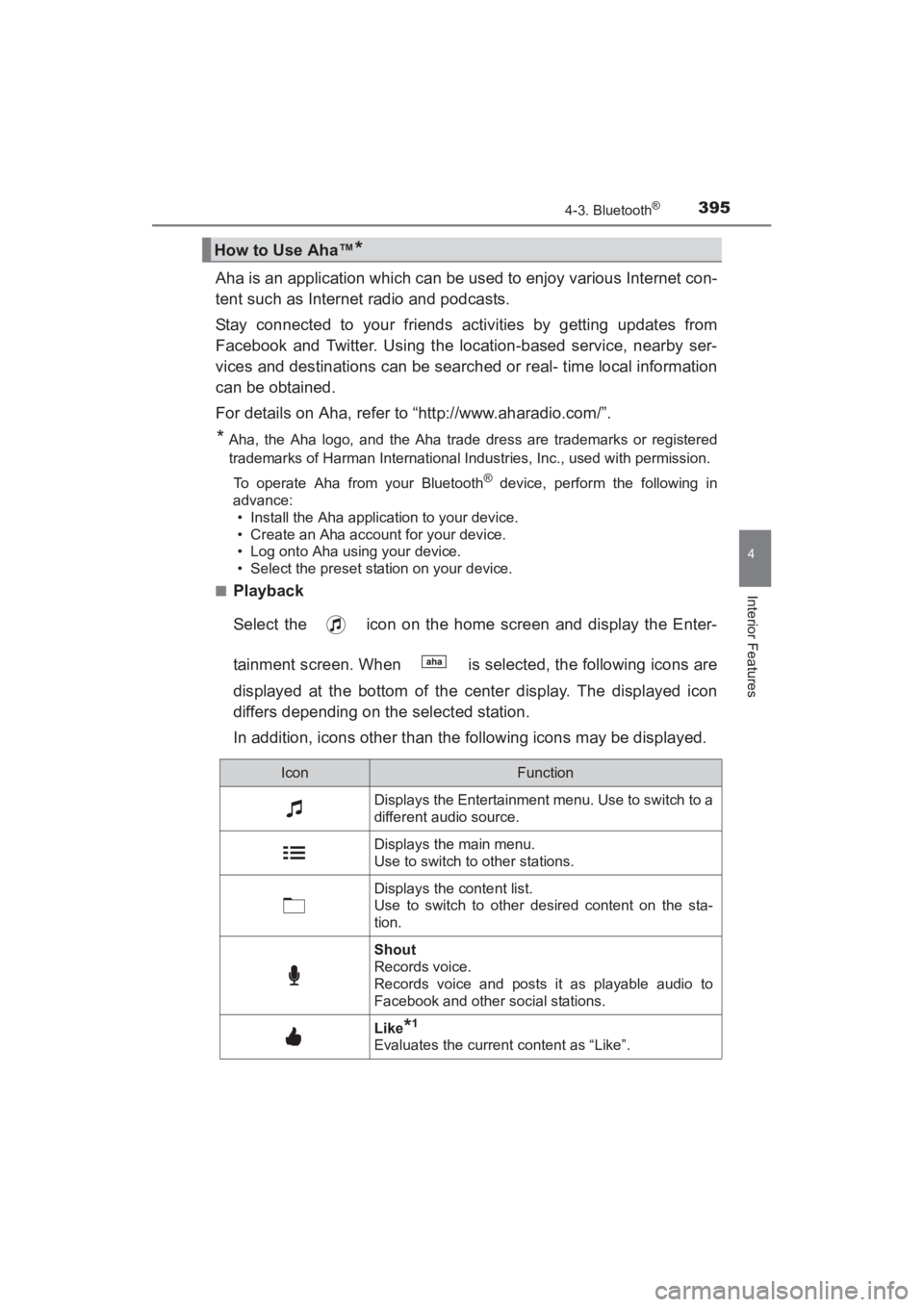
Playback
Select the icon on the home screen and display the Enter-
tainment screen. When is selected, the following icons are
displayed at the bottom of the center display. The displayed icon
differs depending on the selected station.
In addition, icons other than the following icons may be displayed.
How to Use Aha™*
IconFunction
Displays the Entertainment menu. Use to switch to a
different audio source.
Displays the main menu.
Use to switch to other stations.
Displays the content list.
Use to switch to other desired content on the sta-
tion.
Shout
Records voice.
Records voice and posts it as playable audio to
Facebook and other social stations.
Like*1
Evaluates the current content as “Like”.
YARIS_SEDAN_OM_OM99M18z_(U).book Page 395 Monday, June 1, 2015 9:22 PM
Page 398 of 592
396
YARIS_SEDAN_OM_OM99M18z_(U)
4-3. Bluetooth®
*1Some stations may use alternate variations of Like and Dislike, based on
station type or provider.
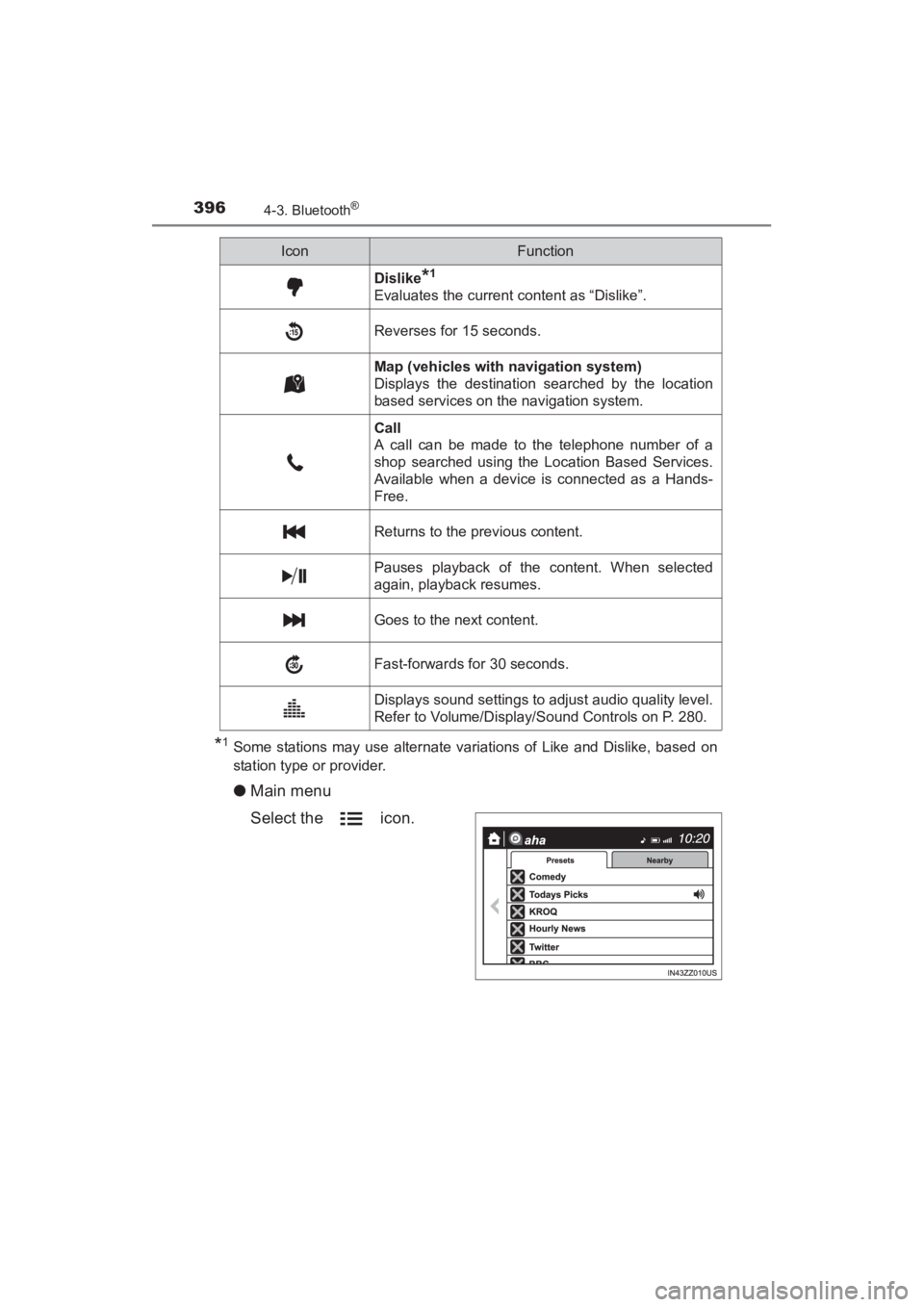
●Main menu
Select the icon.
Dislike*1
Evaluates the current content as “Dislike”.
Reverses for 15 seconds.
Map (vehicles with navigation system)
Displays the destination searched by the location
based services on the navigation system.
Call
A call can be made to the telephone number of a
shop searched using the Location Based Services.
Available when a device is connected as a Hands-
Free.
Returns to the previous content.
Pauses playback of the content. When selected
again, playback resumes.
Goes to the next content.
Fast-forwards for 30 seconds.
Displays sound settings to adjust audio quality level.
Refer to Volume/Display/Sound Controls on P. 280.
IconFunction
YARIS_SEDAN_OM_OM99M18z_(U).book Page 396 Monday, June 1, 2015 9:22 PM