display TOYOTA YARIS 2016 Owner's Manual
[x] Cancel search | Manufacturer: TOYOTA, Model Year: 2016, Model line: YARIS, Model: TOYOTA YARIS 2016Pages: 540, PDF Size: 34.12 MB
Page 201 of 540
2014-2. Driving procedures
4
Driving
YARIS_F_WE_52G04E
WARNING
■Gear Shift Indicator display
For safety, the driver should not look only at the display. Refer to the display
when it is safe to do so while considering actual traffic and road conditions.
Failure to do so may lead to an accident.
NOTICE
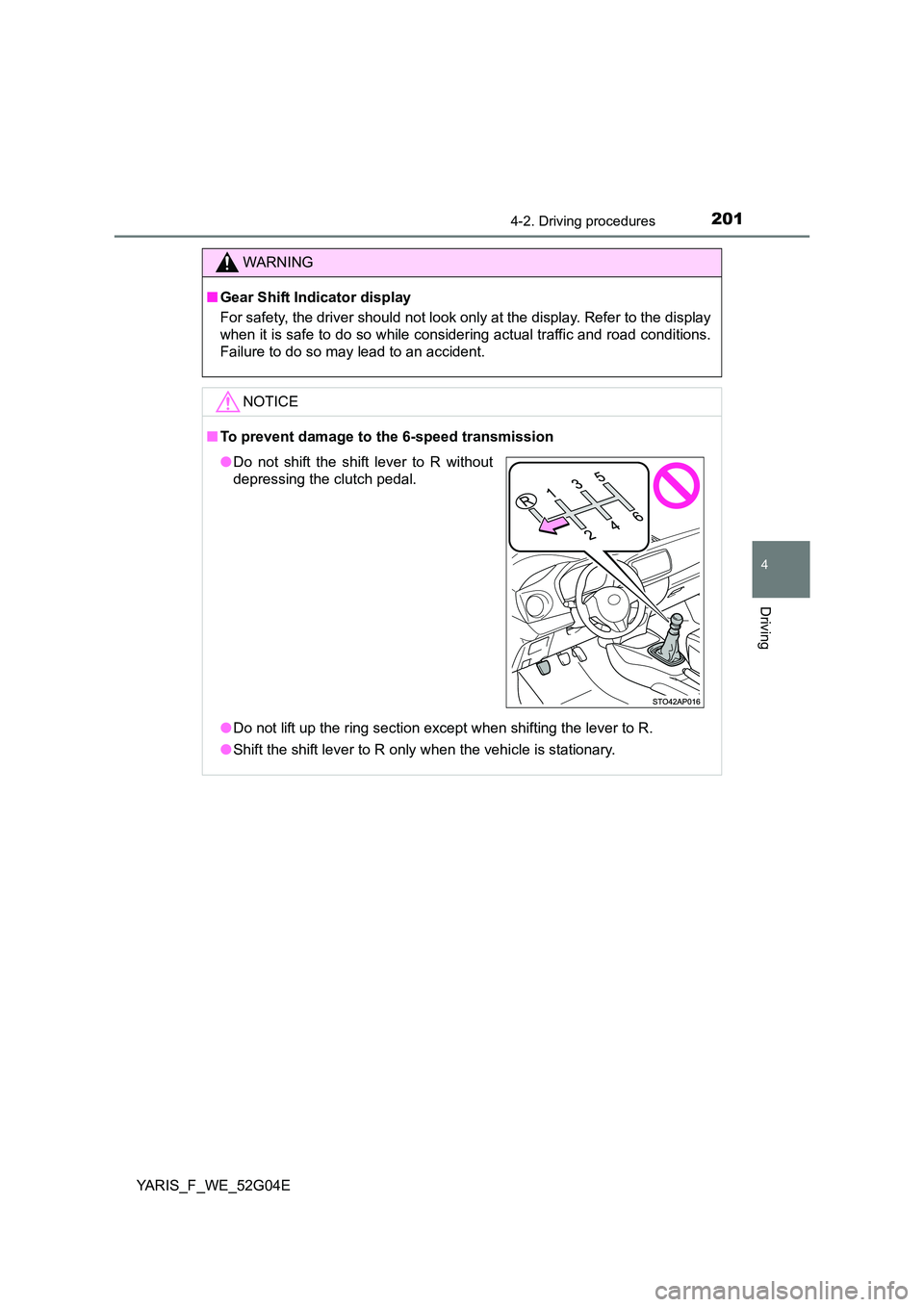
■ To prevent damage to the 6-speed transmission
● Do not lift up the ring section except when shifting the lever to R.
● Shift the shift lever to R only when the vehicle is stationary.
●Do not shift the shift lever to R without
depressing the clutch pedal.
Page 228 of 540
2284-5. Toyota Safety Sense
YARIS_F_WE_52G04E
◆Pre-crash braking
When the system determines that the possibility of a frontal colli-
sion with a vehicle is high, the system warns the driver. If the sys-
tem determines that the possibility of a collision is extremely high,
the brakes are automatically applied to help avoid the collision or
reduce the collision speed.
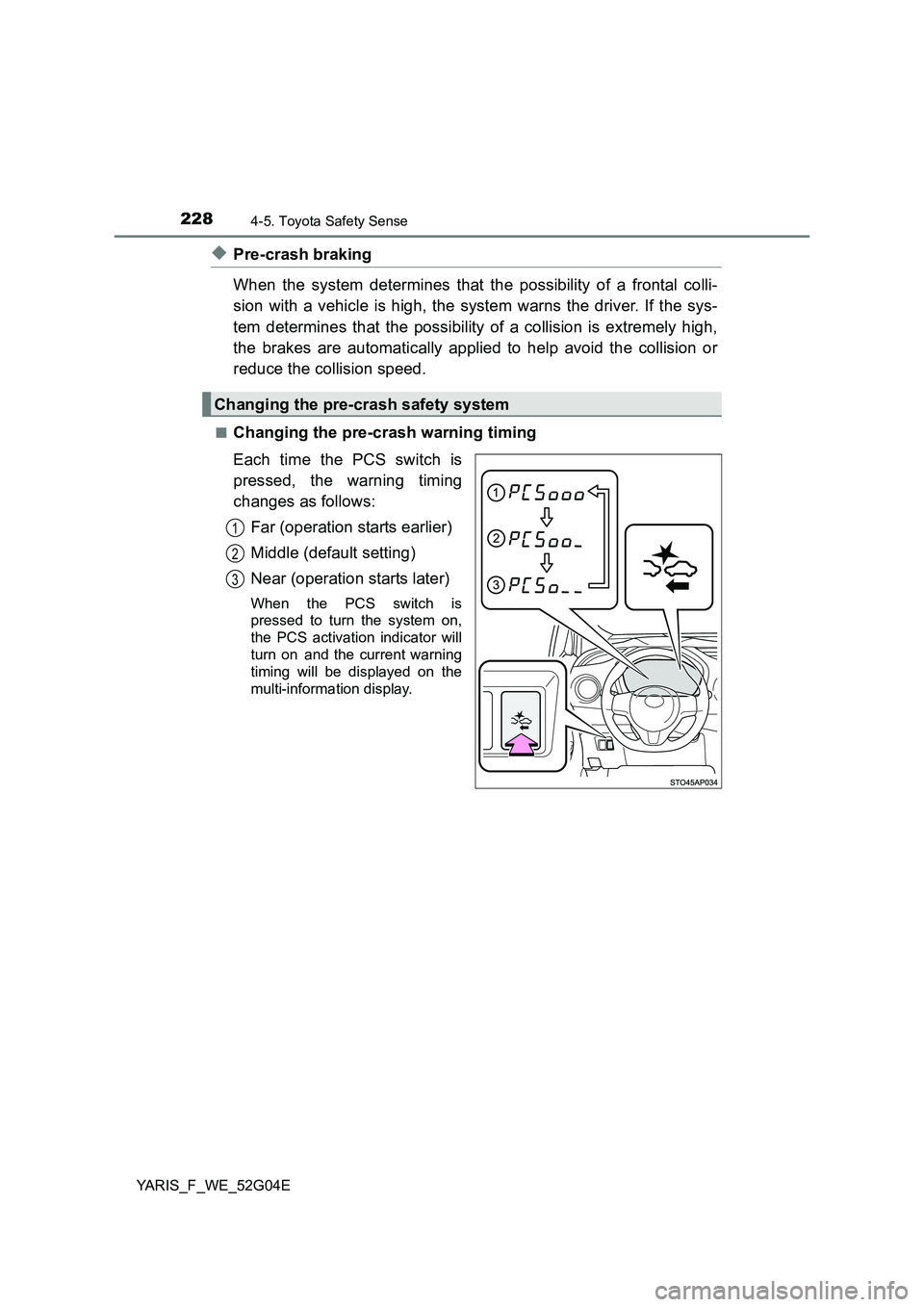
■Changing the pre-crash warning timing
Each time the PCS switch is
pressed, the warning timing
changes as follows:
Far (operation starts earlier)
Middle (default setting)
Near (operation starts later)
When the PCS switch is
pressed to turn the system on,
the PCS activation indicator will
turn on and the current warning
timing will be displayed on the
multi-information display.
Changing the pre-crash safety system
1
2
3
Page 229 of 540
2294-5. Toyota Safety Sense
4
Driving
YARIS_F_WE_52G04E
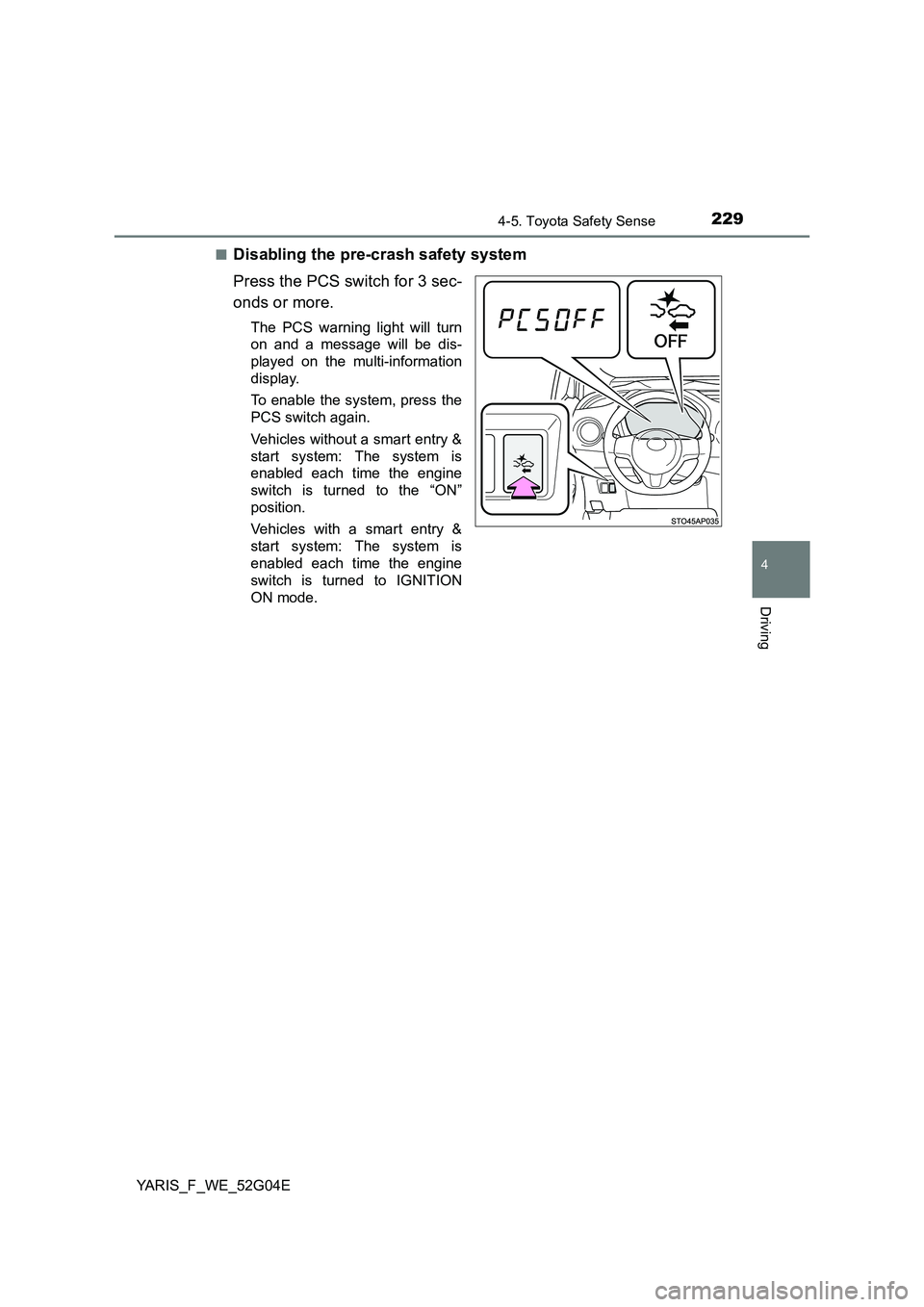
■Disabling the pre-crash safety system
Press the PCS switch for 3 sec-
onds or more.
The PCS warning light will turn
on and a message will be dis-
played on the multi-information
display.
To enable the system, press the
PCS switch again.
Vehicles without a smart entry &
start system: The system is
enabled each time the engine
switch is turned to the “ON”
position.
Vehicles with a smart entry &
start system: The system is
enabled each time the engine
switch is turned to IGNITION
ON mode.
Page 249 of 540
249
4
4-6. Using the driving support systems
Driving
YARIS_F_WE_52G04E
Speed limiter
The desired maximum speed can be set using the cruise control
switch. The speed limiter prevents vehicle speed from exceeding the
set speed.
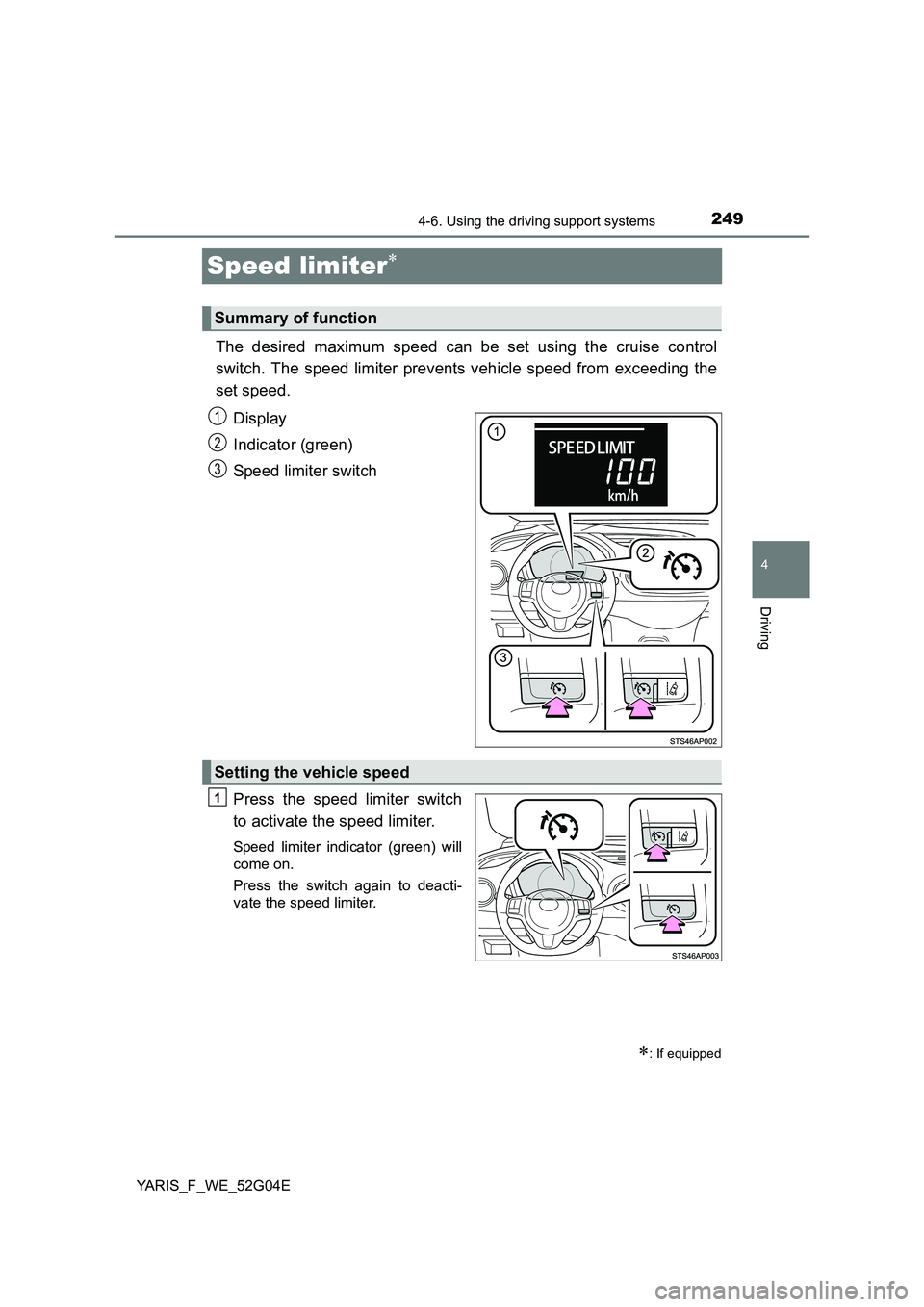
Display
Indicator (green)
Speed limiter switch
Press the speed limiter switch
to activate the speed limiter.
Speed limiter indicator (green) will
come on.
Press the switch again to deacti-
vate the speed limiter.
Summary of function
: If equipped
1
2
13
Setting the vehicle speed
1
Page 251 of 540
2514-6. Using the driving support systems
4
Driving
YARIS_F_WE_52G04E
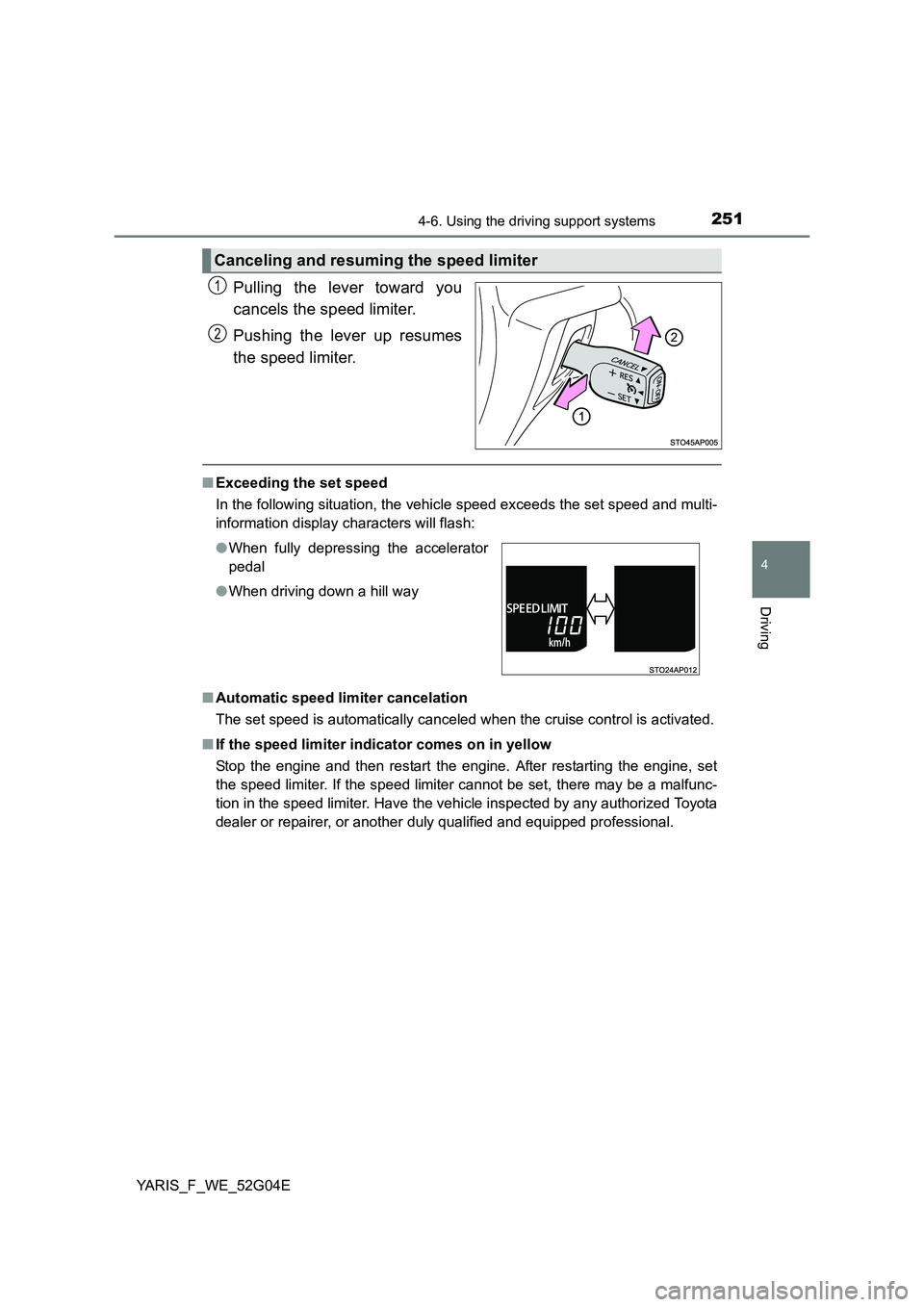
Pulling the lever toward you
cancels the speed limiter.
Pushing the lever up resumes
the speed limiter.
■ Exceeding the set speed
In the following situation, the vehicle speed exceeds the set speed and multi-
information display characters will flash:
■ Automatic speed limiter cancelation
The set speed is automatically canceled when the cruise control is activated.
■ If the speed limiter indicator comes on in yellow
Stop the engine and then restart the engine. After restarting the engine, set
the speed limiter. If the speed limiter cannot be set, there may be a malfunc-
tion in the speed limiter. Have the vehicle inspected by any authorized Toyota
dealer or repairer, or another duly qualified and equipped professional.
Canceling and resuming the speed limiter
1
2
● When fully depressing the accelerator
pedal
● When driving down a hill way
Page 258 of 540
2584-6. Using the driving support systems
YARIS_F_WE_52G04E
■ If the Stop & Start cancel indicator continues to flash
The Stop & Start system may be malfunctioning. Contact any authorized
Toyota dealer or repairer, or another duly qualified and equipped professional.
■ If the windshield is fogged up while the engine is stopped by the Stop &
Start system
Vehicles with an automatic air conditioning system
Turn the windshield defogger on. (The engine will start due to the automatic
engine start function.) ( P. 317)
Vehicles with a manual air conditioning system
Vehicles with a Multidrive:
Restart the engine by releasing the brake pedal (when the shift lever is in D
or M) or depress the brake pedal and sh ift the shift lever to D or M (when
the shift lever is in N or P) ( P. 254), or by pressing the Stop & Start cancel
switch, and then set the air outlet selector dial to . ( P. 308)
Vehicles with a manual transmission:
Restart the engine by depressing the clutch pedal ( P. 254), or by pressing
the Stop & Start cancel switch, and then set the air outlet selector dial to
. ( P. 308)
If the windshield fogs up frequently, press the Stop & Start cancel switch to
deactivate the system.
■ The Stop & Start system operation time and Stop & Start system total
operation time display
P. 9 4
■ Replacing battery
The installed battery is specific to the Stop & Start system. It should only be
replaced with a battery of identical type and rating.
Ask any authorized Toyota dealer or repairer, or another duly qualified and
equipped professional for further details.
Page 276 of 540
2765-2. Using the audio system
YARIS_F_WE_52G04E
Optimal use of the audio system
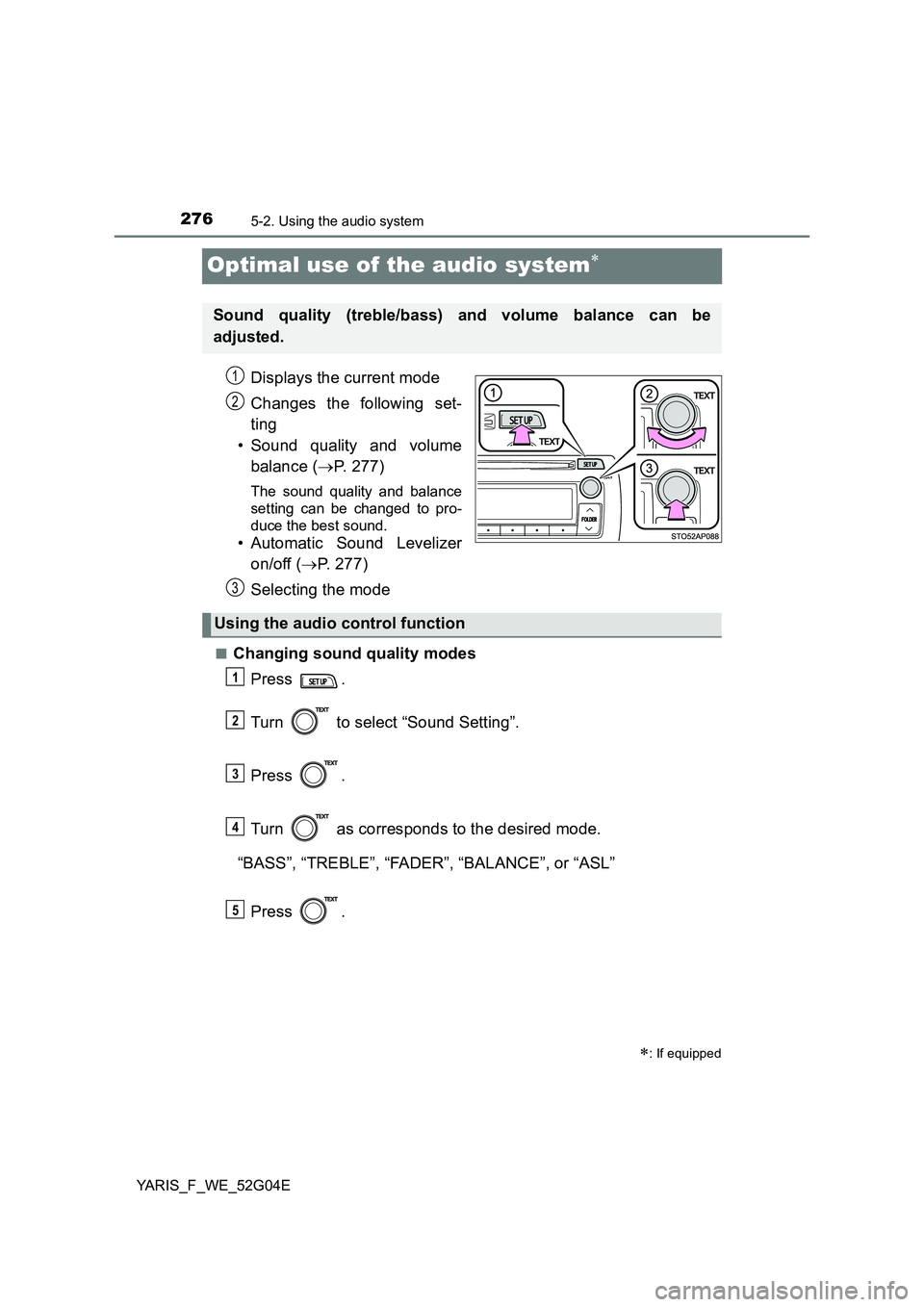
Displays the current mode
Changes the following set-
ting
• Sound quality and volume
balance ( P. 277)
The sound quality and balance
setting can be changed to pro-
duce the best sound.
• Automatic Sound Levelizer
on/off ( P. 277)
Selecting the mode
■Changing sound quality modes
Press .
Turn to select “Sound Setting”.
Press .
Turn as corresponds to the desired mode.
“BASS”, “TREBLE”, “FADER”, “BALANCE”, or “ASL”
Press .
: If equipped
Sound quality (treble/bass) and volume balance can be
adjusted.
STO51AP005
1
2
3
Using the audio control function
1
2
3
4
5
Page 277 of 540
2775-2. Using the audio system
5
Audio system
YARIS_F_WE_52G04E
■Adjusting sound quality
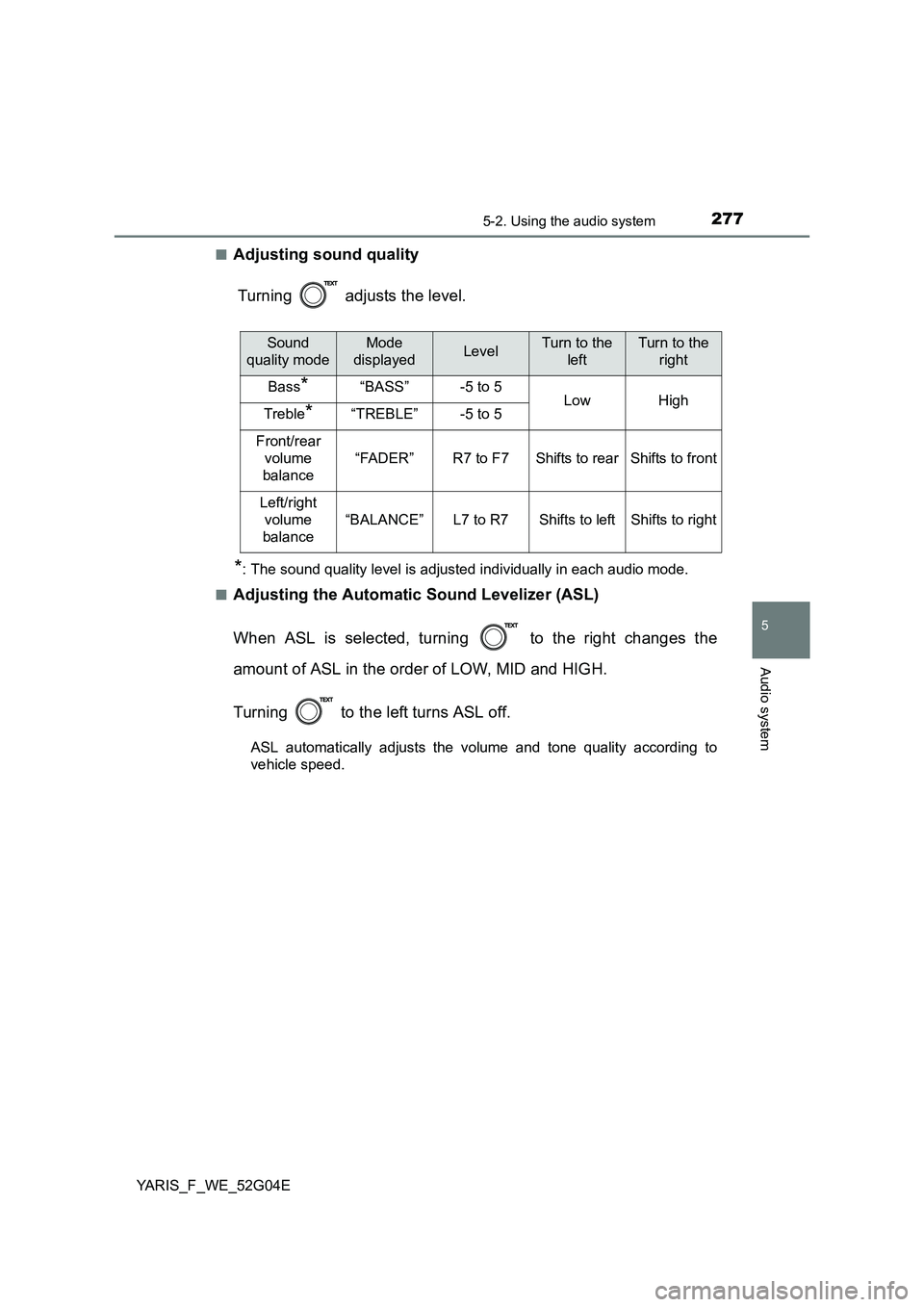
Turning adjusts the level.
*: The sound quality level is adjusted individually in each audio mode.
■Adjusting the Automatic Sound Levelizer (ASL)
When ASL is selected, turning to the right changes the
amount of ASL in the order of LOW, MID and HIGH.
Turning to the left turns ASL off.
ASL automatically adjusts the volume and tone quality according to
vehicle speed.
Sound
quality mode
Mode
displayedLevelTurn to the
left
Turn to the
right
Bass*“BASS”-5 to 5LowHighTreble*“TREBLE”-5 to 5
Front/rear
volume
balance
“FADER”R7 to F7Shifts to rearShifts to front
Left/right
volume
balance
“BALANCE”L7 to R7Shifts to leftShifts to right
Page 278 of 540
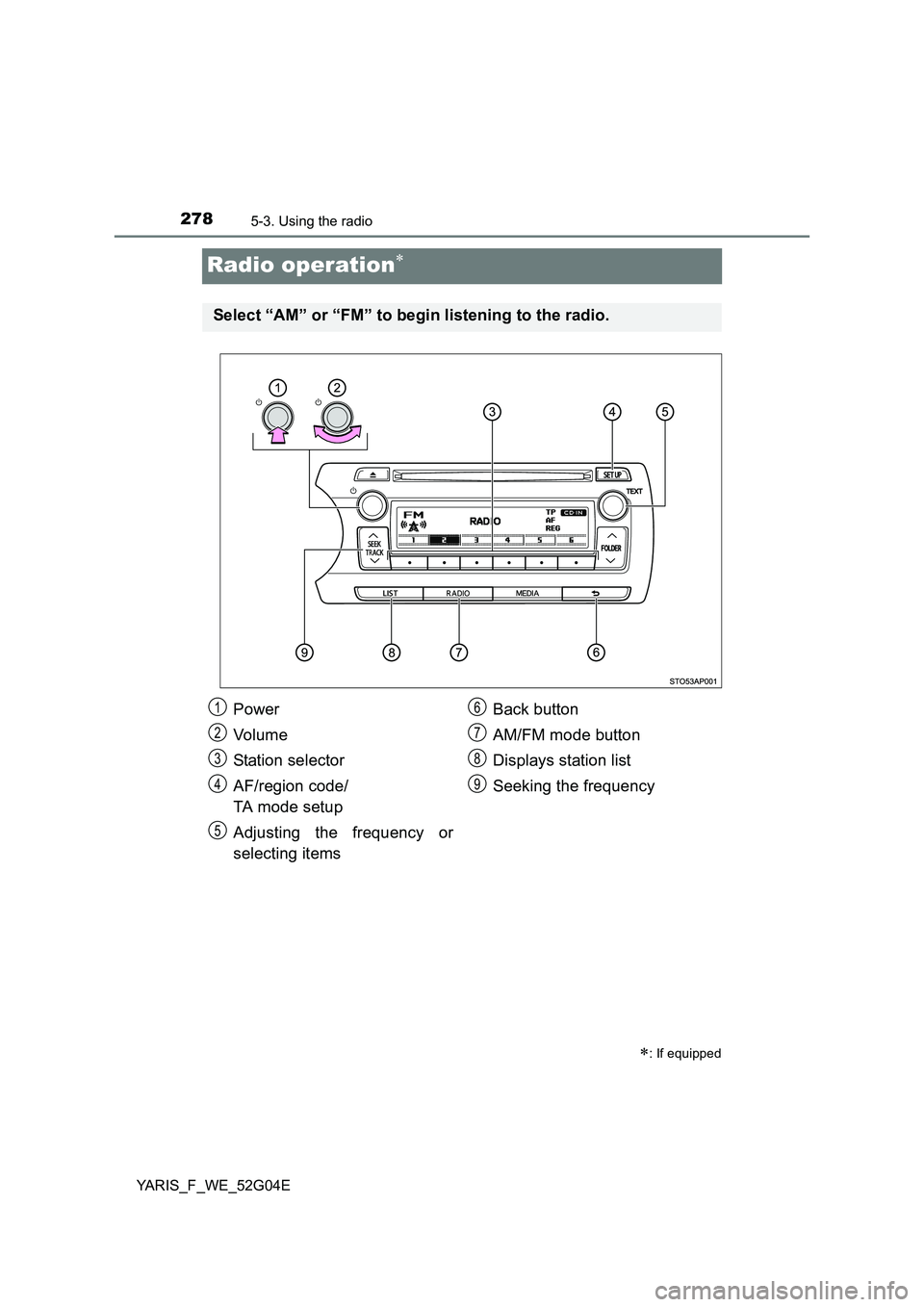
2785-3. Using the radio
YARIS_F_WE_52G04E
Radio operation
: If equipped
Select “AM” or “FM” to begin listening to the radio.
Power
Vo lu m e
Station selector
AF/region code/
TA mode setup
Adjusting the frequency or
selecting items
Back button
AM/FM mode button
Displays station list
Seeking the frequency
1
2
3
4
5
6
7
8
9
Page 279 of 540
![TOYOTA YARIS 2016 Owners Manual 2795-3. Using the radio
5
Audio system
YARIS_F_WE_52G04E
Search for a desired station by turning or pressing “” or “”
on .
Press and hold the button (from [1] to [6]) the station](/img/14/49182/w960_49182-278.png "TOYOTA YARIS 2016 Owners Manual 2795-3. Using the radio
5
Audio system
YARIS_F_WE_52G04E
Search for a desired station by turning or pressing “” or “”
on .
Press and hold the button (from [1] to [6]) the station")
2795-3. Using the radio
5
Audio system
YARIS_F_WE_52G04E
Search for a desired station by turning or pressing “” or “”
on .
Press and hold the button (from [1] to [6]) the station
is to be set to until you hear a beep.
■Updating the station list
Press .
The station list will be displayed.
Press (UPDATE) to update the list.
“Updating” is displayed while the searching is in process, and then avail-
able stations will be listed on the display.
To cancel the updating process, press .
■Selecting a station from the station list
Press .
The station list will be displayed.
Turn to select a station.
Press to tune in the station.
To return to the previous display, press .
Setting station presets
Using the station list
1
2
1
2
1
2
3