display TOYOTA YARIS 2017 User Guide
[x] Cancel search | Manufacturer: TOYOTA, Model Year: 2017, Model line: YARIS, Model: TOYOTA YARIS 2017Pages: 549, PDF Size: 33.09 MB
Page 95 of 549
952. Instrument cluster
2
Instrument cluster
YARIS_F_OM_Europe_OM52J20E
Eco Driving Indicator Light can be activated or deactivated by press-
ing the display change button when the Eco Driving Indicator Light
customization display is displayed.
To change the Eco Driving Indicator Light customization display, display
the odometer and press and hold the display change button until the dis-
play changes.
After customization, press the display change button for more than 2 sec-
onds to return to the odometer.
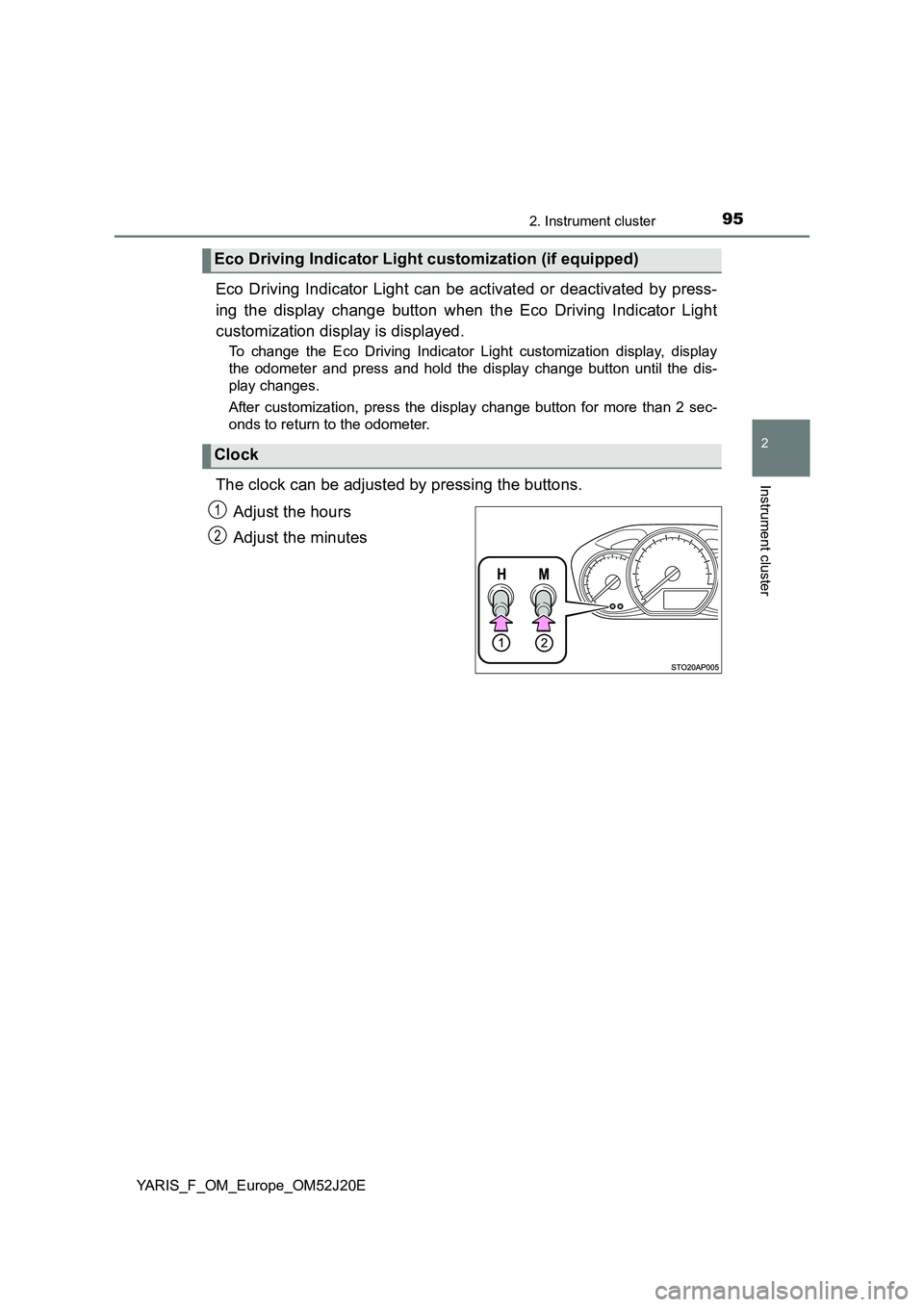
The clock can be adjusted by pressing the buttons.
Adjust the hours
Adjust the minutes
Eco Driving Indicator Light customization (if equipped)
Clock
1
2
Page 96 of 549
962. Instrument cluster
YARIS_F_OM_Europe_OM52J20E
The temperature display shows temperatures within the range of
-40°C (-40°F) and 50°C (122°F).
■Display
In the following situations, the correct outside temperature may not
be displayed, or the display may take longer than normal to
change:
● When the vehicle is stopped, or moving at low speeds (less than
25 km/h [16 mph])
● When the outside temperature has changed suddenly (at the
entrance/exit of a garage, tunnel, etc.)
■When “ ” or “E” is displayed
The system may be malfunctioning. Take your vehicle to any autho-
rized Toyota dealer or repairer, or another duly qualified and
equipped professional.
■ When disconnecting and reconnecting battery terminals
The following information data will be reset:
● Driving range
● Average fuel consumption
● Stop & Start system total operation time (if equipped)
● Average vehicle speed
● Clock data
■ Liquid crystal display
Small spots or light spots may appear on the display. This phenomenon is
characteristic of liquid crystal display, and there is no problem continuing to
use the display.
■ Changing the pre-crash warning timing
P. 229
Outside temperature display
Page 97 of 549
972. Instrument cluster
2
Instrument cluster
YARIS_F_OM_Europe_OM52J20E
WARNING
■Cautions during setting up the display
As the engine needs to be running during setting up the display, ensure that
the vehicle is parked in a place with adequate ventilation. In a closed area
such as a garage, exhaust gases including harmful carbon monoxide (CO)
may collect and enter the vehicle. This may lead to death or a serious
health hazard.
NOTICE
■ The multi-information display at low temperatures
Allow the interior of the vehicle to warm up before using the liquid crystal
information display. At extremely low temperatures, the display monitor may
respond slowly, and display changes may be delayed.
Page 98 of 549
982. Instrument cluster
YARIS_F_OM_Europe_OM52J20E
Fuel consumption infor mation
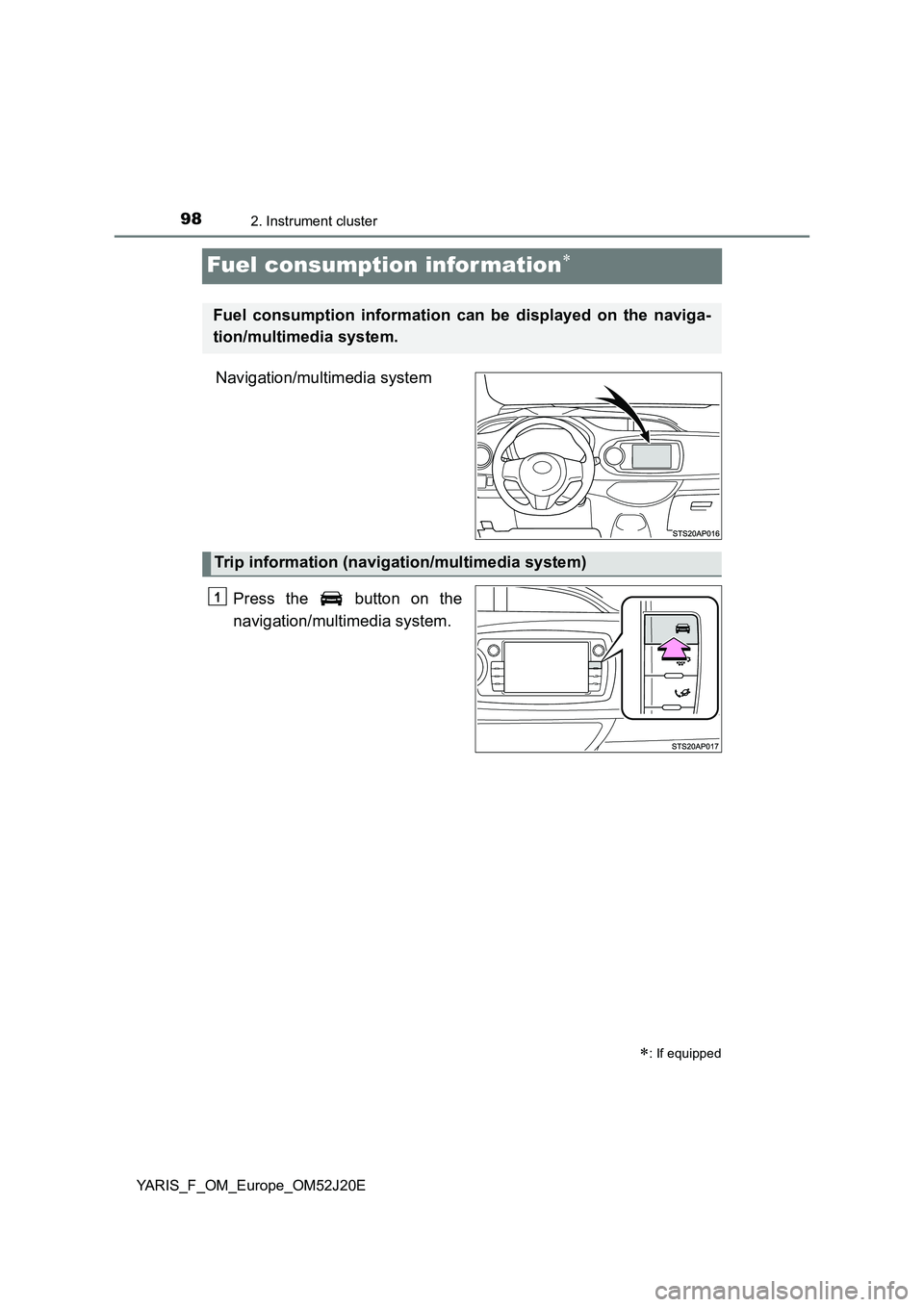
Navigation/multimedia system
Press the button on the
navigation/multimedia system.
: If equipped
Fuel consumption information can be displayed on the naviga-
tion/multimedia system.
Trip information (navigation/multimedia system)
1
Page 99 of 549
992. Instrument cluster
2
Instrument cluster
YARIS_F_OM_Europe_OM52J20E
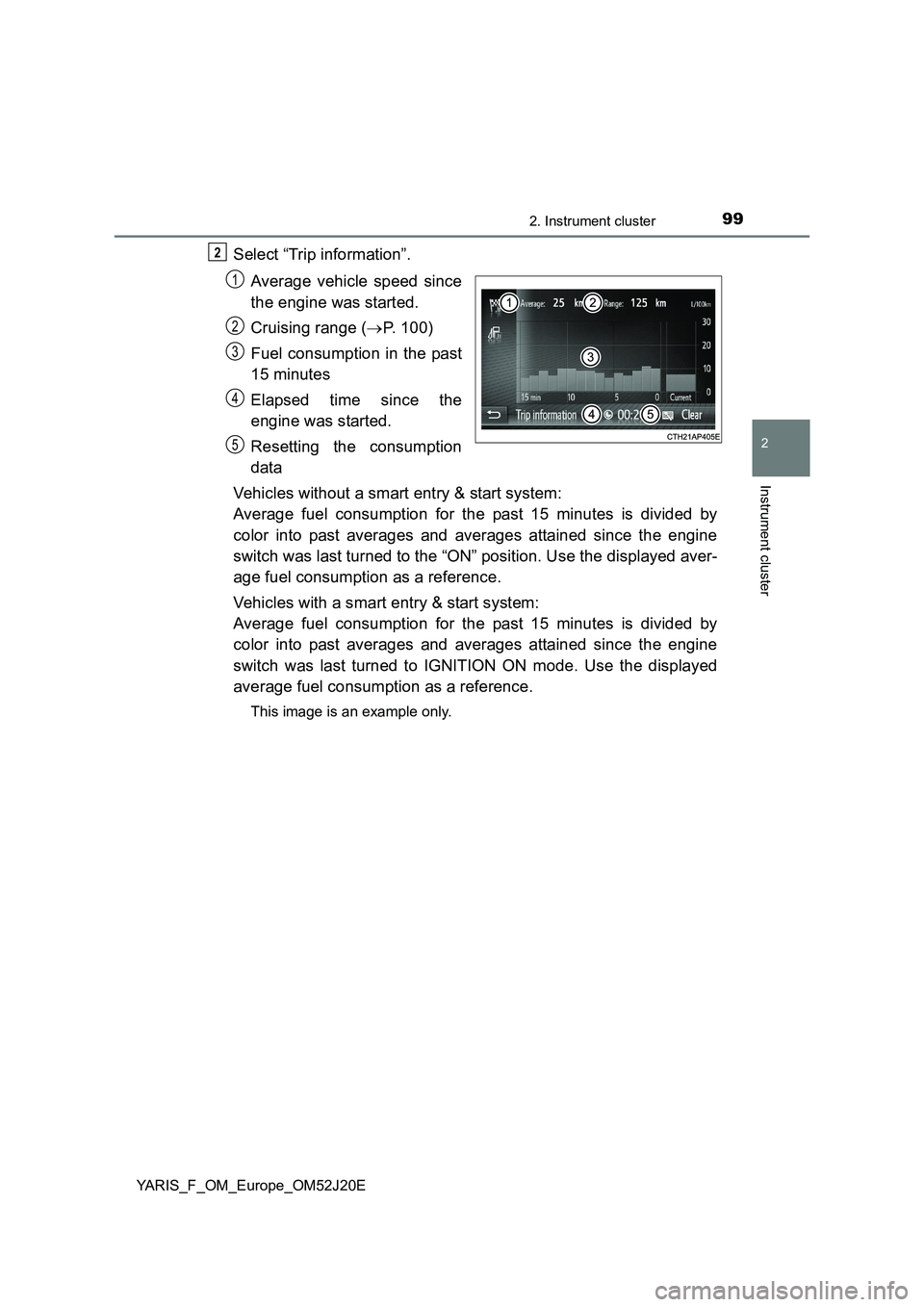
Select “Trip information”.
Average vehicle speed since
the engine was started.
Cruising range ( P. 100)
Fuel consumption in the past
15 minutes
Elapsed time since the
engine was started.
Resetting the consumption
data
Vehicles without a smart entry & start system:
Average fuel consumption for the past 15 minutes is divided by
color into past averages and averages attained since the engine
switch was last turned to the “ON” position. Use the displayed aver-
age fuel consumption as a reference.
Vehicles with a smart entry & start system:
Average fuel consumption for the past 15 minutes is divided by
color into past averages and averages attained since the engine
switch was last turned to IGNITION ON mode. Use the displayed
average fuel consumption as a reference.
This image is an example only.
2
1
2
3
4
5
Page 100 of 549
1002. Instrument cluster
YARIS_F_OM_Europe_OM52J20E
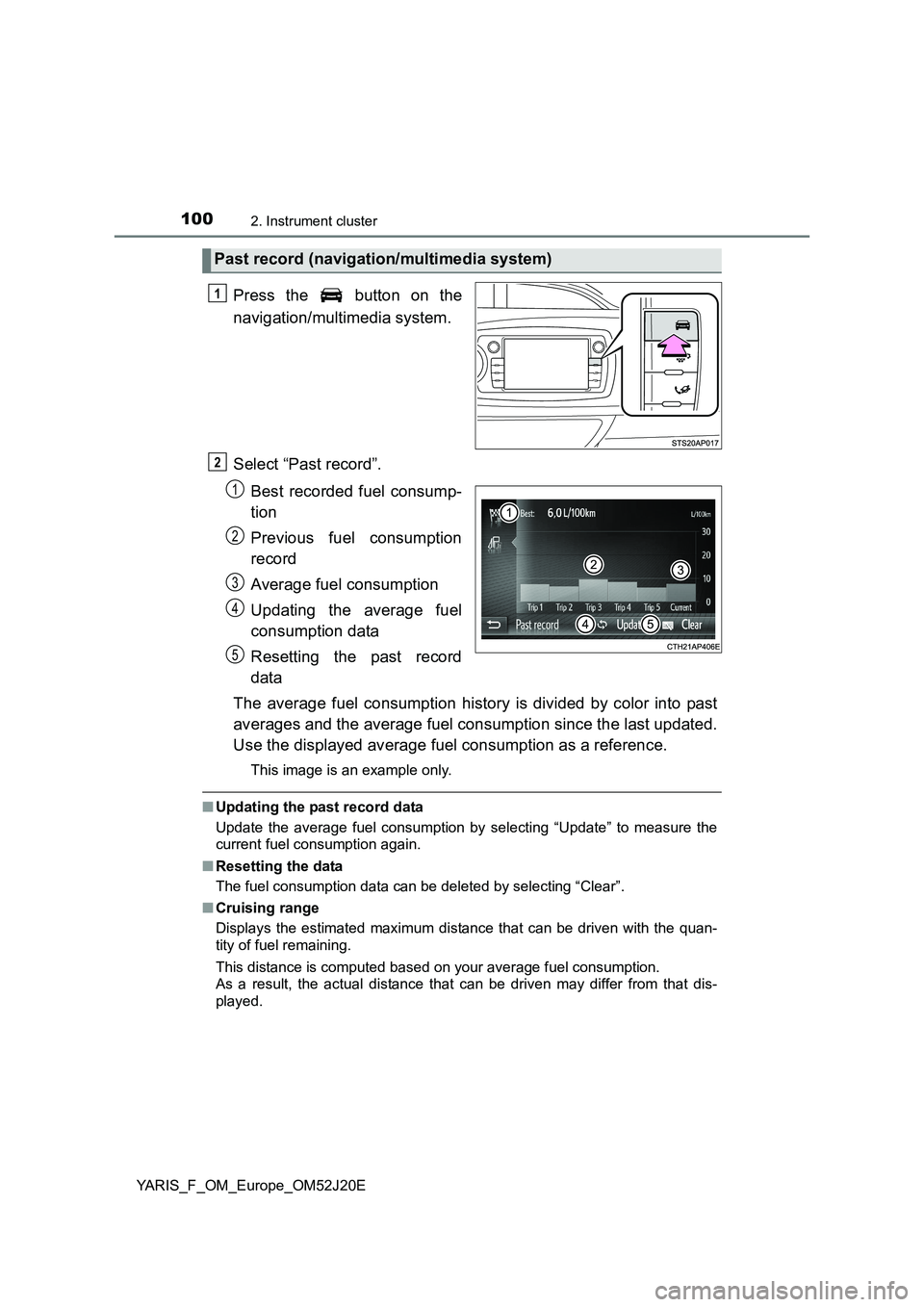
Press the button on the
navigation/multimedia system.
Select “Past record”.
Best recorded fuel consump-
tion
Previous fuel consumption
record
Average fuel consumption
Updating the average fuel
consumption data
Resetting the past record
data
The average fuel consumption history is divided by color into past
averages and the average fuel consumption since the last updated.
Use the displayed average fuel consumption as a reference.
This image is an example only.
■ Updating the past record data
Update the average fuel consumption by selecting “Update” to measure the
current fuel consumption again.
■ Resetting the data
The fuel consumption data can be deleted by selecting “Clear”.
■ Cruising range
Displays the estimated maximum distance that can be driven with the quan-
tity of fuel remaining.
This distance is computed based on your average fuel consumption.
As a result, the actual distance that can be driven may differ from that dis-
played.
Past record (navigation/multimedia system)
1
2
1
2
3
4
5
Page 193 of 549
1934-2. Driving procedures
4
Driving
YARIS_F_OM_Europe_OM52J20E
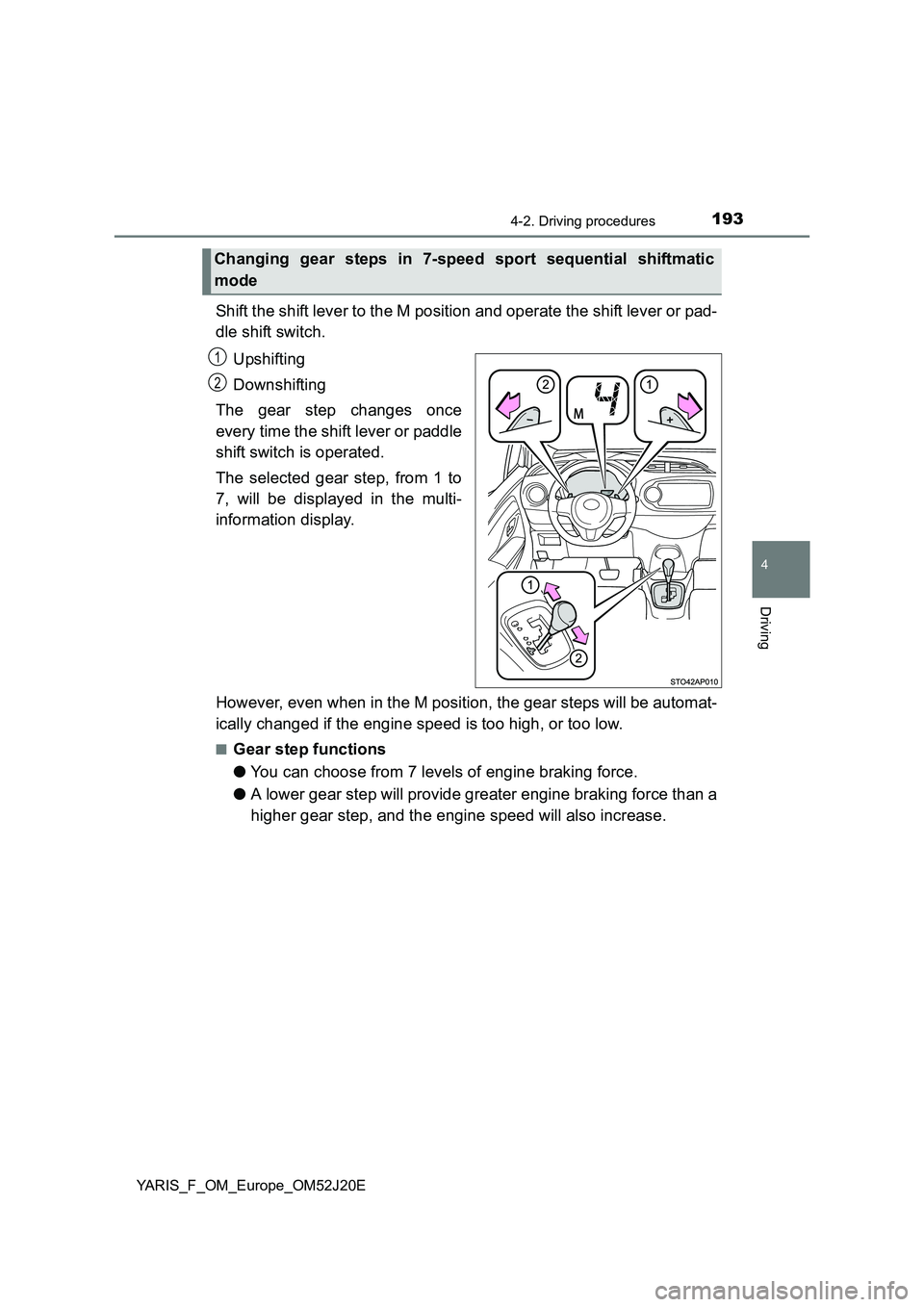
Shift the shift lever to the M position and operate the shift lever or pad-
dle shift switch.
Upshifting
Downshifting
The gear step changes once
every time the shift lever or paddle
shift switch is operated.
The selected gear step, from 1 to
7, will be displayed in the multi-
information display.
However, even when in the M position, the gear steps will be automat-
ically changed if the engine speed is too high, or too low.
■Gear step functions
● You can choose from 7 levels of engine braking force.
● A lower gear step will provide greater engine braking force than a
higher gear step, and the engine speed will also increase.
Changing gear steps in 7-speed sport sequential shiftmatic
mode
1
2
Page 194 of 549
1944-2. Driving procedures
YARIS_F_OM_Europe_OM52J20E
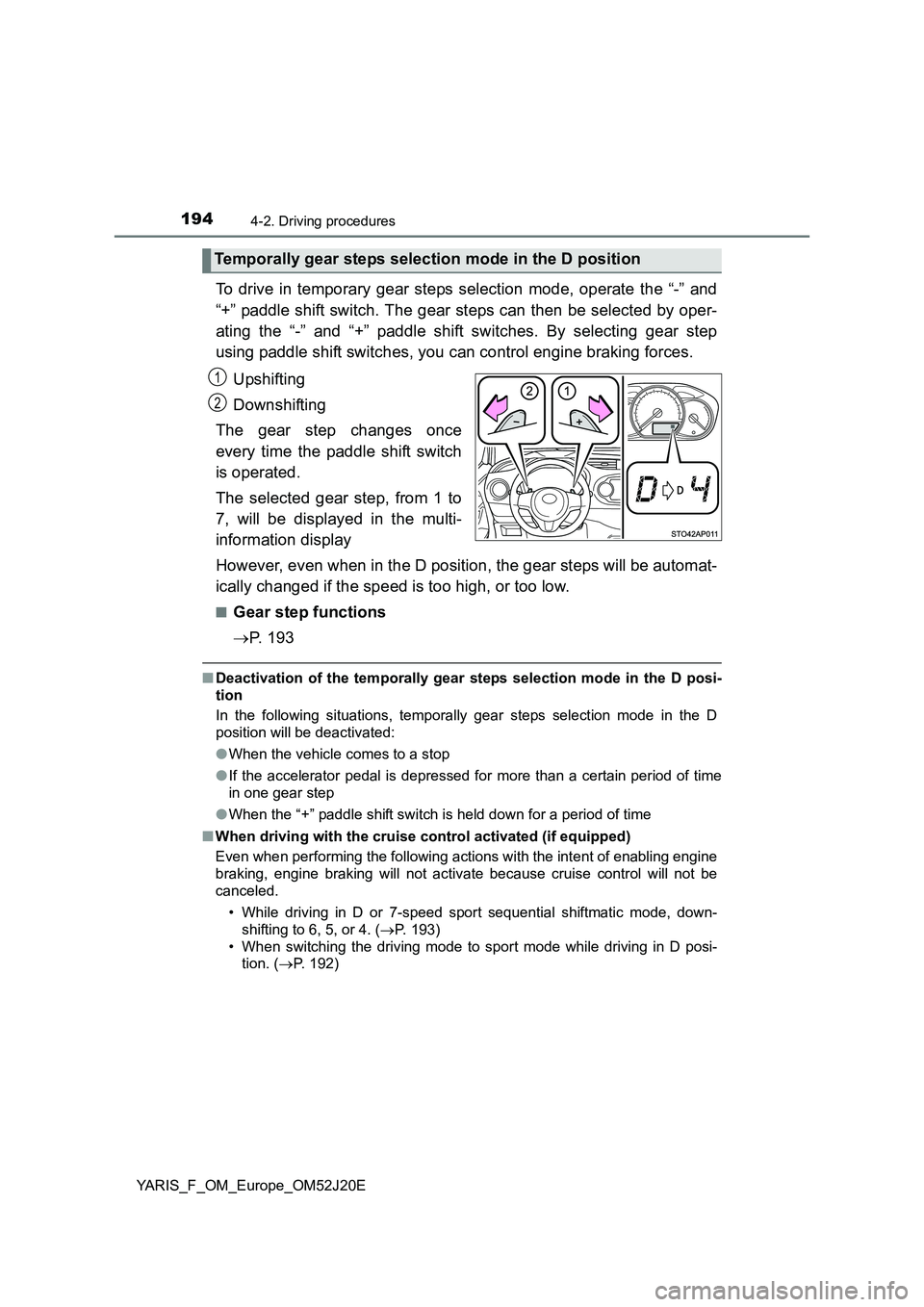
To drive in temporary gear steps selection mode, operate the “-” and
“+” paddle shift switch. The gear steps can then be selected by oper-
ating the “-” and “+” paddle shift switches. By selecting gear step
using paddle shift switches, you can control engine braking forces.
Upshifting
Downshifting
The gear step changes once
every time the paddle shift switch
is operated.
The selected gear step, from 1 to
7, will be displayed in the multi-
information display
However, even when in the D position, the gear steps will be automat-
ically changed if the speed is too high, or too low.
■Gear step functions
P. 1 9 3
■Deactivation of the temporally gear steps selection mode in the D posi-
tion
In the following situations, temporally gear steps selection mode in the D
position will be deactivated:
● When the vehicle comes to a stop
● If the accelerator pedal is depressed for more than a certain period of time
in one gear step
● When the “+” paddle shift switch is held down for a period of time
■ When driving with the cruise control activated (if equipped)
Even when performing the following actions with the intent of enabling engine
braking, engine braking will not activate because cruise control will not be
canceled.
• While driving in D or 7-speed sport sequential shiftmatic mode, down-
shifting to 6, 5, or 4. ( P. 193)
• When switching the driving mode to sport mode while driving in D posi-
tion. ( P. 192)
Temporally gear steps selection mode in the D position
1
2
Page 199 of 549
1994-2. Driving procedures
4
Driving
YARIS_F_OM_Europe_OM52J20E
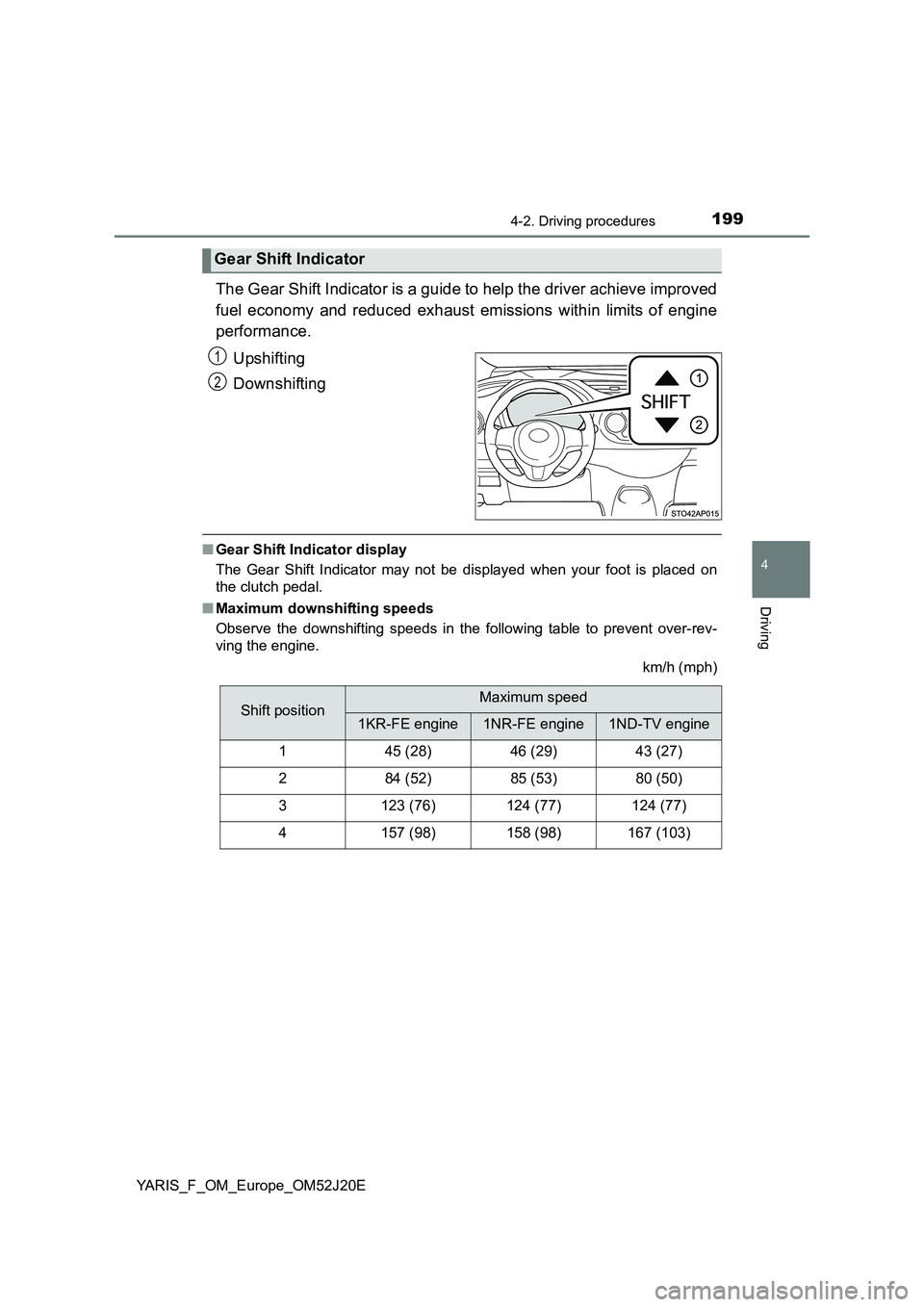
The Gear Shift Indicator is a guide to help the driver achieve improved
fuel economy and reduced exhaust emissions within limits of engine
performance.
Upshifting
Downshifting
■ Gear Shift Indicator display
The Gear Shift Indicator may not be displayed when your foot is placed on
the clutch pedal.
■ Maximum downshifting speeds
Observe the downshifting speeds in the following table to prevent over-rev-
ving the engine.
km/h (mph)
Gear Shift Indicator
1
2
Shift positionMaximum speed
1KR-FE engine1NR-FE engine1ND-TV engine
145 (28)46 (29)43 (27)
284 (52)85 (53)80 (50)
3123 (76)124 (77)124 (77)
4157 (98)158 (98)167 (103)
Page 200 of 549
2004-2. Driving procedures
YARIS_F_OM_Europe_OM52J20E
WARNING
■Gear Shift Indicator display
For safety, the driver should not look only at the display. Refer to the display
when it is safe to do so while considering actual traffic and road conditions.
Failure to do so may lead to an accident.
NOTICE
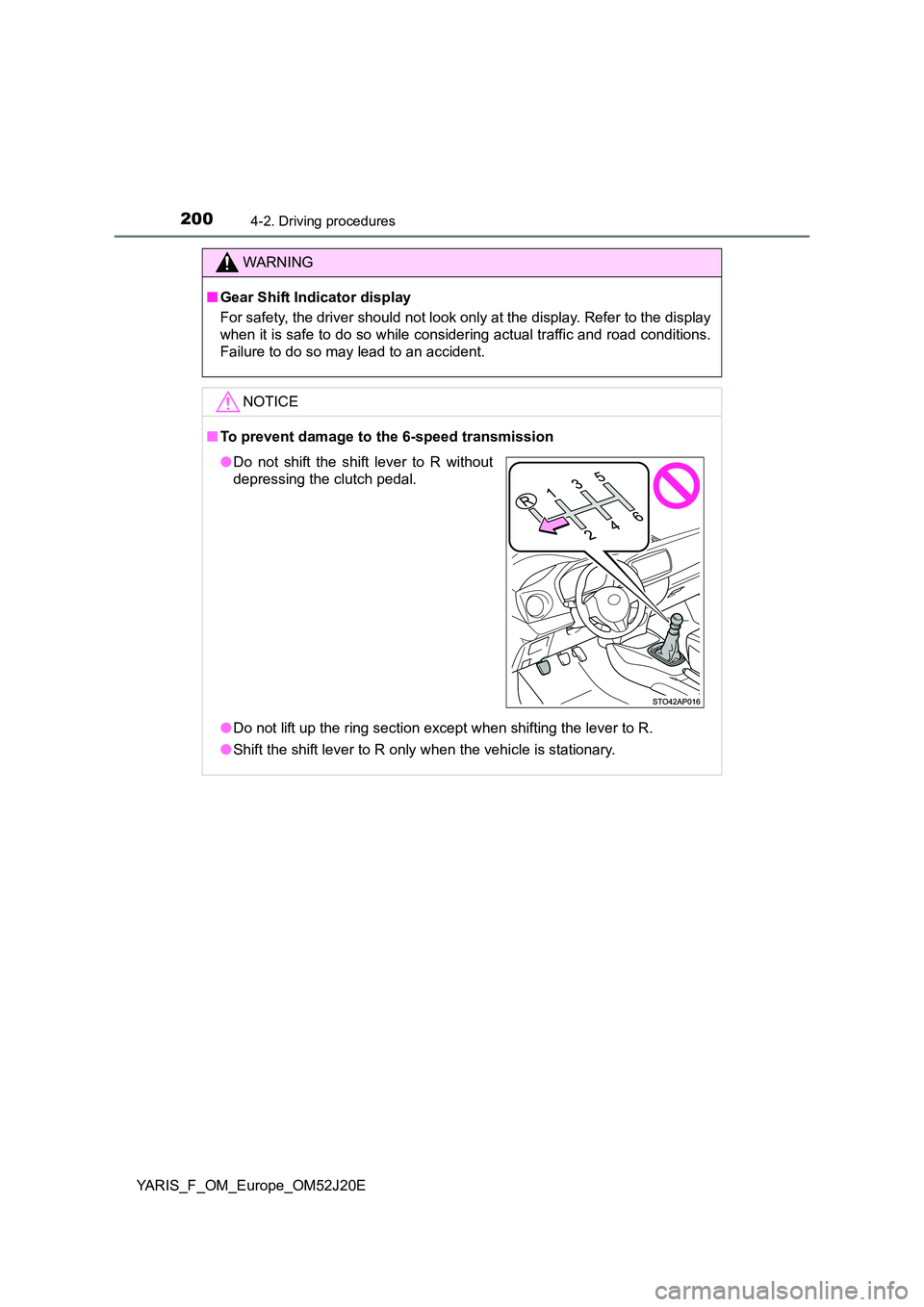
■ To prevent damage to the 6-speed transmission
● Do not lift up the ring section except when shifting the lever to R.
● Shift the shift lever to R only when the vehicle is stationary.
●Do not shift the shift lever to R without
depressing the clutch pedal.