battery TOYOTA YARIS 2017 Owner's Manual
[x] Cancel search | Manufacturer: TOYOTA, Model Year: 2017, Model line: YARIS, Model: TOYOTA YARIS 2017Pages: 549, PDF Size: 33.09 MB
Page 279 of 549
2795-1. Basic Operations
5
Audio system
YARIS_F_OM_Europe_OM52J20E
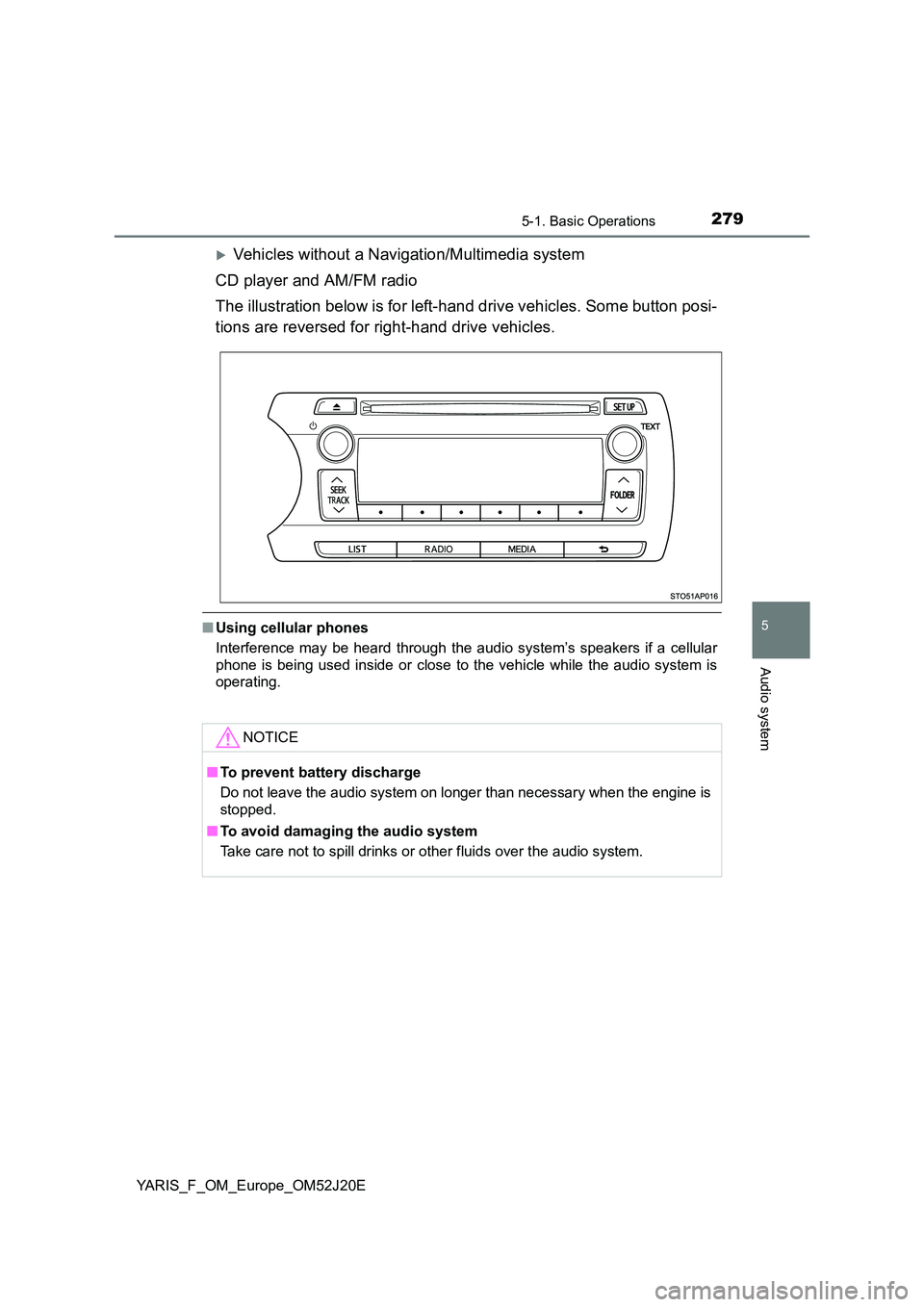
Vehicles without a Navigation/Multimedia system
CD player and AM/FM radio
The illustration below is for left-hand drive vehicles. Some button posi-
tions are reversed for right-hand drive vehicles.
■ Using cellular phones
Interference may be heard through the audio system’s speakers if a cellular
phone is being used inside or close to the vehicle while the audio system is
operating.
NOTICE
■ To prevent battery discharge
Do not leave the audio system on longer than necessary when the engine is
stopped.
■ To avoid damaging the audio system
Take care not to spill drinks or other fluids over the audio system.
Page 288 of 549
2885-3. Using the radio
YARIS_F_OM_Europe_OM52J20E
■EON (Enhanced Other Network) system (for traffic announcement func-
tion)
If the RDS station (with EON data) you are listening to is not broadcasting a
traffic information program and the audio system is in the TA (traffic
announcement) mode, the radio will be switched automatically to a station
broadcasting a traffic information program in the EON AF list when traffic
information begins.
■ When the battery is disconnected
Stations presets are erased.
■ Reception sensitivity
● Maintaining perfect radio reception at all times is difficult due to the continu-
ally changing position of the antenna, differences in signal strength and sur-
rounding objects, such as trains, transmitters, etc.
● The radio antenna is mounted on the rear roof. The antenna can be
removed from the base by turning it.
■ Digital Audio Broadcast (DAB) radio
The optional radio antenna and tuner are necessary for the use of Digital
Audio Broadcast (DAB) radio.
NOTICE
■ To prevent damage, remove the antenna in the following cases
● The antenna will touch the ceiling of a garage.
● A cover will be put on the roof.
Page 301 of 549
3015-5. Using an external device
5
Audio system
YARIS_F_OM_Europe_OM52J20E
■ iPod functions
● When an iPod is connected and the audio source is changed to iPod mode,
the iPod will resume play from the same point in which it was last used.
● Depending on the iPod that is connected to the system, certain functions
may not be available. If a function is unavailable due to a malfunction (as
opposed to a system specification), disconnecting the device and recon-
necting it once again may resolve the problem.
● While connected to the system, the iPod cannot be operated with its own
controls. It is necessary to use the controls of the vehicle’s audio system
instead.
● When the battery level of an iPod is very low, the iPod may not operate. If
so, charge the iPod before use.
● Supported models (P. 302)
■ iPod problems
To resolve most problems encountered when using your iPod, disconnect
your iPod from the vehicle iPod connection and reset it.
For instructions on how to reset your iPod, refer to your iPod Owner’s Man-
ual.
■ Display
P. 292
■ Error messages
If an error message is displayed, refer to the following table and take the
appropriate measures. If the problem is not rectified, take the vehicle to any
authorized Toyota dealer or repair er, or another duly qualified and equipped
professional.
MessageCause/Correction procedures
“ERROR”This indicates a problem in the iPod or its
connection.
“NO SONGS”This indicates that there is no music data in
the iPod.
“NO PLAYLIST”This indicates that some available songs are
not found in a selected playlist.
“UPDATE YOUR IPOD”
This indicates that the version of the iPod is
not compatible. Upgrade your iPod software
to the latest version.
Page 319 of 549
3196-1. Using the air conditioning system and defogger
6
Interior features
YARIS_F_OM_Europe_OM52J20E
WARNING
■To prevent the windshield from fogging up
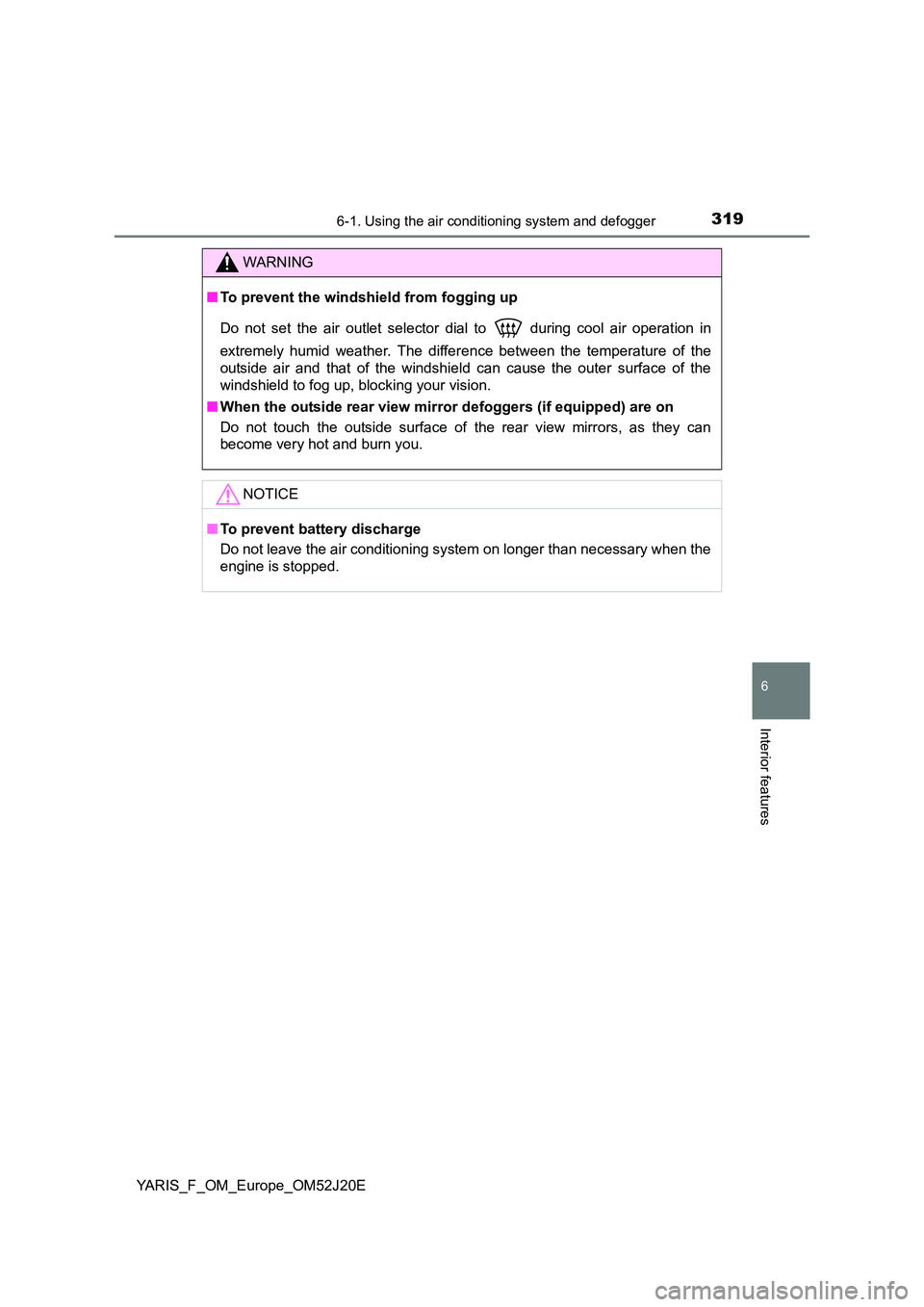
Do not set the air outlet selector dial to during cool air operation in
extremely humid weather. The differenc e between the temperature of the
outside air and that of the windshield can cause the outer surface of the
windshield to fog up, blocking your vision.
■ When the outside rear view mirror defoggers (if equipped) are on
Do not touch the outside surface of the rear view mirrors, as they can
become very hot and burn you.
NOTICE
■ To prevent battery discharge
Do not leave the air conditioning syst em on longer than necessary when the
engine is stopped.
Page 327 of 549
3276-1. Using the air conditioning system and defogger
6
Interior features
YARIS_F_OM_Europe_OM52J20E
■ Ventilation and air conditioning odors
● To let fresh air in, set the air conditioning system to the outside air mode.
● During use, various odors from inside and outside the vehicle may enter into
and accumulate in the air conditioning system. This may then cause odor to
be emitted from the vents.
● To reduce potential odors from occurring:
• It is recommended that the air condi tioning system be set to outside air
mode prior to turning the vehicle off.
• The start timing of the blower may be delayed for a short period of time
immediately after the air conditioning system is started in AUTO mode.
■ Air conditioning system operations when the engine is stopped due to
the Stop & Start system (vehicles with a Stop & Start system)
When the engine is stopped due to Stop & Start system operations, the auto-
matic air conditioning cooling, heating and dehumidification functions turn off
and the fan speed is decreased according to the outside temperature etc. or
air blowing stops. To stop the air conditioning system from turning off, press
the Stop & Start cancel switch and refrain from using the Stop & Start system.
■ An odor comes from the air conditioning system due to the Stop & Start
system operation (vehicles with a Stop & Start system)
When the engine is stopped due to the Stop & Start system, an odor caused
by moisture may be detected. This does not indicate a malfunction.
■ Air conditioning filter
P. 400
WARNING
■To prevent the windshield from fogging up
Do not use during cool air operation in extremely humid weather. The
difference between the temperature of the outside air and that of the wind-
shield can cause the outer surface of the windshield to fog up, blocking your
vision.
■ When the outside rear view mirror defoggers (if equipped) are on
Do not touch the outside surface of the rear view mirrors, as they can
become very hot and burn you.
NOTICE
■ To prevent battery discharge
Do not leave the air conditioning syst em on longer than necessary when the
engine is stopped.
Page 331 of 549
3316-1. Using the air conditioning system and defogger
6
Interior features
YARIS_F_OM_Europe_OM52J20E
WARNING
■Burns
● Use caution when seating the following persons in a seat with the seat
heater on to avoid the possibility of burns:
• Babies, small children, the elderly, the sick and the physically chal-
lenged
• Persons with sensitive skin
• Persons who are fatigued
• Persons who have taken alcohol or drugs that induce sleep (sleeping
drugs, cold remedies, etc.)
● Do not cover the seat with anything when using the seat heater.
Using the seat heater with a blanket or cushion increases the temperature
of the seat and may lead to overheating.
● Do not use the seat heater more than necessary. Doing so may cause
minor burns or overheating.
NOTICE
■ To prevent seat heater damage
Do not put heavy objects that have an uneven surface on the seat and do
not stick sharp objects (needles, nails, etc.) into the seat.
■ To prevent battery discharge
Turn the seat heaters off when the engine is not running.
Page 333 of 549
3336-2. Using the interior lights
6
Interior features
YARIS_F_OM_Europe_OM52J20E
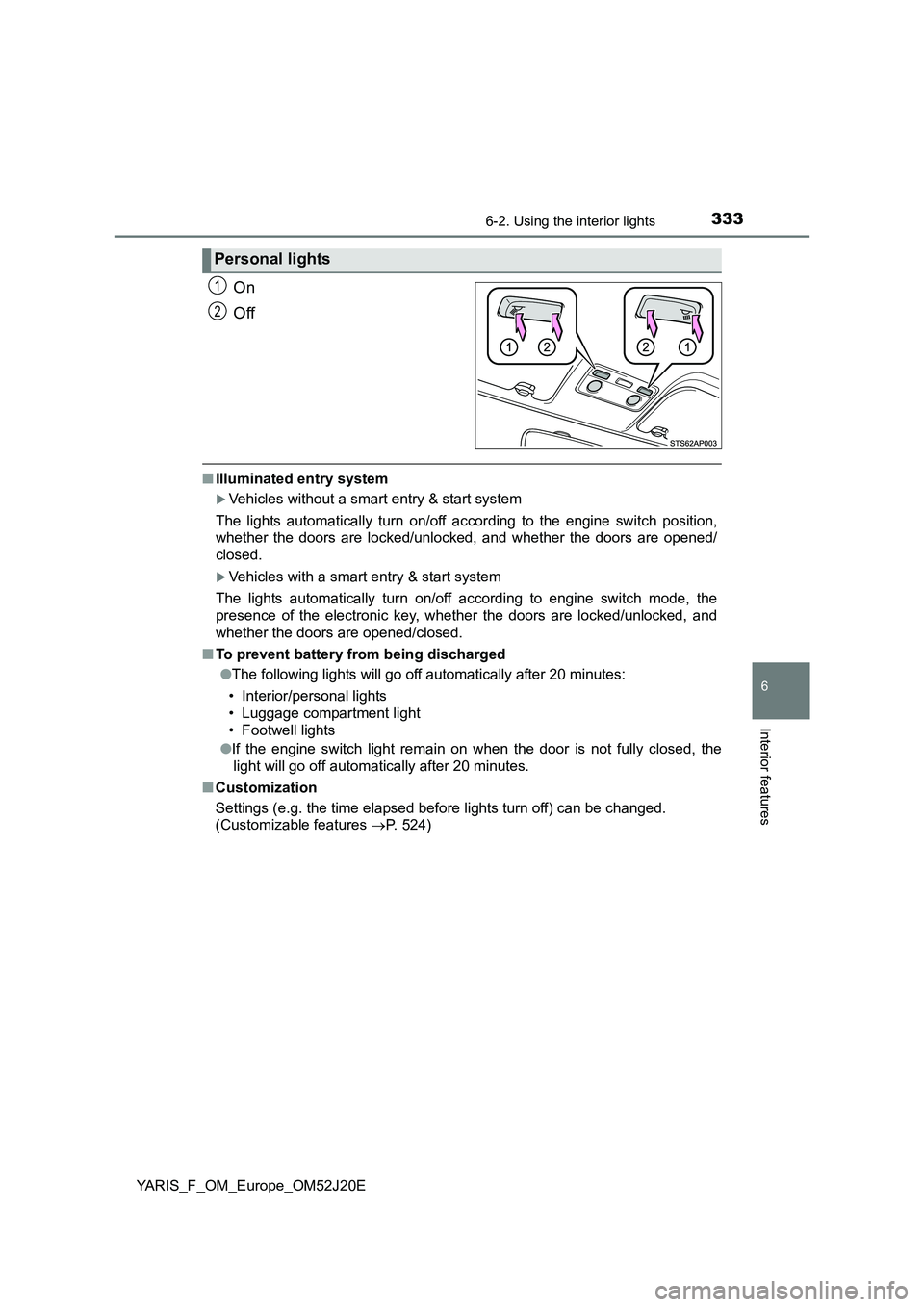
On
Off
■ Illuminated entry system
Vehicles without a smart entry & start system
The lights automatically turn on/off according to the engine switch position,
whether the doors are locked/unloc ked, and whether the doors are opened/
closed.
Vehicles with a smart entry & start system
The lights automatically turn on/off according to engine switch mode, the
presence of the electronic key, whet her the doors are locked/unlocked, and
whether the doors are opened/closed.
■ To prevent battery from being discharged
● The following lights will go off automatically after 20 minutes:
• Interior/personal lights
• Luggage compartment light
• Footwell lights
● If the engine switch light remain on when the door is not fully closed, the
light will go off automatically after 20 minutes.
■ Customization
Settings (e.g. the time elapsed before lights turn off) can be changed.
(Customizable features P. 524)
Personal lights
1
2
Page 343 of 549
3436-4. Using the other interior features
6
Interior features
YARIS_F_OM_Europe_OM52J20E
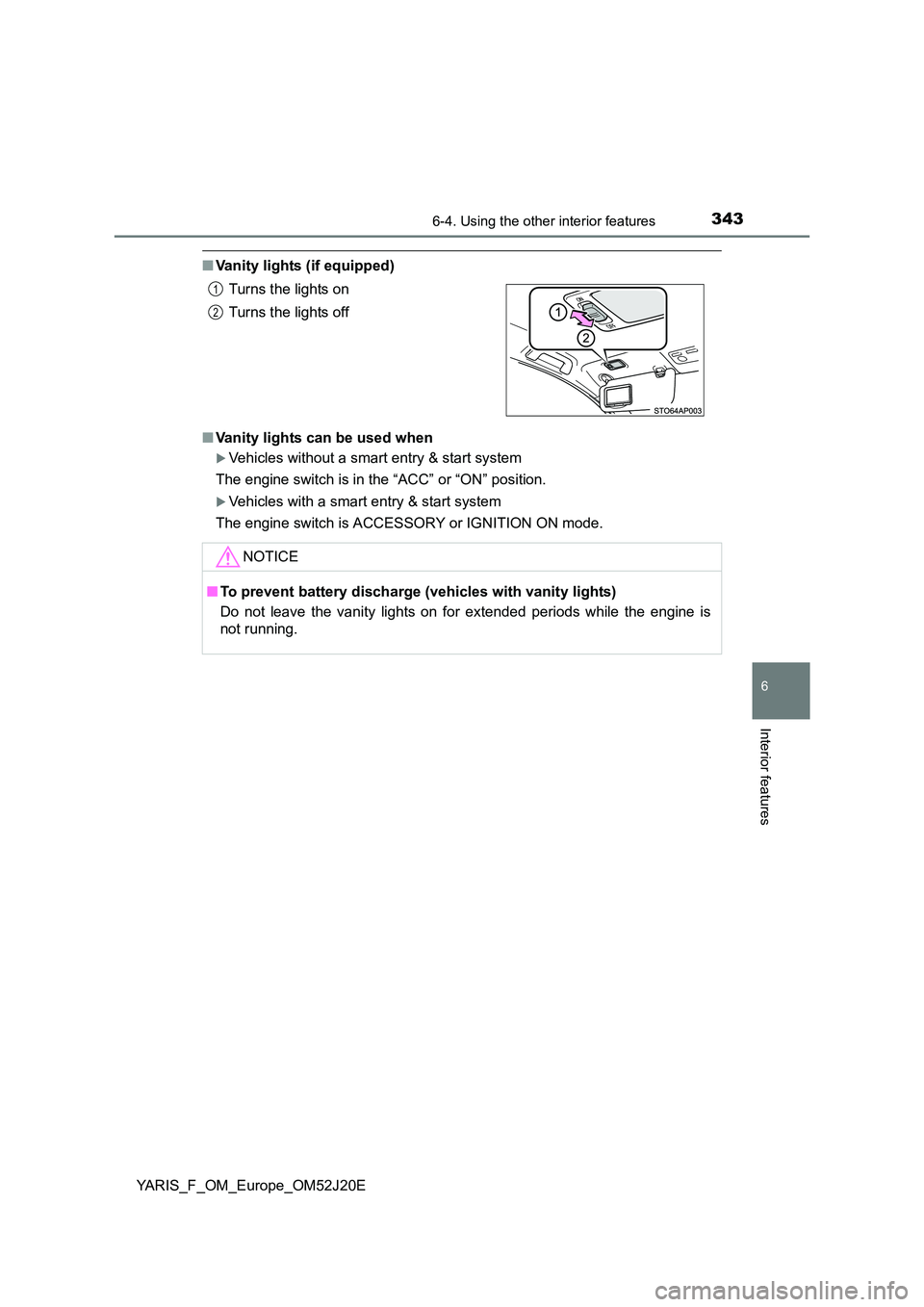
■Vanity lights (if equipped)
■ Vanity lights can be used when
Vehicles without a smart entry & start system
The engine switch is in the “ACC” or “ON” position.
Vehicles with a smart entry & start system
The engine switch is ACCESSORY or IGNITION ON mode.
Turns the lights on
Turns the lights off
NOTICE
■ To prevent battery discharge (vehicles with vanity lights)
Do not leave the vanity lights on for extended periods while the engine is
not running.
1
2
Page 346 of 549
3466-4. Using the other interior features
YARIS_F_OM_Europe_OM52J20E
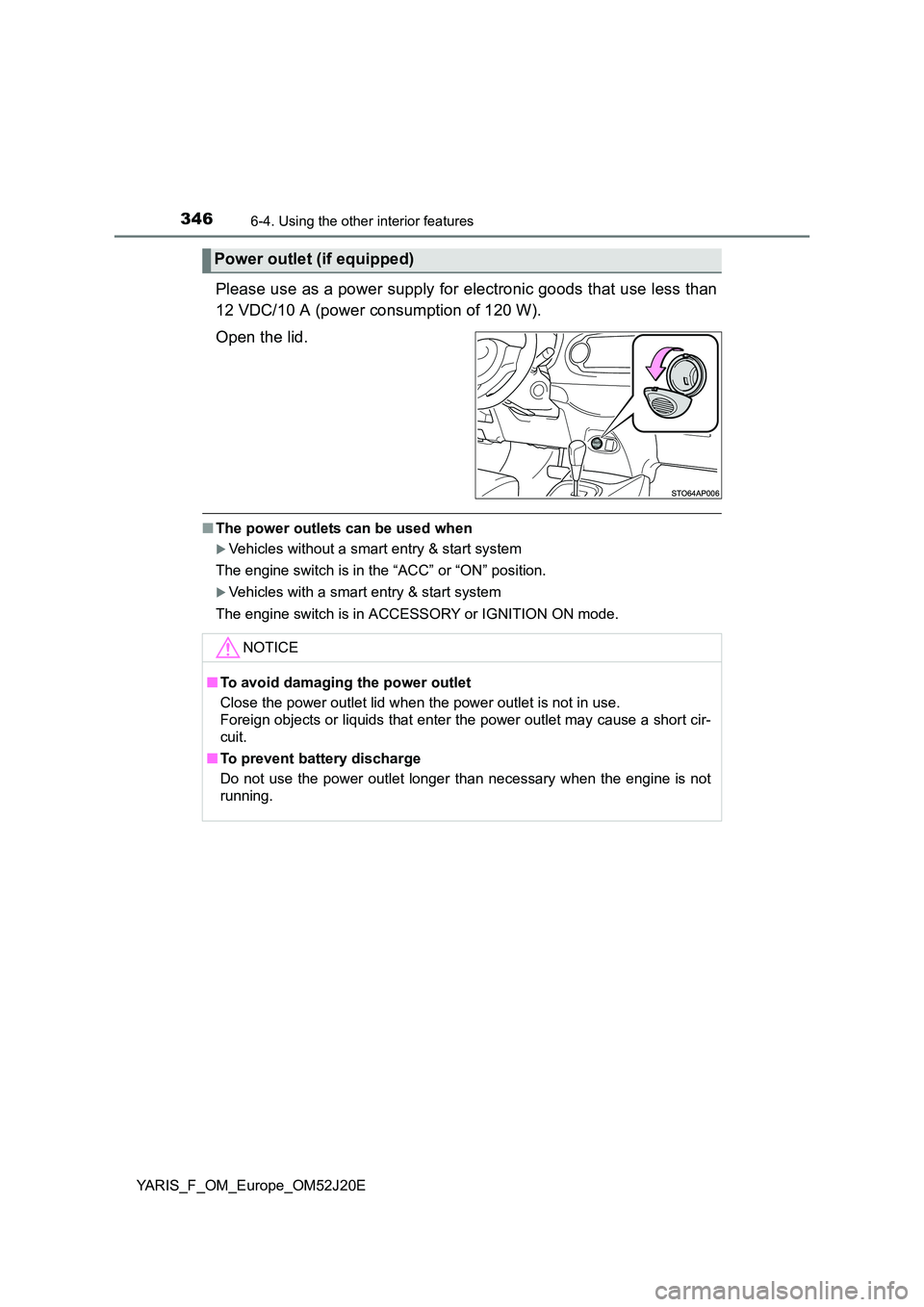
Please use as a power supply for electronic goods that use less than
12 VDC/10 A (power consumption of 120 W).
Open the lid.
■ The power outlets can be used when
Vehicles without a smart entry & start system
The engine switch is in the “ACC” or “ON” position.
Vehicles with a smart entry & start system
The engine switch is in ACCESSORY or IGNITION ON mode.
Power outlet (if equipped)
NOTICE
■ To avoid damaging the power outlet
Close the power outlet lid when the power outlet is not in use.
Foreign objects or liquids that enter the power outlet may cause a short cir-
cuit.
■ To prevent battery discharge
Do not use the power outlet longer than necessary when the engine is not
running.
Page 349 of 549
349
7Maintenance and care
YARIS_F_OM_Europe_OM52J20E
7-1. Maintenance and care
Cleaning and protecting
the vehicle exterior .......... 350
Cleaning and protecting
the vehicle interior ........... 353
7-2. Maintenance
Maintenance
requirements.................... 356
7-3. Do-it-yourself maintenance
Do-it-yourself service
precautions ...................... 359
Hood .................................. 362
Positioning a floor jack ....... 364
Engine compartment.......... 366
Tires ................................... 381
Tire inflation pressure ........ 395
Wheels ............................... 397
Air conditioning filter .......... 400
Wireless remote control/
electronic key battery....... 402
Checking and replacing
fuses ................................ 405
Light bulbs ......................... 411