instrument panel TOYOTA YARIS 2021 Owners Manual
[x] Cancel search | Manufacturer: TOYOTA, Model Year: 2021, Model line: YARIS, Model: TOYOTA YARIS 2021Pages: 568, PDF Size: 110.34 MB
Page 14 of 568
14
YARIS(HB) Owner's Manual_Europe_MK0001_en
Pictorial index
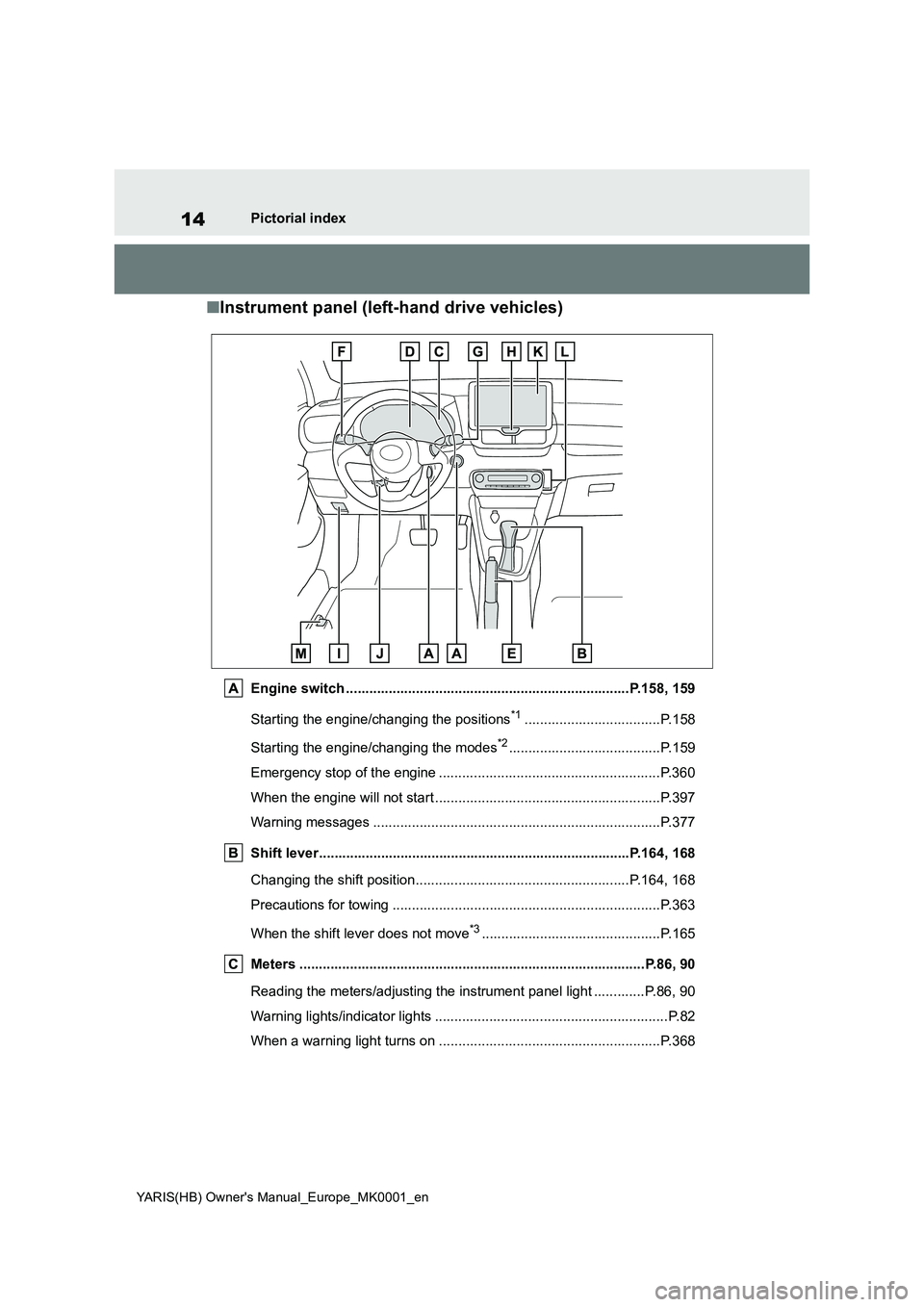
■Instrument panel (left-hand drive vehicles)
Engine switch .........................................................................P.158, 159
Starting the engine/changing the positions*1...................................P.158
Starting the engine/changing the modes*2.......................................P.159
Emergency stop of the engine .........................................................P.360
When the engine will not start ..........................................................P.397
Warning messages ..........................................................................P.377
Shift lever................................................................................P.164, 168
Changing the shift position.......................................................P.164, 168
Precautions for towing .....................................................................P.363
When the shift lever does not move*3..............................................P.165
Meters .........................................................................................P.86, 90
Reading the meters/adjusting the instrument panel light .............P.86, 90
Warning lights/indicator lights ............................................................P.82
When a warning light turns on .........................................................P.368
Page 21 of 568
21
YARIS(HB) Owner's Manual_Europe_MK0001_en
Pictorial index
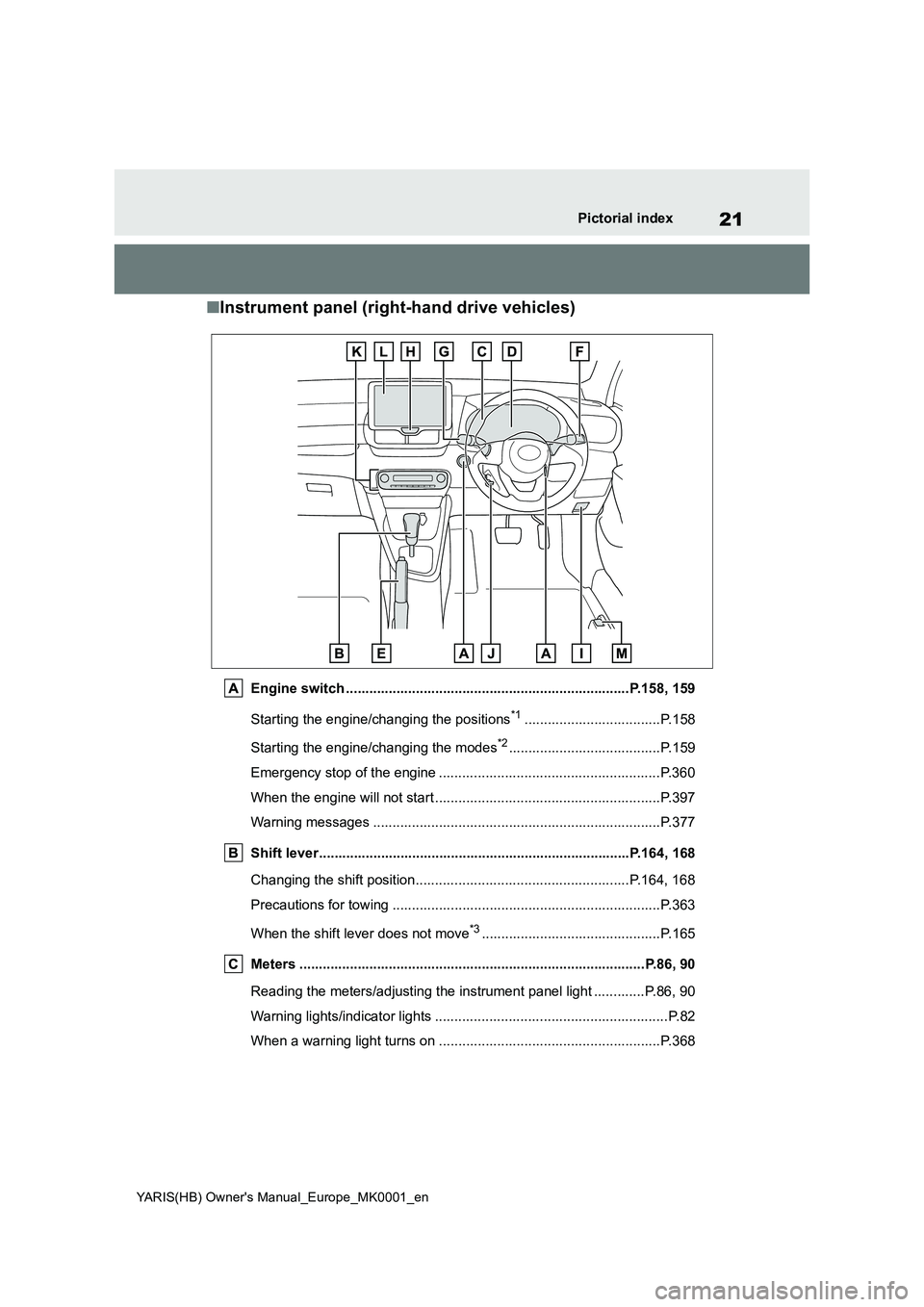
■Instrument panel (right-hand drive vehicles)
Engine switch .........................................................................P.158, 159
Starting the engine/changing the positions
*1...................................P.158
Starting the engine/changing the modes
*2.......................................P.159
Emergency stop of the engine .........................................................P.360
When the engine will not start ..........................................................P.397
Warning messages ..........................................................................P.377
Shift lever................................................................................P.164, 168
Changing the shift position.......................................................P.164, 168
Precautions for towing .....................................................................P.363
When the shift lever does not move
*3..............................................P.165
Meters .........................................................................................P.86, 90
Reading the meters/adjusting the instrument panel light .............P.86, 90
Warning lights/indicator lights ............................................................P.82
When a warning light turns on .........................................................P.368
Page 41 of 568
41
1
YARIS(HB) Owner's Manual_Europe_MK0001_en
1-1. For safe use
For safety and security
WARNING
■SRS airbag precautions
Observe the following precautions
regarding the SRS airbags. Failure to do so may cause death or serious injury.
●The driver and all passengers in the vehicle must wear their seat belts
properly. The SRS airbags are supplemental devices to be used with the seat
belts.
●The SRS driver airbag deploys with
considerable force, and can cause death or serious injury especially if the driver is very close to the air-
bag.
Since the risk zone for the driver’s air-
bag is the first 50 - 75 mm (2 - 3 in.) of
inflation, placing yourself 250 mm (10
in.) from your driver airbag provides
you with a clear margin of safety. This
distance is measured from the center
of the steering wheel to your breast-
bone. If you sit less than 250 mm (10
in.) away now, you can change your
driving position in several ways:
• Move your seat to the rear as far as you can while still reaching the ped-als comfortably.
• Slightly recline the back of the seat. Although vehicle designs vary,
many drivers can achieve the 250 mm (10 in.) distance, even with the driver seat all the way forward, sim-
ply by reclining the back of the seat somewhat. If reclining the back of your seat makes it hard to see the
road, raise yourself by using a firm, non-slippery cushion, or raise the seat if your vehicle has that feature.
• If your steering wheel is adjustable, tilt it downward. This points the air-
bag toward your chest instead of your head and neck.
The seat should be adjusted as rec-ommended above, while still main-taining control of the foot pedals,
steering wheel, and your view of the instrument panel controls.
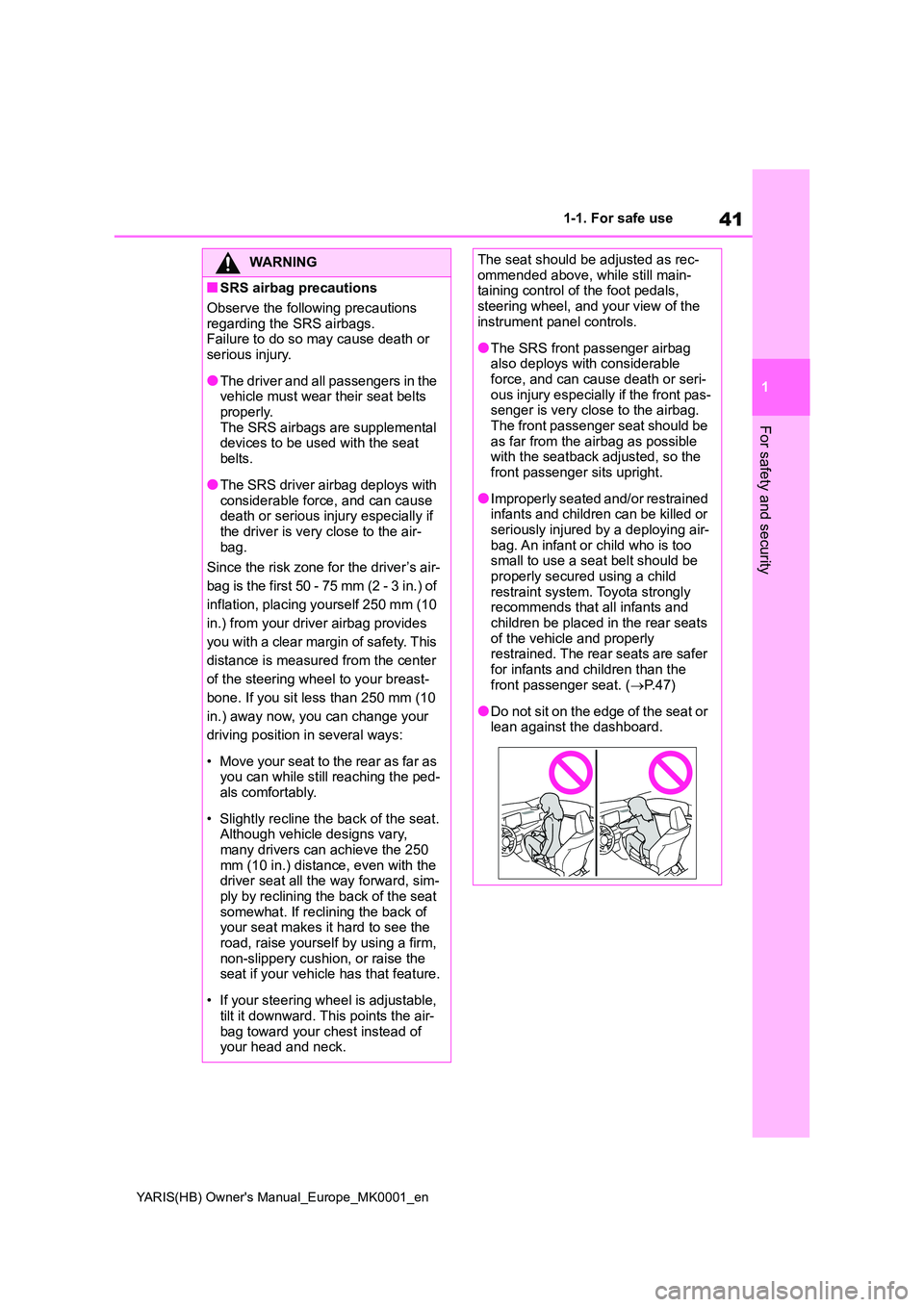
●The SRS front passenger airbag also deploys with considerable force, and can cause death or seri-
ous injury especially if the front pas- senger is very close to the airbag. The front passenger seat should be
as far from the airbag as possible with the seatback adjusted, so the front passenger sits upright.
●Improperly seated and/or restrained infants and children can be killed or
seriously injured by a deploying air- bag. An infant or child who is too small to use a seat belt should be
properly secured using a child restraint system. Toyota strongly recommends that all infants and
children be placed in the rear seats of the vehicle and properly restrained. The rear seats are safer
for infants and children than the front passenger seat. ( →P. 4 7 )
●Do not sit on the edge of the seat or lean against the dashboard.
Page 43 of 568
43
1
YARIS(HB) Owner's Manual_Europe_MK0001_en
1-1. For safe use
For safety and security
WARNING
●Do not strike or apply significant levels of force to the area of the
SRS airbag components or the front doors.Doing so can cause the SRS air-
bags to malfunction.
●Do not touch any of the component
parts immediately after the SRS air- bags have deployed (inflated) as they may be hot.
●If breathing becomes difficult after the SRS airbags have deployed,
open a door or window to allow fresh air in, or leave the vehicle if it is safe to do so. Wash off any resi-
due as soon as possible to prevent skin irritation.
●If the areas where the SRS airbags are stored, such as the steering wheel pad and front and rear pillar
garnishes, are damaged or cracked, have them replaced by any authorized Toyota dealer or
repairer, or another duly qualified and equipped professional.
■Modification and disposal of SRS airbag system components
Do not dispose of your vehicle or per-
form any of the following modifica- tions without consulting your Toyota retailer or Toyota authorized repairer,
or any reliable repairer. The SRS air- bags may malfunction or deploy (inflate) accidentally, causing death or
serious injury.
●Installation, removal, disassembly
and repair of the SRS airbags
●Repairs, modifications, removal or
replacement of the steering wheel, instrument panel, dashboard, seats or seat upholstery, front, side and
rear pillars, roof side rails, front door panels, front door trims or front door speakers
●Modifications to the front door panel (such as making a hole in it)
●Repairs or modifications of the front fender, front bumper, or side of the occupant compartment
●Installation of a grille guard (bull bars, kangaroo bar, etc.), snow
plows or winches
●Modifications to the vehicle’s sus-
pension system
●Installation of electronic devices
such as mobile two-way radios (RF- transmitter) and CD players
Page 82 of 568
82
YARIS(HB) Owner's Manual_Europe_MK0001_en
2-1. Instrument cluster
2-1.In strument clu ste r
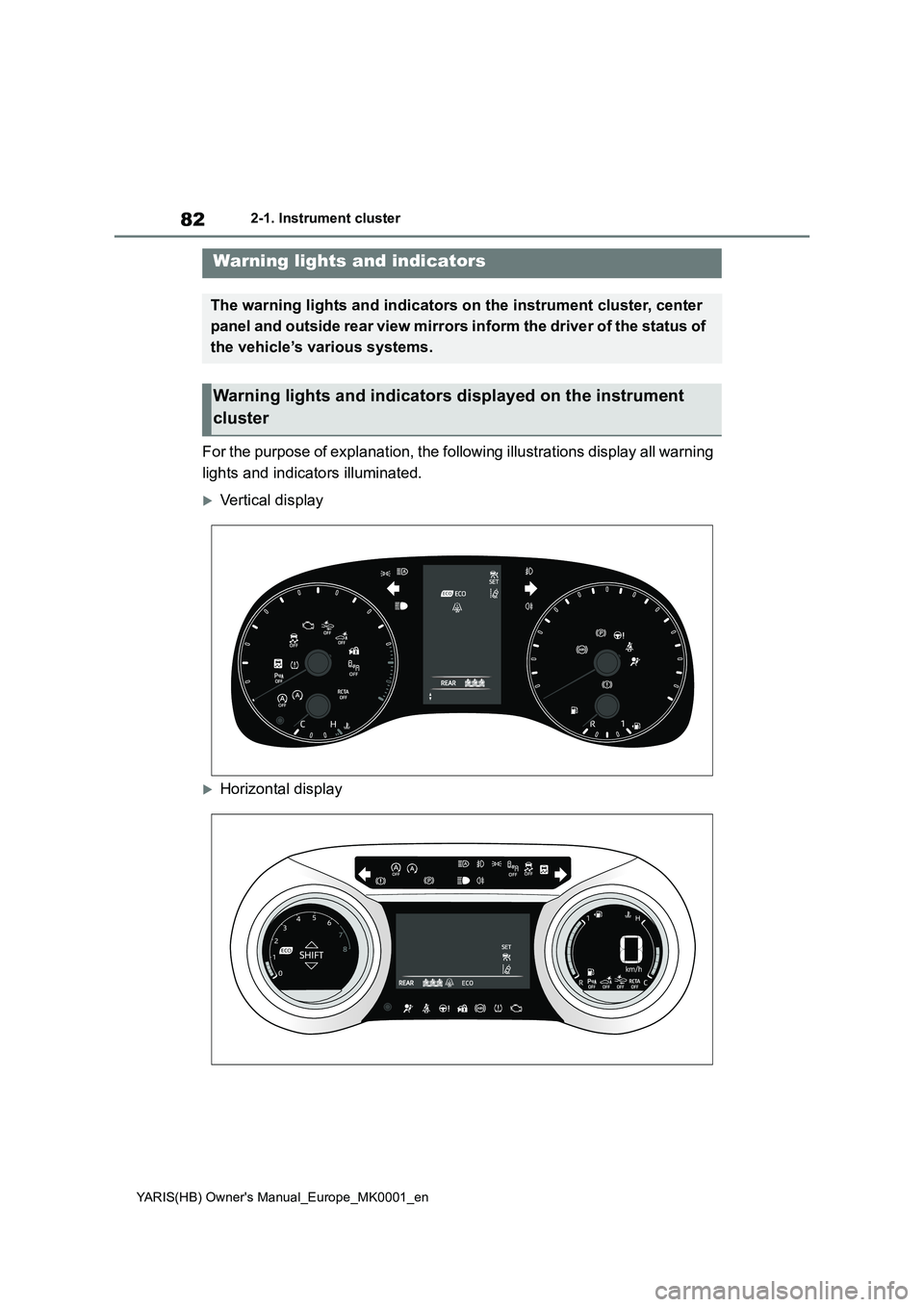
For the purpose of explanation, the following illustrations display all warning
lights and indicators illuminated.
Vertical display
Horizontal display
Warning lights and indicators
The warning lights and indicators on the instrument cluster, center
panel and outside rear view mirrors inform the driver of the status of
the vehicle’s various systems.
Warning lights and indicators displayed on the instrument
cluster
Page 85 of 568
85
2
YARIS(HB) Owner's Manual_Europe_MK0001_en
2-1. Instrument cluster
Vehicle status information and indicators
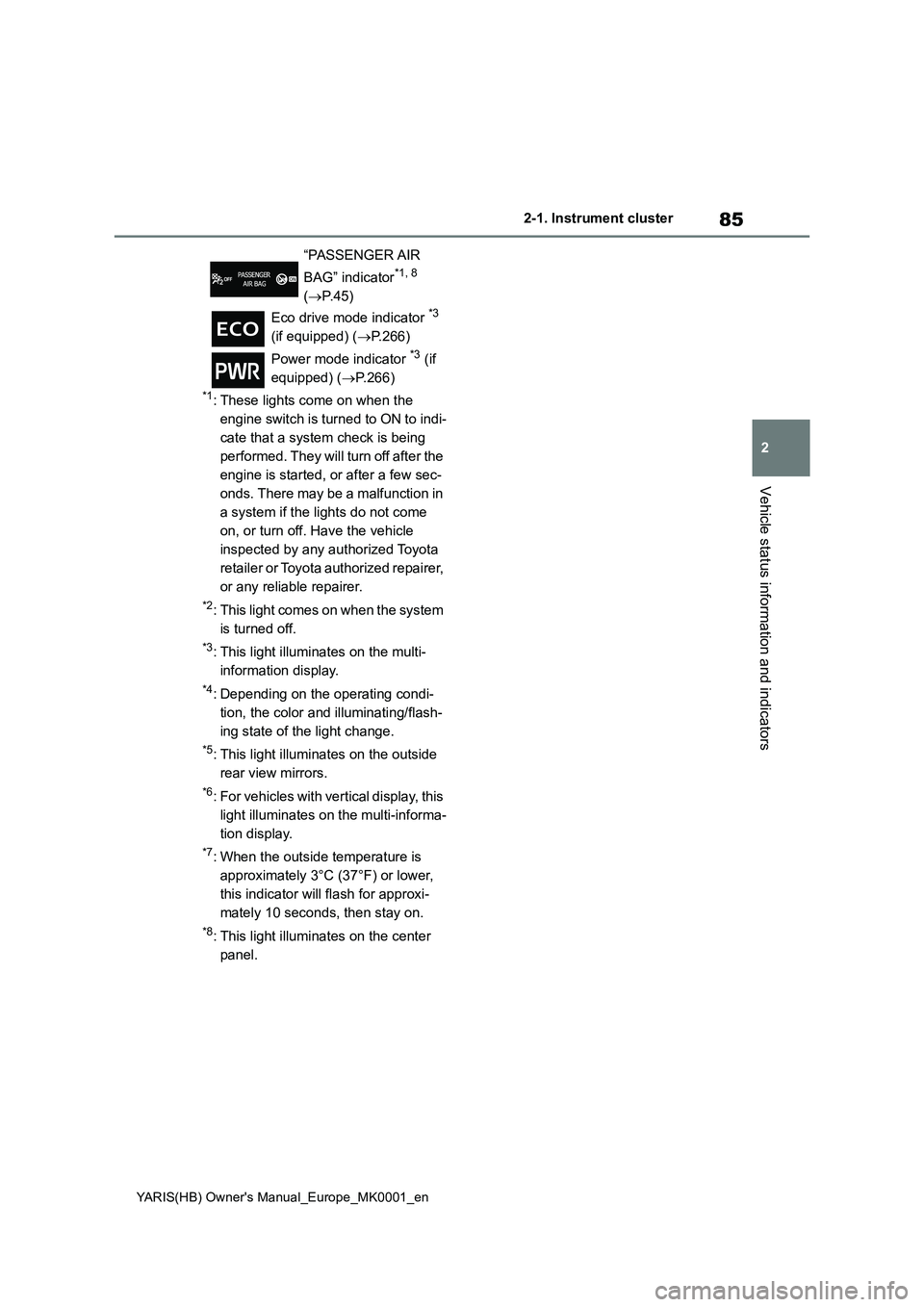
*1: These lights come on when the
engine switch is turned to ON to indi-
cate that a system check is being
performed. They will turn off after the
engine is started, or after a few sec-
onds. There may be a malfunction in
a system if the lights do not come
on, or turn off. Have the vehicle
inspected by any authorized Toyota
retailer or Toyota authorized repairer,
or any reliable repairer.
*2: This light comes on when the system
is turned off.
*3: This light illuminates on the multi-
information display.
*4: Depending on the operating condi-
tion, the color and illuminating/flash-
ing state of the light change.
*5: This light illuminates on the outside
rear view mirrors.
*6: For vehicles with vertical display, this
light illuminates on the multi-informa-
tion display.
*7: When the outside temperature is
approximately 3°C (37°F) or lower,
this indicator will flash for approxi-
mately 10 seconds, then stay on.
*8: This light illuminates on the center
panel.“PASSENGER AIR
BAG” indicator
*1, 8
(→P.45)
Eco drive mode indicator
*3
(if equipped) (→P.266)
Power mode indicator
*3 (if
equipped) (→P.266)
Page 89 of 568
89
2
YARIS(HB) Owner's Manual_Europe_MK0001_en
2-1. Instrument cluster
Vehicle status information and indicators
Have the vehicle inspected by any
authorized Toyota retailer or Toyota
authorized repairer, or any reliable
repairer.
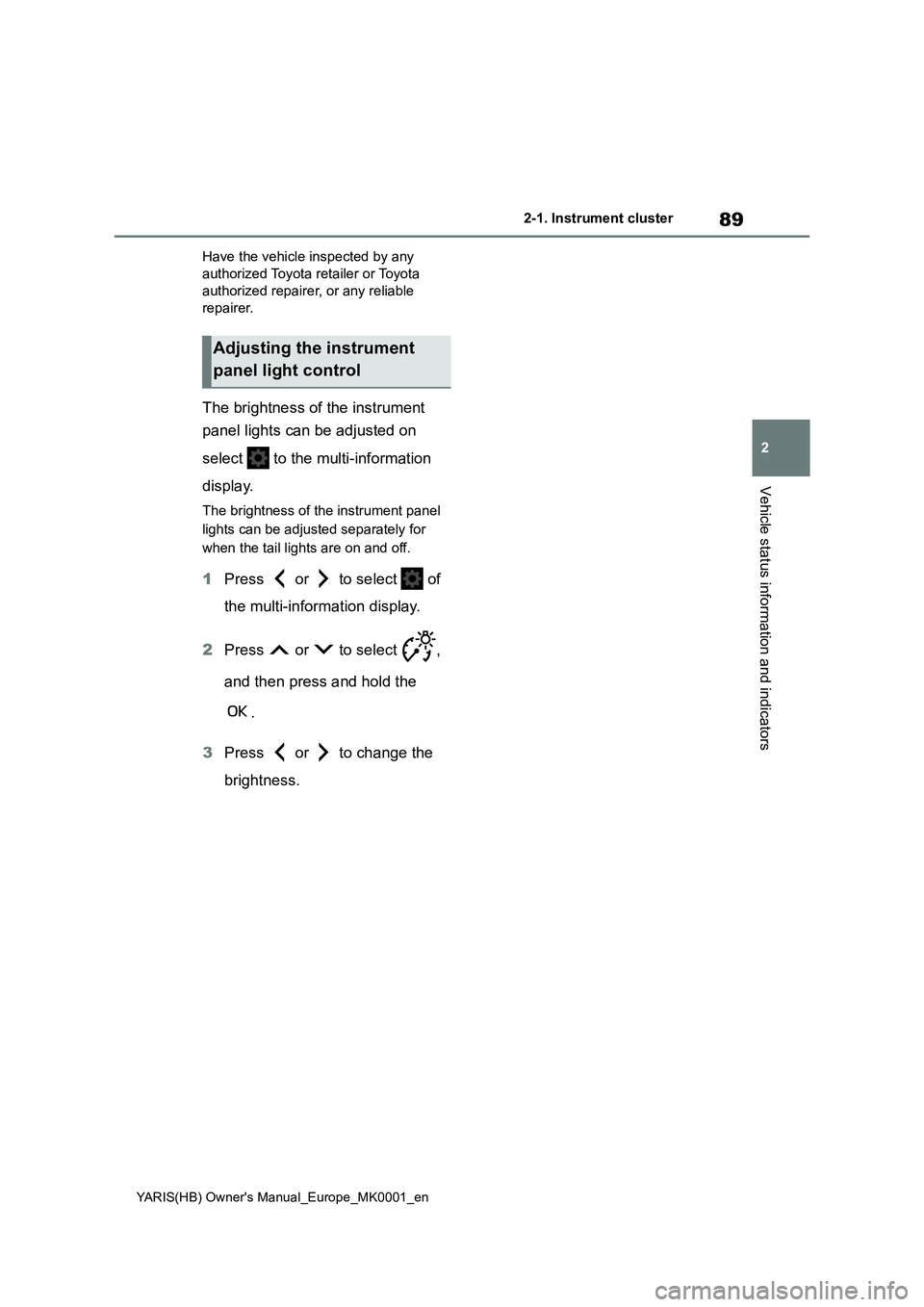
The brightness of the instrument
panel lights can be adjusted on
select to the multi-information
display.
The brightness of the instrument panel
lights can be adjusted separately for
when the tail lights are on and off.
1Press or to select of
the multi-information display.
2Press or to select ,
and then press and hold the
.
3Press or to change the
brightness.
Adjusting the instrument
panel light control
Page 93 of 568
93
2
YARIS(HB) Owner's Manual_Europe_MK0001_en
2-1. Instrument cluster
Vehicle status information and indicators
Have the vehicle inspected by any
authorized Toyota retailer or Toyota
authorized repairer, or any reliable
repairer.
The brightness of the instrument
panel lights can be adjusted on
select to the multi-information
display.
The brightness of the instrument panel
lights can be adjusted separately for
when the tail lights are on and off.
1Press or to select of
the multi-information display.
2Press or to select ,
and then press and hold the
.
3Press or to change the
brightness.
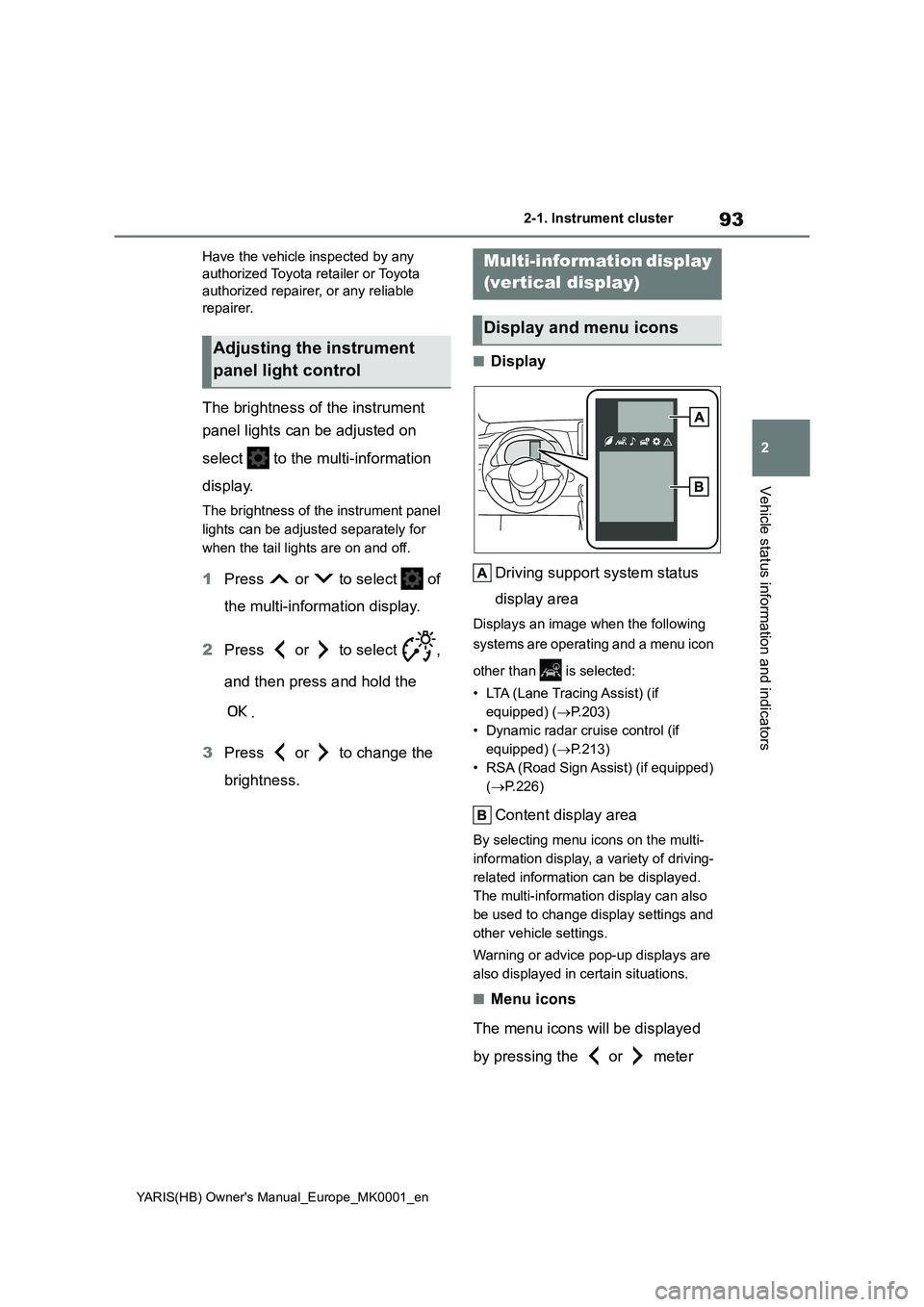
■Display
Driving support system status
display area
Displays an image when the following
systems are operating and a menu icon
other than is selected:
• LTA (Lane Tracing Assist) (if
equipped) (→P.203)
• Dynamic radar cruise control (if
equipped) (→P.213)
• RSA (Road Sign Assist) (if equipped)
(→P.226)
Content display area
By selecting menu icons on the multi-
information display, a variety of driving-
related information can be displayed.
The multi-information display can also
be used to change display settings and
other vehicle settings.
Warning or advice pop-up displays are
also displayed in certain situations.
■Menu icons
The menu icons will be displayed
by pressing the or meter
Adjusting the instrument
panel light control
Multi-information display
(vertical display)
Display and menu icons
Page 125 of 568
125
3
YARIS(HB) Owner's Manual_Europe_MK0001_en
3-2. Opening, closing and locking the doors
Before driving
• Hand warmers made of metal
• Media such as CDs and DVDs
●When other wireless keys (that emit
radio waves) are being used nearby
●When carrying the electronic key
together with the following devices
that emit radio waves
• Another vehicle’s electronic key or a
wireless key that emits radio waves
• Personal computers or personal digi-
tal assistants (PDAs)
• Digital audio players
• Portable game systems
●If window tint with a metallic content or
metallic objects are attached to the
rear window
●When the electronic key is placed
near a battery charger or electronic
devices
●When the vehicle is parked in a pay
parking spot where radio waves are
emitted
If the doors cannot be locked/unlocked
using the smart entry & start system,
lock/unlock the doors by performing any
of the following:
●Bring the electronic key close to either
front door handle and operate the
entry function.
●Operate the wireless remote control.
If the doors cannot be locked/unlocked
using the above methods, use the
mechanical key. (→P.400)
If the engine cannot be started using the
smart entry & start system refer to
P.400.
■Note for the entry function
●Even when the electronic key is within
the effective range (detection areas),
the system may not operate properly
in the following cases:
• The electronic key is too close to the
window or outside door handle, near
the ground, or in a high place when
the doors are locked or unlocked.
• The electronic key is on the instru-
ment panel, luggage cover or floor, or
in the door pockets or glove box when the engine is started or engine switch
modes are changed.
●Do not leave the electronic key on top
of the instrument panel or near the
door pockets when exiting the vehicle.
Depending on the radio wave recep-
tion conditions, it may be detected by
the antenna outside the cabin and the
door will become lockable from the
outside, possibly trapping the elec-
tronic key inside the vehicle.
●As long as the electronic key is within
the effective range, the doors may be
locked or unlocked by anyone. How-
ever, only the doors detecting the
electronic key can be used to unlock
the vehicle.
●Even if the electronic key is not inside
the vehicle, it may be possible to start
the engine if the electronic key is near
the window.
●The doors may unlock or lock if a
large amount of water splashes on the
door handle, such as in the rain or in a
car wash when the electronic key is
within the effective range. (The doors
will automatically be locked after
approximately 30 seconds if the doors
are not opened and closed.)
●If the wireless remote control is used
to lock the doors when the electronic
key is near the vehicle, there is a pos-
sibility that the door may not be
unlocked by the entry function. (Use
the wireless remote control to unlock
the doors.)
●Touching the door lock or unlock sen-
sor while wearing gloves may prevent
lock or unlock operation.
●When the lock operation is performed
using the lock sensor, recognition sig-
nals will be shown up to two consecu-
tive times. After this, no recognition
signals will be given.
●If the door handle becomes wet while
the electronic key is within the effec-
tive range, the door may lock and
unlock repeatedly. In that case, follow
the following correction procedures to
Page 148 of 568
148
YARIS(HB) Owner's Manual_Europe_MK0001_en
4-1. Before driving
WARNING
■When the vehicle is stopped
●Do not race the engine.
If the vehicle is in any gear other than P (Multidrive) or N, the vehicle may accelerate suddenly and unex-
pectedly, causing an accident.
●Vehicles with a Multidrive: In order
to prevent accidents due to the vehicle rolling away, always keep depressing the brake pedal while
the engine is running, and apply the parking brake as necessary.
●If the vehicle is stopped on an incline, in order to prevent acci-dents caused by the vehicle rolling
forward or backward, always depress the brake pedal and securely apply the parking brake as
needed.
●Avoid revving or racing the engine.
Running the engine at high speed while the vehicle is stopped may cause the exhaust system to over-
heat, which could result in a fire if combustible material is nearby.
■When the vehicle is parked
●Do not leave glasses, cigarette lighters, spray cans, or soft drink
cans in the vehicle when it is in the sun.Doing so may result in the follow-
ing:
• Gas may leak from a cigarette
lighter or spray can, and may lead to a fire.
• The temperature inside the vehicle may cause the plastic lenses and plastic material of glasses to
deform or crack.
• Soft drink cans may fracture, caus-
ing the contents to spray over the interior of the vehicle, and may also cause a short circuit in the vehicle’s
electrical components.
●Do not leave cigarette lighters in the vehicle. If a cigarette lighter is in a place such as the glove box or on
the floor, it may be lit accidentally when luggage is loaded or the seat is adjusted, causing a fire.
●Do not attach adhesive discs to the windshield or windows. Do not
place containers such as air fresh- eners on the instrument panel or dashboard. Adhesive discs or con-
tainers may act as lenses, causing a fire in the vehicle.
●Do not leave a door or window open if the curved glass is coated with a metallized film such as a sil-
ver-colored one. Reflected sunlight may cause the glass to act as a lens, causing a fire.
●Always apply the parking brake, shift the shift lever to P (vehicles
with a Multidrive), stop the engine and lock the vehicle.Do not leave the vehicle unat-
tended while the engine is running. If the vehicle is parked with the shift lever in P but the parking brake is
not set, the vehicle may start to move, possibly leading to an acci-dent.
●Do not touch the exhaust pipes while the engine is running or
immediately after turning the engine off.Doing so may cause burns.
■When taking a nap in the vehicle
Always turn the engine off. Otherwise,
if you accidentally move the shift lever or depress the accelerator pedal, this could cause an accident or fire due to
engine overheating. Additionally, if the vehicle is parked in a poorly ventilated area, exhaust gases may collect and
enter the vehicle, leading to death or a serious health hazard.