meter TOYOTA YARIS 2022 Service Manual
[x] Cancel search | Manufacturer: TOYOTA, Model Year: 2022, Model line: YARIS, Model: TOYOTA YARIS 2022Pages: 590, PDF Size: 128.6 MB
Page 264 of 590
262
HV Owner's Manual_Europe_M52N30_en
4-5. Using the driving support systems
■The RCTA function is operational when
The RCTA function operates when all of the following conditions are met:
●The RCTA function is on.
●The shift lever is in R.
●The vehicle speed is less than approximately 8 km/h (5 mph).
●The approaching vehicle speed is between approximately 8 km/h (5
mph) and 28 km/h (17 mph).
■Adjusting the buzzer volume
The buzzer volume can be adjusted on the multi-information display.
Use the meter control switches to change settings. ( P.104, 110)
1 Press / (vertical display) or
/ (horizontal display) of the
meter control switch to select .
2 Press / (vertical display) or
/ (horizontal display) of the
meter control switch to select
“RCTA” and then press and hold
.
3 Press to select the volume.
Each time the switch is pressed, the vol- ume level will change between 1, 2, and
3.
When the buzzer volume adjustment is
completed, press to return to the
previous screen.
■Muting a buzzer temporarily
A mute button will be displayed on the
multi-information display when a vehi-
cles or an object is detected. To mute
the buzzer, press .
The buzzers for the RCTA function and
Toyota parking assist-sensor will be
muted simultaneously.
Mute will be canceled automatically in
the following situations:
●When the shift lever is changed.
●When the vehicle speed exceeds a certain speed.
●When there is a malfunction in a sen-sor or the system is temporarily
unavailable.
●When the operating function is dis-
abled manually.
●When the power switch is turned off.
■Conditions under which the system
will not detect a vehicle
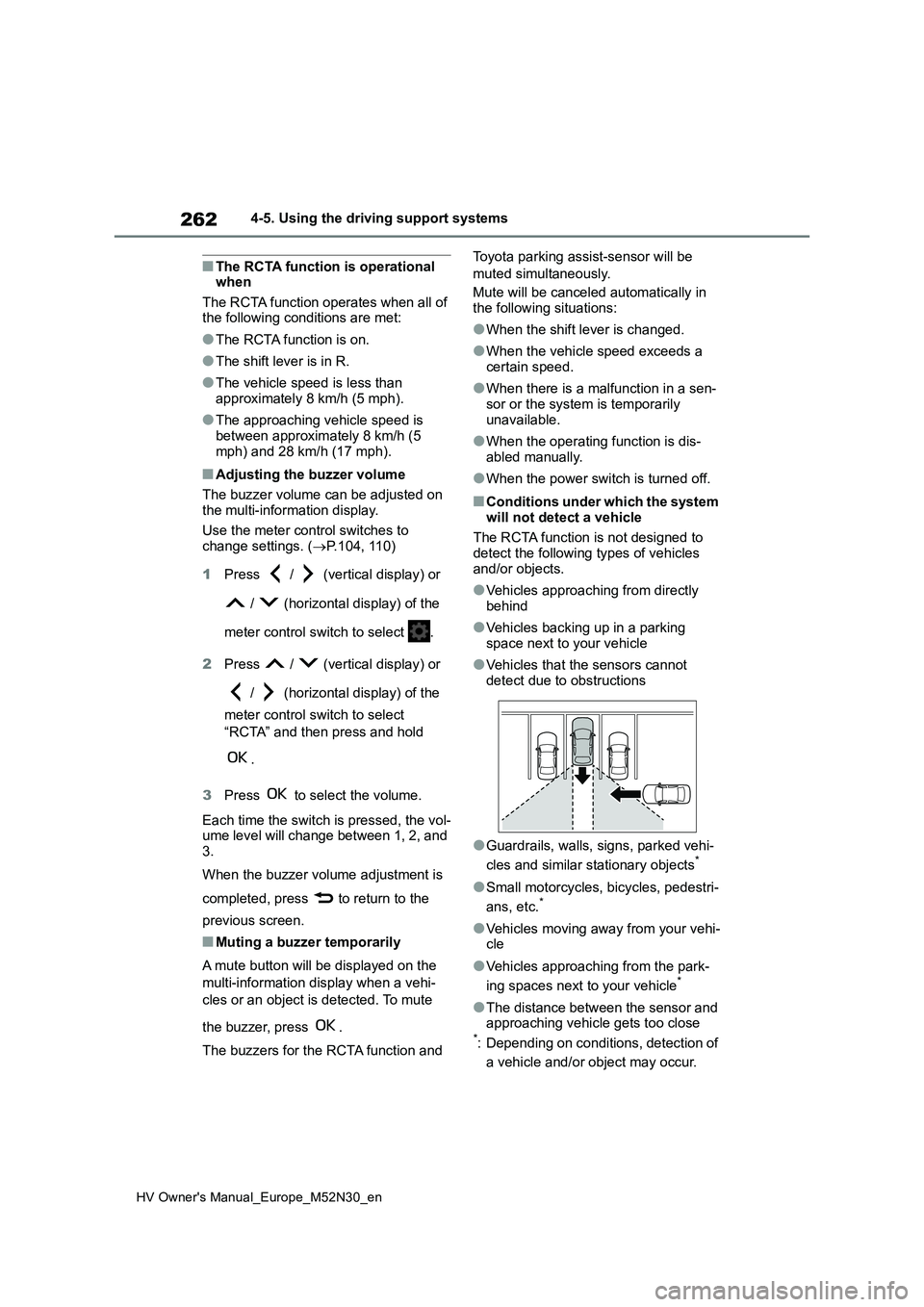
The RCTA function is not designed to detect the following types of vehicles
and/or objects.
●Vehicles approaching from directly
behind
●Vehicles backing up in a parking
space next to your vehicle
●Vehicles that the sensors cannot
detect due to obstructions
●Guardrails, walls, signs, parked vehi-
cles and similar stationary objects*
●Small motorcycles, bicycles, pedestri-
ans, etc.*
●Vehicles moving away from your vehi- cle
●Vehicles approaching from the park-
ing spaces next to your vehicle*
●The distance between the sensor and approaching vehicle gets too close*: Depending on conditions, detection of
a vehicle and/or object may occur.
Page 268 of 590
266
HV Owner's Manual_Europe_M52N30_en
4-5. Using the driving support systems
The Parking Support Brake can be
enabled/disabled on the multi-infor-
mation display. All of the Parking
Support Brake functions (static
objects and rear-crossing vehicles)
are enabled/disabled simultane-
ously.
Use the meter control switches to
enable/disable the parking support
brake. ( P.104, 110)
1 Press / (vertical display)
or / (horizontal display)
of the meter control switch to
select .
2 Press / (vertical display)
or / (horizontal display)
of the meter control switch to
select and then press .
WARNING
●When loading the vehicle onto a boat, truck or other transport vessel
●If the suspension has been modi-fied or tires of a size other than
specified are installed
●If the front of the vehicle is raised or
lowered due to the carried load
●When equipment that may obstruct
a sensor is installed, such as a tow- ing eyelet, bumper protector (an additional trim strip, etc.), bicycle
carrier, or snow plow
●When using automatic car washing
devices
●If the vehicle cannot be driven in a
stable manner, such as when the vehicle has been in an accident or is malfunctioning
●When the vehicle is driven in a sporty manner or off-road
●When the tires are not properly inflated
●When the tires are very worn
●When a tire chains, compact spare tire or an emergency tire puncture repair kit is used
NOTICE
■If “PKSB Unavailable” is dis-played on the multi-information
display and the PKSB OFF indi- cator is on
If this message is displayed immedi-
ately after the power switch is changed to ON, operate the vehicle carefully, paying attention to your sur-
roundings. It may be necessary to drive the vehicle for a certain amount of time before the system returns to
normal. (If the system is not return to normal after driving for a while, clean the sensors and their surrounding
area on the bumpers.)
Enabling/Disabling the Park-
ing Support Brake
Page 287 of 590
285
4
HV Owner's Manual_Europe_M52N30_en
4-6. Driving tips
Driving
the driving conditions:
Do not try to forcibly open a win-
dow or move a wiper that is fro-
zen. Pour warm water over the
frozen area to melt the ice. Wipe
away the water immediately to
prevent it from freezing.
To ensure proper operation of
the climate control system fan,
remove any snow that has accu-
mulated on the air inlet vents in
front of the windshield.
Check for and remove any
excess ice or snow that may
have accumulated on the exte-
rior lights, vehicle’s roof, chassis,
around the tires or on the brakes.
Remove any snow or mud from
the bottom of your shoes before
getting in the vehicle.
Accelerate the vehicle slowly, keep
a safe distance between you and
the vehicle ahead, and drive at a
reduced speed suitable to road
conditions.
Park the vehicle and shift the
shift lever to P without setting the
parking brake. The parking brake
may freeze up, preventing it from
being released. If the vehicle is
parked without setting the park-
ing brake, make sure to block the
wheels.
Failure to do so may be danger-
ous because it may cause the
vehicle to move unexpectedly,
possibly leading to an accident.
If the vehicle is parked without
setting the parking brake, con-
firm that the shift lever cannot be
moved out of P*.
*: The shift lever will be locked if it is
attempted to be shifted from P to any
other position without depressing the
brake pedal. If the shift lever can be
shifted from P, there may be a prob-
lem with the shift lock system. Have
the vehicle inspected by any autho-
rized Toyota retailer or Toyota autho-
rized repairer, or any reliable repairer
or legitimate tire retailers immedi-
ately.
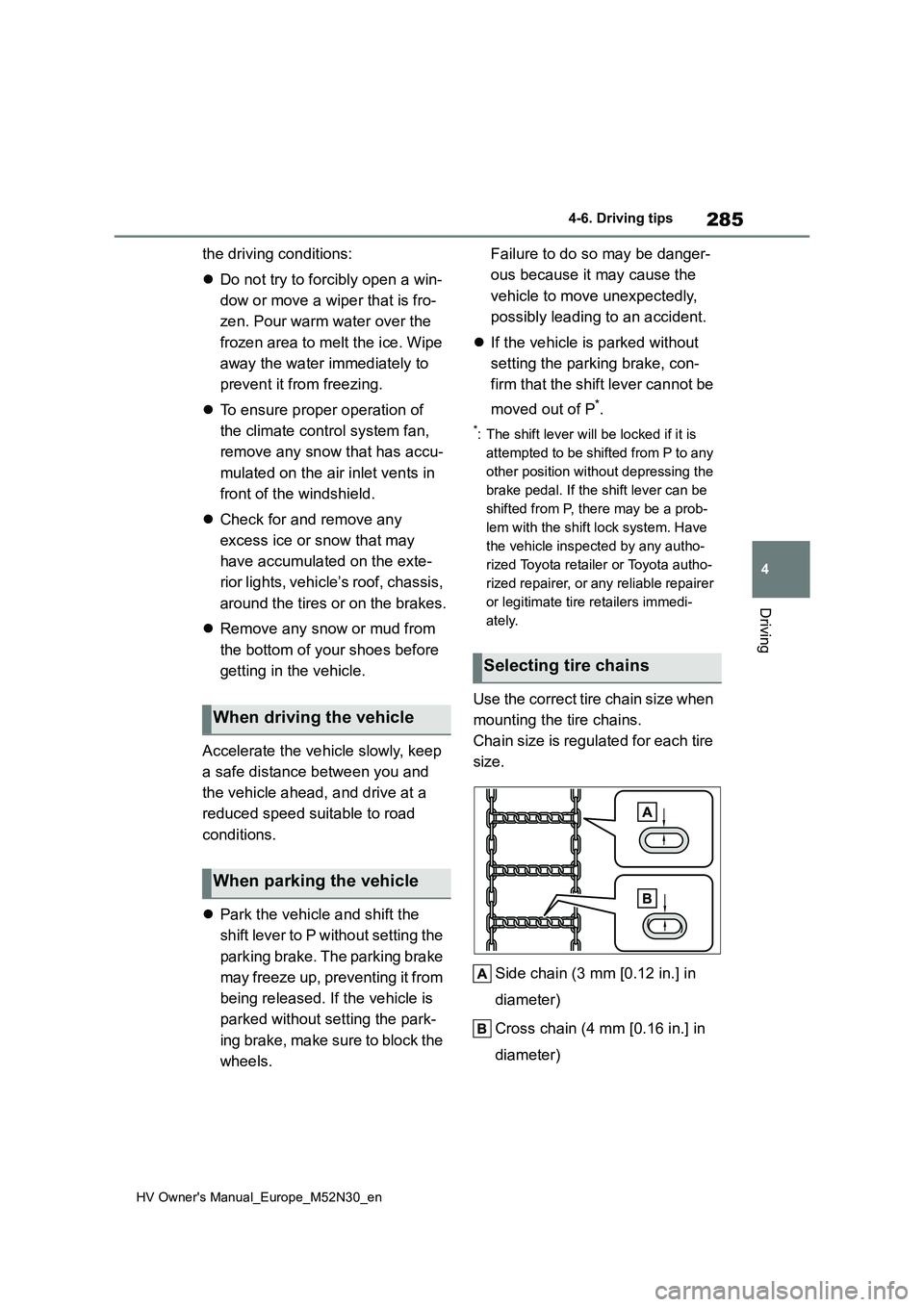
Use the correct tire chain size when
mounting the tire chains.
Chain size is regulated for each tire
size.
Side chain (3 mm [0.12 in.] in
diameter)
Cross chain (4 mm [0.16 in.] in
diameter)
When driving the vehicle
When parking the vehicle
Selecting tire chains
Page 314 of 590
312
HV Owner's Manual_Europe_M52N30_en
6-1. Maintenance and care
6-1.Mainte nance a nd care
Working from top to bottom, lib-
erally apply water to the vehicle
body, wheel wells and underside
of the vehicle to remove any dirt
and dust.
Wash the vehicle body using a
sponge or soft cloth, such as a
chamois.
For hard-to-remove marks, use
car wash soap and rinse thor-
oughly with water.
Wipe away any water.
Wax the vehicle when the water-
proof coating deteriorates.
If water does not bead on a clean sur-
face, apply wax when the vehicle body
is cool.
■Automatic car washes
●Before washing the vehicle: • Fold the mirrors.
Start washing from the front of the vehi-
cle. Extend the mirrors before driving.
●Brushes used in automatic car washes may scratch the vehicle sur-
face, parts (wheel, etc.) and harm your vehicle’s paint.
●In certain automatic car washes, the rear spoiler (if equipped) may interfere with machine operation. This may pre-
vent the vehicle from being cleaned
properly or result in damage to the
rear spoiler.
■High pressure car washes
As water may enter the cabin, do not bring the nozzle tip near the gaps
around the doors or perimeter of the windows, or spray these areas continu-ously.
■When using a car wash (vehicles
with a smart entry & start system)
If the door handle becomes wet while the electronic key is within the effective
range, the door may lock and unlock repeatedly. In that case, follow the fol-lowing correction procedures to wash
the vehicle:
●Place the key in a position 2 m (6 ft.)
or more separate from the vehicle while the vehicle is being washed. (Take care to ensure that the key is
not stolen.)
●Set the electronic key to battery-sav-
ing mode to disable the smart entry & start system. ( P.141)
■Wheels and wheel ornaments (if equipped)
●Remove any dirt immediately by using a neutral detergent.
●Wash detergent off with water immedi-ately after use.
●To protect the paint from damage, make sure to observe the following
precautions. • Do not use acidic, alkaline or abrasive detergent
• Do not use hard brushes • Do not use detergent on the wheels when they are hot, such as after driv-
ing or parking in hot weather
■Bumpers
Do not scrub with abrasive cleaners.
■Plated portions (if equipped)
If dirt cannot be removed, clean the
parts as follows:
●Use a soft cloth dampened with an
approximately 5% solution of neutral detergent and water to clean the dirt
Cleaning and protecting
the vehicle exterior
Perform cleaning in a manner
appropriate to each compo-
nent and its material.
Cleaning instructions
Page 329 of 590
327
6
HV Owner's Manual_Europe_M52N30_en
6-3. Do-it-yourself maintenance
Maintenance and care
■Engine oil consumption
A certain amount of engine oil will be
consumed while driving. In the following situations, oil consumption may increase, and engine oil may need to be
refilled in between oil maintenance inter- vals.
●When the engine is new, for example directly after purchasing the vehicle or after replacing the engine
●If low quality oil or oil of an inappropri-ate viscosity is used
●When driving at high engine speeds or with a heavy load, when towing
(vehicles with towing packages), or when driving while accelerating or decelerating frequently
●When leaving the engine idling for a long time, or when driving frequently
through heavy traffic
■After changing the engine oil
The engine oil maintenance data should be reset. Perform the following proce-
dures:
1 Press / (vertical display) or
/ (horizontal display) of the
meter control switch to select .
2 Press / (vertical display) or
/ (horizontal display) to
select “Vehicle Settings” and then
press and hold .
3 Press / to select “Oil Mainte-
nance” and then press .
4 Press / to select “Yes” and
then press .
A message will be displayed on the multi-information display when the reset
procedure has been completed.
■Engine coolant reservoir
The coolant level is satisfactory if it
is between the “F” and “L” lines on
WARNING
■Used engine oil
●Used engine oil contains poten-
tially harmful contaminants which may cause skin disorders such as inflammation and skin cancer, so
care should be taken to avoid pro- longed and repeated contact. To remove used engine oil from your
skin, wash thoroughly with soap and water.
●Dispose of used oil and filters only in a safe and acceptable manner. Do not dispose of used oil and fil-
ters in household trash, in sewers or onto the ground.Call any authorized Toyota retailer
or Toyota authorized repairer, or any reliable repairer, service station or auto parts store for information
concerning recycling or disposal.
●Do not leave used engine oil within
the reach of children.
NOTICE
■To prevent serious engine dam- age
Check the oil level on a regular basis.
■When replacing the engine oil
●Be careful not to spill engine oil on
the vehicle components.
●Avoid overfilling, or the engine
could be damaged.
●Check the oil level on the dipstick
every time you refill the vehicle.
●Be sure the engine oil filler cap is
properly tightened.
Checking the coolant
Page 337 of 590
335
6
HV Owner's Manual_Europe_M52N30_en
6-3. Do-it-yourself maintenance
Maintenance and care
sure with the appearance of the tire due
to pressure suddenly lowering. (Ways
of coping: P.386, 397)
However, the system may not be able
to detect sudden tire ruptures (bursting,
etc.).
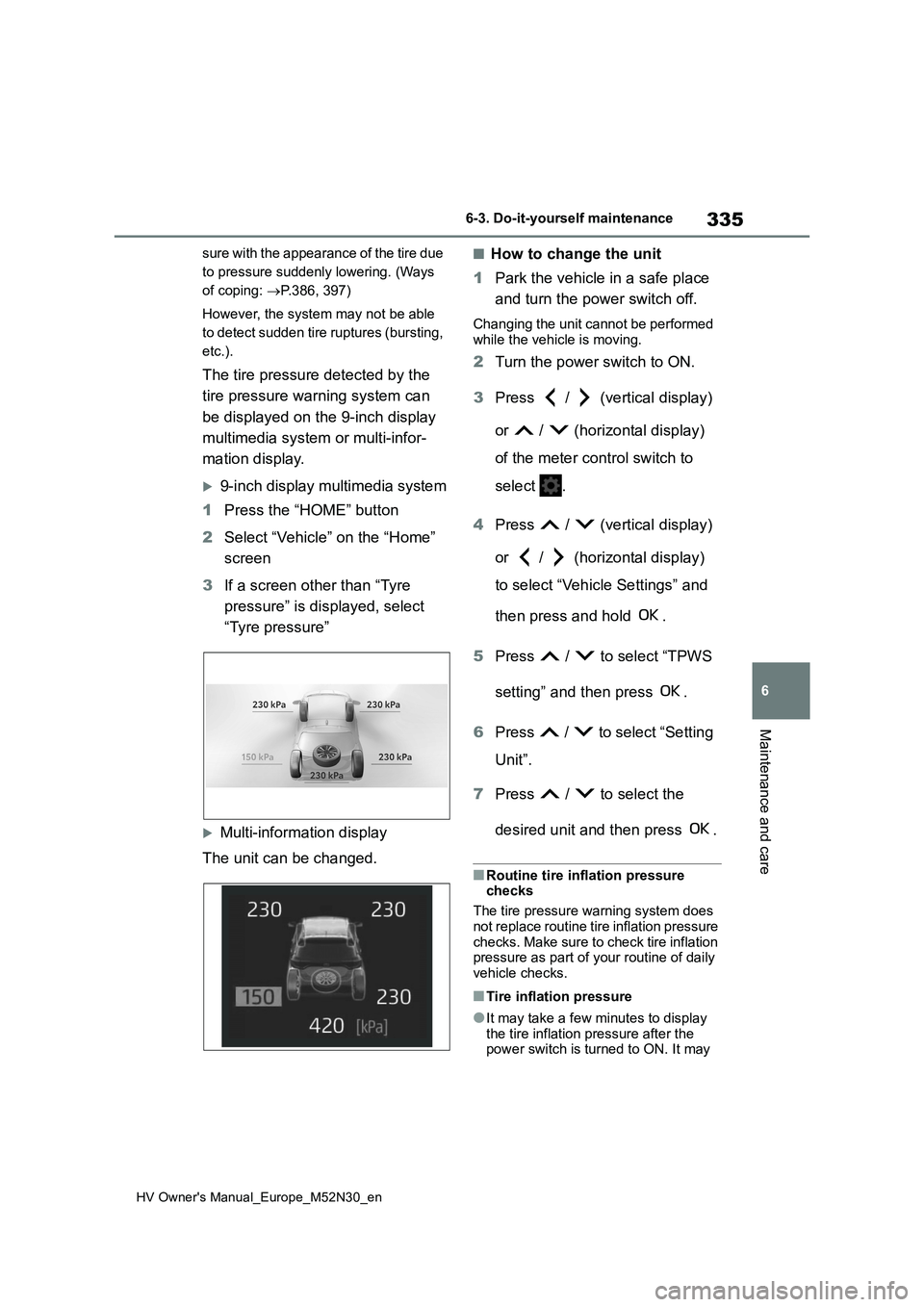
The tire pressure detected by the
tire pressure warning system can
be displayed on the 9-inch display
multimedia system or multi-infor-
mation display.
9-inch display multimedia system
1 Press the “HOME” button
2 Select “Vehicle” on the “Home”
screen
3 If a screen other than “Tyre
pressure” is displayed, select
“Tyre pressure”
Multi-information display
The unit can be changed.
■How to change the unit
1 Park the vehicle in a safe place
and turn the power switch off.
Changing the unit cannot be performed
while the vehicle is moving.
2 Turn the power switch to ON.
3 Press / (vertical display)
or / (horizontal display)
of the meter control switch to
select .
4 Press / (vertical display)
or / (horizontal display)
to select “Vehicle Settings” and
then press and hold .
5 Press / to select “TPWS
setting” and then press .
6 Press / to select “Setting
Unit”.
7 Press / to select the
desired unit and then press .
■Routine tire inflation pressure checks
The tire pressure warning system does
not replace routine tire inflation pressure checks. Make sure to check tire inflation pressure as part of your routine of daily
vehicle checks.
■Tire inflation pressure
●It may take a few minutes to display
the tire inflation pressure after the power switch is turned to ON. It may
Page 339 of 590
337
6
HV Owner's Manual_Europe_M52N30_en
6-3. Do-it-yourself maintenance
Maintenance and care
■The tire pressure warning sys-
tem must be init ialized in the
following circumstances:
When rotating front and rear tires
which have different tire inflation
pressures.
When changing the tire size.
When the tire inflation pressure
is changed such as when chang-
ing traveling speed or load
weight.
When changing between two
registered wheel sets.
When the tire pressure warning
system is initialized, the current tire
inflation pressure is set as the
benchmark pressure.
■How to initialize the tire pres-
sure warning system
1 Park the vehicle in a safe place
and turn the power switch off,
wait for approximately 15 min-
utes or more, and then perform
the procedure.
2 Adjust the tire inflation pressure
to the specified cold tire inflation
pressure level. ( P.427)
Make sure to adjust the tire pressure to the specified cold tire inflation pressure level. The tire pressure warning system
will operate based on this pressure level.
3 Turn the power switch to ON.
Initialization cannot be performed while the vehicle is moving.
4 Press / (vertical display)
or / (horizontal display)
of the meter control switch to
select .
NOTICE
■Repairing or replacing tires, wheels, tire pressure warning
valves, transmitters and tire valve caps
●When removing or fitting the
wheels, tires or the tire pressure warning valves and transmitters, contact any authorized Toyota
retailer or Toyota authorized repairer, or any reliable repairer as the tire pressure warning valves
and transmitters may be damaged if not handled correctly.
●Make sure to install the tire valve caps. If the tire valve caps are not installed, water could enter the tire
pressure warning valves and the tire pressure warning valves could be bound.
●When replacing tire valve caps, do not use tire valve caps other than
those specified. The cap may become stuck.
■To avoid damage to the tire pres-sure warning valves and trans-mitters
When a tire is repaired with liquid sealants, the tire pressure warning valve and transmitter may not operate
properly. If a liquid sealant is used, contact any authorized Toyota retailer or Toyota authorized repairer, or any
reliable repairer as soon as possible. Make sure to replace the tire pressure warning valve and transmitter when
replacing the tire. ( P.336)
Initializing the tire pressure
warning system
Page 341 of 590
339
6
HV Owner's Manual_Europe_M52N30_en
6-3. Do-it-yourself maintenance
Maintenance and care
cles are driven close by, it may take
time for the system to recognize the tire pressure warning valve and trans-mitters of your vehicle over those of
other vehicles.
If initialization is not complete after driv-
ing for approximately 1 hour, park the
vehicle in a safe place for approximately
20 minutes and then drive the vehicle
again.
●In the following situations, initialization
will not be started or was not com- pleted properly and the system will not operate properly. Perform the initial-
ization procedure again. • If, when attempting to start initializa-tion, the tire pressure warning light
does not blink 3 times. • If, when the vehicle has been driven for about 20 minutes after performing
initialization, the tire pressure warning light blinks for approximately 1 minute and then illuminates.
●If initialization cannot be completed after performing the above procedure,
contact any authorized Toyota retailer or Toyota authorized repairer, or any reliable repairer.
The tire pressure warning valve
and transmitter is equipped with a
unique ID code. When replacing a
tire pressure warning valve and
transmitter, it is necessary to regis-
ter the ID code.
The ID codes can be registered on
of the multi-information display.
Park the vehicle in a safe place,
wait for approximately 15 minutes
or more and perform the procedure.
1 Press / (vertical display)
or / (horizontal display)
of the meter control switch to
select .
2 Press / (vertical display)
or / (horizontal display)
to select “Vehicle Settings” and
then press .
3 Press / to select “TPWS
setting” and then press .
4 Press / to select “Identi-
fying Each Wheel & Position”.
Then press and hold until
the tire pressure warning light
blinks slowly 3 times.
Then a message will be displayed on the multi-information display.
When registration is being performed,
the tire pressure warning light will blink for approximately 1 minute then illumi-nate and “--” will be displayed for the
inflation pressure of each tire on the
WARNING
■When initializing the tire pres- sure warning system
Do not initialize the tire pressure
warning system without first adjusting the tire inflation pressure to the speci-fied level. Otherwise, the tire pressure
warning light may not come on even if the tire inflation pressure is low, or it may come on when the tire inflation
pressure is actually normal.
Registering ID codes
Page 343 of 590
341
6
HV Owner's Manual_Europe_M52N30_en
6-3. Do-it-yourself maintenance
Maintenance and care
driving for approximately 1 hour, park
the vehicle in a safe place for approxi-
mately 20 minutes and then perform the
ID code registration procedure again.
●In the following situations, ID code registration will not be started or was not completed properly and the sys-
tem will not operate properly. Perform the ID code registration procedure again.
• If, when attempting to start ID code registration, the tire pressure warning light does not blink slowly 3 times.
• If, when the vehicle has been driven for about 10 minutes after performing ID code registration, the tire pressure
warning light blinks for approximately 1 minute and then illuminates.
●If ID code registration cannot be com-pleted after performing the above pro-cedure, contact any authorized Toyota
retailer or Toyota authorized repairer, or any reliable repairer.
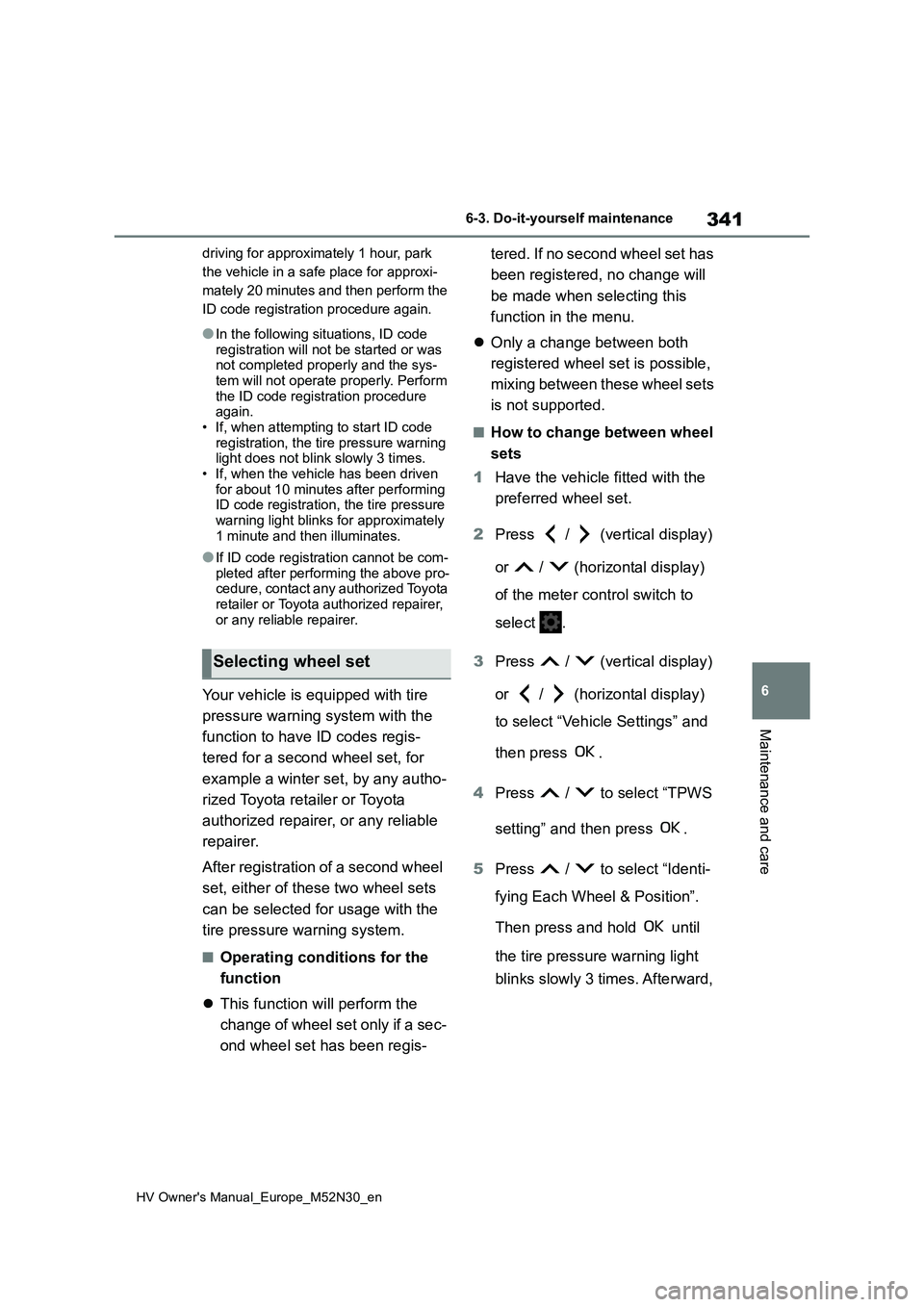
Your vehicle is equipped with tire
pressure warning system with the
function to have ID codes regis-
tered for a second wheel set, for
example a winter set, by any autho-
rized Toyota retailer or Toyota
authorized repairer, or any reliable
repairer.
After registration of a second wheel
set, either of these two wheel sets
can be selected for usage with the
tire pressure warning system.
■Operating conditions for the
function
This function will perform the
change of wheel set only if a sec-
ond wheel set has been regis-
tered. If no second wheel set has
been registered, no change will
be made when selecting this
function in the menu.
Only a change between both
registered wheel set is possible,
mixing between these wheel sets
is not supported.
■How to change between wheel
sets
1 Have the vehicle fitted with the
preferred wheel set.
2 Press / (vertical display)
or / (horizontal display)
of the meter control switch to
select .
3 Press / (vertical display)
or / (horizontal display)
to select “Vehicle Settings” and
then press .
4 Press / to select “TPWS
setting” and then press .
5 Press / to select “Identi-
fying Each Wheel & Position”.
Then press and hold until
the tire pressure warning light
blinks slowly 3 times. Afterward,
Selecting wheel set
Page 346 of 590
344
HV Owner's Manual_Europe_M52N30_en
6-3. Do-it-yourself maintenance
When replacing wheels, care
should be taken to ensure that they
are equivalent to those removed in
load capacity, diameter, rim width
and inset*.
Replacement wheels are available
at any authorized Toyota retailer or
Toyota authorized repairer, or any
reliable repairer.
*: Conventionally referred to as offset.
Toyota does not recommend using
the following:
Wheels of different sizes or types
Used wheels
Bent wheels that have been
straightened
■When replacing wheels
The wheels of your vehicle are equipped with tire pressure warning valves and
transmitters that allow the tire pressure warning system to provide advance warning in the event of a loss in tire
inflation pressure. Whenever wheels are replaced, the tire pressure warning valves and transmitters must be
installed. ( P.336)
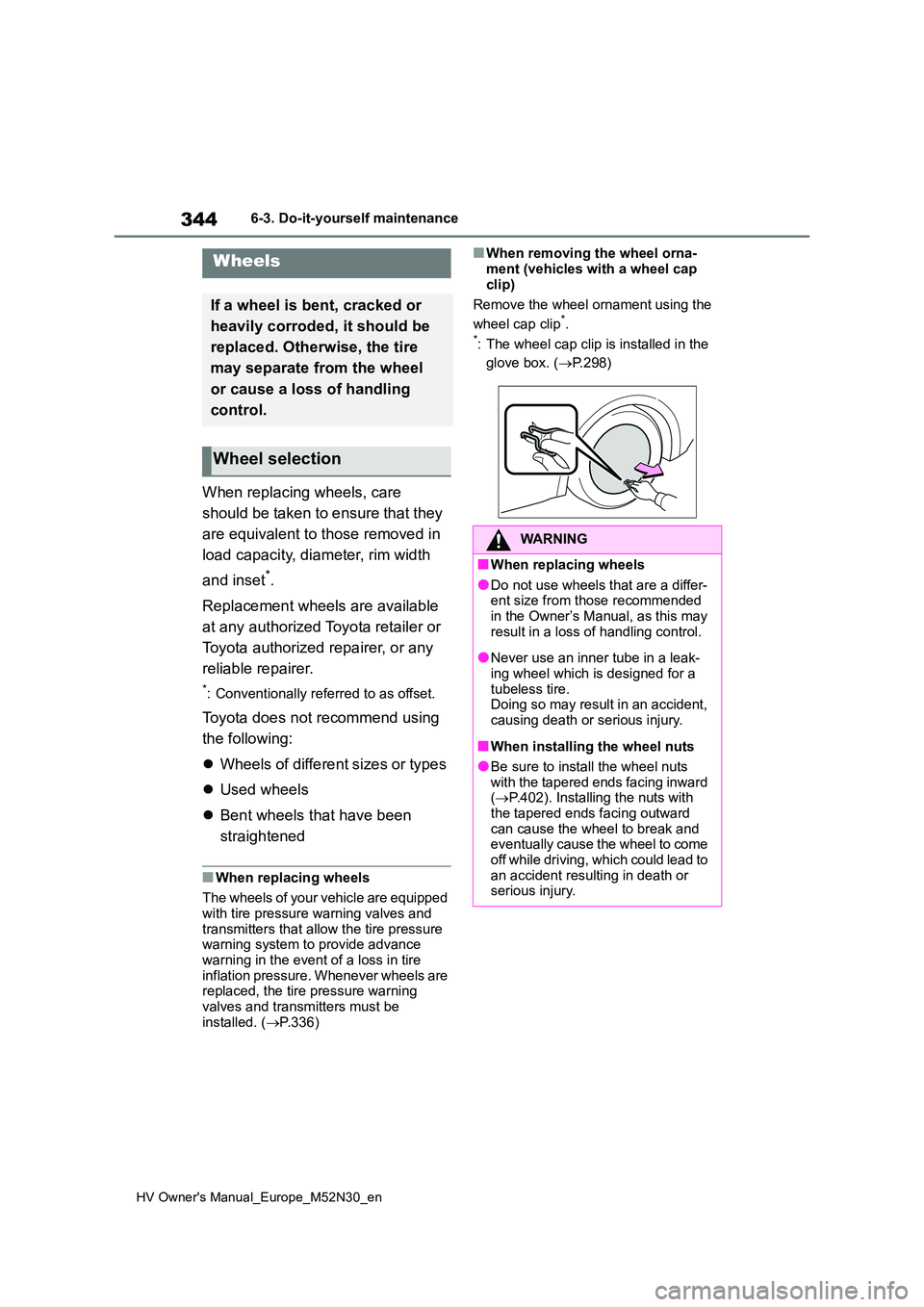
■When removing the wheel orna-
ment (vehicles with a wheel cap clip)
Remove the wheel ornament using the
wheel cap clip*.*: The wheel cap clip is installed in the
glove box. ( P.298)
Wheels
If a wheel is bent, cracked or
heavily corroded, it should be
replaced. Otherwise, the tire
may separate from the wheel
or cause a loss of handling
control.
Wheel selection
WARNING
■When replacing wheels
●Do not use wheels that are a differ- ent size from those recommended in the Owner’s Manual, as this may
result in a loss of handling control.
●Never use an inner tube in a leak-
ing wheel which is designed for a tubeless tire.Doing so may result in an accident,
causing death or serious injury.
■When installing the wheel nuts
●Be sure to install the wheel nuts with the tapered ends facing inward ( P.402). Installing the nuts with
the tapered ends facing outward can cause the wheel to break and eventually cause the wheel to come
off while driving, which could lead to an accident resulting in death or serious injury.