reset TOYOTA YARIS HATCHBACK 2011 User Guide
[x] Cancel search | Manufacturer: TOYOTA, Model Year: 2011, Model line: YARIS HATCHBACK, Model: TOYOTA YARIS HATCHBACK 2011Pages: 428, PDF Size: 9.61 MB
Page 213 of 428
199
3-2. Using the audio system
3
Interior features
When the desired channel is reached, press
again.
l Scanning preset channels
Press and hold until you hear a beep.
When the desired channel is reached, press again.
n Displaying text information
Press .
The display will show up to 10 characters.
The display changes as follows each time the button is pressed.
lCH NAME
l TITLE (SONG/PROGRAM TITLE)
l NAME (ARTIST NAME/FEATURE)
l CH NUMBER
*:Use of XM® Satellite Radio requires XM® tuner and service.
Contact your Toyota dealer.
n When the battery is disconnected
Stations presets are erased.
n Reception sensitivity
lMaintaining perfect radio reception at all times is difficult due to the con-
tinually changing position of the antenna, differences in signal strength
and surrounding objects, such as trains, transmitters, etc.
l The radio antenna is mounted on the rear roof. The antenna can be
removed from the base by turning it.
Page 243 of 428
229
3-5. Other interior features
3
Interior features
Clock
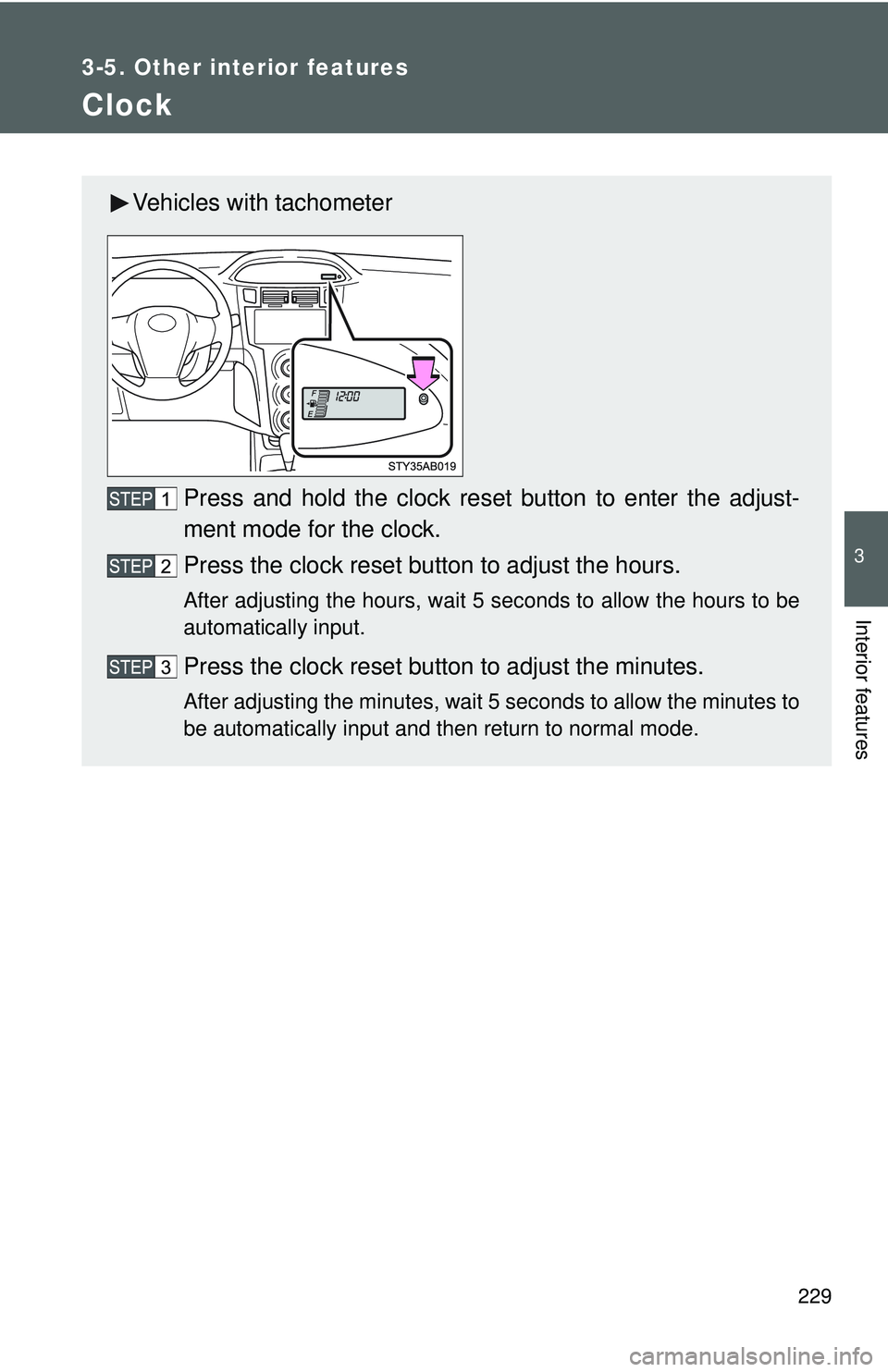
Vehicles with tachometerPress and hold the clock reset button to enter the adjust-
ment mode for the clock.
Press the clock reset button to adjust the hours.
After adjusting the hours, wait 5 seconds to allow the hours to be
automatically input.
Press the clock reset button to adjust the minutes.
After adjusting the minutes, wait 5 seconds to allow the minutes to
be automatically input and then return to normal mode.
Page 244 of 428
230 3-5. Other interior features
nThe clock is displayed when
The engine switch is in the ON position.
n When disconnecting and reco nnecting battery terminals
The time display will automatically be set to 1:00.
n Adjusting to a full hour (vehicles without tachometer)
If you press the clock reset button, the minute values will be rounded to the
nearest hour. So, minute values from “:00” to “:29” are rounded down, and
values from “:30” to “:59” are rounded up.*
*: e.g.
1:00 to 1:29 → 1:00
1:30 to 1:59 → 2:00
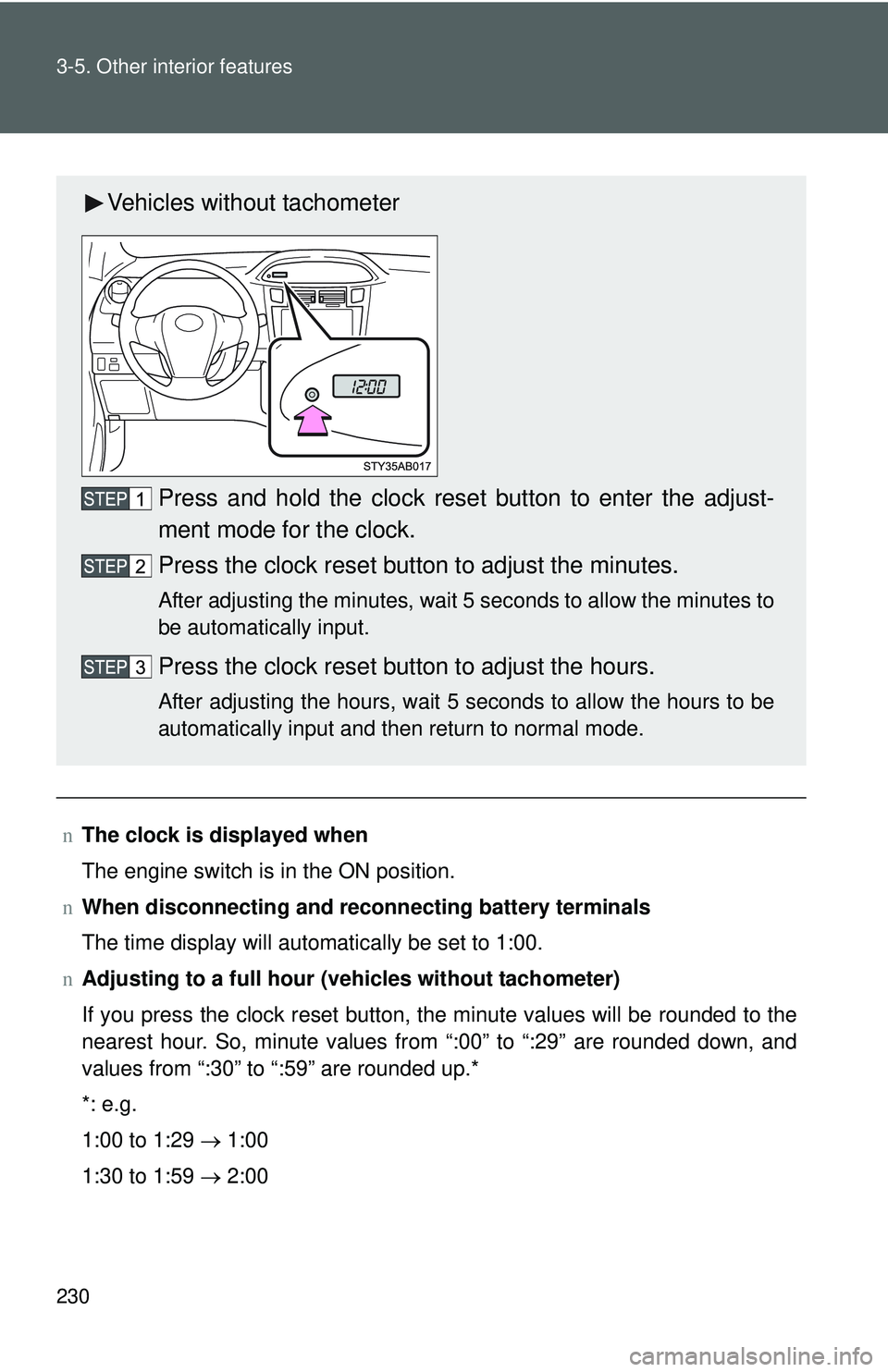
Vehicles without tachometer
Press and hold the clock reset button to enter the adjust-
ment mode for the clock.
Press the clock reset button to adjust the minutes.
After adjusting the minutes, wait 5 seconds to allow the minutes to
be automatically input.
Press the clock reset button to adjust the hours.
After adjusting the hours, wait 5 seconds to allow the hours to be
automatically input and then return to normal mode.
Page 272 of 428
259
4-3. Do-it-yourself maintenance
4
Maintenance and care
n
Engine oil consumption
lThe amount of engine oil consumed depends on the oil viscosity, the
quality of the oil and the way the vehicle is driven.
l More oil is consumed under driving conditions such as high speeds and
frequent acceleration and deceleration.
l A new engine consumes more oil.
l When judging the amount of oil consumption, keep in mind that the oil
may have become diluted, making it difficult to judge the true level accu-
rately.
l Oil consumption: Max. 1.1 qt./600 miles, 0.9 lmp.qt./600 miles (1.0 L per
1000 km)
l If you consume more than 1.1 qt. (1.0 L, 0.9 lmp.qt.) every 600 miles
(1000 km), contact your Toyota dealer.
n After changing the engine oil (except Canada)
The oil change system should be reset. Perform the following procedures:
Turn the engine switch off with the Trip A reading shown.( →P. 140)
Turn the engine switch to the ON position while holding down the
trip meter reset button.
Continue to press and hold the button until the trip meter displays
000000.
If the system fails to reset, the light will continue flashing.
Page 337 of 428
5
When trouble arises
325
5-2. Steps to take in an emergency
nIf the tire pressure warning system is inoperative
The tire pressure warning system will be disabled in the following condi-
tions:
(When the condition be
comes normal, the system will work properly.)
lIf tires not equipped with tire pressure warning valves and transmit-
ters are used.
lIf the ID code on the tire pressure warning valves and transmitters is
not registered in the tire pressure warning computer.
lIf the tire inflation pressure is 73 psi (500 kPa, 5.1 kgf/cm2 or bar) or
higher.
The tire pressure warning system may be disabled in the following condi-
tions:
(When the condition be comes normal, the system will work properly.)
lIf electronic devices or facilities using similar radio wave frequencies
are nearby.
lIf a radio set at similar frequencies is in use in the vehicle.
lIf a window tint that affects the radio wave signals is installed.
lIf there is a lot of snow or ice on the vehicle, in particular around the
wheels or wheel housings.
lIf non-genuine Toyota wheels are used. (Even if you use Toyota
wheels, the tire pressu re warning system may not work properly with
some types of tires.)
lIf tire chains are used.
nIf the tire pressure warning light comes on after blinking for 1
minute frequently
If the tire pressure warning light comes on after blinking for 1 minute fre-
quently when the engine switch is turned to the ON position, have it
checked by your Toyota dealer.
n After changing the engine oil (except Canada)
Make sure to reset the oil maintenance data. ( →P. 259)