instrument cluster TOYOTA YARIS HATCHBACK 2012 Owners Manual
[x] Cancel search | Manufacturer: TOYOTA, Model Year: 2012, Model line: YARIS HATCHBACK, Model: TOYOTA YARIS HATCHBACK 2012Pages: 365, PDF Size: 8.17 MB
Page 114 of 365
133
2
When driving
2-2. Instrument cluster
Gauges and meters
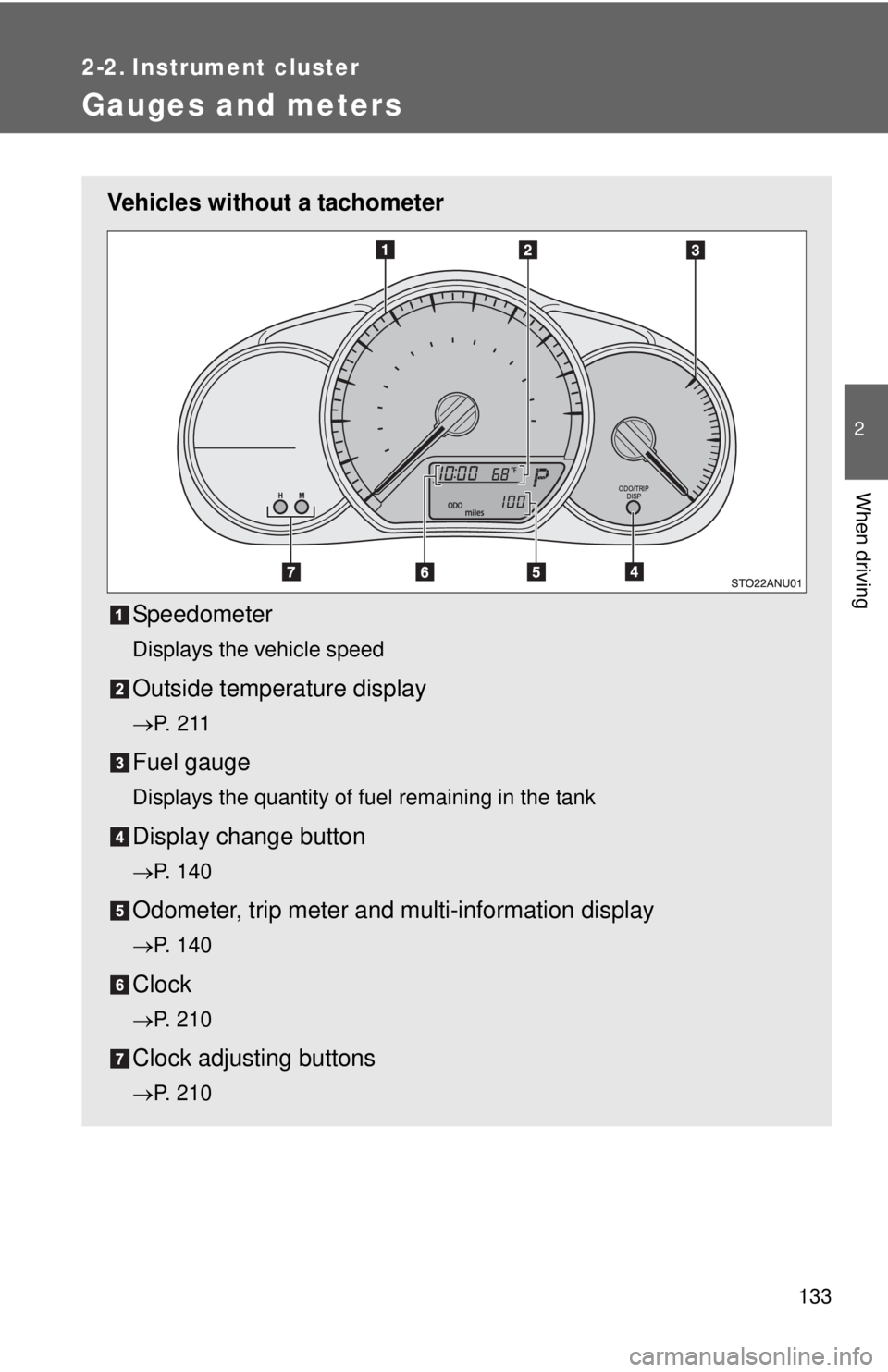
Vehicles without a tachometerSpeedometer
Displays the vehicle speed
Outside temperature display
→P. 2 1 1
Fuel gauge
Displays the quantity of fuel remaining in the tank
Display change button
→P. 140
Odometer, trip meter and multi-information display
→P. 140
Clock
→P. 210
Clock adjusting buttons
→P. 210
Page 115 of 365
134 2-2. Instrument cluster
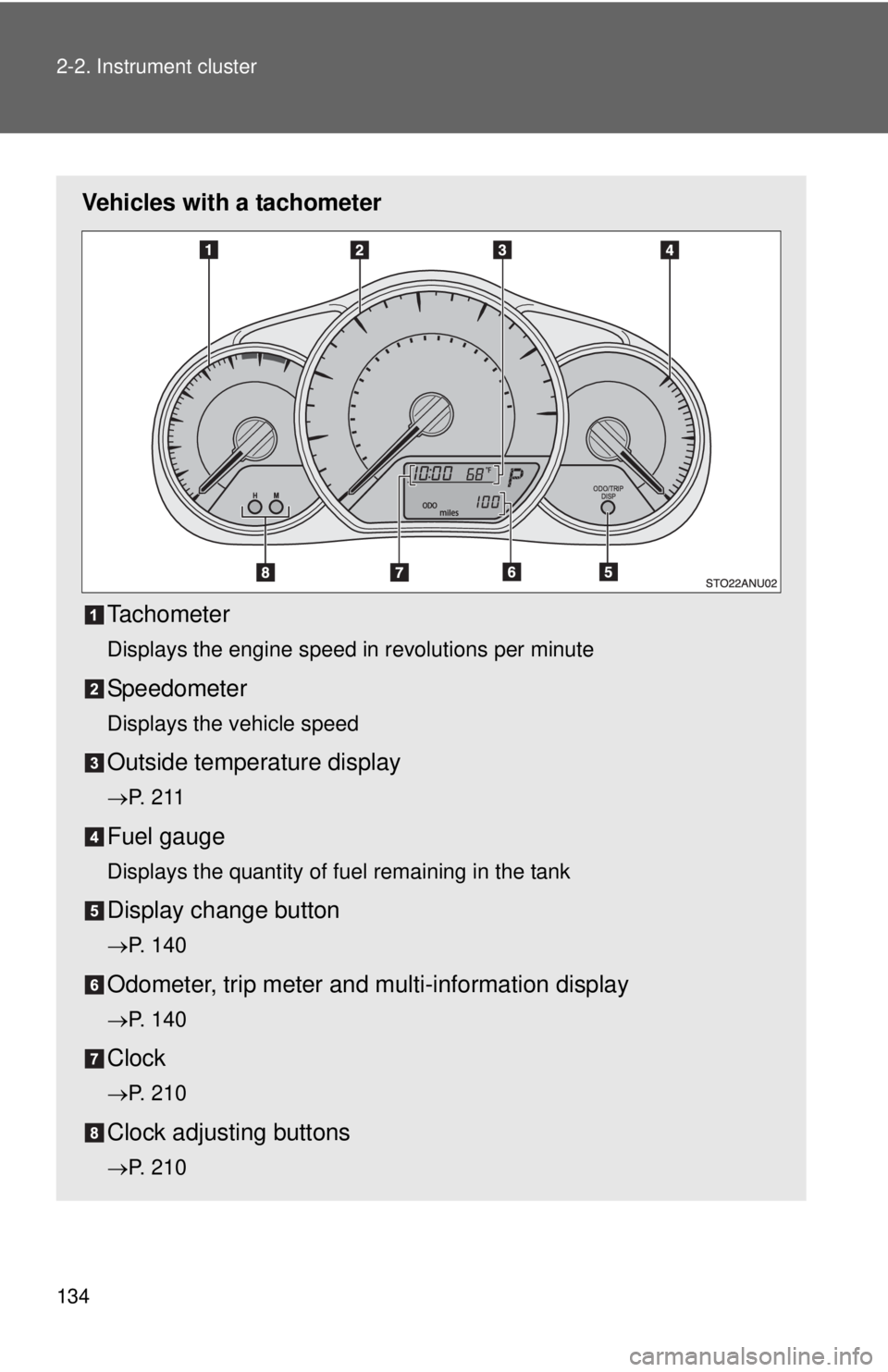
Vehicles with a tachometerTachometer
Displays the engine speed in revolutions per minute
Speedometer
Displays the vehicle speed
Outside temperature display
→P. 2 1 1
Fuel gauge
Displays the quantity of fuel remaining in the tank
Display change button
→P. 140
Odometer, trip meter and multi-information display
→P. 140
Clock
→P. 210
Clock adjusting buttons
→P. 210
Page 116 of 365
135
2-2. Instrument cluster
2
When driving
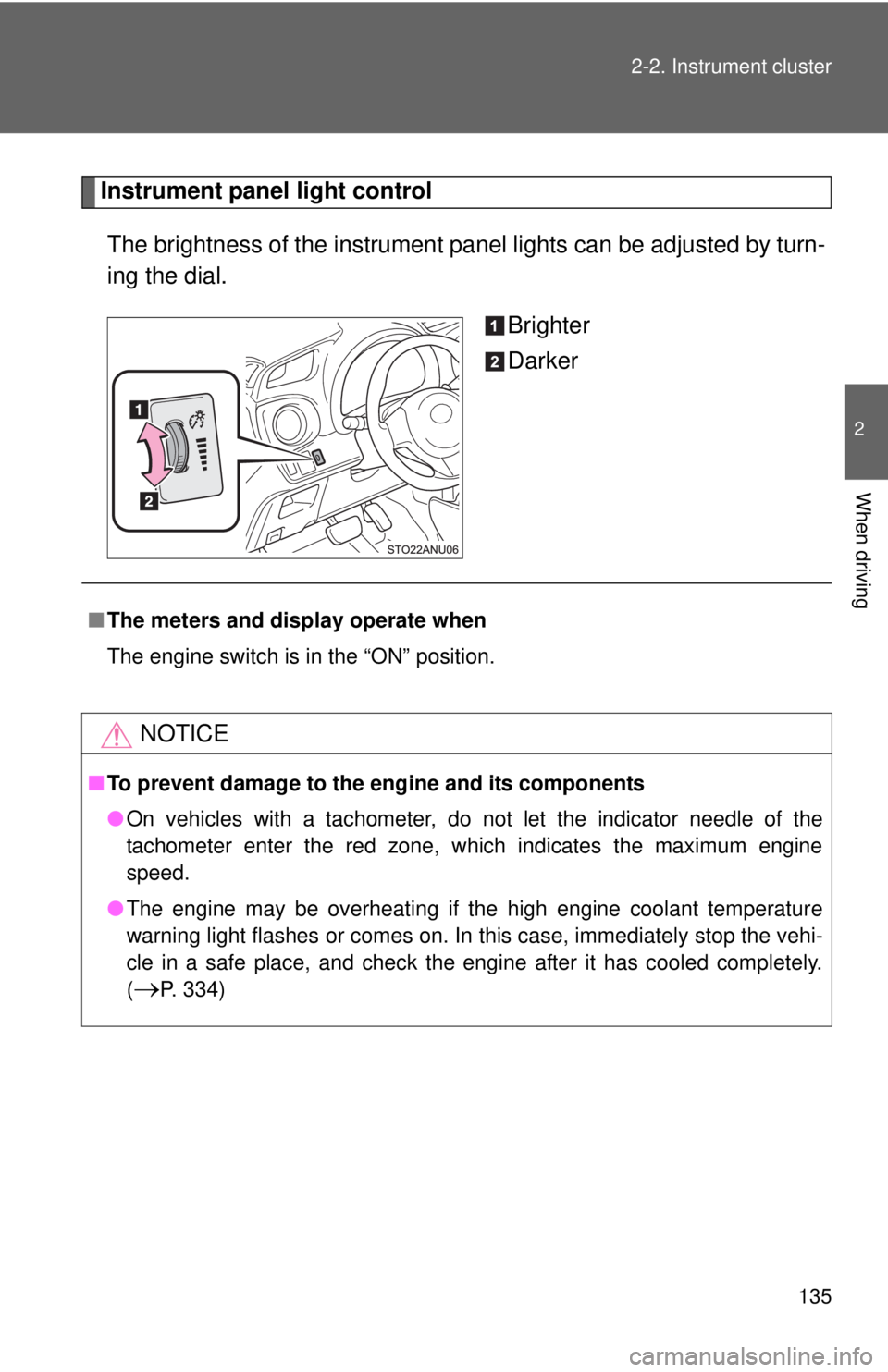
Instrument panel light control
The brightness of the instrument pa nel lights can be adjusted by turn-
ing the dial.
Brighter
Darker
■The meters and display operate when
The engine switch is in the “ON” position.
NOTICE
■To prevent damage to the engine and its components
●On vehicles with a tachometer, do not let the indicator needle of the
tachometer enter the red zone, which indicates the maximum engine
speed.
● The engine may be overheating if the high engine coolant temperature
warning light flashes or comes on. In this case, immediately stop the vehi-
cle in a safe place, and check the engine after it has cooled completely.
(
→P. 334)
Page 117 of 365
136
2-2. Instrument cluster
Indicators and warning lights
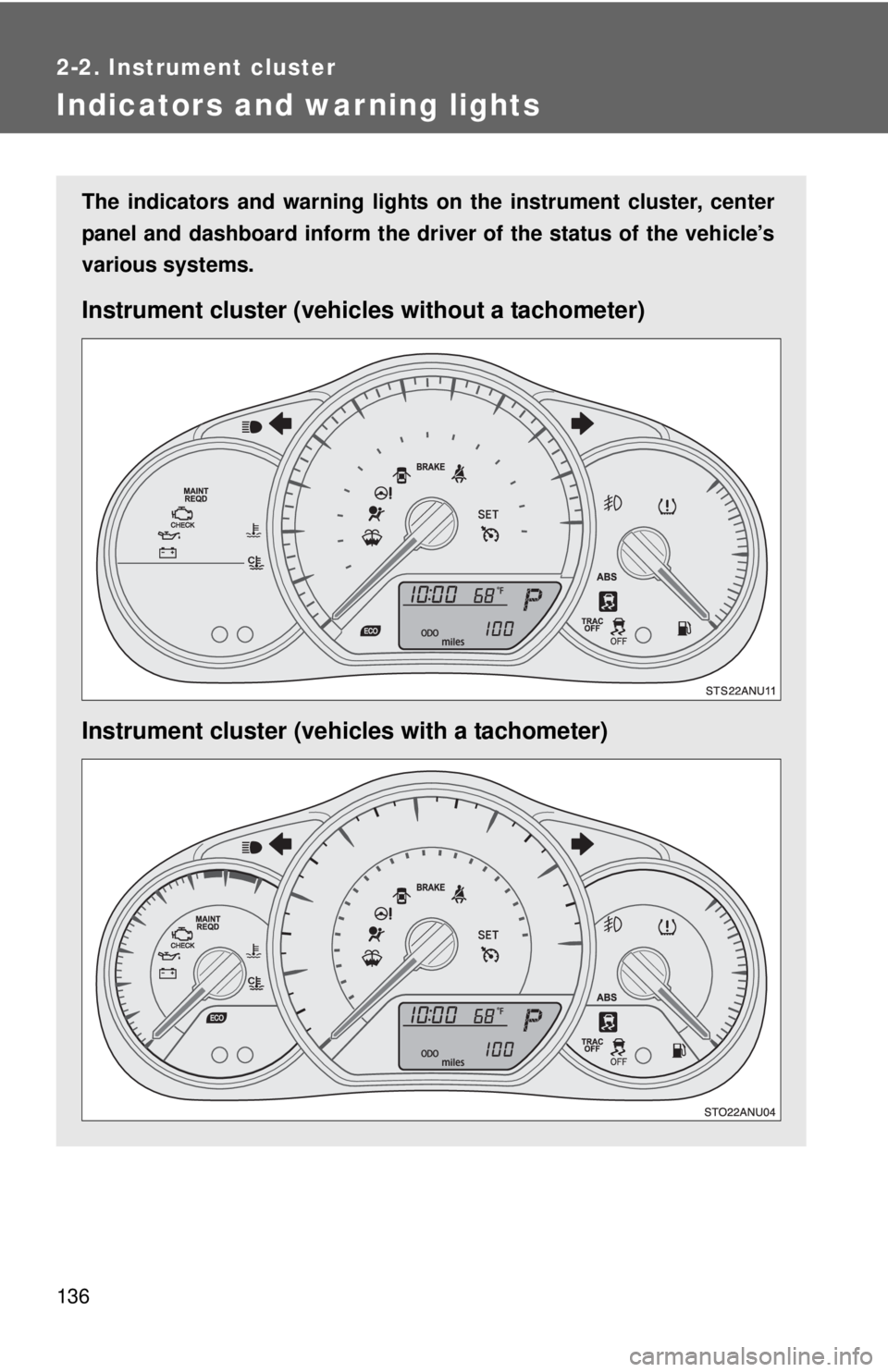
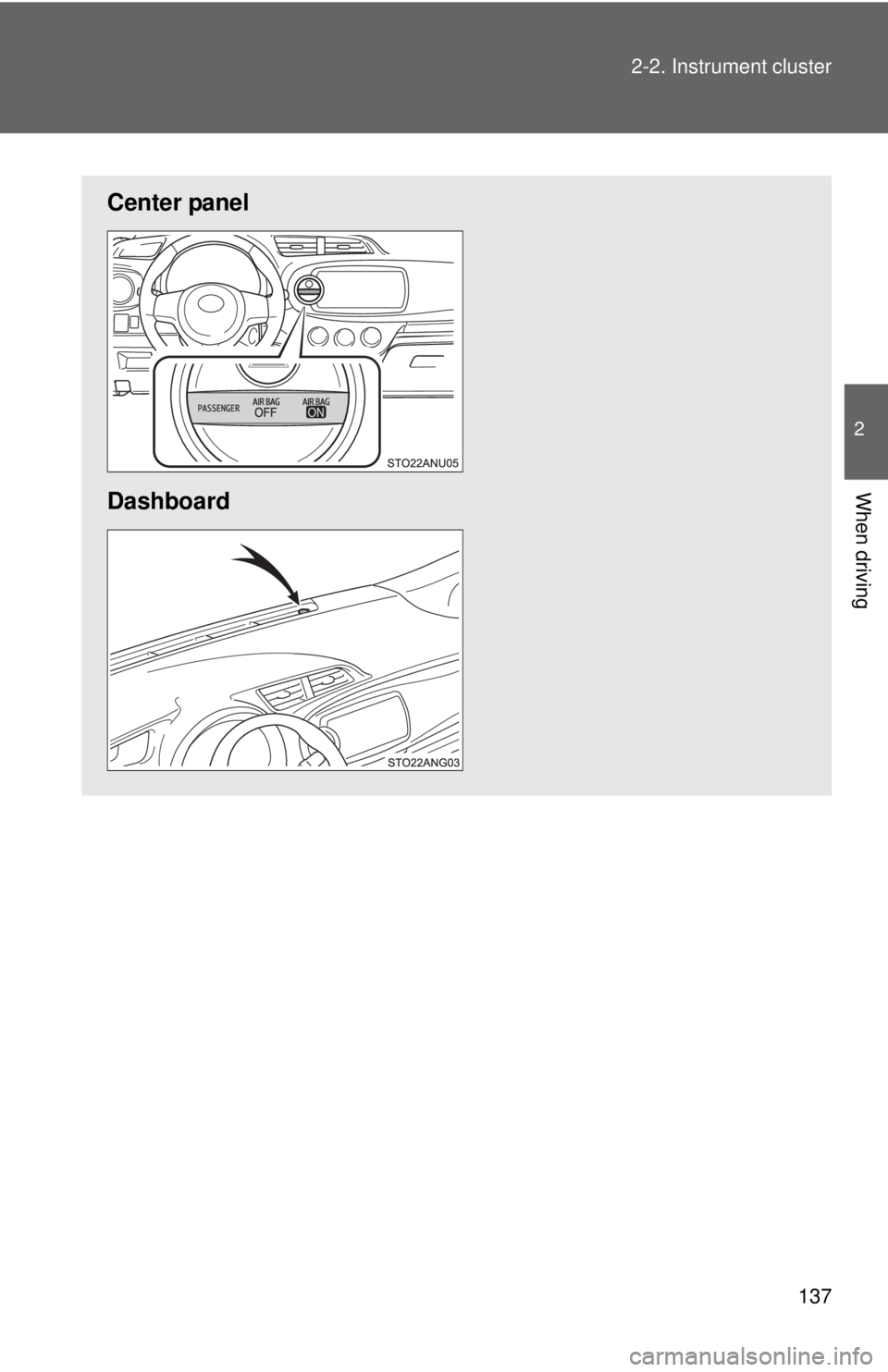
The indicators and warning lights on the instrument cluster, center
panel and dashboard inform the driver of the status of the vehicle’s
various systems.
Instrument cluster (vehic les without a tachometer)
Instrument cluster (vehicles with a tachometer)
Page 118 of 365
137
2-2. Instrument cluster
2
When driving
Center panel
Dashboard
Page 119 of 365
138 2-2. Instrument cluster
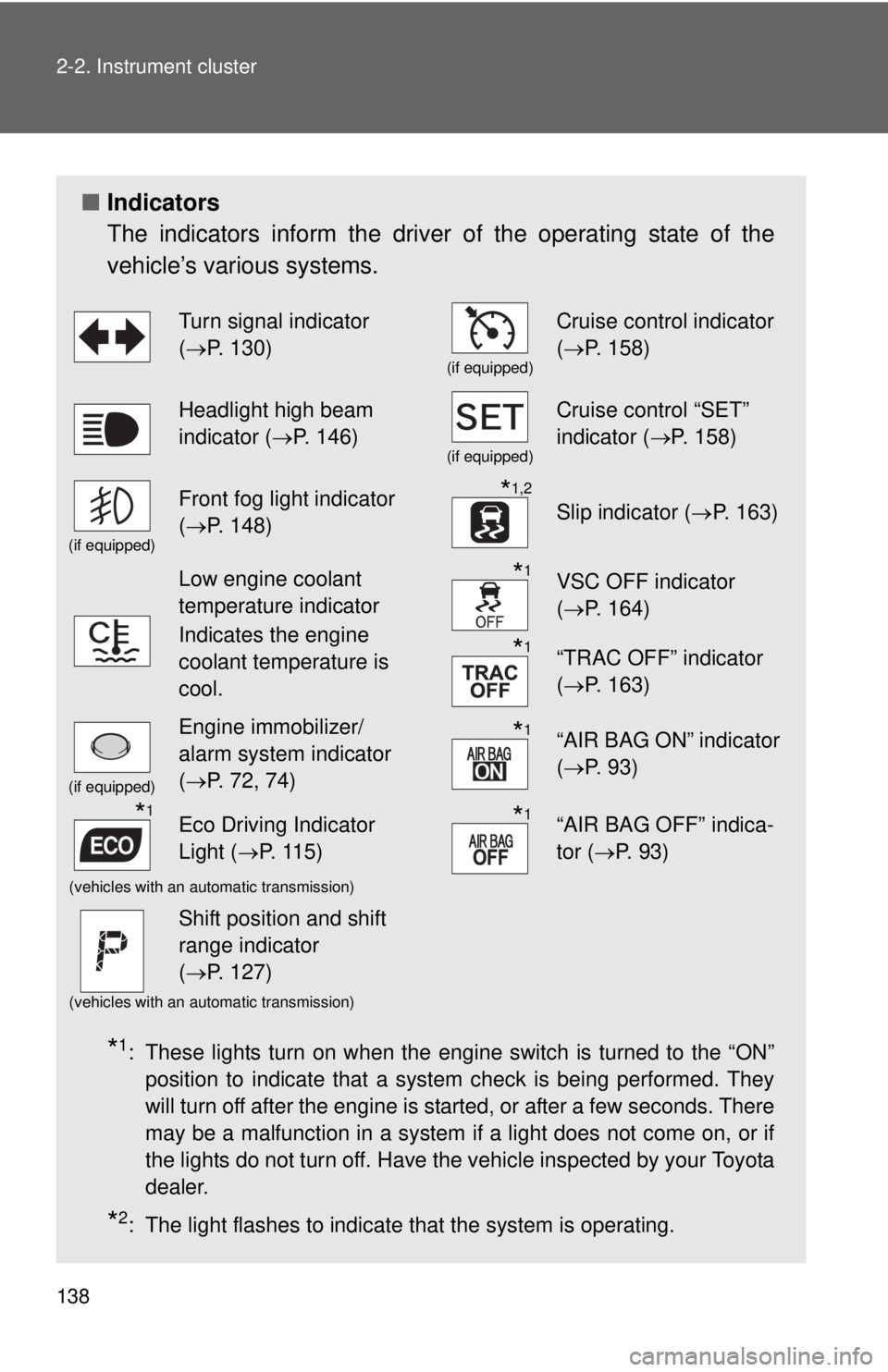
■Indicators
The indicators inform the driver of the operating state of the
vehicle’s various systems.
*1: These lights turn on when the engine switch is turned to the “ON”
position to indicate that a system check is being performed. They
will turn off after the engine is started, or after a few seconds. There
may be a malfunction in a system if a light does not come on, or if
the lights do not turn off. Have the vehicle inspected by your Toyota
dealer.
*2: The light flashes to indicate that the system is operating.
Turn signal indicator
(→ P. 130)
(if equipped)
Cruise control indicator
(→ P. 158)
Headlight high beam
indicator ( →P. 146)
(if equipped)
Cruise control “SET”
indicator ( →P. 158)
(if equipped)
Front fog light indicator
(→ P. 148)*1,2
Slip indicator ( →P. 163)
Low engine coolant
temperature indicator
Indicates the engine
coolant temperature is
cool.*1VSC OFF indicator
(→ P. 164)
*1“TRAC OFF” indicator
(→ P. 163)
(if equipped)
Engine immobilizer/
alarm system indicator
(→ P. 72, 74)*1“AIR BAG ON” indicator
(→ P. 93)
*1Eco Driving Indicator
Light ( →P. 115)*1“AIR BAG OFF” indica-
tor (→ P. 93)
(vehicles with an automatic transmission)
Shift position and shift
range indicator
(→ P. 127)
(vehicles with an automatic transmission)
Page 120 of 365
139
2-2. Instrument cluster
2
When driving
CAUTION
■
If a safety system warning light does not come on
Should a safety system light such as the ABS and SRS warning light not
come on when you start the engine, this could mean that these systems are
not available to help protect you in an accident, which could result in death
or serious injury. Have the vehicle inspected by your Toyota dealer immedi-
ately if this occurs.
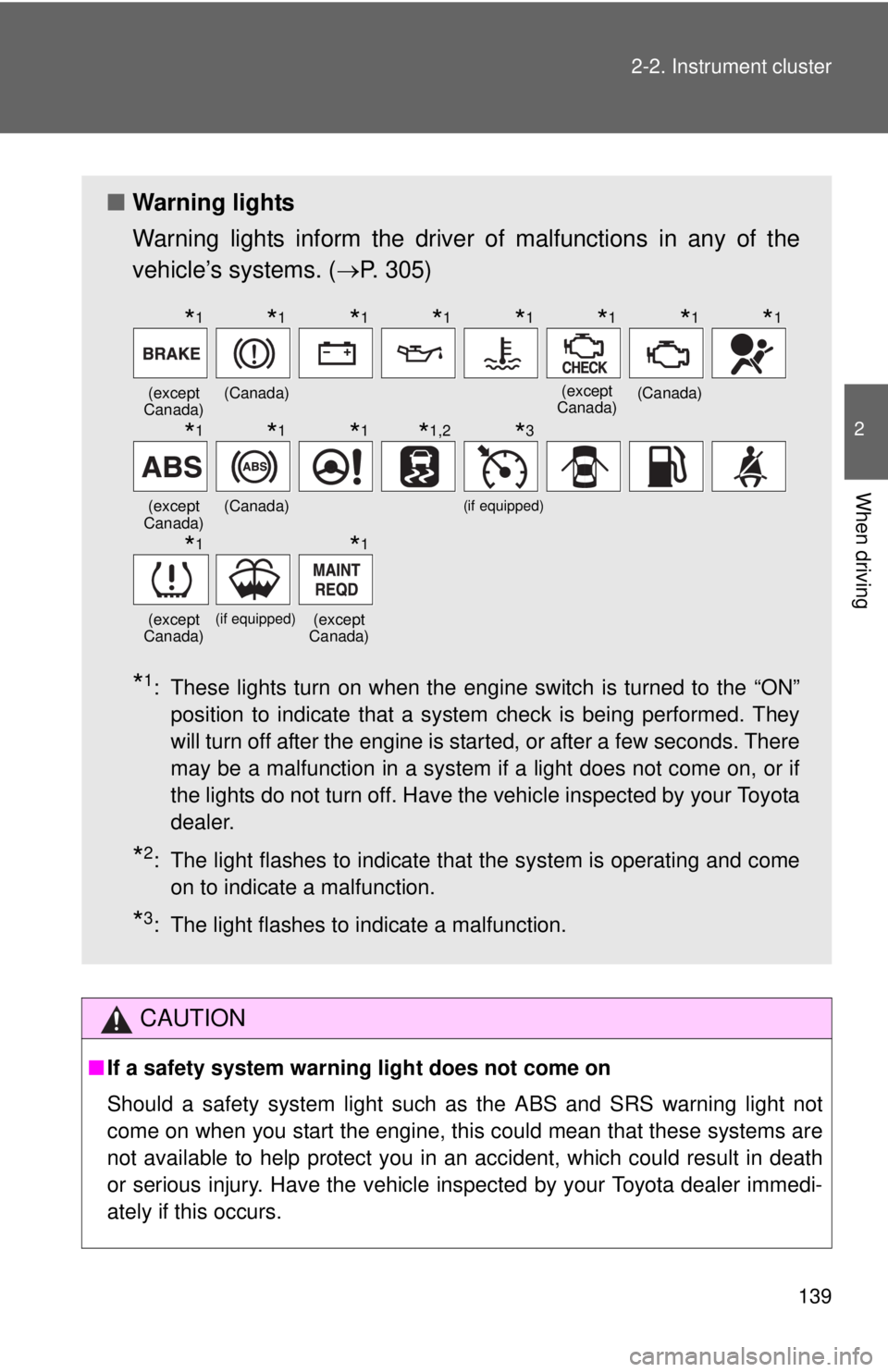
■ Warning lights
Warning lights inform the driver of malfunctions in any of the
vehicle’s systems. ( →P. 305)
*1: These lights turn on when the engine switch is turned to the “ON”
position to indicate that a system check is being performed. They
will turn off after the engine is started, or after a few seconds. There
may be a malfunction in a system if a light does not come on, or if
the lights do not turn off. Have the vehicle inspected by your Toyota
dealer.
*2: The light flashes to indicate that the system is operating and comeon to indicate a malfunction.
*3: The light flashes to indicate a malfunction.
(except
Canada)(Canada)(except
Canada)(Canada)
(except
Canada)(Canada)(if equipped)
(except
Canada)
(if equipped)(except
Canada)
*1*1*1*1*1*1*1*1
*1*1*1*1,2*3
*1*1
Page 121 of 365
140
2-2. Instrument cluster
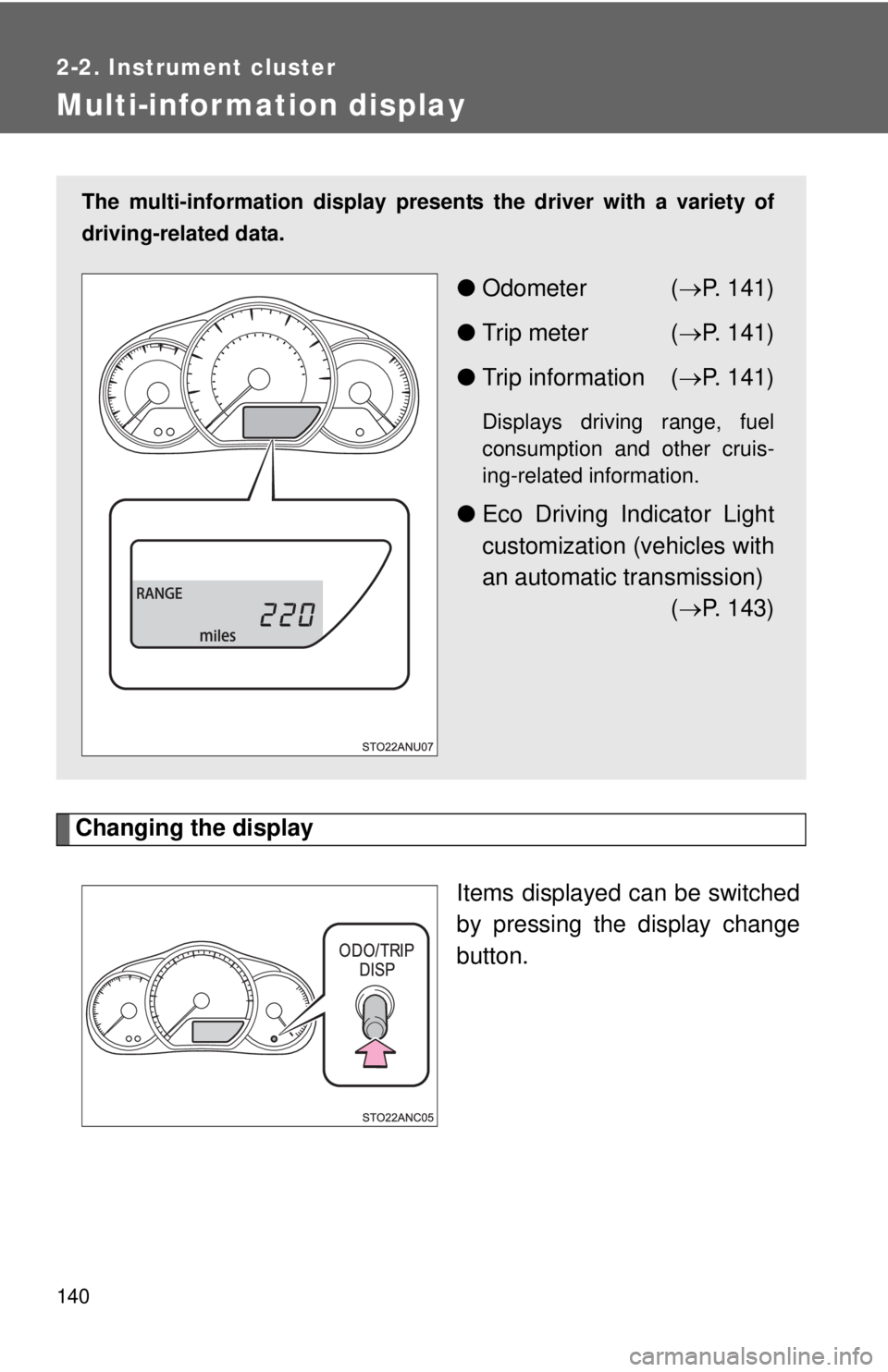
Multi-information display
Changing the displayItems displayed can be switched
by pressing the display change
button.
The multi-information display presen ts the driver with a variety of
driving-related data.
● Odometer ( →P. 141)
● Trip meter ( →P. 141)
● Trip information ( →P. 141)
Displays driving range, fuel
consumption and other cruis-
ing-related information.
● Eco Driving Indicator Light
customization (vehicles with
an automatic transmission)
(→ P. 143)
Page 122 of 365
141
2-2. Instrument cluster
2
When driving
Display items
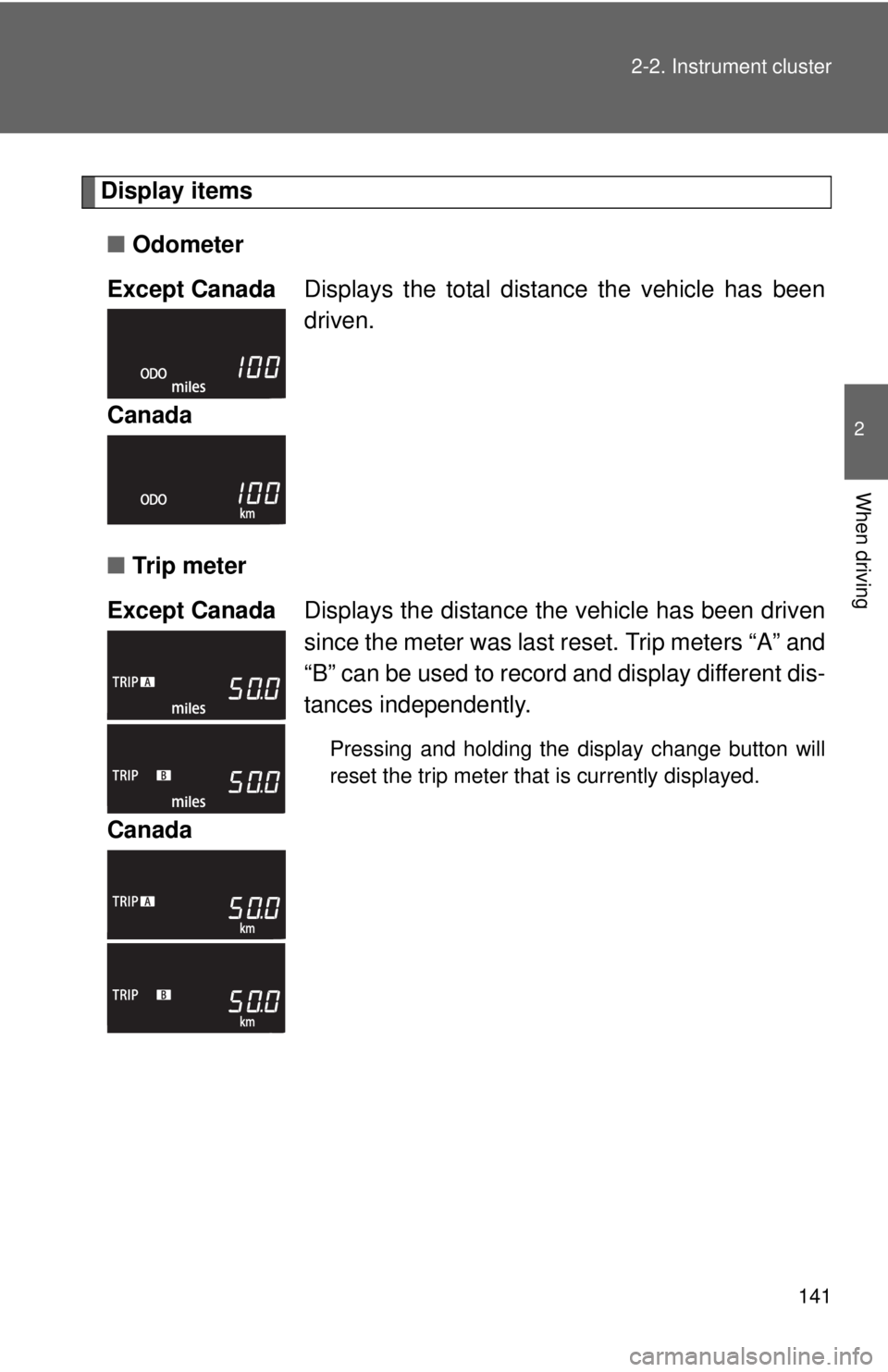
■ Odometer
■ Tr i p m e t e r
Except Canada
Displays the total distance the vehicle has been
driven.
Canada
Except Canada Displays the distance the vehicle has been driven
since the meter was last reset. Trip meters “A” and
“B” can be used to record and display different dis-
tances independently.
Pressing and holding the display change button will
reset the trip meter that is currently displayed.
Canada
Page 123 of 365
142 2-2. Instrument cluster
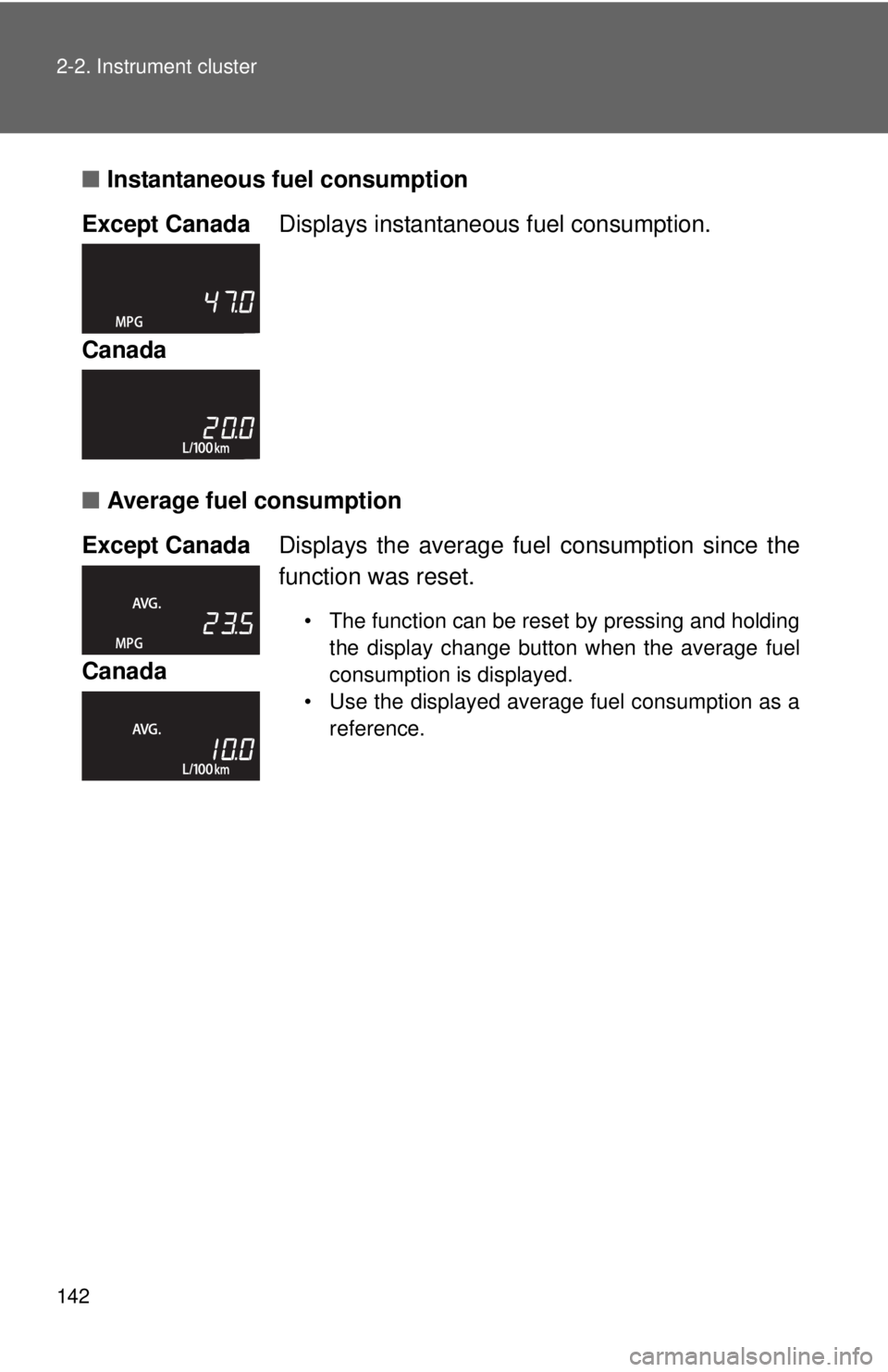
■Instantaneous fuel consumption
■ Average fuel consumption
Except Canada
Displays instantaneous fuel consumption.
Canada
Except Canada Displays the average fuel consumption since the
function was reset.
• The function can be reset by pressing and holding the display change button when the average fuel
consumption is displayed.
• Use the displayed average fuel consumption as a reference.
Canada