engine TOYOTA YARIS HATCHBACK 2018 Workshop Manual
[x] Cancel search | Manufacturer: TOYOTA, Model Year: 2018, Model line: YARIS HATCHBACK, Model: TOYOTA YARIS HATCHBACK 2018Pages: 520, PDF Size: 8.69 MB
Page 163 of 520
1634-3. Operating the lights and wipers
4
Driving
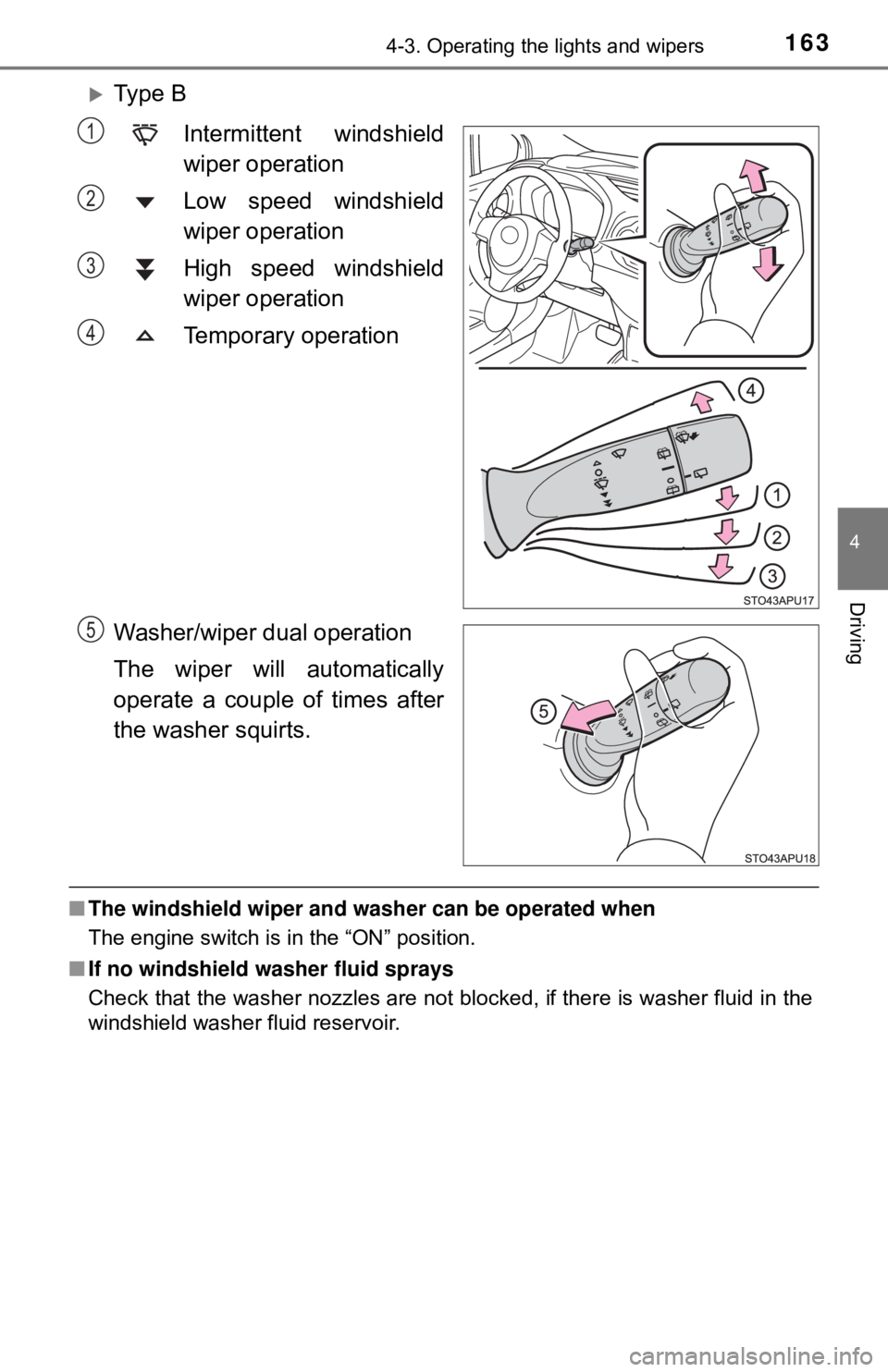
Ty p e BIntermittent windshield
wiper operation
Low speed windshield
wiper operation
High speed windshield
wiper operation
Temporary operation
Washer/wiper dual operation
The wiper will automatically
operate a couple of times after
the washer squirts.
■ The windshield wiper and washer can be operated when
The engine switch is in the “ON” position.
■ If no windshield washer fluid sprays
Check that the washer nozzles are not blocked, if there is washer fluid in the
windshield washer fluid reservoir.
1
2
3
4
5
Page 167 of 520
1674-3. Operating the lights and wipers
4
Driving
■The rear window wiper and w asher can be operated when
The engine switch is in the “ON” position.
■ If no washer fluid sprays
Check that the washer nozzle is not blocked, if there is washer fluid in the
washer fluid reservoir.
NOTICE
■When the rear window is dry
Do not use the wiper, as it may damage the rear window.
■ When the washer fluid tank is empty
Do not operate the switch continually as the washer fluid pump may over-
heat.
■ When a nozzle becomes blocked
In this case, contact your Toyota dealer.
Do not try to clear it with a pin or other object. The nozzle will be damaged.
Page 168 of 520
1684-4. Refueling
Opening the fuel tank cap
●Turn the engine switch to the “LOC K” position and ensure that all
the doors and windows are closed.
● Confirm the type of fuel.
■Fuel types
→P. 471
■ Fuel tank opening for unleaded gasoline
To help prevent incorrect fueling, y our vehicle has a fuel tank opening that
only accommodates the special nozzle on unleaded fuel pumps.
Perform the following steps to open the fuel tank cap:
Before refueling the vehicle
WARNING
■ When refueling the vehicle
Observe the following precautions while refueling the vehicle. Failure to do
so may result in death or serious injury.
● After exiting the vehicle and before opening the fuel door, touch an
unpainted metal surface to discharge any static electricity. It is important to
discharge static electricity before refueling because sparks resulting from
static electricity can cause fuel vapors to ignite while refueling.
● Always hold the grips on the fuel tank cap and turn it slowly to remove it.
A whooshing sound may be heard when the fuel tank cap is loosened.
Wait until the sound cannot be heard before fully removing the cap. In hot
weather, pressurized fuel may spray out the filler neck and cause injury.
Page 179 of 520

1794-5. Toyota Safety Sense C
4
Driving
WARNING
●While driving, such as when driving through a railway crossing, the system
may determine that the possibility of a collision with an object, such as rail-
way crossing barrier, is high and operate the pre-collision braking function.
To move the vehicle in an emergency, such as if the system operates in a
railway crossing, perform the following operations and then take the nec-
essary measures to ensure your safety.
• If the vehicle has been stopped, depress the accelerator pedal.
• If the vehicle is decelerating, fully depress the accelerator pedal.
(→P. 182)
• Disable the pre-collision system. ( →P. 180)
■ When to disable the pre-collision system
In the following situations, disable the system, as it may not operate prop-
erly, possibly leading to an accident resulting in death or serious injury:
● When the vehicle is being towed
● When your vehicle is towing another vehicle
● When transporting the vehicle via truck, boat, train or similar means of
transportation
● When the vehicle is raised on a lift with the engine running on and the tires
are allowed to rotate freely
● When inspecting the vehicle using a drum tester such as a chassis dyna-
mometer or speedometer tester, or when using an on vehicle wheel bal-
ancer
● If the vehicle cannot be driven in a stable manner, such as when the vehi-
cle has been in an accident or is malfunctioning
● When the vehicle is driven in a sporty manner or off-road
● When the condition of the tires is poor and they do not perform well
(→P. 370)
● When tires of a size other than specified are installed
● When tire chains are installed
● When a compact spare tire or an emergency tire puncture repair kit is used
Page 180 of 520
1804-5. Toyota Safety Sense C
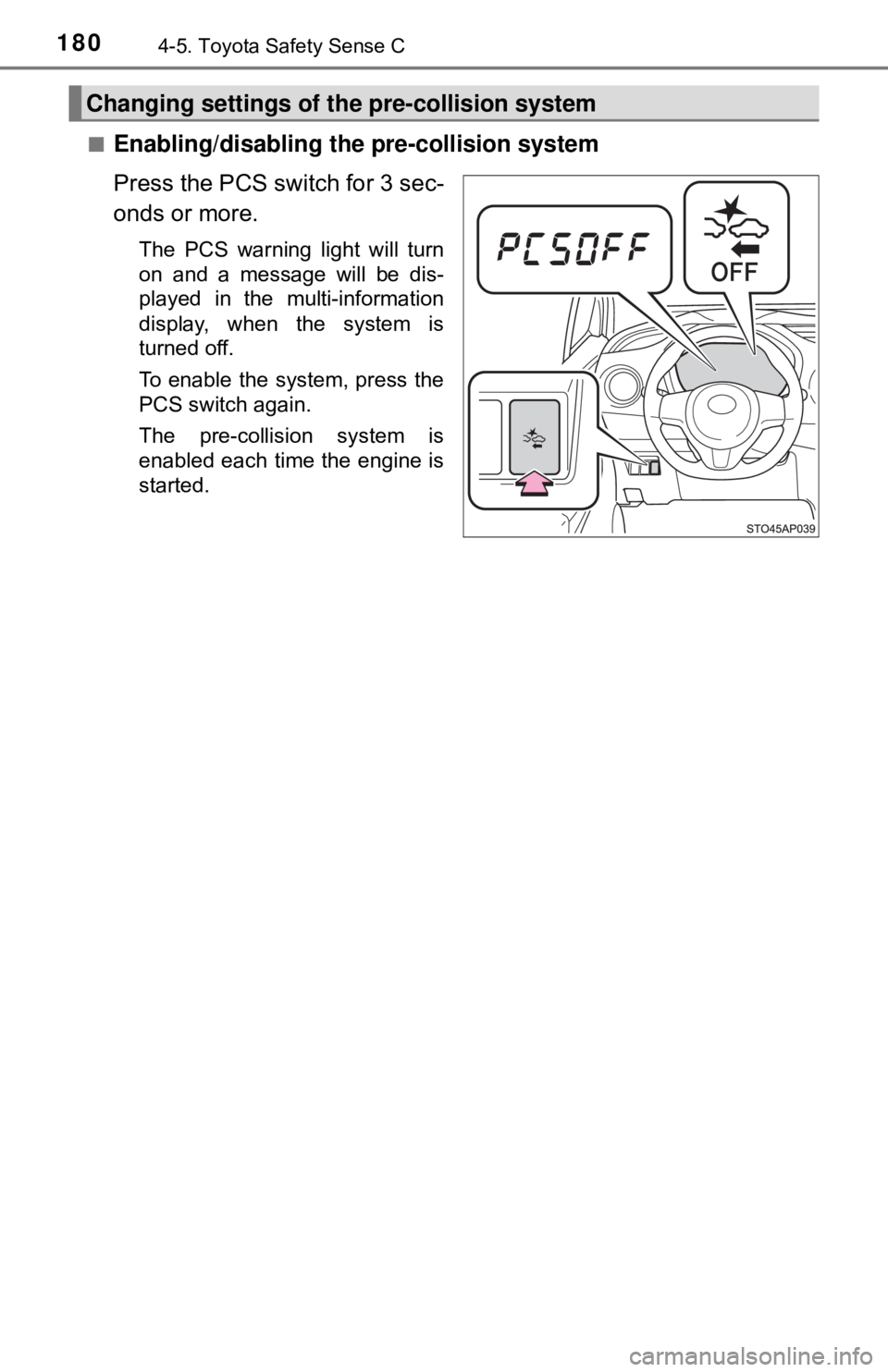
■Enabling/disabling the pre-collision system
Press the PCS switch for 3 sec-
onds or more.
The PCS warning light will turn
on and a message will be dis-
played in the multi-information
display, when the system is
turned off.
To enable the system, press the
PCS switch again.
The pre-collision system is
enabled each time the engine is
started.
Changing settings of th e pre-collision system
Page 181 of 520
1814-5. Toyota Safety Sense C
4
Driving
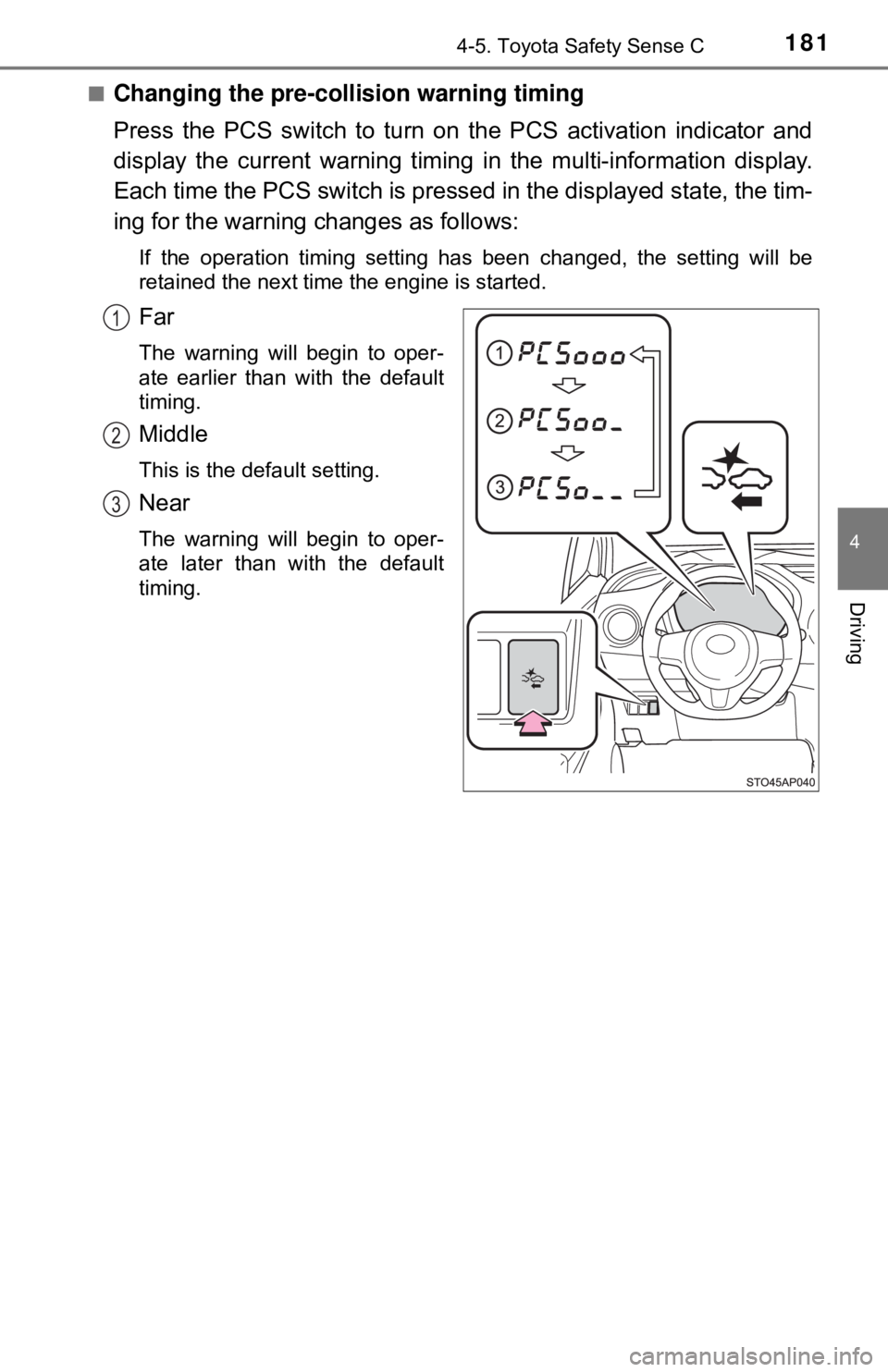
■Changing the pre-collision warning timing
Press the PCS switch to turn on the PCS activation indicator and
display the current warning timing in the multi-information display.
Each time the PCS switch is presse d in the displayed state, the tim-
ing for the warning changes as follows:
If the operation timing setting has been changed, the setting will be
retained the next time the engine is started.
Far
The warning will begin to oper-
ate earlier than with the default
timing.
Middle
This is the default setting.
Near
The warning will begin to oper-
ate later than with the default
timing.
1
2
3
Page 191 of 520
1914-5. Toyota Safety Sense C
4
Driving
LDA (Lane Departure Alert)∗
While driving on a road that has la ne markers, this system recognizes
the lane markers using a camera as a sensor to alert the driver when
the vehicle deviat es from its lane.
If the system judges that the ve hicle has deviated from its lane, it
alerts the driver using a buzzer and indications on the meter.
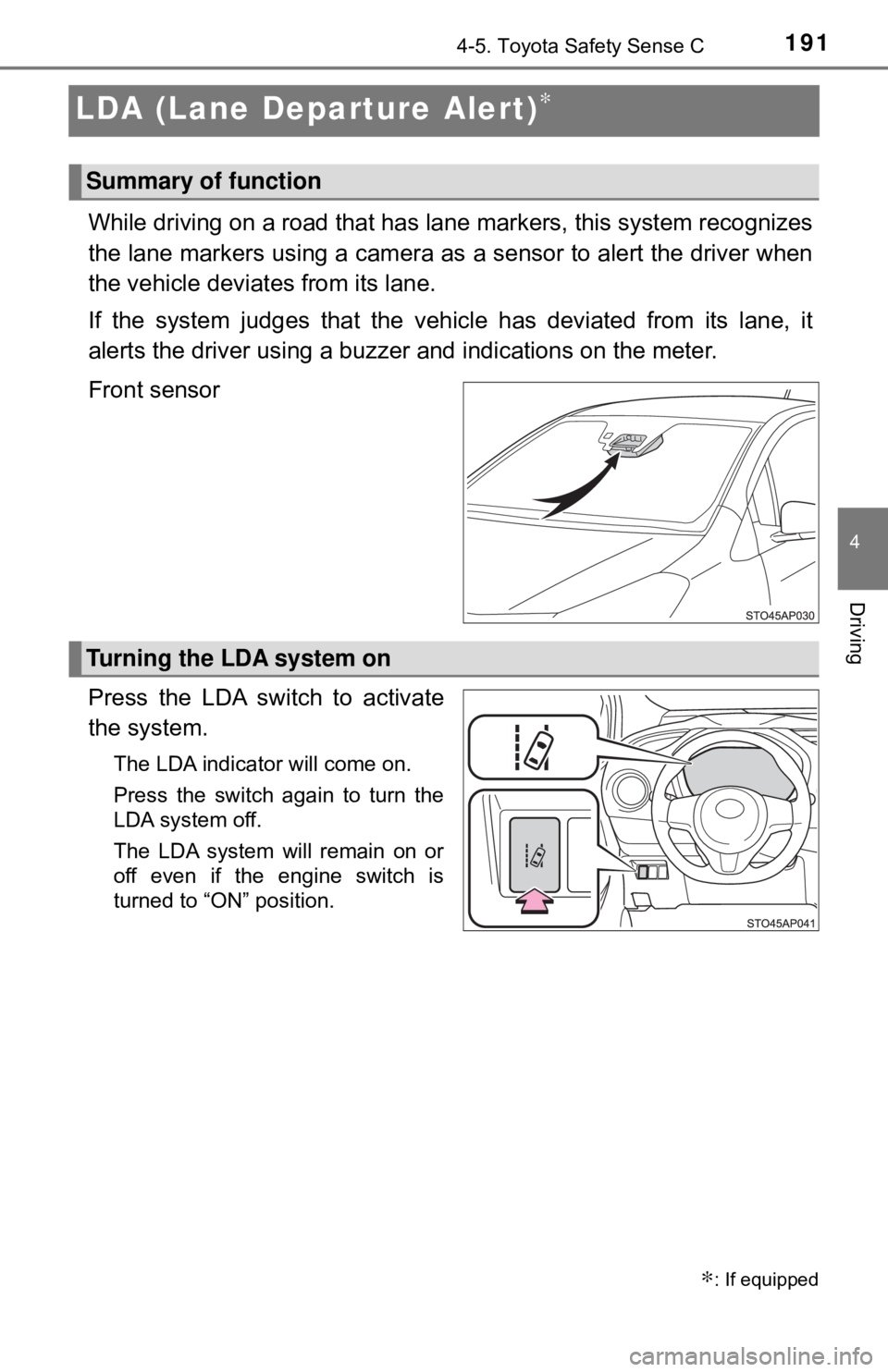
Front sensor
Press the LDA switch to activate
the system.
The LDA indicator will come on.
Press the switch again to turn the
LDA system off.
The LDA system will remain on or
off even if the engine switch is
turned to “ON” position.
∗: If equipped
Summary of function
Turning the LDA system on
Page 198 of 520
1984-5. Toyota Safety Sense C
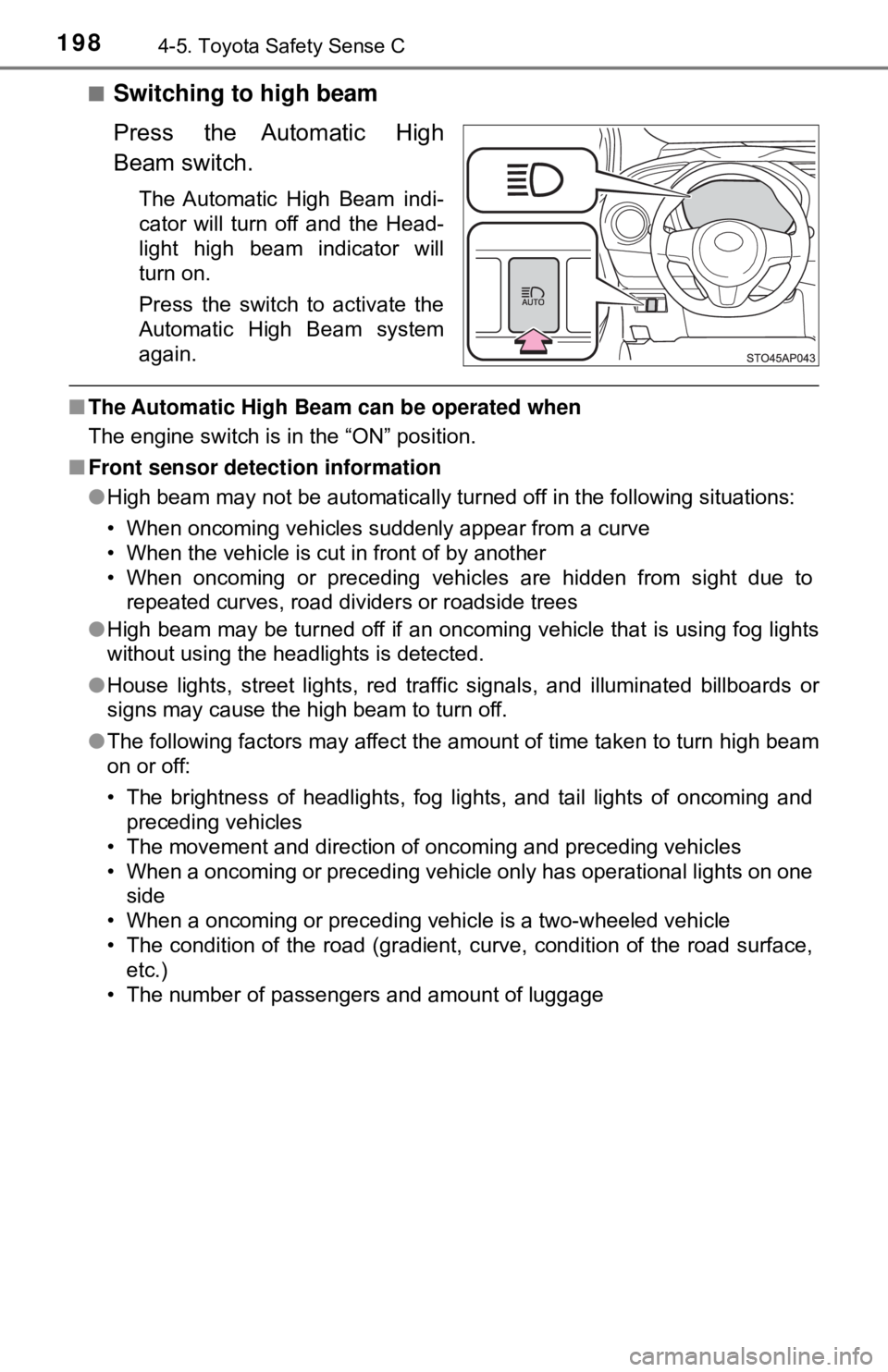
■Switching to high beam
Press the Automatic High
Beam switch.
The Automatic High Beam indi-
cator will turn off and the Head-
light high beam indicator will
turn on.
Press the switch to activate the
Automatic High Beam system
again.
■The Automatic High Beam can be operated when
The engine switch is in the “ON” position.
■ Front sensor detection information
●High beam may not be automatically turned off in the following situations:
• When oncoming vehicles suddenly appear from a curve
• When the vehicle is cut in front of by another
• When oncoming or preceding vehicles are hidden from sight due to
repeated curves, road dividers or roadside trees
● High beam may be turned off if an oncoming vehicle that is using fog lights
without using the headlights is detected.
● House lights, street lights, red traf fic signals, and illuminated billboards or
signs may cause the high beam to turn off.
● The following factors may affect the amount of time taken to turn high beam
on or off:
• The brightness of headlights, fog lights, and tail lights of oncoming and
preceding vehicles
• The movement and direction of oncoming and preceding vehicles
• When a oncoming or preceding vehicle only has operational lights on one side
• When a oncoming or preceding vehicle is a two-wheeled vehicle
• The condition of the road (gradient, curve, condition of the road surface, etc.)
• The number of passengers and amount of luggage
Page 200 of 520
2004-5. Toyota Safety Sense C
■Temporarily lowering sensor sensitivity
The sensitivity of the sensor can be temporarily lowered.
Turn the engine switch off while the following conditions are met.
• The headlight switch is in .
• The headlight switch lever is in low beam position.
• Automatic High Beam switch is on.
Turn the engine switch to the “ON” position.
Within 30 seconds after , repeat pulling the headlight switch lever to the
original position then pushing it to the high beam position quickly 10 times,
then leave the lever in high beam position.
If the sensitivity is changed, the Automatic High Beam indicator is turned on
and off 3 times.
Automatic High Beam (headlights) may turn on even if the vehicle is stopped.
WARNING
■ Limitations of the Automatic High Beam
Do not rely on the Automatic High Beam. Always drive safely, taking care to
observe your surroundings and turning high beam on or off manually if nec-
essary.
NOTICE
■Notes when using the Au tomatic High Beam system
Observe the following to ensure that the Automatic High Beam functions
correctly.
● Do not overload the vehicle.
● Do not modify the vehicle.
1
2
32
4
Page 205 of 520
2054-6. Using the driving support systems
4
Driving
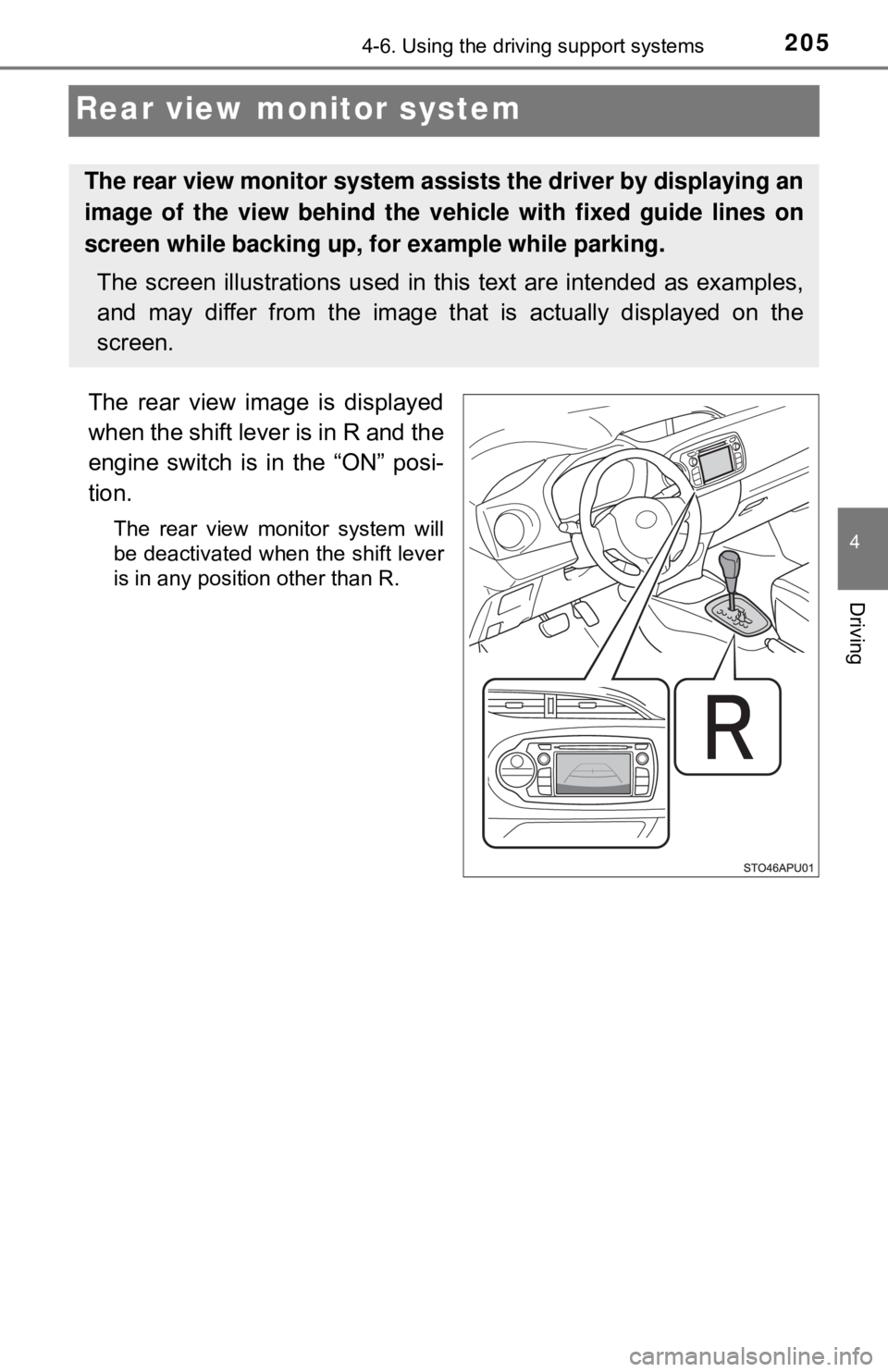
Rear view monitor system
The rear view image is displayed
when the shift lever is in R and the
engine switch is in the “ON” posi-
tion.
The rear view monitor system will
be deactivated when the shift lever
is in any position other than R.
The rear view monitor system assists the driver by displaying an
image of the view behind the vehicle with fixed guide lines on
screen while backing up, for example while parking.
The screen illustrations used in this text are intended as examples,
and may differ from the image that is actually displayed on the
screen.